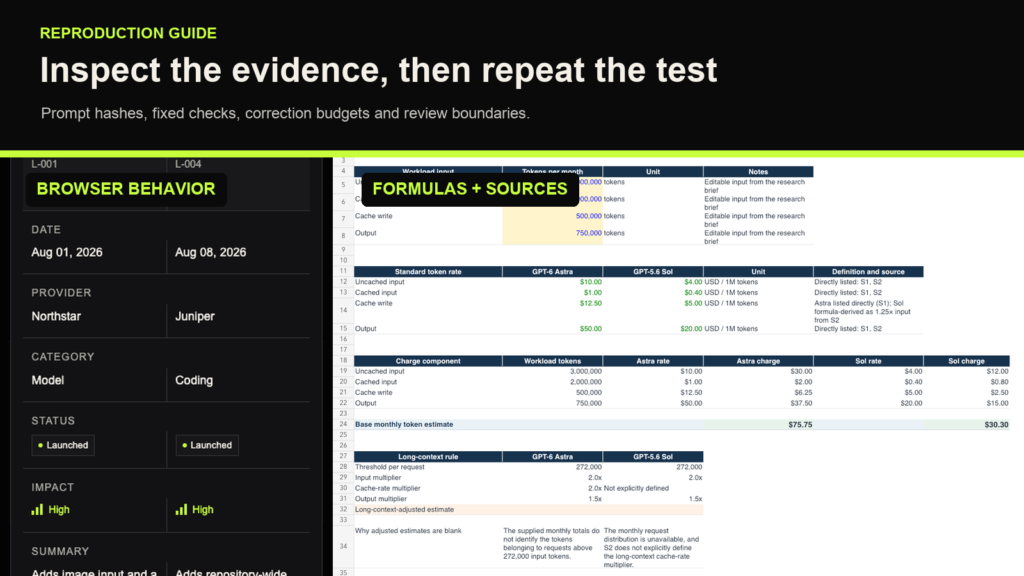
Start by deciding whether you want to inspect a retained artifact or create a new one. Inspecting saved evidence can confirm what the record contains. A new run produces new evidence and needs its own results, even when its prompt matches the original.
The observed conditions
| Condition | Working app | Research spreadsheet |
|---|---|---|
| Models | gpt-6-astra and gpt-5.6-sol |
gpt-6-astra and gpt-5.6-sol |
| Recorded effort | Extra High / xhigh |
Extra High / xhigh |
| Recorded orchestration | Single agent | Single agent, multi-agent disabled |
| Recorded Codex CLI | 0.153.1 | 0.153.1 |
| Supplied inputs | Identical product brief and fictional JSON | Identical research brief |
| Initial prompt | Byte-identical within the pair | Byte-identical within the pair |
| Recorded final fixed checks | Both 12/12 | Both 12/12 |
| Post-completion correction prompts | Neither used one | Astra 0; Sol 1 |
| Main execution tools | Local file/shell tools, HTTP server, browser | Official-page retrieval, bundled @oai/artifact-tool spreadsheet runtime |
Both pairs were individual, time-separated case studies. Authoring included self-checking and changes before the first completion claim. The app audit and research audit document the retained provenance and material corrections; the comparison articles provide the final review method and findings.
The guide uses four labels: observed for execution evidence, saved-documentation for captured official-source claims, untested for a procedure without a completed local trial, and planned for the unsubmitted motion demonstration. Saved source pages do not establish today’s availability, prices, or product behavior.
Preserve prompt and input identity
Use the plain-text files when exact bytes matter:
| Prompt | Retained SHA-256 |
|---|---|
| Working app, 1,887 bytes | ff1f1de6583fa781f771862ea3f6cfc6755b5b27b5dfbdfda9f6a31627b55265 |
| Research spreadsheet, 1,784 bytes | e3fb08aa1e35d80267da60ea9669f09ee4c80b0d9817a17dca9d9308016e5b6c |
From the delivery directory, this read-only command lets you compare your copies with those values:
shasum -a 256 prompts/working-app-exact.txt prompts/research-spreadsheet-exact.txtFor a new matched app test, copy the two SignalDesk inputs into each fresh run directory under the filenames the prompt expects. For research, copy research-workbook-brief.md. Keep completed candidate artifacts and the other model’s output out of the authoring context. Record input hashes, settings, runtime/tool versions, permissions, and the actual prompt submission method.
Record start and completion times with their timezone and stated boundaries. Keep setup, authoring, correction, and operator verification intervals separate. The app’s recorded time to first claimed completion is based on metadata; its retained CLI events lack per-event timestamps. Timing and account-wide allowance changes do not establish per-run cost or a general speed ranking.
Inspect the retained apps
The following commands are reader procedures supplied with this guide; they were not a new app test during editorial preparation. They assume Python 3 is already installed and that your shell is in the delivery directory. Run each server in a separate terminal:
python3 -m http.server 8765 --bind 127.0.0.1 --directory artifacts/apps/astrapython3 -m http.server 8766 --bind 127.0.0.1 --directory artifacts/apps/solOpen http://127.0.0.1:8765/ and http://127.0.0.1:8766/ in your browser. Separate ports keep the apps’ localStorage state on separate origins. Use clean browser profiles or clear only the storage for these local origins before a fresh checklist. Stop each server with Control-C when finished. The example.test source URLs are fictional and should remain inert.
The working-app checks
These are the fixed checks behind the recorded 12/12 results:
| # | Check |
|---|---|
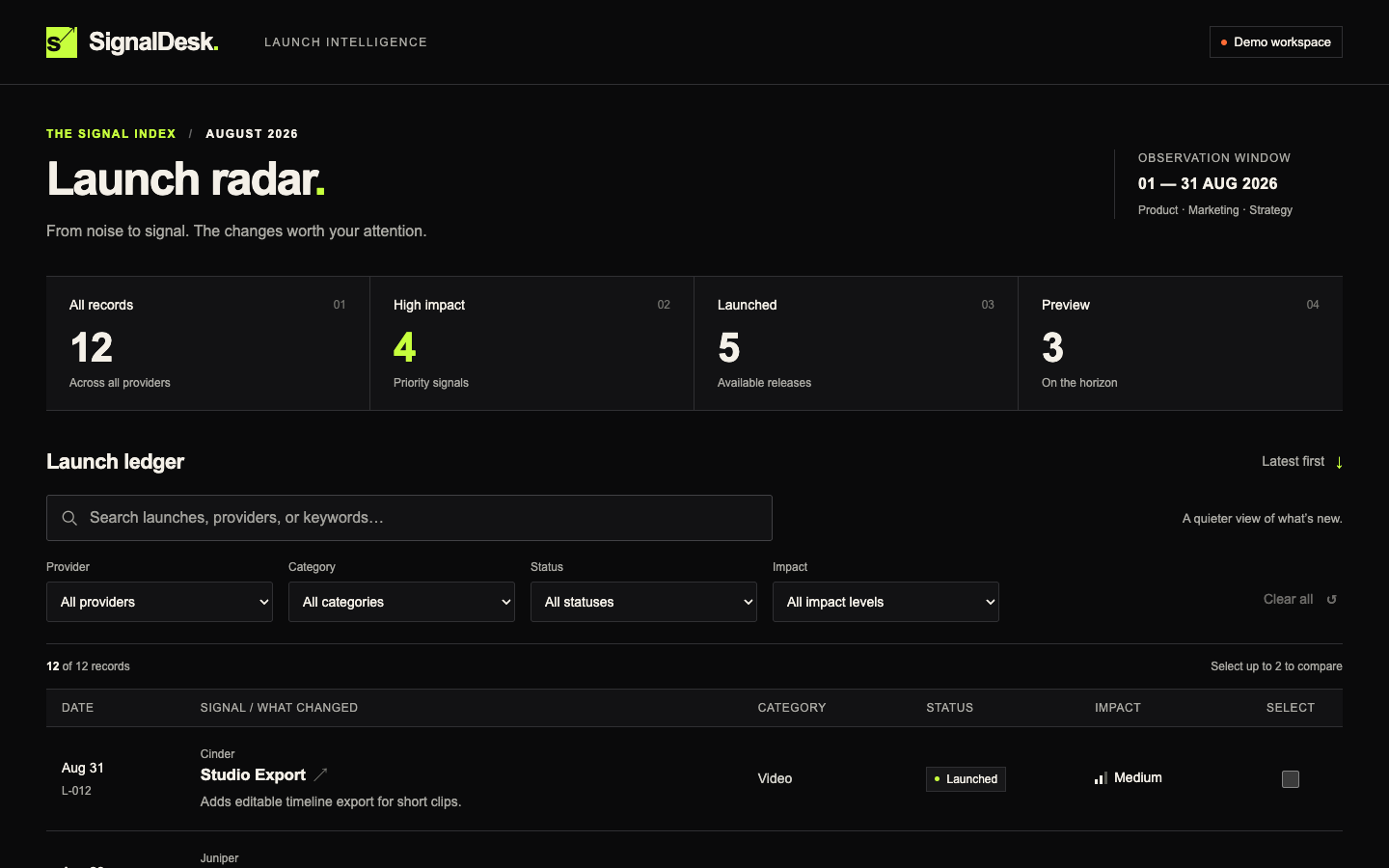
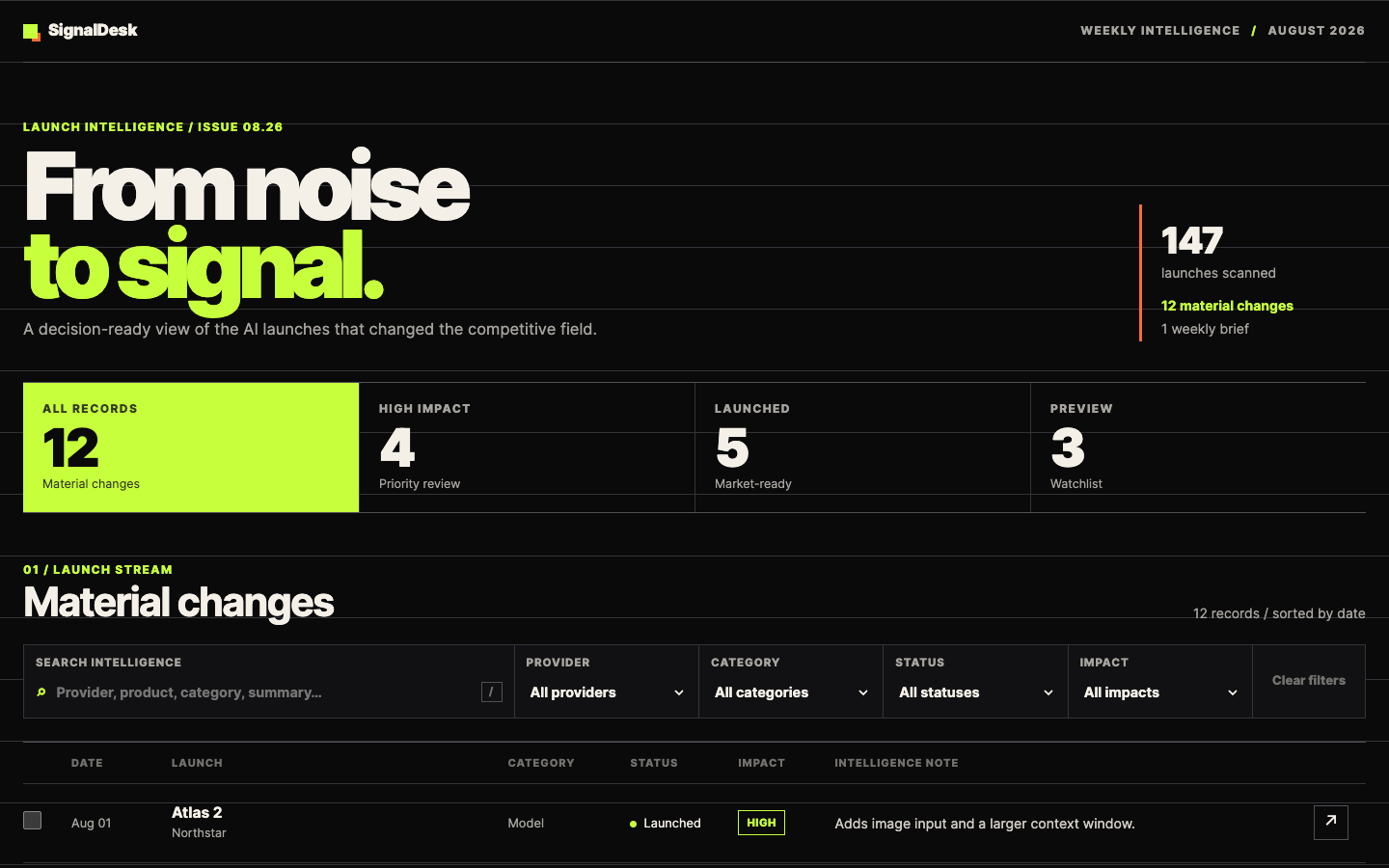
| 1 | Initial record count is 12. |
| 2 | Searching for forge returns two records. |
| 3 | Provider Cinder returns three records. |
| 4 | Status Preview plus Impact High returns one record. |
| 5 | Clear-all returns 12 records. |
| 6 | Select L-001 and L-004; the comparison shows both. |
| 7 | Attempt L-006 as a third selection; the app prevents or explains the limit. |
| 8 | Open L-010 details with the keyboard, close it, and verify focus returns. |
| 9 | Set a filter and two comparison items, reload, and confirm restoration. |
| 10 | Search no-such-launch and confirm an empty state. |
| 11 | Inspect at 1440×900 and 390×844. |
| 12 | Confirm zero browser-console errors after the sequence. |
The retained scripts performed browser actions, including typing, selection, keyboard use, reload, and viewport changes. The suite does not independently cover every summary count, all filter combinations, or full focus trapping. A 12/12 result is narrower than a production or accessibility audit.
The historical author-run desktop stills have different dimensions and should not be described as matched 1440×900 captures. The delivery also includes new matched Astra and Sol desktop captures from the replacement review; distinguish those from the historical stills. The selected historical mobile stills are both 390×844.
Sol’s Playwright wrapper made failed npm-registry lookups in three command executions; no download or installation completed. That attempt belongs in the scope record even though the independent browser suite observed only loopback traffic.
Inspect the workbooks and their sources
Use copies of the Astra XLSX and Sol XLSX for any interactive changes. The source index identifies the retained official-page snapshots. Preserve their dates and original source URLs.
The historical prompt asked for current documentation. Replaying it with fresh retrieval can change the evidence set. Replacing retrieval with sources/ is an untested offline adaptation, provided in the beginner guide. It can support claims about the supplied snapshots; it cannot be described as a byte-identical repeat of the historical task.
The fixed research checks were:
| # | Pass condition |
|---|---|
| 1 | One local XLSX opens successfully. |
| 2 | Exactly five required sheets exist: Read me, Model comparison, Capability matrix, Cost calculator, and Sources. |
| 3 | Read me shows scope, run date, evidence rules, and material limitations. |
| 4 | Required research fields exist for both models or are marked unavailable or conflicted. |
| 5 | Shared capabilities and Astra-specific workflow claims are distinct; Ultra is not an API reasoning value. |
| 6 | Material fields trace to official URLs and access dates, with the required source metadata. |
| 7 | Source spot checks cover model IDs, context/output limits, API efforts, two shared tools, every listed Astra-specific change, and calculator rates. |
| 8 | The four editable numeric workload inputs are 3,000,000; 2,000,000; 500,000; and 750,000 tokens. |
| 9 | Formula outputs use complete, compatible rates; otherwise they stay blank with an explanation. Independently recompute a populated result. |
| 10 | Scan the required sheets for spreadsheet errors. |
| 11 | Render every sheet and inspect required text, numbers, and formulas for readability and clipping. |
| 12 | Retain one XLSX and source/verification records, with no external write, dependency install, paid call, or unsupported/invented value. |
For formula verification, trace the four workload types to their rate cells and source conditions. Change one input, then remove one required rate in memory or a disposable copy. Check that recalculation changes the affected result and that a missing rate suppresses that model’s output with a visible explanation. Verify the preserved workbook’s bytes remain unchanged.
Observed historical evidence includes runtime imports and in-memory mutations of the saved XLSX files, passing calculator assertions, and preserved file hashes. It supports runtime recalculation. A later in-memory review found a remaining Sol limitation: removing a required base rate blanks the affected total but does not dynamically name the missing rate. Astra displays “Missing API rate.” The recorded final 12/12 totals remain historical results; they do not certify that this later diagnostic condition passed. No candidate repair was made. Sol’s permitted correction had already been used.
Native Excel interaction was not tested. An Excel or LibreOffice session would be a separate compatibility check and should be described by the application and actions actually used.
Read the research correction accurately
Astra’s initial and final results are 12/12. Sol’s initial record says 10/12: #7 failed for a 2× cache multiplier unsupported by its cited source set, and #11 lacked sufficient visual proof at an auto-crop boundary. Check #12 nevertheless passed despite also prohibiting unsupported values. Preserve the original total with that audit caveat rather than silently changing it.
The wider saved source record includes an official pricing page that supports the rates. Source coverage is an observed difference; source drift is a possible limitation, not an established cause. Sol’s initial adjusted estimates were already blank. Its correction revised source labels and separated input/cache multipliers; it did not newly blank a previously populated estimate.
Sol received the generic acceptance-audit correction prompt printed in the beginner guide. An operator later produced an explicit A1:F37 render without editing the candidate. Keep that proof render separate from the author’s correction. The recorded final fixed checks were 12/12. Sol’s original first-completion XLSX was not separately retained; initial behavior claims rely on the preserved inspection records and initial hash.
Keep review and provenance claims bounded
Functional verification and final-artifact preference answer different questions. For the review findings and the actual review method, use the working-app comparison and research comparison. Historical preference scores are superseded and are not reproduced in this guide.
For a new blind review, use a reviewer who has not seen model identities or the identified originals. Prepare neutral copies, randomize order, withhold the mapping until scoring is complete, and retain the review record. State whether the reviewer interacted with the artifact, inspected renders, or both. Neutral filenames alone do not establish reviewer isolation.
The original recordings have limitations. Astra’s app run lacks literal selector-screen recording; Sol’s app run shows an operator runner banner rather than a native selector. Research launch records establish worker settings; captured GUI selectors belong to the operator context. Raw recordings contain unrelated foreground content and remain private. A screenshot, banner, or rendered workbook should be described as the evidence it actually is.
Motion has no reproduction result yet
Planned. The motion protocol freezes the brief, exact prompt, checks, correction policy, and recording requirements. The readiness record found existing local executables; the preflight result explains why submission stopped when the required visible run evidence could not be recorded. Neither model authored a candidate.
A future run must establish that recording prerequisite and then prove the complete offline composition/render path. Version probes alone do not prove rendering. The planned output uses HyperFrames and FFmpeg, so any future comparison must attribute those tools. No Ultra test or native media-generation result exists in this delivery.
The Kingy Brief
Get The Kingy Brief.
AI changes, original tests and one practical thing to try. Fridays at 09:00 Vancouver time.
Free · Double opt-in · Unsubscribe anytime
Sign up for The Kingy Brief on Beehiiv.
Signup help and newsletter schedule
Signup form provided by Beehiiv. After submitting, check your inbox for "Confirm your subscription to The Kingy Brief" and open its confirmation link. Check Spam or Promotions if you cannot find it.
Fridays at 09:00 Vancouver time: source-checked AI changes, original tests and one practical thing to try. We skip a week when there is not enough verified material. Free. Unsubscribe anytime.