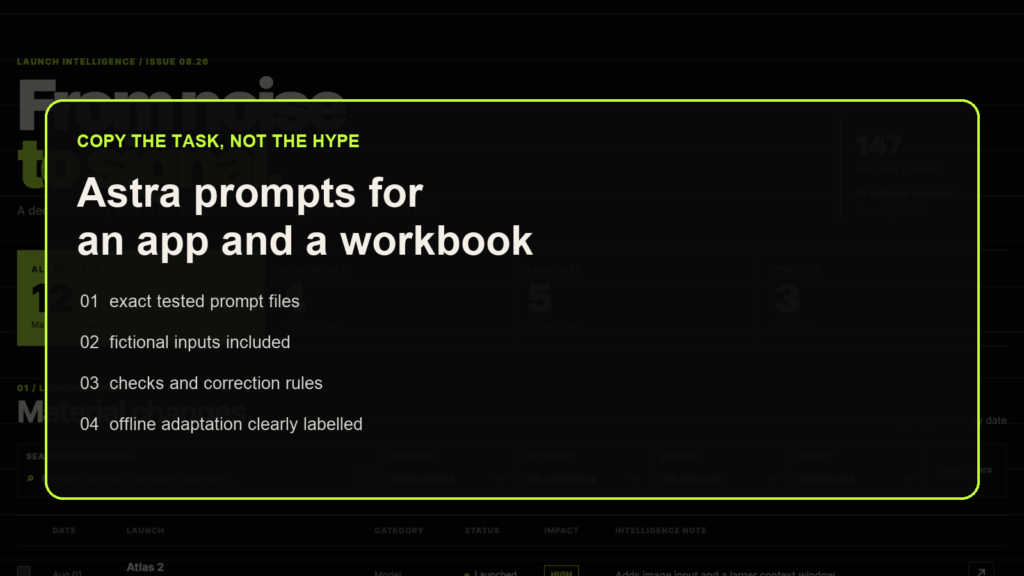
A useful prompt names the output, supplies the inputs, sets boundaries, and tells the model how to check its work. The two completed demonstrations used that pattern. Their exact prompts are preserved below and as plain-text downloads.
Pick the right prompt
| Prompt | Evidence status | What a new attempt would be |
|---|---|---|
| Working app | Observed in both historical runs | A new local app run using the tested task text |
| Research spreadsheet | Observed in both historical runs | A fresh research run; its request for current sources can produce different findings |
| Offline research adaptation below | Untested | A new exercise using the saved source snapshots |
| Motion graphic | Planned; never submitted | A future demonstration, subject to its preparation requirements |
The .txt downloads are the authoritative exact prompt files. Changing the wording, input files, model setting, source set, or tool access creates a different run. The offline adaptation is new text and is not byte-identical to the tested research prompt.
Build the SignalDesk app
Create a fresh local project. Copy signaldesk-product-brief.md and app-records.json into its top level, keeping those filenames. Use a setup with local file editing, an installed Python or Node runtime for a local server, and a browser that can exercise the app. The task asks for no package installation.
Paste the exact working-app prompt:
Build a polished local web prototype for the fictional SignalDesk product using signaldesk-product-brief.md and app-records.json. Use plain HTML, CSS, and JavaScript with no package installation, external assets, remote APIs, analytics, authentication, deployment, or external app writes.

The product is a launch-intelligence dashboard for product, marketing, and strategy teams. Create a desktop-first interface that remains usable at 390 px viewport width.

Required behavior:
- Load and display all 12 records from app-records.json.
- Show summary counts for all records, High-impact records, Launched records, and Preview records.
- Provide a case-insensitive text search across provider, product, category, and summary.
- Provide working Provider, Category, Status, and Impact filters plus a clear-all control.
- Let the user open a record in an accessible details drawer or dialog.
- Let the user select up to two records and compare their date, provider, category, status, impact, and summary side by side.
- Preserve search, filter, and comparison state across a page reload with localStorage.
- Include an empty state when filters return no records.
- Treat the example.test source URLs as inert fictional data. Do not navigate to them.

Use the supplied palette and a locally available sans-serif. Make the hierarchy feel like an editorial intelligence product: restrained, dense enough to be useful, and readable. Avoid placeholder charts, nonfunctional controls, excessive rounded cards, gradients, and decorative animation.

Serve the app locally. Verify the required interactions in a real browser, including keyboard access to the details view and the 390 px layout. Check the browser console for errors. Save at least one desktop and one mobile screenshot locally. Report the output paths, test evidence, and any remaining defect. Keep everything local and unpublished.
Observed result: both final apps have recorded final fixed checks of 12/12, with no post-completion correction prompt. The dataset contains 12 records, including 4 High-impact, 5 Launched, and 3 Preview records. Search for forge, try the two-record comparison limit, open details with the keyboard, and reload after setting a filter. Use the complete fixed checklist if you want to compare a new attempt with the recorded result.
Read the working-app comparison for the final presentation review. The model wrote code through Codex; the local server and browser made it possible to run and verify the result.
Create a source-linked workbook
For the historical task text, copy research-workbook-brief.md into a fresh project. This prompt asks for current official documentation and needs source retrieval plus a local spreadsheet runtime that can create, inspect, recalculate, and render XLSX files. Its use of current sources makes a future attempt a fresh study, even when the prompt bytes match.
Paste the exact research-spreadsheet prompt:
Research the question in research-workbook-brief.md and create a polished local XLSX workbook for Kingy.ai readers. Use current official OpenAI documentation as the evidence source. Do not use Kingy.ai articles, search-result snippets, social posts, or unsourced model knowledge as evidence.

Create these sheets:
1. Read me: scope, run date, evidence rules, and material limitations.
2. Model comparison: one clearly labeled column per model and the required specifications as rows.
3. Capability matrix: the documented tools and workflow capabilities, with precise distinctions between shared capabilities and Astra-specific changes.
4. Cost calculator: editable workload inputs from the brief and formula-driven estimates for each model. Calculate only when rate definitions are complete and compatible; otherwise leave the result blank and explain why.
5. Sources: source title, publisher, page or section, URL, access date, model, fields supported, and conflict notes.

Use typed numeric values for token limits and prices, suitable number formats, frozen headers where useful, readable column widths, and restrained formatting. Keep formulas simple and auditable. Put source URLs in ordinary cells. Do not add decorative charts, invented confidence scores, or claims that the sources do not support.

Before finishing, inspect the key ranges and formulas, scan the workbook for spreadsheet errors, render every sheet for visual review, and correct any clipped text, unreadable columns, blank required sections, or formula errors. Save one XLSX file locally. Report the path, sources consulted, checks performed, unresolved conflicts, and any unavailable usage data. Do not upload the workbook, write to Google Drive or another external app, use a paid API, or publish anything.
Observed result: Astra recorded 12/12 at initial completion and final fixed verification. Sol’s initial record says 10/12; the audit identifies an inconsistency because check #12 passed despite an unsupported source claim. After one post-completion correction prompt, Sol’s recorded final fixed checks were 12/12. Both models refined their work before claiming completion.
The finished Astra workbook and Sol workbook contain saved-documentation scenarios with fictional token volumes. Their sources and prices should be read with their recorded dates. A later in-memory check found that removing a base rate blanks Sol’s affected total without dynamically identifying the missing rate; Astra shows “Missing API rate.” This limitation remains in the delivered Sol workbook. See the research comparison for the correction details and final review. Native Excel interaction was not tested.
Try an offline research exercise
Untested adaptation. This prompt lets you work from the saved source set without fetching current pages. Copy the sources/ folder and the research brief into a fresh project. Keep the original source files unchanged. This exercise tests how a model uses a supplied evidence packet; it does not repeat the historical source-retrieval task.
Create a local XLSX workbook from research-workbook-brief.md and the saved official-source snapshots in sources/. This is an offline exercise about what those snapshots documented when captured. Interpret the brief's request for current differences using that historical scope. Do not browse, fetch URLs, install packages, use paid services, upload files, or write to external apps.

Use only the supplied snapshots as evidence. Read their index and preserve the original source URL and capture or access date where recorded. Mark a missing date or unsupported field as unavailable. Separate the source date from today's exercise date. Do not describe the findings as current product guidance.

Create exactly five sheets: Read me, Model comparison, Capability matrix, Cost calculator, and Sources. Cover the brief's requested fields for both models, with missing or conflicting evidence visible. Distinguish documented shared tools, model-specific workflow claims, and product controls such as Ultra. Do not treat documentation as a hands-on result.

Use the brief's four fictional workload inputs as editable numeric cells. Calculate with simple formulas only when all required rates and their conditions are supported and compatible. Otherwise leave the affected output blank and explain the gap. Preserve distinctions between input, cached-input, cache-write, output, and long-context rates; do not infer a missing multiplier from another rate.

In Sources, record the local snapshot path, original URL, title, publisher, page or section, recorded date, model, fields supported, and conflict notes. Keep URLs as cell values and do not open them.

Use the installed local spreadsheet tools to inspect formulas, scan for spreadsheet errors, render all five sheets, and review readability. Verify a populated result with independent arithmetic. In memory or a disposable copy, change one workload input and remove one required rate to check recalculation and the missing-rate explanation. Keep the final workbook and source snapshots unchanged during these checks.

Save one XLSX in this new project. Report its path, the checks you completed, unsupported fields, and any remaining defect. If the installed tools cannot perform a required check, record that limitation instead of claiming it passed. Keep all outputs local and unpublished.
Handle a failed check
For a new attempt using the original comparison policy, preserve the first output and check results. If a required check fails, the policy allows one post-completion correction prompt:
Review the artifact against every acceptance criterion in the original brief. Fix the failed criteria only, rerun the relevant checks, and report the final file paths and any remaining defect.Record what changed and stop after that correction pass. A repaired test selector or a new proof render is an operator verification change; keep it separate from an edit to the app or workbook.
Keep the motion prompt in the planned category
The motion prompt specifies an eight-second editable HyperFrames project and H.264 MP4. It has never been submitted in this demonstration. Tool version checks passed, but the required visible-recording setup did not. A complete render remains untested.
Read the motion plan before treating it as a run recipe. Any future result would involve model-written composition code, HyperFrames, and FFmpeg; this plan provides no evidence of native image or video generation by Astra or Sol.
The Kingy Brief
Get The Kingy Brief.
AI changes, original tests and one practical thing to try. Fridays at 09:00 Vancouver time.
Free · Double opt-in · Unsubscribe anytime
Sign up for The Kingy Brief on Beehiiv.
Signup help and newsletter schedule
Signup form provided by Beehiiv. After submitting, check your inbox for "Confirm your subscription to The Kingy Brief" and open its confirmation link. Check Spam or Promotions if you cannot find it.
Fridays at 09:00 Vancouver time: source-checked AI changes, original tests and one practical thing to try. We skip a week when there is not enough verified material. Free. Unsubscribe anytime.