
THE VISUAL PROMPT LIBRARY / 01
AI product video prompts.
See what came back.
Six real outputs, the exact prompts, and the details to check before you use a shot.
“Keep the whole bottle visible” sounds clear. Two retained push-ins crop it anyway. Use these examples to see where the instructions hold up and where the output needs work.
Explore the six examples ↓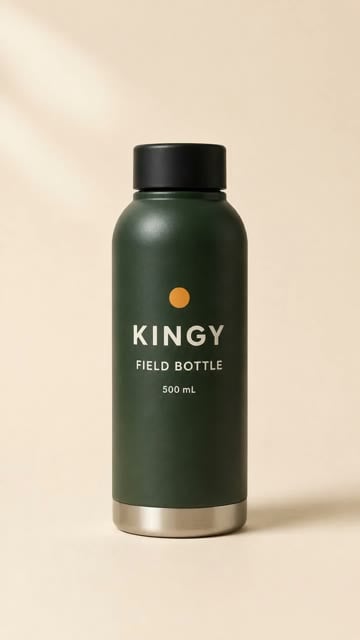 0.0 s · start
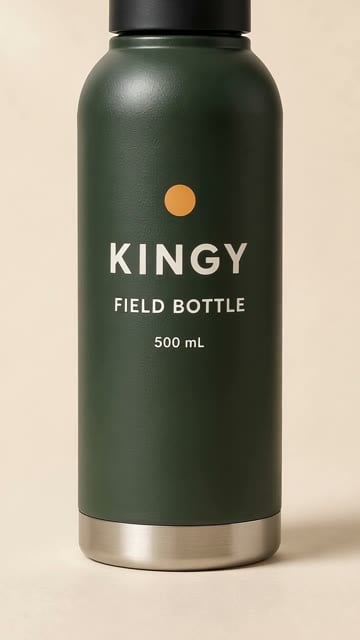 4.5 s · cap cropped
The output: The cap leaves the frame. Inspect Example 1 →
HOW TO READ THIS GUIDE
One fictional product.
Six things to inspect.
All six clips use the fictional Kingy Field Bottle. These are historical image-to-video outputs, selected for useful framing and lighting lessons, with failures retained. They are not a ranking of current models.
The observations below come from retained records and an AI agent’s inspection of the displayed frames. Full clips are provided for your own review. Independent human acceptance has not been measured.
Open the retained product reference image ↗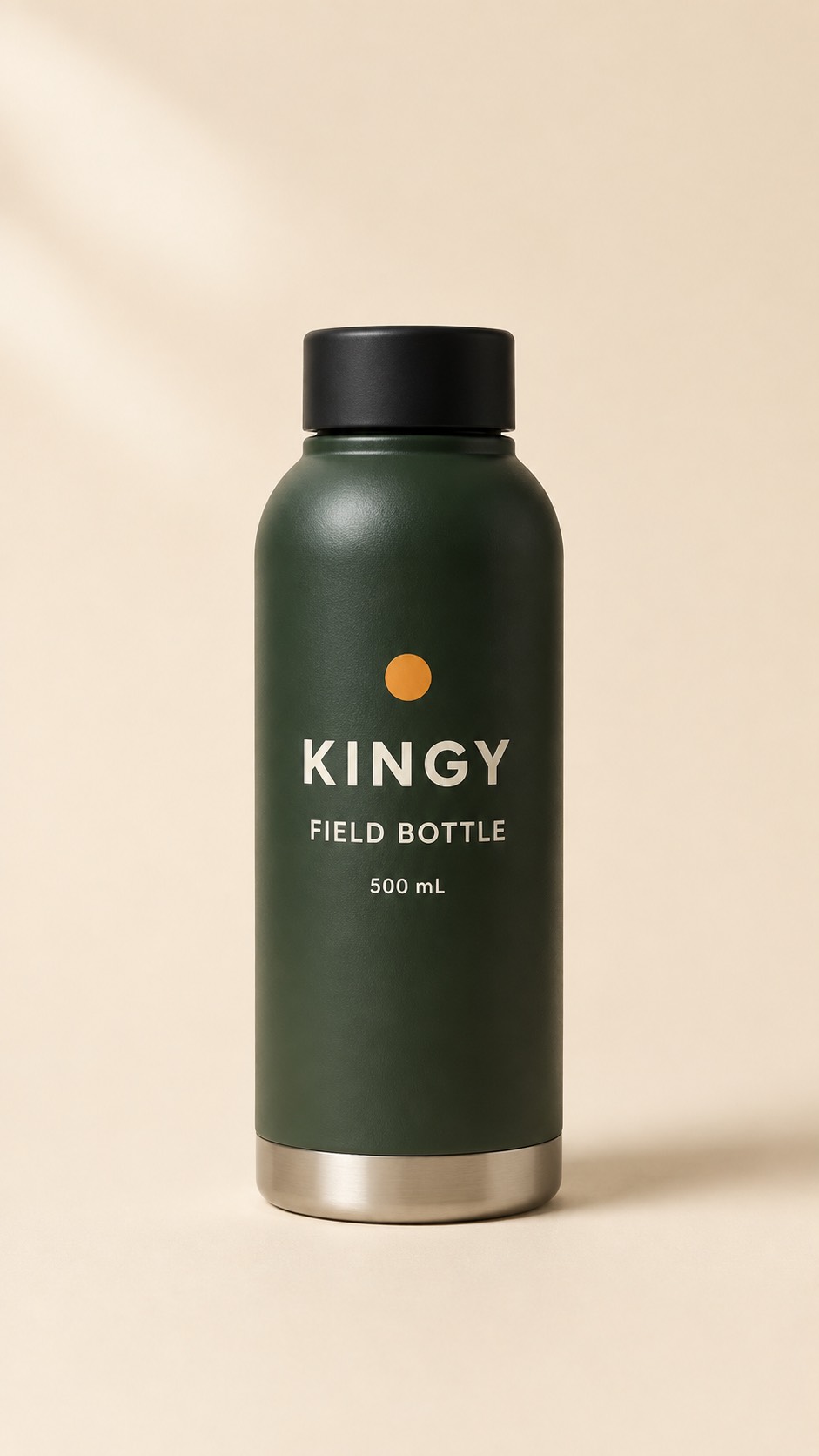
Runway Gen-4.5 / 5 SECONDS
A slow push-in can still crop the product
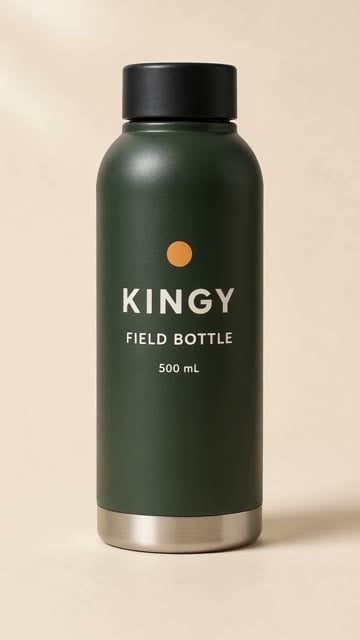
The prompt asks for a subtle approach and the whole bottle to stay visible. The camera still gets too close.
WHAT THE FRAMES SHOW
At 0 seconds the full bottle fits. At 2.5 seconds it fills more of the frame. At 4.5 seconds the top of the cap is outside the image, despite “Keep the whole bottle visible.”
Exact recorded prompt
A slow, subtle camera push toward this single upright bottle on its cream studio background. Keep the whole bottle visible, with the same cap, proportions, label, and one ochre dot. Soft daylight. No extra objects, no added text, no audio.
What to take from this example
Set a framing requirement you can inspect: both the cap and base must stay inside the frame for the entire shot. “Slow” describes speed; it does not specify where the camera should stop.
Before you use it
Watch the last second before accepting a push-in. If it crops the product, use a shorter usable segment only if the full segment still meets your brief, or plan a wider, locked-camera shot. Neither adjustment has been generated for this guide.
Recorded settings and source evidence
- Route and settings
- Runway Dev playground; gen4.5; API 2024-11-06; 5 s; 720 × 1280; seed 111; silent output.
- Original evidence note
- One request, one original output. No independent human acceptance score.
- Historical record
- At 4.5 seconds the cap extends beyond the top edge, despite the full-bottle instruction. This is an agent observation of a retained frame.
- Output SHA-256
- d9978322d34cb09b4e3f084c01cecc5af88592881bd2faed02ce193185de37ef
PixVerse V6 / 5 SECONDS
The same words produce a different crop
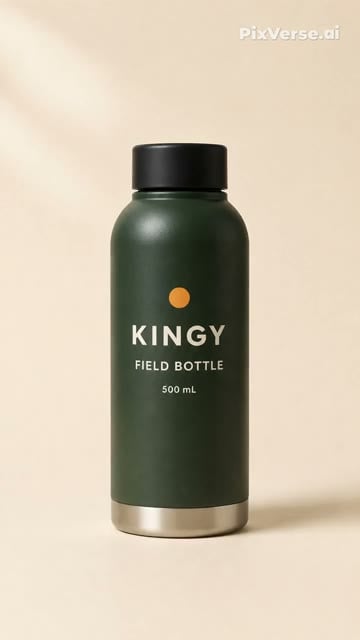
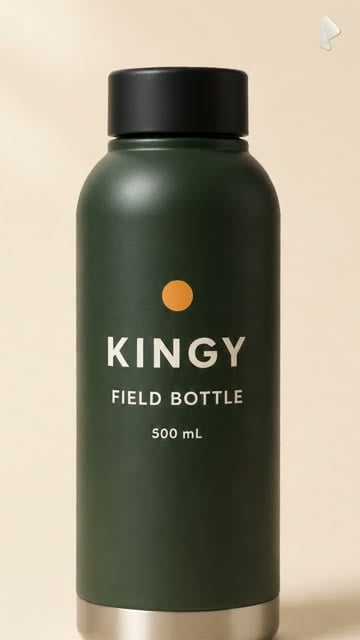
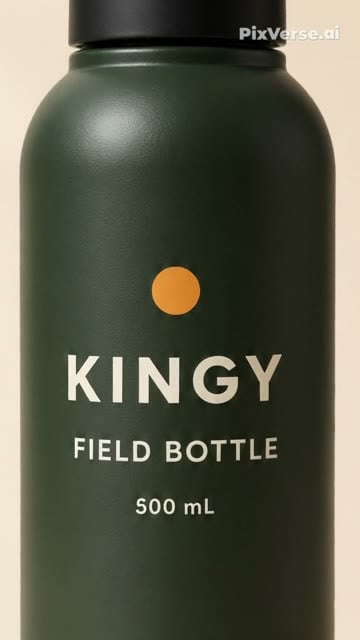
This uses exactly the same prompt as Example 1, through a different model and route. It is a second recorded outcome, not a controlled ranking.
WHAT THE FRAMES SHOW
The late sample at 4.5 seconds cuts off the cap and base. The downloaded clip also contains a PixVerse watermark; it is part of the original output.
Exact recorded prompt
A slow, subtle camera push toward this single upright bottle on its cream studio background. Keep the whole bottle visible, with the same cap, proportions, label, and one ochre dot. Soft daylight. No extra objects, no added text, no audio.
What to take from this example
Check the downloaded file, including its corners and edges. An export can be usable technically and still miss the framing or watermark requirements of a commercial.
Before you use it
Compare these two clips for the specific failure: neither follows the full-bottle instruction throughout. One sample per route cannot establish which model is more reliable. The original free-account result does not establish today’s free-plan terms.
Recorded settings and source evidence
- Route and settings
- PixVerse Basic web route; V6; 720P selected; 5 s; seed 1781566592; audio off; original watermarked export.
- Original evidence note
- One generation. Agent frame observations; no independent human acceptance.
- Historical record
- Later sampled frames crop the bottle. The downloaded output retains the PixVerse watermark; watermark-free download required a subscription.
- Output SHA-256
- 5d5e177ee92d736a2a2a340b9acd6673f8ed78d0edd9dd3a4563b54ec752259b
Runway Gen-4.5 / 5 SECONDS
Ask for a lighting change with the camera restrained
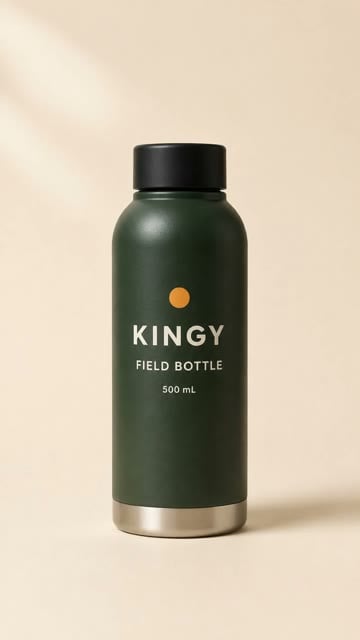
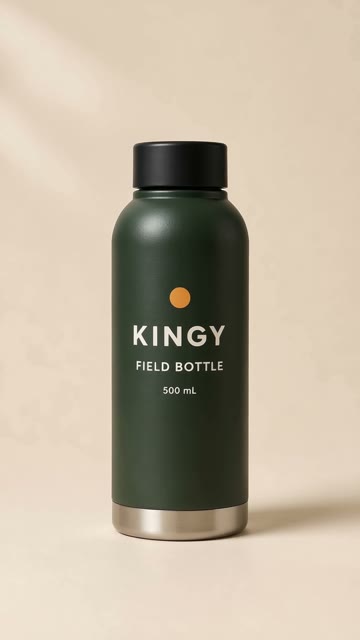
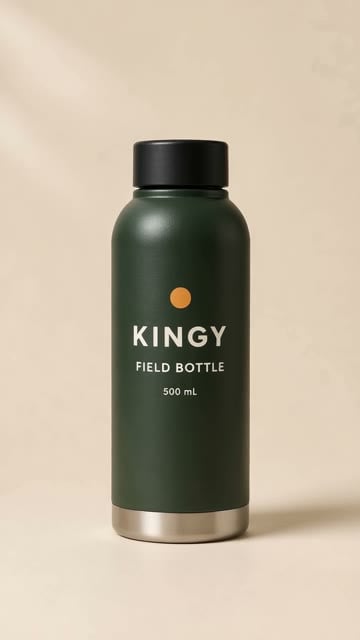
The detail brief asks the light to reveal the matte body and silver base. It also names the details that must remain unchanged.
WHAT THE FRAMES SHOW
The full bottle remains inside the frame at 0, 2.5 and 4.5 seconds. The lighting and background change subtly in these samples. Three stills do not establish frame-by-frame label fidelity or how useful the motion feels.
Exact recorded prompt
A gentle change of light that shows the matte body and silver base, complete bottle always visible. Do not imply thermal performance or invent material claims. One upright matte dark forest-green KINGY FIELD BOTTLE, 500 mL, ochre dot above KINGY, flat black cap, rounded shoulders, silver base band. Preserve every letter, color, proportion and the entire bottle. Cream background and stable contact shadow. No additional objects, people, claims, watermarks or invented text. Gentle reveal.
What to take from this example
Choose an action that helps the viewer inspect the product. A lighting change may suit a detail shot, but “gentle” is still subjective. Watch the full output to decide whether the change is visible enough.
Before you use it
Check the ochre dot, letters, cap, shoulders and silver base against the reference image. Do not infer material performance from an attractive highlight. This is one retained output, not proof that this wording prevents defects.
Recorded settings and source evidence
- Route and settings
- Runway Dev API 2024-11-06; gen4.5; 5 s; 720 × 1280; seed 211; silent raw output.
- Original evidence note
- One request, no retry or quality selection. Independent human acceptance unmeasured.
- Historical record
- One unselected raw shot from the matched three-brief cohort. Watch the cap, label and base throughout; the export checks do not assess product fidelity.
- Output SHA-256
- 9ac4eb4a3d08b106b0dd5fe2f48b44fe6608d91a418a1c8c767bd04fb1b62da6
Veo 3.1 Fast via Runway / 6 SECONDS
Compare the same lighting prompt on another route
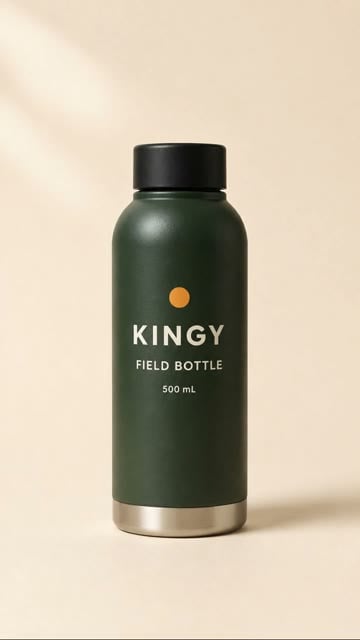
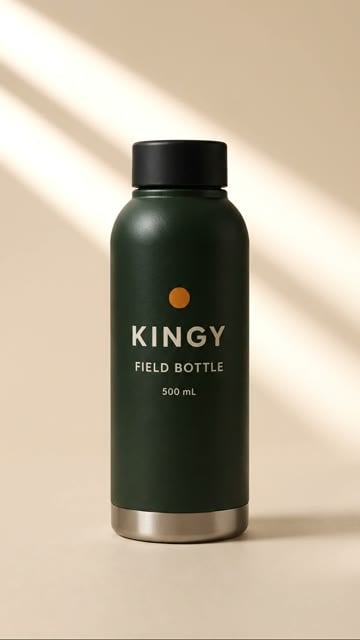
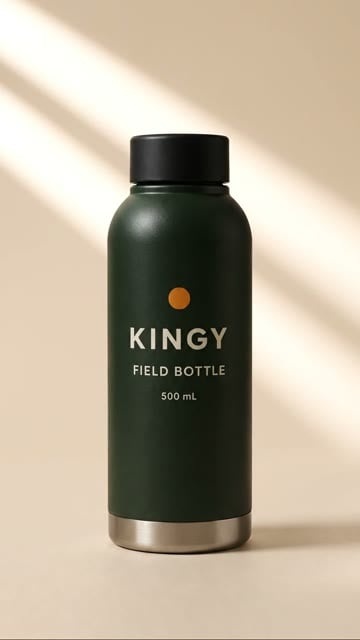
The words match Example 3. This Veo 3.1 Fast request ran through Runway and produced a six-second clip, rather than five seconds.
WHAT THE FRAMES SHOW
At 3 and 5.5 seconds, a bright diagonal band crosses the background. The full bottle is visible in all three sampled frames. A more visible lighting change is not automatically a more accurate product render.
Exact recorded prompt
A gentle change of light that shows the matte body and silver base, complete bottle always visible. Do not imply thermal performance or invent material claims. One upright matte dark forest-green KINGY FIELD BOTTLE, 500 mL, ochre dot above KINGY, flat black cap, rounded shoulders, silver base band. Preserve every letter, color, proportion and the entire bottle. Cream background and stable contact shadow. No additional objects, people, claims, watermarks or invented text. Gentle reveal.
What to take from this example
Compare the result against the brief, not just how dramatic it looks. Here, the changed background is easy to see; the label and product shape still need their own inspection.
Before you use it
Review the moving highlight and the dark bottle together. Different routes, durations and seeds make this an illustrative comparison, not a matched benchmark or a model recommendation.
Recorded settings and source evidence
- Route and settings
- Runway Dev API 2024-11-06; veo3.1_fast; 6 s; 720 × 1280; seed 311; audio false. Original raw shot, before the benchmark edit.
- Original evidence note
- One retained raw request. Independent human acceptance is unmeasured.
- Historical record
- This is the raw lighting-change shot used in the detail benchmark. Technical export checks do not establish product fidelity or useful motion; inspect the whole clip.
- Output SHA-256
- 9c69583f087eb1380f187c02b8e0c0e5863bd8cc479a58808af6e53d271029aa
Runway Gen-4.5 / 5 SECONDS
A restrained reveal leaves more room for the bottle
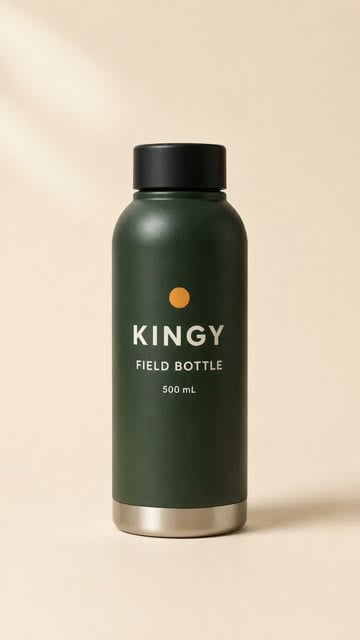
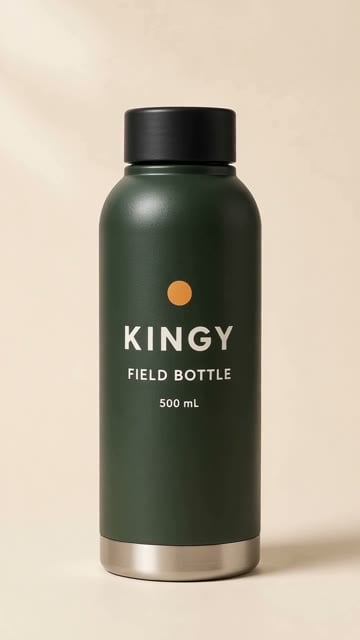
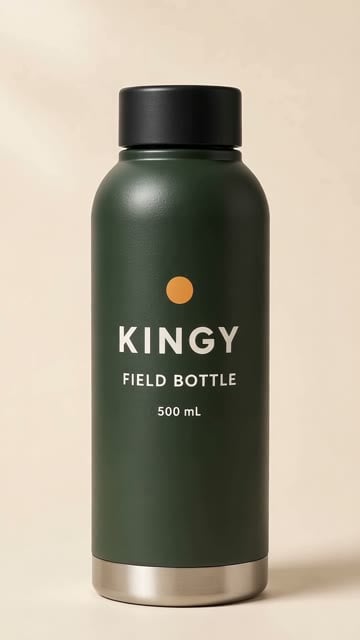
The reveal prompt explicitly mentions the cap and base. Its retained output gives us another framing example to inspect.
WHAT THE FRAMES SHOW
The bottle becomes larger between 0 and 4.5 seconds, but both the cap and base remain visible in the sampled frames. These samples differ from the cropped push-in in Example 1; they do not establish why the outcomes differ.
Exact recorded prompt
A restrained product reveal, complete bottle always visible. Soft studio lighting. A subtle slow camera move without cropping the cap or base. One upright matte dark forest-green KINGY FIELD BOTTLE, 500 mL, ochre dot above KINGY, flat black cap, rounded shoulders, silver base band. Preserve every letter, color, proportion and the entire bottle. Cream background and stable contact shadow. No additional objects, people, claims, watermarks or invented text. Gentle reveal.
What to take from this example
Name the boundaries that matter: the entire cap, the entire base and space around the product. Then check those boundaries in the output. Preservation language remains a request, not a guarantee.
Before you use it
Inspect the opening, middle and ending, then play the transitions. If the shot needs room for a caption, check the final layout as well. This raw clip has no added caption or call to action.
Recorded settings and source evidence
- Route and settings
- Runway Dev API 2024-11-06; gen4.5; 5 s; 720 × 1280; seed 611; silent raw output.
- Original evidence note
- One request, no retry or quality selection. Independent human acceptance unmeasured.
- Historical record
- One unselected raw shot from the matched three-brief cohort. Watch the cap, label and base throughout; the export checks do not assess product fidelity.
- Output SHA-256
- 0e98ef2e77866c4bb5ab665b501a9903c9da78093709fa717420b6afcbe05ae3
Runway Gen-4.5 / 5 SECONDS
A slight drift can turn the label out of view
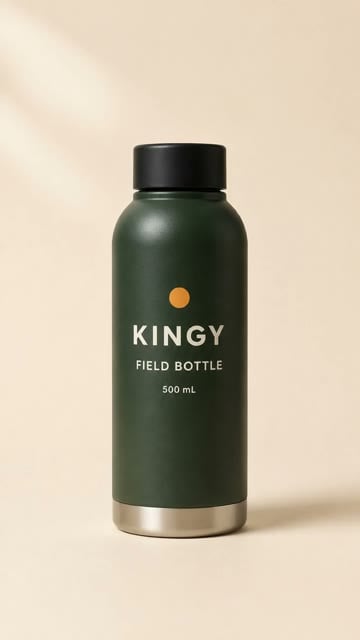
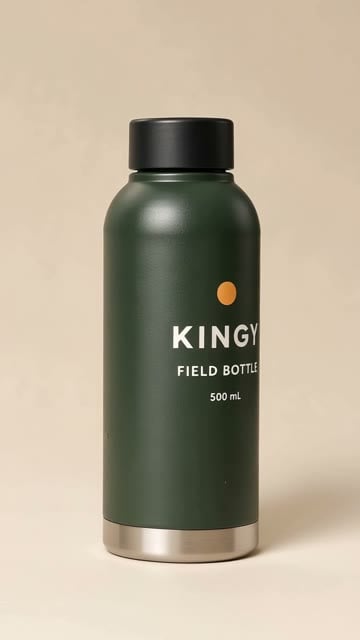
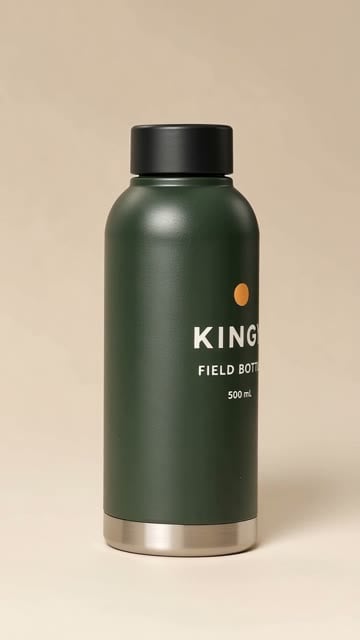
The reminder brief asks for a calm shot, generous space and no invented discounts. The visible label changes as the shot progresses.
WHAT THE FRAMES SHOW
The label faces the camera at the start. By 2.5 seconds it sits farther to the right; at 4.5 seconds part of the lettering wraps toward the bottle’s right edge. The cap and base remain visible in these samples.
Exact recorded prompt
A calm studio product shot with a slight camera drift. Preserve generous space around the entire bottle. Do not invent discounts, availability or testimonials. One upright matte dark forest-green KINGY FIELD BOTTLE, 500 mL, ochre dot above KINGY, flat black cap, rounded shoulders, silver base band. Preserve every letter, color, proportion and the entire bottle. Cream background and stable contact shadow. No additional objects, people, claims, watermarks or invented text. Gentle reveal.
What to take from this example
A full product in frame can still be the wrong commercial shot. If brand recognition matters, check the direction of the label as well as the crop.
Before you use it
An untested revision would ask for the label to face the camera throughout and for no product rotation. Add any exact offer or call to action in the edit using verified wording, then inspect the finished export.
Recorded settings and source evidence
- Route and settings
- Runway Dev API 2024-11-06; gen4.5; 5 s; 720 × 1280; seed 411; silent raw output.
- Original evidence note
- One request, no retry or quality selection. Independent human acceptance unmeasured.
- Historical record
- One unselected raw shot from the matched three-brief cohort. Watch the cap, label and base throughout; the export checks do not assess product fidelity.
- Output SHA-256
- c64a17688b7239c1b71c5986498394991a37f8b38b0390c5710e4c9f6d3e8662
FROM EXAMPLE TO YOUR OWN BRIEF
Keep the prompt. Change the product. Inspect the result.
- Start with your reference. Use an image you have rights to. Replace the fictional bottle details with the visible features of your product.
- Choose one job for the shot. A push-in, a lighting change or a reveal gives you a specific result to inspect. Exact prompts and seeds do not guarantee an identical output.
- Define what must stay visible. Identify the top, base, label and any space needed for added copy. Inspect the whole clip, including the final second.
- Add exact copy in the edit. Check labels, product claims, offers and captions separately. A raw shot is only one part of a finished commercial.
Studio helps you plan and adapt a shot. The retained clip remains the original evidence; your new wording is an untested draft.
Start a product brief in Video Studio ↗Continue the production workflow
Inspect the retained 15-second edit and its editable project. It is a separate template-based starter, not a video generated from the prompts in this guide.
Turn a product image into a video · Image-to-video prompt formula · AI Video Production hub