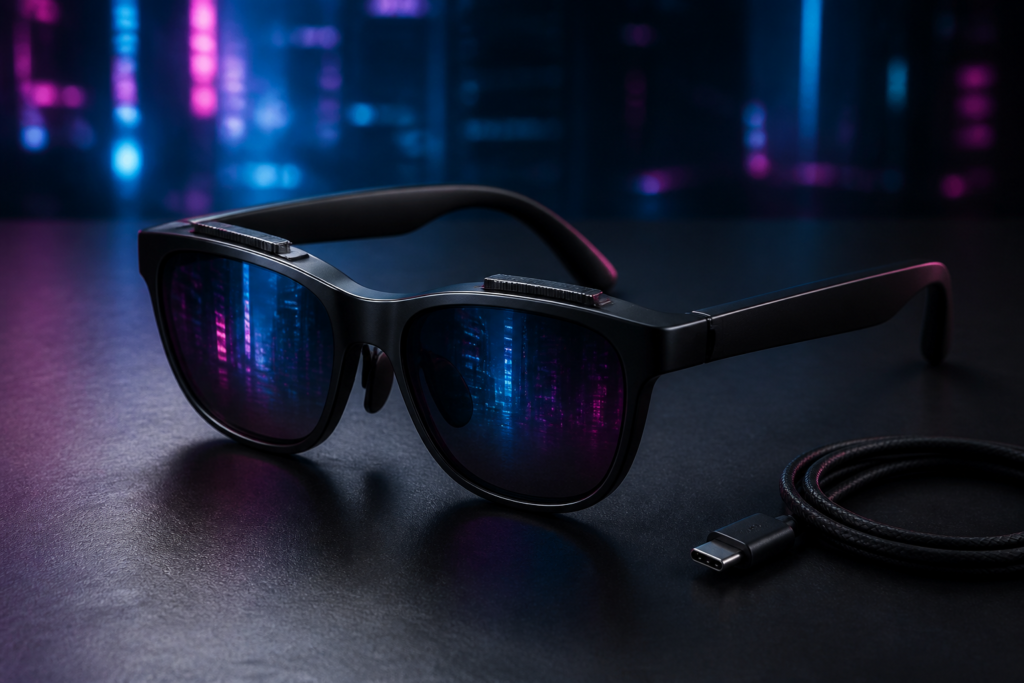
The VITURE Pro 2 is a bright, lightweight private display built for gaming, streaming and travel. Its best feature is not the 120Hz screen—it is the pair of focus dials that let my aging eyes enjoy that screen without another set of lenses.
Disclosure: This review is based on Curtis Pyke’s hands-on video. The supplied source material does not state whether the review unit was purchased, loaned or supplied by VITURE. The Super Nori sponsorship appearing in the video is unrelated to VITURE and has been excluded from this review. The featured image is an AI-generated editorial illustration, not a product photograph.
VITURE Pro 2 review: quick verdict
Yes—for handheld gaming, travel and nearsighted users, the VITURE Pro 2 is worth $299. It is the easiest XR display glasses recommendation I have made at this price: light, genuinely simple to start using and comfortable enough that the hardware recedes once a game gets going. The independent 0 to −5.0D focus dials are the reason I would choose it. I turned mine almost to the limit, the picture snapped into focus, and the entire experience changed.
Buy them if you want a large private screen for a Steam Deck, a compatible phone or a laptop. Pause if you expect a self-contained spatial computer, a flawless desktop-monitor replacement or console support without extra hardware. Some image softness remained at the edges in my unit, the speakers are merely serviceable, and VITURE’s accessory chart deserves more attention than the tiny printed guide in the box.
VITURE Pro 2 price: $299 plus docks and adapters
The VITURE Pro 2 was listed at $299 in the US when checked August 17, 2026. That base price includes the glasses, protective case, USB-C cable, three swappable nose pads, lens shade, cleaning cloth, quick-start guide and safety guide. It does not make every phone, handheld or console a direct-connect setup.
- Steam Deck and compatible USB-C video sources: the glasses can connect directly, so the setup starts at $299.
- Nintendo Switch and Switch 2: VITURE says you also need a Mobile Dock Mini, Pro Mobile Dock or USB-C XR Charging Adapter Ultra, sold separately.
- PlayStation and Xbox: VITURE says the separately sold Pro Mobile Dock is required.
- Phones and laptops: compatibility depends on whether the device can output video over USB-C; “USB-C” alone is not enough.
The honest total is therefore $299 for a directly compatible source and $299 plus the required accessory for consoles or unsupported video outputs. Accessory prices and compatibility can change, so verify both in VITURE’s live product and compatibility section before ordering.
Pros and cons
Pros
- Light, comfortable 63g design that stayed wearable through a couple of hours of gaming.
- Independent 0 to −5.0D focus dials are genuinely useful for nearsighted users.
- Bright 1080p Micro-OLED picture, 120Hz support and color modes that suit different games.
- Plug-and-play operation with compatible USB-C video sources.
- Strong value at $299, especially compared with VITURE’s heavier flagship.
Cons
- I still saw mild softness near the edges of the image.
- Brightness steps feel coarser than they should.
- Open-ear speakers are convenient rather than powerful or private.
- Consoles and some advanced iPhone features require extra hardware.
- The tiny, barebones printed guide does not explain the accessory ecosystem well.
At a glance
| Aspect | Assessment |
|---|---|
| Price reviewed | $299 US, checked August 17, 2026 |
| Weight | 63g, manufacturer figure |
| Display | Sony Micro-OLED, 1920×1080 per eye |
| Refresh rate | Up to 120Hz |
| Field of view | 50° |
| Myopia adjustment | 0 to −5.0D, independent per eye |
| Best for | Handheld gaming, streaming, travel and nearsighted users |
| Main drawback | Softness can remain near the image edges; advanced setups require careful accessory checks |
| Verdict | The best XR glasses I have tried at this price |
Best for
- Steam Deck and compatible USB-C handheld players who want a much larger private display.
- Travellers and streamers who value low weight more than maximum field of view.
- Nearsighted buyers who fall within the built-in 0 to −5.0D range.
Skip if
- You need native, on-glasses 3DoF and the Beast’s larger 174-inch-equivalent presentation.
- Your main goal is hours of small-text desktop work.
- Your source device cannot output DisplayPort video over USB-C and you do not want another adapter or dock.
How I tested the VITURE Pro 2
This review is anchored to the hands-on session shown in the video above. I wore the Pro 2 for a couple of hours at a time, connected it to a compatible video source, tried the included nose pieces and adjusted each diopter dial independently. The source device model was not recorded in the supplied test notes, so I am not naming one after the fact.
- Games and picture modes: I used True Color for general viewing, Vivid with Cyberpunk 2077 and a cooler tone with Alan Wake 2.
- Fit and focus: I changed the nose piece, checked pressure and sliding, then turned both focus dials almost to their limit for my eyesight.
- Everyday usability: I checked direct setup, the two-button control scheme, brightness steps, built-in speakers and the effect of the included lens shade.
- Comparison: I compared the weight and comfort with the VITURE Beast I had previously reviewed. This was not a side-by-side test against Xreal or RayNeo models; for separate hands-on competitor context, see Kingy’s XREAL xbx a01+ review.
I did not use laboratory instruments to verify brightness, color accuracy, latency or refresh rate. Nor does the recorded session support long-term durability, battery-drain or comprehensive SpaceWalker productivity claims. Manufacturer figures are labelled as such throughout this review.
What the VITURE Pro 2 actually is
These are not miniature Apple Vision Pros and they do not contain a gaming PC. Think of them as a private monitor worn like sunglasses. A compatible source device sends video to two small displays; the optics make that image appear like a large screen floating in front of you.
That puts Pro 2 in the display-glasses branch of the market, rather than the camera-first or assistant-first products covered in Kingy’s AI glasses buying guide.
That distinction matters. The glasses have no built-in battery, so their usefulness depends on what you connect. A Steam Deck or compatible USB-C phone can feed them directly. A Nintendo Switch, Switch 2, PlayStation or Xbox needs an intermediary that can send the right video signal. SpaceWalker can add pinned displays, multiple windows and other spatial features, but none of that is required to get an ordinary picture.
The simplicity is part of the appeal. I connected the cable and was looking at an image. No account. No compulsory app. No opening ritual disguised as onboarding.
VITURE Pro 2 compatibility: Steam Deck, Switch 2, PS5, Xbox and phones
The best setup story is often the one with nothing to report. With my compatible source, the Pro 2 was plug-and-play. The physical controls are similarly restrained: two buttons and click combinations handle the essentials without pushing me through a miniature operating system.
For casual gaming, that is a strength. I want to put on the glasses, launch a game and forget the control scheme—not memorize another settings tree before reaching Night City.
“USB-C” does not mean universal compatibility, however. Direct connection requires a device capable of sending video over the port. VITURE’s current compatibility guidance says Steam Deck and similar USB-C handhelds can connect directly. Switch and Switch 2 need a Mobile Dock Mini, Pro Mobile Dock or USB-C XR Charging Adapter Ultra; PS5 and Xbox need the Pro Mobile Dock. VITURE also says its older USB-C XR Charging Adapter Pro and HDMI XR Adapter are not supported with Pro 2. Check the live product compatibility section before ordering accessories.
What is in the box?
VITURE lists the Pro 2 glasses, a protective case, USB-C cable, three swappable nose pads, lens shade, cleaning cloth, quick-start guide and safety guide. The nose pads and shade materially affected my experience; the quick-start guide did not. Buyers planning to use a Switch, PlayStation or Xbox should remember that the required dock is sold separately.
Does the VITURE Pro 2 support 3DoF and SpaceWalker?
Short answer: the VITURE Pro 2 can provide 3DoF features through VITURE’s SpaceWalker software, but it does not have the Beast’s native, glasses-level spatial controls.
Connected directly to a compatible USB-C video source, the Pro 2 works as a straightforward wearable display. VITURE says SpaceWalker can add head-tracked 3DoF, spatially positioned screens, multi-screen layouts, ultrawide modes and other features on supported platforms. Availability and behaviour depend on the source device, operating system, app version and connection path.
That distinction matters. Software-assisted 3DoF is not the same proposition as buying glasses with native screen anchoring and spatial controls. If pinned displays or multi-screen productivity are your main reason for buying XR glasses, confirm the current SpaceWalker compatibility details for your exact phone or computer before ordering.
My recorded hands-on session established the Pro 2’s basic plug-and-play setup, physical controls, focus adjustment, comfort, gaming picture and audio. It did not comprehensively test SpaceWalker across iOS, Android, macOS and Windows, nor did it establish long-session drift, latency, 3D-conversion quality or multi-screen productivity reliability.
If you mainly want a large private screen for a Steam Deck, compatible phone or laptop, SpaceWalker is not required for ordinary display use. VITURE documents the current SpaceWalker features and platform downloads in its official download centre.
Comfort and fit: why the 63g design matters
VITURE’s headline for this generation is comfort, and for once the marketing emphasis matches the experience. The Pro 2 weighs a manufacturer-listed 63g. The Beast is 88g, so the 25g difference I mentioned in the video is real.
Twenty-five grams sounds trivial on a kitchen scale. On the bridge of your nose for a long gaming session, it is not. The Pro 2 put less pressure on my face, created less fatigue and became easier to forget once I was absorbed in a game. That is more valuable than another feature I would admire twice and then stop using.
Fit also gets more thought than the scale alone suggests. VITURE includes three nose-pad sizes and documents seven height positions, plus three temple angles. I have what scientists might describe as an enthusiastic nose. Finding a pad that locked the glasses into position without pinching or sliding was not a cosmetic detail; it helped keep the optical sweet spot where my eyes needed it.
Fit can also influence perceived clarity. Before deciding the image is defective, try the nose pads and temple angles methodically. Change one variable at a time, then check the same text or game menu again.
VITURE Pro 2 myopia adjustment: how the 0 to −5.0D focus dials work
The feature I would put on the box in the largest type is not 120Hz. It is the independent focus dial above each eye.
Each dial covers 0 to −5.0D of nearsighted correction. My vision is no longer the factory-fresh edition, so I had to turn the adjustment almost all the way. Once I found the right point, the image snapped into focus. That moment did more for the experience than any color or brightness setting.
It also gives Pro 2 a practical advantage over VITURE’s more expensive Beast. Beast owners who need correction must use the included prescription frame; the flagship has no built-in diopter adjustment. With Pro 2, many nearsighted users can skip inserts entirely.
There are limits. A diopter dial does not correct every vision condition. VITURE recommends its prescription frame for stronger prescriptions and astigmatism. Treat that as an optical compatibility question, not medical advice, and verify your prescription before buying.
VITURE Pro 2 display quality: 50° FOV, 120Hz and edge clarity
On paper, VITURE lists Sony Micro-OLED panels, 1920×1080 per eye, up to 120Hz, a 50-degree field of view, up to 1,600 nits of perceived brightness and a 146-inch-equivalent image at four metres. Those are manufacturer specifications, not measurements I reproduced with laboratory equipment.
What I can speak to is the picture in use. True Color was my preferred everyday mode because it looked balanced rather than aggressively processed. In Cyberpunk 2077, Vivid was the obvious choice: extra saturation gave the neon streets the punch they deserved. With Alan Wake 2, a cooler setting reinforced the game’s gloomier atmosphere. The modes altered the mood, not just a row of numbers in a menu.
Brightness was strong. My complaint is control rather than output: the steps felt coarse, moving from dark to less dark to bright to very bright when I wanted a point between two stops. VITURE documents nine brightness levels, yet nine available levels can still feel widely spaced in practice.
The harder issue is clarity at the edges. VITURE describes its UltraClarity 3.0 optical system as maintaining sharpness across the field and throughout the diopter range. I still saw some softness around the perimeter. It was not dramatic during games, but it was visible when I looked for it and would matter more with small desktop text.
Adding the included lens shade reduced the distraction in my use, probably because blocking ambient light improved perceived contrast. The shade does not physically repair an optical blur, and it makes the glasses more conspicuous in public. I am already accustomed to looking slightly ridiculous in pursuit of better technology, so this was not a deal-breaker.
Why edge clarity varies between reviews
My result is not universal. Gizmodo’s reviewer reported no noticeable edge blur, while TheGamer described corner-to-corner sharpness. I saw mild perimeter softness even after dialing in focus, although changing fit and adding the shade made it less distracting.
The honest conclusion is that the optical sweet spot is face- and eyesight-dependent. Nose-pad height, temple angle, eye position and prescription can change what reaches the edge of your view. If small text across the full frame is your priority, buy from a retailer with a workable return policy or try the glasses first.
VITURE Pro 2 audio quality: useful, but not a reason to replace headphones
The open-ear speakers sounded clean and reasonably balanced. I heard no obvious distortion, and they are perfectly usable for casual play or video when convenience matters more than impact.
They do not deliver the weight or isolation of proper headphones. If you want loud action, convincing bass or privacy on a plane, use earbuds or headphones connected to the source device. VITURE lists nine volume levels; quantity of steps does not change the physical limits of tiny speakers sitting outside your ears.
VITURE Pro 2 drawbacks
The edge softness is the main display caveat. It did not ruin Cyberpunk 2077, but it keeps me from calling Pro 2 a universal monitor replacement. Fit, IPD, eyesight and diopter position can all affect the result, so another face may see a different edge than mine. That variability does not erase what I observed.
The brightness adjustment needs finer control, while the audio needs more authority if VITURE wants it to compete with headphones rather than merely substitute for them.
The paper guide may be the most ironic object in the box: a product designed for people adjusting imperfect vision ships with text that felt comically small. It also does too little to explain the accessory maze. VITURE’s online documentation is where buyers should go for compatibility and advanced features.
Finally, my supplied test record does not support sweeping claims about productivity, SpaceWalker multi-screen use, 3D conversion, heat, latency, host-device battery drain or long-term durability. I have used XR glasses as portable work displays, but this review’s documented testing focused on setup, fit, gaming picture, color, brightness, audio and daily usability. The difference matters.
VITURE Pro 2 vs VITURE Pro: what changed?
The Pro 2 is the better buy for most people. It launched at a much lower listed price, weighs 14g less and increases the stated field of view, image size and perceived brightness. This comparison uses manufacturer specifications and the original Pro’s reported $549 launch price; I did not perform a new side-by-side test of both models.
| Model | Price and weight | Display | Vision and spatial features | Best fit / trade-off |
|---|---|---|---|---|
| VITURE Pro 2 | $299; 63g | 1080p, 120Hz, 50° FOV, 146 inches, 1,600 perceived nits | 0 to −5.0D dials; 3DoF through SpaceWalker | Best value and comfort; smaller view and no native 3DoF |
| Original VITURE Pro | $549 at launch; 77g | 1080p, 120Hz, 46° FOV, 135 inches, 1,000 perceived nits | Up to −5.0D; SpaceWalker features | Previous-generation option now eclipsed by the cheaper, lighter Pro 2 |
The original Pro still supplies the same basic 1080p, 120Hz private-screen experience, but Pro 2 is lighter, less expensive at launch and better specified on VITURE’s published figures. Existing Pro owners should upgrade only if comfort, the wider stated view or a lower-cost replacement purchase solves a real problem.
VITURE Pro 2 vs Beast: sharper clarity or a larger screen?
Choose Pro 2 for value, comfort and built-in focus correction; choose Beast for maximum immersion and native spatial controls. I compared their weight and comfort in use, but the display figures below are manufacturer specifications rather than laboratory measurements. For the flagship’s separate hands-on evidence, see Kingy’s VITURE Beast XR review.
| Model | Price and weight | Display | Vision and spatial features | Best fit / trade-off |
|---|---|---|---|---|
| VITURE Pro 2 | $299; 63g | 1080p, 120Hz, 50° FOV, 146 inches, 1,600 perceived nits | 0 to −5.0D dials; 3DoF through SpaceWalker | Best value and comfort; smaller view and no native 3DoF |
| VITURE Beast | $549; 88g | 1200p, 120Hz, 58° FOV, 174 inches, 1,250 perceived nits | No diopter dials; native VisionPair 3DoF and dynamic electrochromic tint | Maximum immersion and on-device control; heavier and prescription users need inserts |
The Beast remains the model for buyers who want VITURE’s largest view, higher resolution and native spatial controls. Pro 2 is the more sensible choice when comfort, built-in focus correction and price matter more than maximum immersion. A current Beast owner does not need Pro 2 as an “upgrade” unless weight or diopter adjustment solves a specific problem.
VITURE Pro 2 vs XREAL xbx a01+ vs RayNeo Air 4 Pro
The $299-class price tier now contains several materially different display glasses. The Pro 2’s main distinction is its built-in focus correction. XREAL emphasizes low weight, HDR processing and a stabilized 0DoF screen, while RayNeo emphasizes HDR10, a larger claimed virtual image and upgraded audio. RayNeo’s standard Air 4 Pro was temporarily discounted below its $299 regular price when checked August 17, 2026.
| Model | Price checked | Weight | Display and FOV | Vision correction | Spatial and media features | Best fit and main trade-off |
|---|---|---|---|---|---|---|
| VITURE Pro 2 | $299 | 63g | 1920×1080 per eye, up to 120Hz, 50° FOV, 146-inch claimed image, up to 1,600 perceived nits | Independent built-in 0 to −5.0D focus dials | SpaceWalker supplies 3DoF and multi-screen features on supported platforms; no native Beast-style spatial controls | Best fit for nearsighted users prioritizing comfort and simple gaming setup; edge softness and accessory requirements remain the main caveats |
| XREAL xbx a01+ | $299 | 62g with front frame; 56g without | 1920×1080, up to 120Hz, 50° FOV, 147-inch claimed image, up to 1,600 nits | Optional prescription inserts; no built-in diopter dials | Stabilized 0DoF screen, HDR10 and real-time SDR-to-HDR processing; XREAL directs buyers to higher models for 3DoF | Best fit for buyers prioritizing low weight, HDR support and a sunglasses-style frame; prescription correction costs extra |
| RayNeo Air 4 Pro | $254.15 sale; $299 regular | 76g | 1920×1080, up to 120Hz, 46–47° stated FOV, 201-inch claimed image, up to 1,200 nits | Included prescription-lens frame; custom lenses cost extra | HDR10, SDR-to-HDR processing, native 3D and software-assisted 2D-to-3D conversion | Best fit for movies, HDR presentation and stronger speaker emphasis; it is heavier and lacks the Pro 2’s built-in focus dials |
Comparison note: Curtis did not conduct a controlled side-by-side test of the VITURE Pro 2, XREAL xbx a01+ and RayNeo Air 4 Pro. The Pro 2 assessment comes from Kingy’s recorded hands-on session. XREAL and RayNeo entries use manufacturer specifications and positioning. For the full buying decision, see our VITURE Pro 2 vs XREAL xbx a01+ comparison.
Brightness language, virtual-screen sizes and reference distances are not standardized across these manufacturers, so the headline numbers should not be treated as laboratory-equivalent measurements. RayNeo’s current product page also uses both 46° and 47° FOV figures in different sections. Prices and availability can change; verify each live product page before purchase.
Decision summary: Choose the Pro 2 if built-in focus correction, low weight and straightforward handheld gaming matter most. Consider the xbx a01+ if HDR processing and its lighter sunglasses-style design matter more. Consider the Air 4 Pro if movie presentation, HDR10 and upgraded audio outweigh its additional weight.
Who should buy the VITURE Pro 2?
Casual and handheld gamers: Yes. This is the clearest use case. Direct Steam Deck support, low weight, 120Hz capability and a bright image make the glasses easy to live with.
Travellers and streamers: Yes, provided your source device is compatible. The private-screen effect is convincing, and 63g is easier to carry and wear than the Beast.
Nearsighted users: Strong yes within the supported range. The focus dials are the centre of this review, not a footnote.
Productivity-focused buyers: Try before committing if possible. The glasses can display a laptop and SpaceWalker offers spatial workspace features, but my edge-softness result and limited documented productivity testing stop me short of recommending them as a full-time monitor.
Current Beast owners: Usually no. Keep the Beast for its 58-degree view, 1200p panel, native 3DoF and dynamic tint. Consider Pro 2 only if its 25g weight saving or built-in diopters would materially improve your use.
Final verdict: is the VITURE Pro 2 worth $299?
The VITURE Pro 2 does not win by pretending to be a computer for your face. It wins by being a bright private screen that is light, simple and unusually accommodating to the person wearing it.
My decisive moment was turning those focus dials until the picture locked into place. Once I could see the image properly—and keep the glasses positioned comfortably—the other strengths became easier to appreciate: quick setup, useful color modes, ample brightness and a design that did not spend the entire session reminding me it was resting on my nose.
Buy Pro 2 for gaming, streaming and travel, especially if you are nearsighted. Do not buy it expecting flawless edge-to-edge desktop text, flagship spatial hardware or universal USB-C compatibility. With those boundaries understood, these are the best XR glasses I have tried at $299.
VITURE Pro 2 FAQ
Do the VITURE Pro 2 glasses work without a battery?
The glasses contain no built-in battery. They draw power and receive video from the connected source or accessory.
Can I use the VITURE Pro 2 with a Steam Deck?
Yes. VITURE lists Steam Deck and Steam Deck OLED as directly supported through USB-C.
Do they work with Nintendo Switch or Switch 2?
Yes, but not by connecting the ordinary glasses cable directly. VITURE says to use the Mobile Dock Mini, Pro Mobile Dock or USB-C XR Charging Adapter Ultra.
Can the VITURE Pro 2 correct nearsightedness?
The two built-in dials adjust independently from 0 to −5.0D. That covers many nearsighted users without prescription inserts.
Can I use them if I have astigmatism?
The diopter dials do not correct astigmatism. VITURE directs users with astigmatism or stronger prescriptions to its prescription lens frame.
Is the image sharp from edge to edge?
VITURE claims edge-to-edge clarity through UltraClarity 3.0. My unit still showed mild softness around the edges, affected in perception by fit, positioning and ambient light.
Are the VITURE Pro 2 suitable for work?
They can act as a laptop display, and SpaceWalker adds workspace features. I would not treat this review as proof they can replace a monitor for extended small-text work; that workflow was not comprehensively tested here.
Do they require SpaceWalker?
No. A compatible source can send a normal image directly. SpaceWalker is optional software for features such as pinned or multiple virtual screens and Immersive 3D. Some iOS functions require the USB-C XR Charging Adapter Ultra or Mobile Dock Mini.
Are the speakers good enough without headphones?
They are clean and usable for casual listening. Headphones remain the better choice for bass, volume, isolation and privacy.
Official sources
- VITURE Pro 2 product page, specifications, compatibility and FAQ
- VITURE UltraClarity 3.0 optical explanation
- VITURE Pro 2 Academy page
- VITURE Pro and One Series Academy specifications
- VITURE Beast product page and specifications
- XREAL xbx a01+ product page and specifications
- RayNeo Air 4 Pro product page and specifications
- VITURE SpaceWalker download centre and supported feature overview