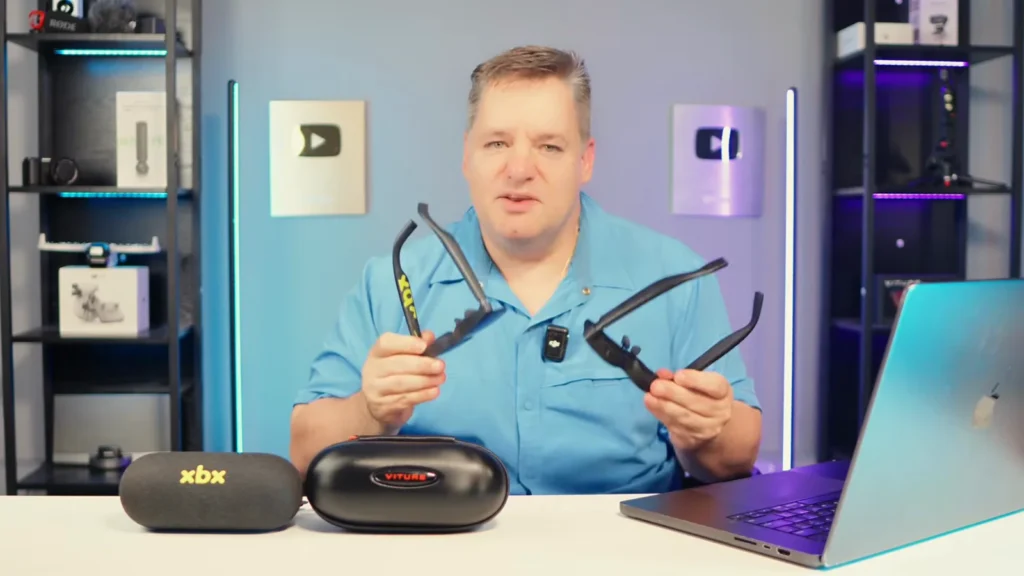
The VITURE Pro 2 is my overall pick because its independent diopter dials fixed a real eyesight problem; choose the XREAL xbx a01+ if you value stabilization, HDR control, wider published IPD coverage, or a lighter open-frame design more than built-in myopia correction.
Quick verdict
Both pairs put a bright, 1080p-per-eye virtual display in front of you, both reach up to 120Hz, both weigh about 60 grams, and both cost $299 in the US as of August 16, 2026. Neither is a standalone spatial computer. They need a phone, laptop, handheld, or console to provide the picture and power.
Choose the VITURE Pro 2 if you have myopia between 0 and −5.0D and want independent focus adjustment without prescription inserts. That feature transformed the image for me and made VITURE the winner for my eyes.
Choose the XREAL xbx a01+ if you do not need those dials and prefer its wider stated IPD range, removable front frame, SDR/AI-HDR/HDR10 controls, or IMU-based stabilization. Fit it before you judge it. I nearly wrote it off until a nose-pad and temple-angle change moved the display into focus.
Best overall for me: VITURE Pro 2
Best for HDR options and motion smoothing: XREAL xbx a01+
Best value: Tie, provided your source connects directly over video-capable USB-C
Disclosure and evidence scope
This comparison is based on my hands-on use of both products for about a week, documented in the Kingy AI comparison video, plus current VITURE and XREAL documentation. The video contains a Supabase sponsorship segment unrelated to either glasses brand. The video and available records do not establish whether either review unit was purchased, borrowed, or supplied, so I am not going to invent that provenance. See Kingy AI’s editorial and sponsorship standards for the governing policy.
I tested fit changes, brightness adjustments, picture modes, the XREAL light shield, basic audio, and connection behavior. I did not instrument-test brightness, color accuracy, latency, field of view, refresh rate, power draw, audio leakage, or battery drain. Specifications in the tables are manufacturer claims unless I explicitly label them as my observation.
Prices, stock, accessory compatibility, firmware behavior, returns, and warranty terms were checked on August 16, 2026 and can change.
Watch the VITURE Pro 2 vs XREAL xbx a01+ comparison
The video proves something a specification table cannot: a small fit change can reverse the verdict. It also shows why the VITURE diopters became decisive for me and how much more immersive the XREAL became with its light shield attached.
- 0:00: Why I almost gave up on the XREAL
- 1:10: Fixing the XREAL fit and image position
- 3:24: Weight, fit, and the removable XREAL frame
- 4:13: Why VITURE’s diopter dials changed my verdict
- 5:14: Display, color, and brightness impressions
- 6:19: XREAL light-shield demonstration
- 7:17: The HDMI-to-USB-C adapter warning
- 8:25: What XREAL AI-HDR actually does
- 9:50: Final buyer recommendation
VITURE Pro 2 vs XREAL xbx a01+: winners at a glance
| Decision | Winner | Why |
|---|---|---|
| Overall for my eyes | VITURE | The 0 to −5.0D per-eye dials fixed focus without inserts. |
| Corrective vision | VITURE for eligible myopia | Built-in adjustment; other prescriptions may still need inserts. |
| Out-of-box fit for me | VITURE | It landed in my optical sweet spot faster. This is face-specific. |
| Published IPD coverage | XREAL | 54.5–74.5mm versus VITURE’s 56.5–71.5mm. |
| Physical fit controls | Tie | Both document three temple angles and three nose-pad options. |
| HDR and display controls | XREAL | SDR, AI-HDR, and native HDR10, plus 14 brightness levels when stabilization is off. |
| Motion smoothing | XREAL | Onboard IMU stabilization; it is not a pinned 3DoF screen. |
| Software spatial features | VITURE | SpaceWalker can add 3DoF and multi-screen modes on supported platforms. |
| Gaming | Tie | Both offer 1080p per eye and up to 120Hz; the better fit matters more. |
| Movies and travel | Tie | Both include a removable light-blocking accessory and weigh about 60g. |
| Small-text work | Neither universally | Fit, eyesight, and edge softness remain limiting factors. |
| Direct USB-C compatibility | Tie | The host must output DisplayPort video and power. |
| Switch/console simplicity | VITURE, conditionally | VITURE publishes clearer first-party dock paths, but they add cost and bulk. |
| Built-in audio | Tie | Clean and usable, but not full or truly private. |
| Base-price value | Tie | Both were $299; accessory needs can break the tie. |
Core specifications and real setup cost
The one-inch difference between a claimed 146-inch and 147-inch apparent screen is marketing dust. Both companies state a 50-degree field of view at a four-metre reference distance, so neither gets a meaningful win there. Brightness is equally awkward to compare: VITURE uses “peak perceived brightness,” while XREAL distinguishes “eye brightness” from panel or “screen brightness.” These are not controlled cross-brand measurements.
| Item | VITURE Pro 2 | XREAL xbx a01+ |
|---|---|---|
| US price, Aug. 16, 2026 | $299 | $299 |
| Direct USB-C setup | $299 total | $299 total |
| Charge while viewing | $388 with $89 Adapter Ultra | $338.99 with $39.99 XREAL Hub, where compatible |
| Switch/Switch 2 | From $378 with $79 Mobile Dock Mini; $388 with Adapter Ultra plus a 45W+ PD power bank; or $398 with Pro Mobile Dock | $338.99 with XREAL Hub per XREAL’s connection guide; confirm Switch 2 support before ordering |
| PlayStation/Xbox | $398 with $99 Pro Mobile Dock | $299 plus an active HDMI-to-USB-C adapter; XREAL’s guide does not name a current priced adapter |
| Weight | 63g | 62g with front frame; 56g without |
| Display | Sony Micro-OLED, VITURE optical design | SeeYa 0.6-inch Micro-OLED |
| 2D / 3D resolution | 1920×1080 / 3840×1080 SBS | 1920×1080 / 3840×1080 SBS |
| Field of view | 50° | 50° |
| Refresh | Up to 120Hz | 60/90/120Hz by mode; up to 120Hz |
| Brightness wording | 1,600-nit peak perceived brightness | 1,600-nit eye brightness; 6,000-nit screen brightness |
| Apparent screen claim | 146 inches at 4m | 147 inches at 4m |
| Vision correction | Independent 0 to −5.0D dials; optional prescription frame | Optional custom prescription lenses; no built-in diopter dials |
| Published IPD range | 56.5–71.5mm | 54.5–74.5mm |
| Picture/HDR controls | Color presets; nine brightness levels | Standard/Cinema/Eye Comfort; SDR, AI-HDR, HDR10; 14 brightness levels off or 10 on with stabilization |
| Stabilization/spatial | 3DoF and multi-screen through SpaceWalker on supported platforms; not 6DoF | Onboard IMU stabilization; not native 3DoF anchoring |
| Power | No internal battery; powered over USB-C | No internal battery; 5V/1A from host |
| Included | Case, cable, shade, three pads, cloth, guides | Case, cable, detachable front lens, light shield, S/M/L pads, cloth, guides/warranty card |
| US direct-store protection | 30-day eligible returns; 365-day limited warranty | 30-day eligible returns; one-year warranty |
Sources: VITURE Pro 2 product and compatibility page, VITURE terms, XREAL specifications, XREAL US store, and XREAL Hub. Accessory totals exclude tax, shipping, any required power bank, and prescription costs. The XREAL Hub listing did not explicitly name the xbx a01+ in its visible compatibility list, although XREAL’s xbx connection guide requires the Hub for Switch. Confirm the exact bundle before checkout.
One availability warning matters today: VITURE lists the $89 Adapter Ultra as backordered with an estimated three-week delay. XREAL’s product page says Switch 2 needs an adapter, but the current Hub compatibility table names Switch and Switch OLED, not Switch 2, and lists older XREAL display models rather than the xbx a01+. I have therefore kept the XREAL Switch 2 path conditional instead of presenting the $338.99 setup as a guaranteed bundle.
What these glasses are, and what they are not
Both products are wired wearable displays. Think of them as a private external monitor that happens to sit on your face.
They do not run games, Netflix, ChatGPT, Gemini, or Claude by themselves. They have no internal battery, camera system, app store, or conversational assistant. Your phone, laptop, handheld, or console does the computing. The glasses receive its video and audio signal over USB-C and draw power from it.
That distinction matters because the phrase “XR glasses” invites visions of floating apps and science-fiction interfaces. In normal direct mode, the screen follows your head. XREAL can smooth that motion. VITURE can add tracked SpaceWalker modes on supported hosts. Neither base product is a standalone Apple Vision Pro replacement, and that is fine. A 60-gram private screen is often more useful than a half-kilogram headset when you want to play Steam Deck in bed.
How I compared them
I lived with the two glasses for about a week and approached them as a buyer would: connect them, adjust the fit, change brightness and picture modes, use the shade or shield, listen through the built-in speakers, and work through the connection problem.
Observed directly: VITURE fit me quickly; XREAL initially looked slightly misaligned and soft near the sides; changing its nose pad and temple angle improved the image substantially; VITURE’s diopter dials improved focus for my eyesight; both had some edge softness; XREAL’s light shield improved immersion; both speakers were usable but thin.
Officially documented: weights, panel types, resolution, field of view, refresh modes, IPD ranges, diopter range, brightness-level counts, HDR modes, bundle contents, compatibility, prices, returns, and warranties.
Not instrument-tested: brightness, color accuracy, response time, latency, refresh verification, field of view, power draw, audio leakage, temperature, and battery drain.
Unknown or not tested: exact source-device models and firmware in the comparison video, long-term durability, prescription inserts, every SpaceWalker platform, every listed console path, and exact review-unit provenance.
Fit and comfort: tie on hardware, VITURE was easier for me
The XREAL nearly lost this comparison in its first few minutes. The virtual screen looked slightly off-centre and softer than expected, particularly near the sides. That did not turn out to be a defective-display story. It was a fit story.
XREAL supplies small, medium, and large nose pads, and its temples click into three vertical positions. I changed the pad and moved the arms to the top position. The image moved into a much better part of my vision and the experience clicked.
VITURE also has three temple angles and three swappable nose pads with seven documented height settings. It happened to suit my face immediately, while XREAL needed experimentation despite offering comparable physical adjustments.
At 63g for VITURE and 62g for XREAL with its front frame, the one-gram difference is meaningless. XREAL does have a useful trick: remove the detachable front frame and the weight drops to 56g. More of the room remains visible, so the image also has more ambient light to fight.
Practical verdict: call the hardware a tie. Give VITURE the narrow win only for my initial fit, then try every pad and temple position before deciding which one fits you.
Vision correction and the optical sweet spot: VITURE wins for eligible myopia
This is the category that decided the comparison.
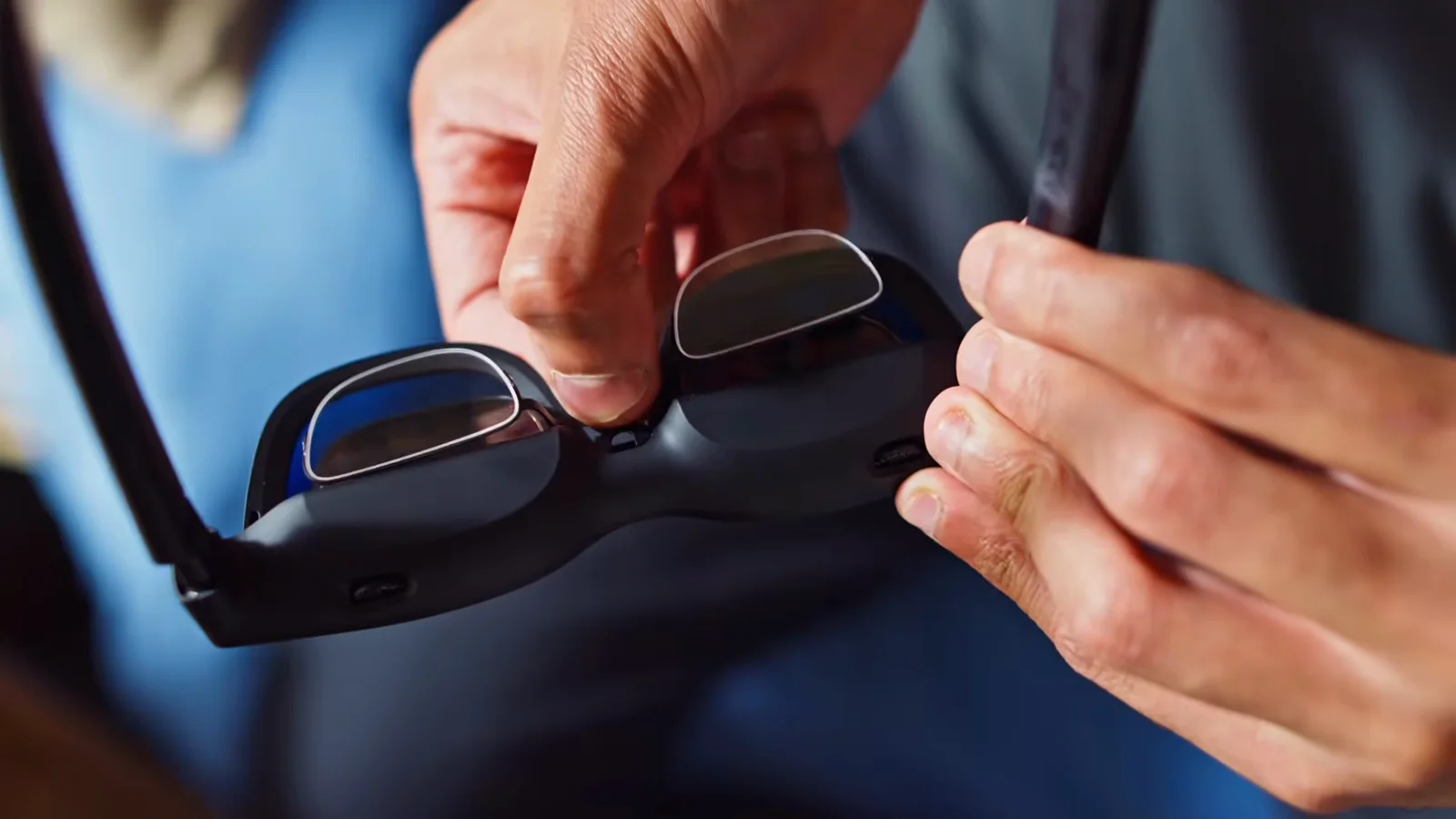
Each VITURE lens has an independent focus dial covering 0 to −5.0 diopters. I turned them nearly to their limit, and the picture changed from something I could use into something I wanted to keep using. In the video I called the diopter system “hands down the best feature” I tested on the Pro 2. That remains true.
The dials correct straightforward myopia within their range. They are not a universal prescription replacement. They do not correct astigmatism, hyperopia, prism needs, or myopia beyond −5.0D. VITURE sells a $19 prescription frame, before the cost of custom lenses, for people outside the built-in range.
The XREAL has no diopter dials. It supports optional custom prescription lenses, currently listed from $49.90 before any prescription-specific charges. That can be the better route if you have astigmatism or another prescription the VITURE dials cannot address, but I did not test either brand’s insert.
IPD is separate from focus. XREAL publishes the wider range at 54.5–74.5mm, compared with VITURE’s 56.5–71.5mm. If your pupils sit near either edge, that number may matter more than every HDR checkbox combined.
Practical verdict: VITURE wins for myopia from 0 to −5.0D. For astigmatism or a complex prescription, treat both as insert-based products and consult the maker or an optician.
Clarity, edge softness, and small text: fit decides more than the logo
Both displays looked impressive in the centre once correctly adjusted. Both also showed some softness toward the edges in my use.
VITURE markets “UltraClarity 3.0” and edge-to-edge sharpness. XREAL publishes strong color and contrast figures. I did not run a camera-through-lens resolution chart or a controlled text test, so I will not turn either claim into a lab result.
For XREAL, fitting and brightness were part of image quality. Lowering an overly bright setting made the display clearer and more comfortable. For VITURE, the diopter dials did what a nose-pad change could not: they corrected my focus.
For movies and controller-driven games, minor edge softness is easy to forgive because your attention stays near the centre. For spreadsheets, code, or a desktop with tiny controls in every corner, it is more annoying. These glasses can make a useful private laptop display, but neither earned an evidence-based claim as an all-day monitor replacement.
Practical verdict: tie. VITURE is sharper for me because it corrects my eyesight; XREAL may fit a wider range of IPDs. Your face and prescription can reverse the result.
Color, brightness, HDR, and 120Hz: XREAL offers more control
VITURE’s picture modes were enjoyable. True Color became my everyday setting. Vivid made the neon in Cyberpunk 2077 pop, and a cooler mode suited the mood in Alan Wake. Those are VITURE impressions, not a matched same-scene A/B test.
My complaint was brightness granularity. VITURE documents nine levels, and the steps felt coarse: dark, less dark, bright, then very bright. XREAL documents 14 levels with stabilization off and 10 with it. That count does not prove a better brightness curve for every eye, but it matches my experience that XREAL gave me more room to back down from an uncomfortable setting.
XREAL also wins the mode sheet. Its OSD offers Standard, Cinema, and Eye Comfort presets. Dynamic-range choices are more explicit:
- SDR is 8-bit at 60, 90, or 120Hz.
- AI-HDR applies automatic enhancement to SDR material in 8-bit at 60, 90, or 120Hz.
- Native HDR10 is 10-bit at 60 or 90Hz.
AI-HDR is display processing. It is not a chatbot in the frame, and it does not turn ordinary content into genuine native HDR. VITURE does not document an equivalent automatic SDR-to-HDR mode on the Pro 2.
Both brands advertise 1,600 nits, but the labels differ. VITURE calls it peak perceived brightness. XREAL lists 1,600 nits at the eye and 6,000 nits at the screen. Without a matched measurement, declaring one brighter would be fiction with units attached.
Practical verdict: XREAL wins for HDR formats and adjustment range. VITURE’s modes looked good, but the control system is less granular.
Stabilization versus spatial features: XREAL is simpler, VITURE is broader with software
XREAL has an IMU and can compensate for head movement so the screen follows more smoothly. That can help on a plane, train, or car ride when every bump makes an unprocessed display bounce. It is still a head-following screen, not a virtual monitor pinned to your wall.
There is an official documentation conflict. XREAL’s dedicated stabilization and display-effect pages say the feature requires a 120Hz source. Its FAQ and connection guide say 60, 90, or 120Hz. The pages were all live when checked, and I found no dated firmware note that resolves the disagreement. Buy on the conservative assumption that 120Hz may be required until XREAL clarifies the current firmware behavior for your device. XREAL also warns that fast head turns can produce slight trailing and advises against stabilization for precision work or small text.
VITURE’s answer is SpaceWalker. On supported phones and computers, the app can provide 3DoF head tracking, multi-screen layouts, ultrawide modes, and related spatial features. Those features are not all built into the Pro 2 hardware. Platform, software, and sometimes an adapter determine what you get. VITURE explicitly lists 6DoF as unsupported on the Pro 2.
Practical verdict: choose XREAL if you want onboard motion smoothing with fewer software dependencies. Choose VITURE if you want the broader SpaceWalker feature set and are willing to check platform and accessory requirements.
Gaming: a tie with different escape clauses
Both glasses are natural partners for Steam Deck, Steam Deck OLED, ROG Ally, and similar handheld PCs with DisplayPort video over USB-C. Plug in one cable, keep the handheld in your lap, and move the screen off the device and onto your face. Both support up to 120Hz, although the game and source must also output it.
VITURE’s diopters made it the better gaming display for me. XREAL’s stabilization may be more valuable to someone who plays while travelling and does not need vision correction. I did not measure latency or run identical scenes on identical sources, so there is no honest basis for a frame-time winner.
Console gaming is less elegant. VITURE offers documented first-party paths: the $99 Pro Mobile Dock handles PlayStation, Xbox, Switch, and Switch 2, while cheaper or smaller accessories cover Nintendo systems. XREAL requires the Hub for Switch-class devices and an active HDMI-to-USB-C path for PlayStation or Xbox.
Practical verdict: tie for direct handheld gaming. VITURE has a clearer first-party console ecosystem; XREAL has onboard stabilization.
Movies, bed, and travel: both are good, both include a blocker
XREAL’s included light shield made a visible difference in my test. Without it, I could see the room through the front. With it attached, the picture felt more solid and movies became easier to sink into.
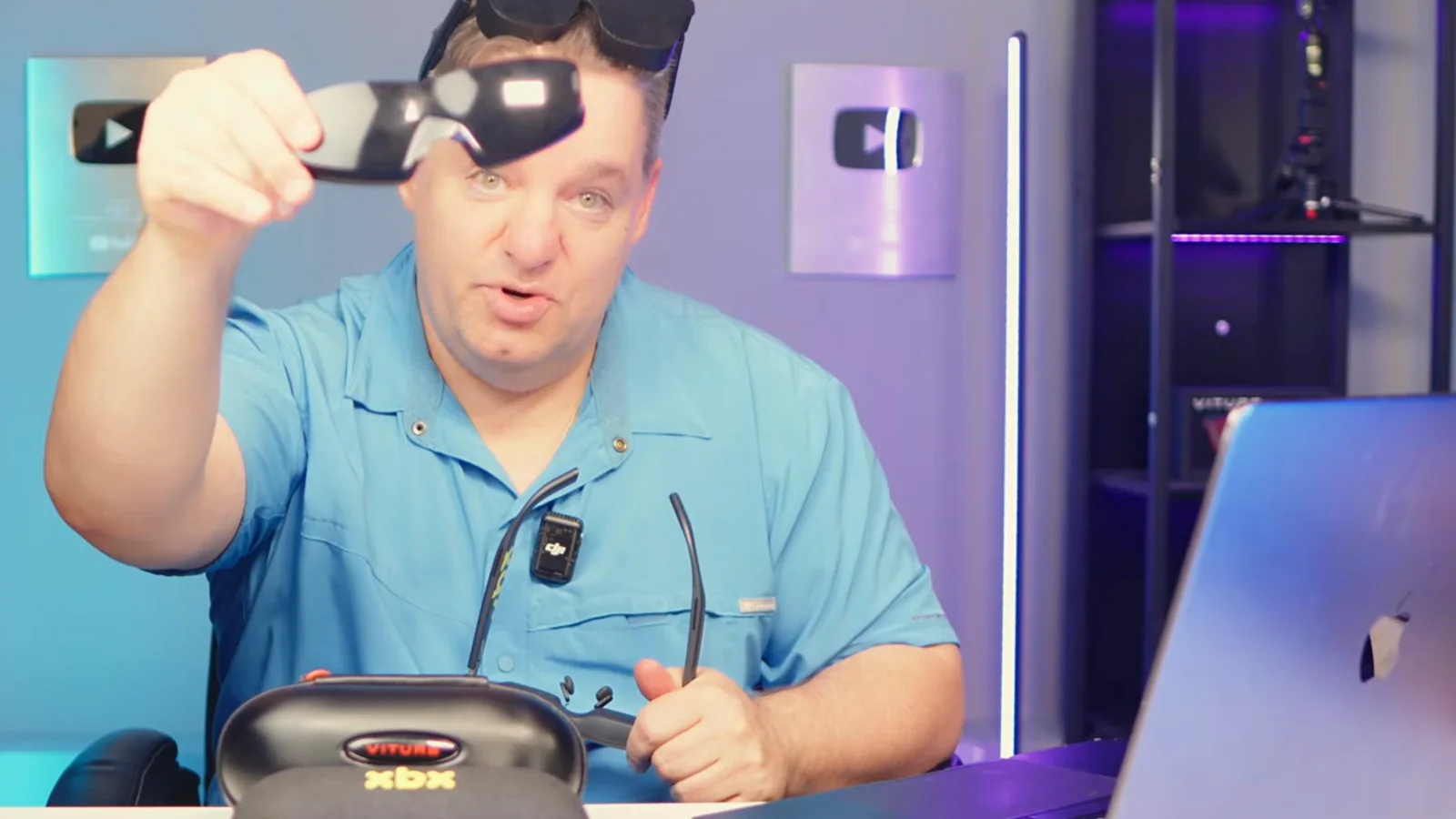
VITURE also includes a lens shade. The blocker is not an XREAL-exclusive feature. Both let you choose between awareness and immersion, and both are small enough to pack in a carry-on without dedicating half the bag to a headset.
XREAL’s removable front frame provides an extra open configuration and lowers the glasses to 56g. VITURE’s advantage for me remains focus: a weight reduction is not helpful if the text and subtitles are blurry.
The glasses have no batteries to charge, but they drain the source. I did not measure that drain. For a long flight, budget for a compatible charge-and-view adapter, a power bank, and one more cable than the product photography suggests.
Practical verdict: tie. XREAL gets a nod for the 56g open configuration; VITURE wins if the diopters save you from carrying prescription inserts.
Productivity: useful as a private screen, weak as a universal monitor replacement
A large private laptop display is appealing in a coffee shop, hotel, or shared room. Both products can mirror or extend a compatible computer display, and VITURE’s SpaceWalker can add multi-screen modes on supported platforms.
I would not buy either pair solely to edit dense spreadsheets or code for eight hours a day. The virtual image moves with your head in basic mode, both showed some edge softness, and text comfort depends on precise fit and prescription. XREAL’s own guide says stabilization is not recommended for precision work or small text. SpaceWalker adds options, but it also adds a software and compatibility layer.
Practical verdict: VITURE has the stronger software story; neither is a safe blind recommendation for all-day text work.
Controls and setup: XREAL’s OSD is deeper, neither guide is good enough
XREAL documents three physical controls under the right temple: an X button plus separate + and − buttons. The X control opens the OSD and switches 2D/3D behavior; + and − adjust brightness, volume, and menu navigation. That is more than the “two buttons” shorthand used in the video.
VITURE keeps common brightness and volume changes on the glasses and documents nine steps for each. In my use, both were easy once connected. The printed instructions were another matter. They did not explain the adapter maze clearly enough, especially for consoles and HDMI-only computers.
Practical verdict: XREAL wins for onboard display controls. Both companies need a one-page “will my exact device work?” guide in the box.
Compatibility matrix: USB-C is a shape, not a promise
For direct connection, the source must output video using DisplayPort Alt Mode over USB-C and provide power. A USB-C charging port can look identical and produce a black screen.
| Source device | VITURE Pro 2 | XREAL xbx a01+ | Requirement and limitation |
|---|---|---|---|
| Steam Deck / OLED | Direct | Direct | Included USB-C cable; source supplies power. |
| ROG Ally / Ally X | Direct | Direct | Video-capable USB-C; a compatible PD/DP hub is needed to charge simultaneously. |
| USB-C iPhone/iPad | Direct on video-capable models | Direct on video-capable models | Recent USB-C devices with external display output; not every USB-C Apple model outputs video. |
| Compatible Android | Direct | Direct | Phone must support DP Alt Mode; many budget phones do not. |
| Mac / Windows laptop | Direct when port carries video | Same | USB-C/Thunderbolt with DP output; data-only USB-C will not work. |
| Switch / Switch OLED | Adapter | Adapter | VITURE dock/Adapter Ultra path; XREAL requires Hub. External power may be required. |
| Switch 2 | Adapter | Adapter; confirm exact current path | VITURE documents multiple current accessories. XREAL lists Switch 2 as adapter-required, while its detailed note specifically names Hub for Switch/OLED. |
| PlayStation / Xbox | Pro Mobile Dock | Active HDMI-to-USB-C adapter | Signal must flow from HDMI into USB-C display glasses. Many adapters need USB power. |
| HDMI-only PC | Pro Mobile Dock or compatible active path | Active HDMI-to-USB-C adapter | A common USB-C-to-HDMI cable works in the wrong direction. |
Sources: VITURE compatibility table, VITURE Adapter Ultra, VITURE Pro Mobile Dock, and XREAL connection guide. These rows are official compatibility claims, not a statement that I personally tested every device.
The HDMI warning deserves repetition because the wrong cable can have the right plugs. Most USB-C-to-HDMI products send a laptop’s USB-C video to a television. These glasses need the reverse: HDMI from the console or PC converted into USB-C video for the glasses, usually with separate power. Direction is very, very important.
Audio and privacy: usable, not invisible
Both built-in speaker systems sounded clean at low volume. Neither delivered the bass, isolation, or privacy of decent earbuds. Open-ear audio can leak to the person next to you, and manufacturer leakage-reduction claims are not the same as silence.
For fuller sound or better privacy, pair Bluetooth headphones with the phone, computer, handheld, or console. The glasses do not make that Bluetooth connection themselves; the source routes the audio.
Practical verdict: tie.
Bundle, warranty, and returns
Both packages include the essentials: case, USB-C cable, three nose-pad sizes, cleaning cloth, documentation, and a light-blocking accessory. XREAL also includes its detachable front lens. Neither includes the adapter every possible source requires.
VITURE’s US direct-store terms provide a 30-day eligible return window and a 365-day limited warranty against manufacturing defects. XREAL’s US store advertises a 30-day return and one-year warranty. Customized prescription products can have different or non-returnable terms, and third-party retailers apply their own policies.
That return window matters more than usual because optical fit is personal. Test the full image, not only the centre, and do it before the return deadline.
Which XR glasses should you buy?
Buy VITURE Pro 2 if you are nearsighted within 0 to −5.0D
The independent dials are the clearest differentiator in the entire comparison. They solved my focus problem without extra lenses.
Consider either with prescription inserts if you have astigmatism
VITURE’s dials do not correct astigmatism. XREAL’s insert path may be more direct, but VITURE also sells a prescription frame. Get the prescription question settled before ordering accessories.
Buy XREAL xbx a01+ if your IPD sits outside VITURE’s published range
XREAL’s stated 54.5–74.5mm coverage is wider. That does not guarantee perfect clarity, but it gives more buyers a documented chance of landing in the optical sweet spot.
Buy XREAL for travel stabilization, with one caution
The onboard IMU can smooth a head-following image in moving environments. It can also introduce trailing, and XREAL’s own pages disagree about whether current support requires 120Hz or also works at 60/90Hz. Confirm your source before treating this as guaranteed.
Buy either for Steam Deck or ROG Ally
These are the cleanest use cases. Both support direct USB-C video from compatible handheld PCs. Your eyes, fit, and need to charge while playing should decide the brand.
Buy VITURE for a more explicit first-party console path
The Pro Mobile Dock is not cheap or tiny, but VITURE documents exactly how it connects HDMI consoles. XREAL leaves HDMI buyers to source the correct active adapter.
Buy either for movies in bed or on a plane
Both are light, both include a blocker, and neither straps a large battery to your face. XREAL is lighter with the front removed; VITURE is better if its diopters replace another piece of optical hardware.
Be cautious if small-text productivity is the main job
Both can act as private displays. Neither produced enough evidence for me to promise uniform edge-to-edge text clarity on every face.
What could be better
The shared problems are straightforward. Edge clarity depends too much on fit. The printed guides under-explain video-capable USB-C and active HDMI conversion. Both products are wired, both drain the host, neither includes every adapter, and both speaker systems trade fullness and privacy for convenience.
VITURE-specific drawbacks are the coarse brightness steps, the limited prescription types its diopter dials can correct, and the software/accessory dependencies behind some SpaceWalker and console features.
XREAL-specific drawbacks are the lack of built-in focus correction, the possibility of stabilization trailing, contradictory refresh-rate instructions for that feature, and a less complete first-party HDMI purchasing path.
I also want better evidence from both companies: measured host battery impact, an explicit per-device compatibility checker, current firmware notes beside feature tables, and clearer definitions for cross-brand brightness claims.
Final verdict
The XREAL xbx a01+ went from near-rejection to a strong recommendation after I changed the nose pad, moved the temples, and lowered the brightness. That is the most useful lesson in this comparison. Fit these glasses before you judge their optics.
The VITURE Pro 2 still wins my purchase decision. Fit could move the XREAL image into the right place, but it could not correct my eyesight. VITURE’s independent diopter dials could, and the difference was immediate.
Buy the VITURE Pro 2 if built-in myopia correction, my faster fit, and the VITURE accessory/software ecosystem match your needs. Buy the XREAL xbx a01+ if you do not need diopter dials and would rather have wider stated IPD coverage, a 56g open-frame option, deeper HDR controls, and onboard stabilization. At the same base price, the better glasses are the pair that fits your face, corrects your vision, and connects to the device you already own.
For deeper single-product coverage, read my VITURE Pro 2 review and XREAL xbx a01+ review.
Frequently asked questions
Do VITURE Pro 2 or XREAL xbx a01+ work with every USB-C phone?
No. The phone must output DisplayPort video over USB-C. A USB-C connector that supports only charging and data will not drive either display. Check the exact phone model with its manufacturer.
Can the VITURE diopter dials correct astigmatism?
No. They correct myopia from 0 to −5.0D independently for each eye. Astigmatism, hyperopia, prism correction, and prescriptions outside that range require a suitable prescription-lens solution.
Is XREAL stabilization the same as a pinned 3DoF screen?
No. It smooths a display that follows your view. A 3DoF mode can keep a virtual screen positioned as you rotate your head. VITURE offers 3DoF modes through SpaceWalker on supported platforms; they are not universally built into direct-display mode.
Do either glasses work without a battery?
The glasses have no internal battery, but they still need power from a connected source. Unplug the cable and the display turns off. That design keeps weight down while shifting the battery burden to your phone, laptop, handheld, dock, or power bank.
Is the screen really 146 or 147 inches?
Those are apparent-screen claims at a stated four-metre viewing distance. There is no physical television inside the frame. Both list a 50-degree field of view, so the one-inch difference is not a meaningful buying factor.
Why do the edges look blurry?
The optical sweet spot depends on nose-pad height, temple angle, face shape, IPD, prescription, and brightness. Try every supplied pad and temple position, centre the image, set an appropriate brightness, and resolve any vision correction before assuming the display is defective.
Can I charge my device while using the glasses?
Yes, with a compatible hub or adapter that passes both USB-C Power Delivery and DisplayPort video. A basic charging splitter may not pass video. VITURE’s current first-party option is the $89 Adapter Ultra; XREAL sells the $39.99 Hub, although buyers should confirm the exact source and glasses combination.
Can either pair replace a monitor or television?
They can replace a screen for many movie, gaming, and private-display sessions. They do not replace the source device. Face-dependent edge clarity, head-following motion, software dependencies, and host battery drain make them a weaker universal replacement for an all-day monitor.
Official sources
Accessed August 16, 2026.
- Kingy AI hands-on comparison video
- VITURE Pro 2 product page, specifications, bundle, and compatibility
- VITURE shipping and returns
- VITURE terms and 365-day warranty
- VITURE USB-C XR Charging Adapter Ultra
- VITURE Pro Mobile Dock
- XREAL xbx a01+ product page
- XREAL xbx a01+ US store page
- XREAL xbx a01 series manual
- XREAL specifications and box contents
- XREAL fit guide
- XREAL device connection guide
- XREAL button guide
- XREAL display, HDR, brightness, 3D, and stabilization controls
- XREAL stabilization guide
- XREAL FAQ
- XREAL Hub
- XREAL return policy