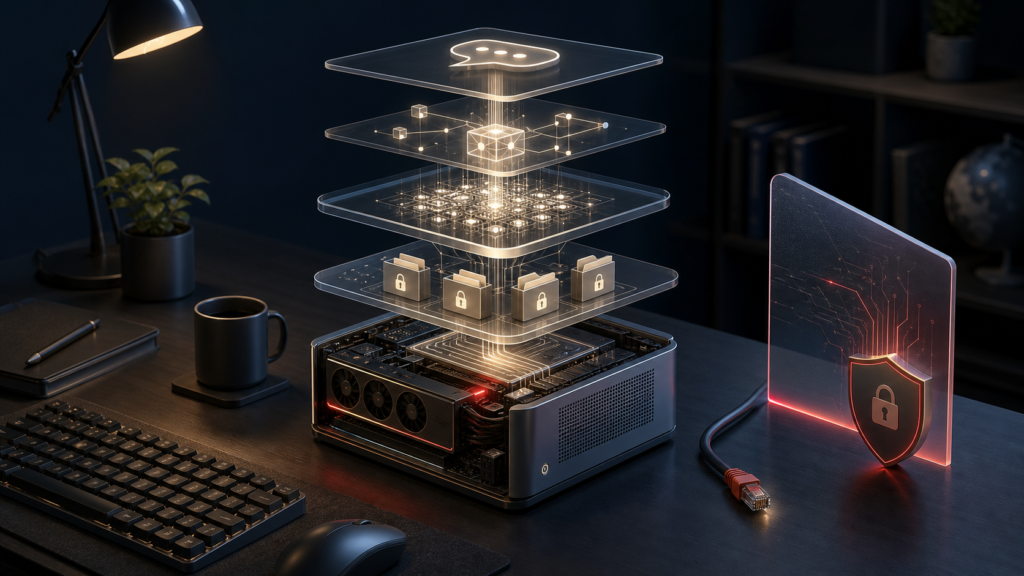
Verdict: Meta Muse Glimmer can run a genuinely useful private offline AI agent on a 24 GB Apple Silicon Mac, but this is a builder’s stack, not a one-click cloud replacement. In my hands-on test, Muse read local project files, fixed a Python bug, recovered from a failed tool call, and understood a UI screenshot without sending the model request to a paid API. It was also slow, fragile at the memory limit, and not fully compatible with OpenClaw’s current vision helper.
The configuration I would actually keep is conservative: the official 17 GB GGUF, a current source build of llama.cpp, one 12,288-token text slot, and OpenClaw with no web, browser, shell, messaging, session or automation tools. On the tested M4 Pro, direct text decoding reached 10.13 tokens per second in a short benchmark, but full OpenClaw tasks took four to seven minutes because agent turns include large prompts, hidden reasoning and multiple model calls.
This build is worth it for developers, researchers and privacy-sensitive operators who already own suitable hardware and have recurring local-file workflows. Stay with a cloud agent if you need frontier-model quality, fast multimodal work, rich web tools, effortless setup or reliable multi-user service.
Testing was completed on August 10, 2026. The evidence boundary is one Apple Silicon machine, one run per condition, synthetic documents and a disposable workspace. Vendor specifications and performance claims are labeled separately from my measurements.
Why Muse Glimmer matters
Muse Glimmer is a roughly 29.6-billion-parameter dense model from Meta Superintelligence Labs, including an approximately 1.8-billion-parameter perception encoder. It has 52 layers, supports text and image input with text output, and publishes a 131,072-plus-token maximum context. Meta positions it for agentic work: multi-step reasoning, structured tool use, code, image understanding and recovery after failures. The official card lists a January 4, 2026 knowledge cutoff and more than 100 training languages. Those are Meta’s published specifications, not claims I independently re-measured.
The strategic angle is real but easy to overstate. Muse Glimmer comes from a U.S.-headquartered company at a moment when Chinese labs such as Alibaba’s Qwen and DeepSeek have made open-weight models central to the AI race. A capable local agent model from Meta gives American developers another downloadable option instead of leaving the open-weight conversation entirely to overseas labs.
Meta’s politics should still be attributed to Meta. In “The Future Is for Everyone,” Mark Zuckerberg argues that the United States and other democratic countries should lead an open AI ecosystem. That is a corporate position, not proof that every contributor, training source, dependency or chip in this stack is American. “U.S.-developed” is defensible; “entirely American-made” is not.
There is another terminology trap. The model card uses Apache 2.0, while Muse also has a separate usage policy. The weights are downloadable, but Meta does not ship the training data or a complete reproducible training pipeline. I therefore call Muse Glimmer open-weight, not fully open source. Read the Apache license and Muse Usage Policy before commercial redistribution or product deployment.
What “private offline agent” actually means
A local model is only one layer. The complete path is:
OpenClaw / OpenCode
llama.cpp on 127.0.0.1
Muse Glimmer
Restricted local tools
Privacy fails if any other layer phones home, listens on a public interface, exposes an unauthenticated gateway, reads outside the intended workspace, or gives an untrusted prompt access to email, a browser or a shell. “No API required” means there is no paid model API in the inference path. It does not mean there are no APIs at all: OpenClaw still talks to llama.cpp through a local OpenAI-compatible HTTP API.
My final proof was observational and process-specific. During a live OpenClaw request, lsof showed the OpenClaw process had one TCP connection—from 127.0.0.1 to 127.0.0.1:18180. llama.cpp listened only on loopback and held the matching local connection. The agent returned exactly OFFLINE_STACK_OK. All web, browser, runtime, session, messaging and automation tools were disabled.
That is good evidence for the tested processes. It is not a cryptographic proof that macOS, another application or a future tool can never use the network. For stronger assurance, disconnect Wi-Fi and Ethernet after downloading the artifacts, apply an audited outbound firewall rule, or use a dedicated offline machine.
The stack I tested
| Layer | Exact choice | Hands-on status |
|---|---|---|
| Model | Official muse-glimmer-30B-kquant-17gb.gguf |
Passed text and agent tasks |
| Vision | Official mmproj-kquant.gguf |
Direct llama.cpp passed; OpenClaw helper failed |
| Speculative drafter | Official dflash-kquant.gguf |
Loaded; CPU-offloaded A/B was slower |
| Runtime | llama.cpp source commit dd1ea524... |
Passed on Metal |
| Agent harness | OpenClaw 2026.7.1-2 (0790d9f) |
Primary hands-on harness |
| Secondary harness | OpenCode | Documented path only; not installed or tested |
The official stack is split deliberately. The main GGUF is text-only by itself. mmproj adds image perception. DFlash is a draft model for speculative decoding. Their verified sizes total 19.79 GB decimal before KV cache, Metal allocations, agent state and the operating system.
The latest tagged llama.cpp prebuilt available during testing rejected Muse Glimmer. Support had merged upstream on launch day in llama.cpp PR #26841, so I built the current source snapshot instead. That launch-day gap is normal for a new architecture, but it means copying an older tutorial or binary can fail before the first prompt.
If you want a broader foundation before building, Kingy’s local AI models setup and hardware guide explains GGUF, quantization, context and runtime choices. The OpenClaw profile covers the harness itself.
Hardware: 24 GB works, but only with discipline
The test machine was a MacBook Pro Mac16,7 with an M4 Pro, 14 CPU cores, a 20-core integrated GPU and 24 GB unified memory. Metal was enabled. The build used one inference slot and Q8 KV caches.
| Profile | Context | Result on 24 GB M4 Pro |
|---|---|---|
| Main model, text only | 12,288 | Stable for the remaining OpenClaw tasks |
Main + mmproj |
8,192 | Text agent tasks worked, but prompt budget was tight |
Main + mmproj |
12,288 | Direct vision worked; a later sustained run hit Metal OOM |
| Main + CPU DFlash | 4,096 | Fit, but decoded more slowly than baseline |
Meta targets the 17 GB quant at 24 GB hardware and reports about 1% average degradation across 15 benchmarks. In this test, 24 GB was a minimum, not a comfortable all-features envelope. The decisive failure was kIOGPUCommandBufferCallbackErrorOutOfMemory during an organization task after vision work at 12,288 context. Restarting without mmproj recovered the system and the text-only retry completed.
My practical recommendation is 24 GB for a careful text agent, 32 GB for breathing room, and more if you expect long context, vision and DFlash together. Do not buy hardware from the parameter count alone; use Kingy’s local AI compatibility guide to map the exact model, format, runtime and context to usable memory.
Build the llama.cpp runtime
Download the official files from Meta’s GGUF repository, verify their hashes, then build a Muse-capable llama.cpp. The successful text server used this shape:
llama-server \
  -m models/muse-glimmer-30B-kquant-17gb.gguf \
  -c 12288 -np 1 -ctk q8_0 -ctv q8_0 \
  -ngl all -fa on --jinja \
  --host 127.0.0.1 --port 18180 --no-webui
Three details matter.
First, bind to 127.0.0.1, not 0.0.0.0. llama.cpp warned that its CORS policy allowed all origins and no API key was set; loopback kept that unauthenticated endpoint off the LAN.
Second, keep -np 1 on a 24 GB machine. Multiple slots multiply KV-cache pressure.
Third, start text-only. Add --mmproj models/mmproj-kquant.gguf as a separate lower-context profile only after the base server passes. The full command sequence, historical SHA-256 values and cleanup steps are in the reproduction guide supplied with this article.
Connect OpenClaw without giving it the keys to everything
I pinned OpenClaw to 2026.7.1-2 and registered llama.cpp as a custom openai-completions provider at http://127.0.0.1:18180/v1. The config set Meta’s published sampling defaults—temperature 1.0, top-p 0.95 and top-k 64—and placed Muse’s reasoning level in the prompt.
The first apparently sensible 8K setup failed before inference. OpenClaw estimated 9,210 prompt tokens against a 4,096-token prompt budget because its system prompt, schemas, bootstrap files and bundled skill descriptions consumed the window. Disabling skills, skipping bootstrap injection and setting contextInjection: "never" reduced the prompt enough for a successful OPENCLAW_LOCAL_OK turn.
The security posture was intentionally boring:
- workspace-only reads and writes;
- no shell or process execution;
- no browser, web search or web fetch;
- no messages, sessions, cron or automation;
- no mDNS discovery;
- loopback gateway only;
- a disposable synthetic workspace.
OpenClaw reported sandbox mode off because Docker and Podman were unavailable. Its tool policy still removed 14 denied tools and kept file access inside the workspace, but that is not a container or VM boundary. If your threat model includes a malicious local user, a compromised Node package or sensitive host files, use stronger OS isolation.
What the agent actually did
These were synthetic fixtures, not customer data. Each practical task had a defined pass condition and was run once. I independently checked outputs, hashes and tests instead of accepting the model’s self-report.
| Task | Outcome | What happened | Wall time |
|---|---|---|---|
| Project document briefing | Pass | Three valid reads; accurate owner, budget, targets, risks and decisions | 6m 52s |
| Python bug repair | Pass, minor defect | Correct one-line subtraction fix; independent tests passed 3/3; stale comment remained | 6m 04s |
| Failure recovery | Pass | Wrong ticket read failed; model diagnosed the transposition and retried correctly | 4m 15s |
| Safe file organization | Partial | Originals preserved and plan correct; all four copies lost the final newline | 4m 28s retry |
| UI screenshot through OpenClaw | Fail | Image helper timed out twice at 60 seconds; run timed out at 10 minutes | 10m 02s |
| Same screenshot direct to llama.cpp | Pass | Found code 403, disconnected state, clipped control and contrast defect | 4m 27s |
| Offline socket proof | Pass | Exact response; only loopback sockets observed | 38.9s |
The document result also exposed a harness quirk. OpenClaw produced a fully correct final answer, then began unnecessary post-answer compaction at 8K context. I stopped that compaction manually. The answer remains a pass, but “human intervention required” is yes because the harness kept working after the job was done.
The organization task is the best warning against grading an agent by prose. Muse claimed its copies contained exact content. SHA-256 comparison proved each copy was one byte shorter because the write tool omitted the trailing newline. This was low-impact on synthetic text, but the same behavior could matter for checksummed configs, fixtures or source files.
I observed no inappropriate refusal in the document, coding, recovery, organization or direct-vision tasks. The failures were attributable to harness timeout, memory pressure and output integrity—not a safety refusal. OpenClaw did not expose a reliable first-token timestamp for its multi-turn tasks, and macOS process RSS does not fully account for Metal unified-memory allocations; the CSV marks those metrics as unavailable instead of inventing values.
Vision works—just not reliably through this OpenClaw path
Muse’s vision model itself passed. A direct OpenAI-compatible request with the local PNG returned all four known UI defects correctly in 266.8 seconds, at 2.61 generated tokens per second. The same file failed through OpenClaw because its image-description helper enforced a 60-second timeout. Retrying did not help, and the full agent run eventually timed out.
That distinction matters. “Model supports vision” does not mean “every agent harness can use its vision path on slow consumer hardware.” For this release and machine, use direct llama.cpp vision or wait for a verified OpenClaw timeout/configuration fix. Do not promise screenshot automation from the OpenClaw config tested here.
DFlash: benchmark it before enabling it
Meta reports impressive DFlash results: 23.7 to 37.8 tok/s on an M4 Max using ExecuTorch, a 1.5× speedup; 1.8× on M5 Max; and 3.1× on RTX 5090 using llama.cpp. Those are vendor measurements from the official model card.
My controlled llama.cpp A/B did not reproduce them. On the M4 Pro, the drafter had to stay on CPU to fit safely. Both arms used greedy decoding, seed 424242, one slot, 4,096 context, identical Q8 caches, the same prompt and a 256-token cap.
| Arm | Decode speed | Wall time | Draft result |
|---|---|---|---|
| Baseline | 10.13 tok/s | 27.15s | — |
| DFlash, CPU drafter | 6.73 tok/s | 40.24s | 211/648 drafts accepted |
DFlash was 33.5% slower. The reasoning trace was byte-identical, so quality did not explain the difference. This does not disprove Meta’s results; it shows that runtime, chip tier and drafter placement matter. On this 24 GB M4 Pro/llama.cpp configuration, leave DFlash off.
Privacy, safety and approval boundaries
Running locally removes a cloud inference provider from the data path. It does not make the agent safe by nationality, license or location. Meta’s own model card recommends system-level guardrails and publishes agentic safety results with non-zero attack success rates.
Use these boundaries before real files:
- Read before write. Begin with a small workspace and read-only tasks. Add writes only after you can diff and roll back every change.
- Keep external effects off. Email, messages, purchases, deployments and account changes require explicit human approval immediately before the action.
- Treat retrieved text as untrusted. A local document can contain prompt injection just as a webpage can.
- Separate secrets. Do not place SSH keys, cloud credentials, password stores or production
.envfiles in the agent workspace. - Log the trajectory. Tool calls, failures and final output should be reviewable. Delete logs according to your retention policy because they may contain source material.
- Test failure paths. Wrong filenames, permission denials, malformed schemas and low-disk conditions tell you more than a polished chat demo.
For irreversible work, “ask me if unsure” is not a control. Deny the tool or require a separate approval gate outside the model.
Is local actually cheaper than cloud?
The weights have no per-token model fee, but local inference is not free. You pay for hardware, storage, electricity, setup time, maintenance, slower task completion and the opportunity cost of debugging launch-day integrations. This project reused an already-owned Mac; buying a machine solely to avoid API charges would change the economics substantially.
As a current hosted comparator, OpenAI’s ChatGPT Business guide lists $25 per user per month when billed monthly or $20 per user per month billed annually, with hosted models, agent features and administration. That is not an apples-to-apples quality comparison with Muse Glimmer, but it shows why there is no universal local break-even point.
Local wins when privacy, offline availability, fixed marginal inference cost, customization or vendor independence is worth the operational burden. Cloud wins when speed, frontier capability, uptime, collaboration and low setup effort matter more.
What about OpenCode?
Meta names OpenCode among Muse Glimmer’s scaffold options, and OpenCode documents custom OpenAI-compatible providers. I did not install or test it, so I am not publishing an exact OpenCode config. A plausible configuration is not evidence. Start from the official OpenCode provider documentation and repeat the same tool, failure, socket, latency and file-integrity tests.
Who should build this?
Build it if you already have 24–32 GB of usable memory, can tolerate minute-scale agent loops, work with sensitive local files, and are willing to own the security boundary. It is especially attractive for private document synthesis, offline code assistance, repeatable local transformations and research on agent behavior.
Do not build it yet if you need unattended actions, reliable OpenClaw screenshot understanding, many concurrent users, long multimodal context on 24 GB, or cloud-like response speed. Do not use it unreviewed for medical, legal, financial or production infrastructure decisions.
FAQ
Can Muse Glimmer run fully offline?
Yes, after the model files, llama.cpp source/build and OpenClaw packages are downloaded. The tested OpenClaw and llama.cpp processes used only a loopback connection. Stronger offline assurance still requires network disconnection or an audited firewall policy.
Is 24 GB enough for Muse Glimmer?
It is enough for the official 17 GB quant as a disciplined text-only agent with one slot and a moderate context. It is not comfortable headroom for sustained 12K context plus vision and DFlash. Our 24 GB system hit Metal OOM with mmproj loaded.
Does the main GGUF support images by itself?
No. The official main GGUF is text-only. Add mmproj-kquant.gguf for image input. Direct vision worked in this test; OpenClaw’s current helper timed out.
Does DFlash always make Muse Glimmer faster?
No. Meta reports 1.5× to 3.1× on its tested configurations, but our CPU-offloaded M4 Pro llama.cpp run was 33.5% slower. Benchmark both arms on your hardware.
Is Muse Glimmer open source?
It is safest to call it open-weight. The model uses Apache 2.0 plus a separate Usage Policy, but the release does not include the training data and a fully reproducible training pipeline.
Does local inference make an agent safe?
No. Local inference can reduce data exposure to a model provider, but tool permissions, prompt injection, filesystem scope, network binding, logs and approval gates determine the real safety boundary.
Should I use OpenClaw or OpenCode?
OpenClaw is the hands-on path verified here. OpenCode is a documented secondary option that still needs equivalent testing. Whichever harness you use, keep llama.cpp on loopback and begin with no external-effect tools.
Final verdict
Muse Glimmer is one of the more credible attempts to put a real agent model—not just a chat model—on consumer hardware. On a 24 GB M4 Pro, it completed meaningful local work and recovered from an intentional failure without a paid inference API. The experience was not fluid: practical tasks took minutes, OpenClaw vision failed, long-context vision exhausted memory, DFlash slowed down, and a file-copy claim failed at the byte level.
That makes the recommendation narrower and more useful. Build this stack when local control is the product requirement and you are prepared to test every layer. Do not build it merely to avoid a monthly bill. The private part comes from your runtime, network and tool policy—not from the model’s passport or marketing page.
Official sources and test artifacts
- Meta AI Research launch post
- Official Muse Glimmer model card
- Official Muse Glimmer GGUF repository
- Meta methodology report
- llama.cpp Muse support PR
- OpenClaw local-model guide
- OpenClaw security guide
The accompanying CSV, reproduction guide, source ledger and sanitized OpenClaw example preserve the exact measurements, hashes, commands and limitations behind this verdict.