
Last updated: June 15, 2026.
Becoming AI native is not about memorizing prompt tricks. It is a working style: you redesign how you think, draft, research, build, verify, and collaborate when capable AI systems are always available.
The important shift is subtle. AI-native professionals do not treat a model as an oracle. They treat it as a collaborator, simulator, drafter, critic, analyst, and automation layer. They define the job clearly, provide useful context, iterate, verify, and keep human accountability attached to anything important.
That framing is consistent with several strong sources. Anthropic’s AI Fluency Index found that iteration and refinement were the most common observable fluency behavior in its Claude sample, and that artifact-producing conversations can make users less likely to question reasoning or identify missing context. Microsoft’s 2025 Work Trend Index frames the next stage of work around “Frontier Firms,” human-agent teams, and the “agent boss” role. OpenAI’s evaluation guidance, GitHub Copilot’s prompting guidance, and Google’s Gemini for Workspace prompt guide all converge on the same practical lesson: clear goals, relevant context, smaller steps, examples, and review loops matter more than clever one-liners.
On Kingy, this guide fits next to our deeper coverage of AI loops for real workflows, the Codex Prompt Builder, our guide to choosing the right AI model for the right job, and the broader Kingy AI tools directory.
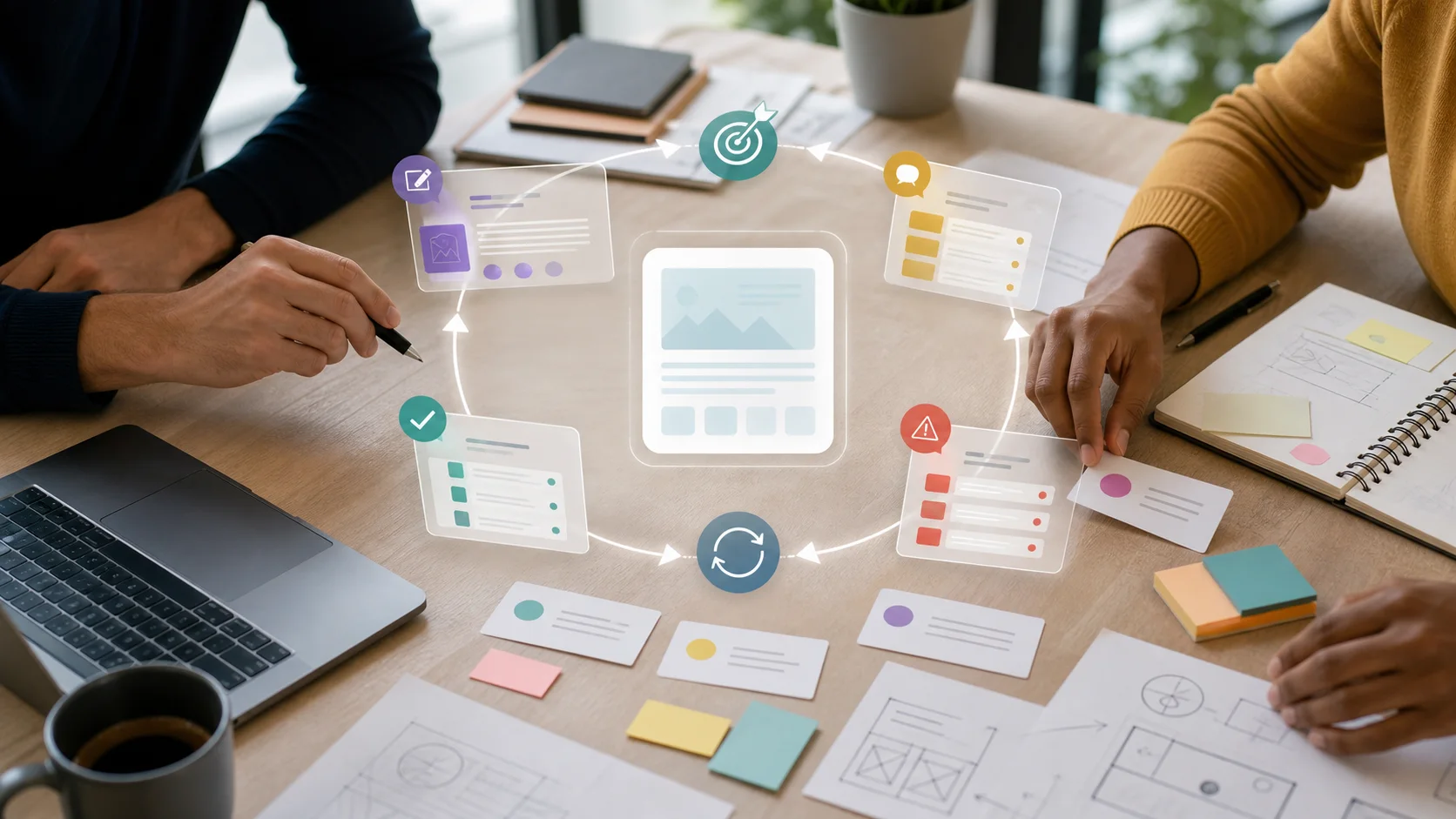
Image note: AI-native work is less about one-shot prompts and more about human judgment, useful context, iteration, and verification.
What “AI native” actually means
“AI native” is best understood as a capability, not a demographic label. In this guide, an AI-native professional is someone who routinely designs work around human-AI collaboration, uses natural language and structured context as inputs to useful systems, and maintains explicit standards for verification, privacy, and judgment.
That definition borrows from several adjacent ideas rather than pretending the term is a formal academic category. Ethan Mollick’s Co-Intelligence popularized the idea of working with AI as a collaborator. Anthropic’s AI Fluency framework breaks effective use into practical behaviors. Andrej Karpathy’s Software Is Changing (Again) talk describes a world where natural language becomes a programmable interface. Microsoft applies the idea organizationally through human-agent teams.
The through-line is simple: the advantage is not typing more prompts. The advantage is knowing when to prompt, when to retrieve sources, when to ask for alternatives, when to automate, when to test, when to escalate, and when AI is the wrong tool.
The AI-native work loop
The core loop looks like this:
- Define the outcome. State what a good answer, draft, analysis, or artifact must do.
- Curate context. Provide the relevant source material, constraints, audience, examples, data, and definitions.
- Ask for a first useful artifact. Do not ask for magic. Ask for a draft, outline, plan, comparison, test case, or decision memo.
- Interrogate the output. Ask what is missing, what may be wrong, what evidence is weak, and what assumptions changed the answer.
- Revise or route. Improve the prompt, add sources, switch tools, run a test, or involve a human reviewer.
- Capture the pattern. Save the prompt, checklist, workflow, rubric, or automation so the next pass is faster.
This is why Anthropic’s fluency findings matter. In its study of 9,830 Claude conversations, iteration and refinement appeared in 85.7% of sampled multi-turn conversations, and conversations with iteration showed more additional fluency behaviors. The same report warns that when AI creates polished outputs like code, documents, or apps, users may become less evaluative. In plain English: AI can make you faster and less careful at the same time. AI-native work keeps the speed and adds review back into the loop.
The six capabilities to build
| Capability | What it means in practice | Observable behavior |
|---|---|---|
| Mindset | Treat AI as collaborator, not oracle. | You ask for critique, alternatives, uncertainty, and missing context. |
| Specification | Describe goals, audience, constraints, examples, and output format. | Your prompts look more like briefs than guesses. |
| Context | Choose the files, sources, examples, memories, tools, and instructions the model should use. | You provide high-signal context instead of dumping everything into the chat. |
| Workflow | Use repeatable loops for research, writing, coding, meetings, decisions, and operations. | You maintain templates, saved prompts, review checkpoints, and reusable automations. |
| Verification | Check facts, test outputs, compare sources, and define quality criteria before trusting results. | You run source checks, evals, reviews, tests, or human approvals for consequential work. |
| Governance | Match tools to data sensitivity, risk, and accountability. | You know what data can go into which tool and when human review is required. |
For technical teams, context engineering is becoming the deeper version of prompt engineering. Anthropic describes context as a finite resource in Effective context engineering for AI agents. The practical lesson is that the model’s answer depends not just on how you phrase the request, but on what information state surrounds the request: source files, tool outputs, examples, memory, retrieved passages, instructions, and prior work.

That is also why AI-native professionals tend to care about boring infrastructure: clear file names, source notes, canonical examples, prompt libraries, clean meeting notes, decision logs, and evaluation rubrics. They are not decoration. They are the context layer that makes AI work better.
A practical learning roadmap
The fastest path is staged. Do not start with autonomous agents if you have not built the review habit yet.
Stage 1: Foundation, 2 to 4 weeks
Learn what generative AI is good at, where it fails, how privacy settings differ across tools, and how to write clear requests. Use official basics such as OpenAI’s prompt engineering guide, Google’s Prompting Essentials, and Anthropic’s fluency material. By the end, you should be able to write a useful brief, ask for a format, compare two answers, and reject an answer that does not meet the brief.
Stage 2: Applied practitioner, 4 to 8 weeks
Move from generic practice to your real work. Build reusable workflows for research memos, meeting preparation, summaries, spreadsheet cleanup, document drafting, product briefs, campaign variants, customer synthesis, or code review. The goal is not “more AI.” The goal is fewer blank-page starts and more disciplined review.
Stage 3: Builder, 6 to 12 weeks
Learn enough automation to connect tasks together. For some people that means GitHub Copilot, Codex, Cursor, Claude Code, or another coding assistant. For others it means spreadsheet formulas, Zapier, n8n, forms, retrieval tools, or document workflows. Kingy’s OpenAI Codex Course for Beginners is a useful starting point if you want a structured path into AI-assisted building.
Stage 4: Operator, 3 to 6 months
This is where AI-native work becomes an operating model. You identify which tasks should remain human, which tasks should become AI-assisted drafts, and which tasks can become agentic workflows with approval gates. OpenAI’s eval guidance recommends defining objectives, collecting representative data, defining metrics, and comparing runs. Microsoft describes the organizational version as a progression from human with assistant, to human-agent teams, to human-led, agent-operated workflows.
Daily workflows that compound
AI-native work is usually built from repeatable loops, not heroic prompts.
Research loop: start with a question, gather sources, ask AI to compare claims, check what is missing, then write only from cited evidence. Tools like NotebookLM, source-grounded search, and document retrieval are useful because they keep the model close to source material.
Writing loop: ask for audience, goal, angle, outline, evidence needs, and objections before asking for prose. Then run a critique pass and a source-check pass before publishing.
Coding loop: break work into small tasks, give repo context, ask for a plan, edit, run tests, review the diff, and ask the assistant to look for regressions. GitHub’s Copilot docs explicitly recommend breaking complex tasks into smaller tasks.
Meeting loop: produce a pre-read, agenda, known issues, decisions needed, likely objections, and post-meeting action list. The output should include owners, dates, decisions, and unresolved questions, not just a pleasant summary.
Model-selection loop: choose the model based on task risk, context length, latency, cost, modality, and review needs. For a deeper version of that logic, see Kingy’s guide to the right model for the right job.
A reusable prompt template
Use this as a starting point, then adapt it to your work:
You are helping me as a [role].

Goal:
[What success looks like.]

Audience:
[Who this is for.]

Context:
[Facts, constraints, source material, files, assumptions.]

Output:
[Format, structure, length, tone, fields.]

Quality bar:
[Accuracy needs, evidence requirements, edge cases, risks.]

Process:
1. Ask up to 3 clarifying questions if needed.
2. Produce a first useful draft or plan.
3. Critique it for missing context, weak logic, uncertainty, and risk.
4. Revise based on that critique.
This template works because it combines the common advice from OpenAI, Google, GitHub, and Anthropic: be specific, provide context, use examples when helpful, ask for the right format, and iterate. For building prompts inside a more structured tool, use Kingy’s Codex Prompt Builder.
When agents enter the workflow
An agent is not just a longer prompt. It is a system that can pursue a goal across steps, use tools, maintain state, and sometimes act outside the chat. That makes agent workflows powerful and risky.
Before delegating work to an agent, write an agent brief:
Mission:
Complete [task] and optimize for [metric].

Available tools:
[Search, files, code, spreadsheet, CRM, browser, docs, etc.]

Boundaries:
- Do not fabricate facts or sources.
- Ask before publishing, emailing, spending, deleting, deploying, or using private data.
- Keep a short working log.
- Surface assumptions and uncertainty.
- Escalate if confidence is below [threshold].

Return format:
[Schema, checklist, links, files changed, evidence, next actions.]
This is where governance becomes part of productivity. The agent should know what it is allowed to do, what it must not do, what evidence it must return, and when a human decision is required. For advanced builders, Kingy’s coverage of AI loops and the ChatGPT agent profile can help map tools to real work.
Governance is not optional
The fastest way to misuse AI is to combine high confidence, weak sourcing, private data, and automation. Mature AI use has guardrails.

At minimum, every professional and team should define:
- Approved tools: which tools can be used for public data, internal data, confidential data, regulated data, and customer data.
- Review gates: what must be checked before publishing, sending, deploying, buying, deleting, or making a decision.
- Evidence rules: which claims need sources, which sources are acceptable, and how uncertainty is labeled.
- Security rules: how to handle prompt injection, sensitive data, tool permissions, and excessive agency.
- Evaluation rules: how outputs are tested, compared, logged, and improved over time.
This is not just cautious advice. NIST’s AI Risk Management Framework exists to help organizations manage AI risks to people, organizations, and society. OWASP’s Top 10 for LLM Applications highlights risks such as prompt injection, sensitive information disclosure, insecure output handling, and excessive agency. The OECD AI Principles and UNESCO’s AI ethics recommendation both emphasize trustworthy, human-centered AI use. In the EU, the European Commission’s AI literacy Q&A explains that Article 4 of the AI Act requires providers and deployers to ensure a sufficient level of AI literacy for staff and others using AI systems on their behalf.
How to measure AI nativeness
Do not measure yourself by prompt count. Better indicators are:
- Time from blank page to useful first draft.
- Number of iterations before approval.
- Percentage of important outputs with source links or evidence notes.
- Number of reusable templates, prompts, rubrics, and automations created.
- Failure rate caught before publication, customer contact, or deployment.
- Share of recurring work redesigned into a repeatable AI-assisted loop.
There is evidence that the upside can be real. The NBER working paper The Rapid Adoption of Generative AI reported fast mainstream adoption in the United States. GitHub and Microsoft researchers found that developers with Copilot completed a controlled programming task 55.8% faster than the control group. Brynjolfsson, Li, and Raymond’s customer-support study found that access to a generative AI assistant increased productivity by 15% on average, with larger benefits for less experienced workers. These are not universal promises. They are evidence that the gains appear when AI is embedded into real tasks and measured carefully.
The short version
Becoming AI native means turning AI from a novelty into an operating layer for thinking and work. The practical recipe is:
- Use AI early, but define the job first.
- Bring the right context, not the most context.
- Iterate until the output meets the brief.
- Verify anything consequential.
- Save what worked as a reusable workflow.
- Use agents only with boundaries, logs, and approval gates.
The best AI-native professionals will not be the people who trust models the most. They will be the people who can combine model capability with human taste, source discipline, operational judgment, and repeatable workflows. That is the real skill.
The Kingy Brief
Get the next Kingy Brief.
Source-checked AI changes, original tests and one practical thing to try.
Free · Choose your subjects · Double opt-in · Unsubscribe anytime