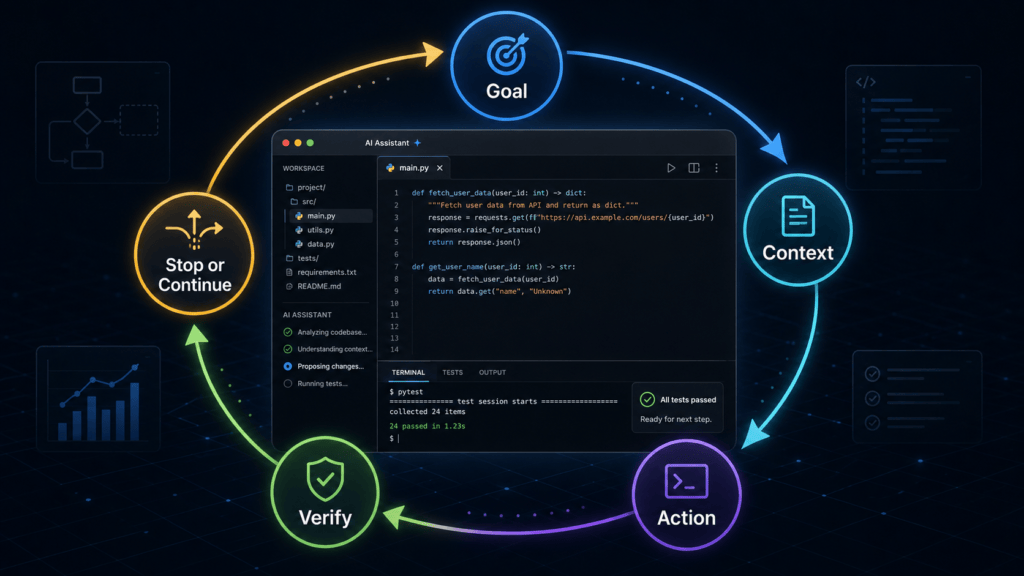
Everyone is suddenly talking about loops.
Not loops in the old programming-class sense. Not just a for loop. Not just a cron job. Not just a prompt chain.
The phrase moving through AI coding circles right now is something like this:
Stop prompting coding agents. Start designing loops that prompt your agents.
That sounds smart. It also sounds vague.
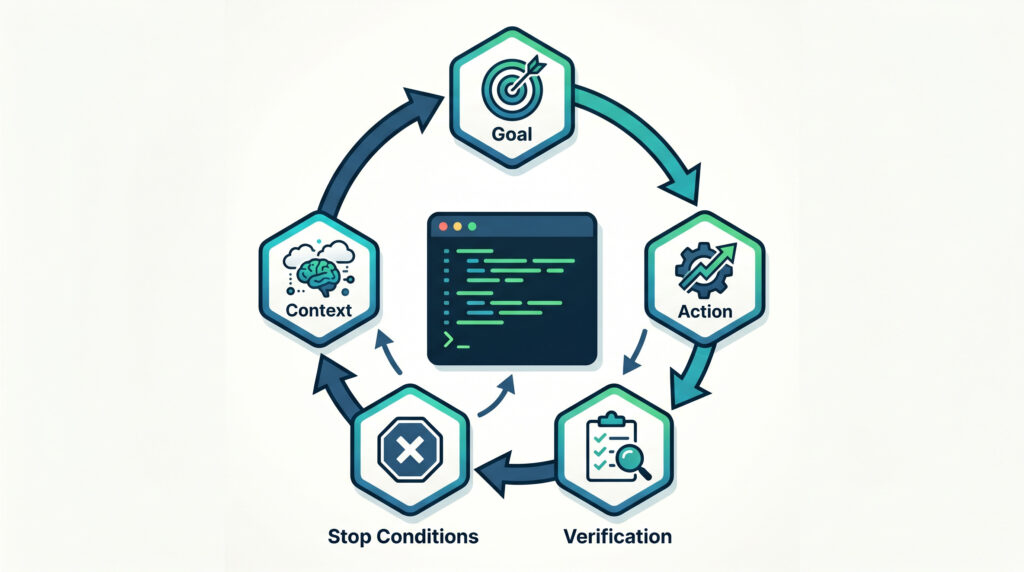
A prompt is a single instruction.
A workflow is a sequence of steps.
A loop is a repeatable system that checks its own progress.
That distinction matters because the best AI users are no longer sitting inside the loop manually typing:
Try again.
Run the tests.
Fix the error.
Check the result.
Improve it.
Now do the next one.
They are designing systems where the model gets a goal, inspects the current state, takes action, checks whether the action worked, and decides whether to continue, retry, escalate, or stop.
That is the shift.
The loop is not magic because it repeats. It is useful because each repetition can look at the world again.
OpenAI’s Codex documentation now explicitly describes /goal as a way to make Codex keep working toward one durable objective instead of stopping after one normal turn, especially when the work has a clear target and validation loop. Anthropic’s Claude Code Agent SDK documentation describes the same basic pattern inside Claude Code: Claude evaluates the prompt, calls tools, receives results, and repeats until the task is complete.
So this is not just a Twitter phrase. It is becoming a real operating pattern for AI coding, AI research, content workflows, QA, automation, and agent orchestration.
The best AI users are not just writing better prompts.
They are designing better loops.
TL;DR
An AI loop is a repeatable process where an AI system receives a goal, checks the current state, acts, verifies the result, and decides whether to continue or stop.
The simple version:
Goal → Context → Action → Result → Check → Continue or StopThe coding version:
Objective → Inspect repo → Edit code → Run tests → Read errors → Fix again → Stop when tests passThe research version:
Question → Search sources → Extract facts → Check gaps → Search again → Draft → Verify claimsThe big idea:
- Prompting is asking once.
- Workflows are fixed sequences.
- Agents choose actions and use tools.
- Loops keep the agent acting and checking until the goal is done, blocked, or too risky to continue.
- Verification is what makes loops useful.
- Stop conditions are what make loops safe.
- Reusable skills are what make loops compound.
If you are learning Codex, Claude Code, AI agents, or practical LLM workflows, loops are one of the most important ideas to understand next.
For related Kingy.ai resources, add internal links here to your Codex for Beginners, AI Agents for Beginners, AI Coding Foundations, and AI Workflow Operator pages.
What is an AI loop?
An AI loop is a repeatable process where an AI system:
- Receives a goal.
- Looks at the current state.
- Chooses an action.
- Uses tools or produces an output.
- Checks the result.
- Decides whether to continue, retry, escalate, or stop.
The simple formula is:
Goal → Context → Action → Result → Check → Continue or StopThis sounds basic, but it changes how you use AI.
A normal prompt says:
Fix this bug.A loop says:
Fix this bug, run the relevant test, read the failure, make the smallest safe patch, test again, and stop when the test passes or when three distinct approaches fail.The difference is not just length. The difference is that the loop contains a feedback mechanism.
For coding:
Objective → Inspect repo → Edit code → Run tests → Read errors → Fix again → Stop when tests passFor research:
Research question → Search sources → Extract facts → Check gaps → Search again → Draft report → Verify claimsFor content:
Topic → Outline → Draft → Check search intent → Improve weak sections → Add sources → Final editA loop is not magic autonomy. It is controlled repetition with a goal, context, tools, checks, and stop rules.
That is the part many people miss. The intelligence is not only in the model. The intelligence is also in the system around the model.
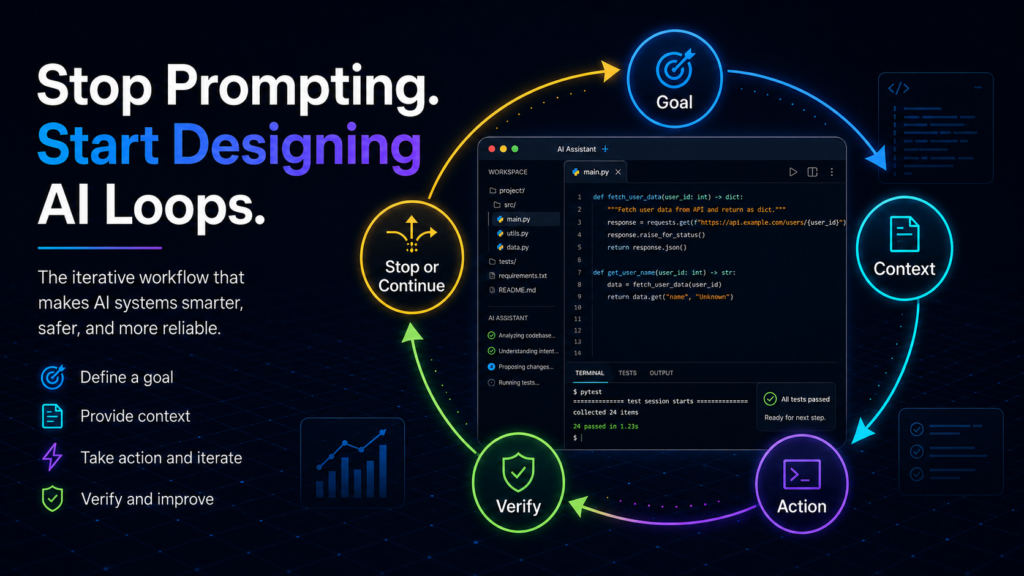
Why loops matter now
Most people still use AI manually.
They ask a question, wait for an answer, correct the answer, ask again, copy the output somewhere, find a mistake, go back, paste the mistake, ask for a fix, and repeat.
They are already running a loop.
They are just doing it by hand.
The new move is to design the loop so the model can keep working safely without needing the human to type every next instruction.
OpenAI’s Codex best-practices guide says strong prompts should include the goal, relevant context, constraints, and “done when” criteria; it also recommends turning repeated work into reusable guidance through AGENTS.md. Anthropic’s Claude Code Agent SDK exposes the agent loop programmatically, with control over tools, permissions, cost limits, and output.
That is why loops matter now.
The tools can inspect files. They can run commands. They can read errors. They can edit code. They can search docs. They can call APIs. They can use subagents. They can operate over multiple turns.
The problem is no longer simply: Can the model answer?
The new problem is: Can the model keep working, checking, and stopping safely?
| Stage | User behavior | Limitation |
|---|---|---|
| One-off prompt | Ask once | Breaks on complex work |
| Conversation | User keeps steering | Human becomes the bottleneck |
| Workflow | Defined sequence | Brittle when reality changes |
| Loop | AI acts, checks, and retries | Needs guardrails |
| Orchestration | Multiple loops or agents coordinate | Powerful but costly and risky |
That is the shift from prompting to operating.
The history: loops are not new
Loops did not appear out of nowhere.
The current “AI loops” conversation has a real lineage. The uploaded context you provided frames that lineage around ReAct, AutoGPT-style agents, Ralph-style coding loops, Codex Goals, Claude Code workflows, and multi-agent orchestration.
The careful version is this:
Loops are old. What is new is that modern AI coding tools are making them easier, more durable, more autonomous, and more useful for everyday builders.
ReAct: reasoning plus action
The 2022 ReAct paper introduced a prompt-based pattern where language models generate reasoning traces and task-specific actions in an interleaved way. The core idea was that reasoning helps the model track and update plans, while actions let the model interact with external environments or sources.
That is already loop-shaped:
Reason → Act → Observe → Reason againReAct matters because it helped formalize one of the key ideas behind agents: the model should not just think. It should act, observe, and update.
AutoGPT: goal-driven agents became popular
AutoGPT helped popularize the idea of autonomous agents that could work toward user goals. Its official GitHub repository describes AutoGPT as a project for building, deploying, and running AI agents, with a mission to provide tools so users can focus on building, testing, and delegating.
AutoGPT was important culturally because it showed people what autonomous loops might feel like. It was also important because it exposed the failure modes: agents could drift, repeat themselves, burn cost, or appear busy without making useful progress.
That lesson still matters.
A loop that cannot verify progress is not useful. It is just activity.
Ralph-style loops: simple practitioner loops
The pasted context discusses Ralph-style loops as a practitioner pattern: repeatedly running coding agents against stable context, often with simple shell scripts or repeated prompts.
I would be cautious with the exact historical claims unless you verify them from Geoffrey Huntley’s original writing before publishing. But the pattern itself is clear and practical:
Load stable context → Ask coding agent to continue → Inspect result → RepeatThe insight is not that this is complicated.
The insight is that simple repetition becomes powerful when the context is anchored and the check is clear.
Codex Goals and Claude Code-style loops
This is where the idea becomes productized.
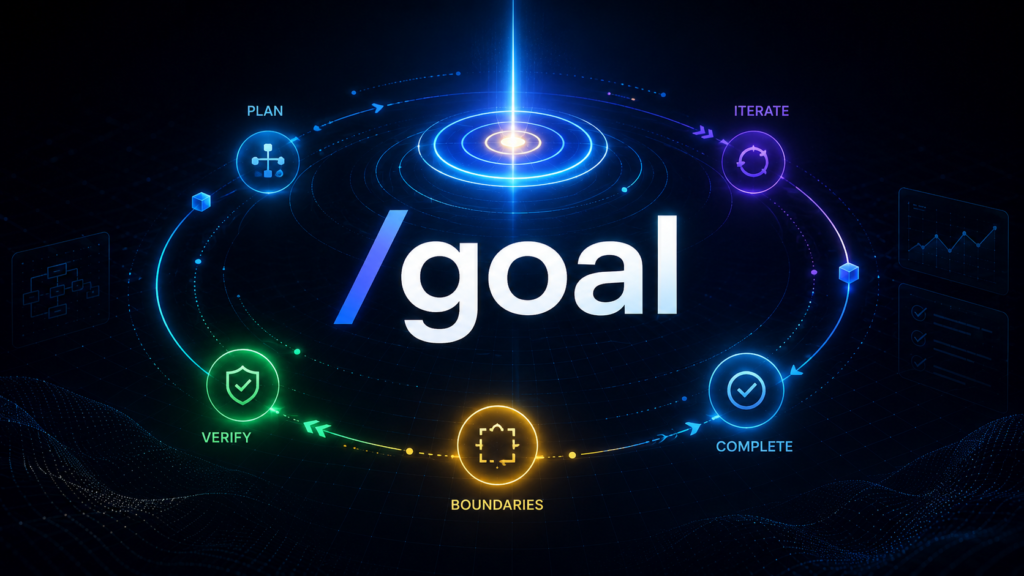
OpenAI’s Codex /goal documentation says /goal is for durable objectives where Codex should keep working instead of stopping after a single turn. The same page says good goals should define what Codex should achieve, what it should not change, how it should validate progress, and when it should stop.
Anthropic’s Claude Code Agent SDK documentation describes an autonomous agent loop where Claude evaluates the current state, calls tools, receives tool results, and repeats until the task is complete.
That is the modern AI coding loop in plain English:
Give objective → Let agent inspect → Let agent act → Let agent verify → Continue until done or blocked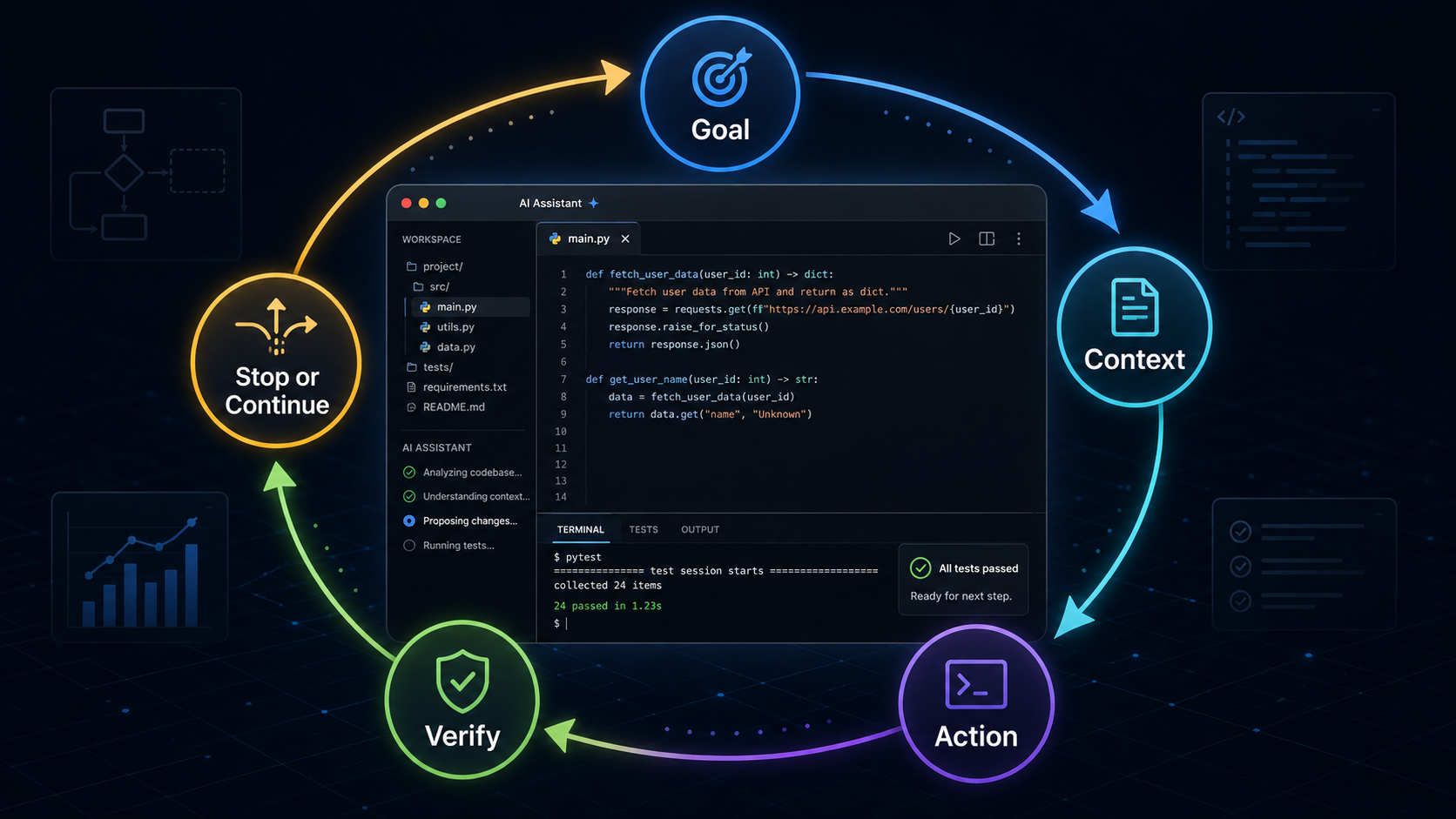
Multi-agent orchestration
The newest layer is orchestration: one loop or manager agent coordinating multiple agents.
Gas Town’s GitHub README describes it as a multi-agent orchestration system for Claude Code, GitHub Copilot, Codex, and other AI agents, with persistent work tracking and git-backed state. Anthropic’s Claude Code docs also describe “agent teams,” where one Claude Code session coordinates multiple Claude Code instances that work independently, communicate, and synthesize results.
This is where loops become more than “keep trying.”
They become systems of work.
The five types of AI loops
The word “loop” causes confusion because people use it to mean several related things.
Here are the five useful categories.
1. The reasoning/action loop
This is the classic agent loop.
Think → Act → Observe → Think againThe ReAct paper framed this as interleaving reasoning and acting, where model reasoning supports planning and actions gather external information.
Useful for:
- Search tasks
- Research
- Tool use
- Interactive environments
- Troubleshooting
Example:
Think: I need the latest official documentation.
Act: Search official docs.
Observe: The docs show the feature exists.
Think: Now I should use that source and update the draft.
Risk:
The model may reason in circles, choose the wrong tool, or trust bad observations.
2. The retry loop
This is the loop most people first experience in AI coding.
Write code → Run test → Read error → Patch code → Run test againUseful for:
- Failing tests
- Small bugs
- Type errors
- Lint failures
- Broken builds
Example:
Goal:
Fix the failing checkout test.

Loop:
1. Run the failing test.
2. Read the error.
3. Inspect the likely files.
4. Make the smallest safe change.
5. Run the test again.
6. Stop when it passes or after three failed approaches.
Risk:
The agent can “thrash” by making random changes without understanding the root cause.
3. The goal loop
A goal loop defines a finish line and lets the agent keep working until that finish line is reached or blocked.
Define finish line → Work → Check → Continue until true or blockedCodex /goal is a strong example. OpenAI says /goal is useful for long-running coding work with a clear success condition and validation loop, including migrations, large refactors, deployment retry loops, experiments, games, and side projects.
Useful for:
- Code migrations
- Test-suite cleanup
- Large refactors
- Performance tuning
- Repeated deployment retries
Example:
/goal Complete the React 19 migration without stopping until all existing tests pass and the app builds successfully, while preserving current routes and public API behavior.Risk:
If the goal is vague, the agent may expand scope or declare success too early.
4. The scheduled loop
A scheduled loop runs on a timer or event.
Every morning → Check state → Act → Verify → ReportUseful for:
- PR monitoring
- Daily reports
- Build checks
- AI launch tracking
- Content refreshes
- Customer-support triage
Example:
Every weekday morning:
1. Check open PRs.
2. Identify failing builds.
3. Read comments.
4. Patch safe issues.
5. Run tests.
6. Summarize risky items for human review.
Risk:
Scheduling does not make a task intelligent. A bad loop on a schedule just fails repeatedly.
5. The orchestration loop
An orchestration loop coordinates multiple agents or loops.
Manager loop → Assign worker agents → Review outputs → Retry, merge, or escalateAnthropic’s multi-agent research write-up describes a system where a lead agent plans the research process and creates parallel subagents to search different aspects of the problem. Anthropic also notes that multi-agent systems add coordination and evaluation challenges.
Useful for:
- Parallel research
- Large code reviews
- Cross-layer features
- Independent experiments
- Security/test/docs review in parallel
Example:
Manager:
- Ask Agent A to inspect security risk.
- Ask Agent B to inspect test gaps.
- Ask Agent C to inspect performance.
- Combine findings.
- Escalate anything risky.
Risk:
Coordination overhead. Token burn. Duplicate work. Agents stepping on each other.
Multi-agent loops are useful when the work is naturally parallel. They are wasteful when they are just theater.
Loops vs prompts vs workflows vs automations vs agents
A lot of confusion disappears once you separate the words.
| Term | Meaning | Best use | Risk |
|---|---|---|---|
| Prompt | A single instruction | One-off answer or edit | No persistence |
| Workflow | A sequence of steps | Known process | Brittle if reality changes |
| Automation | Fixed rules executed by software | Predictable tasks | Not adaptive |
| Agent | AI system that can choose actions/tools | Dynamic tasks with uncertainty | Can drift |
| Loop | Repeated act/check/continue cycle | Iterative work | Can run away |
| Orchestrator | Coordinates multiple agents/loops | Parallel work | Coordination overhead |
Anthropic draws a useful distinction: workflows are systems where LLMs and tools follow predefined code paths, while agents are systems where LLMs dynamically direct their own process and tool use. Anthropic also recommends using the simplest solution possible and only increasing complexity when needed because agentic systems often trade latency and cost for performance.
That is an important anti-hype point.
Not every task needs an agent.
Not every workflow needs a loop.
If the task is stable, predictable, and deterministic, normal automation may be better.
Use loops when the next step depends on what the model discovers.
The anatomy of a good AI loop
A loop is only as good as its design.
| Component | Question it answers | Example |
|---|---|---|
| Goal | What are we trying to make true? | Make checkout tests pass. |
| Context | What does the agent need to know? | Repo files, docs, errors, issue links. |
| Tools | What can the agent do? | Edit files, run tests, search docs. |
| Memory/state | What survives between iterations? | Git, task logs, issue tracker, notes. |
| Verification | How do we know it worked? | Tests, citations, schema validation. |
| Stop condition | When should it halt? | Success, no progress, budget hit. |
| Budget/risk controls | What limits damage? | Max iterations, approvals, rollback. |
The mistake is thinking the loop is the magic.
It is not.
The magic is the combination of:
clear goal + right context + bounded tools + reliable checks + stop rulesA loop without verification is just an expensive way to generate confident mistakes.
The G-CAVS loop framework
Here is a simple framework you can use for any AI loop:
G-CAVS = Goal, Context, Action, Verification, Stop1. Goal
What should be true when the loop is done?
Bad:
Improve this app.Good:
Make the checkout test suite pass on the current branch without changing public API behavior.A good goal is specific enough that the agent can evaluate progress.
OpenAI’s Codex guide says a good goal should be bigger than one prompt but smaller than an open-ended backlog. It should define the desired outcome, what should not change, how to validate progress, and when to stop.
2. Context
What does the model need before it acts?
Bad:
Fix the bug.Good:
The failing test is tests/checkout.test.ts. The related files are src/checkout.ts and src/payment.ts. Run npm test -- checkout after each change. Do not modify database schema.Context includes files, docs, errors, logs, prior attempts, conventions, customer requirements, and constraints.
Anthropic’s context-engineering guidance emphasizes that context is finite and should be informative but tight; it also describes “just in time” context strategies where agents use lightweight references such as file paths or links and load details at runtime.
3. Action
What can the agent do?
Examples:
- Read files
- Edit files
- Run tests
- Search docs
- Create a branch
- Draft a report
- Ask for approval
- Spawn subagents
Actions need boundaries.
Do not give broad permissions when narrow permissions will work.
4. Verification
How does the loop know it worked?
For coding, verification might be:
npm test passes
npm run lint passes
TypeScript build passes
No unrelated files changed
For research, verification might be:
Every factual claim has an official or credible source.
Every date is checked.
Every quote is verified.
Unverified claims are removed or labeled.
For content, verification might be:
Search intent is covered.
Internal links are added.
Unsupported claims are removed.
The meta description is under 160 characters.
5. Stop
When does the loop halt?
Examples:
Stop when tests pass.
Stop after three failed approaches.
Stop if the fix requires a public API change.
Stop when budget reaches $10.
Stop if the model needs credentials.
Stop before publishing or sending anything externally.
A loop that cannot stop is not an agent.
It is a liability.
Verification is the real magic
The most important part of a loop is not the prompt.
It is the check.
For coding, checks include:
- Unit tests
- Integration tests
- Type checks
- Linting
- Benchmarks
- Diff review
- Public API checks
For research, checks include:
- Official sources
- Date checks
- Quote verification
- Cross-source confirmation
- Clear separation between facts and opinion
For content, checks include:
- Search intent match
- Internal links
- External citations
- Readability
- No unsupported claims
- Updated screenshots where relevant
For business workflows, checks include:
- Human approval before sending
- CRM record matching
- Cost checks
- Audit trails
- Permission boundaries
Anthropic’s hooks documentation is a practical example of this idea. Claude Code hooks can run code at key lifecycle points, including formatting files after edits, blocking commands before they execute, sending notifications, injecting context, and auditing changes. Anthropic’s evals guidance also warns that agents operate over many turns, call tools, modify state, and adapt based on intermediate results, which means mistakes can propagate and compound.
| Verification level | Example | Reliability |
|---|---|---|
| Model says it is done | “Looks good.” | Weak |
| Checklist | Required items present | Better |
| Deterministic test | Tests, lint, schema validation | Strong |
| External evidence | Sources, logs, benchmark output | Strong |
| Human review | Approval before publish, merge, or send | Required for high-stakes work |
This is why strong AI users obsess over tests, logs, citations, checklists, and approvals.
They are not being slow.
They are making the loop safe enough to trust.
Codex /goal and loop-native coding
Codex /goal is one of the cleanest examples of the loop-native workflow.
OpenAI says /goal is for situations where you want Codex to keep working toward one durable objective rather than stopping after a single normal turn. The documentation says it is useful when the work has a clear target, a validation loop, and enough room for Codex to make progress without the user steering every step.
A weak Codex request looks like this:
Fix the app.A stronger loop-ready /goal looks like this:
/goal Fix the failing checkout tests on this branch, verified by running the checkout test suite successfully, while preserving public API behavior and avoiding unrelated refactors. After each failed attempt, summarize what changed, what the test output showed, and the next smallest likely fix. Stop if three distinct approaches fail or if the fix requires changing public behavior.The structure is:
/goal <desired end state> verified by <specific evidence> while preserving <constraints>. Use <allowed inputs, tools, or boundaries>. Between iterations, <how Codex should choose the next best action>. If blocked or no valid paths remain, <what Codex should report and what would unlock progress>.Codex /goal example: bug fix
/goal Fix the failing checkout tests on this branch, verified by running the checkout test suite successfully, while preserving public API behavior and avoiding unrelated refactors. After each failed attempt, summarize what changed, what the test output showed, and the next smallest likely fix. Stop if three distinct approaches fail or if the fix requires changing public behavior.Codex /goal example: performance
/goal Reduce p95 checkout latency below 120ms, verified by the existing benchmark, while preserving correctness tests and avoiding schema changes. Try the smallest safe optimization first. Stop if further improvement requires architectural changes and summarize the tradeoffs.Codex /goal example: research audit
/goal Produce an evidence-backed audit of whether this article’s Codex claims are current, verified by official OpenAI documentation and no unsupported feature claims. Remove or mark any claims that cannot be verified.The best Codex loops are not vague.
They include:
- Goal
- Context
- Constraints
- Done condition
- Verification command
- Stop condition
- Escalation rule
OpenAI’s Codex best-practices guide recommends that prompts include goal, context, constraints, and “done when” criteria. That is loop design in practical form.
AGENTS.md: durable context for loops
A loop becomes more reliable when the agent does not have to rediscover the same rules every time.
That is where AGENTS.md matters.
OpenAI’s Codex documentation says Codex reads AGENTS.md files before doing work, and that these files can layer global guidance with project-specific overrides so every task starts with consistent expectations.
A useful AGENTS.md might include:
# AGENTS.md

## Project rules
- Use pnpm, not npm.
- Run pnpm test after modifying application code.
- Run pnpm lint before proposing a PR.
- Never edit production secrets.
- Ask before adding new dependencies.
- Keep changes small and scoped.

## Done means
- Tests pass.
- Lint passes.
- The diff is limited to relevant files.
- Risky changes are summarized before merge.
This turns repeated instructions into durable context.
Instead of saying the same thing every time, you teach the loop how your project works.
For Kingy.ai, you could have an article/content equivalent:
# AGENTS.md

## Kingy.ai editorial rules
- Write in a clear, practical, non-hypey tone.
- Use official sources for product claims.
- Add internal links naturally.
- Do not invent pricing, dates, funding, or feature claims.
- Keep skepticism concise.
- Include SEO title, slug, meta description, excerpt, FAQ, and sources.
That is how you move from prompt engineering to workflow engineering.
Skills are the compounding asset
The loop is plumbing.
The reusable skill inside the loop is the asset.
OpenAI’s Codex Skills documentation says a skill packages instructions, resources, and optional scripts so Codex can follow a workflow reliably. It also describes skills as an authoring format for reusable workflows.
This is important.
A loop that re-derives the same instructions every time burns money.
A loop that calls a sharp, tested, reusable skill compounds.
Think of the progression:
Prompt → reusable prompt
Workflow → reusable checklist
Loop → reusable operating system
Skill → reusable judgment/action pattern
Examples of useful skills:
- “How to write a Kingy.ai article”
- “How to verify AI launch pricing”
- “How to fix failing tests safely”
- “How to create a WordPress-ready draft”
- “How to review a PR for accidental scope creep”
- “How to fact-check a model-comparison article”
- “How to turn a YouTube transcript into a sourced blog post”
This is where advanced users separate from average users.
Average users keep prompting from scratch.
Advanced users turn repeated judgment into reusable instructions, checklists, tests, scripts, skills, and project docs.
Claude Code-style loops
Claude Code’s loop model is explicit in Anthropic’s Agent SDK docs.
The SDK runs the same execution loop that powers Claude Code: Claude evaluates the prompt, calls tools to act, receives tool results, and repeats until complete. The same documentation says the SDK gives developers programmatic control over tools, permissions, cost limits, and output.
A simple Claude Code-style loop prompt might look like this:
Investigate and fix the failing checkout test. Work in small changes. Run the relevant test after each change. Use the error output to choose the next attempt. Do not modify unrelated files. If the fix requires a risky architectural change, stop and explain the tradeoff before editing.A review loop:
Review the latest commit for bugs, security issues, test gaps, and accidental scope creep. If the issue is safe and localized, propose a patch. If it affects architecture, stop and summarize the risk.A docs loop:
Review the README against the current codebase. Identify outdated setup instructions, missing environment variables, and commands that no longer work. Make safe documentation edits only. Do not change application code.Claude Code also has practical control layers. Anthropic’s permissions documentation describes allow, ask, and deny rules for tool use. Its hooks documentation describes lifecycle automation points that can format files, block commands, inject context, and audit changes. Its agent-teams documentation describes coordinating multiple Claude Code instances, while warning that teams add coordination overhead and use significantly more tokens than a single session.
That is the pattern again:
Autonomy + tools + verification + permissions + cost controlsNot just “let the model go.”
The “cron job with a brain” debate
A fair skeptic might say:
Is this just a cron job with a fancy name?
Sometimes, yes.
If your “AI loop” is just:
At 9 AM, run this fixed script.then you have not invented anything new.
Traditional cron:
At 9 AM, run this script.AI loop:
At 9 AM, inspect open PRs, read failing checks, decide which issue is safe to fix, attempt a patch, run tests, summarize what happened, and escalate anything risky.The difference is what happens inside the scheduled run.
A normal cron job follows fixed instructions.
An AI loop can inspect state, choose tools, adapt to new information, retry, ask for approval, summarize uncertainty, and stop when the evidence says it should stop.
The honest framing is not that loops are brand-new magic or that loops are just cron.
A useful loop is cron plus context, tools, verification, and a decision-maker inside the body.
The cost problem
Loops can get expensive.
Not just financially, although that matters. They also consume:
- Tokens
- API calls
- Tool calls
- Compute
- Human review time
- Attention
- Debugging time
- Trust
Anthropic’s multi-agent research write-up says its multi-agent systems typically used about 4× more tokens than chat interactions, and multi-agent systems used about 15× more tokens than chats. Anthropic’s lesson was not “never use multi-agent systems.” It was that these systems need high-value tasks where the benefit justifies the cost.
Gartner has also warned that over 40% of agentic AI projects will be canceled by the end of 2027 because of escalating costs, unclear business value, or inadequate risk controls. Gartner’s 2026 Hype Cycle for Agentic AI says only 17% of organizations have deployed AI agents so far, while more than 60% expect to do so within two years.
That gap is the real story.
Everyone wants agentic AI.
Far fewer organizations have the guardrails, verification systems, and economics figured out.
Production loop rules should include:
Max iterations
Max runtime
Max spend
Max files changed
Max failed attempts
No-progress detection
Approval before risky actions
Rollback/checkpoint strategy
Logging/audit trail
Final summary
A loop that cannot stop is not an agent.
It is a liability.
Practical examples of AI loops
Now let’s make this concrete.
1. Bug-fix loop
Goal:
Fix one failing test.

Loop:
1. Run the failing test.
2. Read the error.
3. Inspect only relevant files.
4. Make the smallest safe change.
5. Run the test again.
6. Stop after success or three failed approaches.

Verification:
The specific failing test passes.

Stop:
Stop if the fix requires a public API change or unrelated refactor.
Use this with Codex, Claude Code, Cursor, or another coding agent.
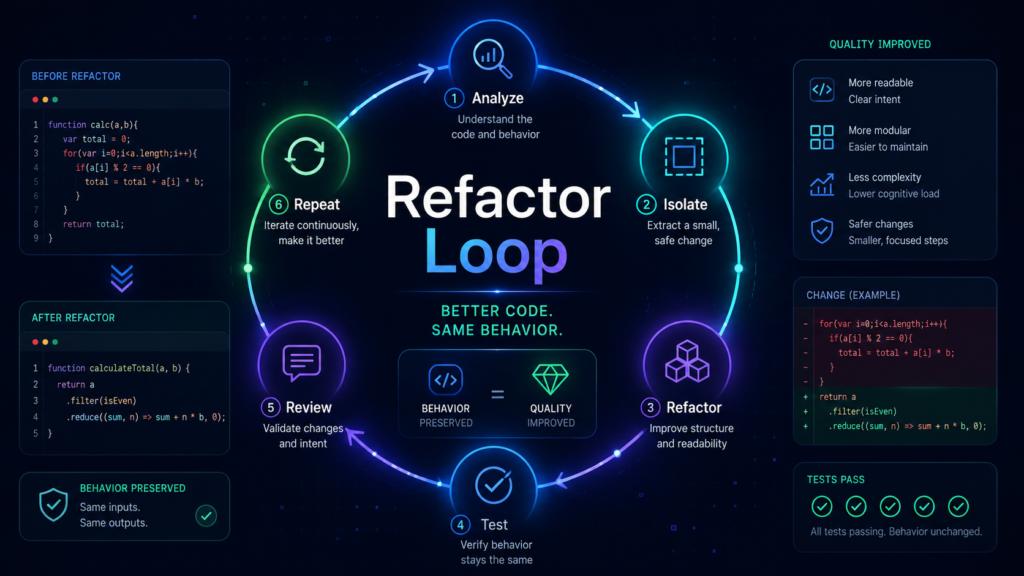
2. Refactor loop
Goal:
Refactor without changing behavior.

Loop:
1. Read current tests.
2. Add characterization tests if needed.
3. Refactor one small section.
4. Run tests.
5. Continue only if tests stay green.
6. Stop and summarize risk areas.

Verification:
All existing tests pass and the diff is scoped.

Stop:
Stop if behavior must change to complete the refactor.
This is a great loop because it keeps the agent from turning “clean up this file” into “rewrite the app.”
3. SEO article improvement loop
Goal:
Improve one article until it is more useful, better sourced, and easier to read.

Loop:
1. Audit search intent.
2. Identify missing sections.
3. Add examples.
4. Add internal links.
5. Check factual claims.
6. Improve headings and meta description.
7. Stop when the checklist passes.

Verification:
The article has clear search intent, useful examples, internal links, external sources, FAQ, and no unsupported claims.

Stop:
Stop before publishing. Human review required.
This is ideal for Kingy.ai.
Add internal links to your AI Search Visibility, ChatGPT Guide, AI Model Selection Guide, and AI Tools Directory pages where relevant.
4. Daily AI launch intelligence loop
Goal:
Produce a daily AI launch report.

Loop:
1. Search official sources.
2. Check Product Hunt, GitHub, company blogs, funding news, and relevant social signals.
3. Deduplicate launches.
4. Verify pricing and availability.
5. Score each launch.
6. Draft the report.
7. Add sources.
8. Stop when every included launch has evidence.

Verification:
Every launch has an official source or credible evidence.

Stop:
Do not publish automatically. Human review required.
This fits your Kingy.ai AI Launch Intelligence direction perfectly.
5. YouTube script improvement loop
Goal:
Improve a script for retention and clarity.

Loop:
1. Identify hook weakness.
2. Improve the first 30 seconds.
3. Add concrete examples.
4. Remove filler.
5. Improve transitions.
6. Create title and thumbnail angles.
7. Stop when the script is clearer and more compelling.

Verification:
The script has a stronger hook, clearer structure, fewer generic claims, and better examples.

Stop:
Stop before recording. Human review required.
6. Research brief loop
Goal:
Create a sourced brief.

Loop:
1. Find official sources.
2. Extract claims.
3. Identify missing facts.
4. Cross-check.
5. Draft.
6. Mark uncertainty.
7. Stop when every claim is cited or removed.

Verification:
Every factual claim is sourced.

Stop:
Stop if official sources conflict or if key facts cannot be verified.
This is the loop you want for model launches, pricing claims, AI startup funding, and tool comparisons.
7. PR review loop
Goal:
Keep open PRs healthy.

Loop:
1. Check open PRs.
2. Identify failing checks.
3. Read comments.
4. Patch safe issues.
5. Run tests.
6. Summarize what changed.
7. Escalate risky decisions.

Verification:
CI passes or the issue is clearly summarized.

Stop:
Stop before merge unless human approval is explicitly granted.
Multi-agent loops and orchestration
A single loop is powerful.
Multiple loops are where things get interesting and messy.
An orchestration loop looks like this:
Manager loop:
1. Read the objective.
2. Split the work.
3. Assign subagents.
4. Wait for results.
5. Compare outputs.
6. Ask for retries if needed.
7. Verify final result.
8. Stop or escalate.
Anthropic’s multi-agent research system uses an orchestrator-worker pattern, where a lead agent plans the process and delegates to specialized subagents operating in parallel. Anthropic says this helped for open-ended research tasks, but also warns that multi-agent systems introduce coordination, evaluation, and reliability challenges.
Claude Code agent teams are another practical version. Anthropic says agent teams are most effective when parallel exploration adds real value, such as research, review, new modules, debugging with competing hypotheses, or cross-layer work. The same docs warn that teams add coordination overhead and use significantly more tokens than a single session.
Gas Town is a concrete open-source example of this direction. Its README describes a workspace manager for coordinating multiple AI coding agents with persistent work tracking, mailboxes, identities, handoffs, and git-backed state.
The rule is simple:
Use multi-agent loops when the work is naturally parallel. Avoid them when you are just adding complexity because it feels advanced.
Good use:
Agent A reviews security.
Agent B reviews tests.
Agent C reviews performance.
Manager compares findings.
Bad use:
Five agents all edit the same file at the same time.Parallelism is useful.
Chaos is not.
What elite AI users do differently
Average AI users ask vague prompts.
Advanced AI users design systems.
| Average users | Advanced users |
|---|---|
| Ask vague prompts | Define clear finish lines |
| Accept first answers | Verify outputs |
| Manually steer every step | Create loops |
| Keep all context in chat | Use durable project instructions |
| Do not define success | Define “done when” |
| Do not save workflows | Turn repeated work into skills |
| Trust the model’s confidence | Trust evidence |
| Avoid tests/checks | Build tests/checks into the loop |
| Run broad tasks | Scope work tightly |
| Forget cost | Use budgets and stop rules |
This is the real skill gap.
It is not “who knows the magic prompt?”
It is:
Who can define the goal?
Who can provide the right context?
Who can limit the tools?
Who can design the check?
Who can decide when the loop should stop?
The best AI users are becoming AI operators.
When not to use loops
Loops are not always the answer.
Do not use a loop when:
- The task is high-stakes and cannot be verified.
- The task involves sensitive data without proper controls.
- The agent has broad permissions on an important system.
- The success condition is vague.
- A normal script would work better.
- The human cannot review the output.
- The action is irreversible.
- The loop can spend money without a cap.
- The loop can publish, send, delete, merge, or deploy without approval.
A loop is only appropriate when you can answer:
What should be true when this is done?
How will we verify that?
What can the agent touch?
When should it stop?
What happens if it fails?
If you cannot define what “done” means, you are not ready to loop it.
The Loop Maturity Model
Here is a practical maturity model.
| Level | Name | Description |
|---|---|---|
| 0 | Manual prompting | You ask one-off questions. |
| 1 | Guided prompting | You use structured prompts and follow-ups. |
| 2 | Checklist prompting | You define success criteria and review against them. |
| 3 | Single-agent loop | The AI acts, checks, and retries. |
| 4 | Goal-driven loop | The AI works toward a persistent objective with stop rules. |
| 5 | Skill-based loop | The loop calls reusable skills, instructions, and tools. |
| 6 | Orchestration loop | Multiple agents or loops coordinate through shared state. |
| 7 | Managed AI operating system | Loops run on schedules with budgets, logs, approvals, and human oversight. |
Most people are at Level 0 or Level 1.
Power users are moving toward Level 4 and Level 5.
Companies experimenting with agent platforms are trying to reach Level 6 or Level 7, but Gartner’s warnings about cost, unclear value, and weak risk controls show why many will struggle.
How to write loop-ready prompts
Use this template:
Goal:
[What should be true when finished.]

Context:
[Files, docs, constraints, current state.]

Allowed actions:
[What the agent may do.]

Verification:
[How the agent should prove success.]

Iteration policy:
[How it should choose the next attempt.]

Stop conditions:
[When to stop, escalate, or summarize.]

Output:
[What final artifact/report/PR should be produced.]
Codex example
Goal:
Fix the failing checkout test.

Context:
The failing test is tests/checkout.test.ts. Related files are src/checkout.ts and src/payment.ts.

Allowed actions:
Read relevant files, edit code, run the checkout test, and inspect errors.

Verification:
The checkout test suite passes.

Iteration policy:
After each failed attempt, summarize the error, the likely cause, and the smallest next fix.

Stop conditions:
Stop after three failed approaches or if the fix requires changing public API behavior.

Output:
A short summary of the fix, files changed, tests run, and remaining risks.
Claude Code example
Investigate and fix the failing checkout test. Work in small changes. Run the relevant test after each change. Use the error output to choose the next attempt. Do not modify unrelated files. If the fix requires a risky architectural change, stop and explain the tradeoff before editing.ChatGPT research example
Goal:
Create a sourced brief on AI loops.

Context:
Use official OpenAI documentation for Codex claims, official Anthropic documentation for Claude Code claims, the ReAct paper for research lineage, and reputable sources for agentic AI risk.

Allowed actions:
Search the web, summarize sources, compare claims, and draft.

Verification:
Every factual claim must be cited or removed.

Stop conditions:
Stop if a claim cannot be verified from a reputable source.

Output:
A clean article brief with title options, outline, citations, and uncertainty notes.
SEO content example
Goal:
Improve this article for search intent and usefulness.

Context:
Target keyword is “AI loops.” Audience is non-technical and semi-technical AI users.

Allowed actions:
Rewrite sections, add examples, add internal link suggestions, improve headings, and add FAQ.

Verification:
The article answers the main search intent, includes examples, uses sources, and has a meta description under 160 characters.

Stop conditions:
Do not publish. Stop before final human review.

Output:
Revised article plus summary of changes.
Beginner-safe starter loops
Start small.
Do not begin with “let 100 agents run my business.”
1. Content improvement loop
Improve one draft. Do not publish. Suggest edits only. Stop after one pass and summarize changes.2. Research loop
Create a sourced brief. Use official sources first. Remove unsupported claims. Stop when every claim is cited or labeled uncertain.3. Small coding loop
Fix one failing test. Modify only relevant files. Run only the relevant test. Stop after three failed attempts.4. Website cleanup loop
Review one page for broken links, thin content, outdated claims, and missing internal links. Suggest changes. Do not publish automatically.5. Personal productivity loop
Review my task list, group similar tasks, suggest the next three actions, and stop. Do not send messages or update external tools without approval.The beginner rule:
No broad permissions.
No automatic publishing.
No automatic spending.
No irreversible actions.
Human review required.
Practical checklist: before running an AI loop
Before you run a loop, ask:
- Is the goal clear?
- Is the context complete?
- Are actions bounded?
- Is there a verification method?
- Is there a stop condition?
- Is there a budget?
- Is there a rollback path?
- Is human approval required?
- What happens if the loop fails?
- What should the loop summarize at the end?
- What files, accounts, tools, or systems are off-limits?
- What would count as “no progress”?
- What should trigger escalation?
- What should never happen automatically?
A loop is not ready until you can answer those questions.
FAQ
What is an AI loop?
An AI loop is a repeatable process where an AI system receives a goal, checks the current state, takes action, verifies the result, and decides whether to continue, retry, escalate, or stop.
Is an AI loop the same as an agent?
No. An agent is the AI system that can choose actions and use tools. The loop is the repeated cycle the agent runs through.
Is this just prompt engineering?
No. Prompting is part of it, but loop design also includes context, tools, memory, verification, permissions, budgets, and stop conditions.
What is Codex /goal?
Codex /goal is a command for durable objectives where Codex should keep working instead of stopping after one normal turn. OpenAI says it is useful for work with a clear target and validation loop.
What is a Claude Code loop?
Claude Code’s Agent SDK documentation describes a loop where Claude evaluates the prompt, calls tools, receives tool results, and repeats until the task is complete.
What is a ReAct loop?
ReAct is a research pattern where language models interleave reasoning and action, allowing the model to reason, act, observe, and update its plan.
What is a Ralph loop?
In the current practitioner discourse, a Ralph-style loop usually means repeatedly running a coding agent against stable context, often with a simple script or repeated prompt. Treat exact historical claims carefully unless verified from the original source.
What is an orchestration loop?
An orchestration loop coordinates multiple agents or loops. One manager agent may assign tasks, gather results, review outputs, and decide whether to retry, merge, or escalate.
Are loops safe?
They can be safe if they have tight permissions, verification, budgets, logs, rollback, and human approval for risky actions. They are risky if they can run indefinitely, spend money, modify important systems, or publish externally without review.
Can non-technical people use loops?
Yes. Loops apply to research, content, SEO, sales, support, YouTube scripts, AI launch tracking, and business operations. Coding agents made loops visible, but the pattern is broader than code.
When should I not use a loop?
Do not use a loop when the task has vague success criteria, no verification method, sensitive data, broad permissions, irreversible actions, or high-stakes consequences that a human cannot review.
What is the difference between a loop and automation?
Automation follows fixed rules. A loop can inspect changing context and choose the next action. If the task is stable, use automation. If the task is dynamic, a loop may help.
Why do loops get expensive?
Loops can consume tokens, tool calls, compute, model time, and human review time. Multi-agent systems can cost much more than chat because multiple agents explore in parallel. Anthropic reported that its multi-agent systems used far more tokens than standard chat interactions.
What is the most important part of a loop?
Verification. Without a reliable check, a loop can look productive while making the same mistake repeatedly.
Conclusion: stop being the thing inside the loop
The best AI users are not winning because they found a secret prompt.
They are winning because they stopped treating the model like a chat box and started treating it like a worker inside a system.
A good loop gives the AI:
- A goal
- The right context
- Useful tools
- A way to check its work
- A reason to stop
That is the real shift.
Not prompts versus no prompts.
Not humans versus agents.
The shift is from asking AI to do isolated tasks to designing systems where AI can keep working safely until the evidence says the job is done.
Prompting is not dead.
But prompting by hand forever is the old interface.
The new skill is designing the loop that prompts, checks, and improves the agent for you.
The Kingy Brief
Get The Kingy Brief.
AI changes, original tests and one practical thing to try. Fridays at 09:00 Vancouver time.
Free · Double opt-in · Unsubscribe anytime
Sign up for The Kingy Brief on Beehiiv.
Signup help and newsletter schedule
Signup form provided by Beehiiv. After submitting, check your inbox for "Confirm your subscription to The Kingy Brief" and open its confirmation link. Check Spam or Promotions if you cannot find it.
Fridays at 09:00 Vancouver time: source-checked AI changes, original tests and one practical thing to try. We skip a week when there is not enough verified material. Free. Unsubscribe anytime.