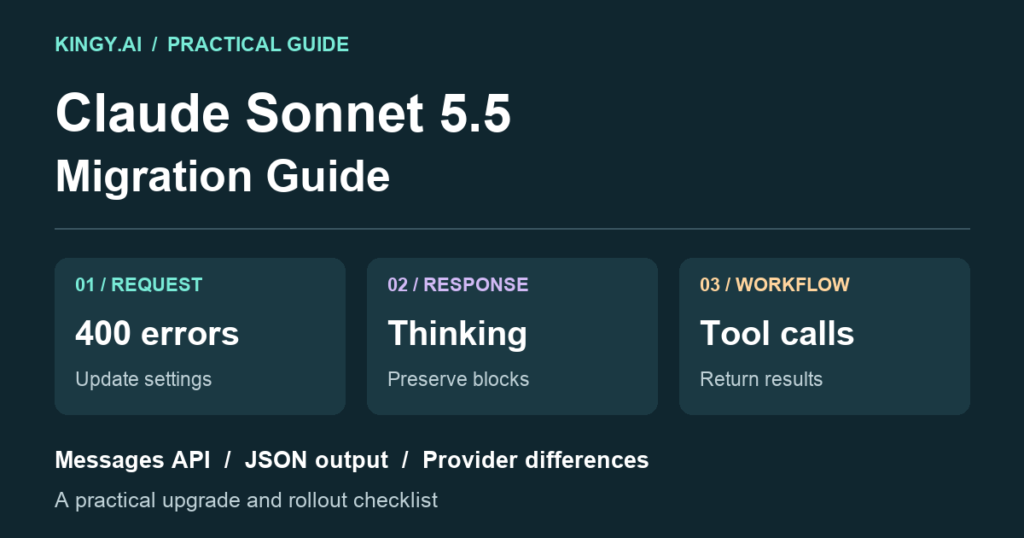
Before moving an application to Claude Sonnet 5.5, check its request settings, response parser and conversation history. A model-name swap can leave you with a rejected request, a blank interface or a tool workflow that stops halfway through.
My recommendation is to migrate one representative workflow first. Get a text request working, then exercise structured output and a complete tool round trip. Expand the rollout after those checks pass. That makes a failure easier to isolate than changing the model, prompts, SDK and tools together.
This guide covers applications built on the Messages API. Anthropic says Claude Managed Agents needs only the model-name update. If you use Claude Code or claude.ai without maintaining an API integration, start with our Sonnet 5.5 effort guide. The request changes below are for the code that builds and handles API messages. Official migration scope.
Our Sonnet 5.5 model guide covers specifications and benchmarks. The Sonnet vs Opus comparison and Sol 6.1 vs Sonnet comparison help with model choice. Here, the job is getting an existing integration through the upgrade.
Official sources checked October 5, 2026, America/Vancouver. Code examples are documentation-based illustrations. Local syntax and fixture checks do not establish live API compatibility; Kingy did not make paid API calls or migrate a production application for this guide.
Start with the model you are leaving
Use claude-sonnet-5-5 on the first-party Claude API. It has no date suffix. Cloud-provider identifiers differ; use the relevant provider listing in the model overview.
The changes accumulate as your starting model gets older. On a phone, scroll the table sideways.
| Starting model | Additional checks before upgrading |
|---|---|
| Sonnet 5 | Forced tools, preserved thinking, progress output, computer use and advisor compatibility |
| Sonnet 4.6 | All above; thinking defaults, old thinking budgets and sampling controls |
| Sonnet 4.5 or earlier | All above; assistant prefills, old beta headers and structured-output fields |
| Sonnet 4 or 3.7 | Also review tool versions and newer stop reasons |
| Haiku 4.5 | Apply the relevant older-model changes; re-evaluate cost and caching |
Use Anthropic's starting-model checklist for the complete inventory. Keep your old configuration in version control so you can inspect what changed.
Match the symptom to the fix
A 400 response points to a request the API rejects. A successful HTTP response can still contain a refusal, an unfinished result or blocks your interface does not display. Log both the HTTP outcome and the message's stop_reason.
| Symptom | Likely upgrade issue | First check |
|---|---|---|
400 mentioning thinking.type.enabled |
Old fixed thinking budget | Replace with adaptive thinking and effort |
400 after thinking.type.disabled |
Unsupported thinking setting | Use adaptive, or between_tools at High or below |
| 400 after setting temperature or sampling | Unsupported non-default sampling value | Remove temperature, top_p and top_k overrides |
400 mentioning tool_choice |
Forced tool use | Replace any or tool with auto |
| 400 after an assistant prefill | Unsupported final assistant prefix | End with the user request; use a schema for JSON |
| 400 after editing an earlier turn | Preserved-thinking prefix mismatch | Inspect changes to history, system and tools |
| Empty screen or missing progress | Renderer assumes every block is text | Read blocks by type and check display settings |
Sources: thinking errors, sampling controls, tool selection, prefill migration, and preserved thinking.
Get a small text request working first
Here is a Python example for the first-party Claude API. It requires the Anthropic SDK and your normal ANTHROPIC_API_KEY configuration. Running it uses billable API tokens.
import anthropic

client = anthropic.Anthropic()
response = client.messages.create(
    model="claude-sonnet-5-5",
    max_tokens=4096,
    thinking={"type": "adaptive"},
    output_config={"effort": "medium"},
    messages=[{
        "role": "user",
        "content": "Explain one tradeoff of adding retries to an API client."
    }],
)

print("Stop reason:", response.stop_reason)
for block in response.content:
    if block.type == "text":
        print(block.text)
The 4,096-token limit is an illustrative starting value. Choose a limit that fits your task and budget. Medium is explicit here; the API default is High. Effort guides behavior rather than reserving a fixed number of thinking tokens. See effort configuration and our Medium, High and Max guide.
For an old request such as thinking={"type": "enabled", "budget_tokens": 8000}, remove the fixed budget and use adaptive thinking with an effort level. A numerical thinking budget has no exact effort equivalent. Do not leave the deprecated fields in a shared configuration object that gets merged back into the request. Thinking troubleshooting.
If the minimal request works, add one application feature at a time. That sequence is my debugging recommendation, rather than a requirement of the API.
Fix missing text and hidden thinking
Sonnet 5.5 uses adaptive thinking when you omit the thinking field. Its default display is omitted, so a thinking block can have an empty thinking field and still carry a signature. The final answer appears in text blocks. Code that assumes response.content[0].text can fail before reaching it. Thinking configuration and display.
Separate what you show from what you keep. The example above displays text blocks. Your conversation store should retain the full assistant content, including thinking blocks, for subsequent tool turns.
Thinking also consumes the output budget and is billed even when hidden. If the answer is cut short, inspect stop_reason before changing the parser. A max_tokens stop means the request reached its output limit. See thinking costs and stop reasons.
To remove up-front thinking, the Sonnet 5.5 setting is:
{
  "thinking": {"type": "between_tools"},
  "output_config": {"effort": "medium"}
}
This is a request fragment, not a complete API call. between_tools accepts Low, Medium and High; Xhigh and Max require adaptive thinking. Do not add display, budget_tokens or block_binding inside a between_tools configuration. The mode can still return progress-update thinking blocks between tools. Thinking compatibility.
If a long tool session looks silent, check the progress renderer. Sonnet can return longer progress notes in thinking blocks. With adaptive thinking, display: "updates" needs the beta header thinking-display-updates-2026-08-18; display: "summarized" includes reasoning summaries as well. The between_tools mode returns its progress summaries without a display field. Progress-update behavior.
For streaming clients, reconstruct complete messages with the SDK's accumulation helper rather than saving only visible text deltas. Anthropic's Python examples use stream.get_final_message(). A display string is insufficient for replaying a signed assistant message. Streaming thinking, streaming Messages.
Replace forced tool selection without losing the workflow
Sonnet 5.5 rejects tool_choice types any and tool. Use auto, describe when the tool is needed, and handle the possibility that the model replies without calling it. none remains available when you want to prohibit tool calls. Tool-choice support.
Where supported, strict: true constrains a tool call's input to its schema. It does not force the model to call the tool, guarantee the result's correctness or execute your function. Strict mode uses a supported subset of JSON Schema. Strict tool use.
This illustrative tool definition looks up an order status. It defines the interface; your application must implement the lookup.
order_tool = {
    "name": "lookup_order",
    "description": "Look up the current status of an order by its ID.",
    "strict": True,
    "input_schema": {
        "type": "object",
        "properties": {"order_id": {"type": "string"}},
        "required": ["order_id"],
        "additionalProperties": False,
    },
}

tool_settings = {
    "tools": [order_tool],
    "tool_choice": {"type": "auto"},
}
Merge these settings into a complete request, and ask the model to use lookup_order for the requested order. Every object in a strict tool schema needs additionalProperties: false. On Amazon Bedrock, Sonnet 5.5 does not support structured outputs, including strict tools: omit strict there and validate inputs in your application. Schema and platform compatibility.
If your business process requires a lookup before showing a status, enforce that condition in the application. An answer produced without the lookup should not be displayed as a verified order status. That is an application design recommendation; prompting alone cannot supply the missing guarantee.
Preserve the assistant turn when returning results
For a client-tool response, inspect the tool_use blocks, run the allowed tools and return matching tool_result blocks. Their tool_use_id values must match the calls. The results go in the immediately following user message, before any added user text. Handling tool calls.
This fragment belongs inside your existing handler. response is the complete SDK message; tool_results is the list of result blocks your handler constructed after executing the calls.
messages.append({
    "role": "assistant",
    "content": [block.model_dump() for block in response.content],
})
messages.append({
    "role": "user",
    "content": tool_results,
})
Passing all the assistant blocks retains thinking and signatures. Filtering that message down to text or tool calls discards part of the turn. Keep the tool definitions stable on the next request. If a response contains multiple client calls, return a result for each; report execution failures with is_error: true. Tool-result formatting, thinking preservation.
This fragment does not implement execution, permissions, retries or a complete agent loop. Keep those controls in your existing handler. For tools that change external state, make retries safe against duplicate execution.
Keep signed conversation history consistent
Sonnet 5.5 thinking blocks are bound to the conversation prefix. Changing earlier messages, the system prompt or tools can invalidate a replayed block. Prefix checks apply by default to accounts created on or after August 31, 2026 at 00:00 UTC; older accounts can opt into enforcement. Anthropic recommends append-only integration design across account ages. Preserved-thinking rules.
If a fresh chat works while a resumed chat fails, compare the stored request with the one you rebuilt. Look for a modified system prompt, a reordered tool list, changed user text or a serializer that omitted a block. Preserve the original assistant content and prefix; introduce supported changes through the documented mid-conversation mechanisms, or start a new session when appropriate.
Do not treat thinking signatures as portable state between arbitrary models or accounts. Supported model combinations determine whether blocks are read or dropped, and cross-account use requires the documented account relationship. A successful response does not prove that every historical thinking block was retained. Model and account compatibility.
Replace JSON prefills with structured output
If your old code ends the message list with an assistant prefix such as an opening JSON brace, remove it. Sonnet 5.5 rejects assistant prefills. State the requested result in the user message and, where supported, supply a schema. Prefill migration.
For raw Messages requests, the JSON schema belongs in output_config.format. The older raw output_format field is deprecated. A Python SDK helper such as messages.parse(output_format=YourModel) is a separate interface that translates the schema for you; its argument name does not mean the old raw request field is current. Structured-output interfaces.
Example request fragment for a short summary:
{
  "output_config": {
    "effort": "high",
    "format": {
      "type": "json_schema",
      "schema": {
        "type": "object",
        "properties": {"summary": {"type": "string"}},
        "required": ["summary"],
        "additionalProperties": false
      }
    }
  }
}
Validate completion as well as syntax. Anthropic advises treating Sonnet 5.5 structured-output responses stopped by max_tokens as failed even if the JSON parses. For reasoning-heavy JSON tasks, its prompting guide recommends adaptive thinking and describes accuracy checks. Schema compliance alone does not establish that the answer is right. Sonnet JSON guidance.
Check platform-specific tools and refusals
The computer-use upgrade differs by provider:
| Platform | Sonnet 5.5 computer-use interface |
|---|---|
| Claude API and Google Cloud | computer_toolset_20260801 |
| Amazon Bedrock | computer_20251124 |
Sonnet 5.5 rejects computer_20250124 everywhere. On Claude API and Google Cloud, the older computer_20251124 entry must move to the toolset. Remove the old fine-grained-streaming beta header when using a toolset, and follow its member-call/result format. Computer-use compatibility and migration.
Applications using the advisor tool also need to check executor/advisor compatibility; old advisors can produce a 400 response, and newer advice may arrive encrypted. Use the Sonnet migration checklist for that specialized workflow.
A refusal is a message outcome, rather than a malformed request. Read stop_details.category where present and give the user an appropriate result. Sonnet's optional server-side fallback is a beta on the first-party Claude API. It retries specified cyber and frontier_llm refusals on Sonnet 5; it does not retry every refusal category. Do not describe a fallback result as work completed entirely by Sonnet 5.5. Refusals and fallback.
Verify the migration before expanding traffic
I would use this acceptance checklist on a small staging workload. These are proposed checks, not results Kingy obtained from a live migration.
- Plain text: Make a short request with the intended model and explicit effort. Confirm that the renderer reaches text blocks and records the stop reason.
- Structured output: Exercise a schema you use in production. Check the parsed values against the source input, and reject truncated or refused results.
- Tool round trip: Require a real lookup in a controlled fixture. Confirm that every call gets a matching result, the full assistant message survives serialization, and the model receives the results on continuation.
- Resumed session: Reload a conversation from storage. Compare the stored and reconstructed prefix, including system, tools and thinking blocks.
- Failure handling: Check how the application handles a rejected request, tool failure, refusal and exhausted output budget. Use fixtures where possible before incurring live request costs.
- Cost and latency: Compare accepted results, elapsed time and billed usage on the same representative tasks. Use token counts for budgeting rather than visible answer length. Anthropic's token-counting API supplies estimates before generation; final usage remains the billing evidence.
Choose a few tasks where correctness is easy to judge: an order lookup with a known fixture, extraction of fixed fields from a short document, and a calculation with a known answer. Include at least one realistic multi-turn workflow. A greeting that succeeds tells you little about the handler that processes your longest tool session.
Keep rollout and rollback separate from the diagnostic examples. Save the previous model configuration and integration code, introduce the upgrade to a limited share of new sessions, and set acceptance thresholds before reading results. Existing sessions need their own compatibility decision because a change of model can alter how historical thinking is used.
For logs, retain request identifiers, model, effort, stop reasons and usage. Record enough to reproduce a failure without exposing secrets or customer data. For external actions, keep an execution record so a timeout does not lead to a duplicate order, email or payment on retry.
Expand the rollout when representative requests complete correctly, tool results survive a resumed session, and observed cost and latency fit your budget. If they do not, use the saved configuration to restore the previous supported path while you diagnose the failing workflow.
The Kingy Brief
Get The Kingy Brief.
Every Friday: the AI launches worth your time, what we actually tested, and one thing to try. Free. Unsubscribe anytime.
Free · Double opt-in · Unsubscribe anytime