I would start Sonnet 5.5 at Medium for a clearly scoped coding task, move to High when the work needs more investigation, and reserve Max for problems where a comparison shows that the extra effort improves the result. Choosing Max for everything can turn an inexpensive model into an expensive workflow.
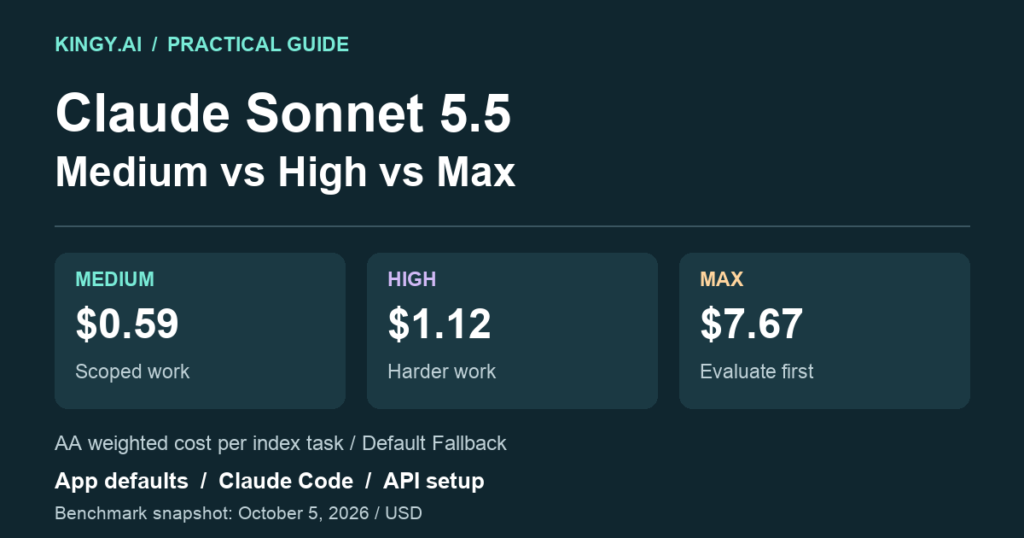
The cost gap is substantial in one independent evaluation. Artificial Analysis reports $0.59 per Intelligence Index task at Medium, $1.12 at High and $7.67 at Max. Max scores higher on that index, but costs about 13 times as much as Medium. Those are benchmark-specific task costs, not prices for your next bug fix. Medium results, High results, Max results.
There is also a default-setting difference worth checking before you compare results: Sonnet 5.5 starts at Medium in Claude apps and Claude Code, and High on the Claude API. Anthropic documents both in its Sonnet 5.5 announcement.
Our Astra vs Sonnet 5.5 comparison and Sol 6.1 vs Sonnet 5.5 comparison cover model choice. This guide covers the setting you should evaluate before changing models.
Sources and benchmark snapshot checked October 5, 2026. Setup examples follow official documentation and have not been tested against a paid API or a logged-in Claude session for this guide. Task examples and worked budgets are illustrative; benchmark measurements belong to the named evaluator.
What Medium, High and Max change
Effort controls how much work Claude puts into a response, including thinking, answer text and tool calls. It is a behavioral control rather than a fixed allowance of reasoning tokens. Max still operates within request limits such as max_tokens; it does not authorize an unlimited API bill. Anthropic effort documentation.
Sonnet 5.5 supports five levels: Low, Medium, High, Xhigh and Max. Anthropic recommends Medium for well-specified agentic coding and multistep tool work, High for harder or longer tasks, and an evaluation before adopting Xhigh or Max. For latency-sensitive chat, it suggests Medium or Low. Sonnet-specific effort guidance.
Here is how I would apply that guidance. The examples are suggested starting points, not measured completion rates.
On small screens, scroll tables sideways to see every column.
| Task | Start with | What to check before raising effort |
|---|---|---|
| Implement a specified feature with clear acceptance criteria | Medium | Does the implementation meet the brief and pass relevant checks? |
| Diagnose an intermittent bug across several files | High | Does the explanation fit the evidence, and does the fix address the cause? |
| Draft a document from an organized source packet | Medium | Are claims supported and calculations correct? |
| Resolve conflicting requirements or a difficult technical decision | High | Does the answer identify the tradeoffs and material exceptions? |
| A recurring hard problem that High leaves unresolved | Compare Xhigh and Max | Does either improve accepted results enough to cover the added time and cost? |
A longer answer is easy to notice. An overlooked edge case is harder to notice. Set your acceptance criteria before reading the output, so an impressive explanation does not substitute for a working result.
For a bug fix, that might mean a reproduction that fails before the change and passes afterward. For a research memo, it could mean supported claims, correct dates and a calculation another person can reproduce. For a document, include the required sections and the intended audience in the brief.
The defaults depend on where you use Sonnet
| Product | Sonnet 5.5 default effort |
|---|---|
| Claude apps | Medium |
| Claude Code | Medium |
| First-party Claude API | High |
Sources: Anthropic's launch announcement, Claude Code model configuration, and Sonnet API model overview.
An explicit setting, a saved preference or an organization policy can affect what you see. Record the active setting instead of assuming that every Sonnet session starts the same way. When comparing a Claude app response with an API response, set matching effort deliberately and account for the tools and context each product supplies.
Sonnet 5.5's effort scale is also recalibrated relative to Sonnet 5. Anthropic recommends retesting the levels on your own tasks when upgrading. A familiar setting name does not guarantee a familiar token bill. Sonnet 5.5 prompting guide.
Independent results show why Max needs a reason
Artificial Analysis's Intelligence Index v4.3.2 provides separate Sonnet configurations. All three rows below retain the evaluator's Default Fallback label.
| Sonnet 5.5 effort | Intelligence Index | Weighted cost per index task | Output tokens across the index run |
|---|---|---|---|
| Medium | 41 | $0.59 | 31 million |
| High | 47 | $1.12 | 52 million |
| Max | 56 | $7.67 | 420 million |
Sources: Artificial Analysis Medium, High and Max pages, checked October 5.
High costs about 1.9 times Medium in this evaluation mix. Max costs about 6.8 times High. Its higher composite score establishes a capability gain on that index, while the cost shows why a blanket Max policy deserves scrutiny.
The index points are not success percentages. Its weighted task costs account for benchmark token use and caching assumptions, and the campaign-wide output totals are not tokens for one request. The rows also include fallback behavior; they do not isolate Sonnet with fallback disabled. See the evaluator's benchmark methodology.
Anthropic flags a since-fixed structured-output bug in the prerelease Sonnet deployment used for two Artificial Analysis knowledge-work tests. That caveat remains relevant when interpreting the launch-era results; a current page alone does not establish that every affected test was rerun. Launch footnotes.
Use these figures to decide which configurations to test. Budget a live workload from its own usage records, including failed attempts, tools and review time.
Max can lose to Xhigh
Anthropic reports Sonnet 5.5 at 52.1% on FrontierCode 1.1 at Xhigh and 46.2% at Max. Its launch footnote attributes the lower Max result in part to review activity that caused timeouts or changes outside the requested scope in two examined cases. The benchmark grades whether a change could be merged without human edits. Anthropic's results and explanation.
That is one benchmark and one harness. It is enough to reject the assumption that increasing effort always improves the result.
If High produces a valid patch, Max needs to improve something you value: a missed failure mode, a stronger implementation, fewer repairs or better performance on the hard cases. Extra files, extra commentary and extra checks have value only when they serve the task.
I would include Xhigh in an evaluation before standardizing on Max. Keep the same brief, tool permissions and acceptance checks. Count a timeout or an unnecessary change as a problem rather than crediting the model for doing more work.
How to change effort in Claude apps
Select Sonnet 5.5, click the model name beside the send button, open Effort, and choose a level. Anthropic says the change applies from the next response. The menu identifies a recommended default. Claude Help Center instructions.
Thinking and effort are separate controls, but Sonnet 5.5's thinking cannot be turned off in the Claude apps. A missing expected model or effort option on an Enterprise account may reflect an administrator's restriction. Higher effort consumes more tokens and can use up your allowance sooner. The help page does not establish a fixed number of messages you gain by choosing Medium.
For ordinary iterative work, try Medium with a concrete brief. Move up when the answer misses requirements or fails a check. Keep subscription allowances separate from the API dollar examples below; our ChatGPT Pro vs Claude Max guide covers the plan decision.
How to change effort in Claude Code
Select Sonnet 5.5 through /model, then set the level directly:
/effort medium
Use /effort high or /effort max to compare other settings. The session header shows the active level. You can also launch a session explicitly:
claude --model claude-sonnet-5-5 --effort high
On current versions, typing a Low-through-Xhigh level after /effort saves it for later sessions. For a session-only choice, open the /effort slider and confirm with s; that behavior requires v2.1.257 or later. Max applies to the current session unless set through the effort environment variable. It is not accepted as a persisted effortLevel or per-model settings value. Organization caps can limit the applied level. Claude Code configuration documentation.
Check the header after changing settings, especially on a managed account. This gives you an observable configuration to record alongside the result.
How to set effort in the Claude API
Set output_config.effort explicitly. This Python example uses Anthropic's Messages SDK and the verified model ID. It assumes the SDK is installed and an ANTHROPIC_API_KEY is available in your environment.
import anthropic

client = anthropic.Anthropic()

response = client.messages.create(
    model="claude-sonnet-5-5",
    max_tokens=4096,
    output_config={"effort": "medium"},
    messages=[{
        "role": "user",
        "content": (
            "Compare two approaches to adding retries to a background job. "
            "Cover duplicate execution, failure handling and how to test it."
        ),
    }],
)

print("Stop reason:", response.stop_reason)
print("Usage:", response.usage)
for block in response.content:
    if block.type == "text":
        print(block.text)
The example follows the Sonnet 5.5 migration guide. It sends one text request; it does not execute tools or implement a coding agent. Change medium to high, xhigh or max for a separate evaluation. No beta header is required for top-level effort.
Give thinking and the answer room to finish
The example's 4,096-token ceiling suits a small demonstration, but can truncate a demanding response. Thinking shares the output budget with the visible answer. Sonnet's standard maximum is 128,000 output tokens. Model limits, Thinking and billing.
Anthropic recommends a 128,000-token ceiling and streaming for agentic coding. Its SDK supports collecting a final message from a stream:
with client.messages.stream(
    model="claude-sonnet-5-5",
    max_tokens=128000,
    output_config={"effort": "high"},
    messages=[{
        "role": "user",
        "content": "Analyze the attached implementation and test evidence.",
    }],
) as stream:
    message = stream.get_final_message()

print(message.stop_reason)
print(message.usage)
Replace the sample message with the actual implementation and evidence; this snippet does not attach files. A high ceiling permits more output and therefore more spending, but does not force the model to consume it. Choose the ceiling your application can afford. Agentic coding guidance, SDK streaming pattern.
Check stop_reason before accepting a result. max_tokens signals truncation, tool_use requires the tool workflow to continue, and end_turn means the model finished its response. Even end_turn still needs your task's acceptance checks. Stop-reason documentation.
Avoid incompatible thinking settings
Sonnet 5.5 rejects thinking: {"type": "disabled"}. To remove up-front thinking, use thinking: {"type": "between_tools"} at Low, Medium or High. That combination is rejected at Xhigh and Max; use adaptive thinking there by omitting thinking or setting its type to adaptive. Migration rules.
Keep adaptive thinking for the initial effort comparison so you change one control at a time. Testing between_tools can be a separate latency experiment.
Changing top-level effort between requests invalidates cached message blocks. Sonnet supports a cache-preserving per-message effort change in beta, requiring adaptive thinking and the mid-conversation-output-config-2026-07-01 header. Use the documented per-message format when implementing that behavior, and inspect actual cache usage. Cache invalidation rules.
API prices and a worked budget
Sonnet 5.5's first-party Standard API prices are the same across effort levels:
| Token category | USD per million tokens |
|---|---|
| Ordinary input | $2.00 |
| Billable output | $10.00 |
| Five-minute cache write | $2.50 |
| One-hour cache write | $4.00 |
| Cache read | $0.20 |
Source: Anthropic pricing. Thinking is billed as output even when its text is hidden. Thinking documentation.
Consider two hypothetical single requests, each using 100,000 ordinary uncached input tokens. One generates 20,000 total billable output tokens; the other generates 100,000. Their calculated bills are $0.40 and $1.20. These examples exclude tools, retries, regional modifiers and tax. They do not predict which effort setting will generate either output count.
The $0.80 difference equals 48 seconds of human time at an assumed $60 an hour. If the larger request saves more than that in review or repair and meets the same quality bar, the extra spending could be worthwhile. If it produces the same usable result, the smaller request has the cost advantage.
An agent job can contain many requests. Add every attempt, cache operation and applicable tool charge before comparing costs. For a batch of jobs, divide total spending by the number of accepted results. Report unresolved jobs alongside that figure so a low completion rate cannot hide behind a low average bill.
When to try Opus or Astra instead
If Sonnet repeatedly fails to plan a difficult task, resolve ambiguity or sustain the work, compare a different model alongside higher Sonnet effort. Anthropic's Sonnet prompting guide points to Opus for the hardest long-horizon work. Our Sonnet vs Opus 5.5 comparison covers the cost and capability tradeoff.
Use Astra vs Sonnet when your task fits Astra's evaluated strengths, and Sol 6.1 vs Sonnet for the less expensive OpenAI alternative. OpenAI also recommends reserving Xhigh and Max for cases where representative evaluations justify their cost and latency. OpenAI deployment guidance.
Matching effort names across models do not equalize computation, cost or capability. Compare complete configurations and the deliverables they produce.
A small evaluation you can reuse
Choose representative work: a routine task, a difficult task and a case that previously failed. For each, write the acceptance checks before running it. Use fresh sessions or the same starting repository state so one configuration does not inherit another's solution.
- Run Medium and High with identical briefs, files, tool access and thinking mode. Include Xhigh and Max on the difficult cases.
- Record the model ID, active effort, output ceiling, fallback policy, total usage and elapsed time to a usable result.
- Grade the deliverables against the same checks. Include failed attempts, unexpected edits and human repair time.
- Repeat ambiguous cases before treating a small difference as reliable.
For coding, require a check that exercises the change. Anthropic documents that Low effort can sometimes skip verification, so make the required test or build explicit in the task. Higher effort still needs an observable result. Coding verification guidance.
Keep Medium for work it finishes acceptably. Route demonstrated failures to the setting or model that resolves them, and revisit that policy when the model or your workload changes.