Earlier version last updated: 2026-07-23
Earlier version last verified: 2026-07-23
Documentation checked October 4, 2026 (UTC): The notes below use public official sources. We did not connect a CircleCI account, inspect live project data, or execute a workflow for this check. Choose the hosted or CLI route according to the tools and permissions your task needs.
TL;DR: The CircleCI MCP integration brings CI context into AI coding assistants through two routes: a hosted server for run investigation and actions, and a local CLI MCP with broader configuration and administrative commands. The original standalone npm server is deprecated.
What launched?
CircleCI previously offered a standalone MCP server. Its repository now calls that server deprecated and unmaintained, while the product page describes it as being in maintenance mode. The current MCP overview directs users to the hosted server or the CLI-integrated MCP. The repository says it will be archived; these sources do not establish that archiving has already occurred.
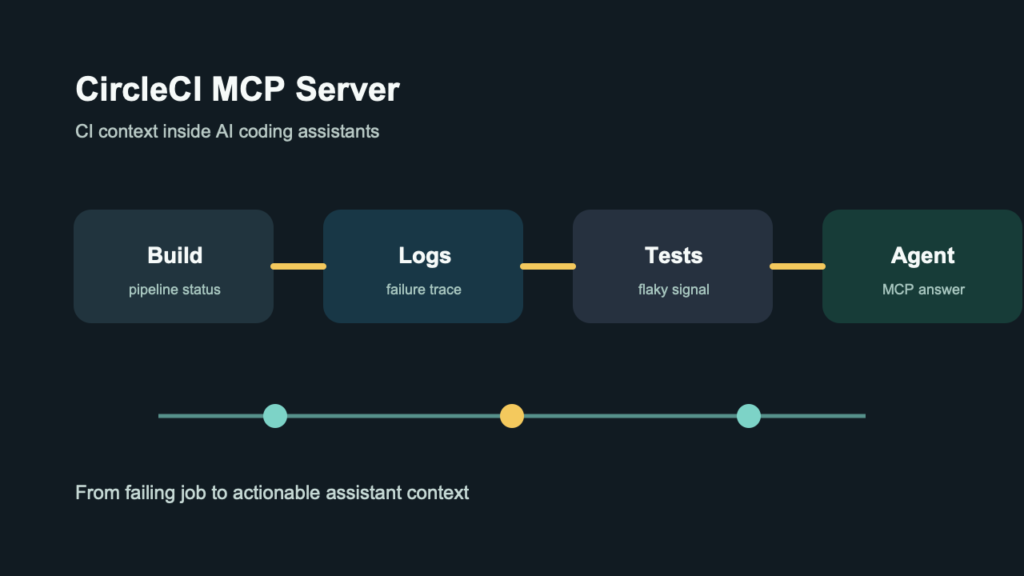
Coding assistants can suggest a fix without seeing the failed job, flaky test history, or pipeline configuration that explains the failure. CircleCI’s MCP integration gives the assistant that CI context without forcing the developer to copy logs between tools.
What is CircleCI MCP Server?
The integration gives compatible assistants access to CircleCI run, workflow, job, log, test, and artifact context. The hosted server includes actions such as rerunning or canceling workflows. The CLI MCP adds the wider CLI command surface, including configuration and project administration. Account permissions and the selected route determine what the assistant can access.
Key capabilities and questions
- Hosted MCP: inspect CI runs, workflows, jobs, logs, tests, and artifacts; rerun or cancel workflows when permitted.
- CLI MCP: use CircleCI CLI commands for configuration, projects, contexts, orbs, policies, runner resources, and other administrative work.
Real use cases
- Ask why the latest build failed without manually searching job logs
- Investigate failed jobs alongside relevant repository and workflow changes
- Inspect available test results for repeated failures, then confirm flakiness against CI history
- Use available CI context to evaluate pipeline configuration and performance changes
- Bring CI context into an AI coding assistant during implementation
What teams should review
For developers: choose hosted MCP for run diagnostics from a remote-capable assistant, or CLI MCP when the task needs local CLI access and wider configuration tools. Existing standalone-server users should review their old configuration before adding either route. Test questions such as why a build failed and compare the answer with the underlying job evidence.
For platform and security teams: review the granted account access, the assistant receiving CI data, and any write-capable tools. CircleCI’s token documentation says manually created personal API tokens grant full read/write permissions; OAuth-issued tokens use the Read, Write, or Admin access level chosen during authorization. Review the credentials inherited by a local CLI connection and the AI client’s approval settings. CI logs can contain internal paths, environment details, and other operational context.
Pricing and free plan
Pricing: No separate MCP fee was identified in the public CircleCI product and pricing pages reviewed for this documentation check. Access still depends on the CircleCI account and plan, and actions such as rerunning a workflow can consume billable CI resources. Confirm current account limits and billing on the official pricing page before purchase.
Free plan: CircleCI publishes a cloud Free plan. Check its current limits, your account permissions, and your AI client’s requirements before treating an MCP workflow as a no-cost deployment.
How to try it
For hosted MCP, use a client that supports remote streamable HTTP and add https://mcp.circleci.com/v1/mcp. Complete OAuth2 when supported; a personal API token is the documented fallback for clients that cannot complete OAuth or for headless use. For CLI MCP, install or update the CLI, authenticate with circleci auth login or CIRCLE_TOKEN, and follow the client-specific enable instructions. These are documented steps; no connection was tested for this article check.
Comparison snapshot
| Question | Documentation summary |
|---|---|
| Primary job | Hosted run diagnostics and workflow actions; broader CircleCI CLI commands through the local CLI MCP. |
| Best fit | CircleCI teams investigating failures, and platform engineers reviewing configuration or administrative workflows. |
| Pricing status | No separate MCP fee identified in reviewed public pages; underlying account limits and CI usage billing still apply. |
| Free plan | CircleCI cloud Free plan; check account, usage, and AI client requirements. |
| Access | Hosted: OAuth2 or personal-token fallback. CLI: existing CircleCI CLI login or CIRCLE_TOKEN, with client-specific setup. |
| Main alternatives | GitHub MCP Server; GitLab Duo and GitLab MCP integrations; Buildkite’s official MCP server; Jenkins API with a custom MCP bridge; Datadog CI Visibility with AI assistants. |
Alternatives
Compare the CircleCI integration with the CI context available through GitHub, GitLab, Buildkite, Jenkins, or observability tooling. The useful test is whether the assistant can explain failures from your real pipelines without exposing more CI data than the task requires.
The options below use different CI data, permissions, and account requirements. GitLab’s MCP server and GitLab Duo’s MCP client support are distinct features. A Jenkins custom bridge requires engineering work; Datadog’s software-delivery toolset requires the relevant account, site, and tools. Review those boundaries before comparing results.
- GitHub MCP Server
- GitLab Duo MCP clients and the GitLab MCP server
- Buildkite’s official remote or local MCP server
- Jenkins Remote Access API with a custom MCP bridge
- Datadog CI Visibility through its software-delivery MCP tools
Risks and unknowns
Manually created personal API tokens have broad read/write permissions and must be handled as secrets. For hosted MCP, review the OAuth access level or token fallback, the client’s storage, and which CI context it can send to a model provider. CLI MCP inherits local credentials and exposes broader administrative commands. Require appropriate client approvals for changes, including reruns and cancellations, and verify the action’s target and expected resource cost.
Should you try it?
Test the integration if developers already use CircleCI and spend time moving between an assistant and CI logs. Begin with read-only diagnostic prompts on a non-sensitive project, then compare the answers with the underlying jobs and test results before expanding access.
FAQ
What does CircleCI MCP Server do?
It lets compatible assistants inspect CircleCI CI context and use the tools exposed by either hosted MCP or the local CLI MCP. Available diagnostics, actions, and permissions depend on the route and account.
Is CircleCI MCP Server free?
No separate MCP fee was identified in the reviewed public pages. Account limits, underlying CI usage, and any AI client or model charges still need to be checked.
Who is CircleCI MCP Server for?
Developers who need failed-job context and platform teams that need broader CircleCI configuration or administrative access.
What are alternatives to CircleCI MCP Server?
GitHub MCP Server, GitLab Duo and GitLab MCP integrations, Buildkite’s official MCP server, a custom Jenkins API-to-MCP bridge, and Datadog’s software-delivery MCP tools. The official links and scope notes are in the Alternatives section.
Official links
Related Kingy AI links
The Kingy Brief
Get The Kingy Brief.
AI changes, original tests and one practical thing to try. Fridays at 09:00 Vancouver time.
Free · Double opt-in · Unsubscribe anytime
Sign up for The Kingy Brief on Beehiiv.
Signup help and newsletter schedule
Signup form provided by Beehiiv. After submitting, check your inbox for "Confirm your subscription to The Kingy Brief" and open its confirmation link. Check Spam or Promotions if you cannot find it.
Fridays at 09:00 Vancouver time: source-checked AI changes, original tests and one practical thing to try. We skip a week when there is not enough verified material. Free. Unsubscribe anytime.