TL;DR
- A strong product commercial prompt protects the product first, then adds camera movement, lighting, and polish.
- Use one clear action per shot instead of asking the model to do five things at once.
- For product images, ask the model to preserve shape, logo placement, color, texture, and composition.
- Use the Kingy AI Video Prompt Generator when you want short, detailed, image-to-video, camera, Shorts, and safer prompt versions.
Try the Product hero recipe in Kingy’s AI Camera Simulator to preview the orbit and copy the direction.
Why product commercial prompts need a different structure
Product videos are less forgiving than abstract cinematic scenes. If the product shape changes, the logo melts, the app screen becomes unreadable, or the camera move hides the value proposition, the clip stops feeling useful.
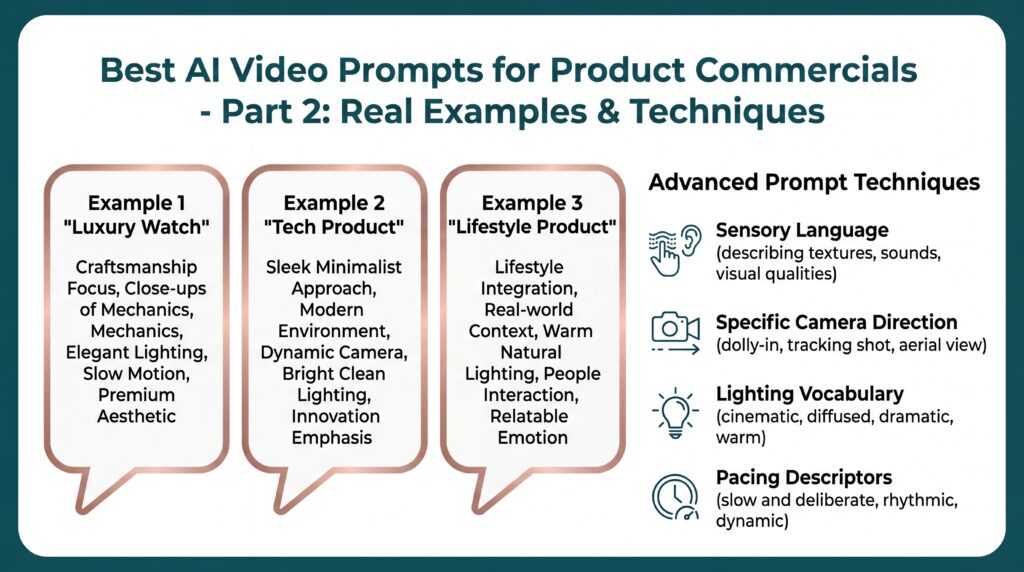
The best AI video prompts for product commercials start with clarity. Describe the product, the benefit, the environment, the camera move, the lighting, the style, and the constraint. Then add the negative prompt.
The product commercial prompt formula
Product + benefit + action + environment + camera movement + lighting + style + duration + aspect ratio + preservation rules + negative promptCopyable product commercial prompt templates
1. Premium studio product shot
Create a premium 10-second product commercial. The subject is [product], shown clearly in a minimal studio with clean reflections and soft product spotlighting. The camera performs a slow dolly in while the product rotates slightly. Emphasize [main benefit]. Preserve the exact product shape, logo placement, color, materials, and proportions. Cinematic, premium, polished, commercial-grade. Aspect ratio: [16:9 or 9:16]. Negative prompt: blurry, warped logo, unreadable text, distorted product shape, flickering, low resolution, bad reflections.2. SaaS app demo prompt
Create a clean SaaS promo video for [app name]. Show the interface clearly on a modern device or browser window. Highlight [feature] with smooth UI motion, subtle cursor movement, and readable panels. Use soft studio lighting, a clean background, and calm confident pacing. Keep text readable and avoid changing the app layout. Duration: [8 seconds]. Aspect ratio: [16:9]. Negative prompt: unreadable UI, warped text, cluttered dashboard, flickering, distorted cursor, fake buttons.3. AI launch trailer prompt
Create a cinematic AI launch video for [product name]. Begin with a clean reveal of the product or interface, then show abstract workflow elements moving around it. Camera movement: slow push with parallax depth. Lighting: futuristic product spotlight with subtle glow. Mood: premium, high-tech, founder-ready. Keep the product name and core interface stable. Negative prompt: random extra text, fake logos, noisy background, distorted UI, inconsistent product shape.Practical examples
Example: AI note-taking app
Create a 10-second SaaS product commercial for an AI note-taking app. Show a clean laptop screen with meeting notes becoming organized into action items. The camera slowly pushes in from a modern desk setup. Natural daylight, clean SaaS demo style, calm premium mood. Preserve readable interface structure and avoid fake paragraph text. Negative prompt: unreadable UI, warped text, clutter, flickering, distorted laptop, extra hands.Example: physical gadget
Create an 8-second product shot of a matte black portable microphone on a minimal studio surface. The product rotates 180 degrees as a soft rim light reveals the grille texture and logo. Camera movement: macro slow push. Style: luxury tech commercial. Mood: premium and focused. Preserve product shape and logo. Negative prompt: bad reflections, warped logo, inconsistent product shape, scratches, low resolution.Inspect a finished product-commercial example
Watch Kingy’s retained 15-second fictional-bottle video and open its editable three-shot project. This is a worked starter, not a video generated from your product or from the prompts above. Preview the recipe before replacing a saved project; use footage you have rights to, then check every shot, caption and product claim before exporting.
Beginner tips
- Do not ask for a full commercial, product demo, lifestyle scene, and logo animation in one prompt. Split them into separate shots.
- Use a safer prompt when a real product photo is involved.
- Keep on-screen text short. AI video tools can struggle with long readable text.
- Mention what must not change: logo, shape, color, interface layout, product proportions, and packaging.
Use the Kingy AI Video Prompt Generator
Want to turn one idea into multiple prompt versions faster? Use the Kingy AI Video Prompt Generator to create short, detailed, image-to-video, camera direction, Shorts, product commercial, and safer prompt versions.
Connect these commercial prompt patterns to Kingy’s AI Video Production hub for image-to-video workflows, practical tools, product records and current launches.
For AI companies and founders
Launching an AI video tool, creator app, model, workflow, or agent product? Kingy AI helps AI companies reach creators, founders, marketers, and AI tool buyers with practical launch coverage and creator-first education.
Related AI video tools
Want to move from article examples into working prompt assets? Use the Kingy AI video tool hub:
- AI Video Prompt Generator
- AI Video Prompt Examples Library
- AI Video Script Generator
- Image-to-Video Shot List Generator
- YouTube Shorts Hook Generator
- AI Product Commercial Prompt Generator
FAQ
What makes a good AI video prompt for product ads?
A good product ad prompt clearly describes the product, the benefit, the shot, the camera movement, the lighting, and the details that must stay consistent.
Should I use text-to-video or image-to-video for product commercials?
If you need product accuracy, start with image-to-video and provide a clear product image plus a controlled motion prompt.
How do I stop AI video tools from changing my product?
Use preservation language and a negative prompt. Ask the model to preserve product shape, logo placement, colors, materials, and composition.
Sources checked
Last checked: June 4, 2026.
- Runway prompting guides and examples
- Runway Academy image-to-video guide
- Google DeepMind Veo prompt guide
Choose the next AI-video workflow
Keep this page’s exact job, then move to the adjacent prompt or production workflow that matches what you are making.
The Kingy Brief
Get future Kingy Brief editions.
Source-checked AI changes, original tests and one practical thing to try.
Free · Choose your subjects · Double opt-in · Unsubscribe anytime
Regular sending is paused; no restart date is set.