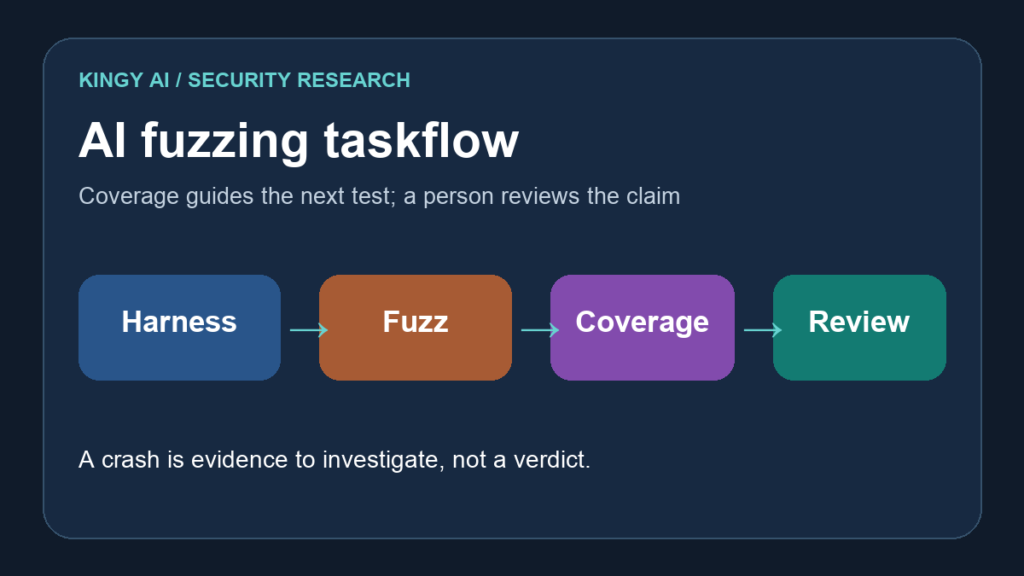
GitHub Security Lab has published an open-source fuzzing taskflow for C and C++ projects. It asks an AI agent to find promising entry points, write test harnesses, run AFL++, examine coverage gaps, and triage crashes. The useful advance is a loop around coverage: the agent can decide what to change when a fuzzer stops reaching new code. The sharp limit is equally clear in GitHub’s own account: the workflow runs compiler and build commands chosen by the model on its host, and its vulnerability verdicts and suggested fixes require human review. GitHub Security Lab’s technical article · public repository
GitHub published the walkthrough on September 24, 2026. This article is based on GitHub’s explanation and source repository, checked September 27. Kingy did not run a campaign, validate a vulnerability, or measure its success rate.
Why a fuzzing agent is useful
A conventional fuzzer mutates inputs and watches for crashes. It does not know which untested API deserves a new harness or whether a flat coverage line means the inputs are poor, the harness is too narrow, or the unreachable path is irrelevant. A person typically reads coverage reports, writes harnesses, adjusts seeds and dictionaries, and investigates crashes. GitHub’s taskflow delegates much of that repeated work to an agent while using established fuzzing tools for execution. GitHub technical article
The pipeline has three layers: a shell driver, YAML taskflows that describe stages, and MCP tools for operations such as compiling a harness, running AFL and storing crash data. GitHub says the agent makes decisions while the tools perform the actions. State passes between stages through a SQLite database. This is a specific design, not a claim that the model can safely execute arbitrary security research on its own. GitHub technical article
The coverage loop, in plain language
For each generated harness, the taskflow builds two binaries. One includes AFL instrumentation and sanitizers for fuzzing. The other includes coverage instrumentation so recorded inputs can be replayed to reveal source lines and branches reached. The agent reads uncovered branches and chooses whether to add a seed, widen a harness, enrich a dictionary, or leave an unpromising path alone. GitHub technical article
GitHub’s example doubles the fuzzing time budget through rounds of 30, 60, 120, 240, 480 and 960 seconds, approximately 32 minutes per target in total. Its default plateau rule stops after two rounds each improving absolute line coverage by less than one percentage point. Those are implementation defaults described by the project, not proof that 32 minutes is enough to find a bug or that one percentage point is the right threshold for every codebase. GitHub technical article
The pipeline can seed structured inputs using dictionaries and mutators for formats including JSON, XML, regular expressions, PNG and length-prefixed binary data. It can extract strings and numeric constants from the target’s source and add tokens near uncovered guards. It also keeps per-harness corpora across iterations and campaigns instead of starting every run from the original seeds. These mechanisms explain how the system might reach code that ordinary byte mutations miss. They do not establish a comparative bug-finding rate; GitHub’s walkthrough does not provide one. GitHub technical article
A crash is a lead, not a confirmed vulnerability
After a campaign, the taskflow minimizes crashes, replays them with AddressSanitizer, groups likely duplicates, and checks whether an upstream fix has resolved an older crash. The agent then writes a report with a proposed root cause, reachability argument, exploitability assessment and patch sketch. Its categories include vulnerability, library hardening, harness bug, out-of-memory, timeout, assertion failure and duplicate. GitHub technical article
That last distinction matters. A crash in a generated harness can be a harness mistake. A crash deep in a parser might not be reachable through the application’s public input path. GitHub explicitly marks suggested patches “review required” and says its agent can get these judgments wrong. A maintainer should reproduce the crash against a pinned revision, inspect the input and stack trace, verify reachability, and check the fix with a regression test before filing a vulnerability or shipping a patch. The review sequence here is Kingy’s editorial recommendation based on the project’s reported limits. GitHub technical article
The host boundary is the first decision
GitHub warns that the taskflow runs afl-fuzz, clang, and model-chosen build commands directly on the host, without a container boundary. Its suggested starting environment is a disposable Codespace or throwaway virtual machine without elevated privileges. A prompt injection in the target repository or its files could influence an agent that has broad local access. The project repository also says its Docker image is a deployment convenience rather than a security boundary. GitHub walkthrough · Taskflow Agent repository
Do not point a first campaign at a production checkout with secrets, signing keys, or access to customer systems. Use a disposable environment and a project you are authorized to test. Record the repository revision, taskflow version, model configuration, build dependencies, resource limits, coverage reports, crashing inputs, and every reviewed finding. Kingy’s agent security guide covers permission boundaries, while its prompt-injection benchmark crosswalk explains why a single “agent safety” number is not enough.
The sensible first result is a reproducible coverage report and a small set of reviewed crash leads. If the agent expands coverage on code your existing campaign misses without creating excessive false leads, the automation has earned a place in the workflow. If it produces confident but unreachable vulnerability reports, the triage cost may exceed the saved setup time. GitHub has released a promising mechanism; that outcome remains a test for each maintainer to run.
The Kingy Brief
Get the next Kingy Brief.
Source-checked AI changes, original tests and one practical thing to try.
Free · Choose your subjects · Double opt-in · Unsubscribe anytime