AI News

Cursor SDK Guide: Agent API, Quickstart & Pricing

Updated August 26, 2026: rechecked the TypeScript SDK documentation, Node requirement, runtime behaviour, authentication, model routing, billing, custom tools, and approval controls.

Verdict: The Cursor SDK is useful when you want Cursor's coding agent inside scripts, CI jobs, or internal tools rather than only in the editor. It is an agent API, not a raw model-inference endpoint. Local mode keeps the agent loop and file operations near your workspace, but it still needs explicit credentials, hosted model access, and careful permission and billing controls.

What is the Cursor SDK?

The Cursor SDK exposes programmatic coding agents. Cursor defines an Agent as a durable container for conversation state, workspace configuration, and settings. A Run is one prompt submission with its own stream, status, result, and cancellation. That distinction makes it possible to keep one agent across several prompts while tracking each run separately.

The SDK can support repository analysis, code changes, automated maintenance, CI checks, issue triage, migrations, and custom internal workflows. It does not provide an undocumented chat-completions endpoint for arbitrary model calls; Cursor's own documentation explicitly describes it as an agent SDK.

Installation and requirements

Install the TypeScript package with:

npm install @cursor/sdk

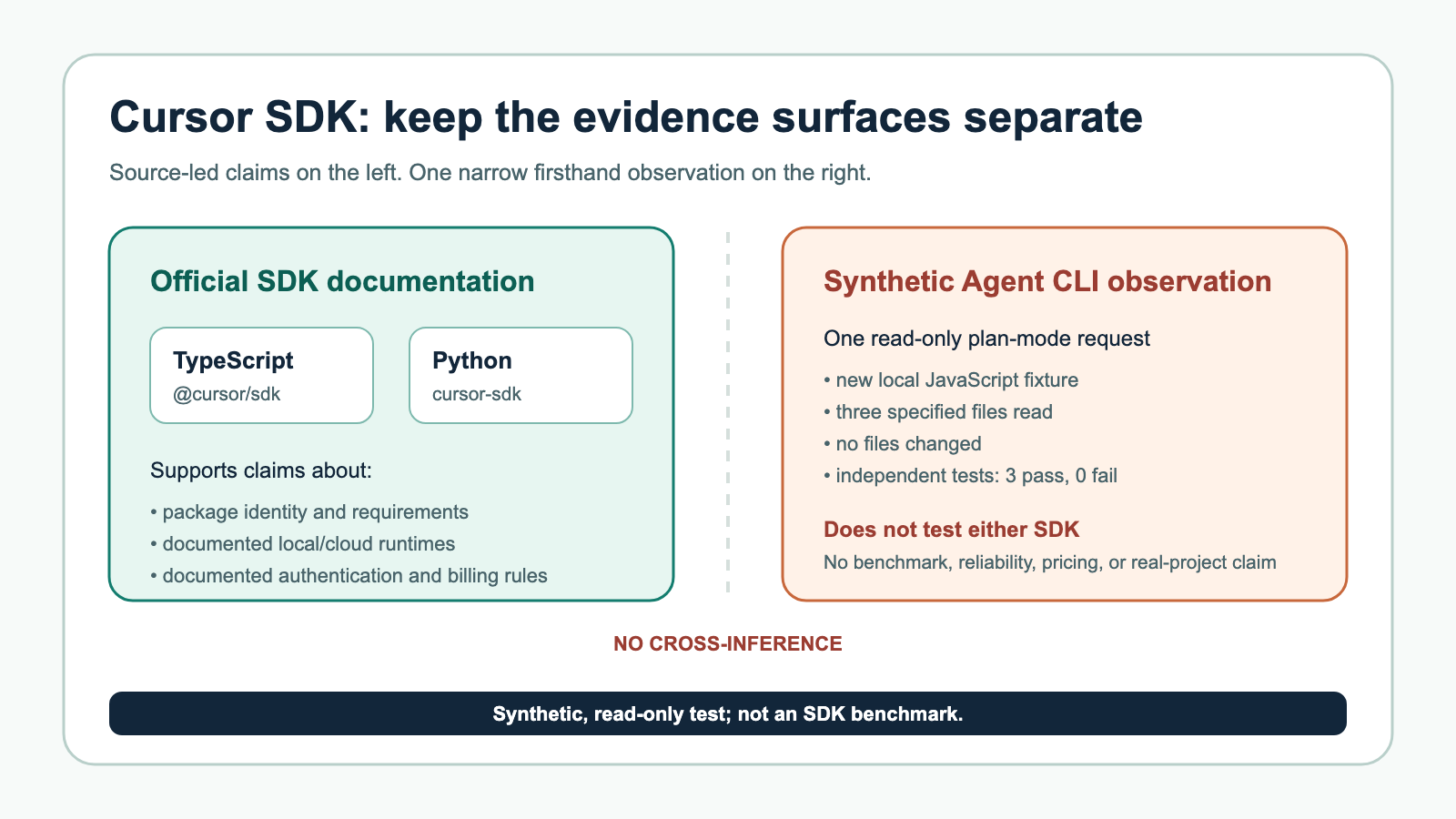
The leading @ matters. Cursor notes that a bare cursor/sdk package does not exist on npm. The SDK requires Node.js 22.13 or later and uses platform-specific packages for sandboxing and ripgrep. Re-run your typecheck after upgrades because SDK types and stream events can change.

Minimal local quickstart

import { Agent } from "@cursor/sdk";

const agent = await Agent.create({
  apiKey: process.env.CURSOR_API_KEY!,
  model: { id: "composer-2.5" },
  local: { cwd: process.cwd() },
});

const run = await agent.send("Summarize this repository and identify the highest-risk module.");

for await (const event of run.stream()) {
  console.log(event);
}

Use an environment variable or secret manager for the API key. The SDK does not automatically discover credentials from a local Cursor app installation. Cursor documents CURSOR_API_KEY, an explicit apiKey value, or an authentication login flow.

Local versus cloud runtimes

Area Local agent Cloud agent
Agent loop Runs from your process Runs in Cursor-managed infrastructure
Workspace files Operates against the configured local directory Uses the cloud environment or repository setup
Inference Uses Cursor's hosted model service Uses Cursor's hosted model service
Best for Local scripts, controlled repository work, internal tooling Remote jobs, scalable automation, managed execution
Main risk Broad local file or command permissions Remote environment, secrets, and repository access

"Local" should not be read as "fully offline" or "local inference." It describes where the agent loop and workspace operations occur. Model requests still use Cursor's service.

Permissions, sandboxing, and approvals

A coding agent can read files, run commands, and edit a repository. That is operational authority, not just text generation. Configure the smallest working directory, limit environment variables, use sandbox options where supported, and require review for destructive, network, deployment, or production actions.

Cursor's June 2026 SDK update added custom tools through local.customTools, exposed through a built-in MCP server and the same permission gate as other MCP tools. It also added auto-review and deeper subagent support. Those features are useful, but they enlarge the action surface. A custom tool should validate inputs and enforce authorization rather than trusting the prompt.

For CI, start read-only: summaries, diffs, test analysis, or suggested patches. Move to automatic writes only after the workflow has deterministic scope, clear rollback, and an eval set that measures unsafe actions as failures.

Models, Router, and reproducibility

The SDK supports fixed model identifiers and Cursor Router modes. Cursor says Auto modes bill at the list price of the model each request is routed to, and the underlying model can change between requests. That is convenient for general automation but weakens reproducibility.

Use a fixed model ID when comparing quality, cost, or latency over time. Record the model ID, SDK version, prompt, repository revision, and run identifier. Without that ledger, it is hard to tell whether a changed result came from your code, the model, routing, or the workspace.

How Cursor SDK usage is billed

Cursor's documentation routes current billing questions to its usage and model pricing pages. Auto modes use the list price of the routed model. That means an SDK job should capture token or usage events, apply a run budget, and stop when the task no longer justifies additional model calls.

Avoid hardcoding a dollar estimate in durable automation. Model prices and routing pools change. Use current Cursor rates, test with a bounded workload, and alert on unusual run volume.

Detailed SDK architecture and operating analysis retained from the verified current article

Agents and runs: the right abstraction

One of the smartest design decisions in the SDK is the split between Agent and Run.

According to the docs, an Agent is a durable container that holds conversation state, workspace configuration, and settings. A Run is one prompt submission, with its own stream, status, result, and cancellation behavior.

That distinction maps well to real coding work. A coding task is rarely just one prompt. You may ask an agent to inspect a bug, then add a test, then update docs, then open a PR. Keeping the agent as the durable stateful object while treating each prompt as a run gives developers enough structure to build workflows without reducing everything to stateless model calls.

A Run can be streamed, waited on, cancelled, inspected, and queried for conversation history. Cursor documents statuses including "running", "finished", "error", and "cancelled" at the SDK level. For cloud lifecycle events, the stream can also emit status values such as CREATING, RUNNING, FINISHED, ERROR, CANCELLED, and EXPIRED.

The SDK supports:

run.stream() run.wait() run.cancel() run.conversation() run.supports(...) run.onDidChangeStatus(...) 

This is exactly the kind of API shape needed for dashboards, CI bots, internal developer portals, or issue triage systems. You can stream progress live when a user is watching, wait silently when running in the background, cancel stuck work, or persist structured conversation turns for audit and debugging.

Streaming is first-class

Cursor’s streaming support is one of the more mature parts of the SDK design. The docs define a normalized SDKMessage event union with event types including:

  • system
  • user
  • assistant
  • thinking
  • tool_call
  • status
  • task
  • request

For many applications, this normalized stream is enough. You can render assistant output, show tool activity, display lifecycle transitions, and surface requests for user input or approval.

For lower-level integrations, Cursor also exposes raw deltas through onDelta and step callbacks through onStep. The documented delta types include text deltas, thinking deltas, token deltas, tool-call start/completion events, partial tool calls, step boundaries, turn-ended events, summaries, and shell-output deltas.

This is useful because different products need different levels of detail. A CI integration may only care about terminal status and final output. A developer-facing UI may want live assistant text, tool-call indicators, and shell output. A more sophisticated observability layer may want token counts and step timing.

The caution is that tool internals are not stable. Cursor explicitly warns that tool call args and result payloads reflect internal tool shapes and can change. That is the right warning. Developers should treat the envelope as stable, but avoid hard-coding too much around individual built-in tools unless Cursor later formalizes those schemas.

The full Cursor harness: the main differentiator

The strongest argument for using Cursor’s SDK over a generic agent framework is the “full Cursor harness.” Cursor’s blog and forum announcement both emphasize that SDK-launched agents inherit capabilities from Cursor’s production agent system.

The documented harness includes:

  • codebase indexing;
  • semantic search;
  • instant grep;
  • MCP servers;
  • skills;
  • hooks;
  • subagents.

This is the part that makes the SDK feel less like a thin API wrapper and more like a serious coding-agent platform. Coding agents live or die by context quality. A model that cannot find the right files, understand repository structure, or use project-specific tools will struggle. Cursor’s existing product work around codebase indexing and search becomes a major advantage when exposed programmatically.

MCP support is also central. The SDK can configure MCP servers inline or load them from Cursor configuration. Local agents can use inline servers, plugin servers, project servers from .cursor/mcp.json, and user servers from ~/.cursor/mcp.json, depending on local.settingSources. Cloud agents can load inline servers and user/team MCP servers from Cursor’s agent configuration.

The docs distinguish between HTTP/SSE MCP servers and stdio MCP servers. They also explain authentication behavior: HTTP headers and auth for cloud are handled by Cursor’s backend, sensitive fields are redacted before the VM sees them, while stdio env values are passed into the VM because the server runs there.

That is a meaningful security distinction. If you are building a production automation, you need to know where credentials go. Cursor’s docs are unusually explicit here.

Skills, hooks, and subagents: project policy meets agent behavior

Cursor’s SDK supports three notable mechanisms for customizing agent behavior: skills, hooks, and subagents.

Skills are loaded from a repo’s .cursor/skills/ directory, according to Cursor’s blog. The marketplace listing for the Cursor SDK plugin itself is an example of Cursor’s plugin/skill model: it describes a skill intended to guide users building apps, scripts, CI pipelines, and automations on top of @cursor/sdk.

Subagents can be defined inline or committed to .cursor/agents/*.md. The docs show examples such as a code-reviewer subagent and a test-writer subagent. A parent agent can delegate subtasks to named subagents via the Agent tool. Inline definitions override file-based definitions with the same name.

Hooks are configured through .cursor/hooks.json. The docs frame hooks as a “project policy boundary,” not a per-run callback system. That is an interesting product choice. Instead of allowing every SDK caller to inject arbitrary hook behavior, Cursor treats hooks as part of repo policy. On Enterprise plans, cloud agents also run team hooks and enterprise-managed hooks alongside project hooks, according to the SDK docs.

Together, these features indicate that Cursor is trying to make agents governable. The SDK is not only about launching agents; it is about launching agents inside an existing project context with rules, capabilities, and specialized helpers.

Artifacts and PRs: the workflow endpoint matters

An agent that only outputs text is useful. An agent that changes code, produces artifacts, and opens PRs is more operationally valuable.

Cursor’s cloud SDK path supports git metadata on run results, including branches and PR URLs. Cloud options include:

  • repositories to clone;
  • startingRef;
  • prUrl for attaching to an existing PR;
  • workOnCurrentBranch;
  • autoCreatePR;
  • skipReviewerRequest.

The Cloud Agents API also exposes artifact listing and download. Artifacts are agent-scoped because the workspace persists across runs. The REST API returns relative artifact paths and can provide temporary 15-minute presigned S3 URLs for downloads.

This is where the SDK fits naturally into CI/CD and internal tooling. A workflow can create an agent, ask it to fix a failing test, wait for completion, inspect the PR URL, and post a result into Slack, Linear, Jira, GitHub, or an internal dashboard via MCP or external application code.

Cursor’s blog lists examples of teams using the SDK for CI/CD summaries, root-cause analysis for CI failures, PR updates, internal apps for GTM teams querying product data, and embedded agent experiences in customer-facing products. Those examples are from Cursor’s own blog, so they should be treated as Cursor-provided positioning rather than independently verified case studies. Still, they are plausible and align with the SDK’s design.

Cookbook and examples: a good start

Cursor has published a public cursor/cookbook repository with SDK examples. At the time fetched, GitHub showed the repo as public with 1.1k stars and 128 forks. The README describes four SDK examples:

  • Quickstart: a minimal Node.js local-agent example;
  • Prototyping tool: a web app for spinning up agents to scaffold projects in a sandboxed cloud environment;
  • Kanban board: a board for viewing Cursor Cloud Agents, grouping them by status or repository, previewing artifacts, and creating cloud agents;
  • Coding agent CLI: a minimal terminal interface for spawning Cursor agents.

This is exactly the right example set. It covers the progression from “hello world” to “real product surface.” The Kanban example is especially telling because it hints at how teams might think about agent work as tickets moving through states, not just as chat sessions.

The npm package page identifies @cursor/sdk as “TypeScript SDK for Cursor agents,” version 1.0.10, published April 29, 2026, with six dependencies and optional platform-specific packages. It also says the README intentionally points to public docs so API guidance stays in one place. That is a good documentation strategy during beta: reduce stale examples and make the docs the source of truth.

Error handling: practical enough for real automation

The SDK defines CursorAgentError with fields including isRetryable, code, cause, and protoErrorCode. Documented error classes include:

  • AuthenticationError;
  • RateLimitError;
  • ConfigurationError;
  • IntegrationNotConnectedError;
  • NetworkError;
  • UnknownAgentError;
  • UnsupportedRunOperationError.

The IntegrationNotConnectedError is especially useful because it includes a provider and helpUrl, allowing applications to direct users to reconnect GitHub, GitLab, Azure DevOps, or another provider as Cursor adds support.

For production systems, isRetryable is essential. Agent tasks often run in noisy environments: networks fail, cloud provisioning takes time, rate limits happen, and integrations expire. Cursor’s error model appears designed for automation rather than only interactive debugging.

Where the SDK feels strongest

The SDK’s biggest strengths are clear.

First, it exposes an already capable coding-agent harness rather than asking developers to assemble retrieval, tools, workspace state, execution, and model calls themselves. That can save months of platform work.

Second, the local/cloud abstraction is elegant. Teams can prototype locally, then move durable or parallel work into cloud sessions without rewriting the whole workflow.

Third, the agent/run model fits real engineering processes. Durable agents with multiple runs are more useful than stateless prompt calls.

Fourth, streaming is thoughtfully designed. The normalized stream is simple, while raw deltas and step callbacks support richer UIs and observability.

Fifth, Cursor has paid attention to integration details: MCP, subagents, hooks, artifacts, PR creation, API key metadata, model listing, repository listing, and lifecycle management.

Sixth, the SDK aligns with how engineering organizations actually work. CI/CD, code review, internal tools, PR automation, and task boards are more natural targets than generic chatbots.

Where the SDK is still rough

The rough edges mostly come from beta status and product scope.

The biggest limitation is stability. Cursor says APIs may change before general availability. Tool call schemas are not stable. Teams should avoid building brittle integrations around internal tool payloads.

The SDK is TypeScript-only for the official package reviewed here. The forum page links to a community topic titled “New Python SDK For Cursor Agent API,” but the official SDK described by Cursor is TypeScript. Organizations standardized on Python, Go, Java, or Rust may need to use the REST API directly or wait for more official language support.

Cloud v1 currently supports one repository per agent request, according to the Cloud Agents API docs. That may limit monorepo-adjacent or multi-repo workflows unless teams design around it.

Only one run can be active per agent. This is reasonable, but orchestration systems must account for 409 agent_busy.

Artifacts are cloud-focused; local artifact support is currently absent.

Hooks are file-based only. That is good for policy consistency, but less flexible for application developers who want per-run programmable callbacks.

Authentication has some limits: user API keys and service account API keys are supported, but Team Admin API keys are not yet supported.

Finally, because cloud agents involve remote execution, teams need to think carefully about secrets, repository permissions, auditability, and cost controls. Cursor’s docs address some of this, but every organization will need its own governance layer.

Review verdict: a serious SDK, not just a wrapper

The Cursor SDK is one of the more consequential developer-tooling releases because it turns Cursor from an AI coding environment into a programmable agent platform.

If you are an individual developer, the SDK is useful but perhaps not essential. You can write scripts that ask Cursor to inspect a repo, summarize code, or automate small tasks. That is nice, but the real value emerges at team scale.

If you are an engineering platform team, this is much more interesting. The SDK gives you building blocks for:

  • CI failure repair agents;
  • automated PR reviewers;
  • issue-to-PR workflows;
  • internal “agent task boards”;
  • repository maintenance bots;
  • migration assistants;
  • developer support tools;
  • productized coding agents inside your own app.

If you are an enterprise, the self-hosted runtime direction and service account support make the SDK worth watching closely, though beta status means you should pilot before standardizing.

The most important thing Cursor gets right is that coding agents are not just model calls. They need repository context, execution environments, state, cancellation, streaming, tools, policies, and outputs that land back in developer workflows. The SDK’s design reflects that reality.

The most important caution is that this is still public beta. Build with defensive parsing, isolate the SDK behind your own abstraction if you plan to depend on it, and avoid assuming the current API surface is final.

Overall, the new Cursor SDK looks like a strong and strategically important release. It gives developers programmatic access to the agentic system Cursor has been building inside its own products, and it does so with a practical TypeScript API that covers local development, cloud execution, streaming, MCP, subagents, hooks, artifacts, PRs, and lifecycle management. For teams that already trust Cursor’s agent, the SDK is the missing piece that lets them move from interactive usage to repeatable automation.

The short version: Cursor has taken its coding agent out of the IDE and made it programmable. That is a big deal.