Last updated: June 18, 2026
Last verified: June 18, 2026
TL;DR: Claude Code Artifacts are Anthropic’s new way to turn the work inside a Claude Code session into a live, interactive, shareable web page. That matters because AI coding agents are starting to do work that other humans need to inspect: PR walkthroughs, debugging investigations, dashboards, release checklists, architecture maps, privacy reviews, and security findings. This is more than a prettier preview. It is a collaboration layer for agentic software work.
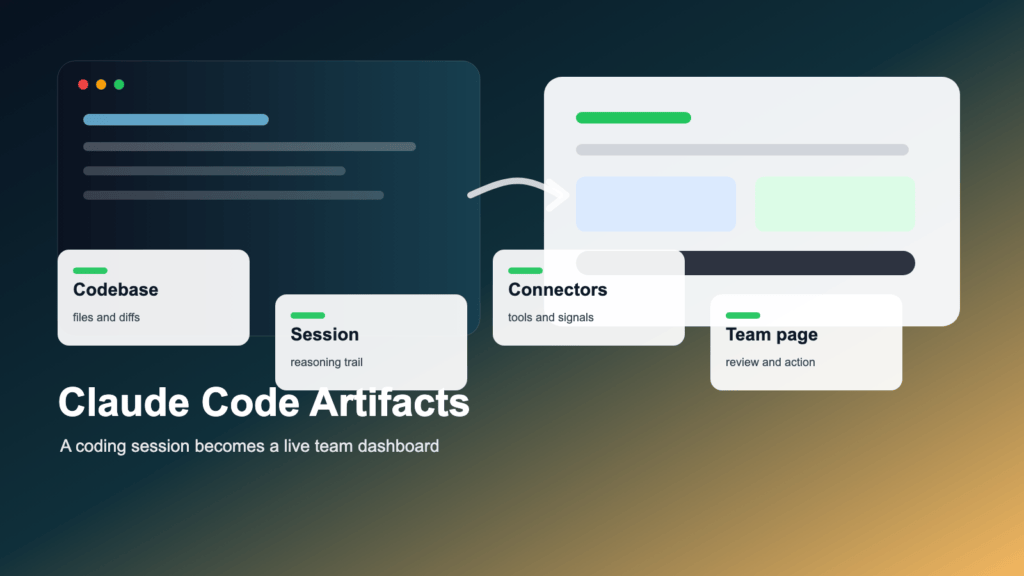
Image note: Claude Code Artifacts turn session work into a shared visual page for review and action.
Anthropic just added Artifacts support to Claude Code, and it could become one of the most important collaboration features in AI coding. In plain English, Claude Code can now take the work happening inside a coding session and turn it into a live page that teammates can open, review, and follow as the session evolves.
The key shift is not that Claude can make a page. The key shift is where the page comes from. The new artifacts are built from the coding session itself: the codebase, connected tools, and the conversation. Instead of an engineer translating a terminal session into a Slack update, a wiki note, or a PR description after the fact, the agent can produce a shared work surface while the work is happening.
Anthropic’s official announcement is dated June 18, 2026. Anthropic also published an official YouTube video titled “Artifacts in Claude Code: share your work as it happens” and linked an official X announcement. X did not render useful machine-readable text in our check, so the factual claims in this article rely on the official Anthropic blog and docs rather than unsupported tweet text.
Quick Verdict
| Question | Kingy AI read |
|---|---|
| What launched | Anthropic announced Claude Code Artifacts: live, shareable visual pages created from Claude Code session context. |
| Who gets it | Anthropic says the beta is available to Claude Team and Enterprise organizations from Claude Code CLI and the desktop app, with pages viewable in any browser. |
| Best use cases | PR walkthroughs, incident pages, debugging dashboards, architecture explainers, release checklists, security reviews, privacy maps, dependency audits, and weekly engineering summaries. |
| Biggest benefit | The agent’s work becomes legible to the rest of the team without forcing someone to translate a terminal session into a status update. |
| Biggest limitation | It is beta, organization-scoped, and not public according to Anthropic’s announcement. Teams still need to verify every AI-generated claim against source code and systems. |
| Why it matters | Claude Code Artifacts look less like a preview feature and more like a collaboration layer for agentic software work. |
What did Anthropic announce?
Anthropic announced that Claude Code now supports Artifacts. The launch post says Claude Code can capture work progress as an artifact, turning Claude Code’s work into live, shareable visual pages. Anthropic’s examples include PR walkthroughs, system explainers, dashboards, release checklists, incident pages, license audits, privacy maps, security findings, architecture diagrams, and weekly shipped-work reports.
The important detail is context. Anthropic says Claude Code builds an artifact using the full context of the session, including the codebase, connectors, and the conversation itself. That means the artifact is not merely a manually written summary. It can be generated from the same working context the coding agent used to investigate, edit, test, and reason.
Anthropic also says artifacts can update in place, keep version history, and remain private to the organization. The launch post states that each artifact is private to its author by default, can be shared with teammates and the organization, is viewable only by authenticated members of the org, and cannot be made public. Availability is beta for Claude Team and Enterprise organizations from the Claude Code CLI and desktop app, with pages viewable in any browser.
Feature Breakdown
| Feature | What it means | Why it matters |
|---|---|---|
| Live visual page | Claude Code can turn session work into a browser-viewable artifact. | Teams can inspect an investigation, plan, or checklist without reading the whole chat or terminal log. |
| Session context | Anthropic says artifacts are built from the codebase, connectors, and conversation context. | The page can be grounded in the same working context the coding agent used. |
| Updates in place | When Claude Code updates an artifact, the open page refreshes at the same link. | The artifact can become a living status page during a PR, incident, or release. |
| Version history | Every publish creates a new version that can be restored. | Reviewers can see how the artifact changed as the session progressed. |
| Private org sharing | Artifacts are private by default and viewable only by authenticated org members when shared. | This is essential if pages include code, logs, vulnerabilities, architecture details, or internal decisions. |
| Admin controls | Anthropic says admins can manage access with an org-level toggle, role-based scoping, retention policies, and compliance API visibility. | Enterprise buyers get governance hooks rather than a purely consumer-style sharing flow. |
The simple explanation
Claude Code is like an AI teammate working inside your development environment. It can inspect a repo, reason through a task, edit files, run commands, use connected tools, and work through a development session. Artifacts are the visual report, dashboard, or explainer that the AI teammate can generate from the work it is doing.
Before this, the agent worked in the terminal and the human had to translate the session into a status update. Now, the agent can turn the session itself into a live status page.
That matters for non-technical stakeholders too. A product manager does not want a raw terminal log. A manager does not want to interrupt an engineer for a five-minute update that becomes a 20-minute context dump. A security reviewer does not want a vague “Claude found some auth issues” message. A good artifact can show the investigation, evidence, charts, files, reasoning, and next steps in a format people can actually use.

Why this is different from normal Claude Artifacts
Claude already had Artifacts in Claude.ai. Those artifacts are useful for documents, code snippets, interactive apps, diagrams, and visualizations created inside a Claude chat. The normal artifact experience is a creative workspace next to a conversation.
Claude Code Artifacts appear to be different because of the source context. Anthropic’s launch post says these artifacts are created from the Claude Code session itself. That means they can be built from codebase context, connector context, and conversation context. A debugging artifact, for example, can bring together a failing test, a relevant function, an error spike from a connected monitoring tool, and the reasoning trail from the investigation.
That distinction should not be overstated. A document, a PR description, or an internal dashboard can still be better for many jobs. But Claude Code Artifacts occupy a useful middle ground: more structured than a chat transcript, more alive than a static wiki page, and less infrastructure-heavy than a custom dashboard.
Claude Code Artifacts vs other ways of sharing software work
| Item | Where it lives | What context it uses | Best for | Limitation |
|---|---|---|---|---|
| Claude.ai Artifact | Claude chat and artifact space | Conversation context and any enabled app/tool context | Creating standalone documents, apps, visualizations, and shareable outputs | Not necessarily tied to a codebase session or development workflow. |
| Claude Code Artifact | Claude Code CLI or desktop session, viewable in browser | Codebase, connectors, and the coding conversation, according to Anthropic | PR walkthroughs, incident pages, dashboards, architecture maps, and release status | Beta for Team/Enterprise orgs and not public per the announcement. |
| GitHub PR description | GitHub pull request | Diff, commits, issue context, and human-authored explanation | Code review and merge workflow | Often underspecifies why the change happened or what the agent investigated. |
| Notion or Confluence page | Team wiki | Human-written notes and pasted evidence | Durable documentation and planning | Can go stale quickly unless someone maintains it. |
| Internal dashboard | Monitoring or BI stack | Production metrics, logs, analytics, and custom queries | Operational visibility | Usually requires infrastructure, permissions, and maintenance. |
| Linear/Jira update | Issue tracker | Ticket context and comments | Task status and ownership | Too compressed for complex reasoning, evidence, or architecture explanation. |
| Slack update | Team chat | Whatever the sender summarizes | Fast notification | Poor long-term memory and weak evidence structure. |
Why Claude Code Artifacts matter
The deeper problem is that AI agents are doing more work, but their work is hard to inspect, share, review, and govern. Terminal logs are not a great collaboration interface. Chat transcripts are not a great executive summary. PR diffs do not always explain the reasoning. Dashboards usually need infrastructure. Docs go stale. Slack updates disappear into the stream.
Claude Code Artifacts attack that problem by making agent work visible. They give humans a more usable interface to the work product of an AI coding session.
1. Agent work becomes legible
A coding agent can touch dozens of files, run multiple commands, inspect docs, check logs, and iterate on a hypothesis. Without a structured output, the useful reasoning disappears into a transcript. An artifact can present the useful parts: what changed, why it changed, what evidence supports it, what remains uncertain, and what should happen next.
2. Debugging becomes easier to share
Anthropic’s own example centers on debugging: an engineer starts an incident investigation, Claude Code works through logs, then publishes a page with a timeline, suspect commits, and an error-rate chart. That is exactly the kind of work that collapses if it lives only in one person’s terminal.
3. PR review gets more context
Reviewers need more than a diff. They need to understand intent, risk, test coverage, surrounding code, and unresolved assumptions. A PR walkthrough artifact can turn the agent’s work into a review guide that complements the pull request rather than replacing it.
4. Incident response can become a living postmortem
During incidents, people repeatedly ask the same questions: what happened, what changed, who is investigating, what do we know, what do we not know, and what should we do next? A live artifact can become a working incident page that later becomes the postmortem seed.
5. Architecture understanding can move from whiteboards to code-derived maps
Architecture diagrams are often best guesses. Claude Code can read imports, routes, services, database models, and dependencies. An artifact can convert that code-derived map into a team-facing explanation. Human review is still essential, but the first draft can be much closer to the real system than a stale diagram.
6. Managers can see progress without interrupting engineers
Status requests are expensive when they interrupt deep work. A weekly artifact built from merged PRs, project labels, and customer impact gives managers a better view without forcing engineers to rewrite the week manually.
7. Compliance and security teams can get evidence-linked pages
Security, privacy, legal, and compliance reviewers need evidence. If an artifact links findings to files, dependencies, data flows, and status, it becomes more useful than a high-level AI summary.
8. AI work becomes easier to audit
If AI coding agents are going to touch real systems, teams need traceability. Artifacts may become the report layer for agentic software work: not the authority by itself, but the human-facing record that helps people inspect what the agent did and why.
The biggest use cases
The best early use cases are not “make a pretty page.” They are places where the team already struggles to move context from one person to many people. These are the workflows Kingy AI would test first.
| Use case | Who uses it | What it contains | Why better than Slack | Possible limitation |
|---|---|---|---|---|
| PR walkthrough | Developers, reviewers, staff engineers | Diff summary, reasoning, risky files, tests run, open questions | The reviewer gets a navigable explanation instead of a buried thread. | The artifact must still be checked against the actual diff. |
| Debugging and incident page | SRE, on-call, backend teams, managers | Timeline, error spikes, suspect commits, hypotheses, root cause, next actions | A live page reduces repeated explanation during an incident. | Connected logs and monitoring data must be scoped carefully. |
| Architecture map | Staff engineers, architects, new team members | Services, routes, imports, data models, APIs, dependencies | A shared map is easier to review than ad hoc diagrams in chat. | Large systems can be oversimplified if Claude lacks enough context. |
| Release checklist | Engineering managers, release captains, QA | Merged PRs, tests, migrations, docs, flags, rollback plan | Everyone sees the same checklist rather than asking for status. | The artifact can become stale if not updated from current sources. |
| Security review | AppSec, engineering leads, compliance | Findings, file links, severity, remediation steps, status | Evidence is structured and reviewable. | AI severity labels require human validation. |
| Privacy map | Privacy, legal, data platform teams | Personal data collection, storage, logging, sharing, third parties | It turns a code trace into a review document. | Connector permissions and data minimization matter a lot. |
| Dependency/license audit | Legal, open-source program offices, platform teams | Packages, versions, licenses, unknowns, copyleft flags | A sortable page beats a long pasted terminal output. | License detection can be wrong; legal review is still required. |
| FinOps review | Platform finance, infra teams, engineering leadership | Cloud resources, owners, cost drivers, cleanup opportunities | It ties cost discussion to infrastructure-as-code context. | Cost estimates may be incomplete without billing data. |
| Design/frontend variations | Designers, frontend engineers, PMs | Multiple UX directions using project components | The team can compare concrete options. | A generated UI still needs accessibility, product, and brand review. |
| Weekly engineering summary | Engineering managers, product leads, founders | Merged PRs, customer impact, risks, follow-ups | Less manual status writing and fewer interruptions. | The summary is only as good as the PR, ticket, and repo context. |

PR walkthroughs
A reviewer gets a page that explains the diff, why it was made, what changed, what tests ran, what risks remain, and which files matter. A useful prompt is: “Make an artifact walking through this PR – the diff, the reasoning, the risky areas, and what I tested.”
Debugging and incident investigation
Claude can investigate logs, suspect commits, failing tests, error spikes, and root-cause hypotheses, then publish a page that updates as the investigation progresses. A useful prompt is: “Turn this incident investigation into an artifact with timeline, error spikes, suspect commits, root-cause hypotheses, and next steps. Republish as you learn more.”
Architecture maps
Claude can read import graphs, services, routes, database models, API boundaries, and dependencies, then create a visual explanation. A useful prompt is: “Map how the payments service fits together into an artifact, using the actual code and import graph.”
Release checklists
Claude can track merged PRs, tests, docs, migrations, feature flags, unresolved risks, and deployment steps. A useful prompt is: “Create a release checklist artifact for this branch, including tests, migrations, docs, feature flags, rollout risks, and rollback plan.”
Security review findings
Security teams can get findings linked to exact files and lines, severity, remediation steps, and status. A useful prompt is: “Build an artifact of the auth and security findings from this review, each linked to the relevant code and suggested fix.”
Privacy and data-flow reviews
Privacy teams can map where personal data is collected, stored, logged, shared, or sent to external services. A useful prompt is: “Trace where personal data is collected, stored, logged, and transmitted across this codebase. Build an artifact for privacy review.”
License and dependency audits
Legal and open-source teams can review dependencies, licenses, copyleft flags, risk levels, and remediation options. A useful prompt is: “Build an artifact listing every third-party dependency and its license, flagging copyleft or unknown licenses.”
FinOps and infrastructure cost reviews
Claude can inspect Terraform or other infrastructure-as-code to map cloud resources and cost drivers. A useful prompt is: “Map our cloud resources from Terraform into an artifact, grouped by service, likely cost driver, owner, and cleanup opportunity.”
Design and frontend variations
Claude can create multiple UX options using actual project components instead of generic mockups. A useful prompt is: “Create an artifact with five UX variations for this signup flow, using our real component library.”
Engineering manager weekly summary
Instead of manually preparing a shipped-work update, Claude can summarize merged PRs by project, customer impact, risk, and next steps. A useful prompt is: “Build an artifact of what merged on my team this week from the PRs, grouped by project and business impact.”
How the workflow might look in practice
Imagine an engineering team has a production incident before standup. An engineer opens Claude Code and asks it to investigate. Claude inspects the repo, connected logs, monitoring, recent commits, failing tests, and relevant code. It publishes an artifact with a timeline, an error-rate chart, affected endpoints, likely root causes, suspect commits, related files, a proposed fix, open questions, and next actions.
As the investigation continues, the artifact updates at the same link. By standup, the team is no longer staring at scattered Slack messages and half-remembered terminal output. Everyone is looking at the same context. The artifact reduces repeated explanation, status-update drag, and context loss.
This does not make the artifact correct by default. It makes the work inspectable. That is the difference.
Artifacts as the missing UI for AI agents
AI agents need interfaces for humans. The terminal is powerful for the agent and the engineer operating it, but it is not ideal for everyone else. A live page is a better interface for shared understanding.
Agents produce work, but humans still need to review it. AI work needs traceability. Teams need a shared source of truth. Visual output improves trust because people can see the evidence, the status, and the open questions in one place. Reviewers need context, not just code changes. Managers need progress summaries without interrupting. Security, legal, and compliance teams need evidence they can inspect.
This is why the feature feels bigger than its surface area. A good artifact is not decoration. It is a work product. If AI coding tools become common across engineering organizations, every serious agent will need a way to explain its work to people who did not sit through the session.

The enterprise angle
The enterprise angle is central. Anthropic emphasizes that Claude Code Artifacts are private by default, shareable within the organization, viewable only by authenticated org members, and not public according to the launch post. It also says admins can manage access with an org-level toggle and role-based scoping, set retention policies, and get org-wide visibility through the compliance API.
That matters because these artifacts may contain sensitive code structure, logs, dependencies, security findings, customer-impact analysis, internal roadmap references, or private operational decisions. A public artifact model would be a nonstarter for many companies.
Teams should still evaluate data usage, connector scope, code access, monitoring access, retention, admin controls, and audit workflows before broad rollout. Anthropic’s Claude Code security docs describe a permission-based architecture with read-only defaults and explicit permission requests for actions such as editing files or running commands. The data usage docs explain that Claude Code runs locally but sends prompts and model outputs over the network to interact with the model, and they describe telemetry and error logging behavior. The legal and compliance docs cover commercial terms, usage policy, authentication, and BAA/ZDR conditions for qualifying API traffic.

Relationship to MCP connectors
MCP matters because artifacts are only as good as the context Claude Code can safely access. The Claude Code MCP docs say Claude Code can connect to external tools and data sources through the Model Context Protocol, giving Claude Code access to tools, databases, and APIs. The docs give examples such as issue trackers, monitoring dashboards, databases, Figma designs, Slack, Gmail, and custom tooling.
This makes artifacts much more useful. An incident artifact is more powerful if Claude can access the repo, logs, monitoring, GitHub, Jira, docs, and relevant runbooks. A privacy artifact is more useful if Claude can trace code paths and data stores. A weekly summary is more useful if Claude can see merged PRs and project tickets.
The risk is obvious: more connectors mean more access, more permission design, and more governance burden. The MCP docs also warn teams to verify that they trust each server before connecting it, because servers that fetch external content can expose users to prompt injection risk. For an enterprise rollout, connector governance is not a footnote. It is the product surface.
What this means for AI coding competition
The AI coding market is moving from autocomplete to agents, and from agents to team workflows. Kingy AI has been tracking this shift across AI coding tools, AI agents, and recent coverage like the GitHub Copilot App and GitHub Agent Finder. Claude Code Artifacts are part of that same market movement.
The question is not only “which agent writes the best code?” It is also: which product helps teams assign work, manage context, review output, govern permissions, explain decisions, and preserve the reasoning that led to a change?
| Tool/category | Core strength | How Claude Code Artifacts differ | Caveat |
|---|---|---|---|
| OpenAI Codex | Cloud and local coding agent workflows that read, edit, run code, and work in background environments. | Artifacts emphasize a live visual report layer produced from a Claude Code session. | This is not a claim that Codex lacks reporting or review surfaces; the comparison is specifically about Anthropic’s newly announced artifact layer. |
| GitHub Copilot cloud agent | GitHub-native background work, branches, PRs, issue assignment, logs, and review flow. | Claude Code Artifacts are a browser-viewable session page that can explain work beyond the PR itself. | Copilot’s GitHub integration is structurally strong for code review because the work lives in GitHub. |
| Cursor | Agentic IDE and CLI workflows with strong codebase context and developer ergonomics. | Claude Code Artifacts add an org-shared visual output layer around the agent session. | Cursor has its own agent surfaces; compare real team workflows, not slogans. |
| Devin Desktop / Windsurf | Agent command center, IDE continuity, and multi-agent management under Cognition’s product direction. | Claude Code Artifacts are specifically framed as live pages for communicating agent work. | Devin/Windsurf may be closer in collaboration ambition than a simple editor comparison suggests. |
| Devin | Autonomous AI software engineer positioned for tickets, bugs, features, and internal tools. | Claude Code Artifacts are not the agent itself; they are a report and collaboration layer around Claude Code work. | Autonomy and reporting are different axes. |
| Replit Agent | Prompt-to-app building, infrastructure setup, testing, and publishing inside Replit. | Claude Code Artifacts focus on explaining and sharing development work products, not only shipping an app. | Replit is especially relevant for product creation and deployment workflows. |
| Sourcegraph | Large-scale code understanding and context across repositories. | Artifacts highlight the human-facing output of an agent session. | Codebase indexing and artifact reporting solve adjacent but different problems. |
The careful comparison is this: OpenAI Codex, GitHub Copilot, Cursor, Devin, Replit, Sourcegraph, and Claude Code are all pushing toward more agentic software workflows. Claude Code Artifacts make Anthropic’s argument more explicitly collaborative. They suggest that the winning AI coding products will not only generate code. They will explain work, document decisions, summarize progress, and create reviewable evidence.
What is genuinely new here?
The novelty is not merely that Claude can create a web page. Plenty of tools can do that. The novelty is that the artifact is built from an active coding session, can include code context, connector context, and conversation context, can update as the session progresses, creates a shared visual layer for agent work, has version history, and is designed for private organization collaboration.
That moves AI coding from a private assistant model toward a team workflow model. It does not replace PRs, docs, issue trackers, or dashboards. It gives agentic work a human-facing page that can sit beside those systems.
What is still limited or unclear?
| Risk or open question | What teams should test |
|---|---|
| Beta availability | Confirm that your Claude Team or Enterprise org actually has access before building a workflow around it. |
| No public sharing | Anthropic says Claude Code Artifacts cannot be made public. Treat them as internal work products. |
| Interactivity depth | Test whether the artifact supports the tables, filters, charts, and links your use case needs. |
| Large codebases | Try the feature on a real service with enough complexity to expose summarization limits. |
| Connector permissions | Audit which tools, repos, tickets, logs, and data sources Claude Code can access. |
| Export and embedding | Check whether your team can archive, embed, or reference artifacts in the systems you already use. |
| Staleness | Create rules for when an artifact is current, when it must be republished, and when it should be retired. |
| AI-generated summaries | Require reviewers to validate code links, test results, severity ratings, and root-cause claims. |
| Cost and usage | Do not assume pricing impact until your org reviews current Anthropic plan and usage details. |
The big open question is whether teams will use artifacts for real engineering work or mostly for status/reporting. The answer probably depends on connector quality, artifact interactivity, organization permissions, and whether the pages can stay grounded in fresh source data.
Teams should also avoid blindly trusting AI-generated summaries. If an artifact links to a code line, open the file. If it says a test passed, check the test output. If it assigns security severity, have a human reviewer confirm. If it maps personal data flows, validate the path with the code owner and privacy team.
Practical getting-started guide
- Confirm your organization has Claude Code Artifacts beta access.
- Use the Claude Code CLI or desktop app, as Anthropic specifies.
- Start with a narrow use case, such as one PR walkthrough or one release checklist.
- Ask for an artifact explicitly, or ask for something visual if the use case calls for it.
- Share the artifact with a small group first.
- Ask Claude to republish or update the artifact as the work continues.
- Review version history and compare changes.
- Validate the output against source code, logs, PRs, tests, and connected tools.
- Create team conventions for what belongs in artifacts.
- Decide what should never be put into artifacts, especially secrets, regulated data, unnecessary customer data, and unreviewed security details.
Copy-paste prompt library
| Workflow | Copy-paste prompt |
|---|---|
| PR walkthrough | Make an artifact walking through this PR: the diff, the reasoning, the risky areas, and what I tested. |
| Incident investigation | Turn this incident investigation into an artifact with timeline, error spikes, suspect commits, root-cause hypotheses, and next steps. Republish as you learn more. |
| Architecture map | Map how the payments service fits together into an artifact, using the actual code and import graph. |
| Release checklist | Create a release checklist artifact for this branch, including tests, migrations, docs, feature flags, rollout risks, and rollback plan. |
| Security review | Build an artifact of the auth and security findings from this review, each linked to the relevant code and suggested fix. |
| Privacy map | Trace where personal data is collected, stored, logged, and transmitted across this codebase. Build an artifact for privacy review. |
| Dependency audit | Build an artifact listing every third-party dependency and its license, flagging copyleft or unknown licenses. |
| Cloud cost map | Map our cloud resources from Terraform into an artifact, grouped by service, likely cost driver, owner, and cleanup opportunity. |
| Onboarding guide | Create an artifact that explains this service to a new engineer: main flows, owners, tests, deploy path, and common failure modes. |
| Test coverage report | Build an artifact summarizing test coverage gaps, risky untested areas, and the next five tests we should write. |
| Migration plan | Create an artifact for this migration with phases, affected files, rollout risks, rollback steps, and validation checks. |
| API map | Map the public and internal APIs in this repo into an artifact, including routes, callers, auth assumptions, and ownership. |
| Feature flag rollout | Create a rollout artifact for this feature flag with exposure stages, metrics to watch, kill switch, and customer impact. |
| Weekly summary | Build an artifact of what merged on my team this week from the PRs, grouped by project and business impact. |
| Bug root cause | Turn this bug investigation into an artifact with symptoms, repro steps, suspected root cause, evidence, fix options, and validation. |
Suggested team policy
Teams should create artifacts when a coding-agent session produces work that other people need to understand: PRs with meaningful risk, incidents, architecture investigations, releases, security reviews, privacy reviews, dependency audits, migration plans, and weekly summaries.
Artifacts should include the goal, current status, evidence, relevant files, source links, tests or commands run, assumptions, risks, unresolved questions, owner, next actions, and last-updated time. They should not include secrets, unnecessary customer data, credentials, raw sensitive logs, unreviewed vulnerability details beyond the audience that needs them, or unsupported claims presented as fact.
Every artifact should have a validation rule. For PRs, reviewers compare it against the diff and tests. For incidents, the incident lead checks the timeline and evidence. For security, AppSec checks severity and remediation. For privacy, privacy counsel or a data owner checks data-flow claims. For weekly summaries, the manager checks project grouping and customer-impact language.
Sharing should follow least privilege. If the artifact contains internal architecture, it should stay within the relevant engineering org. If it contains security findings, it should go to the people responsible for remediation. If it contains privacy data flows, it should go to privacy and the data-owning team. Retention should follow the same policy as incident docs, review records, or engineering decision records.
Finally, stale artifacts need a visible rule. If an artifact is not current, mark it stale, republish it, or retire it. A beautiful stale page is worse than a plain accurate note.
FAQ
What are Claude Code Artifacts?
Claude Code Artifacts are live visual pages that Claude Code can create from a coding session. Anthropic says they are built from the full context of the session, including the codebase, connectors, and conversation.
Are Claude Code Artifacts the same as normal Claude Artifacts?
No. They are related, but the key difference appears to be context. Normal Claude Artifacts live in Claude.ai conversations. Claude Code Artifacts are created from Claude Code sessions and are intended for software work such as PR walkthroughs, debugging pages, dashboards, and release checklists.
Who can use Claude Code Artifacts?
Anthropic says the beta is available to Claude Team and Enterprise organizations from the Claude Code CLI and desktop app, with pages viewable in any browser.
Can Claude Code Artifacts be shared publicly?
According to Anthropic’s launch post, Claude Code Artifacts are private to the organization and cannot be made public. This differs from consumer Claude artifact publishing, where the Claude Help Center describes public publishing for Free, Pro, and Max artifacts and internal sharing for Team and Enterprise artifacts.
What can teams build with Claude Code Artifacts?
Teams can build PR walkthroughs, incident pages, architecture explainers, dashboards, release checklists, security findings pages, privacy maps, license audits, FinOps reviews, design variations, and weekly engineering summaries.
Do Claude Code Artifacts update automatically?
Anthropic says that when Claude Code updates an artifact, the open page refreshes in place and every publish creates a new version at the same link. Teams should test the exact update behavior in their own workflow.
Are Claude Code Artifacts useful for debugging?
Yes, debugging is one of the strongest use cases Anthropic describes. A good debugging artifact can show timeline, error spikes, suspect commits, failing tests, root-cause hypotheses, and next actions.
Are Claude Code Artifacts useful for PR reviews?
Potentially, yes. They can give reviewers a structured walkthrough of the diff, reasoning, risks, and tests. They should complement the PR, not replace code review.
What are the security concerns?
The main concerns are connector access, code exposure, logs, secrets, customer data, retention, permissions, and overtrust in AI-generated summaries. Teams should review Anthropic’s security, data usage, and compliance docs before broad rollout.
Should teams use Claude Code Artifacts right away?
Teams with Claude Team or Enterprise access should test them immediately on low-risk, high-context workflows such as PR walkthroughs, release checklists, and architecture explainers. Do not start with sensitive incidents or regulated data until governance is clear.
The Kingy AI verdict
Claude Code Artifacts are one of the clearest signs that AI coding tools are becoming team collaboration systems. For solo developers, they will be useful, but probably not transformative. For teams, they could become very valuable because they make agent work easier to inspect, review, and share. For enterprises, the private-by-default and organization-scoped controls are crucial. For SRE, security, legal, and privacy teams, the feature is surprisingly important because it can turn agent investigations into evidence-linked work products. For managers, status updates become less manual. For the AI coding market, this raises expectations for every serious coding agent.
The winning AI coding products will not only write code. They will explain work, document decisions, summarize progress, create reviewable evidence, and give the rest of the organization a live window into what the agent is doing.
This is not just Claude Code getting prettier. It is Claude Code becoming easier to work with as a team.
Related Kingy AI reading
- Kingy AI's AI tools directory
- AI Launches
- AI coding tools
- AI agents
- AI News
- GitHub Copilot App: What the Launch Means for AI Platform Teams
- Aman Sanger, Cursor, and the $60 Billion AI Coding Deal That Just Made Silicon Valley Blink
- Inside Claude Corps, the New AI adoption fellowship Worth Testing
The Kingy Brief
Get the next Kingy Brief.
Source-checked AI changes, original tests and one practical thing to try.
Free · Choose your subjects · Double opt-in · Unsubscribe anytime