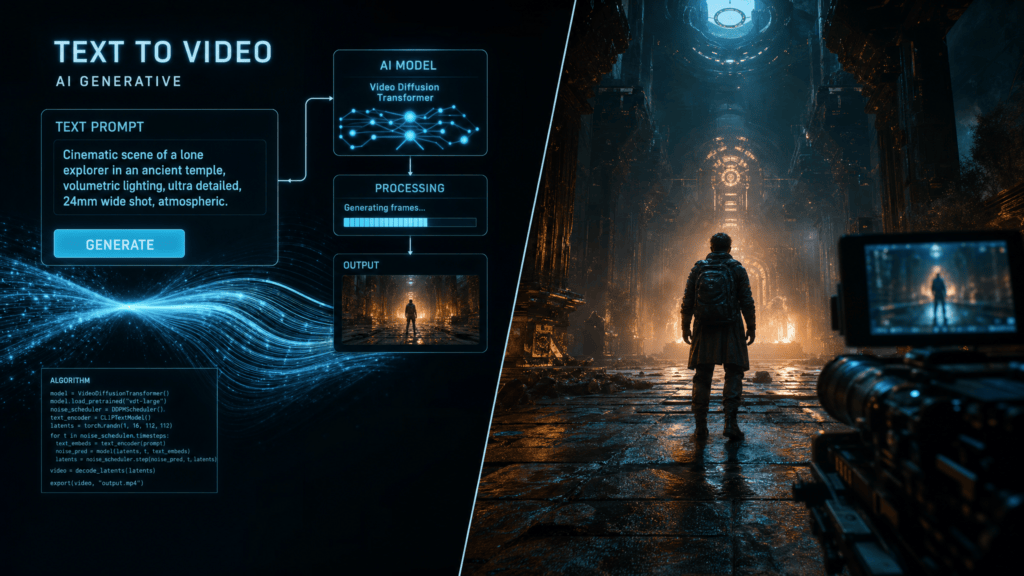
TL;DR
- Cinematic Kling AI prompts work best when they describe the shot like a director, not like a keyword list.
- Start with subject, action, environment, camera movement, lighting, mood, and duration.
- For image-to-video, ask for controlled motion and preservation of the reference image.
- Use the Kingy AI Video Prompt Generator to turn one Kling idea into multiple prompt versions.
What makes a Kling AI prompt feel cinematic?
A cinematic prompt gives the video model a visual job. It does not just say “make this epic.” It describes the subject, the scene, the movement, the shot size, the lighting, and the emotional tone.
Because Kling model options and settings can change, treat the templates below as creative starting points. This guide avoids exact duration, pricing, or availability claims and focuses on durable prompt structure.
Cinematic Kling prompt formula
Subject + action + environment + shot type + camera movement + lighting + style + mood + duration + aspect ratio + negative promptCopyable Kling AI prompt templates
1. Cinematic character reveal
Create a cinematic video of [subject] standing in [environment]. The shot begins as a medium-wide frame, then slowly pushes in as wind and small environmental details move naturally. Lighting: dramatic rim light with soft atmospheric depth. Style: grounded cinematic realism. Mood: mysterious and premium. Keep motion smooth and avoid changing the subject identity. Negative prompt: warped face, extra limbs, flickering, distorted hands, low resolution, unstable background.2. Product hero shot
Create a cinematic product hero video for [product]. The product sits on a clean reflective surface while the camera performs a slow orbit. Add subtle highlights across the edges and controlled background motion. Preserve the product shape, logo, color, material, and proportions. Premium commercial style, product spotlight lighting, clean composition. Negative prompt: changed logo, warped product, bad reflections, unreadable text, flicker.3. Image-to-video cinematic move
Use the reference image as the first frame. Preserve the main subject, composition, colors, face or product details, and background structure. Add a slow parallax camera move with subtle environmental motion. Lighting remains consistent. Cinematic, realistic, calm. Avoid adding new objects or changing the subject. Negative prompt: changed face, changed product shape, warped text, flickering, low detail.Practical examples
For a founder launch video, keep the prompt focused on one moment: product reveal, app interface motion, or office B-roll. For a music-video-style scene, focus on subject movement, camera motion, and atmosphere. For product ads, protect the product first.
Create an 8-second cinematic launch shot of a founder holding a sleek tablet showing an AI dashboard. Modern studio, soft rim lighting, slow dolly in, confident premium mood. Keep the dashboard clean and readable, avoid fake extra text, no distorted hands, no warped face.Beginner tips for Kling prompting
- Use specific camera verbs: dolly in, orbit, crane shot, slow push, macro move, locked-off shot.
- Use preservation rules for image-to-video prompts.
- Avoid asking for too many scene changes in one short generation.
- Save a safer prompt version when product or face consistency matters.
Use the Kingy AI Video Prompt Generator
Want to turn one idea into multiple prompt versions faster? Use the Kingy AI Video Prompt Generator to create short, detailed, image-to-video, camera direction, Shorts, product commercial, and safer prompt versions.
For AI companies and founders
Launching an AI video tool, creator app, model, workflow, or agent product? Kingy AI helps AI companies reach creators, founders, marketers, and AI tool buyers with practical launch coverage and creator-first education.
Related AI video tools
Want to move from article examples into working prompt assets? Use the Kingy AI video tool hub:
- AI Video Prompt Generator
- AI Video Prompt Examples Library
- AI Video Script Generator
- Image-to-Video Shot List Generator
- YouTube Shorts Hook Generator
- AI Product Commercial Prompt Generator
FAQ
Are these prompts guaranteed to work in Kling?
No prompt is guaranteed. Use them as starting points, then test shorter and safer variations if the first result drifts.
Should Kling prompts be short or detailed?
Use enough detail to define the shot clearly. If the result becomes unstable, simplify the action and camera movement.
What should I verify when updating this guide?
Kling model names, duration limits, pricing, negative prompt support, and image-to-video settings can change. Re-check official Kling documentation when updating this article.
Sources checked
Last checked: June 4, 2026.
Choose the next AI-video workflow
Keep this page’s exact job, then move to the adjacent prompt or production workflow that matches what you are making.
The Kingy Brief
Get The Kingy Brief.
AI changes, original tests and one practical thing to try. Fridays at 09:00 Vancouver time.
Free · Double opt-in · Unsubscribe anytime
Sign up for The Kingy Brief on Beehiiv.
Signup help and newsletter schedule
Signup form provided by Beehiiv. After submitting, check your inbox for "Confirm your subscription to The Kingy Brief" and open its confirmation link. Check Spam or Promotions if you cannot find it.
Fridays at 09:00 Vancouver time: source-checked AI changes, original tests and one practical thing to try. We skip a week when there is not enough verified material. Free. Unsubscribe anytime.