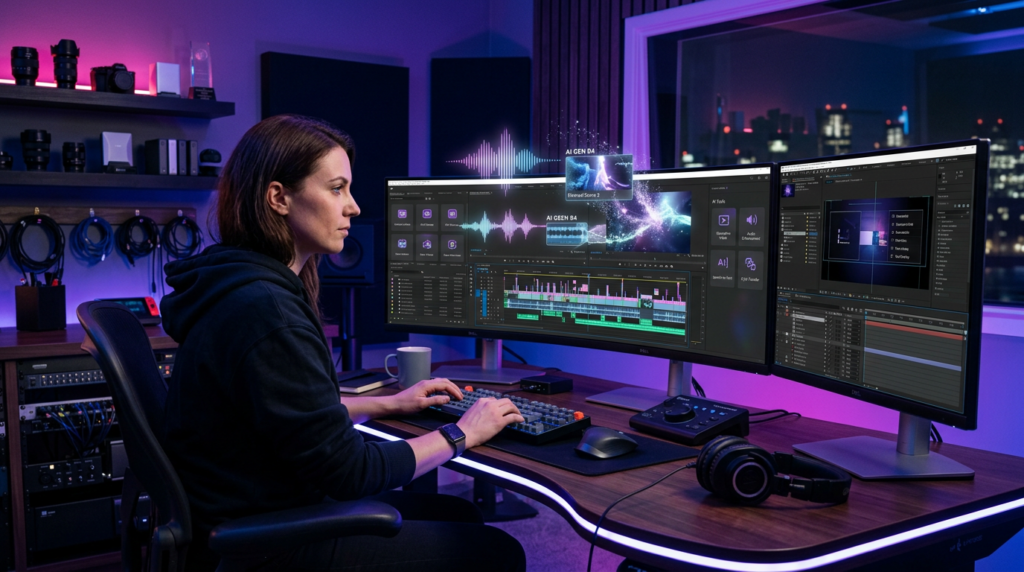
Adobe Gives the Timeline an AI Upgrade
Adobe wants video editors to stop leaving their timelines every time a project needs one missing shot, an elusive sound effect or a piece of background music that does not sound like it escaped from an elevator.
Buying details checked October 22, 2026: Plazmapunk buying profile: The page says both 200 starting credits and 200 free daily credits; that reset is unresolved. Neither wording establishes a complete music video allowance. The original article keeps its existing dates and evidence scope; the linked profiles describe their own demonstrations.
The company has unveiled a substantial collection of AI-powered upgrades for Premiere and After Effects. The headline addition is Premiere’s new Generative Media Tool, which lets editors generate video and audio directly inside an active project.
Instead of opening a browser, visiting several stock-media libraries and downloading a parade of “almost right” clips, an editor can mark a section of the timeline and describe what should appear there. Premiere then generates an editable clip designed to fit the selected space.
Adobe announced the features on September 8 ahead of the IBC 2026 media and entertainment conference in Amsterdam. The company says the additions address common production bottlenecks while keeping editors in control of their work.
That last part matters. Adobe is not presenting Premiere as a giant red button marked “MAKE MOVIE.” The new tools target specific gaps and repetitive chores inside a normal editing workflow.
The announcement covers more than generative video. Premiere is gaining AI-generated sound effects, music and soundscapes, along with tools that separate mixed audio, isolate overlapping speakers and automatically balance music against dialogue. After Effects, meanwhile, is receiving an AI assistant capable of organizing projects, fixing technical problems and creating expressions from plain-language instructions.
It is a broad update. More importantly, it attacks problems editors encounter every day.
Generate the Missing Shot Without Leaving Premiere
The Generative Media Tool sits directly inside Premiere’s toolbar. An editor can select a range on a video track, enter a prompt and generate a clip for that precise portion of the sequence.
Need a wide shot of a rainy city to bridge two scenes? Describe it. Missing a close-up of coffee steaming beside a laptop? Premiere can attempt that too. The generated result arrives at the right resolution and aspect ratio for the sequence, according to ProVideo Coalition’s detailed walkthrough.
Editors can also select reference frames from the timeline or program monitor. Those images provide visual guidance, helping the model create something that better matches the surrounding footage.
The core generators are not completely new. Adobe previously tested several generative capabilities in beta. The major development is their placement inside the editing workflow. As The Verge reports, editors no longer need to jump between Premiere, Firefly and external services whenever a shot goes missing.
Generated clips behave like other media in the project. Editors can trim them, move them and place effects on top. They do not arrive as untouchable AI artifacts guarded by a digital dragon.
Premiere also shows the required generative credits before the editor commits to a generation. That makes the cost visible at the point of use, although the number of credits varies according to the selected model and settings.
Adobe Turns Premiere Into a Multi-Model Workshop
Adobe is not forcing every editor to use Firefly for every job. The Generative Media Tool supports several competing models, including Adobe Firefly, Google Veo, Runway, Luma and Kling.
That choice is one of the announcement’s most important details.
Generative video models often have different strengths. One may handle realistic motion particularly well. Another may produce more stylized scenes. Some may follow complicated prompts more reliably, while others could offer a better balance between speed, quality and credit consumption.
Editors can choose the model that best suits a particular shot without leaving Premiere. In effect, Adobe is positioning the application as a production hub rather than a showroom reserved exclusively for its own AI.
That strategy reflects a wider change in creative software. Users increasingly care less about which company trained a model and more about whether it can deliver the right result before a deadline starts breathing heavily down their necks.
Adobe still benefits even when an editor selects a third-party generator. Premiere remains the place where the work begins, where the generated media lands and where the final project comes together.
The approach also gives Adobe room to add or replace models as the market changes. Today’s star generator may not hold the crown forever. AI rankings move quickly. Sometimes they seem to change before everyone finishes posting screenshots of the previous leaderboard.
By supporting multiple systems, Adobe can compete through workflow and control rather than betting the entire editing suite on one model’s performance.
Sound Effects Now Start With a Prompt
The same Generative Media Tool also works on Premiere’s audio tracks. Editors select the required duration, describe a sound and generate variations without leaving the project.
A prompt could request footsteps on wet pavement, a heavy door closing in an empty warehouse or distant traffic outside an apartment. Premiere returns multiple options that editors can audition against the picture.
Users can also record a vocal guide to communicate timing and intensity. That means an editor could imitate a dramatic crash—professional terminology: “kaboom”—and use that recording to guide the generated effect.
Adobe says generated audio remains editable. Users can trim the clips, reposition them and apply effects just as they would with imported material.
The workflow solves a familiar irritation. Searching for sound effects is rarely difficult in theory. In practice, an editor can spend 20 minutes listening to 47 versions of “metal object falling” before realizing that none matches the action onscreen.
Premiere also includes a synchronization option that analyzes the visible action and attempts to align the generated effect with it. However, editors should still review every result carefully. Generative systems can produce convincing audio while getting the timing or physical character slightly wrong.
The tool returns four sound-effect variations, according to ProVideo Coalition, and saves them with the project. That gives editors alternatives without forcing them to repeat the entire process immediately.
It is a small convenience on paper. Across dozens of edits, it could save a substantial amount of time.
Premiere Can Compose Music and Build Soundscapes
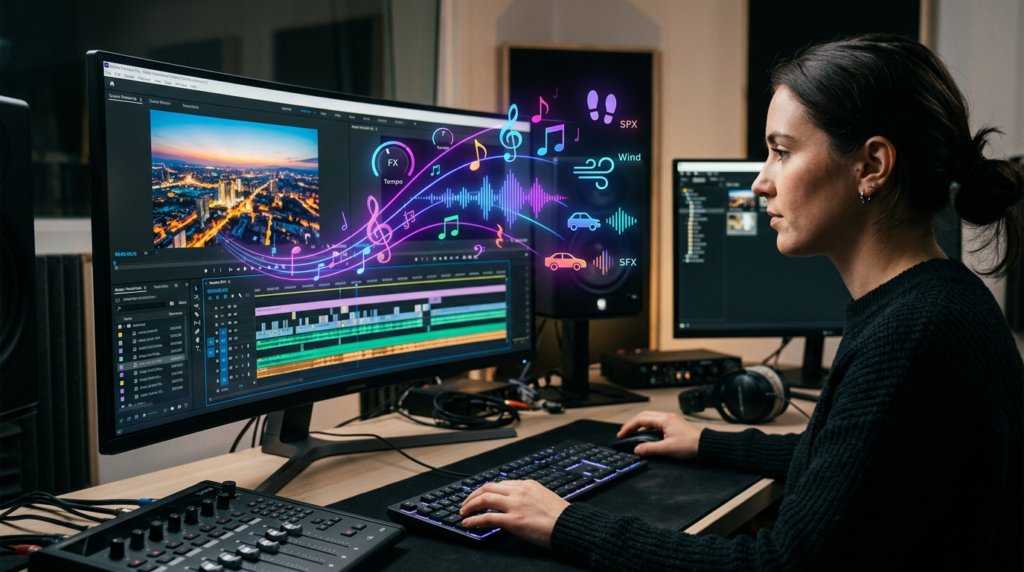
Adobe is extending the same idea into background music and environmental audio. Generate Music and Generate Soundscape are arriving as beta capabilities inside Premiere.
Generate Music uses Adobe’s Firefly Music model. Editors describe the desired mood, style or instrumentation, then select the section of the timeline that needs music. They can set a specific tempo, let Premiere determine the beats per minute automatically and request either a looping track or a piece with defined opening and closing sections.
The generated music enters the timeline as an editable audio clip. Adobe describes it as royalty-free background music, although production teams should still review the applicable licensing and usage terms before publishing commercial work.
Generate Soundscape takes a different route. It examines the video within a selected range and creates ambient audio and synchronized effects based on the visible content. A beach shot might receive waves, wind and distant birds. A city scene could gain engines, footsteps and street noise.
Editors do not necessarily need to write a prompt. The system uses the picture as its guide.
According to Adobe’s support documentation, generated music, effects and soundscapes can all be trimmed, moved and processed like conventional audio.
This could prove useful for quick drafts, social videos and scenes where production sound is missing. It will not magically replace careful sound design. Atmosphere depends on storytelling, perspective and restraint—not simply adding every noise an algorithm can identify.
Otherwise, a quiet café scene may suddenly sound like rush hour inside a cutlery factory.
AI Takes On Messy Production Audio
Adobe is also applying AI to footage that already exists. Premiere’s new public-beta audio tools focus on recordings affected by noise, overlapping voices and mixed sound sources.
Enhance Audio can break a single mixed clip into adjustable components such as dialogue, music, ambience and effects. Editors receive individual controls for each component in the Properties panel.
That opens several practical options. They could lower background music without crushing the dialogue, reduce distracting room noise or strengthen a speaker’s voice while preserving some natural ambience.
Separate Sound Source goes further by placing the extracted components onto independent tracks. An editor could then apply different effects, send the tracks to a sound mixer or make more precise adjustments.
Separate Crosstalk handles another troublesome scenario: two people talking over each other. The tool separates the speakers into individual tracks and creates another track for the remaining sound. That could rescue interviews, podcasts and unscripted recordings that would otherwise require tedious manual repair—or an awkward request to record the conversation again.
No Film School’s coverage also highlights an updated speed algorithm designed to produce more natural duration changes while maintaining the recording’s pitch and character.
These tools will not turn truly unusable audio into pristine studio material. No software can recover information that was never captured. But better separation gives editors more room to fix common mistakes before admitting that the microphone spent the interview listening lovingly to the air conditioner.
Dynamic Auto Ducking Chases the Keyframes
Balancing music beneath speech is simple until the edit changes. Then dialogue moves, pauses disappear and the volume keyframes that looked perfect yesterday suddenly belong to another timeline.
Adobe’s Dynamic Auto Ducking aims to eliminate that repeated work.
The feature identifies dialogue and automatically creates keyframes that lower—or “duck”—the music whenever someone speaks. Premiere then regenerates those keyframes when clips move.
Automatic ducking already existed in Premiere through the Essential Sound workflow. The new system focuses on keeping that balance current as the sequence changes, reducing the need to regenerate or manually reposition volume adjustments.
That distinction may sound minor to someone who has never mixed a long interview. Editors know better. A small change near the beginning of a sequence can shift dozens of later moments. Suddenly, the music swells during the most important sentence and becomes polite during silence.
Dynamic Auto Ducking does not remove creative judgment. An editor still decides how prominent the music should feel, whether a dramatic moment needs silence and when an intentional swell should break the usual rules.
What the AI can remove is mechanical housekeeping.
That theme runs throughout Adobe’s announcement. The company is targeting repetitive steps that interrupt concentration. Generating keyframes, sorting project layers and searching for placeholder media all consume time without necessarily improving the story.
If the tools work reliably, editors can spend less energy maintaining the timeline and more energy deciding what the audience should see, hear and feel.
That is a much better use of both human judgment and caffeine.
After Effects Gets an Assistant That Understands Plain Language
Premiere is not receiving all the attention. Adobe has launched its AI Assistant for After Effects in public beta.
The assistant operates across an entire project rather than only the currently open composition. Users can describe a task in ordinary language, review the proposed actions and let the assistant use After Effects’ native tools to carry them out.
Project organization represents one of its most practical uses. Motion-design projects can contain hundreds or even thousands of layers, assets and compositions. The assistant can inspect that structure, recommend a cleaner arrangement and reorganize it after receiving approval.
It can also create expressions. These snippets of JavaScript control animation relationships and procedural behavior inside After Effects. They are powerful, but they can feel like a surprise programming exam for artists who only wanted a logo to bounce.
An editor can describe the desired behavior instead. The assistant writes the expression, constructs the necessary controls and explains the parameters. If something breaks, users can ask it to diagnose and repair the problem.
Adobe says the assistant shows its actions and asks questions when instructions require clarification. Because it operates through native After Effects controls, its changes remain undoable.
That makes the feature less like an invisible autopilot and more like a technically skilled collaborator whose work can be inspected, corrected or rejected.
Experienced motion designers may use it to accelerate routine setups. Newer users could use it to reach features that previously required coding knowledge or a long excursion through tutorial videos.
Color Mode Adds Faster Corrections and Finer Control
Not every feature in the announcement generates media. Adobe is also expanding Color Mode, its redesigned color-grading environment for Premiere.
Color Mode remains in beta. Its latest additions include Auto Color, which provides a one-click starting point for correcting exposure and color temperature. Editors can apply it to one clip, a selected group or an entire sequence.
Adobe has also introduced HSL and luminance masks. These tools isolate parts of an image according to hue, saturation or brightness, allowing editors to adjust targeted regions without affecting everything else.
For example, an editor could modify the color of a subject’s face, reduce the brightness of a distracting background or tune a specific shade across several shots.
Two new Style Modules provide additional creative controls. The Vignette Module can darken, blur or add chromatic aberration around the edges of the frame. The Midtones Module offers more precise control over the middle portion of an image’s tonal range.
Adobe’s official announcement describes Color Mode as a grading experience designed specifically for editors, including those who increasingly handle entire post-production workflows themselves.
That audience is growing. Independent creators, small production teams and social-media editors often cut footage, repair audio, create graphics and perform the final grade without handing the project to separate specialists.
AI does not dominate this part of the update. Instead, Adobe is combining automation with conventional controls—an important reminder that not every creative problem needs a prompt box.
Sometimes the correct tool is still a slider.
Adobe Is Selling Flow, Not Just Generation
The most significant part of Adobe’s announcement may not be any single model or feature. It is the decision to place AI directly where editors already work.
Generative systems have often existed outside professional production software. Creators generated a clip on one website, downloaded it, imported it, discovered that the dimensions were wrong and started again. Each step broke momentum.
Adobe wants Premiere to absorb that fragmented process.
The company is also making Frame.io Mounted Storage available to all accounts. The feature allows editors to stream full-resolution media from cloud storage directly into Premiere rather than manually downloading every file first.
Together, the updates reveal Adobe’s broader strategy. It wants Creative Cloud to become the control room for human footage, cloud assets, generated media and multiple third-party AI models.
That positioning could help Adobe defend its place in a creative market crowded with newer AI-native platforms. It already owns the professional workflow. Now it is trying to ensure that creators do not abandon that workflow whenever they need generative assistance.
There are still questions. Credit costs could affect how frequently editors use the tools. Model quality will vary. Beta features may behave unpredictably, and generated sound or footage will still require careful review.
ProVideo Coalition reported mixed early results from Generate Soundscape, with some usable outputs and others that missed the timing or context. That is a valuable reality check. Convenient generation does not guarantee production-ready generation.
The AI may deliver four options. The editor still has to recognize which three belong in the bin.
What the Update Means for Video Creators
Adobe’s new tools will not remove the need for editors. If anything, they increase the number of decisions an editor must make.
A generated shot still needs the right composition, continuity and emotional purpose. AI-generated music must support the scene rather than overwhelm it. Clean dialogue is useful, but clean dialogue cannot rescue a dull interview. Technology can accelerate execution. It cannot supply taste on demand.
What these features can do is reduce friction.
A YouTube creator could produce missing B-roll without arranging another shoot. A documentary editor might separate overlapping speakers. A social-media team could build alternate versions of a campaign more quickly. A motion designer could create a complicated expression rig without stopping to debug JavaScript.
Those are meaningful improvements, especially for small teams working under tight deadlines.
Adobe is also making a calculated bet on choice. By hosting Firefly alongside Google Veo, Runway, Luma and Kling, Premiere can remain relevant even as individual models leapfrog one another.
The result is less dramatic than a machine independently directing a blockbuster. It is also far more practical.
Editors do not usually need an AI to seize the director’s chair. They need help finding the missing shot, repairing the noisy interview and lowering the music at exactly the right moment.
Adobe’s latest Premiere and After Effects updates aim to handle those interruptions without pushing creators out of their projects.
That may be the smartest kind of AI upgrade: one that does useful work, stays close to the timeline and remembers that the human still gets final cut.
Sources
- Adobe: Generate and create directly in your timeline with new AI-powered innovations in Premiere and After Effects
- The Verge: Adobe is trying to make its AI generators easier to use in Premiere
- ProVideo Coalition: Adobe’s IBC release for Premiere and After Effects
- No Film School: Adobe unveils its new Generative Media Tool
- Adobe Help: Generate music, sound effects and soundscapes in Premiere
- Adobe Help: Automatically duck audio in Premiere
The Kingy Brief
Get The Kingy Brief.
AI changes, original tests and one practical thing to try. Fridays at 09:00 Vancouver time.
Free · Double opt-in · Unsubscribe anytime
Sign up for The Kingy Brief on Beehiiv.
Signup help and newsletter schedule
Signup form provided by Beehiiv. After submitting, check your inbox for "Confirm your subscription to The Kingy Brief" and open its confirmation link. Check Spam or Promotions if you cannot find it.
Fridays at 09:00 Vancouver time: source-checked AI changes, original tests and one practical thing to try. We skip a week when there is not enough verified material. Free. Unsubscribe anytime.