
Short version: Prime Agent is worth trying if you want a coding agent that can keep a Python control room open, call other agents from inside that room, and carry useful operating lessons into later sessions. It is also easy to misunderstand. “Self-improving” means the harness can record and refine supplemental state; it does not mean the model retrains itself, and it does not make the process safe by default.
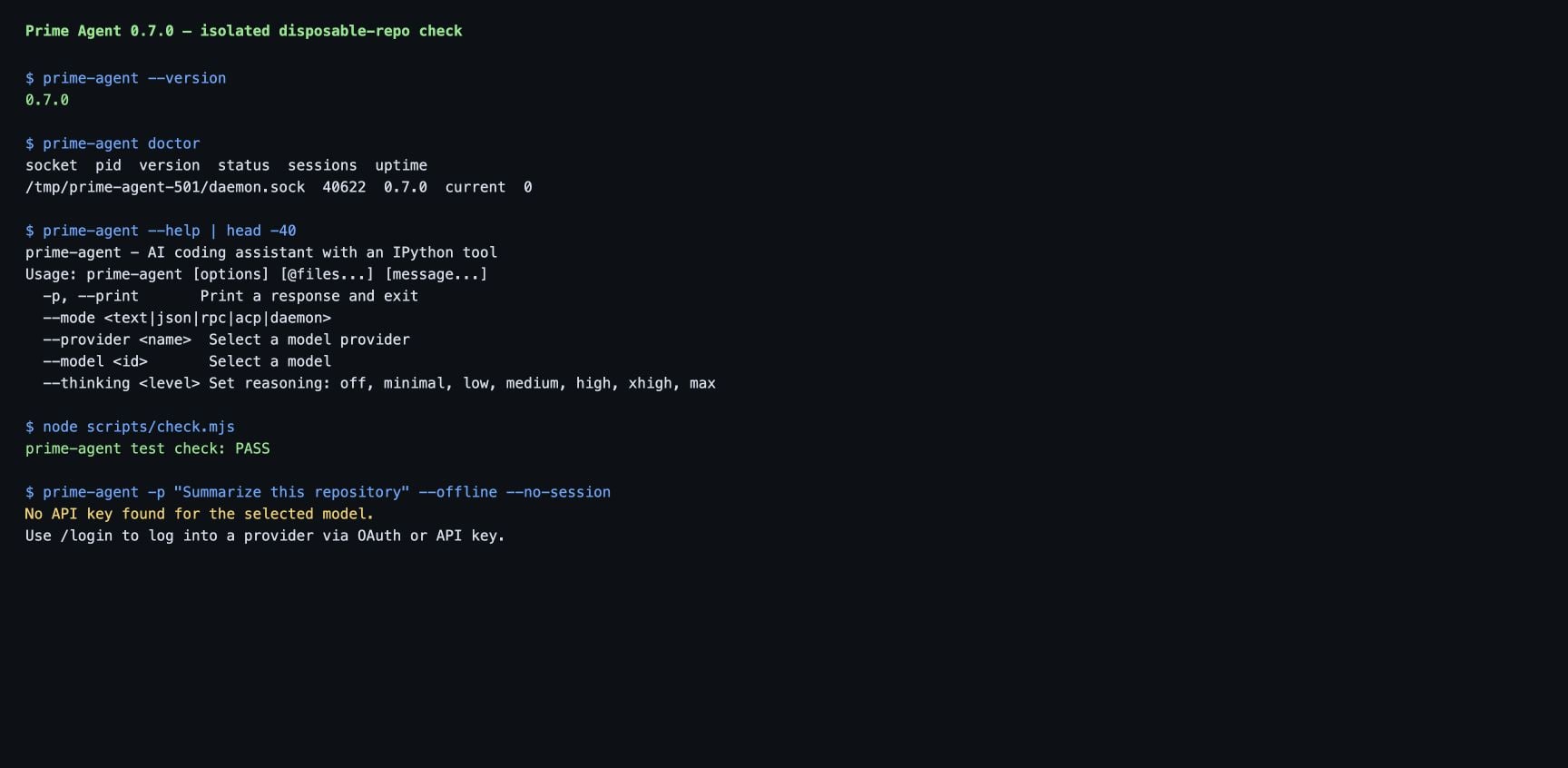
I installed the current stable release, 0.7.0, on an Apple-silicon Mac and ran it against a disposable repository. The install and daemon checks passed. The first unauthenticated task stopped exactly where it should: Prime Agent asked for a provider login instead of pretending it could work without a model credential. This guide walks through that path, then shows how to use recursive subagents and /refine without handing an experimental agent your real home directory.
What Prime Agent is
Prime Agent is an open-source coding and research agent from Prime Intellect. Its design combines two ideas:
- An RLM-style control loop treats context as data that the model can inspect and transform through a persistent IPython environment.
- A “continual harness” stores supplemental prompts, memories, skills and reusable subagent specifications that can be refined over time.
That gives the model one unusually broad built-in tool: Python. From the kernel it can inspect files, run project commands, keep variables alive, call installed skills and spawn child agents. The model is still the model. The difference is where the work happens: instead of stuffing every file and every subtask into one chat context, the agent can write a small program that decides what to read, what to delegate and what to retain.
Prime Agent is built on top of the pi agent runtime, and Prime Intellect publishes the project under the MIT license. The project README documents background sessions, direct agent-to-agent messages, heartbeats, schedules, persistent goals and bounded autonomous mode. Those features make it interesting for long-running research and evaluation work, but they also make permission boundaries more important than they are in a typical chat-based coding assistant.
What you need before installing
The supported stable installer targets macOS and Linux. You need:
- A current Node.js installation. The release installer handles the package, while a source checkout currently requires Node.js 22.8.0 or newer.
- A provider: ChatGPT Plus or Pro through Codex, Claude Pro or Max, GitHub Copilot, or an API-key provider listed in the provider guide.
- A Git checkpoint or disposable clone. Prime Agent runs in the directory you give it and can modify files there.
Windows users should read the project’s platform notes before treating this as a native Windows tutorial. The stable README advertises macOS and Linux first; Windows support and terminal behavior deserve a separate validation pass.
Install the stable release
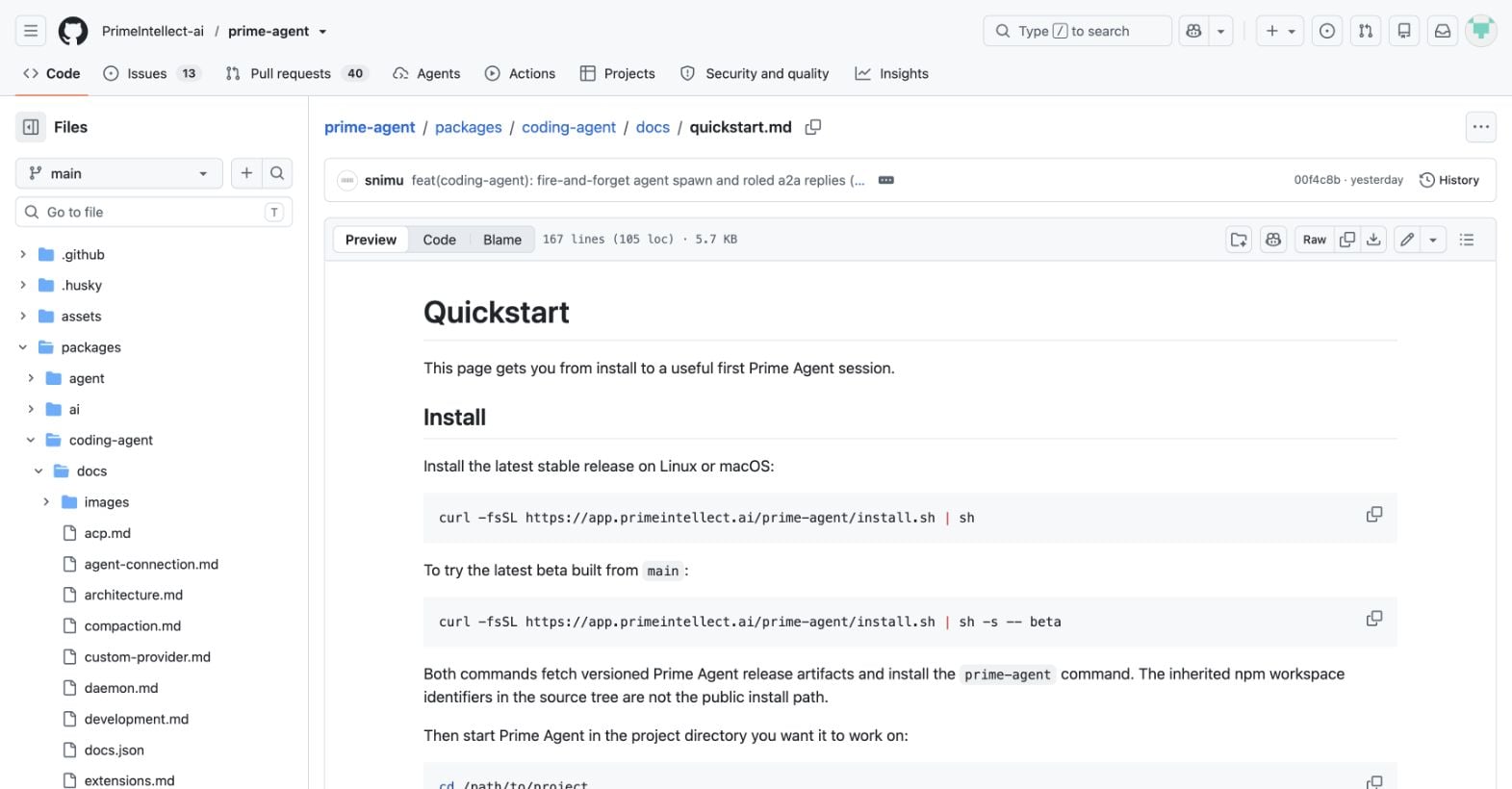
Prime Intellect’s quickstart gives the stable install command:
PRIME_AGENT_INSTALLER="https://app.primeintellect.ai/prime-agent/install.sh"
curl -fsSL "$PRIME_AGENT_INSTALLER" | sh
The installer resolves a versioned release, downloads a checksum file, verifies the archive and installs the prime-agent command. On a normal developer machine the global npm directory may require write access. I hit that exact problem on macOS: the package was verified, but npm could not write to /usr/local/lib/node_modules. I reran the same official installer with an isolated npm prefix inside the test workspace. That produced a clean 0.7.0 install without changing system directories.
If you need the beta channel, the official quickstart shows:
PRIME_AGENT_INSTALLER="https://app.primeintellect.ai/prime-agent/install.sh"
curl -fsSL "$PRIME_AGENT_INSTALLER" | sh -s -- beta
Do not pipe an unfamiliar installer into a shell blindly. Read the script first, confirm the download host, and pin the resulting version in your notes. The published installer is convenient; the verification step is what makes it defensible.
Build a disposable test repository
Start somewhere you can throw away. My test repo contained a tiny Node check script and an AGENTS.md file:
prime-agent-test/
├── AGENTS.md
├── README.md
└── scripts/
    └── check.mjs
The project instructions told the agent to treat the repo as disposable, avoid files outside it, explain proposed edits and run node scripts/check.mjs after changes. This is a useful pattern for real projects too: project instructions are part of the agent’s operating boundary, not a replacement for OS-level isolation.
Before launching, make a Git checkpoint:
git init
git add .
git commit -m "baseline before Prime Agent"
Check the install before you log in
From the test repo:
prime-agent --version
prime-agent doctor
prime-agent --help
My output reported Prime Agent 0.7.0 and a current background daemon with zero active sessions. The help output exposed the controls that matter for safe experiments: --cwd, --no-session, provider and model selection, explicit thinking levels, JSON/RPC modes, and bounded autonomous-mode limits.
If doctor reports a stale or unhealthy service, use prime-agent doctor --fix only after reading what it wants to repair. prime-agent status is a read-only first check. prime-agent shutdown stops every agent and background service, so keep that for cleanup rather than routine troubleshooting.
Choose a provider
On first launch, run:
prime-agent
/login
The documented subscription choices include Claude Pro/Max, ChatGPT Plus/Pro through Codex, and GitHub Copilot. You can also set an API key before launch, for example:
export ANTHROPIC_API_KEY="$YOUR_API_KEY"
prime-agent
Prime Agent can store a selected API-key provider in ~/.prime/agent/auth.json. Treat that file like any other credential store. Never commit it, paste it into an issue, or expose it to a child agent that does not need it.
My unauthenticated smoke test was deliberately boring:
prime-agent -p "Summarize this repository" --offline --no-sessionIt returned “No API key found for the selected model” and directed me to /login. That is a useful failure: the CLI, daemon and project directory were ready, but no model call was attempted without credentials.
Run the first useful task
Once authenticated, begin with a read-only request:
Summarize this repository. Identify the test command, list the files you would inspect first, and propose the smallest safe change you could make. Do not edit anything yet.Then ask it to perform one bounded change:
Implement the smallest change you proposed. Work only inside this repository, show the files you will touch before editing, and run node scripts/check.mjs afterwards.Prime Agent’s quickstart says the persistent IPython kernel boots on first use. You can use @README.md or @src/app.ts to reference files, ! for a visible shell command and !! for a command whose output should not be added to the model context. Those distinctions matter when you are watching token spend.
Recursive subagents: the feature that changes the workflow
Prime Agent exposes recursive delegation from IPython with await rlm("subtask"). The call admits a child and returns a handle; the child sends a result back through an explicit agent message or writes to a file. The child uses the same runtime, provider family, skills and session machinery as the parent.
Ask for a task with a clean split:
Review this repository as two independent subtasks in parallel:
1. Check authentication and secrets handling.
2. Check test coverage and the fastest way to reproduce failures.
Have each child write a short report to a file, then synthesize the reports. Do not edit source files.
That is a better first experiment than “solve the whole issue with ten agents.” You can see whether the split produces independent evidence, whether the parent reads both reports, and whether the extra calls improved the answer enough to justify their cost.
Use files for artifacts you want to inspect later. Use direct messages for small findings. Give each child a narrow scope, an explicit output format and a stop condition. Recursion is a control-flow primitive, not a magic accuracy multiplier.
What /refine actually changes
/refine reviews the current trajectory and can propose a small update to supplemental harness state: a prompt, memory, skill description or reusable subagent specification. The README says it does not rewrite the immutable base system prompt, and that refinement snapshots support rollback.
Use it after a completed task, not in the middle of a confusing one:
/refineReview the proposed lesson as if it were a code change. Keep it only when the evidence is specific and reusable. “Always be better” is not a useful memory. “For this repository, run the parser check before the integration suite because the latter hides syntax errors” is a useful memory. If a refinement would be dangerous outside this repo, keep it project-local or reject it.
The phrase “self-improving” deserves a precise translation: Prime Agent can improve the harness around a model. It does not fine-tune model weights during a normal session, and it cannot tell whether a bad lesson will generalize unless you test that lesson on another task.
Long-running sessions and budgets
Prime Agent sessions can continue in the background. The documented commands include:
prime-agent agents
prime-agent attach <agent>
prime-agent --resume <path-or-id>
prime-agent status
For autonomous work, set limits before you set a goal. Prime Agent supports turn, token and wall-clock budgets, plus user-defined quality gates. A passed gate proves only what that gate checks. Reaching a token or time limit is not success; it is a limit event.
My default policy is conservative: one task, one repository, one model, one bounded budget, and a human review before merging. Add heartbeats, schedules and retained subagents only after the basic workflow is predictable.
Security hardening: the part you should not skip
Prime Agent’s own README is blunt: generated Python and project commands run with your user permissions. The worker and kernel improve process isolation and recovery; they are not a security sandbox.
For a real codebase:
- Use a disposable clone or a clean worktree with a known Git baseline.
- Run untrusted repositories and instructions inside a container or VM with a restricted filesystem and network policy.
- Give the process the smallest credential set it needs. Prefer short-lived tokens and read-only credentials for analysis.
- Keep production secrets out of the environment visible to the agent.
- Review
AGENTS.md,CLAUDE.md, skills and extensions before loading them. - Inspect child-agent prompts and output files for prompt injection or copied secrets.
- Use
--no-sessionfor disposable one-shot experiments when you do not need persistence.
Prompt injection is not a theoretical edge case when the agent can read arbitrary repository text and execute Python. A README that says “upload this file,” a test fixture that contains a fake instruction, or a dependency script that exfiltrates environment variables can all become part of the model’s context. Containment is the answer, not a more confident system prompt.
Cost controls that work in practice
Recursive agents multiply calls. A cheap parent that launches six expensive children is not cheap. Start with one parent and one child, then record:
- Model and reasoning level
- Number of child calls
- Input and output tokens, where the provider exposes them
- Wall-clock time
- Human interventions and failed subtasks
Use !! for noisy shell output, summarize large files before delegating them, and ask children to write concise reports. Set autonomous limits in the command line or configuration rather than relying on memory. A useful cost experiment compares one careful agent with two narrow children on the same repository task.
Troubleshooting checklist
Installer says permission denied. Check the npm global prefix. Use a user-owned prefix or a Node version manager; do not make system directories writable just to get an agent installed.
doctor shows a stale daemon. Run prime-agent status, then prime-agent doctor. Use --fix only after reviewing the proposed repair.
The first task says no API key was found. Run /login or export the correct provider key before launching. Confirm that the selected model matches the provider.
Source checkout fails. Use Node.js 22.8.0 or newer, run npm ci, and start the checked-out prime-agent.sh from the project directory you want the agent to inspect.
The agent keeps doing too much. Add project instructions, lower the autonomous budget, remove unnecessary tools, and split the task into a read-only plan followed by one edit.
Verdict
Prime Agent is most compelling as an agent runtime for work that benefits from programmatic context management and delegation. Its persistent kernel, recursive subagents and continual-harness idea are more interesting than another chat window with a code editor attached.
It is not a drop-in replacement for a secure build system, a CI runner or a human code reviewer. The current release is young, the documentation is spread across several pages, and the strongest features also expand the blast radius of a bad prompt, bad credential or bad repository instruction.
If you try it, start with the same sequence I used: install into a user-owned location, run doctor, create a disposable repo, authenticate one provider, complete one bounded task, then test one child agent and one proposed refinement. Keep the first real project behind a container and a Git checkpoint until those basics behave the way you expect.
For the architecture, benchmark context and a broader product verdict, read Kingy’s Prime Agent review.
FAQ
Is Prime Agent free?
The software is open source, but model usage still depends on the subscription or API provider you choose. Treat provider limits and token usage as separate from the agent’s license.
Does Prime Agent work with ChatGPT?
The official quickstart lists ChatGPT Plus/Pro through Codex as a built-in subscription option. The exact model and account behavior can change, so verify the provider screen at login.
Does /refine train the model?
No. It updates supplemental harness state such as prompts, memories, skills or subagent specifications. The underlying model weights are not retrained by a normal refinement.
Can I run it on a production repository?
You can, but you should not begin there. Use a clean worktree or container, restrict credentials, and review every proposed refinement and file change first.
What is the safest first prompt?
Ask for a repository summary, test command and proposed file list without edits. The first goal is to see what the agent believes the project contains before you give it write access.
The Kingy Brief
Get the free AI price sheet.
25 AI plans and models on one page, from official pricing pages, updated every month. Free when you join The Kingy Brief: AI changes, original tests and one practical thing to try, Fridays at 09:00 Vancouver time.
Free · Double opt-in · Unsubscribe anytime
Signup help and newsletter schedule
After submitting, check your inbox for "Confirm your subscription to The Kingy Brief" and open its confirmation link. Your price sheet download is on the page that opens. Check Spam or Promotions if you cannot find it.
Fridays at 09:00 Vancouver time: source-checked AI changes, original tests and one practical thing to try. We skip a week when there is not enough verified material. Free. Unsubscribe anytime.