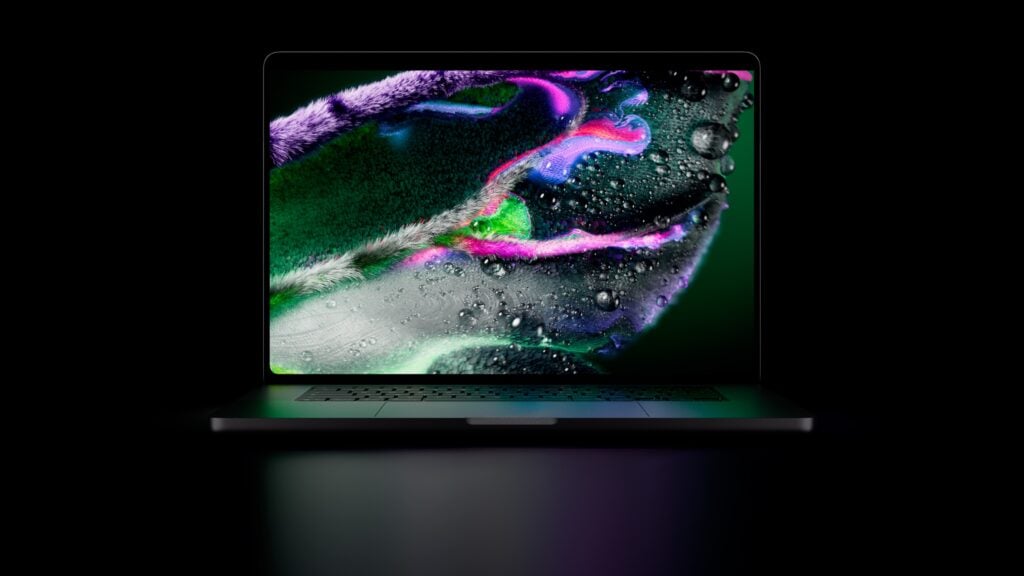
Featured image: Apple.
Apple’s touchscreen MacBook Pro pairs a tandem OLED display with M5 Pro or M5 Max chips, a redesigned enclosure and a familiar keyboard and trackpad. The official name is MacBook Pro with PROLED XDR Display. Apple opened preorders on October 28, 2026, and says availability begins November 6. In Canada, the 14-inch model starts at C$3,999 and the 16-inch model at C$4,799. Apple Canada store
Reporting note: This is a source-based launch guide. Kingy.ai has not tested the new MacBook Pro. Prices are Canadian consumer prices checked October 28, 2026, before tax; configurations and prices can change. We located a brief independent event hands-on, but no controlled independent benchmark suite for this OLED chassis in our launch-day search. We’ll update this living guide as useful new evidence becomes available.
The screen: tandem OLED comes to the MacBook Pro
PROLED XDR uses two self-emitting OLED layers; the older Liquid Retina XDR uses a mini-LED backlight behind an LCD. Apple display technical overview
Apple promotional video: New MacBook Pro with PROLED XDR Display (watch on YouTube)
Apple describes compensation for organic-emitter ageing. For buyers who keep static timelines and menus on screen, long-term image retention remains a test to watch. The tandem design does not establish that burn-in is impossible.
| Display specification | 14-inch | 16-inch |
|---|---|---|
| Diagonal, standard rectangle | 14.2 inches | 16.3 inches |
| Native resolution | 3,024 × 1,986 | 3,472 × 2,266 |
| Pixel density | 254 pixels per inch | 254 pixels per inch |
| Panel | Tandem OLED | Tandem OLED |
| ProMotion | Adaptive 10–120Hz | Adaptive 10–120Hz |
| Contrast ratio, Apple specification | 10,000,000:1 | 10,000,000:1 |
| Colour | P3 and Adobe RGB, one billion colours | P3 and Adobe RGB, one billion colours |
| Input | Multi-Touch | Multi-Touch |
Sources: Apple display technical overview; Apple announcement for Multi-Touch input. The rounded corners reduce the actual viewable area. The resolution figures above belong to the new OLED models; older mini-LED MacBook Pro figures differ.
What 2,000 nits means
Apple specifies up to 1,000 nits sustained full-screen brightness for SDR and HDR, subject to an ambient-temperature condition below 25°C. It also specifies up to 2,000 nits for HDR highlights and up to 2,000 nits for SDR in bright outdoor conditions. The ordinary SDR maximum is 1,000 nits. These are different operating conditions, so a 2,000-nit headline should not be read as a promise that a white desktop remains at 2,000 nits indefinitely. Apple display paper.
A future review should measure both small bright highlights and full-screen output, then check what happens as temperature and battery state change. Colour professionals will also want independent accuracy and gamut measurements in the modes they use; a listed colour space alone does not tell you the measured error on an individual panel.
Both sizes offer standard glass or optional nano-texture glass. Apple describes an antireflective, fingerprint-resistant surface. Nano-texture is meant to reduce reflections, but the surcharge was not verified in our launch-day store check. Compare the actual configured price and consider the lighting in your workspace before choosing it. There is a 1-nit minimum specification for dim environments; whether flicker-sensitive users find the panel comfortable needs independent testing. Apple specifications
Touch on macOS
Apple demonstrates touch gestures, drawing and working with music controls. The laptop keeps its physical keyboard, Touch ID and Force Touch trackpad. Apple announcement; keyboard guide.
A touch screen gives a Mac app another input method; it does not guarantee that every desktop app has large, easy-to-hit controls. Touching a video timeline or rotating a model could be useful in short bursts, while a keyboard and trackpad may still be more comfortable for sustained work. The right balance depends on the application and how far you have to reach. Apple also puts a Dynamic Island interface around the screen cutout, with software-dependent interactions.
In a brief launch-event hands-on, The Verge observed screen movement under firm taps near the top and found some small desktop controls awkward. It also reported no Apple Pencil support and said the event did not allow enough side-by-side time to establish the OLED improvement over mini-LED. Those are useful early observations, not a long-term ergonomics or display test.
14-inch versus 16-inch: price, size and battery
The two sizes share the display technology and offer Pro or Max chips, but the cheapest 14-inch configuration has a different chip from the entry 16-inch. These are Apple Canada consumer prices observed on October 28; tax is extra. Apple Canada store
| Configuration | 14-inch | 16-inch |
|---|---|---|
| Starting price, M5 Pro | C$3,999 | C$4,799 |
| Starting M5 Pro CPU / GPU | 15-core / 16-core | 18-core / 20-core |
| Starting memory / storage | 24GB / 1TB | 24GB / 1TB |
| M5 Max models | From C$6,299 | From C$6,599 |
| Battery capacity | 72.6Wh | 100Wh |
| Weight, Pro / Max | 1.38kg / 1.40kg | 1.82kg / 1.84kg |
| Dimensions, H × W × D | 1.50 × 31.08 × 21.63cm | 1.60 × 35.55 × 24.42cm |
Dimensions, weight and battery capacity are from Apple’s model comparison. Weights vary with configuration and manufacturing. Both Space Black and Silver are listed. The C$800 gap between the two starting prices buys a larger screen and battery as well as a different base chip; it is not a clean screen-size-only comparison. Select comparable chips and options in the store before deciding what the extra screen area costs for your workload. 14-inch base configuration; 16-inch base configuration.
The larger display gives editing timelines, code windows and palettes more room. The smaller machine saves roughly 440 grams when comparing the specified Pro weights. That difference matters when carried daily, but it does not prove the smaller chassis will be quieter, cooler or faster on battery. Those answers require tests on the new machines.
M5 Pro and M5 Max configurations
The touchscreen OLED MacBook Pro uses M5 Pro and M5 Max. Apple also sells a separate Liquid Retina XDR MacBook Pro line that includes M6, M5 Pro and M5 Max configurations. Do not assume a listing for an M6 MacBook Pro describes this OLED touchscreen model.
| Chip | Availability | CPU / GPU | Memory choices | Memory bandwidth | Storage choices |
|---|---|---|---|---|---|
| M5 Pro | 14-inch only | 15-core / 16-core | 24GB, 48GB | 307GB/s | 1TB, 2TB, 4TB |
| M5 Pro | 14-inch and 16-inch | 18-core / 20-core | 24GB, 48GB, 64GB | 307GB/s | 1TB, 2TB, 4TB |
| M5 Max | 14-inch and 16-inch | 18-core / 32-core | 36GB | 460GB/s | 2TB, 4TB, 8TB, 16TB |
| M5 Max | 14-inch and 16-inch | 18-core / 40-core | 48GB, 64GB, 128GB | 614GB/s | 2TB, 4TB, 8TB, 16TB |
Source: Apple technical specifications. The 15-core Pro has five super cores and ten performance cores; the 18-core versions have six super cores and twelve performance cores. Apple describes the chip architecture in its March M5 Pro and M5 Max announcement. Formatted storage capacity is lower than the nominal figure.
Choose the memory capacity your work needs, then compare the eligible chips and configured prices. Leave room for the operating system and other applications rather than budgeting every byte for one project.
Memory bandwidth is a specification, not an application benchmark. A model’s size, quantization, context length, runtime and competing memory use affect whether it fits and how quickly it runs. Apple’s large-language-model chart measures a particular prompt-processing task; it does not establish tokens per second for every local model. Similarly, GPU core count alone cannot predict the speed of a specific creative application or its compatibility with a particular plug-in.
Media engines for video work
Apple lists hardware acceleration for H.264, HEVC, ProRes and ProRes RAW across these chips. M5 Pro has one video decode engine, one video encode engine and one ProRes encode/decode engine. M5 Max has one video decode engine, two video encode engines and two ProRes encode/decode engines. Apple model comparison
For video work, those engines can matter when the software and source codec use them. They do not make every effect, colour grade or export twice as fast. GPU effects, media format, storage, timeline complexity and application version all affect the result. Check the codec and the software in your own workflow before paying for a Max configuration solely on engine count.
Ports, external displays and wireless
Both sizes have three Thunderbolt 5 USB-C ports, HDMI, an SDXC card slot, a 3.5mm headphone jack and MagSafe 3. Apple lists Thunderbolt speeds up to 120Gb/s. The peak interface figure is not a guaranteed file-copy speed: drives, cables, protocol and the workload all matter. Apple announcement; MacBook Pro tour.
Apple’s external display guide lists up to three external displays for M5 Pro and four for M5 Max while the built-in display remains active. It lists an 8K 60Hz or 4K 240Hz option for one Pro display or two Max displays. Compatible hubs can carry multiple displays, but do not increase the machine’s maximum count. Check the exact arrangement, dock and cable before buying peripherals.
Apple lists Wi-Fi 7, Bluetooth 6 and Thread, plus a 12MP Center Stage camera, six speakers and three microphones. Its Wi-Fi 7 availability guide says 6GHz availability depends on regional approval. These are specifications, not independent camera or audio scores. Apple launch announcement; Apple specifications for Thread
Battery and charging: read the test conditions
Apple’s September 2026 tests on preproduction systems produced the following up to figures. Streaming and web browsing are separate tests, and neither predicts battery life for sustained local AI, games or an export. Apple model comparison
| Apple battery estimate | 14-inch Pro | 14-inch Max | 16-inch Pro | 16-inch Max |
|---|---|---|---|---|
| Video streaming | Up to 22 hours | Up to 20 hours | Up to 24 hours | Up to 22 hours |
| Wireless web | Up to 14 hours | Up to 13 hours | Up to 17 hours | Up to 16 hours |
The 24-hour headline applies to the 16-inch Pro in Apple’s streaming test, not all configurations. Apps, brightness, peripherals, settings and environment change the result. A demanding local model or export can draw power very differently from video streaming.
Apple’s charging guide describes charging to about 50% in 30 minutes with a suitable 96W source for a 14-inch model or 140W source for a 16-inch model. The entry 15-core 14-inch Pro includes a 70W adapter, below that 96W condition; the 18-core 14-inch Pro and Max include 96W, while the 16-inch includes 140W. Apple specifications. Check the fast-charge guide for compatible cables and sources.
Apple’s benchmarks: what the numbers measure
Apple’s September 2026 preproduction tests compare selected upgraded OLED systems with corresponding M1 Pro or M1 Max machines. These are vendor results, not independent scores. Apple’s charts and test notes.
| Workload, versus corresponding M1 | 14 Pro | 16 Pro | 14 Max | 16 Max |
|---|---|---|---|---|
| LLM time to first token | 10.9× | 10.9× | 12.0× | 10.6× |
| AI text-to-image | 7.6× | 7.7× | 8.1× | 7.3× |
| Redshift render | 5.1× | 5.3× | 5.0× | 5.0× |
| Resolve effect render | 4.9× | 5.0× | 5.3× | 5.0× |
| Xcode project build | 2.2× | 2.4× | 2.1× | 2.4× |
The Pro test used an 18-core CPU/20-core GPU, 64GB and 4TB; the Max used an 18-core CPU/40-core GPU, 128GB and 16TB. The M1 comparison machines had less memory and different storage. For the 12× LLM result, Apple used an unnamed 14-billion-parameter model at 4-bit quantization, an 8,000-token prompt and LM Studio 0.4.25+1. That measures time to first token, not continuous tokens per second or answer quality. The Redshift test used hardware ray tracing on M5, unlike the M1 baseline. See Apple’s notes for the specific render, image and build workloads.
These comparisons answer a narrow question about the selected tests. They do not establish the improvement in your own application, especially when its model, effects, memory needs or software version differ.
Independent benchmarks: useful context from an older Mac
We have not located a controlled independent benchmark suite for the new OLED chassis in our launch-day search. There are independent results for the earlier 2026 mini-LED M5 Max MacBook Pro. They show what those tested machines did, not what the new OLED model will do.
Notebookcheck’s March review tested a 14-inch mini-LED model with an 18-core CPU, 40-core GPU, 128GB memory and 8TB storage, running macOS 26 Tahoe in High Power mode. Its Geekbench 6.7 scores were 4,322 single-core and 29,415 multi-core. Cinebench 2024 scored 200 single-core and 2,073 multi-core, with multi-core runs varying from roughly 1,400 to 2,073 and a reported 24% decline in a 30-minute sustained test. Apple Germany supplied the sample.
Notebookcheck, April 2026: earlier mini-LED M5 MacBooks, not the new OLED model (watch on YouTube)
That result makes a sustained-load test of the OLED chassis worth waiting for. It does not establish that the new model throttles by the same amount, or that every earlier unit behaves like Notebookcheck’s sample. Chassis cooling, power and software can affect results even when a chip has the same name.
Tom’s Hardware tested another older 14-inch mini-LED M5 Max with 128GB memory and 4TB storage. It reported Geekbench 6 scores of 4,338 single-core and 29,430 multi-core, plus 17 hours 58 minutes in a mixed web, video and OpenGL battery test at 150 nits. The retrieved review does not establish the Geekbench minor version, OS build or power mode, and its CPU-core descriptions conflict. Its battery result and Apple’s streaming estimate use different methods and different hardware; they should not be ranked as a direct comparison.
What still needs testing
A purchase decision is easier once reviewers can measure the new machine over longer sessions. The most useful missing evidence includes sustained CPU and GPU performance, fan noise, battery life in bright desktop use, measured HDR brightness at different window sizes, colour accuracy, reflections, fingerprints and flicker. Touch latency and app adaptation also need tests outside a short event demonstration. Hinge endurance, repairability and OLED ageing need longer observation.
For local AI, ask for the model name, quantization, context length, runtime version, memory configuration and power mode alongside prompt-processing and generation rates. For video, look for the codec, application version, effect and export settings. A single score without those details is difficult to apply to your own work.
If touch and the OLED screen are central to your work, the new model is the one to examine, with the independent results still pending. If you primarily need a particular chip, ports or battery life, compare configured prices against the separate mini-LED line and wait for tests of the actual applications you use. The starting prices above are only the beginning of the comparison when memory, storage and display finish change the bill.
Change log
- October 28, 2026, 12:57 PM PDT: Initial launch-day guide, Canadian starting prices, Apple’s specifications and selected tests, early hands-on context, and clearly labeled older-machine benchmarks.
The Kingy Brief
Get The Kingy Brief.
AI changes, original tests and one practical thing to try. Fridays at 09:00 Vancouver time.
Free · Double opt-in · Unsubscribe anytime
Sign up for The Kingy Brief on Beehiiv.
Signup help and newsletter schedule
Signup form provided by Beehiiv. After submitting, check your inbox for "Confirm your subscription to The Kingy Brief" and open its confirmation link. Check Spam or Promotions if you cannot find it.
Fridays at 09:00 Vancouver time: source-checked AI changes, original tests and one practical thing to try. We skip a week when there is not enough verified material. Free. Unsubscribe anytime.