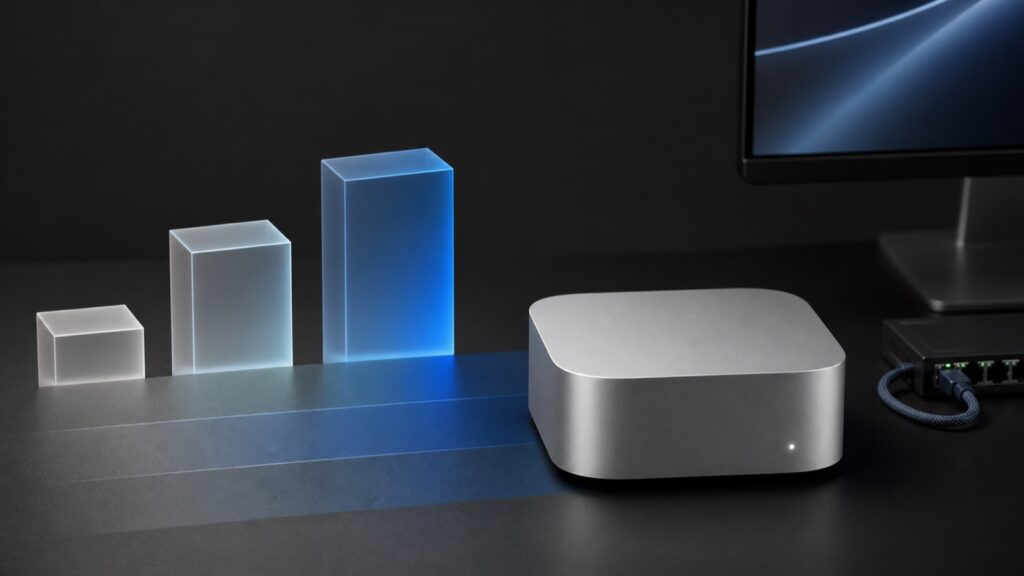
Apple’s smallest desktop may be its most convincing personal edge-AI computer yet. The serious local-AI story begins above the advertised price, and Apple’s biggest LLM number does not mean what many buyers will assume it means.
Apple did more than replace the processor in the Mac mini today. It changed the job description.
The company now describes its five-inch desktop as an “always-on agentic device” capable of running private AI models, automating business workflows, and even joining other Macs in local AI clusters. That is a much more interesting pitch than the usual promise of faster spreadsheets and quicker photo filters. It positions the Mac mini as a personal edge server: small enough to disappear on a desk, efficient enough to leave running, and powerful enough to keep a useful amount of AI work away from the cloud.
The new M6 Mac mini looks well suited to that role. But not, in my view, in its $899 base configuration.
That distinction matters because Apple’s most eye-catching AI results come with qualifications that are easy to miss. The disclosed M6 benchmark hardware uses 32GB of memory, while the base machine has 16GB. The base model also has less memory bandwidth than the higher-memory versions. And Apple’s headline LM Studio result measures time to first token, not the speed at which an LLM continues generating its answer.
Taken together, those qualifications put the realistic starting price for a serious AI configuration closer to $1,299 than $899.
Testing disclosure: First written as launch-day analysis. Apple confirmed M6 Mac mini availability on September 22; this release-status correction was checked September 23. The hardware and workload discussion still relies on Apple’s specifications, test disclosures, launch-day pricing and prior Apple-silicon evidence. Kingy has not measured M6 Mac mini performance. Predictions below remain projections.
Key takeaways
- Confirmed specification: The $899 M6 Mac mini has 16GB of unified memory, a 256GB SSD, and 153GB/s of memory bandwidth. The 24GB and 32GB versions reach 170GB/s.
- Confirmed specification: The M5 Pro Mac mini reaches 64GB of unified memory and 307GB/s memory bandwidth.
- Launch-day retail observation: Apple’s lowest-cost 64GB/512GB configuration was $2,699 in the U.S. configurator on launch day.
- Editorial projection: The 64GB M5 Pro should provide more headroom for 32B models, long context, and concurrent services. A 70B 4-bit model may fit with suitable software and restrained settings, but practical performance remains unmeasured.
- Vendor measurement: Apple claims up to 4.8× faster time to first token in LM Studio than M4. That metric covers the wait before generation begins, not sustained output speed.
- Confirmed test disclosure: Apple identifies a 32GB preproduction M6 Mac mini as its benchmark system. It has not published enough detail to reconstruct the LM Studio workload.
- Editorial projection: The 16GB model should suit 7B–8B 4-bit LLMs. The 24GB version should be the practical starting point for broader agent and RAG work, while 32GB should make constrained 32B-model experiments possible.
- Editorial projection: Image generation should be viable with suitable optimized models. Local video generation is more likely to be an experimental, slow workflow than a production replacement.
- Launch-day retail observation: The balanced 24GB/512GB model and the capacity-focused 32GB/256GB model were both listed at $1,299 in Apple’s U.S. configure-to-order menu on launch day. Check current configuration prices before buying.
What Apple actually launched
The M6 Mac mini starts at $899 with a 12-core CPU, 12-core GPU, 16GB of unified memory, and 256GB of storage. The GPU includes a Neural Accelerator in every core, while a separate Dual 16-core Neural Engine doubles the number of Neural Engine blocks available to compatible system frameworks.
Apple says M6 delivers up to four times the AI performance, twice the graphics and storage performance, and 40 percent faster CPU performance than an M4 Mac mini used in its comparisons. On the Mac mini product page, the company also claims up to 4.8 times faster time-to-first-token performance in LM Studio than M4, and up to 13.5 times faster than M1.
Those are Apple measurements, not independent results. The company’s M6 announcement says its M6 test system was a preproduction Mac mini with 32GB of memory. Apple does not provide enough public detail to reconstruct the LM Studio workload, including the model, quantization, prompt length, context, runtime build, or sampling settings. The multiplier should not be treated as a general prediction for every local LLM.
The hardware specifications reveal another important difference. Apple’s technical specifications list 153GB/s of memory bandwidth for the 16GB M6 configurations. The 24GB and 32GB configurations reach 170GB/s. Apple is accurate when it says “up to 170GB/s,” but the $899 machine does not get that maximum.
Mac mini configurations compared for local AI
The specifications in this table are confirmed Apple product facts. Prices are launch-day U.S. retail observations and should be checked again before purchase. The workload-fit and constraint columns are editorial projections, not M6 or M5 Pro benchmark results.
| Configuration | Launch-day U.S. price | Memory bandwidth | Projected local-AI fit | Primary constraint |
|---|---|---|---|---|
| M6, 16GB / 256GB | $899 | 153GB/s | 7B–8B 4-bit LLMs, embeddings, transcription, tightly scoped agents | Limited context, multitasking headroom, and storage |
| M6, 24GB / 512GB | $1,299 | 170GB/s | 14B-class LLMs, RAG, coding agents, and concurrent small services | Little room for dense 32B models |
| M6, 32GB / 256GB | $1,299 | 170GB/s | 14B-class models with more context; constrained 32B experiments | Internal storage fills quickly |
| M6, 32GB / 512GB | $1,499 | 170GB/s | Best self-contained M6 option for broader local-AI experimentation | Still not a practical 70B system |
| M5 Pro 15-core CPU/16-core GPU, 64GB / 512GB | $2,699 | 307GB/s | More headroom for 32B models and long context; 70B 4-bit experiments may fit with a suitable runtime and restrained settings | Costs $1,200 more than the 32GB/512GB M6; practical speed and context limits remain unmeasured |
The optional configuration prices above reflect Apple’s U.S. configure-to-order menu as captured on launch day in Daring Fireball’s consolidated pricing table.
The M5 Pro is a separate higher-capacity tier. Apple confirms its 64GB ceiling and 307GB/s bandwidth; Apple’s configurator supplied the $2,699 price. Those facts make it the more credible Mac mini for larger local models, but they do not prove that a 70B model will be fast, comfortable at long context, or suitable for concurrent use. Those conclusions require independent testing.
Apple’s 4.8× LLM number needs translating
An LLM response has at least two performance phases that users experience differently.
First, the system processes the prompt and all supplied context. This is the prefill phase. A long document, a large codebase excerpt, retrieved RAG passages, and an agent’s accumulated conversation history can make it computationally intensive. Time to first token tells us how long the user waits before the response begins.
Second, the model generates tokens sequentially. This is the decode phase. Tokens per second determines whether the answer streams faster than you can read or arrives in a slow crawl.
Apple’s 4.8× chart is explicitly about the first phase. It does not establish that an M6 will generate an entire answer 4.8 times faster than M4.
The distinction is particularly important for local LLMs because sustained single-user decode is often constrained by how quickly model weights can be read from memory. Moving from the M4’s 120GB/s to 153GB/s or 170GB/s is meaningful, but it is not a 4.8× increase in bandwidth. The new GPU Neural Accelerators may help with matrix-heavy operations, including prompt processing. Independent tests will have to show how much they affect each stage of generation.
Faster prefill may still be one of M6’s most useful improvements. A coding agent repeatedly reading large files or a private RAG service answering questions over long documents can spend substantial time processing context. Cutting that delay changes how responsive the system feels. The published result should not be presented as four or five times faster “chat speed.”
The post-launch question is therefore not whether Apple’s time-to-first-token result is true under its test conditions. The useful questions are:
- How does M6 perform with 7B, 14B, and 32B models?
- How do prefill and sustained decode improve separately?
- Does the 16GB configuration behave differently from 24GB and 32GB?
- What happens as context grows from 1,000 to 4,000, 16,000, and 32,000 tokens?
- How much performance remains under concurrent requests or sustained operation?
Until those measurements exist, precise tokens-per-second predictions would be speculation.
Why the M6 mini still looks excellent for edge AI
The Mac mini’s case for edge AI rests on how the entire machine fits the job.
Apple silicon uses unified memory, giving the CPU and GPU access to the same pool without copying model data between conventional system RAM and discrete VRAM. Apple’s open-source MLX documentation describes this shared CPU/GPU memory model directly. For local AI, that makes the memory capacity printed on the box unusually useful: most of it can potentially hold model weights, runtime state, and KV cache, provided macOS and other applications are left enough headroom.
The rest of the system is equally relevant. The new mini includes 2.5Gb Ethernet as standard, with 10Gb available as an option, plus Wi-Fi 7, Bluetooth 6, Thread networking, three Thunderbolt 4 ports, and a maximum continuous system power rating of 155W. Apple lists idle sound pressure at 5dBA, although load acoustics and wall-power consumption remain to be tested. These are appealing characteristics for a computer that may sit in a home office or small business and serve local APIs around the clock.
It is important, however, to separate Apple’s two kinds of AI hardware. Core ML can allow macOS to schedule compatible model operations across the CPU, GPU, and Neural Engine, as described in Apple’s Core ML compute-unit documentation. MLX, by contrast, publicly exposes CPU and GPU execution. A typical Ollama, llama.cpp, or MLX workload should not be assumed to use the Dual 16-core Neural Engine simply because it exists. GPU Neural Accelerators may benefit updated Metal and MLX kernels, while direct Neural Engine gains depend on the application and model format.
In other words, software support determines how much of M6’s silicon a workload can actually reach.
What should fit in 16GB, 24GB, and 32GB?
Memory capacity sets a harder limit than compute performance: a model either fits with adequate runtime headroom or it does not.
A rough planning rule for 4-bit models is about half a byte per parameter before quantization metadata and runtime overhead. Real model files are therefore commonly around 4–6GB for 7B–8B models, 8–10GB for 14B models, and roughly 18–22GB for dense 32B models. Context adds a KV cache that can consume several additional gigabytes, while macOS, the inference application, embeddings, and agent tools need memory too.
Based on those requirements, and not on unperformed M6 benchmarks, these are the defensible launch-day projections:
- 16GB: 7B–8B 4-bit models should be comfortable. A 14B model may run with moderate context, but memory pressure will constrain multitasking and large RAG workloads. A 32B model is not a sensible target.
- 24GB: 14B-class models should have useful breathing room, and multiple small services become more practical. This is the balanced agent/RAG configuration.
- 32GB: 14B should be easy to accommodate, while a 32B 4-bit model should be feasible with restrained context and few competing applications. Long context can still eliminate the remaining headroom.
Apple’s 32GB ceiling means M6 is not a realistic 70B-class machine. Users targeting those models should consider the 64GB M5 Pro Mac mini, a Mac Studio, a multi-Mac cluster, or a GPU workstation. The M6 mini’s natural territory is smaller, efficient models that can handle targeted agent, retrieval, coding, vision, and automation tasks.
Which M6 Mac mini should an AI buyer order?
These are editorial recommendations based on confirmed specifications, launch-day pricing, and the projected workload fit above. They are not conclusions from hands-on M6 testing.
For a specific model file, try Kingy Local Lab’s model-fit planner. It opens an editable Apple Silicon example with 32 GiB of unified memory. Choose Change hardware to enter the memory you own or plan to buy, then set your workload and context and inspect the exact file and reserve assumptions. It estimates capacity from stated assumptions; it does not measure M6 generation speed.
Best balanced choice: 24GB memory and 512GB storage, $1,299
This is the configuration I would recommend to someone who wants a primary desktop that also runs a private agent, document search, transcription, embeddings, or a 7B–14B LLM server. It gets the full 170GB/s bandwidth and doubles the base storage without pushing the machine into workstation pricing.
Best capacity per dollar: 32GB memory and 256GB storage, $1,299
For a dedicated headless AI node, choosing memory over internal storage is rational. Models can live on a fast external Thunderbolt SSD, while unified memory can never be upgraded. The tradeoff is inconvenience: 256GB fills quickly once several model variants, containers, development tools, and media assets accumulate.
Easiest AI recommendation: 32GB memory and 512GB storage, $1,499
This is the configuration that best matches Apple’s AI positioning. It has the most model and context headroom M6 offers, the higher bandwidth tier, and enough internal storage for a practical local model collection. It is also $600 above the advertised starting price.
Best Mac mini for larger local models: M5 Pro with 64GB memory and 512GB storage, $2,699
Buyers who expect to run 32B models with more context, keep several AI services resident, or experiment with a 70B 4-bit model should consider the 64GB M5 Pro. It is the only current Mac mini configuration above 32GB, and its 307GB/s memory bandwidth is substantially higher than the M6’s 170GB/s maximum.
This is a capacity-led recommendation, not a measured-performance verdict. A 70B 4-bit model may fit with a suitable runtime and restrained context, but usable generation speed, power, thermals, and concurrency remain untested. For 7B–14B workloads, the 24GB and 32GB M6 configurations should remain the better-value choices for most buyers.
Who should buy the $899 model?
The base machine still makes sense for ordinary Mac use, Apple Intelligence, transcription, embeddings, and experimentation with smaller local models. It may become an excellent appliance for one tightly scoped 7B–8B agent. It is not the configuration I would buy for serious local-AI exploration because both its 16GB memory and 256GB storage become permanent constraints.
Internal SSD speed deserves similar perspective. Apple says storage is up to twice as fast, which should improve model loading, application launches, and file operations. Once a model is resident in unified memory, SSD performance should not materially increase warm token-generation speed. If a workload is swapping model data to storage during inference, the capacity problem has already become the dominant issue.
Beyond chatbots
The M6 mini should be useful for more than text generation.
Speech recognition, embeddings, reranking, computer vision, and small vision-language models are natural edge workloads. They can support private meeting transcription, semantic document search, camera or media analysis, accessibility tools, and local workflow automation without continuously sending source data to an external provider.
Image generation should also be viable with optimized and quantized models. Apple’s MLX project includes image-generation examples, and community runtimes have brought SDXL, FLUX, and video models to Apple silicon. But “runs locally” does not necessarily mean “runs quickly.” One current MLX video-generation project reports that even an M5 Max takes about 30 minutes to produce one five-second, 480×240 Wan2.2 clip in a documented configuration. That is not a direct M6 comparison, but it is a useful warning against presenting the base mini as a fast production video generator.
Small and distilled video models may run. Larger models can sometimes be staged through memory one component at a time. The resulting workflow is better described as experimentation than an alternative to cloud video services or a high-end Nvidia workstation.
Fine-tuning deserves the same caution. Apple’s MLX LM package supports low-rank and quantized-model fine-tuning, so 24GB and 32GB systems should be useful development machines for small models. They are inference-first computers, not large-model training systems.
A more expensive, more ambitious Mac mini
There is no avoiding the price change. The M4 Mac mini launched in 2024 at $599 with 16GB and 256GB. The M6 starts at $899 with the same base memory and storage capacities. That is a 50 percent launch-MSRP increase, even before moving to the 24GB or 32GB configurations that make the AI proposition more convincing. The historical price comes from Apple’s 2024 Mac mini announcement.
On paper, the new machine is substantially more capable, and Apple had already repriced the outgoing line before this launch. Buyers should judge the M6 against its actual current cost rather than the Mac mini’s old reputation as a $599 bargain.
At $1,299 to $1,499, the M6 Mac mini is no longer an impulse purchase. It is better understood as a compact private-compute appliance that can also be a full desktop. For the right household, developer, creator, or small business, that may be more valuable than the old entry-level pitch. Local inference brings predictable ownership costs, low latency, offline availability, and greater control over sensitive inputs, provided a smaller local model is good enough for the job.
Launch-day verdict
The M6 Mac mini looks like one of Apple’s most credible edge-AI products, but memory is the first specification AI buyers should choose, not the Dual Neural Engine.
The $899 model should be a good small-model machine. The 24GB version should be the point where it becomes a broadly useful personal agent and RAG server. The 32GB version should offer the best M6 platform for exploring 32B models and Apple’s more ambitious “always-on agentic” positioning.
Apple’s 4.8× LM Studio result is worth taking seriously as a claim about time to first token under Apple’s test conditions. It is not evidence of 4.8× sustained generation, it does not characterize every model, and it should not be casually attached to the 16GB base machine. Independent testing must separate prompt processing, decode speed, context scaling, memory pressure, concurrency, power, and thermals.
The 64GB M5 Pro changes the ceiling without changing the M6 verdict. It is the higher-cost option for buyers whose local-AI workload genuinely needs more than 32GB. Its larger memory pool and 307GB/s bandwidth are confirmed specifications; its real advantage in tokens per second, context scaling, and 70B usability remains projected until independent tests are available.
Until then, the clearest buying advice is simple: if local AI is part of the reason you want an M6 Mac mini, budget for memory first. The real edge-AI Mac mini starts at 24GB.
Post-launch benchmark plan
Editorial questions to answer
- Does Apple’s first-token advantage reproduce in a current public LM Studio workload?
- How much faster is sustained decode than M4 when model, quantization, and context are identical?
- Does the 16GB/153GB/s model materially trail 24GB and 32GB systems beyond capacity limits?
- Which model sizes remain interactive without swap?
- Can the mini operate as a reliable, quiet, energy-efficient local API server for 24 hours?
- Which AI applications actually use the Neural Engine, GPU Neural Accelerators, or ordinary GPU paths?
Hardware matrix
Required
- M6 Mac mini, 16GB / 256GB.
- M6 Mac mini, 32GB / 512GB.
- M4 Mac mini, 16GB or 32GB, matched as closely as possible.
Strongly preferred
- M6 Mac mini, 24GB / 512GB.
- M5 Pro Mac mini, 24GB and/or 64GB.
- M5 Max Mac Studio as a video/image-generation control.
Record exact CPU/GPU core count, memory, storage, Ethernet option, macOS build, firmware, room temperature, display/headless state, and wall-power meter model.
Software controls
- Freeze and publish the versions of macOS, LM Studio, MLX, mlx-lm, Ollama, llama.cpp, model files, and quantization formats.
- Use the same model revision and tokenizer on every machine.
- Test MLX and GGUF/Metal paths separately; never merge their results into one average.
- Disable unrelated login items, cloud sync, indexing, backups, and software updates during formal runs.
- Run cold-load and warm-inference tests separately.
- Reboot before each benchmark family; allow temperatures to return to baseline.
- Run at least three measured repetitions and report median plus full range, not only the best run.
LLM suite
Use one current dense model family where practical so architecture does not confound scaling:
- 7B–8B, 4-bit.
- 14B, 4-bit.
- 32B, 4-bit.
- Optional 70B, 4-bit on 64GB M5 Pro as an out-of-scope control.
For each model measure:
- Cold model-load time.
- Time to first token.
- Prompt-processing/prefill tokens per second.
- Sustained decode tokens per second over a fixed 256-token output.
- Peak unified-memory use.
- Swap used and memory-pressure state.
- Wall power and energy per 1,000 generated tokens.
- Maximum package/SoC temperature available through a consistent monitoring tool.
- Fan speed and sound level at a fixed distance, if safely measurable.
Prompt lengths:
- 512 tokens.
- 4,096 tokens.
- 16,384 tokens.
- 32,768 tokens where memory permits.
Concurrency:
- One request.
- Two simultaneous requests.
- Four simultaneous requests.
Report aggregate throughput and per-request p50/p95 latency.
Pre-registered “interactive” thresholds
These are editorial thresholds, not industry standards:
- Time to first token below 2 seconds at a 4,096-token prompt.
- Sustained decode of at least 15 tokens/second for 7B–8B.
- Sustained decode of at least 10 tokens/second for 14B.
- No swap during the primary 8,192-token-context test.
- Less than 10 percent performance degradation between the first and final five minutes of a 30-minute sustained run.
Publishing thresholds before testing prevents the verdict from being adjusted to flatter a result.
Agent and RAG suite
Build one reproducible local agent workflow:
- Index a fixed public document corpus.
- Run local embeddings and reranking.
- Ask a fixed set of factual and synthesis questions.
- Execute a harmless local tool workflow using structured calls.
Measure:
- Indexing time and energy.
- Retrieval latency.
- End-to-end time to first useful answer.
- Tool-call syntax success rate.
- Answer-grounding score against a fixed key.
- Peak memory with the LLM, embedding model, reranker, and database resident together.
- One-, two-, and four-user p95 latency.
Speech, vision, and media suite
Speech-to-text
- Transcribe a fixed one-hour public-domain audio file with the same Whisper implementation and model.
- Report real-time factor, word error rate against a checked transcript, power, and peak memory.
Vision-language model
- Use a fixed image set and fixed questions.
- Report image-encoding time, TTFT, total response time, and accuracy against a small answer key.
Image generation
- One SDXL-class workload and one FLUX-class quantized workload.
- Fixed seed, prompt, resolution, steps, scheduler, and precision.
- Report cold load, warm generation time, peak memory, swap, and energy per image.
Video generation
- Use one small/distilled model known to support Apple silicon and one larger staged model if it fits.
- Fixed seed, 5-second duration, frame count, resolution, steps, and precision.
- Report end-to-end generation time, peak memory, swap, energy, and any unsupported operations or fallbacks.
- Do not compare subjective quality unless outputs use identical weights and settings.
Edge-server endurance test
- Run the preferred 14B model behind a local OpenAI-compatible API for 24 hours.
- Issue a controlled mixture of short chat, long-context RAG, embeddings, and transcription requests.
- Record failures, memory growth, swap, p50/p95 latency, throughput, power, temperatures, fan behavior, sleep/wake incidents, and network disconnects.
- Repeat once headless and once with a display attached if time permits.
Publication rules for the tested update
- Keep Apple claims in a separate table from independent results.
- Label every result with model, quantization, context, runtime, and software version.
- Publish raw CSV/JSON results and prompts where licensing permits.
- Report medians and variability; do not select the fastest isolated run.
- Separate “fits in memory,” “runs successfully,” and “is practically usable.”
- Preserve the launch-day text or clearly date every revised conclusion.
Claim-by-claim source audit
| Claim used in draft | Classification | Source | Audit note |
|---|---|---|---|
| Pre-orders opened August 25; availability begins September 22 | Confirmed product fact | Apple launch announcement | Primary source |
| M6 model starts at $899; base listing is 16GB/256GB | Confirmed product fact | Apple launch announcement, Apple Store listing | Primary sources |
| M6 has a 12-core CPU, 12-core GPU, GPU Neural Accelerators, and Dual 16-core Neural Engine | Confirmed specification | Apple technical specifications | Primary source |
| 16GB configurations have 153GB/s; 24GB/32GB reach 170GB/s | Confirmed specification | Apple technical specifications | Primary source; important qualifier to “up to 170GB/s” |
| Apple claims up to 4× AI, 2× graphics/storage, and 40% faster CPU versus its M4 comparison | Vendor measurement | Apple launch announcement | Must retain “Apple says” and “up to” |
| Apple’s LM Studio chart claims up to 4.8× faster time to first token than M4 | Vendor measurement | Apple Mac mini product page | Narrow metric; not sustained tokens/second |
| Apple disclosed a preproduction 32GB M6 Mac mini in its M6 benchmark hardware | Confirmed test disclosure | Apple M6 announcement, footnote 2 | The public methodology is insufficient to reconstruct the exact LM Studio test; draft says so |
| M6 GPU peak AI compute is nearly 30% higher and memory bandwidth 10% higher than M5 | Vendor specification/measurement | Apple M6 announcement | Useful architectural context, not an application benchmark |
| CPU and GPU share unified memory under MLX | Framework behavior | Apple MLX unified-memory documentation | Primary project documentation |
| Core ML can allow use of CPU, GPU, and Neural Engine | Framework behavior | Apple Core ML compute-unit documentation | Primary developer documentation |
| MLX publicly exposes CPU and GPU execution | Framework behavior | Apple MLX unified-memory documentation | Supports warning not to assume generic MLX workloads use the separate Neural Engine |
| Apple’s MLX examples include image generation | Framework capability | Apple MLX repository | Primary project documentation; does not establish M6 performance |
| MLX LM supports low-rank and quantized-model fine-tuning | Framework capability | Apple MLX LM repository | Primary project documentation; practical M6 limits remain projected |
| 4-bit model-size ranges and per-configuration model fit | Editorial projection | Parameter-count calculation plus runtime headroom/KV-cache allowance | Explicitly labeled as rough planning guidance; must be replaced or augmented by measured data after launch |
| M5 Max Wan2.2 example takes about 30 minutes for a 5-second 480×240 clip | Independent project measurement | MLX-Gen Wan guide | Illustrative ecosystem evidence, not an M6 benchmark |
| M5 Pro Mac mini supports up to 64GB unified memory and 307GB/s memory bandwidth | Confirmed specification | Apple technical specifications | Primary source; capacity and bandwidth are specifications, not application benchmarks |
| Lowest-cost M5 Pro 64GB/512GB configuration was $2,699 in Apple’s U.S. configurator | Launch-day retail observation | Apple Mac mini configurator, Daring Fireball configuration table | Apple live-store observation for the 15-core CPU/16-core GPU configuration; check current prices before purchase |
| M4 Mac mini launched at $599 with 16GB/256GB | Historical product fact | Apple’s 2024 launch announcement | Primary historical source; comparison is launch MSRP to launch MSRP |
| Optional M6 memory/storage prices | Launch-day retail observation | Daring Fireball configuration table | Secondary source summarizing Apple’s live configuration menu; check current prices before purchase |
Source limitations and publication cautions
- Apple’s benchmark multipliers are not independent and use “up to” language.
- Apple does not publish enough LM Studio methodology to reproduce the 4.8× result from the public pages alone.
- Apple began selling the M6 Mac mini on September 22. Kingy has not measured it; no projected workload result should be presented as a measured fact.
- Configure-to-order prices can change and should be checked in the buyer’s market before purchase.
- The $2,699 price applies to the lowest-cost 64GB configuration: 15-core CPU, 16-core GPU, 64GB memory, 512GB storage, and standard 2.5Gb Ethernet. The higher-core chip and other upgrades increase the price. Configure-to-order pricing can change.
- Model-fit estimates vary with architecture, quantization scheme, context length, KV-cache precision, runtime version, and macOS memory pressure.
- Local processing improves control over data, but end-to-end privacy still depends on the application, installed tools, network calls, logs, and model provenance.
Turn the memory question into a testable workload
Before selecting a configuration, list the exact model file, context length and tasks that must run together. The Local AI planner distinguishes estimates from its matching retained configurations. Select “Another machine” for the M6; a retained M4 Pro result is not an M6 measurement.
Use the retained JSON boundary cases to see why loading a model and producing valid JSON are not enough: the answer must also satisfy the source rule. These are methodological examples, not M6 performance tests.
Next-decision links added September 19, 2026. This addition is not a new model/hardware test or a product-specification refresh.
The Kingy Brief
Get The Kingy Brief.
AI changes, original tests and one practical thing to try. Fridays at 09:00 Vancouver time.
Free · Double opt-in · Unsubscribe anytime
Signup help and newsletter schedule
Signup form provided by Beehiiv. After submitting, check your inbox for "Confirm your subscription to The Kingy Brief" and open its confirmation link. Check Spam or Promotions if you cannot find it.
Fridays at 09:00 Vancouver time: source-checked AI changes, original tests and one practical thing to try. The weekly restart begins October 9, 2026. We skip a week when there is not enough verified material. Free. Unsubscribe anytime.