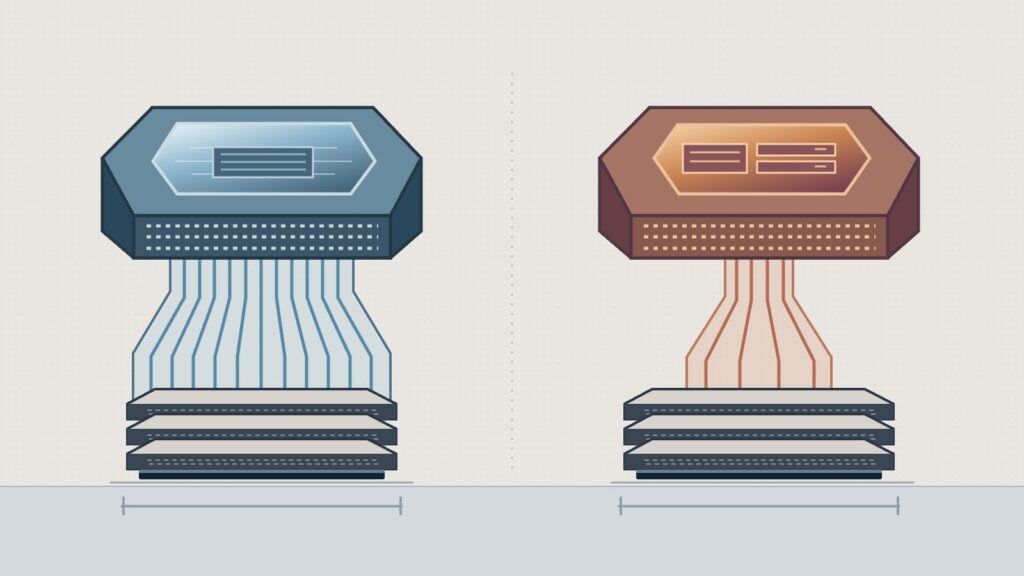
Apple’s M5 Max and AMD’s Ryzen AI Max+ 395 both support up to 128 GB of shared memory. The biggest difference on the spec sheet is how fast each chip can move data through that memory. The 40-core GPU M5 Max in the Mac Studio is rated at 614 GB/s. The Ryzen’s 256-bit LPDDR5X-8000 interface works out to 256 GB/s at its rated speed. That gives Apple about 2.4 times the theoretical bandwidth. What you can run depends on the memory you buy and the software that can use it. Apple Mac Studio specifications, AMD Ryzen AI Max+ 395 specifications
CPU, GPU and memory specs
| Spec | Apple M5 Max in Mac Studio | AMD Ryzen AI Max+ 395 |
|---|---|---|
| CPU | 18 cores, 6 super and 12 performance | 16 Zen 5 cores, 32 threads |
| Integrated GPU | Apple GPU with 32 or 40 cores | Radeon 8060S (RDNA 3.5) with 40 graphics cores |
| Shared memory | 36 GB on the 32-core GPU model. The 40-core GPU model offers 48, 64 or 128 GB. | Up to 128 GB of LPDDR5X. Installed memory depends on the system. |
| Memory bandwidth | 460 GB/s with 32 GPU cores, 614 GB/s with 40 | 256 GB/s theoretical at 8,000 MT/s over 256 bits |
| AI accelerator | 16-core Neural Engine | Ryzen AI NPU rated at up to 50 TOPS |
| Operating systems | macOS | Windows 11 and supported Linux distributions |
Apple’s 40 GPU cores and AMD’s 40 graphics cores use different architectures. Core count alone gives you no way to rank them. The Neural Engine and NPU are also separate from the GPU. For local language models running through a GPU backend, check the GPU path your app supports before comparing NPU specs. Apple Mac Studio specifications, AMD Ryzen AI Max+ 395 specifications, llama.cpp GPU backends
How much memory do you need?
The CPU and integrated GPU share the memory in both systems. The operating system and other apps use some of it. Your model needs room for its weights, the runtime and the cache it builds as it reads your prompt and generates a reply. That cache grows with the amount of text the model keeps in context. A file that fits for a short chat can run out of room with a long document or several requests in flight.
Take an 80 GB quantized model file. The file alone exceeds the installed memory in a 64 GB system. A 128 GB configuration gives you room to try it, provided the GPU can use enough of that pool for the model and the context you need. Check the allocation limit for the exact system, operating system and runtime before buying close to the limit. Apple ties the 128 GB option to its 40-core GPU. On AMD, verify that the computer you’re considering actually comes with 128 GB. Apple memory configurations, AMD memory specifications, llama.cpp server and cache options
What the bandwidth difference means
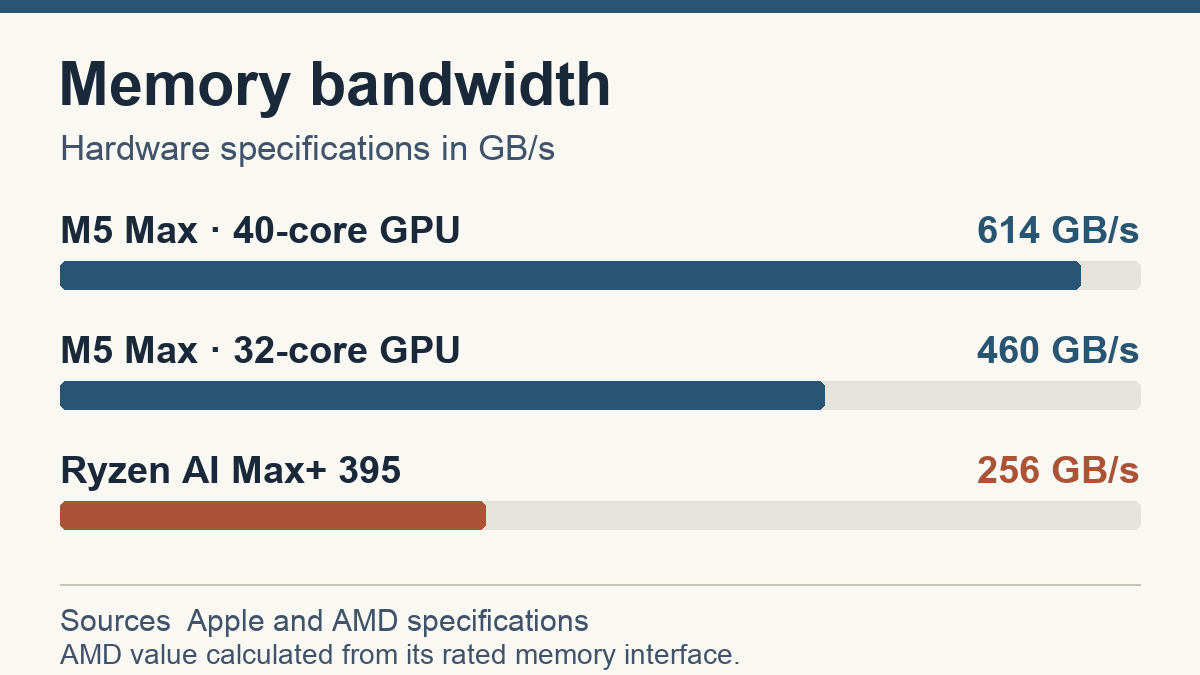
Bandwidth matters most when the GPU spends much of its time reading model weights to generate each token. The 614 GB/s M5 Max has more room on paper for that part of the job. A long prompt, larger batches or a different model format can shift the bottleneck. The chart compares hardware specs. Measuring how fast either chip answers requires running the same workload and recording the software and settings used. Apple bandwidth specifications, AMD memory interface specifications
Check the software before you choose
On the Mac, look for MLX support or a runner that uses Metal for your model. On Ryzen, check Vulkan or ROCm support for the operating system, driver and app version you plan to use. If you already have a GGUF file, llama.cpp gives you a starting point on both platforms. Verify the model format as well as the GPU backend before buying. Apple MLX, llama.cpp GPU backends, AMD ROCm compatibility
If the file and context fit on both systems, use software compatibility to narrow the choice. For speed, look for a benchmark with your model and context length. Compare how long it takes to process the prompt and generate a usable answer, especially if you work with long documents.
Sources
- Apple’s M5 Max Mac Studio technical specifications
- AMD’s Ryzen AI Max+ 395 technical specifications
- Apple MLX, llama.cpp and AMD ROCm compatibility
Trending on Kingy
Keep reading with the stories getting the most attention now.