A temporary chat stays out of your visible history, and each company can still retain a copy. OpenAI says up to 30 days for ChatGPT Temporary Chat, Anthropic lists 30 days as the default for Claude Incognito, and Google says about two months for Gemini Temporary Chats and chats made with History off. OpenAI Temporary Chat · Anthropic Incognito · Google Privacy Hub
You can keep your chat history and turn off routine model training on all three. To keep a single conversation out of your history, use the temporary or incognito mode. To remove something you shared in a regular chat, check what else the app saved from it.
Scope: signed-in personal accounts. Kingy checked provider documentation on Nov 21, 2026. Retention, exports and administrator access can differ in work and school accounts.
Privacy controls side by side
| What you want to do | ChatGPT | Claude | Gemini |
|---|---|---|---|
| Keep history and opt out of routine model training | Turn off Improve the model for everyone in Settings → Data controls. | Turn off Help improve our AI models in Settings → Privacy. | In Settings → History, turn off Chat content and leave History on. |
| Understand the opt-out exceptions | Feedback can make the full conversation eligible for training. Certain Trusted Access sessions follow separate rules. | Feedback or chats flagged for safety review can still be used for model improvement. | Feedback can make the related chat eligible for training. Google can still use chats for safety review and other service improvements. |
| Keep a new chat out of your history | Use Temporary Chat. Choose Unpersonalized, if offered, to skip existing memories, custom instructions and plugins. Saving it converts it to a regular chat. | Use Incognito from the ghost icon on a new chat outside a project. It skips chat history and Claude’s memory. | Choose Temporary chat next to New chat. It stays out of your visible history and Google excludes it from training. |
| Check how long temporary data can stay | Up to 30 days for safety while the chat remains temporary. | 30 days by default. Enterprise settings can extend it, and Team and Enterprise exports available to owners can include Incognito chats. | About two months for Temporary Chats or chats made with History off. |
| Delete a regular chat | It disappears immediately. OpenAI usually schedules permanent deletion within 30 days, subject to exceptions. Archiving keeps the chat in your account. | It disappears immediately. Anthropic normally deletes it from backend systems within 30 days, subject to exceptions. | Delete it in History. If you leave History on, auto-delete defaults to 18 months. Google can retain reviewed chats for up to three years. |
| Remove data stored separately | Check Memory and saved files in Library or Space. Revoking a shared link leaves copies other people already saved. | Check Your memory for individual entries that may survive chat deletion and remove them separately. | Remove public links in Your Public Links. Use Task settings to clear remote browser or computer data. |
| Export your data | Settings → Data controls → Export data, or use the Privacy Portal. | Settings → Privacy → Export data on web or desktop. The export excludes original uploaded files. | In Google Takeout, select My Activity → Gemini Apps for chats and uploads, and Gemini for Gems. |
The settings and retention figures come from provider documentation. OpenAI Data Controls · Anthropic training settings · Anthropic retention · Google History settings
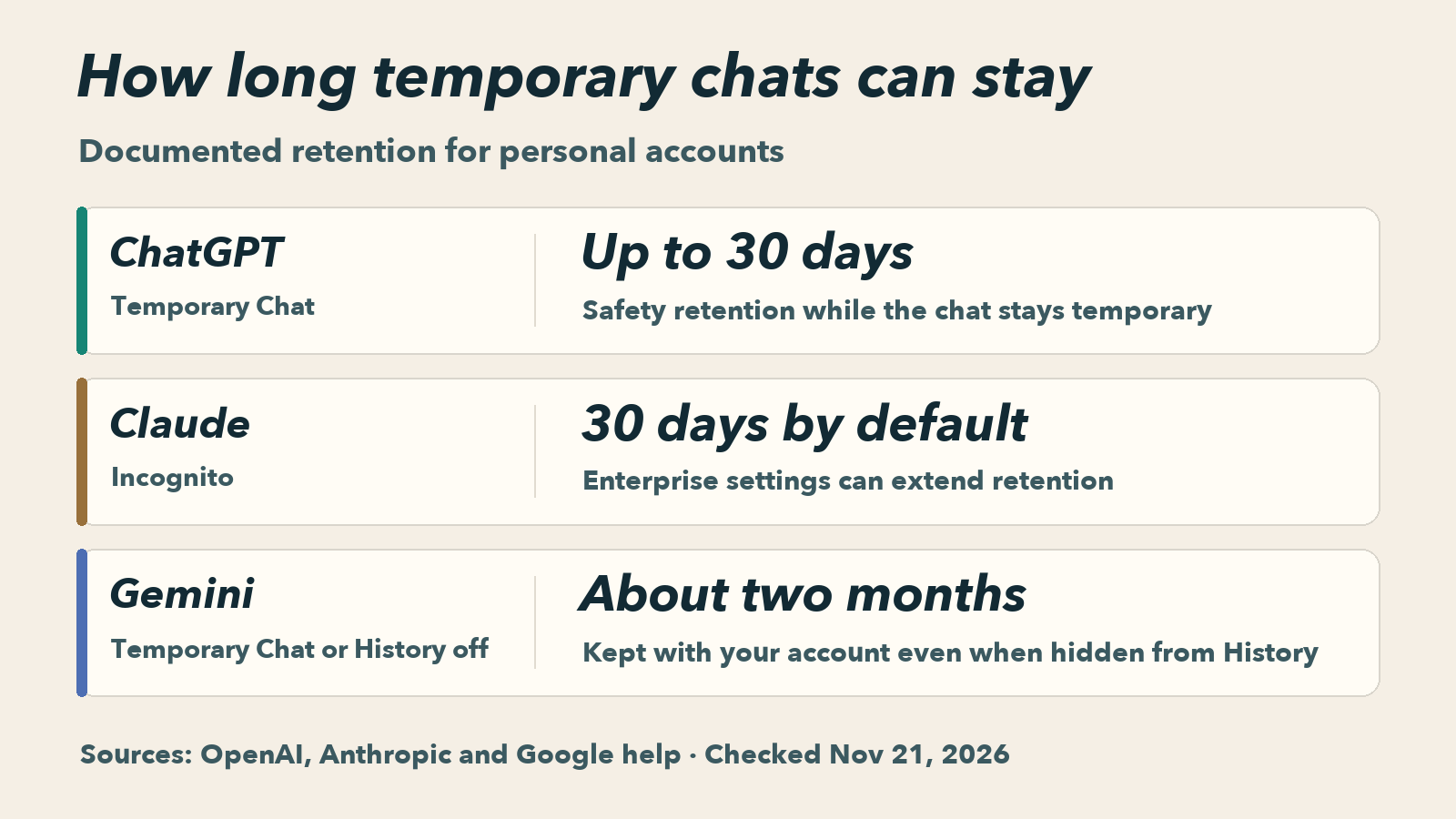
Documented retention for temporary chats and Gemini chats with History off. OpenAI · Anthropic · Google
If you use an assistant every day
Use the training switch if you want to keep your conversations for later. Then review personalization separately. For example, turning off Memory in ChatGPT leaves your old chats in history. In Claude, switching off memory for one conversation keeps that chat in history. Gemini’s Chat content switch controls training, while its Memory summary controls details used for personalization. ChatGPT Memory · Claude memory controls · Gemini Privacy Hub
If you want to remove something you already shared
Start with the original conversation. If you put a street address in a chat and the assistant saved it as a memory, clear the memory too. Then check any separate upload or shared link. With ChatGPT, a file saved independently in Library or Space needs its own deletion. With Gemini, delete a public link separately and clear remote task data in Task settings if you used Tasks. ChatGPT retention · ChatGPT sharing · Claude memory controls · Gemini Privacy Hub
For the full settings walkthroughs, see Kingy’s How to Use ChatGPT, How to Use Claude, and How to Use Gemini guides.
Sources
- OpenAI’s privacy center, training and feedback rules and export instructions.
- Anthropic’s Privacy Policy, consumer training FAQ and export instructions.
- Google’s Gemini Apps Privacy Hub and Gemini export instructions.