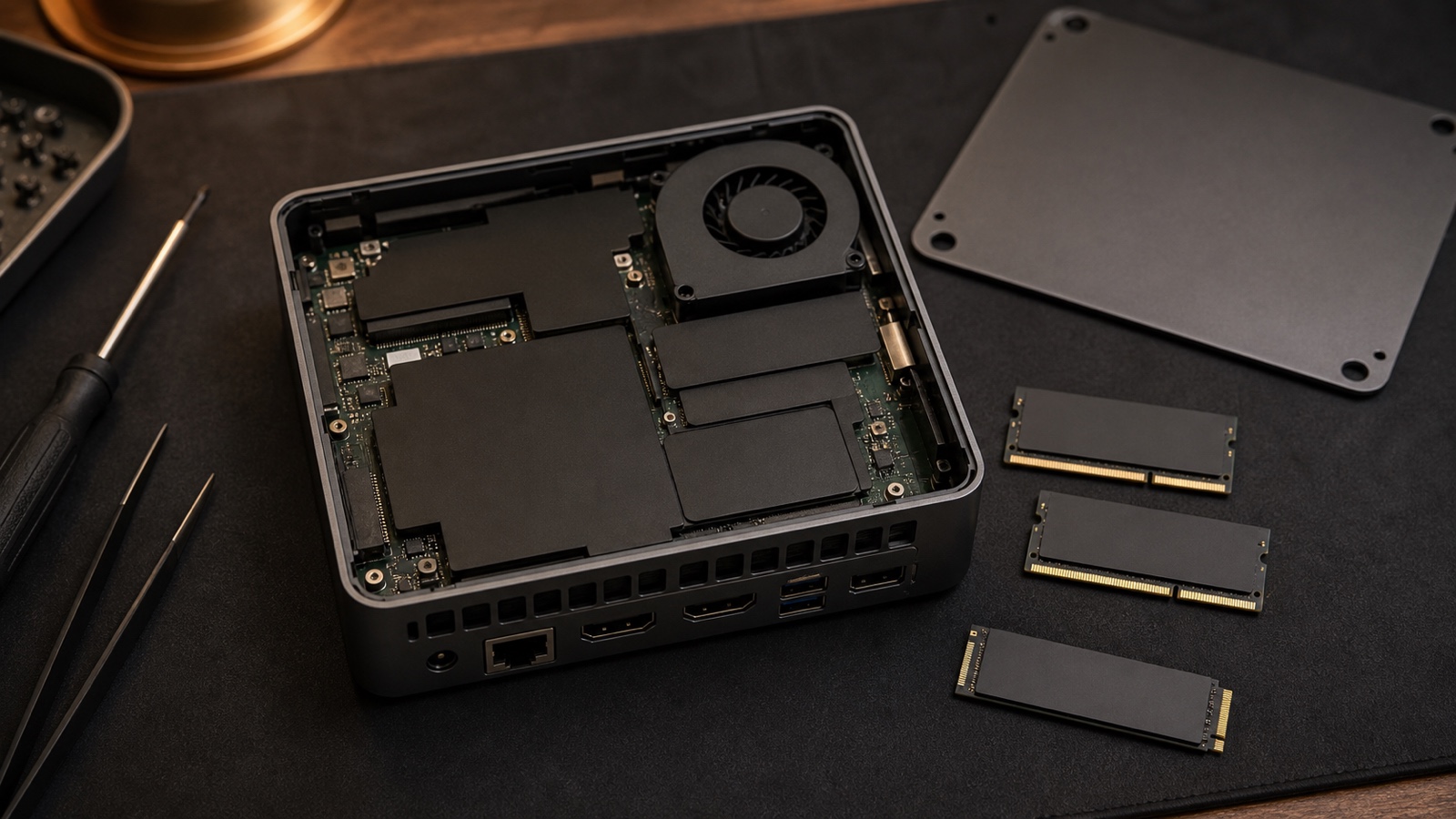
Compact stationary AI hardware
Choose an AI mini PC by its exact accelerator path, memory architecture, cooling, ports, storage, service access, and continuous-workload behavior—not by chassis size or an AI badge.
The short answer
A mini PC can suit a desk, lab, kiosk, or light local service when its exact runtime and accelerator are compatible, the workload fits in available memory, and the small cooling system sustains the required session. Compactness does not establish GPU class, NPU usability, upgrade access, port bandwidth, or remote-manageability.
Do not buy the enclosure category. Record the processor, integrated or discrete accelerator, NPU, installed and maximum memory, storage interfaces, network controllers, ports, power adapter, cooling mode, operating system, runtime, driver, and service design.
Check the memory budget before shortlisting hardware. Use Kingy’s AI Model-Fit Calculator to estimate whether an exact model-file and runtime range is likely to fit. The result estimates memory only; it does not prove speed, quality, compatibility, or thermals.
Map the accelerator and fallback path
Integrated GPU
Confirm the backend, driver, shared-memory behavior, operator coverage, model placement, and capacity remaining after the operating system and services.
Built-in NPU
Confirm the execution provider, model format, supported operators, driver and runtime versions, and device logs. A TOPS figure does not prove that an LLM or creator pipeline uses it.
Discrete or add-in accelerator
Confirm that the exact chassis includes the device, its dedicated memory, power and cooling provision, physical connection, supported driver, and runtime backend.
CPU and hybrid inference
Confirm instruction support, thread behavior, quantization, GPU-offload controls, RAM use, and whether partial acceleration still meets the service target.
A compact chassis does not shrink the memory budget
Count model weights, runtime overhead, activations or workspace, context and KV cache, temporary buffers, operating-system services, and concurrent requests. Integrated graphics and NPUs may share system memory under platform-specific rules. A mini PC with a discrete GPU keeps system RAM and dedicated VRAM as separate pools.
GPU offloading can place part of a model on an accelerator while leaving other layers or allocations in RAM. That can make a workload launch without making it fast enough. Measure the intended context, concurrency, and session rather than inferring capability from installed RAM alone.
Mini-PC candidate worksheet
| Decision area | Evidence to collect | Acceptance test |
|---|---|---|
| Runtime and device | OS, firmware, driver, runtime, backend or execution provider, model artifact, operator coverage, and fallback behavior. | Prove the intended device is selected and repeat the exact workload after restart. |
| Memory architecture | Installed and maximum RAM, channel population, soldered memory, shared-memory policy, dedicated VRAM if present, and normal service overhead. | Record peak RAM and accelerator memory at target context, input size, and concurrency. |
| Sustained cooling | Power mode, fan path, intake and exhaust clearance, ambient range, and service access. | Run the complete continuous session; record clocks, latency, throughput, temperature, throttling, noise, and errors. |
| Ports and network | Exact USB or Thunderbolt generation, display outputs, Ethernet speed, Wi-Fi, storage interfaces, and any shared bandwidth. | Exercise the actual network, drives, displays, camera or capture device together. |
| Storage and recovery | Drive interfaces and bays, boot options, encryption support, spare capacity, logs, backup, remote console, and restart behavior. | Perform a recovery drill and confirm the system returns to service after power loss or an interrupted update. |
| Serviceability | Memory, storage, fan and power-adapter access, warranty, parts, documentation, and chassis-opening terms. | Verify the service manual and the exact components that can be replaced without replacing the system. |
External graphics is not an internal-GPU substitute
An oval USB-C port does not by itself prove Thunderbolt, PCIe tunneling, or external-GPU support. Intel’s Thunderbolt documentation distinguishes generations and minimum PCIe bandwidth and requires a compatible host, cable, enclosure, and device. Verify the exact port, operating system, enclosure firmware, GPU driver, power supply, display path, hot-plug behavior, and runtime device selection.
Include enclosure cost, desk space, fan noise, a second power supply, cable dependency, and the external interconnect in the ownership plan. If the workload requires a large discrete GPU continuously, a desktop may be the simpler architecture.
When a mini PC can fit
The small footprint has operational value
The system must live behind a display, in a constrained office, on a bench, or at an edge location where a tower is impractical.
The integrated path is genuinely supported
The exact runtime uses the installed GPU or NPU, the whole memory budget fits, and the workload passes without silent CPU fallback.
Continuous behavior is proven
Cooling, power, noise, network, storage, restart, and remote administration pass the full representative service window.
Useful comparisons
Compare compact stationary operation with a mobile system in AI Laptop vs AI Mini PC for Local AI, and use the AI Mini PC Local LLM Guide to validate a specific model and runtime.