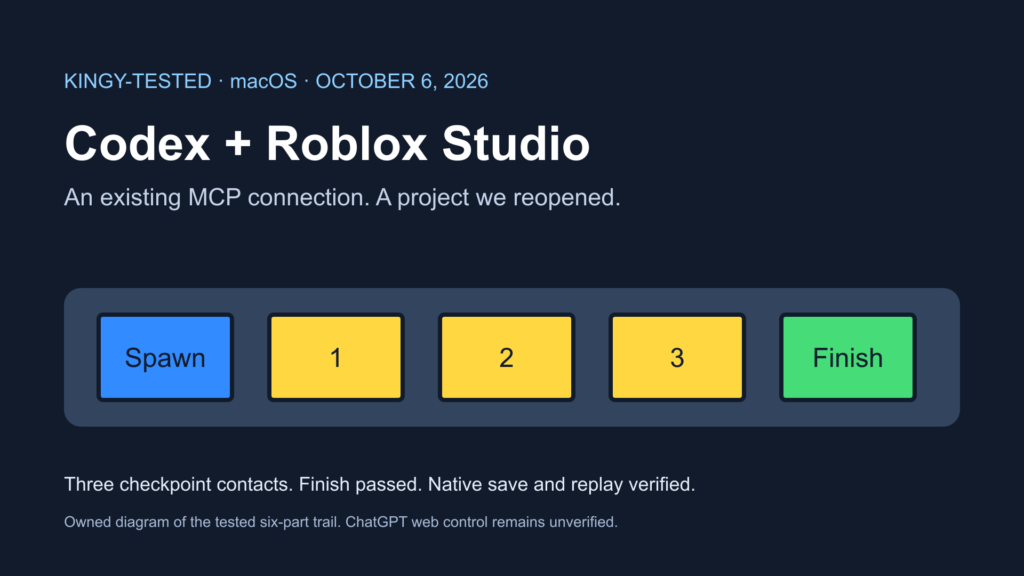
On macOS 26.3, checked October 6, 2026, the existing local Codex connection worked: it built a six-part checkpoint trail, reached the finish through character navigation and passed the same route after a native-file reopen. ChatGPT web was signed in, but no Roblox connection appeared in its installed plugins; direct Studio control from that browser session remains Not yet verified.
Last checked: October 6, 2026, for the local Codex connection and this checkpoint trail.
Last changed: October 6, 2026.
| Route | Evidence | Result in this run |
|---|---|---|
| Local Codex tools in the desktop app | Kingy-tested | Build, Play, three checkpoint contacts, finish, native save/reopen and replay passed |
| Codex CLI configuration and sign-in | Kingy-tested | CLI 0.160.0; existing ChatGPT login; bundled StudioMCP entry enabled |
| A separate CLI model-driven build | Not yet verified | This project's tool calls ran in the desktop chat |
| ChatGPT web | Kingy-tested observation / Not yet verified control | Existing sign-in and installed plugin list inspected; no Roblox connection was listed; no Studio tool execution attempted |
| Windows, physical mobile and multiplayer | Not yet verified | Not run |
What we used
MacBook Pro Mac16,7, Apple M4 Pro, 24 GB RAM; macOS 26.3, build 25D125. Studio reported runtime 0.741.19.7411056. Its bundled StudioMCP executable was already present; an independent MCP version was not established. The desktop client reported version 26.930.51102, build 13100, bundle com.openai.codex. Codex CLI reported 0.160.0. The guide was produced in a gpt-6.1-sol session; a separate UI confirmation of the automated run's effort setting was not retained.
This checks an existing installation. We installed nothing, created no account and initiated no new sign-in. Claude, Gemini and other assistants did not build this project. The earlier Claude-to-Studio test used a different project, so these timings do not support a winner.
The local connection
Official source: Roblox supplies a local stdio server inside Studio. Its documentation lists Codex CLI among quick-connect clients and explains the Assistant MCP settings. Roblox Studio MCP documentation.
Official source: OpenAI documents shared MCP configuration for its local desktop, CLI and IDE clients. ChatGPT web uses a separate plugin workflow. OpenAI MCP documentation.
- Open Studio using an existing Roblox sign-in and create a new local place. We used the New Experience control; the resulting Place1 had PlaceId 0.
- In Studio, inspect Assistant → … → Manage MCP Servers. Roblox documents the Enable Studio as MCP server switch and connected-client indicator. Our server was already enabled; we did not toggle it or add access.
- Inspect the existing Codex configuration. Our macOS entry was:
[mcp_servers.Roblox_Studio]
args = []
command = "/Applications/RobloxStudio.app/Contents/MacOS/StudioMCP"
- In a terminal, run
codex --version,codex login statusandcodex mcp list. Our outputs werecodex-cli 0.160.0,Logged in using ChatGPT, and an enabled Roblox_Studio entry. The list's Auth value wasUnsupported; that value did not prevent the successful local connection. We ran no login command. - Ask the local client to call
list_roblox_studios, choose the new place, then callget_studio_state. Before writing, readversion(), PlaceId and the proposed folder/script names. We confirmed Edit mode, PlaceId 0 and that both names were absent.
A configured entry alone is insufficient. Our first list call returned {"studios":[]} while Studio was closed. Opening the existing app and a new local place made it appear without changing configuration. If an unrelated game is listed, preserve it and create a separate test place.
If your installation lacks the entry, treat adding it as a separate setup action and follow the official client instructions. This run did not test adding a new server or restarting Codex. The Studio executable path above is the macOS path; we did not test Windows setup.
Build and run the downloadable project
Download the tested checkpoint trail and source files (ZIP). The bundle contains kingy-codex-trail.rbxl, build-trail.luau, KingyCodexTrailServer.server.luau, codex-trail-rules.md and README.md.
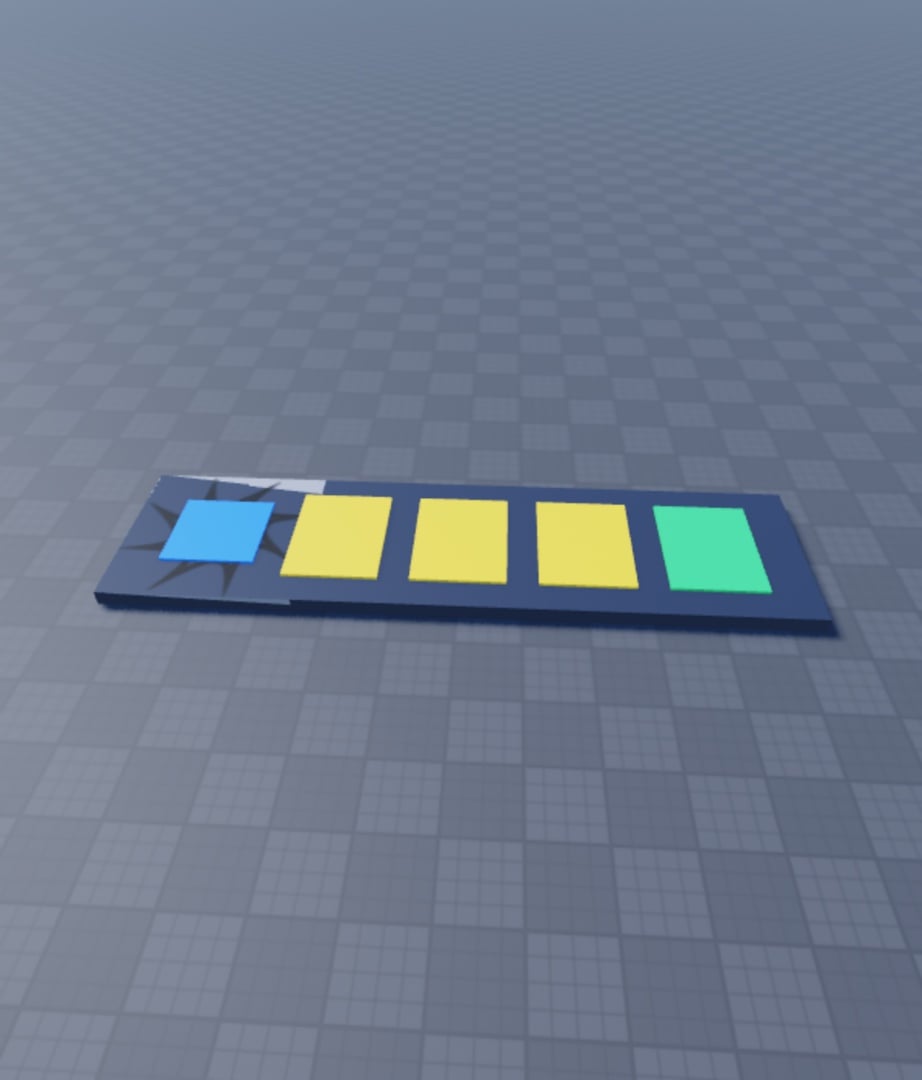
Use the native project for the tested result, or run the build source through execute_luau in Edit on a fresh Baseplate place. It refuses to overwrite its folder or script. It disables only that new template's original spawn, adds a blue spawn, three yellow checkpoint pads, a green finish and a runway, and creates the server-side touch handler. The generated objects stay under Workspace.KingyCodexTrail; the script is KingyCodexTrailServer.
Before Play, inspect the six anchored parts and the source. Start Play, then use character_navigation with the Client datamodel to reach X=8, 16, 24 and 32, using Y=1.2 and Z=0. Read the player's checkpoint attribute and GUI after each checkpoint.
| Contact | Actual GUI text | Recorded progress |
|---|---|---|
| First yellow pad | Checkpoint 1 / 3 | 1 |
| Second yellow pad | Checkpoint 2 / 3 | 2 |
| Third yellow pad | Checkpoint 3 / 3 | 3 |
| Green finish | Trail complete! 3 / 3 checkpoints. | 3; complete=true |
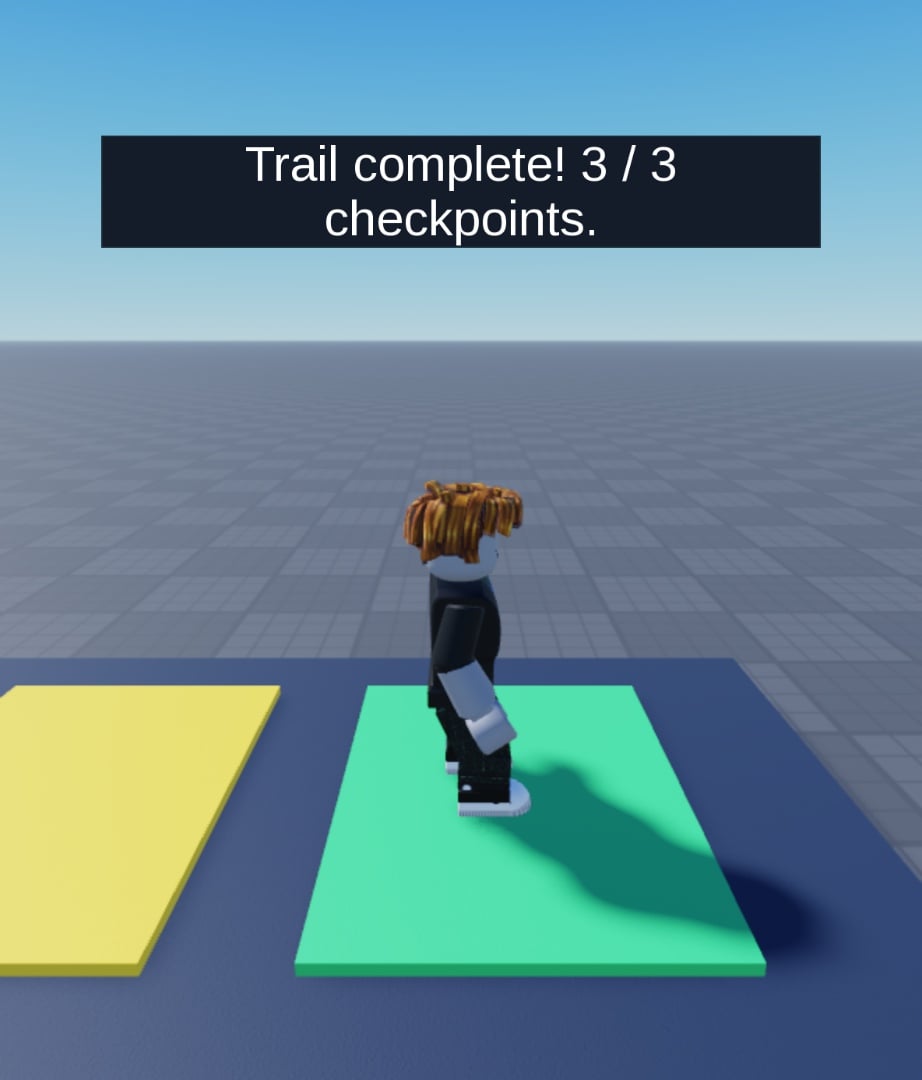
The character moved along the runway through the navigation tool. The server's Touched callbacks produced the progress and completion messages; we did not set the result attributes manually. Keyboard comfort, out-of-order contact, respawn, multiplayer and physical-device behavior were not tested.
Stop Play and use File → Save to File As to save a local .rbxl. Close Place, reopen that exact file using Open from File, list Studio instances again and select the reopened ID. Our reopened file retained all six parts and exactly the server source. A second route reached the same completion result. The test ended in Edit mode.
The failure we reproduced
Kingy-tested: While Play was running, a read-only execute_luau call targeted Edit and returned exactly:
Edit datamodel is not available in Play mode
We stopped Play, confirmed that Edit was available, then repeated return version() in Edit. It returned 0.741.19.7411056. During Play, use Client or Server as reported by get_studio_state. Do not keep sending Edit calls to a Play session.
The CLI also emitted could not create PATH aliases: Operation not permitted (os error 1) in this restricted environment. The version, existing-login status and MCP list still completed. We did not change PATH or filesystem permissions to suppress it.
ChatGPT web needs a separate check
We inspected the already signed-in ChatGPT browser session and its installed plugins on October 6. No Roblox connection was listed. We added no plugin, tunnel or endpoint and sent no model request there. Local Codex configuration is not evidence that a browser chat can control Studio.
Not yet verified: Direct Studio control from that web session. This is a statement about the inspected session, not a claim that every ChatGPT workflow is incapable of connecting. Use the tested local Codex route for this project.
Time, cost and limits
The first Play-to-completion interval was 41.4 seconds, including inspection and tool-call intervals. The reopened run took 5.3 seconds from the return of Start Play through the final completion readback. These are retained wall-clock intervals, not model-speed comparisons or a timer for the entire setup and build.
New purchases, installations, paid API calls and paid-credit consumption: zero. Existing subscription costs were not allocated to individual requests, so this is not a claim that the assistant service is free.
No server generation, marketplace asset, Roblox upload, cloud save or Roblox publication was used. All project changes were in the new local place. There is no second video for this guide.
For another tested local creation workflow, see Blender with OpenAI Astra.