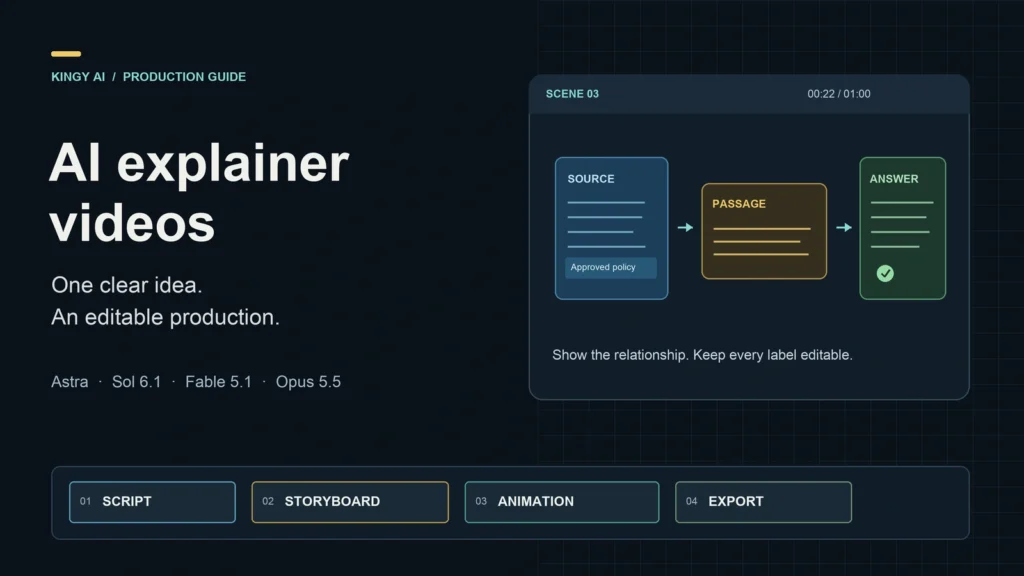
Turn one useful idea into a video people can understand. Choose a model, build an editable production, and check the result before you publish.
Researched and revised October 2, 2026 · Prices in USD · Covers GPT-6 Astra, GPT-6.1 Sol, Claude Fable 5.1 and Claude Opus 5.5
Start with a question your viewer needs answered. “How does this work?” “What changed?” “How do I complete this task?” A good explainer gives that question a visible answer: a process unfolds, a comparison becomes clear, or a demonstration shows the next step.
Astra, Sol 6.1, Fable and Opus can help research the subject, write narration, plan scenes and build animation code. With an agent, renderer and the right assets, they can also help produce and revise the video. The quality depends on what you ask them to explain and whether the finished visuals support it.
What these models can do for a video
Think of the production as four jobs. The language model develops the explanation and writes instructions or code. The agent gives it access to files and tools. Media tools supply narration, images or footage. The renderer turns the timeline into a video file.
All four models accept text and images and return text in their base APIs. They do not directly return an MP4 through those base modalities. A connected application may create media using other tools. The official Astra, Sol 6.1, Fable 5.1 and Opus 5.5 pages document that distinction.
Verified sources become a clear script.
The script becomes timed visual scenes.
Scenes become animation and narration.
The rendered video is reviewed and corrected.
| Model | API identifier | Context window | Maximum output |
|---|---|---|---|
| GPT-6 Astra | gpt-6-astra |
1,050,000 tokens | 128,000 tokens |
| GPT-6.1 Sol | gpt-6.1-sol |
1,050,000 tokens | 128,000 tokens |
| Claude Fable 5.1 | claude-fable-5-1 |
1 million tokens | 128,000 tokens |
| Claude Opus 5.5 | claude-opus-5-5 |
1 million tokens | 128,000 tokens |
These are capacity limits, not recommended project sizes. Opus also documents a separate 300K-output Batch API beta; the table shows the ordinary output limit. Send the material a stage needs rather than your entire archive.
Choose a model around the hardest part
Use a model you can access in an environment that can do the work. A more capable model in a chat-only interface may give you a plan; a coding agent with a renderer can turn the same brief into files and a preview.
Sol 6.1 for building and frequent revisions
Sol is our starting choice for a clearly defined subject, reusable graphics and repeated edits. Ask it to keep narration, timings, labels and chart values in editable data. That makes requests such as “replace the price in scene four” easier to implement and inspect.
OpenAI’s Sol documentation positions it for complex coding and professional work at a lower cost than Astra. For API tool calling, use the Responses API. Supported API reasoning efforts are low, medium, high, xhigh and max; medium is the default.
Opus 5.5 for a complete production project
Try Opus for a project that combines writing, actual product captures and an implementation you expect to maintain. For an onboarding explainer, supply the approved feature list and real screenshots, then ask which scenes require a demonstration and which can use a diagram.
Anthropic documents Opus 5.5 for long-running agentic coding and knowledge work. It was released September 22, 2026, and its default effort is medium. Our suggested production role is an editorial judgment, not a measured advantage over Sol.
Astra for difficult mechanisms and implementation problems
A heat-pump explainer needs to distinguish the refrigerant loop from indoor and outdoor air and show where heat enters and leaves. Icons floating across the screen will not establish those relationships.
Give Astra a verified source diagram and ask it to identify what each scene must prove, where an analogy breaks, and which simplifications would change the meaning. Then request a prototype of the hardest scene. OpenAI positions Astra for demanding reasoning, coding, research and computer use.
Fable 5.1 for demanding research and synthesis
Try Fable when the explanation depends on several technical sources or a simulation that must agree with the narration. Ask for a claim ledger before a script: the claim, its evidence and any unresolved disagreement.
Anthropic’s Fable 5.1 documentation describes demanding reasoning and long-horizon agentic work. It was released September 1, 2026. Its premium token price makes a bounded research or review assignment a sensible way to try it. Routine layout changes can return to your production model.
Compare the repair work, too
Give the candidates the same small brief: one confusing mechanism, one crowded frame and one revision request. Compare factual accuracy, visual clarity, runnable output, time to an acceptable preview and total cost. Include every repair attempt.
A prompt saying “use Astra for research and Opus for writing” does not switch providers. Your application must route the calls and transfer the approved artifacts, or you must select each model yourself.
Choose how you will build the video
Choose the production route before asking for a finished project. It determines the files, instructions and tools the model needs to provide.
Route A: assemble it in a visual editor
Use this route if you want direct control over the timeline without maintaining animation code. Have Sol or Opus produce the script, storyboard, asset list and narration directions. Assemble the scenes in an editor you already know.
- Capture product behavior or gather verified diagrams and photographs.
- Arrange six to eight scenes around a scratch voice track.
- Add editable labels, highlights and captions inside the editor.
- Review the sequence, make specific corrections and export.
Without authorized access to your editor, the model’s deliverable is an assembly plan. Ask it to identify the files it created and the steps you still need to perform.
Route B: let a coding agent build editable motion graphics
This works well for process diagrams, comparisons, pricing cards and recurring updates. The agent builds reusable scene components; structured data supplies the text, timings and values.
Remotion’s official setup guide provides this command-line starting pattern. You need Node.js and a working execution environment.
Create and preview a blank project
npx create-video@latest --yes --blank --no-tailwind ai-explainer
cd ai-explainer
npm i
npx remotion skills add
npm run dev
Give the agent your approved storyboard. Ask it to register a composition named Explainer and build a title card, document card, arrow, callout and recap scene. Keep content in a scene-data file and animation tied to the render’s frame number.
Prove a ten-second segment first. Check the text, narration, media paths and export. Once the full composition exists, Remotion’s rendering workflow supports a command such as:
Render your registered composition
npx remotion render Explainer out/explainer.mp4The setup commands create a starting project; they do not implement the explainer. The render command requires the matching composition and its assets. Check Remotion’s license for your organization before production use.
Route C: use precise diagrams, simulations or 3D
Choose a tool such as Manim for mathematical animation, or a 3D renderer for a mechanism whose spatial relationships matter. Give the model real equations, units, part names, scale and permitted motion.
Request one clear camera angle or one correct plotted example before adding effects. Label simulations as simulations, preserve calculated values, and check that the narration matches the behavior shown. API model access and the machine that renders the scene are separate.
The eight-step production workflow
1. Define one learning outcome
Complete this sentence: “After watching, the viewer will be able to…” Make the result observable. “Understand AI” is too broad. “Explain why a retrieval system looks up documents before answering” gives you something to test.
Record the audience, duration, destination, required claims, available assets, budget and next action. A short video can introduce one mental model or complete one task. Broader subjects need separate lessons.
2. Gather sources and record the claims
Supply official documentation, actual screenshots, verified figures and relevant diagrams. Date information that changes, including prices, plan limits and model versions.
A small claim ledger is enough: claim ID, wording, source, location, date checked and uncertainty. Map the script to those IDs. For a tutorial, record the account state and product version being demonstrated; remove features you cannot verify.
3. Work out the explanation, then write narration
Describe what enters the system, what changes and what comes out. Identify the misunderstanding the video must prevent. Choose an analogy only if it makes those relationships clearer, and explain where it stops working.
For initial planning, try 120–150 spoken words per minute. Dense concepts and demonstrations may need fewer. Time a scratch read before fixing scene durations; the measured read matters more than the word count.
4. Turn narration into a timed storyboard
Give each scene an ID, start time, duration, narration, on-screen text, motion, source IDs and asset dependencies. Ask what becomes clearer because the viewer sees the scene.
“Show futuristic AI graphics” gives a designer little to work with. “Highlight the relevant paragraph, move it beside the question, then reveal the answer” specifies a visible relationship. List missing assets now, before they delay the render.
5. Establish a small visual system
Use a limited palette, consistent typography and one icon style. Assign colors a meaning and preserve it: blue source documents, gold retrieved passages, green answers.
Design the most crowded frame first. Keep labels, prices, numbers and captions as editable text. Use motion to show sequence or causality; give the viewer one focal point at a time.
6. Make a rough preview
Build an animatic with simple shapes, draft narration and approximate transitions. Watch it for order, clarity and pacing before paying for detailed assets.
Repair a specific learning problem: “The answer’s source is unclear. Add the same source marker to the selected document and answer.” Keep the last working project so a failed revision does not force a rebuild.
7. Finalize narration, captions and sound
Check pronunciation of names, acronyms and numbers. Where practical, create narration in scene-sized segments so one future change does not require a complete retake. Retime the visuals to the final audio.
Keep music below speech, give important diagrams a moment to register, and build captions from the final recording. Check names, punctuation and timing. Deliver a separate caption file even if you also burn captions into a social version.
OpenAI’s speech guide requires clear disclosure that its TTS voice is AI-generated. Follow the terms of your voice provider and obtain permission for any cloned voice.
8. Export and inspect each format
A useful working master is 1920 × 1080 for landscape video. Build a separate 1080 × 1920 composition for vertical distribution and check the destination’s current requirements.
Recompose diagrams and UI steps for the phone screen. Cropping can remove a label or arrow that carries the explanation. Review every export from beginning to end, then deliver the MP4, captions, poster frame and editable source.
A worked 60-second explainer
The subject is retrieval-augmented generation, or RAG: finding relevant source material and supplying it as context for an answer. The viewer has used a chatbot; the learning outcome is to distinguish a lookup at answer time from retraining a model. OpenAI’s retrieval guide provides implementation detail.
This is an original storyboard and draft narration. It is not a rendered video or a four-model test result.
“What is our refund policy?”
The question needs company-specific information.
Find the relevant passage in the approved policy.
Source material is selected at answer time.
Use the question and passage to draft a sourced answer.
Check the source; retrieval can still fail.
Draft narration
You ask an AI assistant, “What is our refund policy?” A general model may not know your company’s current rules. Retrieval-augmented generation gives it a way to look them up.
First, the system searches the documents it has access to. It selects passages relevant to the question, such as your approved refund policy.
Those passages are supplied to the model alongside your question. The model uses that context to draft an answer and, when the application provides them, point to its sources.
This lookup does not retrain the model. It gives the model information for this answer.
But retrieval is not a guarantee of correctness. An old policy, a missing passage or a mistaken interpretation can still produce a bad answer.
The useful workflow is: ask, retrieve, answer—and check the source when it matters.
Record a scratch read before locking the duration. The scene timings below are a starting plan; adjust them to the voice and pauses.
| Time | Visible action | What the viewer learns |
|---|---|---|
| 0–10s | The refund question appears beside an empty answer panel. | A company-specific answer needs company-specific information. |
| 10–22s | Document cards appear. The approved policy and relevant paragraph are highlighted. | Retrieval selects relevant source material. |
| 22–36s | The question and passage enter a model panel. An answer appears with a matching source marker. | The selected passage informs the answer. |
| 36–49s | A “lookup” label appears. An outdated policy demonstrates how a bad source can change the answer. | Lookup differs from retraining and can still fail. |
| 49–60s | Ask → Retrieve → Answer appears, followed by “Check the source.” | The process and one practical review habit. |
For a useful model comparison, give each candidate this exact brief and identical assets. Then request the same revision: replace the outdated-policy scene with a missing-document example while preserving duration and learning outcome. Check whether the edit works, introduces factual errors or breaks the layout.
What an AI explainer actually costs
Budget three things separately: model usage, the tools and assets used to produce the video, and the time spent reviewing it. A cheap script response tells you little about the finished production cost.
Standard API token prices
Rates below are per million tokens, checked October 2, 2026. OpenAI figures use Standard short-context pricing. Sources: OpenAI API pricing and Claude API pricing, with cache rates checked against the model pages.
| Model | Input | Cache read | Cache write | Output |
|---|---|---|---|---|
| GPT-6.1 Sol | $2 | $0.10 | $2.50 | $10 |
| Claude Opus 5.5 | $4 | $0.20 | $5 / 5 min; $8 / 1 hr | $20 |
| GPT-6 Astra | $10 | $1 | $12.50 | $50 |
| Claude Fable 5.1 | $10 | $0.25 | $12.50 / 5 min; $20 / 1 hr | $50 |
On a narrow screen, scroll inside the table to see every column.
For Astra and Sol, prompts above 272,000 input tokens use twice the input and cache rates and 1.5 times the output rate for the full request. Batch and Flex are half Standard; Fast is twice Standard. Claude’s model pages list a 50% Batch discount on input and output. Account, region and tier conditions can change the bill.
Internal reasoning also consumes billed output tokens. Use reported usage, not the visible script length, when calculating cost. See the OpenAI reasoning guide and Claude thinking and cost guide.
Two illustrative model-usage budgets
These are calculations, not measured production results. Both assume uncached input, total billed output including reasoning, and individual requests within the short-context threshold.
| Model | 100K input + 20K output | 1M input + 200K output |
|---|---|---|
| Sol 6.1 | $0.40 | $4.00 |
| Opus 5.5 | $0.80 | $8.00 |
| Astra | $2.00 | $20.00 |
| Fable 5.1 | $2.00 | $20.00 |
Calculation: input tokens ÷ 1,000,000 × input price, plus billed output tokens ÷ 1,000,000 × output price. Add cache writes and reads when used. These examples exclude tool calls, media generation, rendering, storage, taxes and human review.
Long agent sessions repeatedly read files, tool results and conversation history. Preserve a concise brief, send the sources needed for the next stage, and revise a scene instead of regenerating the entire project.
Subscriptions and API billing are separate
OpenAI’s plan documentation lists Plus at $20/month and Pro options at $100, $200 and $500/month. Check included usage and model access in your account; API prices cannot tell you how many videos a subscription includes. Sol 6.1 access includes Work and Codex, with administrator enablement required for Enterprise and Edu.
Claude pricing lists Pro at $20 monthly or $200 annually, and Max from $100/month. Opus is available on paid individual plans. Fable uses usage credits on Pro and an allowance tied to weekly limits on Max. Confirm access and extra-usage settings before a long session.
Allow for the rest of the production
| Component | Published example | What to budget |
|---|---|---|
| Editable motion graphics | Remotion: free for individuals and companies of up to three people, subject to terms. Company creator seats are $25/month; automation is $0.01/render with a $100 monthly minimum. | The appropriate license and separate rendering infrastructure. |
| AI narration | ElevenLabs: Starter $6/month; Creator $22/month before first-month promotions. Starter includes a commercial license. | Retakes, translations, shared credit consumption and the chosen voice’s terms. |
| Generated footage | Runway Standard: $15 monthly or $12/month billed annually; 625 monthly credits. Gen-4.5 uses 60 credits per five seconds. | Attempts as well as usable shots. At that rate, 625 credits cover about 52 generated seconds. |
| Assembly and review | Your editor, hardware and review time. | Include labor even when you already own the software. |
Four five-second Gen-4.5 shots cost 240 credits for one attempt each. Three attempts per shot cost 720 credits, exceeding Standard’s monthly allowance. That is arithmetic using the published rate; it is not an estimate of Runway’s success rate.
Separate monthly commitments from the cost allocated to one finished video. For example, $20 of allocated software, $4 of model calls, $6 of other production charges and two review hours at $40/hour total $110. Those are planning assumptions, not vendor quotes or a promised production time.
Match the visual format to the task
Choose visuals that answer the viewer’s question. Real product behavior needs real captures. A causal process needs a diagram. Generated footage can support atmosphere or an illustrative moment, but exact labels and numbers belong in editable layers.
| Use case | Viewer’s goal | Useful visual format |
|---|---|---|
| SaaS onboarding | Complete one task | Real screen recording, focused callouts and visible success state |
| AI concept education | Understand a mechanism | Progressive diagram and one concrete example |
| Product launch | Understand the benefit and its evidence | Actual product footage with concise explanatory graphics |
| Internal training | Follow a procedure correctly | Step demonstrations and decision points |
| Math or science | See why a result occurs | Equations, plots and a checked simulation |
| Hardware explanation | Understand parts and movement | Labeled diagram or accurate 3D cutaway |
| Weekly model update | Know what changed | Sourced comparison and editable pricing cards |
| Multilingual lesson | Learn the same idea in another language | Adapted narration, retimed scenes and redesigned text |
A marketing explainer needs a problem, mechanism, proof and action. An educational explainer needs a question, mental model, example and recap. A tutorial needs prerequisites, exact steps and a way to recognize success. Decide the job before writing the script.
Copyable prompts for a complete production
Fill in the brackets and provide the assets before you start. Use the master brief for the project, then the scene and review prompts for focused revisions.
The master brief
Copy and adapt · Project brief
Create an explainer using the tools available here.

Topic: [one specific topic]
Audience and prior knowledge: [describe]
Learning outcome: After watching, the viewer can [observable result].
Duration and formats: [duration; 16:9 and/or 9:16]
Verified sources and dates: [links or files]
Approved claims: [list]
Claims to avoid: [list]
Available assets: [screenshots, recordings, logos, diagrams]
Visual style and voice: [describe]
Production route: [visual editor / editable motion graphics / 3D]
Paid-tool budget: [amount; obtain authorization before spending]

Deliver:
1. Claim ledger and unresolved evidence gaps.
2. Narration and timed storyboard.
3. Editable assets or source project.
4. Rough preview using available local/free resources first.
5. Concrete quality findings and corrections.
6. Final export, captions and source files when execution is available.

Keep labels and numbers editable. Distinguish illustrative scenes
from actual demonstrations. Do not invent behavior, statistics
or citations. State which files were created and inspected.
If a tool is unavailable, identify the exact remaining dependency.
Do not describe an unrendered project as a finished video.
A storyboard that shows the explanation
Copy and adapt · Scene planning
Turn the approved script into a production table.
For every scene include:
ID, duration, narration, on-screen text, visible objects,
motion, source claim IDs, asset dependencies and learning purpose.

Make one relationship or step clear in each scene.
Use one focal point at a time.
Use exact diagrams for mechanisms and real captures for UI steps.
Flag sentences that cannot fit the available time.
Replace vague visual directions with specific visible actions.
Do not cover an unclear explanation with generic technology footage.
A brief for optional generated footage
Copy and adapt · One illustrative shot
Prepare a short illustrative shot for [scene ID].
Subject: [specific object]
Action: [one action]
Setting and lighting: [describe]
Camera: [fixed angle or one movement]
Reference asset: [supplied image, if supported]
Constraints: [shape, brand details and continuity to preserve]

Keep the background simple. Leave room for an editable label;
do not generate the label inside the footage.
Use the video model's supported duration and aspect ratio.
Identify what is illustrative rather than factual evidence.
Kingy AI’s AI Video Script Generator and AI Video Prompt Generator can help prepare drafts. They do not render or verify the finished video.
A focused review
Copy and adapt · Review the supplied output
Review the storyboard, final transcript and rendered frames supplied.
Do not assume you can inspect media that was not provided.

Check factual claims against the claim ledger, visual/narration
agreement, causal direction, numbers, units and chart axes.
Check readability, contrast, clipping, caption space and pacing.
Check differences between the script and final narration.

Return concrete issues with scene IDs and proposed fixes.
Separate observed defects from possible concerns.
Revise affected scenes, then render and inspect the changes
when the environment provides those capabilities.
Quality checks that improve the explanation
Technical success and learning success need separate checks. A file can render perfectly while teaching the wrong idea.
| Problem | What to change |
|---|---|
| The polished video teaches little | Give each scene a question to answer. Animate the relationship, mechanism or decision. |
| The script is too dense | Keep one learning outcome and move secondary detail into a separate lesson. |
| Labels change or contain errors | Replace text embedded in generated media with editable text layers. |
| Product behavior looks invented | Use verified recordings and show the actual success state. |
| Narration and animation disagree | Retime visuals against the final audio and transcript. |
| The preview works but export fails | Check the error and asset paths. Repair the smallest failing scene. |
| Retries keep raising the cost | Set a spending limit and preserve the working version. Repair affected assets. |
| The vertical version is unreadable | Redesign the composition with larger labels and fewer simultaneous objects. |
Before release
- Check facts, source dates, causal relationships, units and numbers.
- Confirm that demonstrations and illustrative scenes are distinguishable.
- Watch on a phone. Keep essential labels readable and meaningful without color alone.
- Listen for pronunciation and speech clarity; check captions against final audio.
- Inspect each export from its first frame to its last.
- Confirm the permissions needed for assets, fonts, music, footage and voices.
- Remove private information from captures and save the editable project with its sources.
Show the draft to someone in the intended audience. Ask them to explain the mechanism or complete the task without replaying it. Their answer tells you where the explanation still fails. Fix that before adding more effects.
Make the next video easier to produce
Keep the brief, approved claims, narration, scene data and brand settings separate. Give claims and scenes stable IDs so an update can identify exactly what must change.
Save an asset manifest with paths, sources, usage permissions and the scenes using each asset. Record the model, prompt version, production date and actual cost. For recurring pricing or product explainers, store changeable values in data rather than baking them into pictures.
An automated process can check sources, draft updates, validate data and render a preview. Review the meaning as well as the output: changing a price card is a small edit; changing the underlying explanation may affect every dependent scene.
Set a budget and retry limit, preserve the last successful version, and report a specific blocker when a scene repeatedly fails. A revised article or data file does not update an old MP4; rerender and inspect the affected video.
Frequently asked questions
Can these models create a complete MP4?
They can help an agent build and render one when its environment provides execution tools, assets and a renderer. Their base responses are text or code. Check that an actual video file was produced and reviewed.
Which model should a beginner start with?
Try Sol 6.1 or Opus 5.5 with a short brief and one learning outcome. Choose a visual editor if that is easier to manage. Try Astra or Fable for a specific unresolved problem.
Can I do this without coding?
Yes. Use the model for research organization, script, storyboard and asset directions, then assemble the video in an editor. A coding agent can also write the project, but it still needs a way to run and render it.
Do I need an expensive GPU?
Hosted model access and rendering hardware are separate. Test a small scene in your intended environment and measure the render time before choosing hardware for a larger project.
Should every scene use generated video?
Use generated footage when it serves the lesson. Exact diagrams and labels benefit from controlled graphics; product tutorials need real captures. A combination often makes revisions easier.
Can I create different languages and aspect ratios?
Yes, with a structured project. Adapt the meaning, remeasure narration and redesign layouts for different text lengths and screen shapes. Have a fluent reviewer check important translations.
How do I know the explainer works?
Check facts and output quality, then test the learning outcome with a viewer. For a product tutorial, see whether they can complete the task. Views alone do not establish understanding.
Sources and revision notes
Official provider documentation supports the specifications, access details and prices. Model assignments, production techniques, prompts and example budgets are Kingy AI editorial guidance. The RAG example is an original storyboard, not a rendered demonstration or measured model comparison.
- OpenAI model specifications: GPT-6 Astra and GPT-6.1 Sol.
- OpenAI pricing and access: API rates, Work and Codex plans and Sol 6.1 availability.
- Claude model specifications: Fable 5.1 and Opus 5.5.
- Claude billing: API prices, individual plans and thinking and cost.
- Remotion: project setup, rendering and license and pricing.
- Other production tools: Manim installation, ElevenLabs plans and Runway plans and credit rates.
- OpenAI: reasoning and token billing, speech and disclosure and retrieval.
October 2, 2026: Researched edition revised with a clearer starting workflow, shorter explanations, corrected setup steps, updated specification detail and improved desktop and mobile layout. Prices were checked on this date; account-specific terms and taxes may differ.
The Kingy Brief
Get future Kingy Brief editions.
Source-checked AI changes, original tests and one practical thing to try.
Free · Choose your subjects · Double opt-in · Unsubscribe anytime
Regular sending is paused; no restart date is set.