Published September 29, 2026. Evidence checked September 29, 2026, at 12:30 p.m. PDT (19:30 UTC). Prices are in US dollars before tax. Material revisions will be dated in the update log.
Grok Bot is the cheaper paid entry point and the more explicit system for organizing several persistent AI teammates. OpenAI Dots is a new way to give one personal agent ongoing responsibility across ChatGPT, connected apps and delegated work. The strongest reason to choose either is whether it can finish your recurring work with acceptable review time.
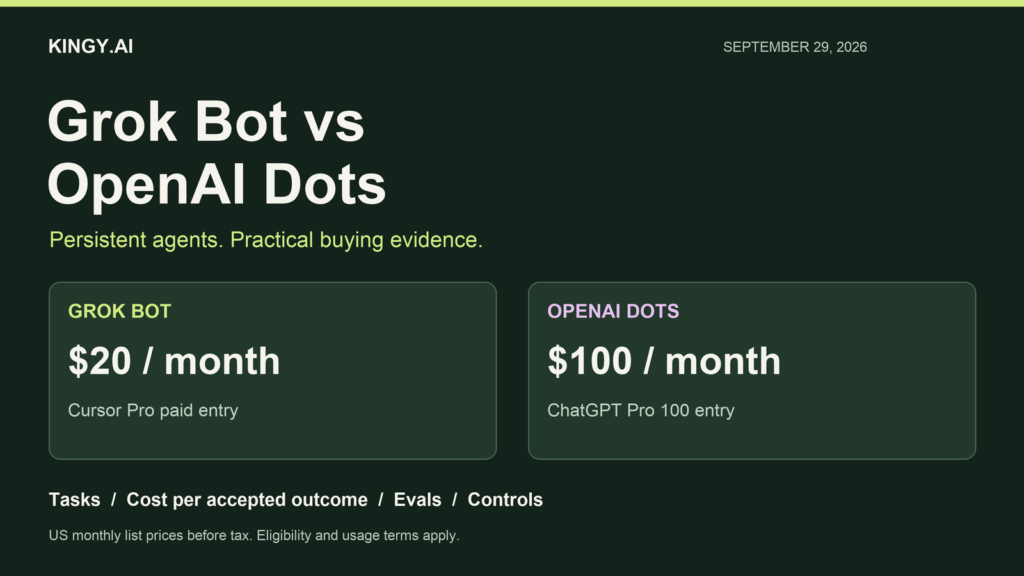
As of September 29, a new individual subscriber can access Grok Bot through Cursor Pro at $20 a month. Dots starts with ChatGPT Pro 100 at $100 a month in eligible regions. Existing eligible subscribers may pay nothing extra to begin using either. Those subscription prices do not establish how many useful tasks each product completes. Cursor pricing; OpenAI Pro pricing.
There is credible benchmark evidence about the underlying models. There is also a published Dots safety evaluation. We have not found an independent, reproducible end-to-end Grok Bot versus Dots trial covering customer bills, completion rates and human intervention. This guide distinguishes those evidence types and supplies a practical evaluation you can run on your own work.
Our initial buying judgment: Start with Grok Bot if you want several named roles, demonstrated browser workflows, or the lowest paid entry price. Start with Dots if you already pay for eligible ChatGPT access and want one agent to coordinate your work. For high-volume automation, compare accepted outcomes and review time before upgrading. Neither product has established a universal price per successful task.
What are Grok Bot and OpenAI Dots?
Grok Bot launched on August 11, 2026, as persistent AI teammates. A Bot can use a browser, files and tools to carry a job through several steps, keep context and return for input. It is a separate product from asking questions in the Grok chatbot. Its cloud computers and commercial access run through Cursor. xAI’s Grok Bot launch.
OpenAI launched Dots on September 29. A dot is an always-on agent powered by GPT-6 Astra, with its own cloud computer and browser. OpenAI starts with a primary personal dot and is previewing specialist dots for enterprise responsibilities. Specialist deployments are focused pilots; a broadly available fleet of independently provisioned enterprise dots has not been established. OpenAI’s Dots launch.
The architecture changes how you delegate. Grok Bot makes roles visible: you might keep a researcher, an operations Bot and an engineering Bot. Dots gives you a central agent that can coordinate background agents and Work or Codex tasks. One primary dot can have several responsibilities. It does not mean every job must run sequentially. Grok Bot overview; Dots tasks and memory.
Capabilities and architecture at a glance
On smaller screens, scroll the table horizontally.
| Capability | Grok Bot | OpenAI Dots |
|---|---|---|
| Persistent identity | Several named Bots with roles and separate learned context. | A primary personal dot with ongoing context; specialist dots are in pilots. |
| Cloud computer | Account’s Bots share files, browser sessions and app logins; each Bot has its own screen. | Dot’s own cloud computer; optional access to a connected personal computer. |
| Parallel work | Bots coordinate, share handoffs and work in parallel. | Primary dot coordinates background agents and delegated tasks. |
| Reusable workflows | Demonstrations can become skills; routines repeat work. | Instructions, recurring tasks, supported plugins and local skills through a connected computer. |
| When your laptop is off | Cloud work continues. | Cloud work continues; work on your personal computer needs that device online with ChatGPT open. |
| Main surfaces | macOS, Windows, Linux; mobile guide lists iPhone, iPad and Android. | ChatGPT desktop/web; mobile app continuation after desktop setup. Mobile web unsupported. |
| Team messaging | Bot/group chat workflows; supported integrations depend on configuration. | Slack; Microsoft Teams is an invite-only alpha in the admin documentation. |
| Work beyond native integrations | Browser/computer use, subject to login and website restrictions. | Cloud browser and tools; optional connected computer for local work. |
Sources: Grok Bot overview, Grok Bot work guide, Grok mobile guide, Dots setup, Dots computers and apps, Dots admin guide.
Grok’s shared computer deserves attention. Separate Bot names do not isolate browser credentials or files. Treat material placed on that account’s computer as available to its Bots. Separate memories help organize work; they do not create separate security compartments. The current Cursor documentation explicitly describes the shared computer, which is more precise than older launch language about each Bot having a computer. Current computer and app model.
For Dots, the local/cloud boundary matters. Your laptop’s browser login does not automatically become a cloud-browser login. You can connect one personal computer at a time, and local access remains separate from app connections. Giving your dot a Slack contact method does not grant it access to an inbox or local filesystem. Computers, apps and sign-in.
Grok Bot can also execute commands and read files on a connected Mac or Windows computer. Its local-execution setting starts at Ask every time and is separate from cloud Auto-review. Compare the permission model you will actually use, not just the availability of a cloud machine. Grok local execution and approvals.
What tasks are worth delegating?
Both products are designed for ongoing work that combines information, tools and a deliverable. Our suggested fits below follow their documented workflow design. They are editorial judgments, not measured wins.
On smaller screens, scroll the table horizontally.
| Task | Useful fit | Acceptance test |
|---|---|---|
| A daily research brief | Either. Dots suits one ongoing editorial responsibility; Grok can assign separate research and checking roles. | Every material claim has a direct source; dates distinguish new events from old coverage. |
| Repeat a browser workflow | Grok’s demonstration-to-skill workflow is a reason to try it first. | Correct fields and records; no duplicate write; recovery after an expired login. |
| Prepare a tested code fix | Either. Dots can delegate to Codex; Grok has a persistent coding environment. | Reproduction fixed, relevant tests pass, scope respected, reviewable diff. |
| Update a spreadsheet or leadership deck | Either; compare actual files and review burden. | Totals reconcile, formulas survive, assumptions are explicit, output opens and renders correctly. |
| Calendar and meeting preparation | Dots is a plausible first trial for an existing ChatGPT user with connected work context. | Correct time zone, participants and constraints; changes follow your authorization. |
| CRM research and outreach drafts | Grok’s distinct roles can separate account research and drafting; Dots can own the whole responsibility. | Correct account/contact; no invented personalization; draft/send boundary respected. |
| Turn interviews into content | Either. Reuse your source transcript and editorial examples. | Quotes and timestamps match; no invented statements; usable outputs in your voice. |
| Monitor changing prices or documents | Either, with an explicit saved schedule and endpoint. | Detect planted changes, date-stamp revisions, avoid noisy no-change alerts, stop on time. |
Vendor examples support these categories, rather than a guaranteed success rate: Grok Bot use cases and OpenAI’s Dots examples.
The best first job is something you can check quickly. A price-change brief with five source links is easier to evaluate than “run my marketing.” A spreadsheet with a known reconciliation total is easier than a broad strategy assignment. Expand responsibility after the agent handles a representative sample, including a deliberately awkward case.
For a workflow that must produce the same structured result every time, a conventional script or API integration may still be cheaper to maintain. Use an agent where interpretation, changing documents or unfamiliar interfaces account for much of the work. Measure whether that flexibility saves more time than it adds in supervision.
Subscriptions, allowances and overages
On smaller screens, scroll the table horizontally.
| Route | Price | Relevant condition |
|---|---|---|
| Grok Bot through Cursor Pro | $20/month | Paid access with weekly included usage. |
| Cursor Pro+ / Ultra | $60 / $200 per month | Higher Grok Bot weekly usage tiers. |
| Cursor Teams Standard / Premium | $40 / $120 per user/month | Both paid seat types include Grok Bot; Premium has higher usage. |
| Grok Bot through linked subscriptions | Underlying SuperGrok or X Premium+ subscription | Eligible individual plans; account linking grants usage. Grants do not stack with Cursor plans. |
| Dots through Pro 100 / 200 / 500 | $100 / $200 / $500 per month | Eligible Pro rollout; higher tiers have higher overall allowances. Pro 500 adds Astra Ultrafast. |
| Dots through Business Premium | $125/seat/month monthly; $100/seat/month billed annually | Premium seat required. A new Business workspace needs at least two paid seats; mixed seat types allowed. |
| Enterprise | Custom contract | Grok Bot requires Enterprise coordination; Dots beta requires admin enablement. |
Sources: Cursor plan prices, Cursor team seats, Grok Bot billing, Pro tiers, Business seats, Business Premium eligibility.
The linked SuperGrok route currently lists $30/month for SuperGrok and $100/month for Plus. Heavy and X Premium+ are also eligible links, but compare their current checkout and allowance with your existing plan before buying. Linking is an access route, not an additive usage purchase. xAI subscription pricing.
A new Business workspace with one Premium seat and one Standard seat costs $150 a month on monthly billing, or $120 a month equivalent on annual billing ($1,440 per year). That is our arithmetic using $125 + $25 or $100 + $20. It prevents the $100 annual Premium seat figure being mistaken for a complete one-person monthly purchase. Business signup and seat minimum.
Pro buyers should also check allowance changes: new non-grandfathered Pro 200 subscriptions have lower included usage. Eligible existing subscribers keep the earlier allowance through October 29, then move to the lower allowance at the same price. Equal monthly prices can therefore conceal different capacity during launch. Current Pro allowance transition.
How Grok Bot charges for work
Grok Bot uses a weekly grant, followed by optional on-demand usage billed through Cursor. No universal task count or fixed dollars-per-task tariff is published. The trial is a work-based credit within a seven-day window. Eligible individual SuperGrok and X Premium+ links grant usage, which does not stack with Cursor access. Grok Bot plans and usage.
A Bot already working can finish past the on-demand monthly limit. That control stops subsequent on-demand work rather than guaranteeing an exact ceiling on a current run’s bill. Teams enables on-demand by default; inspect your settings before assigning large jobs. Spending-limit behavior.
How Dots usage works during launch
The first dot is included in an eligible Pro or Business Premium plan. OpenAI’s launch announcement says dot conversations do not consume ChatGPT limits, deeper work has a plan allowance with expanded first-month limits, and separately delegated Codex or ChatGPT Work tasks use their normal allowances. Launch usage terms.
The Help Center says next-month dots usage will not count toward eligible plan allowances; later terms are unannounced. We interpret this as a temporary dot benefit alongside the explicit delegated-task rule. Neither page establishes permanently unlimited work or free delegated Codex runs. Check account usage when launching those tasks. Current Help Center terms.
Rollout takes several days. Pro excludes the EEA, Switzerland and UK; Business Premium covers supported ChatGPT regions. Enterprise beta requires admin enablement. Plan eligibility alone does not guarantee immediate account access. Eligibility and rollout.
OpenAI’s access guide also specifies Pro eligibility for users over 18. Age eligibility.
What does a task really cost?
There are three useful answers: the marginal cash charge for the next run, the subscription cost allocated to completed work, and the full cost after review and correction. A job using included allowance might add no cash charge today while consuming capacity you need tomorrow.
For a product-level evaluation, use:
Cost per accepted outcome = (allocated subscription + extra usage + third-party fees + review and correction labor) ÷ accepted outcomes.
Include failed attempts and retries in the numerator. Count only work that meets the agreed acceptance criteria in the denominator.
On smaller screens, scroll the table horizontally.
| Monthly allocation | 20 accepted outcomes | 100 accepted outcomes | 500 accepted outcomes |
|---|---|---|---|
| $20 | $1.00 each | $0.20 each | $0.04 each |
| $100 | $5.00 each | $1.00 each | $0.20 each |
| $200 | $10.00 each | $2.00 each | $0.40 each |
These are division examples, not included task quotas, throughput forecasts or observed Grok Bot/Dots bills. Allocating the entire subscription to the agent is conservative if you also use the editor, Codex or ChatGPT for unrelated work. An existing subscriber can separately calculate the incremental cost of the agent.
Review time can outweigh the subscription difference. In a hypothetical month, Product A costs $20 plus $30 overage and produces 80 accepted outcomes from 100 attempts. Eight hours of review at $40/hour gives ($20 + $30 + $320) ÷ 80 = $4.63 per accepted outcome. Product B costs $100, produces 90 accepted outcomes and needs three hours of review: ($100 + $120) ÷ 90 = $2.44. These labels represent invented scenarios, not Grok and Dots results. The example shows why lower entry price alone cannot settle the buying decision.
API token costs are a separate developer reference
For builders reproducing model-level tests, ordinary short-context token rates are Grok 4.7 at $2 input/$6 output per million tokens, and GPT-6 Astra Standard at $10/$50. Cached input is $0.50 and $1 respectively. Those are model API prices, not the way to calculate a Grok Bot or Dots subscription bill. Grok API model/pricing; OpenAI API pricing.
Using uncached input and billable output, one assumed 5,000-input/2,000-output call costs $0.022 for Grok or $0.15 for Astra. An assumed 50,000-input/20,000-output call costs $0.22 or $1.50. These are our arithmetic at equal token counts. An agent may make many calls, reason much longer, reuse caches or pay for tools. Invisible reasoning tokens also affect output billing. Equal final-answer length does not establish equal output-token use. Reasoning-token accounting.
Long context adds another variable. xAI’s current pricing table applies doubled Grok rates when the prompt reaches 200K tokens; Astra applies higher rates above 272K input. Do not extend short-context examples to large requests. API context specifications also do not promise how much uncompressed history the Bot or dot keeps. Grok context pricing; Astra context and limits.
Benchmarks: what the evidence says
Independent underlying-model results
Grok Bot has no customer-facing model picker. Cursor can change its serving mix; analytics identify serving models and failovers, and billing follows the serving model. Grok 4.7 is relevant research context, not a guaranteed backend for every Bot run. Dots is documented as powered by Astra; its production orchestration still differs from a benchmark harness. Grok serving-model controls.
Artificial Analysis compares Grok 4.7 at xhigh with GPT-6 Astra at high in its current v4.3.2 evaluation suite. Those named effort settings are different. The results describe models in the evaluator’s harnesses, rather than native Grok Bot and Dots workflows. Exact model comparison.
On smaller screens, scroll the table horizontally.
| Evaluation | Grok 4.7 xhigh | GPT-6 Astra high |
|---|---|---|
| Intelligence Index v4.3.2 | 46 | 51 |
| AA-Briefcase v1.1, Elo | 1,657 | 1,507 |
| GDPval-AA v2.1, Elo | 1,695 | 1,485 |
| AutomationBench-AA | 66% | 67% |
| Terminal-Bench 4.0 | 26% | 54% |
| Weighted API cost per Index task | $3.74 | $1.73 |
| Weighted output tokens per Index task | 81K | 12K |
Source: Artificial Analysis. Weighted task costs combine benchmark token consumption and model prices. They are neither customer invoices nor costs per accepted Bot/dot outcome.
Our reading is workload-dependent: Grok’s reported knowledge-work Elo is stronger in these configurations; Astra’s terminal score and overall Index are stronger. The automation scores are close. The cost/token rows demonstrate that a model with higher token prices can use fewer tokens and cost less on an evaluation mix. They do not establish which subscription delivers more work.
The methodology matters. AA-Briefcase contains 91 tasks across four projects, with files and rubrics; its runs do not preserve the model’s own earlier submissions between tasks. GDPval-AA uses 220 tasks. AutomationBench-AA uses 657 REST API tasks and objective outcomes, including guardrails. Terminal-Bench 4.0 uses 66 tasks, three repeats and pass@1 in the mini-swe-agent harness. A REST API workflow is different from navigating your company’s browser app. Elo is a relative rating, not a percent of customers’ tasks completed. Evaluation methods; AA-Briefcase structure.
CursorBench exposes the cost of higher effort
On smaller screens, scroll the table horizontally.
| Effort | Score | Average cost per attempted task |
|---|---|---|
| Low | 33.1% | $1.58 |
| Medium | 41.6% | $3.49 |
| High | 43.9% | $4.69 |
| Extra High | 46.3% | $6.01 |
Source: Cursor’s own benchmark. Cursor calculates costs using token prices and cautions that small score differences may not be significant. This is a Cursor-run model evaluation, not an independent Grok Bot billing study. Moving from High to Extra High adds $1.32 per benchmark attempt for a 2.4-percentage-point score increase. That arithmetic can guide an API/model effort experiment; native Bot has no such picker, and production returns are unproven.
Cross-source protocol differences are visible. xAI’s launch table reports Grok 4.7 at 37.6% on Terminal-Bench 4.0, while Artificial Analysis reports 26% in its tested configuration above. Do not average them or select the larger figure as a product guarantee. xAI also reports 71% on DeepSWE v1.1 at high effort. Epoch AI’s September 7 audit classified that benchmark as flawed after verifying false negatives in at least 23 of 113 tasks. Treat that score with the grading caveat. xAI vendor results; Epoch’s original benchmark audit.
A useful public head-to-head would specify product version, resolved model, effort, tools, connected accounts, task samples, repetitions, full usage records and reviewer criteria. It would include failures and blocked runs. A chart of base-model reasoning scores supplies only part of that evidence.
Setup and ease of use
Ease of use has two stages: getting the first result and managing work after the novelty wears off. We have not timed onboarding or scored usability in a hands-on comparison. The differences below follow the published setup and control paths.
Starting with Grok Bot
Sign in using the appropriate Cursor account, create a Bot, give it a narrow job, and supply access as needed. Once a browser sequence works, teach it as a skill and schedule a routine. With several Bots, decide who owns the final deliverable and who checks it. More roles can clarify responsibility, but each handoff creates an opportunity to lose a constraint. Grok Bot setup; Skills, routines and work.
Starting with Dots
Create the primary dot on desktop web or the desktop app, connect the sources needed for one responsibility, and review its first result. Add messaging and local computer access separately if useful. A recurring request should specify time zone, duration, deliverable and when you want interruption. Ask the dot to confirm the saved schedule or supported event trigger. Connecting a source alone does not establish monitoring. Dots getting started; Channels and monitoring.
Example first responsibility, written for this guide; untested:
“For the next seven days, check these five official product pages at 9 a.m. Pacific. Maintain a table of current plans and prices with source links. If a material price or eligibility rule changes, explain the difference and date-stamp it. Draft an update for my review. Keep unchanged checks quiet. Do not subscribe to anything or contact vendors. Confirm the schedule and end date.”
That request makes completion reviewable. You can plant a changed price in a test page, check whether the agent notices it, and verify that it stops at the deadline. Broad instructions such as “be proactive” leave too much room for different interpretations.
Where friction is likely to appear
Browser automation depends on session state, permissions, verification prompts and the site’s willingness to accept automated traffic. Grok’s docs acknowledge blocked automation and human steps. Dots’ docs describe blocked cloud browsers and separate local tasks as a possible alternative. Neither set of instructions promises access to every website. Test the specific systems that matter to you. Grok website limits; Dots sign-in and browser limits.
Stopping is also a usability feature. In Dots, Pause stops the main task; delegated work must be stopped in Activity, and recurring runs canceled in Scheduled. Ending a call does not end every assignment. A result already written to an external app remains written. Dots stop controls. Grok routines, running work and computer/session controls should likewise be inspected separately when ending a responsibility. Grok Bot settings.
Permissions, privacy and actual safety evals
An always-on agent can retain information and act in signed-in tools. Evaluate its access boundaries with the same care as its output quality. An accurate research memo does not show that the agent handles an ambiguous sharing request correctly.
Grok’s enterprise controls are materially different from self-serve Teams. Cursor documents Enterprise-only network controls, action recording, audit logs and enforced Auto-review settings. Teams without a network policy default to allow-all; blocking a plugin does not block the same service’s website. Privacy Mode, when enabled, prevents customer data being used for training. Confirm the actual tier and configuration rather than assuming “team” means every enterprise control is present. Grok Bot security and tier boundaries.
xAI’s security FAQ says Grok cloud machines are currently US-hosted, without on-premises or bring-your-own-VM options. Model-allowlist enforcement is not guaranteed. Training opt-out also does not mean zero storage: the product retains working data needed for persistence. These are concrete questions for a sensitive enterprise deployment. Grok deployment and retention limits.
Dots uses a sandboxed cloud workspace, supported secure sign-in flows and separate action review. Its proactive research tools are read-only; actions based on findings still require applicable authorization. OpenAI says business workspace content is not used for training by default; personal plans follow data controls. Proactive research and private notes are not trained on directly, but material brought into an eligible conversation or task follows that conversation’s settings. Dots safety and privacy design.
Permission to read, permission to send and permission to use a local computer are separate decisions. Disconnecting an app does not automatically erase what a dot already learned. Enterprise admins also need to confirm audit-record coverage; the Dots admin guide does not warrant treating every action as comprehensively logged. Dots admin controls; Memory behavior.
Dots-specific safety evaluations
OpenAI’s September 29 system-card appendix tests persistent Dots workflows. These are vendor safety tests, distinct from productivity or customer billing.
On smaller screens, scroll the table horizontally.
| Evaluation | Reported result | Important limit |
|---|---|---|
| Bulk malicious emails | Zero scored attack successes; 100 rollouts containing 16,600 attack emails. | Synthetic attack environment. |
| Iteratively refined email attacks | Zero scored successes in 2,638 valid attempts across 100 chains. | Fresh defender context per candidate. |
| Changing scope and permissions | 45/49 episodes passed (91.8%); all 17 explicit permission changes passed. | Small sample; ambiguous cases still caused flags. |
| Boundaries across chained tasks | Moderate flags: 8.6% after five intervening tasks; 19.7% after ten. | No severe breach/exfiltration observed in that test. |
Source: GPT-6 Astra system card, Dots appendix. Zero observed scored successes does not establish immunity. These tests use designed environments and grading rules, not a representative sample of customer incidents. No matched Grok Bot safety test supports a numeric product ranking here.
For your own trial, use harmless synthetic data. Put a fake instruction in a test document asking the agent to ignore its task or share a dummy secret. Check whether it follows your authorized work and preserves the boundary. Also change scope halfway through: a good result should follow the new instruction without quietly continuing the old write action.
A reproducible Grok Bot versus Dots evaluation
Our proposed evaluation has not been run. It is a template for measuring your own accepted work, including the operational details public model benchmarks omit.
Select twelve tasks: two research briefs, two spreadsheet/document jobs, two browser workflows, two coding jobs, two recurring checks and two permission/recovery cases. Use the same source files and a comparable authorized account setup. Include an easy and an awkward example in each category. Decide what counts as acceptable before either agent starts.
Keep two tracks. In the first, use each product’s ordinary settings and workflow: that measures what a buyer gets. In the second, constrain effort, time and available tools where possible: that helps explain differences. If a product cannot expose the same controls, record the gap rather than asserting perfectly matched conditions.
- Record the configuration. Product/build, date, plan, region, reported model/effort, plugins, cloud/local environment, permissions and usage before the task.
- Freeze the inputs. Preserve the task brief and source files; reset test records and sessions between attempts. Avoid letting the second agent use the first agent’s answer.
- Run and retain failures. Repeat each task three times if your budget allows. Record every retry, blocked login, clarification, quota stop and incomplete deliverable.
- Grade the outcome. Check sources, numbers, file behavior, side effects and scope. Ideally use a reviewer who does not know which product produced it.
- Calculate the full cost. Compare usage before/after, posted extra charges, paid service fees and review minutes. Keep provisional metering separate from final bills.
- Inspect the long-running behavior. Introduce a change, revoke a permission, expire a session and reach the scheduled end time. Verify the resulting state in the actual test app.
Report first-attempt acceptance, final acceptance after correction, human interventions per accepted outcome, median and slowest completion times, and cost per accepted outcome. With 36 runs per product, report counts such as 27/36 alongside percentages. A small pilot is evidence about that task set; it does not warrant a universal leaderboard.
Use quality as an acceptance gate. A polished spreadsheet with an incorrect total fails. A correct reply sent to the wrong audience fails. A task stopped by missing access is operationally incomplete, even if its reasoning was sound. Counting these cases prevents an agent from looking efficient by producing partial work.
Suggested run record: Task ID | product/build | plan/region | model/effort | attempt | input version | start/end | allowance before/after | extra charge | service fees | review minutes | interventions | first-pass accepted | final accepted | failure reason | output link.
To make the decision, put each product’s accepted outcomes and all-in cost on the same sheet. Then inspect the jobs it failed. A general average can conceal a decisive weakness in the one workflow you run every morning.
Which should you choose?
Choose Grok Bot first when the $20 Cursor entry route matters, when several named roles help organize your work, or when you want to teach a repeatable browser path by demonstration. Check weekly consumption and on-demand settings during the trial. Its role structure also brings shared computer credentials and state that you need to understand.
Choose Dots first when you already have eligible Pro or Business Premium access and want one agent to coordinate several responsibilities. The ChatGPT context, connected tools and Codex delegation are practical reasons to try it. Verify rollout and region, confirm delegated usage, and test the pause/schedule controls. The launch-month benefit gives limited evidence about permanent economics.
For a team, decide by the contract and controls. Compare the seat type you need, the network and local-computer policy, permitted actions, training settings, log coverage and offboarding behavior. Self-serve Grok Teams, Cursor Enterprise, Business Premium and OpenAI’s enterprise specialist pilots are different purchase and governance arrangements.
We cannot support a general claim that one product completes more customer work per dollar. The current evidence supports a cheaper Grok entry route, distinct delegation designs and a mixed underlying-model performance picture. A week of measured recurring work will answer the remaining buying question more reliably than extrapolating from avatars or a single demo.
Frequently asked questions
Is Dots free?
The first dot is included with an eligible paid plan. Launch terms temporarily expand or waive dot usage, but delegated Work/Codex tasks retain their usual allowance rules. A new individual’s lowest listed eligible Pro plan is $100 a month. “No extra charge for the first dot” does not mean a free consumer plan includes it. Dots access and usage.
Can Dots text or call me?
You can initiate calls; a dot cannot at launch. General pages say texting is coming soon; the fresh Help Center lists a limited US Pro beta, excluding Business/Enterprise, with possible message/data charges. Confirm account availability. Launch messaging limits.
Does a dot get its own email address?
Personal dots use connected email, with no standalone address at launch. The enterprise specialist pilot is separate. Email access.
Do Grok and Cursor subscriptions combine into more Bot usage?
No. The documented grants do not stack. Both subscriptions can remain active and billed, while the Bot uses a single grant. Check the linked account carefully before making a new purchase. Grant and linking rules.
Do the model benchmarks prove which agent is better?
They help identify capabilities worth testing. They omit much of the native product experience: integrations, sessions, memory, approvals, scheduling and customer metering. Preserve benchmark version and effort, then measure the actual product on your tasks.
What remains undisclosed or unverified?
We have not established a fixed per-successful-task tariff, a guaranteed useful-task allowance, a matched public Bot/Dots completion study, Dots’ permanent post-launch deeper-work pricing, or reliable product-level task latency and failure-rate distributions. Cloud hardware and numeric concurrency limits are not sufficient in the checked sources to promise throughput. Treat these as buying questions, not blanks to fill with estimates.
For earlier product background, see Kingy.ai’s Grok Bot introduction and Grok Bot versus Automations and Build. This guide uses the September 29 sources for current comparison facts.
Dated update log and methodology
September 29, 2026, 12:30 p.m. PDT: Initial comparison researched against current primary product, billing and security documentation, benchmark-owner records and an original benchmark audit. Includes launch usage differences, current shared-computer behavior, independent model metrics, benchmark task costs, Dots safety evals and an unrun customer evaluation template.
Kingy.ai will check this guide every two hours through October 2, 2026, at 12:15 p.m. PDT. Material changes to availability, prices, usage, capabilities or evaluation evidence will receive a visible date-stamped entry. Unchanged checks will not create an article revision.
This is a researched comparison, not a hands-on product review. We did not run paid benchmarks or native product trials for it. Vendor examples, vendor evaluations, independent model tests, our calculations and proposed experiments are labeled separately. Recommendations are editorial inferences from the documented designs; task costs and completion rates remain workload-dependent.