
• AI Tools
  • AI Launches
    • AI Agent Launches
    • AI App Builder and Vibe Coding Launches
    • AI Coding Tool Launches
    • AI Companies and Launches With Strong Creator Coverage Potential
    • AI Funding Announcements
    • AI Image Tool Launches
    • AI Launch Visibility Score Calculator
    • AI Open-Weight Model Launches
    • AI Search and Research Tool Launches
    • AI Video Tool Launches
    • AI Launch Scorecard
  • AI Companies
  • AI Courses
    • AI Loop Engineering for Beginners
    • OpenAI Codex Course for Beginners: Build Apps Without Coding
    • How to Use ChatGPT: The Complete Beginner-to-Expert Course
    • AI Agents for Beginners: Build Your First AI Worker Without Coding
    • AI Coding Foundations for Beginners
    • AI Workflow Operator Course for Beginners
    • AI Search Visibility Course for Beginners
    • AI Video Production Course for Beginners
    • MCP, AGENTS.md, and Context Engineering for Beginners – Online Course
    • AI Browser Agents for Beginners: Use AI Websites Safely – Full Course
    • Codex Zero to Hero: Learn OpenAI Codex, GitHub, Git, Vercel, AI Coding Agents, and Real-World Software Shipping
    • Microsoft Copilot – Zero To Hero
  • Calculators
    • YouTube Sponsorship ROI Calculator for AI Companies
    • AI Agent Directory & Readiness Scorecard
    • AI Search Visibility Calculator
    • Build Your AI Workflow Stack: Find the Best AI Tools for Your Job, Budget, and Skill Level
    • 100 AI Agent Use Cases That Actually Work in 2026: Real Workflows for Founders, Marketers, Creators, and Operators
  • Clients
  • Sponsor Kingy AI
  • AI News
  • Blog
  • AI Launch Tracker
  • Contact
Sunday, June 14, 2026
Kingy AI
  • AI Tools
  • AI Launches
    • AI Agent Launches
    • AI App Builder and Vibe Coding Launches
    • AI Coding Tool Launches
    • AI Companies and Launches With Strong Creator Coverage Potential
    • AI Funding Announcements
    • AI Image Tool Launches
    • AI Launch Visibility Score Calculator
    • AI Open-Weight Model Launches
    • AI Search and Research Tool Launches
    • AI Video Tool Launches
    • AI Launch Scorecard
  • AI Companies
  • AI Courses
    • AI Loop Engineering for Beginners
    • OpenAI Codex Course for Beginners: Build Apps Without Coding
    • How to Use ChatGPT: The Complete Beginner-to-Expert Course
    • AI Agents for Beginners: Build Your First AI Worker Without Coding
    • AI Coding Foundations for Beginners
    • AI Workflow Operator Course for Beginners
    • AI Search Visibility Course for Beginners
    • AI Video Production Course for Beginners
    • MCP, AGENTS.md, and Context Engineering for Beginners – Online Course
    • AI Browser Agents for Beginners: Use AI Websites Safely – Full Course
    • Codex Zero to Hero: Learn OpenAI Codex, GitHub, Git, Vercel, AI Coding Agents, and Real-World Software Shipping
    • Microsoft Copilot – Zero To Hero
  • Calculators
    • YouTube Sponsorship ROI Calculator for AI Companies
    • AI Agent Directory & Readiness Scorecard
    • AI Search Visibility Calculator
    • Build Your AI Workflow Stack: Find the Best AI Tools for Your Job, Budget, and Skill Level
    • 100 AI Agent Use Cases That Actually Work in 2026: Real Workflows for Founders, Marketers, Creators, and Operators
  • Clients
  • Sponsor Kingy AI
  • AI News
  • Blog
  • AI Launch Tracker
  • Contact
No Result
View All Result
  • AI Tools
  • AI Launches
    • AI Agent Launches
    • AI App Builder and Vibe Coding Launches
    • AI Coding Tool Launches
    • AI Companies and Launches With Strong Creator Coverage Potential
    • AI Funding Announcements
    • AI Image Tool Launches
    • AI Launch Visibility Score Calculator
    • AI Open-Weight Model Launches
    • AI Search and Research Tool Launches
    • AI Video Tool Launches
    • AI Launch Scorecard
  • AI Companies
  • AI Courses
    • AI Loop Engineering for Beginners
    • OpenAI Codex Course for Beginners: Build Apps Without Coding
    • How to Use ChatGPT: The Complete Beginner-to-Expert Course
    • AI Agents for Beginners: Build Your First AI Worker Without Coding
    • AI Coding Foundations for Beginners
    • AI Workflow Operator Course for Beginners
    • AI Search Visibility Course for Beginners
    • AI Video Production Course for Beginners
    • MCP, AGENTS.md, and Context Engineering for Beginners – Online Course
    • AI Browser Agents for Beginners: Use AI Websites Safely – Full Course
    • Codex Zero to Hero: Learn OpenAI Codex, GitHub, Git, Vercel, AI Coding Agents, and Real-World Software Shipping
    • Microsoft Copilot – Zero To Hero
  • Calculators
    • YouTube Sponsorship ROI Calculator for AI Companies
    • AI Agent Directory & Readiness Scorecard
    • AI Search Visibility Calculator
    • Build Your AI Workflow Stack: Find the Best AI Tools for Your Job, Budget, and Skill Level
    • 100 AI Agent Use Cases That Actually Work in 2026: Real Workflows for Founders, Marketers, Creators, and Operators
  • Clients
  • Sponsor Kingy AI
  • AI News
  • Blog
  • AI Launch Tracker
  • Contact
No Result
View All Result
Kingy AI
No Result
View All Result
Home AI News

Microsoft’s Copilot Vision Expands: AI Can Now See Your Entire Windows Desktop

Gilbert Pagayon by Gilbert Pagayon
July 16, 2025
in AI News
Reading Time: 9 mins read
A A

Revolutionary Screen-Sharing Feature Enters Testing Phase

Microsoft Copilot Vision Sharing

Microsoft has taken a significant leap forward in AI integration with Windows 11. The tech giant recently began testing a groundbreaking feature that allows its Copilot AI assistant to view and analyze users’ entire desktop screens. This development marks a major evolution from the previous limitation of viewing only two applications at once.

The new capability, called Copilot Vision desktop sharing, is currently available to Windows Insiders across all preview channels. Users can now share their complete desktop environment with Microsoft’s AI assistant, enabling real-time conversation and assistance about everything displayed on their screens.

How Desktop Sharing Works

The feature operates similarly to screen sharing during video calls. Users activate Copilot Vision by clicking the glasses icon within the Copilot app and selecting which desktop or specific application window they want to share. This creates an interactive experience where the AI can see exactly what users see.

According to Microsoft’s official announcement, “When you share your desktop (or any specific browser or app window), Copilot can see what you see and talk to you about it in real time.” The AI assistant can analyze content, provide insights, and answer questions while coaching users through various tasks.

The system includes a “Highlights” feature that allows Copilot to show users exactly where to click and what actions to take within applications. This makes it particularly useful for learning new software or navigating complex interfaces.

Privacy and Control Measures

Microsoft has implemented several privacy safeguards to address potential concerns. The feature is entirely opt-in, requiring users to manually activate it for each session. Unlike the controversial Recall feature that automatically captures screen snapshots, Copilot Vision only operates when explicitly enabled by the user.

As reported by Windows Central, “Copilot is never automatically looking at your screen, requiring you to explicitly share your desktop with the AI assistant first before it can see what you see.”

Users maintain complete control over the sharing session and can stop it at any time by pressing the “Stop” button or closing the feature entirely. The Copilot Vision interface appears as a floating element above the taskbar when active.

Practical Applications and Use Cases

The desktop sharing capability opens up numerous practical applications. Users can receive assistance with creative projects, get help improving resumes, or receive guidance while playing games. The AI can provide real-time feedback on photo editing, suggest improvements to presentations, or help navigate unfamiliar software interfaces.

PCMag reports that Microsoft’s announcement emphasizes the feature’s coaching abilities: “It can help analyze content, provide insights, and answer your questions, coaching you through it aloud. Get tips on making improvements to your creative project, help with improving your resume, or guidance while navigating a new game.”

The feature transforms Copilot from a simple chatbot into a more interactive assistant that can understand context across multiple applications simultaneously. This contextual awareness allows for more sophisticated assistance and better integration with users’ workflows.

Technical Implementation and Availability
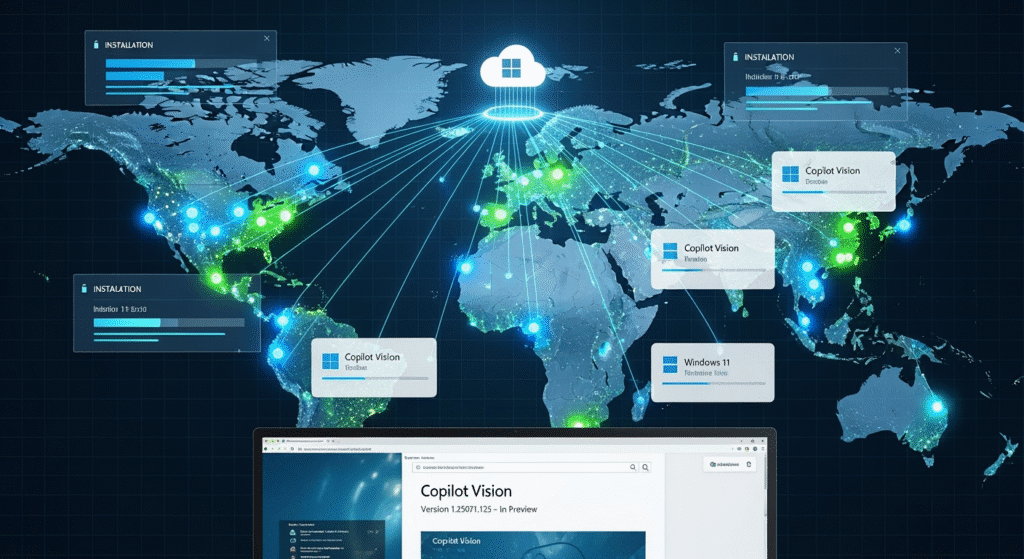
Microsoft Copilot Vision Sharing

Currently, Copilot Vision desktop sharing is limited to Windows Insiders in the United States. The feature works on both Windows 10 and Windows 11 systems and is distributed through the Microsoft Store as part of version 1.25071.125.

The rollout follows a phased approach, with availability expanding gradually across different Insider channels including Release Preview, Beta, Dev, and Canary channels. Microsoft indicates that the feature will eventually reach non-European markets, though no specific timeline has been provided for broader international availability.

Evolution from Previous Capabilities

This desktop sharing feature represents a significant expansion of Copilot Vision’s capabilities. The AI assistant previously could only view and interact with individual applications or browser windows. The ability to see the entire desktop environment allows for much more comprehensive assistance and better understanding of user workflows.

The Verge notes that this update allows Copilot to “look at your whole desktop or any specific browser or app window,” marking a substantial improvement over the previous two-app limitation.

The feature builds upon Microsoft’s existing Copilot Vision technology, which initially launched for Microsoft Edge browser interactions before expanding to other applications and now to full desktop viewing.

Security Considerations and Concerns

While Microsoft emphasizes user control and privacy protection, some users express concerns about AI systems having such comprehensive access to their computing environments. The cloud-based nature of Copilot processing means that screen data is transmitted to Microsoft’s servers for analysis.

TweakTown highlights potential privacy concerns, noting that users who are “paranoid about AI” might find this new capability unsettling. The publication emphasizes the importance of the opt-in nature of the feature and user control over when it’s active.

Microsoft has not provided detailed information about how screen data is processed, stored, or protected during Copilot Vision sessions. The company relies on its existing privacy policies and security measures for cloud-based AI services.

Future Development and Integration

Microsoft continues to expand Copilot’s capabilities beyond desktop sharing. The company has announced additional features including Copilot Memory, which allows the AI to build user profiles and remember preferences across devices and sessions.

Future developments may include more direct interaction capabilities, though currently Copilot can only highlight screen areas and provide guidance rather than directly controlling applications. Microsoft has also teased customizable personas for Copilot, potentially including nostalgic options like the classic Clippy assistant.

The desktop sharing feature is part of Microsoft’s broader strategy to integrate AI more deeply into the Windows experience. This includes the dedicated Copilot key on new Copilot+ PCs and various AI-powered features throughout the operating system.

Industry Impact and Competition

Microsoft’s desktop sharing capability positions the company at the forefront of AI-powered desktop assistance. This level of screen awareness and contextual understanding represents a significant advancement in personal AI assistants.

The feature demonstrates Microsoft’s commitment to making AI a more integral part of daily computing tasks. By allowing Copilot to see and understand the full desktop environment, Microsoft creates opportunities for more sophisticated assistance and automation.

As the technology matures and expands beyond the current testing phase, it could influence how other companies approach AI integration in their operating systems and productivity tools.

Looking Ahead

A metaphorical road leading into a digital horizon, with the Windows logo glowing in the sky like a rising sun. Along the road are signposts labeled “User Feedback,” “Privacy Control,” and “AI Integration.” A holographic Copilot assistant hovers beside a user walking confidently toward the future, symbolizing the evolving partnership between humans and AI in the Windows ecosystem.

The current testing phase will likely provide valuable feedback for Microsoft to refine the feature before broader release. User adoption and feedback from Windows Insiders will help determine how quickly the feature expands to general availability.

Microsoft’s approach of gradual rollout and extensive testing reflects the sensitive nature of screen-sharing AI capabilities. The company appears committed to ensuring user privacy and control while delivering powerful new AI assistance features.

The success of Copilot Vision desktop sharing could pave the way for even more advanced AI integration in future Windows versions, potentially transforming how users interact with their computers and complete daily tasks.


Sources

  • The Verge – Now Microsoft’s Copilot Vision AI can scan everything on your screen
  • PCMag – Windows 11 Will Soon Let You Share Your Whole Desktop With Copilot
  • Windows Central – Microsoft begins testing sharing your desktop with Copilot on Windows 11
  • Microsoft Copilot Blog – Copilot Vision on Windows with Highlights is now available in the U.S.
  • TweakTown – Paranoid about AI? You won’t like new Windows 11 feature
  • Thurrott – Microsoft begins rolling out Vision desktop share across all Insider channels
Tags: Artificial IntelligenceCopilotCopilot VisionDesktop SharingMicrosoft
Gilbert Pagayon

Gilbert Pagayon

Related Posts

AI News

Rio 3.5 Open 397B: A Serious Open Model Release, Or A Benchmark Claim In Need Of An Audit?

June 13, 2026
Private AI lab overshadowed by massive government architecture symbolizing soft nationalization of frontier AI
AI

The Soft Nationalization of AI Has Begun

June 12, 2026
Anthropic’s Fable 5 Shutdown: Did the U.S. Just Start Export Controls for AI Models?
AI News

Anthropic’s Fable 5 Shutdown: Did the U.S. Just Start Export Controls for AI Models?

June 12, 2026

Leave a Reply Cancel reply

Your email address will not be published. Required fields are marked *

I agree to the site terms and privacy practices.

Get Kingy AI Launch Intelligence

Choose daily AI launches, agents, coding tools, video tools, funding, model releases, or all Kingy AI updates.

Subscribe

Recent News

Rio 3.5 Open 397B: A Serious Open Model Release, Or A Benchmark Claim In Need Of An Audit?

June 13, 2026
AI generated editorial image of a creator controlling a local AI workstation for an owned AI stack

Own Your AI Stack: The Definitive Guide to Open-Source Models, Local LLMs, Hardware, and AI Sovereignty

June 13, 2026
OpenAI on OCI Marketplace AI launch guide editorial image

Should You Try OpenAI on OCI Marketplace? A Practical AI Launch Review

June 13, 2026
OpenAI Academy Work Courses AI launch guide editorial image

Should You Try OpenAI Academy Work Courses? A Practical AI Launch Review

June 13, 2026

Kingy AI Launch Intelligence

Choose the Kingy AI updates you want:

Check your inbox or spam folder to confirm your subscription.

The Best in A.I.

Kingy AI

We feature the best AI apps, tools, and platforms across the web. If you are an AI app creator and would like to be featured here, feel free to contact us.

Recent Posts

  • Rio 3.5 Open 397B: A Serious Open Model Release, Or A Benchmark Claim In Need Of An Audit?
  • Own Your AI Stack: The Definitive Guide to Open-Source Models, Local LLMs, Hardware, and AI Sovereignty
  • Should You Try OpenAI on OCI Marketplace? A Practical AI Launch Review

Recent News

Rio 3.5 Open 397B: A Serious Open Model Release, Or A Benchmark Claim In Need Of An Audit?

June 13, 2026
AI generated editorial image of a creator controlling a local AI workstation for an owned AI stack

Own Your AI Stack: The Definitive Guide to Open-Source Models, Local LLMs, Hardware, and AI Sovereignty

June 13, 2026
  • Home
  • Sponsor Kingy AI
  • Contact Us

© 2026 Kingy AI

No Result
View All Result
  • AI Tools
  • AI Launches
    • AI Agent Launches
    • AI App Builder and Vibe Coding Launches
    • AI Coding Tool Launches
    • AI Companies and Launches With Strong Creator Coverage Potential
    • AI Funding Announcements
    • AI Image Tool Launches
    • AI Launch Visibility Score Calculator
    • AI Open-Weight Model Launches
    • AI Search and Research Tool Launches
    • AI Video Tool Launches
    • AI Launch Scorecard
  • AI Companies
  • AI Courses
    • AI Loop Engineering for Beginners
    • OpenAI Codex Course for Beginners: Build Apps Without Coding
    • How to Use ChatGPT: The Complete Beginner-to-Expert Course
    • AI Agents for Beginners: Build Your First AI Worker Without Coding
    • AI Coding Foundations for Beginners
    • AI Workflow Operator Course for Beginners
    • AI Search Visibility Course for Beginners
    • AI Video Production Course for Beginners
    • MCP, AGENTS.md, and Context Engineering for Beginners – Online Course
    • AI Browser Agents for Beginners: Use AI Websites Safely – Full Course
    • Codex Zero to Hero: Learn OpenAI Codex, GitHub, Git, Vercel, AI Coding Agents, and Real-World Software Shipping
    • Microsoft Copilot – Zero To Hero
  • Calculators
    • YouTube Sponsorship ROI Calculator for AI Companies
    • AI Agent Directory & Readiness Scorecard
    • AI Search Visibility Calculator
    • Build Your AI Workflow Stack: Find the Best AI Tools for Your Job, Budget, and Skill Level
    • 100 AI Agent Use Cases That Actually Work in 2026: Real Workflows for Founders, Marketers, Creators, and Operators
  • Clients
  • Sponsor Kingy AI
  • AI News
  • Blog
  • AI Launch Tracker
  • Contact

© 2026 Kingy AI

This website uses cookies. By continuing to use this website you are giving consent to cookies being used.