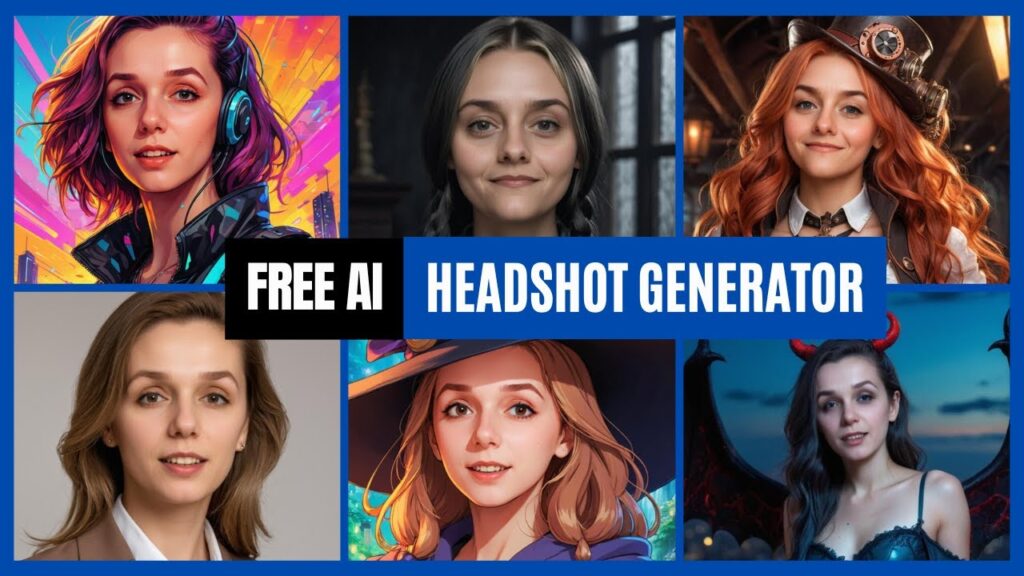
AI Ease made a useful character restyling tool in the original 2024 demonstration. I used a fictional portrait made with Flux AI, then changed its clothing and setting in AI Ease. The headshot generator was free in that recorded session. This article was published on August 27, 2024; its original free-access note referred to August 26. The embedded video was published on August 15, and describes the account as free on that date.
Changed since the 2024 recording
Current official pages checked October 7, 2026. AI Ease still has a classic route labelled Free AI Headshot Generator, while its main headshot page promotes Headshot Pro. A free label does not establish your current account’s generation limits or clean-download entitlement. The exact 60-style catalogue and sharing offer from the recording have not been confirmed as current.
The official headshot page’s One-Time Payment tab displayed the following pack prices. These are posted dollar-symbol amounts, not a checkout quote; the page does not identify the currency code beside these prices. Its separate Pro Member tab displays different rates. Account eligibility, taxes and the final charge were not tested.
| Headshot Pro pack | Displayed one-time price |
|---|---|
| 30 headshots | $9.90 |
| 60 headshots | $16.90 |
| 120 headshots | $24.90 |
Disclosure: the original YouTube video carries an Includes paid promotion label. Its original links and demonstration are retained; this update does not establish a current sponsorship arrangement.
Check your route before uploading a portrait
- Trying the classic tool? Check the styles, free-account limits and watermark terms shown in that tool before uploading.
- Considering Headshot Pro? Compare the pack size and the selected payment tab. Check the final currency and total in your account.
- Using a real person’s image? Confirm permission for the upload and intended use. Review the provider’s privacy and content terms first. This page sends no photo to AI Ease.
AI Ease’s privacy policy says headshot Face Data is used for the requested output and deleted immediately afterwards, without use for training other AI products or sharing with third parties. Its homepage separately says uploaded files and generated content are deleted within seven days. These describe different data scopes and are vendor statements, not an independent audit. Its terms allow commercial use while placing responsibility for consent, input rights and infringement on users. A commercial-use licence does not clear every person’s likeness or every third-party image.
Video Chapters
These are the original video chapter links. The descriptions below refer to the recorded 2024 interface.
00:00 – Introduction to AI Ease Headshot Generator. I explain why I liked the results and the free account available at the time.
00:19 – Quality Comparison: Original vs. AI-Generated. The video compares the source portrait with a Halloween-style result.
00:38 – Exploring the 60 New Styles. The recording describes 60 styles; that count belongs to the 2024 demonstration.
00:56 – How to Sign Up & Get Started. The video shows the old navigation and a signed-in free account.
01:32 – Navigating the Style Options. The recorded interface groups styles by genre and offers gender filters.
02:09 – Creating a Headshot: Step-by-Step Demo. Follow the recorded style selection and portrait-upload workflow.
03:14 – AI to AI: Transforming a Flux AI Image. The source is an AI-generated fictional person, as explained in the video.
04:09 – Generating & Downloading Your Headshot. The demonstration selects an aspect ratio and compares the resulting portraits.
05:11 – Removing Watermarks & Sharing. The old interface asks the user to share the image to remove its watermark. Current availability of that offer has not been verified.
05:29 – Conclusion & Final Thoughts. The recommendation reflects the recorded 2024 experience.
Introduction to AI Ease Headshot Generator
The original AI Ease demonstration is useful for understanding image-to-image restyling: pick a style, supply a portrait, generate a variation, then inspect it. It shows one recorded workflow and selected results. It does not establish the success rate for other portraits or current versions of the service.
Quality Comparison: Original vs. AI-Generated
The video first compares a source portrait with a Halloween-style image. Later, it shows a fictional Flux-generated selfie beside a colourful cyberpunk-style result. Clothing, background and framing change while the face appears similar. That visual comparison is the basis for the original opinion; it is not a measured identity-preservation benchmark or a test with a real customer’s face.

Exploring the 60 New Styles
The recording describes 60 styles and shows choices such as cyberpunk, Halloween, professional and anime looks. The original article also mentioned Steampunk and Art Nouveau. Keep those references as part of the 2024 walkthrough; the current AI Ease pages do not establish that all those options, or the same count, remain available.
How to Sign Up & Get Started
In the recording, I open AI Ease’s old Graphics menu and choose the headshot generator while signed in to a free account. The current product page primarily points to Headshot Pro. Check which product you are opening and what your account permits before using the old instructions.
Navigating the Style Options
The old interface lets me narrow the styles by genre and gender before choosing an art-style portrait. For a professional profile, check whether the result still represents you accurately. For a fictional character, compare several outputs for changes in face shape, hair and expression rather than assuming consistency from one successful example.
Creating a Headshot: Step-by-Step Demo
The recorded workflow selects a style, uploads a portrait and chooses an aspect ratio before generation. The old upload screen recommends a clear frontal portrait. My chosen input is a fictional image produced with Flux AI and includes a phone in the frame; it is not evidence that every imperfect input will work well. No new generation or download test was performed for this update.
AI to AI: Transforming a Flux AI Image
The Flux-to-AI-Ease example demonstrates that particular generated image being restyled in 2024. The original article suggested a Midjourney image as another possible input, but the recording does not test that route. Use images you have permission to upload, and check the source tool’s terms as well as AI Ease’s; this demonstration does not settle rights or acceptance for every generated image.
Generating & Downloading Your Headshot
The recording shows a 1:1 aspect-ratio option and discusses 16:9 for a thumbnail, then compares the generated images before downloading. Select a crop that suits your intended use and inspect the face, teeth, hands, edges and background at full size. The historical results do not guarantee a particular current resolution, export entitlement or processing time.
Removing Watermarks & Sharing
The recorded watermark prompt asks the user to share the image to remove the watermark. That was the mechanism shown in 2024. The current official homepage says some free tools may watermark exports; it does not confirm that the old sharing offer still removes a headshot watermark. Check the conditions displayed in your account before sharing or paying.
Conclusion & Final Thoughts
The useful lesson from this demonstration is the workflow: choose a style, supply an authorised portrait, then compare the output with the source before using it. The fictional cyberpunk example was a result I liked in 2024. For a current purchase decision, use the current product and account terms described above.
The embedded video and original example image remain historical evidence. This update checks public documentation and clarifies the old instructions; it does not claim a new hands-on test, an audited privacy guarantee or a measured quality improvement.
The Kingy Brief
Get The Kingy Brief.
AI changes, original tests and one practical thing to try. Fridays at 09:00 Vancouver time.
Free · Double opt-in · Unsubscribe anytime
Signup help and newsletter schedule
Signup form provided by Beehiiv. After submitting, check your inbox for "Confirm your subscription to The Kingy Brief" and open its confirmation link. Check Spam or Promotions if you cannot find it.
Fridays at 09:00 Vancouver time: source-checked AI changes, original tests and one practical thing to try. The weekly restart begins October 9, 2026. We skip a week when there is not enough verified material. Free. Unsubscribe anytime.