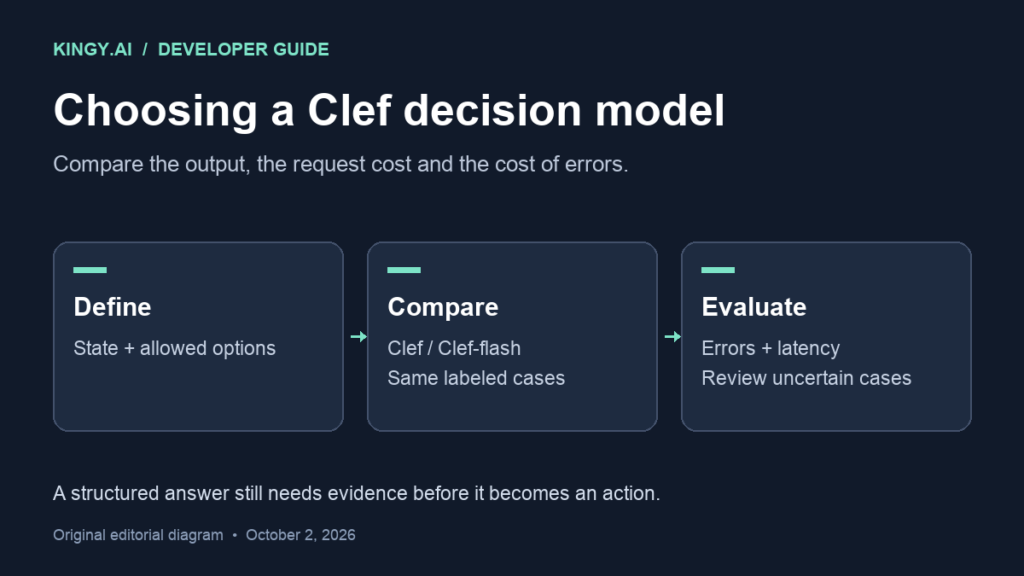
Cloudflare’s new Clef models give developers a specific building block: choose among permitted answers and return their probabilities. For teams routing tickets, selecting tools or deciding whether an agent should continue, that is a useful alternative to asking a chat model to write a decision and then parsing its response.
Cloudflare announced Clef and Clef-flash on October 1. Kingy’s Launch Tracker records the release and access conditions. This guide examines the choice between the two models, including the published hosted prices and a way to decide whether lower inference cost survives contact with your workload.
The price difference is easy to calculate. The cost of wrong decisions requires your own evidence.
What you can use today
Both models are hosted on Workers AI, with public weights under Apache 2.0. The official model cards describe Clef as the larger, 27-billion-parameter model and Clef-flash as the 9-billion-parameter variant. They accept a state and typed questions, then score the allowed options. They do not produce a free-form written answer.
The current Clef endpoint documentation and Clef-flash endpoint documentation list these hosted specifications:
| Hosted model | Workers AI identifier | Context window | Price per million input tokens |
|---|---|---|---|
| Clef | @cf/cloudflare/clef |
65,536 tokens | US$0.24 |
| Clef-flash | @cf/cloudflare/clef-flash |
65,536 tokens | US$0.09 |
Prices were checked October 2, 2026. These are model input-token rates, not an all-in quote for an application or a local deployment.
A support-routing example illustrates the output contract. You could supply a ticket and define three permitted destinations: billing, technical support and sales. A second question could assess urgency. Your application would receive decisions and probabilities that it can inspect before assigning work.
That still leaves product design in your hands. If a ticket belongs to an unsupported department, a model restricted to three destinations cannot create the missing option. Include an appropriate review path in the application, and test cases that fall outside your intended categories. A tidy output format does not settle whether its answer is right.
A million decisions can cost $90 or $240 in model input
Assume one request per decision, averaging 1,000 billed input tokens per request. One million decisions would consume one billion input tokens, or 1,000 units of one million tokens.
At the documented rates, the calculation is:
| Hypothetical workload | Clef | Clef-flash |
|---|---|---|
| 1 million decisions × 1,000 input tokens | US$240 | US$90 |
| 1 million decisions × 10,000 input tokens | US$2,400 | US$900 |
These are arithmetic examples, not measurements of typical ticket length, invoices or observed production traffic. The 10,000-token row assumes that the whole input is billed at that length. Retries and extra model requests add consumption. Storage, other services, engineering and local inference hardware are outside the calculation; account allowances and taxes are also excluded.
For budgeting, count the input that reaches the endpoint. Repeatedly attaching a long conversation or document can change the bill much more than choosing a short output schema. Preserve enough context to make the decision, then measure the effect of removing irrelevant material rather than assuming a shorter input will work equally well.
Treat the latency numbers as vendor results
Cloudflare’s published model-card evaluation reports median request latencies of 209.3 milliseconds for Clef and 38.8 milliseconds for Clef-flash. Its p95 figures are 238.6 and 122.4 milliseconds, respectively. Those are Cloudflare’s results from its evaluation suite; Kingy has not reproduced them.
The same table shows that model rankings vary by task. For example, its When2Call evaluation favors Jev over either Clef model. One overall speed or quality headline cannot tell you which model will route your particular tickets correctly.
Measure from the point your application sends a request to the point it can use the answer. Keep that separate from time spent obtaining a document, preparing an image, retrying a request or waiting for a downstream system. A fast decision endpoint may contribute only a small fraction of a slow workflow.
Record the median and the slow tail. If an agent makes several sequential decisions, a few unusually slow responses may affect completion time more than the headline median suggests. Retain the request length, concurrency, location and error rate alongside the timing so another run can be compared fairly.
Cheap inference can lose to expensive mistakes
On the 1,000-token assumption, processing 1,000 decisions costs $0.24 with Clef and $0.09 with Clef-flash. The difference is fifteen cents.
Consider a deliberately hypothetical error-cost worksheet. If the cheaper model produces one additional routing mistake that costs a dollar to correct across those 1,000 decisions, its fifteen-cent inference saving is outweighed by that mistake. This does not establish that Clef-flash makes more errors. It shows the evidence needed to choose between them.
Assign costs to outcomes that matter to the workflow. Sending a routine query to the wrong support queue may be recoverable; failing to escalate a serious outage has a different consequence. Count those errors separately. An aggregate accuracy percentage can hide the particular failure your team cannot tolerate.
Probabilities are useful inputs to this review, but a high confidence value is not a verified guarantee. Compare confidence with actual correctness on labeled examples. A threshold that routes the most confident cases automatically should be justified by those results, including examples from outside the normal category set.
Run a shadow comparison before connecting actions
Start with a representative, labeled set of historical cases that your team is permitted to use. Reserve some examples for the final comparison, instead of repeatedly tuning the schema against every case and reporting the resulting score as fresh evidence.
Give both models the same state, questions and permitted options. Record decisions, probabilities, billed input usage, failures and request duration. During this phase, keep the model output separate from the production assignment or action. Existing decisions continue through the normal process while you compare the proposed alternatives.
Review disagreements individually. They may expose ambiguous instructions, missing categories, bad reference labels or a genuine capability difference. Changing the schema after seeing the answers is reasonable development work, but rerun the held-out comparison before accepting the revised result.
For an agent controller, also check how the decision becomes an action. Kingy’s OpenClaw enterprise control-plane guide covers a separate part of that deployment question. A decision model does not by itself provide the approval rules, audit trail or recovery procedure for a tool call.
Cloudflare says initial fine-tuning access is partner-assisted, with self-service access planned. Do not base an immediate deployment on the assumption that a self-service fine-tuning product is already generally available.
Keep the first comparison small enough to inspect. Expand it when the evidence supports a clear choice for your actual decisions, and retain the cases where neither model earns automatic action.
Editorial note: This is a source-based comparison and an evaluation proposal. Kingy did not run these models, perform paid API tests or independently validate Cloudflare’s benchmark results.
The Kingy Brief
Get future Kingy Brief editions.
Source-checked AI changes, original tests and one practical thing to try.
Free · Choose your subjects · Double opt-in · Unsubscribe anytime
Regular sending is paused; no restart date is set.