Kingy AI prompt library
Codex Prompt Library
More than 500 copy/paste prompts for practical Codex work, with customization notes, safety notes, filters, search, and copy buttons.
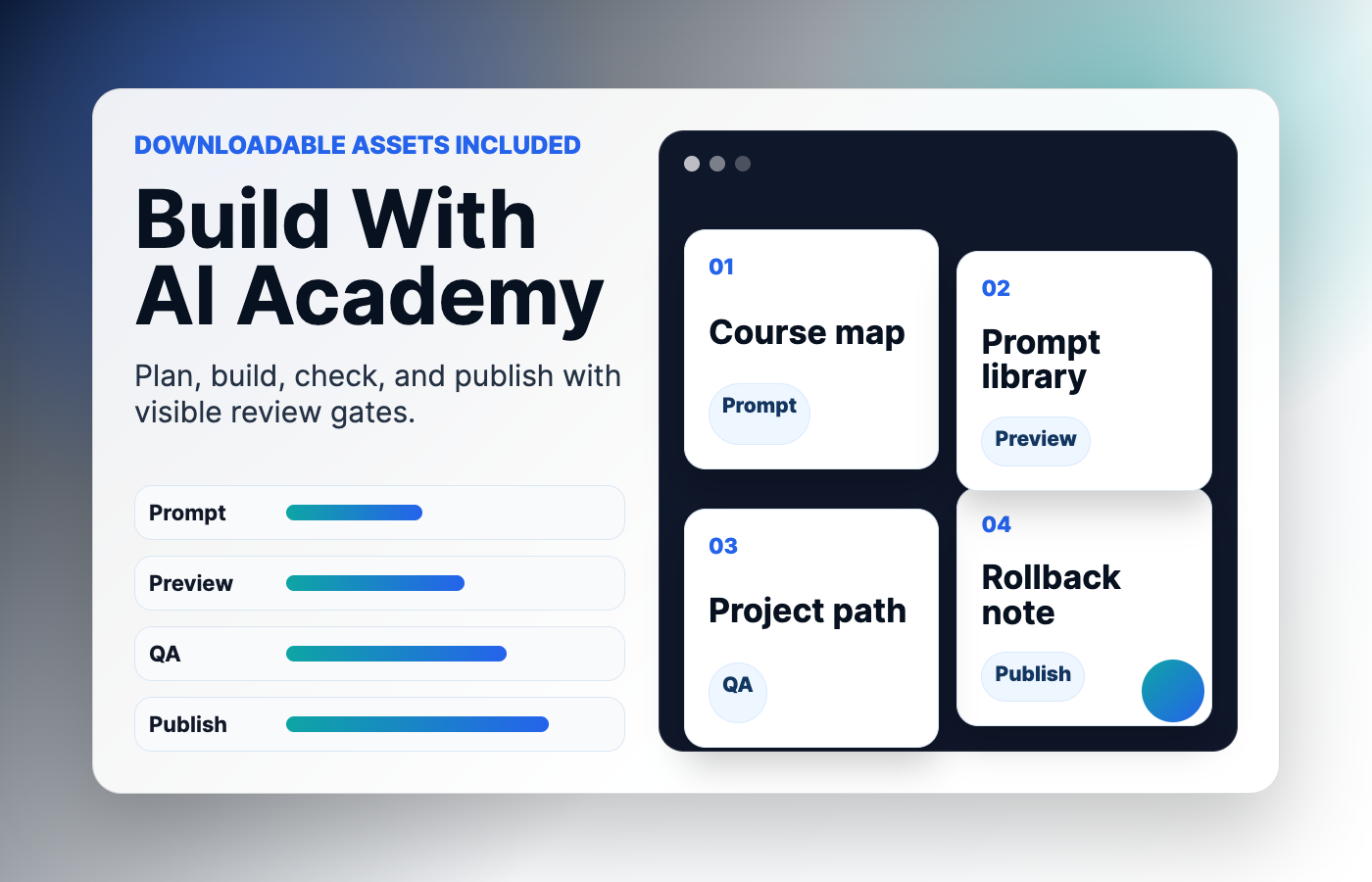
Plan the brief, context, QA pass, and human approval gate before you publish.
Find a Prompt
1. Beginner prompt 1: inspect
Best for: Using Codex to inspect beginner work with a clear review loop.
Skill level: beginner
Help me inspect a beginner task. Goal: [describe the outcome]. Context: [paste files, URL, issue, error, screenshot notes, command output, or repo notes]. Constraints: inspect before editing, keep changes small, do not expose secrets, do not deploy, and do not touch unrelated files. Specific guidance: Explain every term you use, keep the first task tiny, and teach me how to review the result. Done when: you explain the plan, make or describe the safest next step, list tests or QA checks, summarize risks, and provide rollback notes.Customize: Replace the bracketed fields, then add one concrete target for the inspect step such as a file, page, branch, failing command, or user workflow.
Common mistakes: Do not ask for a giant vague change, skip the review step, paste credentials into the prompt, or let Codex assume a feature is available without checking your current surface.
Safety: Use a branch, staging page, copied snippet, or preview deployment before production.
2. Beginner prompt 2: plan
Best for: Using Codex to plan beginner work with a clear review loop.
Skill level: beginner
Help me plan a beginner task. Goal: [describe the outcome]. Context: [paste files, URL, issue, error, screenshot notes, command output, or repo notes]. Constraints: inspect before editing, keep changes small, do not expose secrets, do not deploy, and do not touch unrelated files. Specific guidance: Explain every term you use, keep the first task tiny, and teach me how to review the result. Done when: you explain the plan, make or describe the safest next step, list tests or QA checks, summarize risks, and provide rollback notes.Customize: Replace the bracketed fields, then add one concrete target for the plan step such as a file, page, branch, failing command, or user workflow.
Common mistakes: Do not ask for a giant vague change, skip the review step, paste credentials into the prompt, or let Codex assume a feature is available without checking your current surface.
Safety: Use a branch, staging page, copied snippet, or preview deployment before production.
3. Beginner prompt 3: edit
Best for: Using Codex to edit beginner work with a clear review loop.
Skill level: beginner
Help me edit a beginner task. Goal: [describe the outcome]. Context: [paste files, URL, issue, error, screenshot notes, command output, or repo notes]. Constraints: inspect before editing, keep changes small, do not expose secrets, do not deploy, and do not touch unrelated files. Specific guidance: Explain every term you use, keep the first task tiny, and teach me how to review the result. Done when: you explain the plan, make or describe the safest next step, list tests or QA checks, summarize risks, and provide rollback notes.Customize: Replace the bracketed fields, then add one concrete target for the edit step such as a file, page, branch, failing command, or user workflow.
Common mistakes: Do not ask for a giant vague change, skip the review step, paste credentials into the prompt, or let Codex assume a feature is available without checking your current surface.
Safety: Use a branch, staging page, copied snippet, or preview deployment before production.
4. Beginner prompt 4: test
Best for: Using Codex to test beginner work with a clear review loop.
Skill level: beginner
Help me test a beginner task. Goal: [describe the outcome]. Context: [paste files, URL, issue, error, screenshot notes, command output, or repo notes]. Constraints: inspect before editing, keep changes small, do not expose secrets, do not deploy, and do not touch unrelated files. Specific guidance: Explain every term you use, keep the first task tiny, and teach me how to review the result. Done when: you explain the plan, make or describe the safest next step, list tests or QA checks, summarize risks, and provide rollback notes.Customize: Replace the bracketed fields, then add one concrete target for the test step such as a file, page, branch, failing command, or user workflow.
Common mistakes: Do not ask for a giant vague change, skip the review step, paste credentials into the prompt, or let Codex assume a feature is available without checking your current surface.
Safety: Use a branch, staging page, copied snippet, or preview deployment before production.
5. Beginner prompt 5: review
Best for: Using Codex to review beginner work with a clear review loop.
Skill level: beginner
Help me review a beginner task. Goal: [describe the outcome]. Context: [paste files, URL, issue, error, screenshot notes, command output, or repo notes]. Constraints: inspect before editing, keep changes small, do not expose secrets, do not deploy, and do not touch unrelated files. Specific guidance: Explain every term you use, keep the first task tiny, and teach me how to review the result. Done when: you explain the plan, make or describe the safest next step, list tests or QA checks, summarize risks, and provide rollback notes.Customize: Replace the bracketed fields, then add one concrete target for the review step such as a file, page, branch, failing command, or user workflow.
Common mistakes: Do not ask for a giant vague change, skip the review step, paste credentials into the prompt, or let Codex assume a feature is available without checking your current surface.
Safety: Use a branch, staging page, copied snippet, or preview deployment before production.
6. Beginner prompt 6: ship
Best for: Using Codex to ship beginner work with a clear review loop.
Skill level: beginner
Help me ship a beginner task. Goal: [describe the outcome]. Context: [paste files, URL, issue, error, screenshot notes, command output, or repo notes]. Constraints: inspect before editing, keep changes small, do not expose secrets, do not deploy, and do not touch unrelated files. Specific guidance: Explain every term you use, keep the first task tiny, and teach me how to review the result. Done when: you explain the plan, make or describe the safest next step, list tests or QA checks, summarize risks, and provide rollback notes.Customize: Replace the bracketed fields, then add one concrete target for the ship step such as a file, page, branch, failing command, or user workflow.
Common mistakes: Do not ask for a giant vague change, skip the review step, paste credentials into the prompt, or let Codex assume a feature is available without checking your current surface.
Safety: Use a branch, staging page, copied snippet, or preview deployment before production.
7. Beginner prompt 7: document
Best for: Using Codex to document beginner work with a clear review loop.
Skill level: intermediate
Help me document a beginner task. Goal: [describe the outcome]. Context: [paste files, URL, issue, error, screenshot notes, command output, or repo notes]. Constraints: inspect before editing, keep changes small, do not expose secrets, do not deploy, and do not touch unrelated files. Specific guidance: Explain every term you use, keep the first task tiny, and teach me how to review the result. Done when: you explain the plan, make or describe the safest next step, list tests or QA checks, summarize risks, and provide rollback notes.Customize: Replace the bracketed fields, then add one concrete target for the document step such as a file, page, branch, failing command, or user workflow.
Common mistakes: Do not ask for a giant vague change, skip the review step, paste credentials into the prompt, or let Codex assume a feature is available without checking your current surface.
Safety: Use a branch, staging page, copied snippet, or preview deployment before production.
8. Beginner prompt 8: debug
Best for: Using Codex to debug beginner work with a clear review loop.
Skill level: intermediate
Help me debug a beginner task. Goal: [describe the outcome]. Context: [paste files, URL, issue, error, screenshot notes, command output, or repo notes]. Constraints: inspect before editing, keep changes small, do not expose secrets, do not deploy, and do not touch unrelated files. Specific guidance: Explain every term you use, keep the first task tiny, and teach me how to review the result. Done when: you explain the plan, make or describe the safest next step, list tests or QA checks, summarize risks, and provide rollback notes.Customize: Replace the bracketed fields, then add one concrete target for the debug step such as a file, page, branch, failing command, or user workflow.
Common mistakes: Do not ask for a giant vague change, skip the review step, paste credentials into the prompt, or let Codex assume a feature is available without checking your current surface.
Safety: Use a branch, staging page, copied snippet, or preview deployment before production.
9. Beginner prompt 9: refactor
Best for: Using Codex to refactor beginner work with a clear review loop.
Skill level: intermediate
Help me refactor a beginner task. Goal: [describe the outcome]. Context: [paste files, URL, issue, error, screenshot notes, command output, or repo notes]. Constraints: inspect before editing, keep changes small, do not expose secrets, do not deploy, and do not touch unrelated files. Specific guidance: Explain every term you use, keep the first task tiny, and teach me how to review the result. Done when: you explain the plan, make or describe the safest next step, list tests or QA checks, summarize risks, and provide rollback notes.Customize: Replace the bracketed fields, then add one concrete target for the refactor step such as a file, page, branch, failing command, or user workflow.
Common mistakes: Do not ask for a giant vague change, skip the review step, paste credentials into the prompt, or let Codex assume a feature is available without checking your current surface.
Safety: Use a branch, staging page, copied snippet, or preview deployment before production.
10. Beginner prompt 10: secure
Best for: Using Codex to secure beginner work with a clear review loop.
Skill level: intermediate
Help me secure a beginner task. Goal: [describe the outcome]. Context: [paste files, URL, issue, error, screenshot notes, command output, or repo notes]. Constraints: inspect before editing, keep changes small, do not expose secrets, do not deploy, and do not touch unrelated files. Specific guidance: Explain every term you use, keep the first task tiny, and teach me how to review the result. Done when: you explain the plan, make or describe the safest next step, list tests or QA checks, summarize risks, and provide rollback notes.Customize: Replace the bracketed fields, then add one concrete target for the secure step such as a file, page, branch, failing command, or user workflow.
Common mistakes: Do not ask for a giant vague change, skip the review step, paste credentials into the prompt, or let Codex assume a feature is available without checking your current surface.
Safety: Use a branch, staging page, copied snippet, or preview deployment before production.
11. Beginner prompt 11: deploy
Best for: Using Codex to deploy beginner work with a clear review loop.
Skill level: intermediate
Help me deploy a beginner task. Goal: [describe the outcome]. Context: [paste files, URL, issue, error, screenshot notes, command output, or repo notes]. Constraints: inspect before editing, keep changes small, do not expose secrets, do not deploy, and do not touch unrelated files. Specific guidance: Explain every term you use, keep the first task tiny, and teach me how to review the result. Done when: you explain the plan, make or describe the safest next step, list tests or QA checks, summarize risks, and provide rollback notes.Customize: Replace the bracketed fields, then add one concrete target for the deploy step such as a file, page, branch, failing command, or user workflow.
Common mistakes: Do not ask for a giant vague change, skip the review step, paste credentials into the prompt, or let Codex assume a feature is available without checking your current surface.
Safety: Use a branch, staging page, copied snippet, or preview deployment before production.
12. Beginner prompt 12: explain
Best for: Using Codex to explain beginner work with a clear review loop.
Skill level: intermediate
Help me explain a beginner task. Goal: [describe the outcome]. Context: [paste files, URL, issue, error, screenshot notes, command output, or repo notes]. Constraints: inspect before editing, keep changes small, do not expose secrets, do not deploy, and do not touch unrelated files. Specific guidance: Explain every term you use, keep the first task tiny, and teach me how to review the result. Done when: you explain the plan, make or describe the safest next step, list tests or QA checks, summarize risks, and provide rollback notes.Customize: Replace the bracketed fields, then add one concrete target for the explain step such as a file, page, branch, failing command, or user workflow.
Common mistakes: Do not ask for a giant vague change, skip the review step, paste credentials into the prompt, or let Codex assume a feature is available without checking your current surface.
Safety: Use a branch, staging page, copied snippet, or preview deployment before production.
13. Beginner prompt 13: compare
Best for: Using Codex to compare beginner work with a clear review loop.
Skill level: advanced
Help me compare a beginner task. Goal: [describe the outcome]. Context: [paste files, URL, issue, error, screenshot notes, command output, or repo notes]. Constraints: inspect before editing, keep changes small, do not expose secrets, do not deploy, and do not touch unrelated files. Specific guidance: Explain every term you use, keep the first task tiny, and teach me how to review the result. Done when: you explain the plan, make or describe the safest next step, list tests or QA checks, summarize risks, and provide rollback notes.Customize: Replace the bracketed fields, then add one concrete target for the compare step such as a file, page, branch, failing command, or user workflow.
Common mistakes: Do not ask for a giant vague change, skip the review step, paste credentials into the prompt, or let Codex assume a feature is available without checking your current surface.
Safety: Use a branch, staging page, copied snippet, or preview deployment before production.
14. Beginner prompt 14: improve
Best for: Using Codex to improve beginner work with a clear review loop.
Skill level: advanced
Help me improve a beginner task. Goal: [describe the outcome]. Context: [paste files, URL, issue, error, screenshot notes, command output, or repo notes]. Constraints: inspect before editing, keep changes small, do not expose secrets, do not deploy, and do not touch unrelated files. Specific guidance: Explain every term you use, keep the first task tiny, and teach me how to review the result. Done when: you explain the plan, make or describe the safest next step, list tests or QA checks, summarize risks, and provide rollback notes.Customize: Replace the bracketed fields, then add one concrete target for the improve step such as a file, page, branch, failing command, or user workflow.
Common mistakes: Do not ask for a giant vague change, skip the review step, paste credentials into the prompt, or let Codex assume a feature is available without checking your current surface.
Safety: Use a branch, staging page, copied snippet, or preview deployment before production.
15. Beginner prompt 15: audit
Best for: Using Codex to audit beginner work with a clear review loop.
Skill level: advanced
Help me audit a beginner task. Goal: [describe the outcome]. Context: [paste files, URL, issue, error, screenshot notes, command output, or repo notes]. Constraints: inspect before editing, keep changes small, do not expose secrets, do not deploy, and do not touch unrelated files. Specific guidance: Explain every term you use, keep the first task tiny, and teach me how to review the result. Done when: you explain the plan, make or describe the safest next step, list tests or QA checks, summarize risks, and provide rollback notes.Customize: Replace the bracketed fields, then add one concrete target for the audit step such as a file, page, branch, failing command, or user workflow.
Common mistakes: Do not ask for a giant vague change, skip the review step, paste credentials into the prompt, or let Codex assume a feature is available without checking your current surface.
Safety: Use a branch, staging page, copied snippet, or preview deployment before production.
16. Beginner prompt 16: rollback
Best for: Using Codex to rollback beginner work with a clear review loop.
Skill level: advanced
Help me rollback a beginner task. Goal: [describe the outcome]. Context: [paste files, URL, issue, error, screenshot notes, command output, or repo notes]. Constraints: inspect before editing, keep changes small, do not expose secrets, do not deploy, and do not touch unrelated files. Specific guidance: Explain every term you use, keep the first task tiny, and teach me how to review the result. Done when: you explain the plan, make or describe the safest next step, list tests or QA checks, summarize risks, and provide rollback notes.Customize: Replace the bracketed fields, then add one concrete target for the rollback step such as a file, page, branch, failing command, or user workflow.
Common mistakes: Do not ask for a giant vague change, skip the review step, paste credentials into the prompt, or let Codex assume a feature is available without checking your current surface.
Safety: Use a branch, staging page, copied snippet, or preview deployment before production.
17. Beginner prompt 17: summarize
Best for: Using Codex to summarize beginner work with a clear review loop.
Skill level: advanced
Help me summarize a beginner task. Goal: [describe the outcome]. Context: [paste files, URL, issue, error, screenshot notes, command output, or repo notes]. Constraints: inspect before editing, keep changes small, do not expose secrets, do not deploy, and do not touch unrelated files. Specific guidance: Explain every term you use, keep the first task tiny, and teach me how to review the result. Done when: you explain the plan, make or describe the safest next step, list tests or QA checks, summarize risks, and provide rollback notes.Customize: Replace the bracketed fields, then add one concrete target for the summarize step such as a file, page, branch, failing command, or user workflow.
Common mistakes: Do not ask for a giant vague change, skip the review step, paste credentials into the prompt, or let Codex assume a feature is available without checking your current surface.
Safety: Use a branch, staging page, copied snippet, or preview deployment before production.
18. Repo inspection prompt 1: inspect
Best for: Using Codex to inspect repo inspection work with a clear review loop.
Skill level: beginner
Help me inspect a repo inspection task. Goal: [describe the outcome]. Context: [paste files, URL, issue, error, screenshot notes, command output, or repo notes]. Constraints: inspect before editing, keep changes small, do not expose secrets, do not deploy, and do not touch unrelated files. Specific guidance: Map the folder structure, identify likely entry points, and avoid editing until I approve a plan. Done when: you explain the plan, make or describe the safest next step, list tests or QA checks, summarize risks, and provide rollback notes.Customize: Replace the bracketed fields, then add one concrete target for the inspect step such as a file, page, branch, failing command, or user workflow.
Common mistakes: Do not ask for a giant vague change, skip the review step, paste credentials into the prompt, or let Codex assume a feature is available without checking your current surface.
Safety: Use a branch, staging page, copied snippet, or preview deployment before production.
19. Repo inspection prompt 2: plan
Best for: Using Codex to plan repo inspection work with a clear review loop.
Skill level: beginner
Help me plan a repo inspection task. Goal: [describe the outcome]. Context: [paste files, URL, issue, error, screenshot notes, command output, or repo notes]. Constraints: inspect before editing, keep changes small, do not expose secrets, do not deploy, and do not touch unrelated files. Specific guidance: Map the folder structure, identify likely entry points, and avoid editing until I approve a plan. Done when: you explain the plan, make or describe the safest next step, list tests or QA checks, summarize risks, and provide rollback notes.Customize: Replace the bracketed fields, then add one concrete target for the plan step such as a file, page, branch, failing command, or user workflow.
Common mistakes: Do not ask for a giant vague change, skip the review step, paste credentials into the prompt, or let Codex assume a feature is available without checking your current surface.
Safety: Use a branch, staging page, copied snippet, or preview deployment before production.
20. Repo inspection prompt 3: edit
Best for: Using Codex to edit repo inspection work with a clear review loop.
Skill level: beginner
Help me edit a repo inspection task. Goal: [describe the outcome]. Context: [paste files, URL, issue, error, screenshot notes, command output, or repo notes]. Constraints: inspect before editing, keep changes small, do not expose secrets, do not deploy, and do not touch unrelated files. Specific guidance: Map the folder structure, identify likely entry points, and avoid editing until I approve a plan. Done when: you explain the plan, make or describe the safest next step, list tests or QA checks, summarize risks, and provide rollback notes.Customize: Replace the bracketed fields, then add one concrete target for the edit step such as a file, page, branch, failing command, or user workflow.
Common mistakes: Do not ask for a giant vague change, skip the review step, paste credentials into the prompt, or let Codex assume a feature is available without checking your current surface.
Safety: Use a branch, staging page, copied snippet, or preview deployment before production.
21. Repo inspection prompt 4: test
Best for: Using Codex to test repo inspection work with a clear review loop.
Skill level: beginner
Help me test a repo inspection task. Goal: [describe the outcome]. Context: [paste files, URL, issue, error, screenshot notes, command output, or repo notes]. Constraints: inspect before editing, keep changes small, do not expose secrets, do not deploy, and do not touch unrelated files. Specific guidance: Map the folder structure, identify likely entry points, and avoid editing until I approve a plan. Done when: you explain the plan, make or describe the safest next step, list tests or QA checks, summarize risks, and provide rollback notes.Customize: Replace the bracketed fields, then add one concrete target for the test step such as a file, page, branch, failing command, or user workflow.
Common mistakes: Do not ask for a giant vague change, skip the review step, paste credentials into the prompt, or let Codex assume a feature is available without checking your current surface.
Safety: Use a branch, staging page, copied snippet, or preview deployment before production.
22. Repo inspection prompt 5: review
Best for: Using Codex to review repo inspection work with a clear review loop.
Skill level: beginner
Help me review a repo inspection task. Goal: [describe the outcome]. Context: [paste files, URL, issue, error, screenshot notes, command output, or repo notes]. Constraints: inspect before editing, keep changes small, do not expose secrets, do not deploy, and do not touch unrelated files. Specific guidance: Map the folder structure, identify likely entry points, and avoid editing until I approve a plan. Done when: you explain the plan, make or describe the safest next step, list tests or QA checks, summarize risks, and provide rollback notes.Customize: Replace the bracketed fields, then add one concrete target for the review step such as a file, page, branch, failing command, or user workflow.
Common mistakes: Do not ask for a giant vague change, skip the review step, paste credentials into the prompt, or let Codex assume a feature is available without checking your current surface.
Safety: Use a branch, staging page, copied snippet, or preview deployment before production.
23. Repo inspection prompt 6: ship
Best for: Using Codex to ship repo inspection work with a clear review loop.
Skill level: beginner
Help me ship a repo inspection task. Goal: [describe the outcome]. Context: [paste files, URL, issue, error, screenshot notes, command output, or repo notes]. Constraints: inspect before editing, keep changes small, do not expose secrets, do not deploy, and do not touch unrelated files. Specific guidance: Map the folder structure, identify likely entry points, and avoid editing until I approve a plan. Done when: you explain the plan, make or describe the safest next step, list tests or QA checks, summarize risks, and provide rollback notes.Customize: Replace the bracketed fields, then add one concrete target for the ship step such as a file, page, branch, failing command, or user workflow.
Common mistakes: Do not ask for a giant vague change, skip the review step, paste credentials into the prompt, or let Codex assume a feature is available without checking your current surface.
Safety: Use a branch, staging page, copied snippet, or preview deployment before production.
24. Repo inspection prompt 7: document
Best for: Using Codex to document repo inspection work with a clear review loop.
Skill level: intermediate
Help me document a repo inspection task. Goal: [describe the outcome]. Context: [paste files, URL, issue, error, screenshot notes, command output, or repo notes]. Constraints: inspect before editing, keep changes small, do not expose secrets, do not deploy, and do not touch unrelated files. Specific guidance: Map the folder structure, identify likely entry points, and avoid editing until I approve a plan. Done when: you explain the plan, make or describe the safest next step, list tests or QA checks, summarize risks, and provide rollback notes.Customize: Replace the bracketed fields, then add one concrete target for the document step such as a file, page, branch, failing command, or user workflow.
Common mistakes: Do not ask for a giant vague change, skip the review step, paste credentials into the prompt, or let Codex assume a feature is available without checking your current surface.
Safety: Use a branch, staging page, copied snippet, or preview deployment before production.
25. Repo inspection prompt 8: debug
Best for: Using Codex to debug repo inspection work with a clear review loop.
Skill level: intermediate
Help me debug a repo inspection task. Goal: [describe the outcome]. Context: [paste files, URL, issue, error, screenshot notes, command output, or repo notes]. Constraints: inspect before editing, keep changes small, do not expose secrets, do not deploy, and do not touch unrelated files. Specific guidance: Map the folder structure, identify likely entry points, and avoid editing until I approve a plan. Done when: you explain the plan, make or describe the safest next step, list tests or QA checks, summarize risks, and provide rollback notes.Customize: Replace the bracketed fields, then add one concrete target for the debug step such as a file, page, branch, failing command, or user workflow.
Common mistakes: Do not ask for a giant vague change, skip the review step, paste credentials into the prompt, or let Codex assume a feature is available without checking your current surface.
Safety: Use a branch, staging page, copied snippet, or preview deployment before production.
26. Repo inspection prompt 9: refactor
Best for: Using Codex to refactor repo inspection work with a clear review loop.
Skill level: intermediate
Help me refactor a repo inspection task. Goal: [describe the outcome]. Context: [paste files, URL, issue, error, screenshot notes, command output, or repo notes]. Constraints: inspect before editing, keep changes small, do not expose secrets, do not deploy, and do not touch unrelated files. Specific guidance: Map the folder structure, identify likely entry points, and avoid editing until I approve a plan. Done when: you explain the plan, make or describe the safest next step, list tests or QA checks, summarize risks, and provide rollback notes.Customize: Replace the bracketed fields, then add one concrete target for the refactor step such as a file, page, branch, failing command, or user workflow.
Common mistakes: Do not ask for a giant vague change, skip the review step, paste credentials into the prompt, or let Codex assume a feature is available without checking your current surface.
Safety: Use a branch, staging page, copied snippet, or preview deployment before production.
27. Repo inspection prompt 10: secure
Best for: Using Codex to secure repo inspection work with a clear review loop.
Skill level: intermediate
Help me secure a repo inspection task. Goal: [describe the outcome]. Context: [paste files, URL, issue, error, screenshot notes, command output, or repo notes]. Constraints: inspect before editing, keep changes small, do not expose secrets, do not deploy, and do not touch unrelated files. Specific guidance: Map the folder structure, identify likely entry points, and avoid editing until I approve a plan. Done when: you explain the plan, make or describe the safest next step, list tests or QA checks, summarize risks, and provide rollback notes.Customize: Replace the bracketed fields, then add one concrete target for the secure step such as a file, page, branch, failing command, or user workflow.
Common mistakes: Do not ask for a giant vague change, skip the review step, paste credentials into the prompt, or let Codex assume a feature is available without checking your current surface.
Safety: Use a branch, staging page, copied snippet, or preview deployment before production.
28. Repo inspection prompt 11: deploy
Best for: Using Codex to deploy repo inspection work with a clear review loop.
Skill level: intermediate
Help me deploy a repo inspection task. Goal: [describe the outcome]. Context: [paste files, URL, issue, error, screenshot notes, command output, or repo notes]. Constraints: inspect before editing, keep changes small, do not expose secrets, do not deploy, and do not touch unrelated files. Specific guidance: Map the folder structure, identify likely entry points, and avoid editing until I approve a plan. Done when: you explain the plan, make or describe the safest next step, list tests or QA checks, summarize risks, and provide rollback notes.Customize: Replace the bracketed fields, then add one concrete target for the deploy step such as a file, page, branch, failing command, or user workflow.
Common mistakes: Do not ask for a giant vague change, skip the review step, paste credentials into the prompt, or let Codex assume a feature is available without checking your current surface.
Safety: Use a branch, staging page, copied snippet, or preview deployment before production.
29. Repo inspection prompt 12: explain
Best for: Using Codex to explain repo inspection work with a clear review loop.
Skill level: intermediate
Help me explain a repo inspection task. Goal: [describe the outcome]. Context: [paste files, URL, issue, error, screenshot notes, command output, or repo notes]. Constraints: inspect before editing, keep changes small, do not expose secrets, do not deploy, and do not touch unrelated files. Specific guidance: Map the folder structure, identify likely entry points, and avoid editing until I approve a plan. Done when: you explain the plan, make or describe the safest next step, list tests or QA checks, summarize risks, and provide rollback notes.Customize: Replace the bracketed fields, then add one concrete target for the explain step such as a file, page, branch, failing command, or user workflow.
Common mistakes: Do not ask for a giant vague change, skip the review step, paste credentials into the prompt, or let Codex assume a feature is available without checking your current surface.
Safety: Use a branch, staging page, copied snippet, or preview deployment before production.
30. Repo inspection prompt 13: compare
Best for: Using Codex to compare repo inspection work with a clear review loop.
Skill level: advanced
Help me compare a repo inspection task. Goal: [describe the outcome]. Context: [paste files, URL, issue, error, screenshot notes, command output, or repo notes]. Constraints: inspect before editing, keep changes small, do not expose secrets, do not deploy, and do not touch unrelated files. Specific guidance: Map the folder structure, identify likely entry points, and avoid editing until I approve a plan. Done when: you explain the plan, make or describe the safest next step, list tests or QA checks, summarize risks, and provide rollback notes.Customize: Replace the bracketed fields, then add one concrete target for the compare step such as a file, page, branch, failing command, or user workflow.
Common mistakes: Do not ask for a giant vague change, skip the review step, paste credentials into the prompt, or let Codex assume a feature is available without checking your current surface.
Safety: Use a branch, staging page, copied snippet, or preview deployment before production.
31. Repo inspection prompt 14: improve
Best for: Using Codex to improve repo inspection work with a clear review loop.
Skill level: advanced
Help me improve a repo inspection task. Goal: [describe the outcome]. Context: [paste files, URL, issue, error, screenshot notes, command output, or repo notes]. Constraints: inspect before editing, keep changes small, do not expose secrets, do not deploy, and do not touch unrelated files. Specific guidance: Map the folder structure, identify likely entry points, and avoid editing until I approve a plan. Done when: you explain the plan, make or describe the safest next step, list tests or QA checks, summarize risks, and provide rollback notes.Customize: Replace the bracketed fields, then add one concrete target for the improve step such as a file, page, branch, failing command, or user workflow.
Common mistakes: Do not ask for a giant vague change, skip the review step, paste credentials into the prompt, or let Codex assume a feature is available without checking your current surface.
Safety: Use a branch, staging page, copied snippet, or preview deployment before production.
32. Repo inspection prompt 15: audit
Best for: Using Codex to audit repo inspection work with a clear review loop.
Skill level: advanced
Help me audit a repo inspection task. Goal: [describe the outcome]. Context: [paste files, URL, issue, error, screenshot notes, command output, or repo notes]. Constraints: inspect before editing, keep changes small, do not expose secrets, do not deploy, and do not touch unrelated files. Specific guidance: Map the folder structure, identify likely entry points, and avoid editing until I approve a plan. Done when: you explain the plan, make or describe the safest next step, list tests or QA checks, summarize risks, and provide rollback notes.Customize: Replace the bracketed fields, then add one concrete target for the audit step such as a file, page, branch, failing command, or user workflow.
Common mistakes: Do not ask for a giant vague change, skip the review step, paste credentials into the prompt, or let Codex assume a feature is available without checking your current surface.
Safety: Use a branch, staging page, copied snippet, or preview deployment before production.
33. Repo inspection prompt 16: rollback
Best for: Using Codex to rollback repo inspection work with a clear review loop.
Skill level: advanced
Help me rollback a repo inspection task. Goal: [describe the outcome]. Context: [paste files, URL, issue, error, screenshot notes, command output, or repo notes]. Constraints: inspect before editing, keep changes small, do not expose secrets, do not deploy, and do not touch unrelated files. Specific guidance: Map the folder structure, identify likely entry points, and avoid editing until I approve a plan. Done when: you explain the plan, make or describe the safest next step, list tests or QA checks, summarize risks, and provide rollback notes.Customize: Replace the bracketed fields, then add one concrete target for the rollback step such as a file, page, branch, failing command, or user workflow.
Common mistakes: Do not ask for a giant vague change, skip the review step, paste credentials into the prompt, or let Codex assume a feature is available without checking your current surface.
Safety: Use a branch, staging page, copied snippet, or preview deployment before production.
34. Repo inspection prompt 17: summarize
Best for: Using Codex to summarize repo inspection work with a clear review loop.
Skill level: advanced
Help me summarize a repo inspection task. Goal: [describe the outcome]. Context: [paste files, URL, issue, error, screenshot notes, command output, or repo notes]. Constraints: inspect before editing, keep changes small, do not expose secrets, do not deploy, and do not touch unrelated files. Specific guidance: Map the folder structure, identify likely entry points, and avoid editing until I approve a plan. Done when: you explain the plan, make or describe the safest next step, list tests or QA checks, summarize risks, and provide rollback notes.Customize: Replace the bracketed fields, then add one concrete target for the summarize step such as a file, page, branch, failing command, or user workflow.
Common mistakes: Do not ask for a giant vague change, skip the review step, paste credentials into the prompt, or let Codex assume a feature is available without checking your current surface.
Safety: Use a branch, staging page, copied snippet, or preview deployment before production.
35. Learning prompt 1: inspect
Best for: Using Codex to inspect learning work with a clear review loop.
Skill level: beginner
Help me inspect a learning task. Goal: [describe the outcome]. Context: [paste files, URL, issue, error, screenshot notes, command output, or repo notes]. Constraints: inspect before editing, keep changes small, do not expose secrets, do not deploy, and do not touch unrelated files. Specific guidance: Teach by asking me one checkpoint question and giving one hands-on exercise. Done when: you explain the plan, make or describe the safest next step, list tests or QA checks, summarize risks, and provide rollback notes.Customize: Replace the bracketed fields, then add one concrete target for the inspect step such as a file, page, branch, failing command, or user workflow.
Common mistakes: Do not ask for a giant vague change, skip the review step, paste credentials into the prompt, or let Codex assume a feature is available without checking your current surface.
Safety: Use a branch, staging page, copied snippet, or preview deployment before production.
36. Learning prompt 2: plan
Best for: Using Codex to plan learning work with a clear review loop.
Skill level: beginner
Help me plan a learning task. Goal: [describe the outcome]. Context: [paste files, URL, issue, error, screenshot notes, command output, or repo notes]. Constraints: inspect before editing, keep changes small, do not expose secrets, do not deploy, and do not touch unrelated files. Specific guidance: Teach by asking me one checkpoint question and giving one hands-on exercise. Done when: you explain the plan, make or describe the safest next step, list tests or QA checks, summarize risks, and provide rollback notes.Customize: Replace the bracketed fields, then add one concrete target for the plan step such as a file, page, branch, failing command, or user workflow.
Common mistakes: Do not ask for a giant vague change, skip the review step, paste credentials into the prompt, or let Codex assume a feature is available without checking your current surface.
Safety: Use a branch, staging page, copied snippet, or preview deployment before production.
37. Learning prompt 3: edit
Best for: Using Codex to edit learning work with a clear review loop.
Skill level: beginner
Help me edit a learning task. Goal: [describe the outcome]. Context: [paste files, URL, issue, error, screenshot notes, command output, or repo notes]. Constraints: inspect before editing, keep changes small, do not expose secrets, do not deploy, and do not touch unrelated files. Specific guidance: Teach by asking me one checkpoint question and giving one hands-on exercise. Done when: you explain the plan, make or describe the safest next step, list tests or QA checks, summarize risks, and provide rollback notes.Customize: Replace the bracketed fields, then add one concrete target for the edit step such as a file, page, branch, failing command, or user workflow.
Common mistakes: Do not ask for a giant vague change, skip the review step, paste credentials into the prompt, or let Codex assume a feature is available without checking your current surface.
Safety: Use a branch, staging page, copied snippet, or preview deployment before production.
38. Learning prompt 4: test
Best for: Using Codex to test learning work with a clear review loop.
Skill level: beginner
Help me test a learning task. Goal: [describe the outcome]. Context: [paste files, URL, issue, error, screenshot notes, command output, or repo notes]. Constraints: inspect before editing, keep changes small, do not expose secrets, do not deploy, and do not touch unrelated files. Specific guidance: Teach by asking me one checkpoint question and giving one hands-on exercise. Done when: you explain the plan, make or describe the safest next step, list tests or QA checks, summarize risks, and provide rollback notes.Customize: Replace the bracketed fields, then add one concrete target for the test step such as a file, page, branch, failing command, or user workflow.
Common mistakes: Do not ask for a giant vague change, skip the review step, paste credentials into the prompt, or let Codex assume a feature is available without checking your current surface.
Safety: Use a branch, staging page, copied snippet, or preview deployment before production.
39. Learning prompt 5: review
Best for: Using Codex to review learning work with a clear review loop.
Skill level: beginner
Help me review a learning task. Goal: [describe the outcome]. Context: [paste files, URL, issue, error, screenshot notes, command output, or repo notes]. Constraints: inspect before editing, keep changes small, do not expose secrets, do not deploy, and do not touch unrelated files. Specific guidance: Teach by asking me one checkpoint question and giving one hands-on exercise. Done when: you explain the plan, make or describe the safest next step, list tests or QA checks, summarize risks, and provide rollback notes.Customize: Replace the bracketed fields, then add one concrete target for the review step such as a file, page, branch, failing command, or user workflow.
Common mistakes: Do not ask for a giant vague change, skip the review step, paste credentials into the prompt, or let Codex assume a feature is available without checking your current surface.
Safety: Use a branch, staging page, copied snippet, or preview deployment before production.
40. Learning prompt 6: ship
Best for: Using Codex to ship learning work with a clear review loop.
Skill level: beginner
Help me ship a learning task. Goal: [describe the outcome]. Context: [paste files, URL, issue, error, screenshot notes, command output, or repo notes]. Constraints: inspect before editing, keep changes small, do not expose secrets, do not deploy, and do not touch unrelated files. Specific guidance: Teach by asking me one checkpoint question and giving one hands-on exercise. Done when: you explain the plan, make or describe the safest next step, list tests or QA checks, summarize risks, and provide rollback notes.Customize: Replace the bracketed fields, then add one concrete target for the ship step such as a file, page, branch, failing command, or user workflow.
Common mistakes: Do not ask for a giant vague change, skip the review step, paste credentials into the prompt, or let Codex assume a feature is available without checking your current surface.
Safety: Use a branch, staging page, copied snippet, or preview deployment before production.
41. Learning prompt 7: document
Best for: Using Codex to document learning work with a clear review loop.
Skill level: intermediate
Help me document a learning task. Goal: [describe the outcome]. Context: [paste files, URL, issue, error, screenshot notes, command output, or repo notes]. Constraints: inspect before editing, keep changes small, do not expose secrets, do not deploy, and do not touch unrelated files. Specific guidance: Teach by asking me one checkpoint question and giving one hands-on exercise. Done when: you explain the plan, make or describe the safest next step, list tests or QA checks, summarize risks, and provide rollback notes.Customize: Replace the bracketed fields, then add one concrete target for the document step such as a file, page, branch, failing command, or user workflow.
Common mistakes: Do not ask for a giant vague change, skip the review step, paste credentials into the prompt, or let Codex assume a feature is available without checking your current surface.
Safety: Use a branch, staging page, copied snippet, or preview deployment before production.
42. Learning prompt 8: debug
Best for: Using Codex to debug learning work with a clear review loop.
Skill level: intermediate
Help me debug a learning task. Goal: [describe the outcome]. Context: [paste files, URL, issue, error, screenshot notes, command output, or repo notes]. Constraints: inspect before editing, keep changes small, do not expose secrets, do not deploy, and do not touch unrelated files. Specific guidance: Teach by asking me one checkpoint question and giving one hands-on exercise. Done when: you explain the plan, make or describe the safest next step, list tests or QA checks, summarize risks, and provide rollback notes.Customize: Replace the bracketed fields, then add one concrete target for the debug step such as a file, page, branch, failing command, or user workflow.
Common mistakes: Do not ask for a giant vague change, skip the review step, paste credentials into the prompt, or let Codex assume a feature is available without checking your current surface.
Safety: Use a branch, staging page, copied snippet, or preview deployment before production.
43. Learning prompt 9: refactor
Best for: Using Codex to refactor learning work with a clear review loop.
Skill level: intermediate
Help me refactor a learning task. Goal: [describe the outcome]. Context: [paste files, URL, issue, error, screenshot notes, command output, or repo notes]. Constraints: inspect before editing, keep changes small, do not expose secrets, do not deploy, and do not touch unrelated files. Specific guidance: Teach by asking me one checkpoint question and giving one hands-on exercise. Done when: you explain the plan, make or describe the safest next step, list tests or QA checks, summarize risks, and provide rollback notes.Customize: Replace the bracketed fields, then add one concrete target for the refactor step such as a file, page, branch, failing command, or user workflow.
Common mistakes: Do not ask for a giant vague change, skip the review step, paste credentials into the prompt, or let Codex assume a feature is available without checking your current surface.
Safety: Use a branch, staging page, copied snippet, or preview deployment before production.
44. Learning prompt 10: secure
Best for: Using Codex to secure learning work with a clear review loop.
Skill level: intermediate
Help me secure a learning task. Goal: [describe the outcome]. Context: [paste files, URL, issue, error, screenshot notes, command output, or repo notes]. Constraints: inspect before editing, keep changes small, do not expose secrets, do not deploy, and do not touch unrelated files. Specific guidance: Teach by asking me one checkpoint question and giving one hands-on exercise. Done when: you explain the plan, make or describe the safest next step, list tests or QA checks, summarize risks, and provide rollback notes.Customize: Replace the bracketed fields, then add one concrete target for the secure step such as a file, page, branch, failing command, or user workflow.
Common mistakes: Do not ask for a giant vague change, skip the review step, paste credentials into the prompt, or let Codex assume a feature is available without checking your current surface.
Safety: Use a branch, staging page, copied snippet, or preview deployment before production.
45. Learning prompt 11: deploy
Best for: Using Codex to deploy learning work with a clear review loop.
Skill level: intermediate
Help me deploy a learning task. Goal: [describe the outcome]. Context: [paste files, URL, issue, error, screenshot notes, command output, or repo notes]. Constraints: inspect before editing, keep changes small, do not expose secrets, do not deploy, and do not touch unrelated files. Specific guidance: Teach by asking me one checkpoint question and giving one hands-on exercise. Done when: you explain the plan, make or describe the safest next step, list tests or QA checks, summarize risks, and provide rollback notes.Customize: Replace the bracketed fields, then add one concrete target for the deploy step such as a file, page, branch, failing command, or user workflow.
Common mistakes: Do not ask for a giant vague change, skip the review step, paste credentials into the prompt, or let Codex assume a feature is available without checking your current surface.
Safety: Use a branch, staging page, copied snippet, or preview deployment before production.
46. Learning prompt 12: explain
Best for: Using Codex to explain learning work with a clear review loop.
Skill level: intermediate
Help me explain a learning task. Goal: [describe the outcome]. Context: [paste files, URL, issue, error, screenshot notes, command output, or repo notes]. Constraints: inspect before editing, keep changes small, do not expose secrets, do not deploy, and do not touch unrelated files. Specific guidance: Teach by asking me one checkpoint question and giving one hands-on exercise. Done when: you explain the plan, make or describe the safest next step, list tests or QA checks, summarize risks, and provide rollback notes.Customize: Replace the bracketed fields, then add one concrete target for the explain step such as a file, page, branch, failing command, or user workflow.
Common mistakes: Do not ask for a giant vague change, skip the review step, paste credentials into the prompt, or let Codex assume a feature is available without checking your current surface.
Safety: Use a branch, staging page, copied snippet, or preview deployment before production.
47. Learning prompt 13: compare
Best for: Using Codex to compare learning work with a clear review loop.
Skill level: advanced
Help me compare a learning task. Goal: [describe the outcome]. Context: [paste files, URL, issue, error, screenshot notes, command output, or repo notes]. Constraints: inspect before editing, keep changes small, do not expose secrets, do not deploy, and do not touch unrelated files. Specific guidance: Teach by asking me one checkpoint question and giving one hands-on exercise. Done when: you explain the plan, make or describe the safest next step, list tests or QA checks, summarize risks, and provide rollback notes.Customize: Replace the bracketed fields, then add one concrete target for the compare step such as a file, page, branch, failing command, or user workflow.
Common mistakes: Do not ask for a giant vague change, skip the review step, paste credentials into the prompt, or let Codex assume a feature is available without checking your current surface.
Safety: Use a branch, staging page, copied snippet, or preview deployment before production.
48. Learning prompt 14: improve
Best for: Using Codex to improve learning work with a clear review loop.
Skill level: advanced
Help me improve a learning task. Goal: [describe the outcome]. Context: [paste files, URL, issue, error, screenshot notes, command output, or repo notes]. Constraints: inspect before editing, keep changes small, do not expose secrets, do not deploy, and do not touch unrelated files. Specific guidance: Teach by asking me one checkpoint question and giving one hands-on exercise. Done when: you explain the plan, make or describe the safest next step, list tests or QA checks, summarize risks, and provide rollback notes.Customize: Replace the bracketed fields, then add one concrete target for the improve step such as a file, page, branch, failing command, or user workflow.
Common mistakes: Do not ask for a giant vague change, skip the review step, paste credentials into the prompt, or let Codex assume a feature is available without checking your current surface.
Safety: Use a branch, staging page, copied snippet, or preview deployment before production.
49. Learning prompt 15: audit
Best for: Using Codex to audit learning work with a clear review loop.
Skill level: advanced
Help me audit a learning task. Goal: [describe the outcome]. Context: [paste files, URL, issue, error, screenshot notes, command output, or repo notes]. Constraints: inspect before editing, keep changes small, do not expose secrets, do not deploy, and do not touch unrelated files. Specific guidance: Teach by asking me one checkpoint question and giving one hands-on exercise. Done when: you explain the plan, make or describe the safest next step, list tests or QA checks, summarize risks, and provide rollback notes.Customize: Replace the bracketed fields, then add one concrete target for the audit step such as a file, page, branch, failing command, or user workflow.
Common mistakes: Do not ask for a giant vague change, skip the review step, paste credentials into the prompt, or let Codex assume a feature is available without checking your current surface.
Safety: Use a branch, staging page, copied snippet, or preview deployment before production.
50. Learning prompt 16: rollback
Best for: Using Codex to rollback learning work with a clear review loop.
Skill level: advanced
Help me rollback a learning task. Goal: [describe the outcome]. Context: [paste files, URL, issue, error, screenshot notes, command output, or repo notes]. Constraints: inspect before editing, keep changes small, do not expose secrets, do not deploy, and do not touch unrelated files. Specific guidance: Teach by asking me one checkpoint question and giving one hands-on exercise. Done when: you explain the plan, make or describe the safest next step, list tests or QA checks, summarize risks, and provide rollback notes.Customize: Replace the bracketed fields, then add one concrete target for the rollback step such as a file, page, branch, failing command, or user workflow.
Common mistakes: Do not ask for a giant vague change, skip the review step, paste credentials into the prompt, or let Codex assume a feature is available without checking your current surface.
Safety: Use a branch, staging page, copied snippet, or preview deployment before production.
51. Learning prompt 17: summarize
Best for: Using Codex to summarize learning work with a clear review loop.
Skill level: advanced
Help me summarize a learning task. Goal: [describe the outcome]. Context: [paste files, URL, issue, error, screenshot notes, command output, or repo notes]. Constraints: inspect before editing, keep changes small, do not expose secrets, do not deploy, and do not touch unrelated files. Specific guidance: Teach by asking me one checkpoint question and giving one hands-on exercise. Done when: you explain the plan, make or describe the safest next step, list tests or QA checks, summarize risks, and provide rollback notes.Customize: Replace the bracketed fields, then add one concrete target for the summarize step such as a file, page, branch, failing command, or user workflow.
Common mistakes: Do not ask for a giant vague change, skip the review step, paste credentials into the prompt, or let Codex assume a feature is available without checking your current surface.
Safety: Use a branch, staging page, copied snippet, or preview deployment before production.
52. /goal prompt 1: inspect
Best for: Using Codex to inspect goal mode work with a clear review loop.
Skill level: beginner
Help me inspect a goal mode task. Goal: [describe the outcome]. Context: [paste files, URL, issue, error, screenshot notes, command output, or repo notes]. Constraints: inspect before editing, keep changes small, do not expose secrets, do not deploy, and do not touch unrelated files. Specific guidance: Turn the work into a measurable /goal with success criteria, pause points, and done-when checks. Done when: you explain the plan, make or describe the safest next step, list tests or QA checks, summarize risks, and provide rollback notes.Customize: Replace the bracketed fields, then add one concrete target for the inspect step such as a file, page, branch, failing command, or user workflow.
Common mistakes: Do not ask for a giant vague change, skip the review step, paste credentials into the prompt, or let Codex assume a feature is available without checking your current surface.
Safety: Use a branch, staging page, copied snippet, or preview deployment before production.
53. /goal prompt 2: plan
Best for: Using Codex to plan goal mode work with a clear review loop.
Skill level: beginner
Help me plan a goal mode task. Goal: [describe the outcome]. Context: [paste files, URL, issue, error, screenshot notes, command output, or repo notes]. Constraints: inspect before editing, keep changes small, do not expose secrets, do not deploy, and do not touch unrelated files. Specific guidance: Turn the work into a measurable /goal with success criteria, pause points, and done-when checks. Done when: you explain the plan, make or describe the safest next step, list tests or QA checks, summarize risks, and provide rollback notes.Customize: Replace the bracketed fields, then add one concrete target for the plan step such as a file, page, branch, failing command, or user workflow.
Common mistakes: Do not ask for a giant vague change, skip the review step, paste credentials into the prompt, or let Codex assume a feature is available without checking your current surface.
Safety: Use a branch, staging page, copied snippet, or preview deployment before production.
54. /goal prompt 3: edit
Best for: Using Codex to edit goal mode work with a clear review loop.
Skill level: beginner
Help me edit a goal mode task. Goal: [describe the outcome]. Context: [paste files, URL, issue, error, screenshot notes, command output, or repo notes]. Constraints: inspect before editing, keep changes small, do not expose secrets, do not deploy, and do not touch unrelated files. Specific guidance: Turn the work into a measurable /goal with success criteria, pause points, and done-when checks. Done when: you explain the plan, make or describe the safest next step, list tests or QA checks, summarize risks, and provide rollback notes.Customize: Replace the bracketed fields, then add one concrete target for the edit step such as a file, page, branch, failing command, or user workflow.
Common mistakes: Do not ask for a giant vague change, skip the review step, paste credentials into the prompt, or let Codex assume a feature is available without checking your current surface.
Safety: Use a branch, staging page, copied snippet, or preview deployment before production.
55. /goal prompt 4: test
Best for: Using Codex to test goal mode work with a clear review loop.
Skill level: beginner
Help me test a goal mode task. Goal: [describe the outcome]. Context: [paste files, URL, issue, error, screenshot notes, command output, or repo notes]. Constraints: inspect before editing, keep changes small, do not expose secrets, do not deploy, and do not touch unrelated files. Specific guidance: Turn the work into a measurable /goal with success criteria, pause points, and done-when checks. Done when: you explain the plan, make or describe the safest next step, list tests or QA checks, summarize risks, and provide rollback notes.Customize: Replace the bracketed fields, then add one concrete target for the test step such as a file, page, branch, failing command, or user workflow.
Common mistakes: Do not ask for a giant vague change, skip the review step, paste credentials into the prompt, or let Codex assume a feature is available without checking your current surface.
Safety: Use a branch, staging page, copied snippet, or preview deployment before production.
56. /goal prompt 5: review
Best for: Using Codex to review goal mode work with a clear review loop.
Skill level: beginner
Help me review a goal mode task. Goal: [describe the outcome]. Context: [paste files, URL, issue, error, screenshot notes, command output, or repo notes]. Constraints: inspect before editing, keep changes small, do not expose secrets, do not deploy, and do not touch unrelated files. Specific guidance: Turn the work into a measurable /goal with success criteria, pause points, and done-when checks. Done when: you explain the plan, make or describe the safest next step, list tests or QA checks, summarize risks, and provide rollback notes.Customize: Replace the bracketed fields, then add one concrete target for the review step such as a file, page, branch, failing command, or user workflow.
Common mistakes: Do not ask for a giant vague change, skip the review step, paste credentials into the prompt, or let Codex assume a feature is available without checking your current surface.
Safety: Use a branch, staging page, copied snippet, or preview deployment before production.
57. /goal prompt 6: ship
Best for: Using Codex to ship goal mode work with a clear review loop.
Skill level: beginner
Help me ship a goal mode task. Goal: [describe the outcome]. Context: [paste files, URL, issue, error, screenshot notes, command output, or repo notes]. Constraints: inspect before editing, keep changes small, do not expose secrets, do not deploy, and do not touch unrelated files. Specific guidance: Turn the work into a measurable /goal with success criteria, pause points, and done-when checks. Done when: you explain the plan, make or describe the safest next step, list tests or QA checks, summarize risks, and provide rollback notes.Customize: Replace the bracketed fields, then add one concrete target for the ship step such as a file, page, branch, failing command, or user workflow.
Common mistakes: Do not ask for a giant vague change, skip the review step, paste credentials into the prompt, or let Codex assume a feature is available without checking your current surface.
Safety: Use a branch, staging page, copied snippet, or preview deployment before production.
58. /goal prompt 7: document
Best for: Using Codex to document goal mode work with a clear review loop.
Skill level: intermediate
Help me document a goal mode task. Goal: [describe the outcome]. Context: [paste files, URL, issue, error, screenshot notes, command output, or repo notes]. Constraints: inspect before editing, keep changes small, do not expose secrets, do not deploy, and do not touch unrelated files. Specific guidance: Turn the work into a measurable /goal with success criteria, pause points, and done-when checks. Done when: you explain the plan, make or describe the safest next step, list tests or QA checks, summarize risks, and provide rollback notes.Customize: Replace the bracketed fields, then add one concrete target for the document step such as a file, page, branch, failing command, or user workflow.
Common mistakes: Do not ask for a giant vague change, skip the review step, paste credentials into the prompt, or let Codex assume a feature is available without checking your current surface.
Safety: Use a branch, staging page, copied snippet, or preview deployment before production.
59. /goal prompt 8: debug
Best for: Using Codex to debug goal mode work with a clear review loop.
Skill level: intermediate
Help me debug a goal mode task. Goal: [describe the outcome]. Context: [paste files, URL, issue, error, screenshot notes, command output, or repo notes]. Constraints: inspect before editing, keep changes small, do not expose secrets, do not deploy, and do not touch unrelated files. Specific guidance: Turn the work into a measurable /goal with success criteria, pause points, and done-when checks. Done when: you explain the plan, make or describe the safest next step, list tests or QA checks, summarize risks, and provide rollback notes.Customize: Replace the bracketed fields, then add one concrete target for the debug step such as a file, page, branch, failing command, or user workflow.
Common mistakes: Do not ask for a giant vague change, skip the review step, paste credentials into the prompt, or let Codex assume a feature is available without checking your current surface.
Safety: Use a branch, staging page, copied snippet, or preview deployment before production.
60. /goal prompt 9: refactor
Best for: Using Codex to refactor goal mode work with a clear review loop.
Skill level: intermediate
Help me refactor a goal mode task. Goal: [describe the outcome]. Context: [paste files, URL, issue, error, screenshot notes, command output, or repo notes]. Constraints: inspect before editing, keep changes small, do not expose secrets, do not deploy, and do not touch unrelated files. Specific guidance: Turn the work into a measurable /goal with success criteria, pause points, and done-when checks. Done when: you explain the plan, make or describe the safest next step, list tests or QA checks, summarize risks, and provide rollback notes.Customize: Replace the bracketed fields, then add one concrete target for the refactor step such as a file, page, branch, failing command, or user workflow.
Common mistakes: Do not ask for a giant vague change, skip the review step, paste credentials into the prompt, or let Codex assume a feature is available without checking your current surface.
Safety: Use a branch, staging page, copied snippet, or preview deployment before production.
61. /goal prompt 10: secure
Best for: Using Codex to secure goal mode work with a clear review loop.
Skill level: intermediate
Help me secure a goal mode task. Goal: [describe the outcome]. Context: [paste files, URL, issue, error, screenshot notes, command output, or repo notes]. Constraints: inspect before editing, keep changes small, do not expose secrets, do not deploy, and do not touch unrelated files. Specific guidance: Turn the work into a measurable /goal with success criteria, pause points, and done-when checks. Done when: you explain the plan, make or describe the safest next step, list tests or QA checks, summarize risks, and provide rollback notes.Customize: Replace the bracketed fields, then add one concrete target for the secure step such as a file, page, branch, failing command, or user workflow.
Common mistakes: Do not ask for a giant vague change, skip the review step, paste credentials into the prompt, or let Codex assume a feature is available without checking your current surface.
Safety: Use a branch, staging page, copied snippet, or preview deployment before production.
62. /goal prompt 11: deploy
Best for: Using Codex to deploy goal mode work with a clear review loop.
Skill level: intermediate
Help me deploy a goal mode task. Goal: [describe the outcome]. Context: [paste files, URL, issue, error, screenshot notes, command output, or repo notes]. Constraints: inspect before editing, keep changes small, do not expose secrets, do not deploy, and do not touch unrelated files. Specific guidance: Turn the work into a measurable /goal with success criteria, pause points, and done-when checks. Done when: you explain the plan, make or describe the safest next step, list tests or QA checks, summarize risks, and provide rollback notes.Customize: Replace the bracketed fields, then add one concrete target for the deploy step such as a file, page, branch, failing command, or user workflow.
Common mistakes: Do not ask for a giant vague change, skip the review step, paste credentials into the prompt, or let Codex assume a feature is available without checking your current surface.
Safety: Use a branch, staging page, copied snippet, or preview deployment before production.
63. /goal prompt 12: explain
Best for: Using Codex to explain goal mode work with a clear review loop.
Skill level: intermediate
Help me explain a goal mode task. Goal: [describe the outcome]. Context: [paste files, URL, issue, error, screenshot notes, command output, or repo notes]. Constraints: inspect before editing, keep changes small, do not expose secrets, do not deploy, and do not touch unrelated files. Specific guidance: Turn the work into a measurable /goal with success criteria, pause points, and done-when checks. Done when: you explain the plan, make or describe the safest next step, list tests or QA checks, summarize risks, and provide rollback notes.Customize: Replace the bracketed fields, then add one concrete target for the explain step such as a file, page, branch, failing command, or user workflow.
Common mistakes: Do not ask for a giant vague change, skip the review step, paste credentials into the prompt, or let Codex assume a feature is available without checking your current surface.
Safety: Use a branch, staging page, copied snippet, or preview deployment before production.
64. /goal prompt 13: compare
Best for: Using Codex to compare goal mode work with a clear review loop.
Skill level: advanced
Help me compare a goal mode task. Goal: [describe the outcome]. Context: [paste files, URL, issue, error, screenshot notes, command output, or repo notes]. Constraints: inspect before editing, keep changes small, do not expose secrets, do not deploy, and do not touch unrelated files. Specific guidance: Turn the work into a measurable /goal with success criteria, pause points, and done-when checks. Done when: you explain the plan, make or describe the safest next step, list tests or QA checks, summarize risks, and provide rollback notes.Customize: Replace the bracketed fields, then add one concrete target for the compare step such as a file, page, branch, failing command, or user workflow.
Common mistakes: Do not ask for a giant vague change, skip the review step, paste credentials into the prompt, or let Codex assume a feature is available without checking your current surface.
Safety: Use a branch, staging page, copied snippet, or preview deployment before production.
65. /goal prompt 14: improve
Best for: Using Codex to improve goal mode work with a clear review loop.
Skill level: advanced
Help me improve a goal mode task. Goal: [describe the outcome]. Context: [paste files, URL, issue, error, screenshot notes, command output, or repo notes]. Constraints: inspect before editing, keep changes small, do not expose secrets, do not deploy, and do not touch unrelated files. Specific guidance: Turn the work into a measurable /goal with success criteria, pause points, and done-when checks. Done when: you explain the plan, make or describe the safest next step, list tests or QA checks, summarize risks, and provide rollback notes.Customize: Replace the bracketed fields, then add one concrete target for the improve step such as a file, page, branch, failing command, or user workflow.
Common mistakes: Do not ask for a giant vague change, skip the review step, paste credentials into the prompt, or let Codex assume a feature is available without checking your current surface.
Safety: Use a branch, staging page, copied snippet, or preview deployment before production.
66. /goal prompt 15: audit
Best for: Using Codex to audit goal mode work with a clear review loop.
Skill level: advanced
Help me audit a goal mode task. Goal: [describe the outcome]. Context: [paste files, URL, issue, error, screenshot notes, command output, or repo notes]. Constraints: inspect before editing, keep changes small, do not expose secrets, do not deploy, and do not touch unrelated files. Specific guidance: Turn the work into a measurable /goal with success criteria, pause points, and done-when checks. Done when: you explain the plan, make or describe the safest next step, list tests or QA checks, summarize risks, and provide rollback notes.Customize: Replace the bracketed fields, then add one concrete target for the audit step such as a file, page, branch, failing command, or user workflow.
Common mistakes: Do not ask for a giant vague change, skip the review step, paste credentials into the prompt, or let Codex assume a feature is available without checking your current surface.
Safety: Use a branch, staging page, copied snippet, or preview deployment before production.
67. /goal prompt 16: rollback
Best for: Using Codex to rollback goal mode work with a clear review loop.
Skill level: advanced
Help me rollback a goal mode task. Goal: [describe the outcome]. Context: [paste files, URL, issue, error, screenshot notes, command output, or repo notes]. Constraints: inspect before editing, keep changes small, do not expose secrets, do not deploy, and do not touch unrelated files. Specific guidance: Turn the work into a measurable /goal with success criteria, pause points, and done-when checks. Done when: you explain the plan, make or describe the safest next step, list tests or QA checks, summarize risks, and provide rollback notes.Customize: Replace the bracketed fields, then add one concrete target for the rollback step such as a file, page, branch, failing command, or user workflow.
Common mistakes: Do not ask for a giant vague change, skip the review step, paste credentials into the prompt, or let Codex assume a feature is available without checking your current surface.
Safety: Use a branch, staging page, copied snippet, or preview deployment before production.
68. /goal prompt 17: summarize
Best for: Using Codex to summarize goal mode work with a clear review loop.
Skill level: advanced
Help me summarize a goal mode task. Goal: [describe the outcome]. Context: [paste files, URL, issue, error, screenshot notes, command output, or repo notes]. Constraints: inspect before editing, keep changes small, do not expose secrets, do not deploy, and do not touch unrelated files. Specific guidance: Turn the work into a measurable /goal with success criteria, pause points, and done-when checks. Done when: you explain the plan, make or describe the safest next step, list tests or QA checks, summarize risks, and provide rollback notes.Customize: Replace the bracketed fields, then add one concrete target for the summarize step such as a file, page, branch, failing command, or user workflow.
Common mistakes: Do not ask for a giant vague change, skip the review step, paste credentials into the prompt, or let Codex assume a feature is available without checking your current surface.
Safety: Use a branch, staging page, copied snippet, or preview deployment before production.
69. Planning prompt 1: inspect
Best for: Using Codex to inspect planning work with a clear review loop.
Skill level: beginner
Help me inspect a planning task. Goal: [describe the outcome]. Context: [paste files, URL, issue, error, screenshot notes, command output, or repo notes]. Constraints: inspect before editing, keep changes small, do not expose secrets, do not deploy, and do not touch unrelated files. Specific guidance: Return a phased plan with risk, test, and rollback notes before implementation. Done when: you explain the plan, make or describe the safest next step, list tests or QA checks, summarize risks, and provide rollback notes.Customize: Replace the bracketed fields, then add one concrete target for the inspect step such as a file, page, branch, failing command, or user workflow.
Common mistakes: Do not ask for a giant vague change, skip the review step, paste credentials into the prompt, or let Codex assume a feature is available without checking your current surface.
Safety: Use a branch, staging page, copied snippet, or preview deployment before production.
70. Planning prompt 2: plan
Best for: Using Codex to plan planning work with a clear review loop.
Skill level: beginner
Help me plan a planning task. Goal: [describe the outcome]. Context: [paste files, URL, issue, error, screenshot notes, command output, or repo notes]. Constraints: inspect before editing, keep changes small, do not expose secrets, do not deploy, and do not touch unrelated files. Specific guidance: Return a phased plan with risk, test, and rollback notes before implementation. Done when: you explain the plan, make or describe the safest next step, list tests or QA checks, summarize risks, and provide rollback notes.Customize: Replace the bracketed fields, then add one concrete target for the plan step such as a file, page, branch, failing command, or user workflow.
Common mistakes: Do not ask for a giant vague change, skip the review step, paste credentials into the prompt, or let Codex assume a feature is available without checking your current surface.
Safety: Use a branch, staging page, copied snippet, or preview deployment before production.
71. Planning prompt 3: edit
Best for: Using Codex to edit planning work with a clear review loop.
Skill level: beginner
Help me edit a planning task. Goal: [describe the outcome]. Context: [paste files, URL, issue, error, screenshot notes, command output, or repo notes]. Constraints: inspect before editing, keep changes small, do not expose secrets, do not deploy, and do not touch unrelated files. Specific guidance: Return a phased plan with risk, test, and rollback notes before implementation. Done when: you explain the plan, make or describe the safest next step, list tests or QA checks, summarize risks, and provide rollback notes.Customize: Replace the bracketed fields, then add one concrete target for the edit step such as a file, page, branch, failing command, or user workflow.
Common mistakes: Do not ask for a giant vague change, skip the review step, paste credentials into the prompt, or let Codex assume a feature is available without checking your current surface.
Safety: Use a branch, staging page, copied snippet, or preview deployment before production.
72. Planning prompt 4: test
Best for: Using Codex to test planning work with a clear review loop.
Skill level: beginner
Help me test a planning task. Goal: [describe the outcome]. Context: [paste files, URL, issue, error, screenshot notes, command output, or repo notes]. Constraints: inspect before editing, keep changes small, do not expose secrets, do not deploy, and do not touch unrelated files. Specific guidance: Return a phased plan with risk, test, and rollback notes before implementation. Done when: you explain the plan, make or describe the safest next step, list tests or QA checks, summarize risks, and provide rollback notes.Customize: Replace the bracketed fields, then add one concrete target for the test step such as a file, page, branch, failing command, or user workflow.
Common mistakes: Do not ask for a giant vague change, skip the review step, paste credentials into the prompt, or let Codex assume a feature is available without checking your current surface.
Safety: Use a branch, staging page, copied snippet, or preview deployment before production.
73. Planning prompt 5: review
Best for: Using Codex to review planning work with a clear review loop.
Skill level: beginner
Help me review a planning task. Goal: [describe the outcome]. Context: [paste files, URL, issue, error, screenshot notes, command output, or repo notes]. Constraints: inspect before editing, keep changes small, do not expose secrets, do not deploy, and do not touch unrelated files. Specific guidance: Return a phased plan with risk, test, and rollback notes before implementation. Done when: you explain the plan, make or describe the safest next step, list tests or QA checks, summarize risks, and provide rollback notes.Customize: Replace the bracketed fields, then add one concrete target for the review step such as a file, page, branch, failing command, or user workflow.
Common mistakes: Do not ask for a giant vague change, skip the review step, paste credentials into the prompt, or let Codex assume a feature is available without checking your current surface.
Safety: Use a branch, staging page, copied snippet, or preview deployment before production.
74. Planning prompt 6: ship
Best for: Using Codex to ship planning work with a clear review loop.
Skill level: beginner
Help me ship a planning task. Goal: [describe the outcome]. Context: [paste files, URL, issue, error, screenshot notes, command output, or repo notes]. Constraints: inspect before editing, keep changes small, do not expose secrets, do not deploy, and do not touch unrelated files. Specific guidance: Return a phased plan with risk, test, and rollback notes before implementation. Done when: you explain the plan, make or describe the safest next step, list tests or QA checks, summarize risks, and provide rollback notes.Customize: Replace the bracketed fields, then add one concrete target for the ship step such as a file, page, branch, failing command, or user workflow.
Common mistakes: Do not ask for a giant vague change, skip the review step, paste credentials into the prompt, or let Codex assume a feature is available without checking your current surface.
Safety: Use a branch, staging page, copied snippet, or preview deployment before production.
75. Planning prompt 7: document
Best for: Using Codex to document planning work with a clear review loop.
Skill level: intermediate
Help me document a planning task. Goal: [describe the outcome]. Context: [paste files, URL, issue, error, screenshot notes, command output, or repo notes]. Constraints: inspect before editing, keep changes small, do not expose secrets, do not deploy, and do not touch unrelated files. Specific guidance: Return a phased plan with risk, test, and rollback notes before implementation. Done when: you explain the plan, make or describe the safest next step, list tests or QA checks, summarize risks, and provide rollback notes.Customize: Replace the bracketed fields, then add one concrete target for the document step such as a file, page, branch, failing command, or user workflow.
Common mistakes: Do not ask for a giant vague change, skip the review step, paste credentials into the prompt, or let Codex assume a feature is available without checking your current surface.
Safety: Use a branch, staging page, copied snippet, or preview deployment before production.
76. Planning prompt 8: debug
Best for: Using Codex to debug planning work with a clear review loop.
Skill level: intermediate
Help me debug a planning task. Goal: [describe the outcome]. Context: [paste files, URL, issue, error, screenshot notes, command output, or repo notes]. Constraints: inspect before editing, keep changes small, do not expose secrets, do not deploy, and do not touch unrelated files. Specific guidance: Return a phased plan with risk, test, and rollback notes before implementation. Done when: you explain the plan, make or describe the safest next step, list tests or QA checks, summarize risks, and provide rollback notes.Customize: Replace the bracketed fields, then add one concrete target for the debug step such as a file, page, branch, failing command, or user workflow.
Common mistakes: Do not ask for a giant vague change, skip the review step, paste credentials into the prompt, or let Codex assume a feature is available without checking your current surface.
Safety: Use a branch, staging page, copied snippet, or preview deployment before production.
77. Planning prompt 9: refactor
Best for: Using Codex to refactor planning work with a clear review loop.
Skill level: intermediate
Help me refactor a planning task. Goal: [describe the outcome]. Context: [paste files, URL, issue, error, screenshot notes, command output, or repo notes]. Constraints: inspect before editing, keep changes small, do not expose secrets, do not deploy, and do not touch unrelated files. Specific guidance: Return a phased plan with risk, test, and rollback notes before implementation. Done when: you explain the plan, make or describe the safest next step, list tests or QA checks, summarize risks, and provide rollback notes.Customize: Replace the bracketed fields, then add one concrete target for the refactor step such as a file, page, branch, failing command, or user workflow.
Common mistakes: Do not ask for a giant vague change, skip the review step, paste credentials into the prompt, or let Codex assume a feature is available without checking your current surface.
Safety: Use a branch, staging page, copied snippet, or preview deployment before production.
78. Planning prompt 10: secure
Best for: Using Codex to secure planning work with a clear review loop.
Skill level: intermediate
Help me secure a planning task. Goal: [describe the outcome]. Context: [paste files, URL, issue, error, screenshot notes, command output, or repo notes]. Constraints: inspect before editing, keep changes small, do not expose secrets, do not deploy, and do not touch unrelated files. Specific guidance: Return a phased plan with risk, test, and rollback notes before implementation. Done when: you explain the plan, make or describe the safest next step, list tests or QA checks, summarize risks, and provide rollback notes.Customize: Replace the bracketed fields, then add one concrete target for the secure step such as a file, page, branch, failing command, or user workflow.
Common mistakes: Do not ask for a giant vague change, skip the review step, paste credentials into the prompt, or let Codex assume a feature is available without checking your current surface.
Safety: Use a branch, staging page, copied snippet, or preview deployment before production.
79. Planning prompt 11: deploy
Best for: Using Codex to deploy planning work with a clear review loop.
Skill level: intermediate
Help me deploy a planning task. Goal: [describe the outcome]. Context: [paste files, URL, issue, error, screenshot notes, command output, or repo notes]. Constraints: inspect before editing, keep changes small, do not expose secrets, do not deploy, and do not touch unrelated files. Specific guidance: Return a phased plan with risk, test, and rollback notes before implementation. Done when: you explain the plan, make or describe the safest next step, list tests or QA checks, summarize risks, and provide rollback notes.Customize: Replace the bracketed fields, then add one concrete target for the deploy step such as a file, page, branch, failing command, or user workflow.
Common mistakes: Do not ask for a giant vague change, skip the review step, paste credentials into the prompt, or let Codex assume a feature is available without checking your current surface.
Safety: Use a branch, staging page, copied snippet, or preview deployment before production.
80. Planning prompt 12: explain
Best for: Using Codex to explain planning work with a clear review loop.
Skill level: intermediate
Help me explain a planning task. Goal: [describe the outcome]. Context: [paste files, URL, issue, error, screenshot notes, command output, or repo notes]. Constraints: inspect before editing, keep changes small, do not expose secrets, do not deploy, and do not touch unrelated files. Specific guidance: Return a phased plan with risk, test, and rollback notes before implementation. Done when: you explain the plan, make or describe the safest next step, list tests or QA checks, summarize risks, and provide rollback notes.Customize: Replace the bracketed fields, then add one concrete target for the explain step such as a file, page, branch, failing command, or user workflow.
Common mistakes: Do not ask for a giant vague change, skip the review step, paste credentials into the prompt, or let Codex assume a feature is available without checking your current surface.
Safety: Use a branch, staging page, copied snippet, or preview deployment before production.
81. Planning prompt 13: compare
Best for: Using Codex to compare planning work with a clear review loop.
Skill level: advanced
Help me compare a planning task. Goal: [describe the outcome]. Context: [paste files, URL, issue, error, screenshot notes, command output, or repo notes]. Constraints: inspect before editing, keep changes small, do not expose secrets, do not deploy, and do not touch unrelated files. Specific guidance: Return a phased plan with risk, test, and rollback notes before implementation. Done when: you explain the plan, make or describe the safest next step, list tests or QA checks, summarize risks, and provide rollback notes.Customize: Replace the bracketed fields, then add one concrete target for the compare step such as a file, page, branch, failing command, or user workflow.
Common mistakes: Do not ask for a giant vague change, skip the review step, paste credentials into the prompt, or let Codex assume a feature is available without checking your current surface.
Safety: Use a branch, staging page, copied snippet, or preview deployment before production.
82. Planning prompt 14: improve
Best for: Using Codex to improve planning work with a clear review loop.
Skill level: advanced
Help me improve a planning task. Goal: [describe the outcome]. Context: [paste files, URL, issue, error, screenshot notes, command output, or repo notes]. Constraints: inspect before editing, keep changes small, do not expose secrets, do not deploy, and do not touch unrelated files. Specific guidance: Return a phased plan with risk, test, and rollback notes before implementation. Done when: you explain the plan, make or describe the safest next step, list tests or QA checks, summarize risks, and provide rollback notes.Customize: Replace the bracketed fields, then add one concrete target for the improve step such as a file, page, branch, failing command, or user workflow.
Common mistakes: Do not ask for a giant vague change, skip the review step, paste credentials into the prompt, or let Codex assume a feature is available without checking your current surface.
Safety: Use a branch, staging page, copied snippet, or preview deployment before production.
83. Planning prompt 15: audit
Best for: Using Codex to audit planning work with a clear review loop.
Skill level: advanced
Help me audit a planning task. Goal: [describe the outcome]. Context: [paste files, URL, issue, error, screenshot notes, command output, or repo notes]. Constraints: inspect before editing, keep changes small, do not expose secrets, do not deploy, and do not touch unrelated files. Specific guidance: Return a phased plan with risk, test, and rollback notes before implementation. Done when: you explain the plan, make or describe the safest next step, list tests or QA checks, summarize risks, and provide rollback notes.Customize: Replace the bracketed fields, then add one concrete target for the audit step such as a file, page, branch, failing command, or user workflow.
Common mistakes: Do not ask for a giant vague change, skip the review step, paste credentials into the prompt, or let Codex assume a feature is available without checking your current surface.
Safety: Use a branch, staging page, copied snippet, or preview deployment before production.
84. Planning prompt 16: rollback
Best for: Using Codex to rollback planning work with a clear review loop.
Skill level: advanced
Help me rollback a planning task. Goal: [describe the outcome]. Context: [paste files, URL, issue, error, screenshot notes, command output, or repo notes]. Constraints: inspect before editing, keep changes small, do not expose secrets, do not deploy, and do not touch unrelated files. Specific guidance: Return a phased plan with risk, test, and rollback notes before implementation. Done when: you explain the plan, make or describe the safest next step, list tests or QA checks, summarize risks, and provide rollback notes.Customize: Replace the bracketed fields, then add one concrete target for the rollback step such as a file, page, branch, failing command, or user workflow.
Common mistakes: Do not ask for a giant vague change, skip the review step, paste credentials into the prompt, or let Codex assume a feature is available without checking your current surface.
Safety: Use a branch, staging page, copied snippet, or preview deployment before production.
85. Planning prompt 17: summarize
Best for: Using Codex to summarize planning work with a clear review loop.
Skill level: advanced
Help me summarize a planning task. Goal: [describe the outcome]. Context: [paste files, URL, issue, error, screenshot notes, command output, or repo notes]. Constraints: inspect before editing, keep changes small, do not expose secrets, do not deploy, and do not touch unrelated files. Specific guidance: Return a phased plan with risk, test, and rollback notes before implementation. Done when: you explain the plan, make or describe the safest next step, list tests or QA checks, summarize risks, and provide rollback notes.Customize: Replace the bracketed fields, then add one concrete target for the summarize step such as a file, page, branch, failing command, or user workflow.
Common mistakes: Do not ask for a giant vague change, skip the review step, paste credentials into the prompt, or let Codex assume a feature is available without checking your current surface.
Safety: Use a branch, staging page, copied snippet, or preview deployment before production.
86. WordPress prompt 1: inspect
Best for: Using Codex to inspect wordpress work with a clear review loop.
Skill level: beginner
Help me inspect a wordpress task. Goal: [describe the outcome]. Context: [paste files, URL, issue, error, screenshot notes, command output, or repo notes]. Constraints: inspect before editing, keep changes small, do not expose secrets, do not deploy, and do not touch unrelated files. Specific guidance: Use scoped CSS, semantic HTML, no duplicate schema, and no empty links. Done when: you explain the plan, make or describe the safest next step, list tests or QA checks, summarize risks, and provide rollback notes.Customize: Replace the bracketed fields, then add one concrete target for the inspect step such as a file, page, branch, failing command, or user workflow.
Common mistakes: Do not ask for a giant vague change, skip the review step, paste credentials into the prompt, or let Codex assume a feature is available without checking your current surface.
Safety: Use a branch, staging page, copied snippet, or preview deployment before production.
87. WordPress prompt 2: plan
Best for: Using Codex to plan wordpress work with a clear review loop.
Skill level: beginner
Help me plan a wordpress task. Goal: [describe the outcome]. Context: [paste files, URL, issue, error, screenshot notes, command output, or repo notes]. Constraints: inspect before editing, keep changes small, do not expose secrets, do not deploy, and do not touch unrelated files. Specific guidance: Use scoped CSS, semantic HTML, no duplicate schema, and no empty links. Done when: you explain the plan, make or describe the safest next step, list tests or QA checks, summarize risks, and provide rollback notes.Customize: Replace the bracketed fields, then add one concrete target for the plan step such as a file, page, branch, failing command, or user workflow.
Common mistakes: Do not ask for a giant vague change, skip the review step, paste credentials into the prompt, or let Codex assume a feature is available without checking your current surface.
Safety: Use a branch, staging page, copied snippet, or preview deployment before production.
88. WordPress prompt 3: edit
Best for: Using Codex to edit wordpress work with a clear review loop.
Skill level: beginner
Help me edit a wordpress task. Goal: [describe the outcome]. Context: [paste files, URL, issue, error, screenshot notes, command output, or repo notes]. Constraints: inspect before editing, keep changes small, do not expose secrets, do not deploy, and do not touch unrelated files. Specific guidance: Use scoped CSS, semantic HTML, no duplicate schema, and no empty links. Done when: you explain the plan, make or describe the safest next step, list tests or QA checks, summarize risks, and provide rollback notes.Customize: Replace the bracketed fields, then add one concrete target for the edit step such as a file, page, branch, failing command, or user workflow.
Common mistakes: Do not ask for a giant vague change, skip the review step, paste credentials into the prompt, or let Codex assume a feature is available without checking your current surface.
Safety: Use a branch, staging page, copied snippet, or preview deployment before production.
89. WordPress prompt 4: test
Best for: Using Codex to test wordpress work with a clear review loop.
Skill level: beginner
Help me test a wordpress task. Goal: [describe the outcome]. Context: [paste files, URL, issue, error, screenshot notes, command output, or repo notes]. Constraints: inspect before editing, keep changes small, do not expose secrets, do not deploy, and do not touch unrelated files. Specific guidance: Use scoped CSS, semantic HTML, no duplicate schema, and no empty links. Done when: you explain the plan, make or describe the safest next step, list tests or QA checks, summarize risks, and provide rollback notes.Customize: Replace the bracketed fields, then add one concrete target for the test step such as a file, page, branch, failing command, or user workflow.
Common mistakes: Do not ask for a giant vague change, skip the review step, paste credentials into the prompt, or let Codex assume a feature is available without checking your current surface.
Safety: Use a branch, staging page, copied snippet, or preview deployment before production.
90. WordPress prompt 5: review
Best for: Using Codex to review wordpress work with a clear review loop.
Skill level: beginner
Help me review a wordpress task. Goal: [describe the outcome]. Context: [paste files, URL, issue, error, screenshot notes, command output, or repo notes]. Constraints: inspect before editing, keep changes small, do not expose secrets, do not deploy, and do not touch unrelated files. Specific guidance: Use scoped CSS, semantic HTML, no duplicate schema, and no empty links. Done when: you explain the plan, make or describe the safest next step, list tests or QA checks, summarize risks, and provide rollback notes.Customize: Replace the bracketed fields, then add one concrete target for the review step such as a file, page, branch, failing command, or user workflow.
Common mistakes: Do not ask for a giant vague change, skip the review step, paste credentials into the prompt, or let Codex assume a feature is available without checking your current surface.
Safety: Use a branch, staging page, copied snippet, or preview deployment before production.
91. WordPress prompt 6: ship
Best for: Using Codex to ship wordpress work with a clear review loop.
Skill level: beginner
Help me ship a wordpress task. Goal: [describe the outcome]. Context: [paste files, URL, issue, error, screenshot notes, command output, or repo notes]. Constraints: inspect before editing, keep changes small, do not expose secrets, do not deploy, and do not touch unrelated files. Specific guidance: Use scoped CSS, semantic HTML, no duplicate schema, and no empty links. Done when: you explain the plan, make or describe the safest next step, list tests or QA checks, summarize risks, and provide rollback notes.Customize: Replace the bracketed fields, then add one concrete target for the ship step such as a file, page, branch, failing command, or user workflow.
Common mistakes: Do not ask for a giant vague change, skip the review step, paste credentials into the prompt, or let Codex assume a feature is available without checking your current surface.
Safety: Use a branch, staging page, copied snippet, or preview deployment before production.
92. WordPress prompt 7: document
Best for: Using Codex to document wordpress work with a clear review loop.
Skill level: intermediate
Help me document a wordpress task. Goal: [describe the outcome]. Context: [paste files, URL, issue, error, screenshot notes, command output, or repo notes]. Constraints: inspect before editing, keep changes small, do not expose secrets, do not deploy, and do not touch unrelated files. Specific guidance: Use scoped CSS, semantic HTML, no duplicate schema, and no empty links. Done when: you explain the plan, make or describe the safest next step, list tests or QA checks, summarize risks, and provide rollback notes.Customize: Replace the bracketed fields, then add one concrete target for the document step such as a file, page, branch, failing command, or user workflow.
Common mistakes: Do not ask for a giant vague change, skip the review step, paste credentials into the prompt, or let Codex assume a feature is available without checking your current surface.
Safety: Use a branch, staging page, copied snippet, or preview deployment before production.
93. WordPress prompt 8: debug
Best for: Using Codex to debug wordpress work with a clear review loop.
Skill level: intermediate
Help me debug a wordpress task. Goal: [describe the outcome]. Context: [paste files, URL, issue, error, screenshot notes, command output, or repo notes]. Constraints: inspect before editing, keep changes small, do not expose secrets, do not deploy, and do not touch unrelated files. Specific guidance: Use scoped CSS, semantic HTML, no duplicate schema, and no empty links. Done when: you explain the plan, make or describe the safest next step, list tests or QA checks, summarize risks, and provide rollback notes.Customize: Replace the bracketed fields, then add one concrete target for the debug step such as a file, page, branch, failing command, or user workflow.
Common mistakes: Do not ask for a giant vague change, skip the review step, paste credentials into the prompt, or let Codex assume a feature is available without checking your current surface.
Safety: Use a branch, staging page, copied snippet, or preview deployment before production.
94. WordPress prompt 9: refactor
Best for: Using Codex to refactor wordpress work with a clear review loop.
Skill level: intermediate
Help me refactor a wordpress task. Goal: [describe the outcome]. Context: [paste files, URL, issue, error, screenshot notes, command output, or repo notes]. Constraints: inspect before editing, keep changes small, do not expose secrets, do not deploy, and do not touch unrelated files. Specific guidance: Use scoped CSS, semantic HTML, no duplicate schema, and no empty links. Done when: you explain the plan, make or describe the safest next step, list tests or QA checks, summarize risks, and provide rollback notes.Customize: Replace the bracketed fields, then add one concrete target for the refactor step such as a file, page, branch, failing command, or user workflow.
Common mistakes: Do not ask for a giant vague change, skip the review step, paste credentials into the prompt, or let Codex assume a feature is available without checking your current surface.
Safety: Use a branch, staging page, copied snippet, or preview deployment before production.
95. WordPress prompt 10: secure
Best for: Using Codex to secure wordpress work with a clear review loop.
Skill level: intermediate
Help me secure a wordpress task. Goal: [describe the outcome]. Context: [paste files, URL, issue, error, screenshot notes, command output, or repo notes]. Constraints: inspect before editing, keep changes small, do not expose secrets, do not deploy, and do not touch unrelated files. Specific guidance: Use scoped CSS, semantic HTML, no duplicate schema, and no empty links. Done when: you explain the plan, make or describe the safest next step, list tests or QA checks, summarize risks, and provide rollback notes.Customize: Replace the bracketed fields, then add one concrete target for the secure step such as a file, page, branch, failing command, or user workflow.
Common mistakes: Do not ask for a giant vague change, skip the review step, paste credentials into the prompt, or let Codex assume a feature is available without checking your current surface.
Safety: Use a branch, staging page, copied snippet, or preview deployment before production.
96. WordPress prompt 11: deploy
Best for: Using Codex to deploy wordpress work with a clear review loop.
Skill level: intermediate
Help me deploy a wordpress task. Goal: [describe the outcome]. Context: [paste files, URL, issue, error, screenshot notes, command output, or repo notes]. Constraints: inspect before editing, keep changes small, do not expose secrets, do not deploy, and do not touch unrelated files. Specific guidance: Use scoped CSS, semantic HTML, no duplicate schema, and no empty links. Done when: you explain the plan, make or describe the safest next step, list tests or QA checks, summarize risks, and provide rollback notes.Customize: Replace the bracketed fields, then add one concrete target for the deploy step such as a file, page, branch, failing command, or user workflow.
Common mistakes: Do not ask for a giant vague change, skip the review step, paste credentials into the prompt, or let Codex assume a feature is available without checking your current surface.
Safety: Use a branch, staging page, copied snippet, or preview deployment before production.
97. WordPress prompt 12: explain
Best for: Using Codex to explain wordpress work with a clear review loop.
Skill level: intermediate
Help me explain a wordpress task. Goal: [describe the outcome]. Context: [paste files, URL, issue, error, screenshot notes, command output, or repo notes]. Constraints: inspect before editing, keep changes small, do not expose secrets, do not deploy, and do not touch unrelated files. Specific guidance: Use scoped CSS, semantic HTML, no duplicate schema, and no empty links. Done when: you explain the plan, make or describe the safest next step, list tests or QA checks, summarize risks, and provide rollback notes.Customize: Replace the bracketed fields, then add one concrete target for the explain step such as a file, page, branch, failing command, or user workflow.
Common mistakes: Do not ask for a giant vague change, skip the review step, paste credentials into the prompt, or let Codex assume a feature is available without checking your current surface.
Safety: Use a branch, staging page, copied snippet, or preview deployment before production.
98. WordPress prompt 13: compare
Best for: Using Codex to compare wordpress work with a clear review loop.
Skill level: advanced
Help me compare a wordpress task. Goal: [describe the outcome]. Context: [paste files, URL, issue, error, screenshot notes, command output, or repo notes]. Constraints: inspect before editing, keep changes small, do not expose secrets, do not deploy, and do not touch unrelated files. Specific guidance: Use scoped CSS, semantic HTML, no duplicate schema, and no empty links. Done when: you explain the plan, make or describe the safest next step, list tests or QA checks, summarize risks, and provide rollback notes.Customize: Replace the bracketed fields, then add one concrete target for the compare step such as a file, page, branch, failing command, or user workflow.
Common mistakes: Do not ask for a giant vague change, skip the review step, paste credentials into the prompt, or let Codex assume a feature is available without checking your current surface.
Safety: Use a branch, staging page, copied snippet, or preview deployment before production.
99. WordPress prompt 14: improve
Best for: Using Codex to improve wordpress work with a clear review loop.
Skill level: advanced
Help me improve a wordpress task. Goal: [describe the outcome]. Context: [paste files, URL, issue, error, screenshot notes, command output, or repo notes]. Constraints: inspect before editing, keep changes small, do not expose secrets, do not deploy, and do not touch unrelated files. Specific guidance: Use scoped CSS, semantic HTML, no duplicate schema, and no empty links. Done when: you explain the plan, make or describe the safest next step, list tests or QA checks, summarize risks, and provide rollback notes.Customize: Replace the bracketed fields, then add one concrete target for the improve step such as a file, page, branch, failing command, or user workflow.
Common mistakes: Do not ask for a giant vague change, skip the review step, paste credentials into the prompt, or let Codex assume a feature is available without checking your current surface.
Safety: Use a branch, staging page, copied snippet, or preview deployment before production.
100. WordPress prompt 15: audit
Best for: Using Codex to audit wordpress work with a clear review loop.
Skill level: advanced
Help me audit a wordpress task. Goal: [describe the outcome]. Context: [paste files, URL, issue, error, screenshot notes, command output, or repo notes]. Constraints: inspect before editing, keep changes small, do not expose secrets, do not deploy, and do not touch unrelated files. Specific guidance: Use scoped CSS, semantic HTML, no duplicate schema, and no empty links. Done when: you explain the plan, make or describe the safest next step, list tests or QA checks, summarize risks, and provide rollback notes.Customize: Replace the bracketed fields, then add one concrete target for the audit step such as a file, page, branch, failing command, or user workflow.
Common mistakes: Do not ask for a giant vague change, skip the review step, paste credentials into the prompt, or let Codex assume a feature is available without checking your current surface.
Safety: Use a branch, staging page, copied snippet, or preview deployment before production.
101. WordPress prompt 16: rollback
Best for: Using Codex to rollback wordpress work with a clear review loop.
Skill level: advanced
Help me rollback a wordpress task. Goal: [describe the outcome]. Context: [paste files, URL, issue, error, screenshot notes, command output, or repo notes]. Constraints: inspect before editing, keep changes small, do not expose secrets, do not deploy, and do not touch unrelated files. Specific guidance: Use scoped CSS, semantic HTML, no duplicate schema, and no empty links. Done when: you explain the plan, make or describe the safest next step, list tests or QA checks, summarize risks, and provide rollback notes.Customize: Replace the bracketed fields, then add one concrete target for the rollback step such as a file, page, branch, failing command, or user workflow.
Common mistakes: Do not ask for a giant vague change, skip the review step, paste credentials into the prompt, or let Codex assume a feature is available without checking your current surface.
Safety: Use a branch, staging page, copied snippet, or preview deployment before production.
102. WordPress prompt 17: summarize
Best for: Using Codex to summarize wordpress work with a clear review loop.
Skill level: advanced
Help me summarize a wordpress task. Goal: [describe the outcome]. Context: [paste files, URL, issue, error, screenshot notes, command output, or repo notes]. Constraints: inspect before editing, keep changes small, do not expose secrets, do not deploy, and do not touch unrelated files. Specific guidance: Use scoped CSS, semantic HTML, no duplicate schema, and no empty links. Done when: you explain the plan, make or describe the safest next step, list tests or QA checks, summarize risks, and provide rollback notes.Customize: Replace the bracketed fields, then add one concrete target for the summarize step such as a file, page, branch, failing command, or user workflow.
Common mistakes: Do not ask for a giant vague change, skip the review step, paste credentials into the prompt, or let Codex assume a feature is available without checking your current surface.
Safety: Use a branch, staging page, copied snippet, or preview deployment before production.
103. Landing page prompt 1: inspect
Best for: Using Codex to inspect landing page work with a clear review loop.
Skill level: beginner
Help me inspect a landing page task. Goal: [describe the outcome]. Context: [paste files, URL, issue, error, screenshot notes, command output, or repo notes]. Constraints: inspect before editing, keep changes small, do not expose secrets, do not deploy, and do not touch unrelated files. Specific guidance: Focus on first-viewport clarity, mobile layout, CTAs, proof, and accessibility. Done when: you explain the plan, make or describe the safest next step, list tests or QA checks, summarize risks, and provide rollback notes.Customize: Replace the bracketed fields, then add one concrete target for the inspect step such as a file, page, branch, failing command, or user workflow.
Common mistakes: Do not ask for a giant vague change, skip the review step, paste credentials into the prompt, or let Codex assume a feature is available without checking your current surface.
Safety: Use a branch, staging page, copied snippet, or preview deployment before production.
104. Landing page prompt 2: plan
Best for: Using Codex to plan landing page work with a clear review loop.
Skill level: beginner
Help me plan a landing page task. Goal: [describe the outcome]. Context: [paste files, URL, issue, error, screenshot notes, command output, or repo notes]. Constraints: inspect before editing, keep changes small, do not expose secrets, do not deploy, and do not touch unrelated files. Specific guidance: Focus on first-viewport clarity, mobile layout, CTAs, proof, and accessibility. Done when: you explain the plan, make or describe the safest next step, list tests or QA checks, summarize risks, and provide rollback notes.Customize: Replace the bracketed fields, then add one concrete target for the plan step such as a file, page, branch, failing command, or user workflow.
Common mistakes: Do not ask for a giant vague change, skip the review step, paste credentials into the prompt, or let Codex assume a feature is available without checking your current surface.
Safety: Use a branch, staging page, copied snippet, or preview deployment before production.
105. Landing page prompt 3: edit
Best for: Using Codex to edit landing page work with a clear review loop.
Skill level: beginner
Help me edit a landing page task. Goal: [describe the outcome]. Context: [paste files, URL, issue, error, screenshot notes, command output, or repo notes]. Constraints: inspect before editing, keep changes small, do not expose secrets, do not deploy, and do not touch unrelated files. Specific guidance: Focus on first-viewport clarity, mobile layout, CTAs, proof, and accessibility. Done when: you explain the plan, make or describe the safest next step, list tests or QA checks, summarize risks, and provide rollback notes.Customize: Replace the bracketed fields, then add one concrete target for the edit step such as a file, page, branch, failing command, or user workflow.
Common mistakes: Do not ask for a giant vague change, skip the review step, paste credentials into the prompt, or let Codex assume a feature is available without checking your current surface.
Safety: Use a branch, staging page, copied snippet, or preview deployment before production.
106. Landing page prompt 4: test
Best for: Using Codex to test landing page work with a clear review loop.
Skill level: beginner
Help me test a landing page task. Goal: [describe the outcome]. Context: [paste files, URL, issue, error, screenshot notes, command output, or repo notes]. Constraints: inspect before editing, keep changes small, do not expose secrets, do not deploy, and do not touch unrelated files. Specific guidance: Focus on first-viewport clarity, mobile layout, CTAs, proof, and accessibility. Done when: you explain the plan, make or describe the safest next step, list tests or QA checks, summarize risks, and provide rollback notes.Customize: Replace the bracketed fields, then add one concrete target for the test step such as a file, page, branch, failing command, or user workflow.
Common mistakes: Do not ask for a giant vague change, skip the review step, paste credentials into the prompt, or let Codex assume a feature is available without checking your current surface.
Safety: Use a branch, staging page, copied snippet, or preview deployment before production.
107. Landing page prompt 5: review
Best for: Using Codex to review landing page work with a clear review loop.
Skill level: beginner
Help me review a landing page task. Goal: [describe the outcome]. Context: [paste files, URL, issue, error, screenshot notes, command output, or repo notes]. Constraints: inspect before editing, keep changes small, do not expose secrets, do not deploy, and do not touch unrelated files. Specific guidance: Focus on first-viewport clarity, mobile layout, CTAs, proof, and accessibility. Done when: you explain the plan, make or describe the safest next step, list tests or QA checks, summarize risks, and provide rollback notes.Customize: Replace the bracketed fields, then add one concrete target for the review step such as a file, page, branch, failing command, or user workflow.
Common mistakes: Do not ask for a giant vague change, skip the review step, paste credentials into the prompt, or let Codex assume a feature is available without checking your current surface.
Safety: Use a branch, staging page, copied snippet, or preview deployment before production.
108. Landing page prompt 6: ship
Best for: Using Codex to ship landing page work with a clear review loop.
Skill level: beginner
Help me ship a landing page task. Goal: [describe the outcome]. Context: [paste files, URL, issue, error, screenshot notes, command output, or repo notes]. Constraints: inspect before editing, keep changes small, do not expose secrets, do not deploy, and do not touch unrelated files. Specific guidance: Focus on first-viewport clarity, mobile layout, CTAs, proof, and accessibility. Done when: you explain the plan, make or describe the safest next step, list tests or QA checks, summarize risks, and provide rollback notes.Customize: Replace the bracketed fields, then add one concrete target for the ship step such as a file, page, branch, failing command, or user workflow.
Common mistakes: Do not ask for a giant vague change, skip the review step, paste credentials into the prompt, or let Codex assume a feature is available without checking your current surface.
Safety: Use a branch, staging page, copied snippet, or preview deployment before production.
109. Landing page prompt 7: document
Best for: Using Codex to document landing page work with a clear review loop.
Skill level: intermediate
Help me document a landing page task. Goal: [describe the outcome]. Context: [paste files, URL, issue, error, screenshot notes, command output, or repo notes]. Constraints: inspect before editing, keep changes small, do not expose secrets, do not deploy, and do not touch unrelated files. Specific guidance: Focus on first-viewport clarity, mobile layout, CTAs, proof, and accessibility. Done when: you explain the plan, make or describe the safest next step, list tests or QA checks, summarize risks, and provide rollback notes.Customize: Replace the bracketed fields, then add one concrete target for the document step such as a file, page, branch, failing command, or user workflow.
Common mistakes: Do not ask for a giant vague change, skip the review step, paste credentials into the prompt, or let Codex assume a feature is available without checking your current surface.
Safety: Use a branch, staging page, copied snippet, or preview deployment before production.
110. Landing page prompt 8: debug
Best for: Using Codex to debug landing page work with a clear review loop.
Skill level: intermediate
Help me debug a landing page task. Goal: [describe the outcome]. Context: [paste files, URL, issue, error, screenshot notes, command output, or repo notes]. Constraints: inspect before editing, keep changes small, do not expose secrets, do not deploy, and do not touch unrelated files. Specific guidance: Focus on first-viewport clarity, mobile layout, CTAs, proof, and accessibility. Done when: you explain the plan, make or describe the safest next step, list tests or QA checks, summarize risks, and provide rollback notes.Customize: Replace the bracketed fields, then add one concrete target for the debug step such as a file, page, branch, failing command, or user workflow.
Common mistakes: Do not ask for a giant vague change, skip the review step, paste credentials into the prompt, or let Codex assume a feature is available without checking your current surface.
Safety: Use a branch, staging page, copied snippet, or preview deployment before production.
111. Landing page prompt 9: refactor
Best for: Using Codex to refactor landing page work with a clear review loop.
Skill level: intermediate
Help me refactor a landing page task. Goal: [describe the outcome]. Context: [paste files, URL, issue, error, screenshot notes, command output, or repo notes]. Constraints: inspect before editing, keep changes small, do not expose secrets, do not deploy, and do not touch unrelated files. Specific guidance: Focus on first-viewport clarity, mobile layout, CTAs, proof, and accessibility. Done when: you explain the plan, make or describe the safest next step, list tests or QA checks, summarize risks, and provide rollback notes.Customize: Replace the bracketed fields, then add one concrete target for the refactor step such as a file, page, branch, failing command, or user workflow.
Common mistakes: Do not ask for a giant vague change, skip the review step, paste credentials into the prompt, or let Codex assume a feature is available without checking your current surface.
Safety: Use a branch, staging page, copied snippet, or preview deployment before production.
112. Landing page prompt 10: secure
Best for: Using Codex to secure landing page work with a clear review loop.
Skill level: intermediate
Help me secure a landing page task. Goal: [describe the outcome]. Context: [paste files, URL, issue, error, screenshot notes, command output, or repo notes]. Constraints: inspect before editing, keep changes small, do not expose secrets, do not deploy, and do not touch unrelated files. Specific guidance: Focus on first-viewport clarity, mobile layout, CTAs, proof, and accessibility. Done when: you explain the plan, make or describe the safest next step, list tests or QA checks, summarize risks, and provide rollback notes.Customize: Replace the bracketed fields, then add one concrete target for the secure step such as a file, page, branch, failing command, or user workflow.
Common mistakes: Do not ask for a giant vague change, skip the review step, paste credentials into the prompt, or let Codex assume a feature is available without checking your current surface.
Safety: Use a branch, staging page, copied snippet, or preview deployment before production.
113. Landing page prompt 11: deploy
Best for: Using Codex to deploy landing page work with a clear review loop.
Skill level: intermediate
Help me deploy a landing page task. Goal: [describe the outcome]. Context: [paste files, URL, issue, error, screenshot notes, command output, or repo notes]. Constraints: inspect before editing, keep changes small, do not expose secrets, do not deploy, and do not touch unrelated files. Specific guidance: Focus on first-viewport clarity, mobile layout, CTAs, proof, and accessibility. Done when: you explain the plan, make or describe the safest next step, list tests or QA checks, summarize risks, and provide rollback notes.Customize: Replace the bracketed fields, then add one concrete target for the deploy step such as a file, page, branch, failing command, or user workflow.
Common mistakes: Do not ask for a giant vague change, skip the review step, paste credentials into the prompt, or let Codex assume a feature is available without checking your current surface.
Safety: Use a branch, staging page, copied snippet, or preview deployment before production.
114. Landing page prompt 12: explain
Best for: Using Codex to explain landing page work with a clear review loop.
Skill level: intermediate
Help me explain a landing page task. Goal: [describe the outcome]. Context: [paste files, URL, issue, error, screenshot notes, command output, or repo notes]. Constraints: inspect before editing, keep changes small, do not expose secrets, do not deploy, and do not touch unrelated files. Specific guidance: Focus on first-viewport clarity, mobile layout, CTAs, proof, and accessibility. Done when: you explain the plan, make or describe the safest next step, list tests or QA checks, summarize risks, and provide rollback notes.Customize: Replace the bracketed fields, then add one concrete target for the explain step such as a file, page, branch, failing command, or user workflow.
Common mistakes: Do not ask for a giant vague change, skip the review step, paste credentials into the prompt, or let Codex assume a feature is available without checking your current surface.
Safety: Use a branch, staging page, copied snippet, or preview deployment before production.
115. Landing page prompt 13: compare
Best for: Using Codex to compare landing page work with a clear review loop.
Skill level: advanced
Help me compare a landing page task. Goal: [describe the outcome]. Context: [paste files, URL, issue, error, screenshot notes, command output, or repo notes]. Constraints: inspect before editing, keep changes small, do not expose secrets, do not deploy, and do not touch unrelated files. Specific guidance: Focus on first-viewport clarity, mobile layout, CTAs, proof, and accessibility. Done when: you explain the plan, make or describe the safest next step, list tests or QA checks, summarize risks, and provide rollback notes.Customize: Replace the bracketed fields, then add one concrete target for the compare step such as a file, page, branch, failing command, or user workflow.
Common mistakes: Do not ask for a giant vague change, skip the review step, paste credentials into the prompt, or let Codex assume a feature is available without checking your current surface.
Safety: Use a branch, staging page, copied snippet, or preview deployment before production.
116. Landing page prompt 14: improve
Best for: Using Codex to improve landing page work with a clear review loop.
Skill level: advanced
Help me improve a landing page task. Goal: [describe the outcome]. Context: [paste files, URL, issue, error, screenshot notes, command output, or repo notes]. Constraints: inspect before editing, keep changes small, do not expose secrets, do not deploy, and do not touch unrelated files. Specific guidance: Focus on first-viewport clarity, mobile layout, CTAs, proof, and accessibility. Done when: you explain the plan, make or describe the safest next step, list tests or QA checks, summarize risks, and provide rollback notes.Customize: Replace the bracketed fields, then add one concrete target for the improve step such as a file, page, branch, failing command, or user workflow.
Common mistakes: Do not ask for a giant vague change, skip the review step, paste credentials into the prompt, or let Codex assume a feature is available without checking your current surface.
Safety: Use a branch, staging page, copied snippet, or preview deployment before production.
117. Landing page prompt 15: audit
Best for: Using Codex to audit landing page work with a clear review loop.
Skill level: advanced
Help me audit a landing page task. Goal: [describe the outcome]. Context: [paste files, URL, issue, error, screenshot notes, command output, or repo notes]. Constraints: inspect before editing, keep changes small, do not expose secrets, do not deploy, and do not touch unrelated files. Specific guidance: Focus on first-viewport clarity, mobile layout, CTAs, proof, and accessibility. Done when: you explain the plan, make or describe the safest next step, list tests or QA checks, summarize risks, and provide rollback notes.Customize: Replace the bracketed fields, then add one concrete target for the audit step such as a file, page, branch, failing command, or user workflow.
Common mistakes: Do not ask for a giant vague change, skip the review step, paste credentials into the prompt, or let Codex assume a feature is available without checking your current surface.
Safety: Use a branch, staging page, copied snippet, or preview deployment before production.
118. Landing page prompt 16: rollback
Best for: Using Codex to rollback landing page work with a clear review loop.
Skill level: advanced
Help me rollback a landing page task. Goal: [describe the outcome]. Context: [paste files, URL, issue, error, screenshot notes, command output, or repo notes]. Constraints: inspect before editing, keep changes small, do not expose secrets, do not deploy, and do not touch unrelated files. Specific guidance: Focus on first-viewport clarity, mobile layout, CTAs, proof, and accessibility. Done when: you explain the plan, make or describe the safest next step, list tests or QA checks, summarize risks, and provide rollback notes.Customize: Replace the bracketed fields, then add one concrete target for the rollback step such as a file, page, branch, failing command, or user workflow.
Common mistakes: Do not ask for a giant vague change, skip the review step, paste credentials into the prompt, or let Codex assume a feature is available without checking your current surface.
Safety: Use a branch, staging page, copied snippet, or preview deployment before production.
119. Landing page prompt 17: summarize
Best for: Using Codex to summarize landing page work with a clear review loop.
Skill level: advanced
Help me summarize a landing page task. Goal: [describe the outcome]. Context: [paste files, URL, issue, error, screenshot notes, command output, or repo notes]. Constraints: inspect before editing, keep changes small, do not expose secrets, do not deploy, and do not touch unrelated files. Specific guidance: Focus on first-viewport clarity, mobile layout, CTAs, proof, and accessibility. Done when: you explain the plan, make or describe the safest next step, list tests or QA checks, summarize risks, and provide rollback notes.Customize: Replace the bracketed fields, then add one concrete target for the summarize step such as a file, page, branch, failing command, or user workflow.
Common mistakes: Do not ask for a giant vague change, skip the review step, paste credentials into the prompt, or let Codex assume a feature is available without checking your current surface.
Safety: Use a branch, staging page, copied snippet, or preview deployment before production.
120. HTML/CSS/JS prompt 1: inspect
Best for: Using Codex to inspect html/css/js work with a clear review loop.
Skill level: beginner
Help me inspect a html/css/js task. Goal: [describe the outcome]. Context: [paste files, URL, issue, error, screenshot notes, command output, or repo notes]. Constraints: inspect before editing, keep changes small, do not expose secrets, do not deploy, and do not touch unrelated files. Specific guidance: Separate structure, style, and behavior changes and explain which layer you are editing. Done when: you explain the plan, make or describe the safest next step, list tests or QA checks, summarize risks, and provide rollback notes.Customize: Replace the bracketed fields, then add one concrete target for the inspect step such as a file, page, branch, failing command, or user workflow.
Common mistakes: Do not ask for a giant vague change, skip the review step, paste credentials into the prompt, or let Codex assume a feature is available without checking your current surface.
Safety: Use a branch, staging page, copied snippet, or preview deployment before production.
121. HTML/CSS/JS prompt 2: plan
Best for: Using Codex to plan html/css/js work with a clear review loop.
Skill level: beginner
Help me plan a html/css/js task. Goal: [describe the outcome]. Context: [paste files, URL, issue, error, screenshot notes, command output, or repo notes]. Constraints: inspect before editing, keep changes small, do not expose secrets, do not deploy, and do not touch unrelated files. Specific guidance: Separate structure, style, and behavior changes and explain which layer you are editing. Done when: you explain the plan, make or describe the safest next step, list tests or QA checks, summarize risks, and provide rollback notes.Customize: Replace the bracketed fields, then add one concrete target for the plan step such as a file, page, branch, failing command, or user workflow.
Common mistakes: Do not ask for a giant vague change, skip the review step, paste credentials into the prompt, or let Codex assume a feature is available without checking your current surface.
Safety: Use a branch, staging page, copied snippet, or preview deployment before production.
122. HTML/CSS/JS prompt 3: edit
Best for: Using Codex to edit html/css/js work with a clear review loop.
Skill level: beginner
Help me edit a html/css/js task. Goal: [describe the outcome]. Context: [paste files, URL, issue, error, screenshot notes, command output, or repo notes]. Constraints: inspect before editing, keep changes small, do not expose secrets, do not deploy, and do not touch unrelated files. Specific guidance: Separate structure, style, and behavior changes and explain which layer you are editing. Done when: you explain the plan, make or describe the safest next step, list tests or QA checks, summarize risks, and provide rollback notes.Customize: Replace the bracketed fields, then add one concrete target for the edit step such as a file, page, branch, failing command, or user workflow.
Common mistakes: Do not ask for a giant vague change, skip the review step, paste credentials into the prompt, or let Codex assume a feature is available without checking your current surface.
Safety: Use a branch, staging page, copied snippet, or preview deployment before production.
123. HTML/CSS/JS prompt 4: test
Best for: Using Codex to test html/css/js work with a clear review loop.
Skill level: beginner
Help me test a html/css/js task. Goal: [describe the outcome]. Context: [paste files, URL, issue, error, screenshot notes, command output, or repo notes]. Constraints: inspect before editing, keep changes small, do not expose secrets, do not deploy, and do not touch unrelated files. Specific guidance: Separate structure, style, and behavior changes and explain which layer you are editing. Done when: you explain the plan, make or describe the safest next step, list tests or QA checks, summarize risks, and provide rollback notes.Customize: Replace the bracketed fields, then add one concrete target for the test step such as a file, page, branch, failing command, or user workflow.
Common mistakes: Do not ask for a giant vague change, skip the review step, paste credentials into the prompt, or let Codex assume a feature is available without checking your current surface.
Safety: Use a branch, staging page, copied snippet, or preview deployment before production.
124. HTML/CSS/JS prompt 5: review
Best for: Using Codex to review html/css/js work with a clear review loop.
Skill level: beginner
Help me review a html/css/js task. Goal: [describe the outcome]. Context: [paste files, URL, issue, error, screenshot notes, command output, or repo notes]. Constraints: inspect before editing, keep changes small, do not expose secrets, do not deploy, and do not touch unrelated files. Specific guidance: Separate structure, style, and behavior changes and explain which layer you are editing. Done when: you explain the plan, make or describe the safest next step, list tests or QA checks, summarize risks, and provide rollback notes.Customize: Replace the bracketed fields, then add one concrete target for the review step such as a file, page, branch, failing command, or user workflow.
Common mistakes: Do not ask for a giant vague change, skip the review step, paste credentials into the prompt, or let Codex assume a feature is available without checking your current surface.
Safety: Use a branch, staging page, copied snippet, or preview deployment before production.
125. HTML/CSS/JS prompt 6: ship
Best for: Using Codex to ship html/css/js work with a clear review loop.
Skill level: beginner
Help me ship a html/css/js task. Goal: [describe the outcome]. Context: [paste files, URL, issue, error, screenshot notes, command output, or repo notes]. Constraints: inspect before editing, keep changes small, do not expose secrets, do not deploy, and do not touch unrelated files. Specific guidance: Separate structure, style, and behavior changes and explain which layer you are editing. Done when: you explain the plan, make or describe the safest next step, list tests or QA checks, summarize risks, and provide rollback notes.Customize: Replace the bracketed fields, then add one concrete target for the ship step such as a file, page, branch, failing command, or user workflow.
Common mistakes: Do not ask for a giant vague change, skip the review step, paste credentials into the prompt, or let Codex assume a feature is available without checking your current surface.
Safety: Use a branch, staging page, copied snippet, or preview deployment before production.
126. HTML/CSS/JS prompt 7: document
Best for: Using Codex to document html/css/js work with a clear review loop.
Skill level: intermediate
Help me document a html/css/js task. Goal: [describe the outcome]. Context: [paste files, URL, issue, error, screenshot notes, command output, or repo notes]. Constraints: inspect before editing, keep changes small, do not expose secrets, do not deploy, and do not touch unrelated files. Specific guidance: Separate structure, style, and behavior changes and explain which layer you are editing. Done when: you explain the plan, make or describe the safest next step, list tests or QA checks, summarize risks, and provide rollback notes.Customize: Replace the bracketed fields, then add one concrete target for the document step such as a file, page, branch, failing command, or user workflow.
Common mistakes: Do not ask for a giant vague change, skip the review step, paste credentials into the prompt, or let Codex assume a feature is available without checking your current surface.
Safety: Use a branch, staging page, copied snippet, or preview deployment before production.
127. HTML/CSS/JS prompt 8: debug
Best for: Using Codex to debug html/css/js work with a clear review loop.
Skill level: intermediate
Help me debug a html/css/js task. Goal: [describe the outcome]. Context: [paste files, URL, issue, error, screenshot notes, command output, or repo notes]. Constraints: inspect before editing, keep changes small, do not expose secrets, do not deploy, and do not touch unrelated files. Specific guidance: Separate structure, style, and behavior changes and explain which layer you are editing. Done when: you explain the plan, make or describe the safest next step, list tests or QA checks, summarize risks, and provide rollback notes.Customize: Replace the bracketed fields, then add one concrete target for the debug step such as a file, page, branch, failing command, or user workflow.
Common mistakes: Do not ask for a giant vague change, skip the review step, paste credentials into the prompt, or let Codex assume a feature is available without checking your current surface.
Safety: Use a branch, staging page, copied snippet, or preview deployment before production.
128. HTML/CSS/JS prompt 9: refactor
Best for: Using Codex to refactor html/css/js work with a clear review loop.
Skill level: intermediate
Help me refactor a html/css/js task. Goal: [describe the outcome]. Context: [paste files, URL, issue, error, screenshot notes, command output, or repo notes]. Constraints: inspect before editing, keep changes small, do not expose secrets, do not deploy, and do not touch unrelated files. Specific guidance: Separate structure, style, and behavior changes and explain which layer you are editing. Done when: you explain the plan, make or describe the safest next step, list tests or QA checks, summarize risks, and provide rollback notes.Customize: Replace the bracketed fields, then add one concrete target for the refactor step such as a file, page, branch, failing command, or user workflow.
Common mistakes: Do not ask for a giant vague change, skip the review step, paste credentials into the prompt, or let Codex assume a feature is available without checking your current surface.
Safety: Use a branch, staging page, copied snippet, or preview deployment before production.
129. HTML/CSS/JS prompt 10: secure
Best for: Using Codex to secure html/css/js work with a clear review loop.
Skill level: intermediate
Help me secure a html/css/js task. Goal: [describe the outcome]. Context: [paste files, URL, issue, error, screenshot notes, command output, or repo notes]. Constraints: inspect before editing, keep changes small, do not expose secrets, do not deploy, and do not touch unrelated files. Specific guidance: Separate structure, style, and behavior changes and explain which layer you are editing. Done when: you explain the plan, make or describe the safest next step, list tests or QA checks, summarize risks, and provide rollback notes.Customize: Replace the bracketed fields, then add one concrete target for the secure step such as a file, page, branch, failing command, or user workflow.
Common mistakes: Do not ask for a giant vague change, skip the review step, paste credentials into the prompt, or let Codex assume a feature is available without checking your current surface.
Safety: Use a branch, staging page, copied snippet, or preview deployment before production.
130. HTML/CSS/JS prompt 11: deploy
Best for: Using Codex to deploy html/css/js work with a clear review loop.
Skill level: intermediate
Help me deploy a html/css/js task. Goal: [describe the outcome]. Context: [paste files, URL, issue, error, screenshot notes, command output, or repo notes]. Constraints: inspect before editing, keep changes small, do not expose secrets, do not deploy, and do not touch unrelated files. Specific guidance: Separate structure, style, and behavior changes and explain which layer you are editing. Done when: you explain the plan, make or describe the safest next step, list tests or QA checks, summarize risks, and provide rollback notes.Customize: Replace the bracketed fields, then add one concrete target for the deploy step such as a file, page, branch, failing command, or user workflow.
Common mistakes: Do not ask for a giant vague change, skip the review step, paste credentials into the prompt, or let Codex assume a feature is available without checking your current surface.
Safety: Use a branch, staging page, copied snippet, or preview deployment before production.
131. HTML/CSS/JS prompt 12: explain
Best for: Using Codex to explain html/css/js work with a clear review loop.
Skill level: intermediate
Help me explain a html/css/js task. Goal: [describe the outcome]. Context: [paste files, URL, issue, error, screenshot notes, command output, or repo notes]. Constraints: inspect before editing, keep changes small, do not expose secrets, do not deploy, and do not touch unrelated files. Specific guidance: Separate structure, style, and behavior changes and explain which layer you are editing. Done when: you explain the plan, make or describe the safest next step, list tests or QA checks, summarize risks, and provide rollback notes.Customize: Replace the bracketed fields, then add one concrete target for the explain step such as a file, page, branch, failing command, or user workflow.
Common mistakes: Do not ask for a giant vague change, skip the review step, paste credentials into the prompt, or let Codex assume a feature is available without checking your current surface.
Safety: Use a branch, staging page, copied snippet, or preview deployment before production.
132. HTML/CSS/JS prompt 13: compare
Best for: Using Codex to compare html/css/js work with a clear review loop.
Skill level: advanced
Help me compare a html/css/js task. Goal: [describe the outcome]. Context: [paste files, URL, issue, error, screenshot notes, command output, or repo notes]. Constraints: inspect before editing, keep changes small, do not expose secrets, do not deploy, and do not touch unrelated files. Specific guidance: Separate structure, style, and behavior changes and explain which layer you are editing. Done when: you explain the plan, make or describe the safest next step, list tests or QA checks, summarize risks, and provide rollback notes.Customize: Replace the bracketed fields, then add one concrete target for the compare step such as a file, page, branch, failing command, or user workflow.
Common mistakes: Do not ask for a giant vague change, skip the review step, paste credentials into the prompt, or let Codex assume a feature is available without checking your current surface.
Safety: Use a branch, staging page, copied snippet, or preview deployment before production.
133. HTML/CSS/JS prompt 14: improve
Best for: Using Codex to improve html/css/js work with a clear review loop.
Skill level: advanced
Help me improve a html/css/js task. Goal: [describe the outcome]. Context: [paste files, URL, issue, error, screenshot notes, command output, or repo notes]. Constraints: inspect before editing, keep changes small, do not expose secrets, do not deploy, and do not touch unrelated files. Specific guidance: Separate structure, style, and behavior changes and explain which layer you are editing. Done when: you explain the plan, make or describe the safest next step, list tests or QA checks, summarize risks, and provide rollback notes.Customize: Replace the bracketed fields, then add one concrete target for the improve step such as a file, page, branch, failing command, or user workflow.
Common mistakes: Do not ask for a giant vague change, skip the review step, paste credentials into the prompt, or let Codex assume a feature is available without checking your current surface.
Safety: Use a branch, staging page, copied snippet, or preview deployment before production.
134. HTML/CSS/JS prompt 15: audit
Best for: Using Codex to audit html/css/js work with a clear review loop.
Skill level: advanced
Help me audit a html/css/js task. Goal: [describe the outcome]. Context: [paste files, URL, issue, error, screenshot notes, command output, or repo notes]. Constraints: inspect before editing, keep changes small, do not expose secrets, do not deploy, and do not touch unrelated files. Specific guidance: Separate structure, style, and behavior changes and explain which layer you are editing. Done when: you explain the plan, make or describe the safest next step, list tests or QA checks, summarize risks, and provide rollback notes.Customize: Replace the bracketed fields, then add one concrete target for the audit step such as a file, page, branch, failing command, or user workflow.
Common mistakes: Do not ask for a giant vague change, skip the review step, paste credentials into the prompt, or let Codex assume a feature is available without checking your current surface.
Safety: Use a branch, staging page, copied snippet, or preview deployment before production.
135. HTML/CSS/JS prompt 16: rollback
Best for: Using Codex to rollback html/css/js work with a clear review loop.
Skill level: advanced
Help me rollback a html/css/js task. Goal: [describe the outcome]. Context: [paste files, URL, issue, error, screenshot notes, command output, or repo notes]. Constraints: inspect before editing, keep changes small, do not expose secrets, do not deploy, and do not touch unrelated files. Specific guidance: Separate structure, style, and behavior changes and explain which layer you are editing. Done when: you explain the plan, make or describe the safest next step, list tests or QA checks, summarize risks, and provide rollback notes.Customize: Replace the bracketed fields, then add one concrete target for the rollback step such as a file, page, branch, failing command, or user workflow.
Common mistakes: Do not ask for a giant vague change, skip the review step, paste credentials into the prompt, or let Codex assume a feature is available without checking your current surface.
Safety: Use a branch, staging page, copied snippet, or preview deployment before production.
136. HTML/CSS/JS prompt 17: summarize
Best for: Using Codex to summarize html/css/js work with a clear review loop.
Skill level: advanced
Help me summarize a html/css/js task. Goal: [describe the outcome]. Context: [paste files, URL, issue, error, screenshot notes, command output, or repo notes]. Constraints: inspect before editing, keep changes small, do not expose secrets, do not deploy, and do not touch unrelated files. Specific guidance: Separate structure, style, and behavior changes and explain which layer you are editing. Done when: you explain the plan, make or describe the safest next step, list tests or QA checks, summarize risks, and provide rollback notes.Customize: Replace the bracketed fields, then add one concrete target for the summarize step such as a file, page, branch, failing command, or user workflow.
Common mistakes: Do not ask for a giant vague change, skip the review step, paste credentials into the prompt, or let Codex assume a feature is available without checking your current surface.
Safety: Use a branch, staging page, copied snippet, or preview deployment before production.
137. React prompt 1: inspect
Best for: Using Codex to inspect react work with a clear review loop.
Skill level: beginner
Help me inspect a react task. Goal: [describe the outcome]. Context: [paste files, URL, issue, error, screenshot notes, command output, or repo notes]. Constraints: inspect before editing, keep changes small, do not expose secrets, do not deploy, and do not touch unrelated files. Specific guidance: Respect component boundaries, props, state, effects, and existing design patterns. Done when: you explain the plan, make or describe the safest next step, list tests or QA checks, summarize risks, and provide rollback notes.Customize: Replace the bracketed fields, then add one concrete target for the inspect step such as a file, page, branch, failing command, or user workflow.
Common mistakes: Do not ask for a giant vague change, skip the review step, paste credentials into the prompt, or let Codex assume a feature is available without checking your current surface.
Safety: Use a branch, staging page, copied snippet, or preview deployment before production.
138. React prompt 2: plan
Best for: Using Codex to plan react work with a clear review loop.
Skill level: beginner
Help me plan a react task. Goal: [describe the outcome]. Context: [paste files, URL, issue, error, screenshot notes, command output, or repo notes]. Constraints: inspect before editing, keep changes small, do not expose secrets, do not deploy, and do not touch unrelated files. Specific guidance: Respect component boundaries, props, state, effects, and existing design patterns. Done when: you explain the plan, make or describe the safest next step, list tests or QA checks, summarize risks, and provide rollback notes.Customize: Replace the bracketed fields, then add one concrete target for the plan step such as a file, page, branch, failing command, or user workflow.
Common mistakes: Do not ask for a giant vague change, skip the review step, paste credentials into the prompt, or let Codex assume a feature is available without checking your current surface.
Safety: Use a branch, staging page, copied snippet, or preview deployment before production.
139. React prompt 3: edit
Best for: Using Codex to edit react work with a clear review loop.
Skill level: beginner
Help me edit a react task. Goal: [describe the outcome]. Context: [paste files, URL, issue, error, screenshot notes, command output, or repo notes]. Constraints: inspect before editing, keep changes small, do not expose secrets, do not deploy, and do not touch unrelated files. Specific guidance: Respect component boundaries, props, state, effects, and existing design patterns. Done when: you explain the plan, make or describe the safest next step, list tests or QA checks, summarize risks, and provide rollback notes.Customize: Replace the bracketed fields, then add one concrete target for the edit step such as a file, page, branch, failing command, or user workflow.
Common mistakes: Do not ask for a giant vague change, skip the review step, paste credentials into the prompt, or let Codex assume a feature is available without checking your current surface.
Safety: Use a branch, staging page, copied snippet, or preview deployment before production.
140. React prompt 4: test
Best for: Using Codex to test react work with a clear review loop.
Skill level: beginner
Help me test a react task. Goal: [describe the outcome]. Context: [paste files, URL, issue, error, screenshot notes, command output, or repo notes]. Constraints: inspect before editing, keep changes small, do not expose secrets, do not deploy, and do not touch unrelated files. Specific guidance: Respect component boundaries, props, state, effects, and existing design patterns. Done when: you explain the plan, make or describe the safest next step, list tests or QA checks, summarize risks, and provide rollback notes.Customize: Replace the bracketed fields, then add one concrete target for the test step such as a file, page, branch, failing command, or user workflow.
Common mistakes: Do not ask for a giant vague change, skip the review step, paste credentials into the prompt, or let Codex assume a feature is available without checking your current surface.
Safety: Use a branch, staging page, copied snippet, or preview deployment before production.
141. React prompt 5: review
Best for: Using Codex to review react work with a clear review loop.
Skill level: beginner
Help me review a react task. Goal: [describe the outcome]. Context: [paste files, URL, issue, error, screenshot notes, command output, or repo notes]. Constraints: inspect before editing, keep changes small, do not expose secrets, do not deploy, and do not touch unrelated files. Specific guidance: Respect component boundaries, props, state, effects, and existing design patterns. Done when: you explain the plan, make or describe the safest next step, list tests or QA checks, summarize risks, and provide rollback notes.Customize: Replace the bracketed fields, then add one concrete target for the review step such as a file, page, branch, failing command, or user workflow.
Common mistakes: Do not ask for a giant vague change, skip the review step, paste credentials into the prompt, or let Codex assume a feature is available without checking your current surface.
Safety: Use a branch, staging page, copied snippet, or preview deployment before production.
142. React prompt 6: ship
Best for: Using Codex to ship react work with a clear review loop.
Skill level: beginner
Help me ship a react task. Goal: [describe the outcome]. Context: [paste files, URL, issue, error, screenshot notes, command output, or repo notes]. Constraints: inspect before editing, keep changes small, do not expose secrets, do not deploy, and do not touch unrelated files. Specific guidance: Respect component boundaries, props, state, effects, and existing design patterns. Done when: you explain the plan, make or describe the safest next step, list tests or QA checks, summarize risks, and provide rollback notes.Customize: Replace the bracketed fields, then add one concrete target for the ship step such as a file, page, branch, failing command, or user workflow.
Common mistakes: Do not ask for a giant vague change, skip the review step, paste credentials into the prompt, or let Codex assume a feature is available without checking your current surface.
Safety: Use a branch, staging page, copied snippet, or preview deployment before production.
143. React prompt 7: document
Best for: Using Codex to document react work with a clear review loop.
Skill level: intermediate
Help me document a react task. Goal: [describe the outcome]. Context: [paste files, URL, issue, error, screenshot notes, command output, or repo notes]. Constraints: inspect before editing, keep changes small, do not expose secrets, do not deploy, and do not touch unrelated files. Specific guidance: Respect component boundaries, props, state, effects, and existing design patterns. Done when: you explain the plan, make or describe the safest next step, list tests or QA checks, summarize risks, and provide rollback notes.Customize: Replace the bracketed fields, then add one concrete target for the document step such as a file, page, branch, failing command, or user workflow.
Common mistakes: Do not ask for a giant vague change, skip the review step, paste credentials into the prompt, or let Codex assume a feature is available without checking your current surface.
Safety: Use a branch, staging page, copied snippet, or preview deployment before production.
144. React prompt 8: debug
Best for: Using Codex to debug react work with a clear review loop.
Skill level: intermediate
Help me debug a react task. Goal: [describe the outcome]. Context: [paste files, URL, issue, error, screenshot notes, command output, or repo notes]. Constraints: inspect before editing, keep changes small, do not expose secrets, do not deploy, and do not touch unrelated files. Specific guidance: Respect component boundaries, props, state, effects, and existing design patterns. Done when: you explain the plan, make or describe the safest next step, list tests or QA checks, summarize risks, and provide rollback notes.Customize: Replace the bracketed fields, then add one concrete target for the debug step such as a file, page, branch, failing command, or user workflow.
Common mistakes: Do not ask for a giant vague change, skip the review step, paste credentials into the prompt, or let Codex assume a feature is available without checking your current surface.
Safety: Use a branch, staging page, copied snippet, or preview deployment before production.
145. React prompt 9: refactor
Best for: Using Codex to refactor react work with a clear review loop.
Skill level: intermediate
Help me refactor a react task. Goal: [describe the outcome]. Context: [paste files, URL, issue, error, screenshot notes, command output, or repo notes]. Constraints: inspect before editing, keep changes small, do not expose secrets, do not deploy, and do not touch unrelated files. Specific guidance: Respect component boundaries, props, state, effects, and existing design patterns. Done when: you explain the plan, make or describe the safest next step, list tests or QA checks, summarize risks, and provide rollback notes.Customize: Replace the bracketed fields, then add one concrete target for the refactor step such as a file, page, branch, failing command, or user workflow.
Common mistakes: Do not ask for a giant vague change, skip the review step, paste credentials into the prompt, or let Codex assume a feature is available without checking your current surface.
Safety: Use a branch, staging page, copied snippet, or preview deployment before production.
146. React prompt 10: secure
Best for: Using Codex to secure react work with a clear review loop.
Skill level: intermediate
Help me secure a react task. Goal: [describe the outcome]. Context: [paste files, URL, issue, error, screenshot notes, command output, or repo notes]. Constraints: inspect before editing, keep changes small, do not expose secrets, do not deploy, and do not touch unrelated files. Specific guidance: Respect component boundaries, props, state, effects, and existing design patterns. Done when: you explain the plan, make or describe the safest next step, list tests or QA checks, summarize risks, and provide rollback notes.Customize: Replace the bracketed fields, then add one concrete target for the secure step such as a file, page, branch, failing command, or user workflow.
Common mistakes: Do not ask for a giant vague change, skip the review step, paste credentials into the prompt, or let Codex assume a feature is available without checking your current surface.
Safety: Use a branch, staging page, copied snippet, or preview deployment before production.
147. React prompt 11: deploy
Best for: Using Codex to deploy react work with a clear review loop.
Skill level: intermediate
Help me deploy a react task. Goal: [describe the outcome]. Context: [paste files, URL, issue, error, screenshot notes, command output, or repo notes]. Constraints: inspect before editing, keep changes small, do not expose secrets, do not deploy, and do not touch unrelated files. Specific guidance: Respect component boundaries, props, state, effects, and existing design patterns. Done when: you explain the plan, make or describe the safest next step, list tests or QA checks, summarize risks, and provide rollback notes.Customize: Replace the bracketed fields, then add one concrete target for the deploy step such as a file, page, branch, failing command, or user workflow.
Common mistakes: Do not ask for a giant vague change, skip the review step, paste credentials into the prompt, or let Codex assume a feature is available without checking your current surface.
Safety: Use a branch, staging page, copied snippet, or preview deployment before production.
148. React prompt 12: explain
Best for: Using Codex to explain react work with a clear review loop.
Skill level: intermediate
Help me explain a react task. Goal: [describe the outcome]. Context: [paste files, URL, issue, error, screenshot notes, command output, or repo notes]. Constraints: inspect before editing, keep changes small, do not expose secrets, do not deploy, and do not touch unrelated files. Specific guidance: Respect component boundaries, props, state, effects, and existing design patterns. Done when: you explain the plan, make or describe the safest next step, list tests or QA checks, summarize risks, and provide rollback notes.Customize: Replace the bracketed fields, then add one concrete target for the explain step such as a file, page, branch, failing command, or user workflow.
Common mistakes: Do not ask for a giant vague change, skip the review step, paste credentials into the prompt, or let Codex assume a feature is available without checking your current surface.
Safety: Use a branch, staging page, copied snippet, or preview deployment before production.
149. React prompt 13: compare
Best for: Using Codex to compare react work with a clear review loop.
Skill level: advanced
Help me compare a react task. Goal: [describe the outcome]. Context: [paste files, URL, issue, error, screenshot notes, command output, or repo notes]. Constraints: inspect before editing, keep changes small, do not expose secrets, do not deploy, and do not touch unrelated files. Specific guidance: Respect component boundaries, props, state, effects, and existing design patterns. Done when: you explain the plan, make or describe the safest next step, list tests or QA checks, summarize risks, and provide rollback notes.Customize: Replace the bracketed fields, then add one concrete target for the compare step such as a file, page, branch, failing command, or user workflow.
Common mistakes: Do not ask for a giant vague change, skip the review step, paste credentials into the prompt, or let Codex assume a feature is available without checking your current surface.
Safety: Use a branch, staging page, copied snippet, or preview deployment before production.
150. React prompt 14: improve
Best for: Using Codex to improve react work with a clear review loop.
Skill level: advanced
Help me improve a react task. Goal: [describe the outcome]. Context: [paste files, URL, issue, error, screenshot notes, command output, or repo notes]. Constraints: inspect before editing, keep changes small, do not expose secrets, do not deploy, and do not touch unrelated files. Specific guidance: Respect component boundaries, props, state, effects, and existing design patterns. Done when: you explain the plan, make or describe the safest next step, list tests or QA checks, summarize risks, and provide rollback notes.Customize: Replace the bracketed fields, then add one concrete target for the improve step such as a file, page, branch, failing command, or user workflow.
Common mistakes: Do not ask for a giant vague change, skip the review step, paste credentials into the prompt, or let Codex assume a feature is available without checking your current surface.
Safety: Use a branch, staging page, copied snippet, or preview deployment before production.
151. React prompt 15: audit
Best for: Using Codex to audit react work with a clear review loop.
Skill level: advanced
Help me audit a react task. Goal: [describe the outcome]. Context: [paste files, URL, issue, error, screenshot notes, command output, or repo notes]. Constraints: inspect before editing, keep changes small, do not expose secrets, do not deploy, and do not touch unrelated files. Specific guidance: Respect component boundaries, props, state, effects, and existing design patterns. Done when: you explain the plan, make or describe the safest next step, list tests or QA checks, summarize risks, and provide rollback notes.Customize: Replace the bracketed fields, then add one concrete target for the audit step such as a file, page, branch, failing command, or user workflow.
Common mistakes: Do not ask for a giant vague change, skip the review step, paste credentials into the prompt, or let Codex assume a feature is available without checking your current surface.
Safety: Use a branch, staging page, copied snippet, or preview deployment before production.
152. React prompt 16: rollback
Best for: Using Codex to rollback react work with a clear review loop.
Skill level: advanced
Help me rollback a react task. Goal: [describe the outcome]. Context: [paste files, URL, issue, error, screenshot notes, command output, or repo notes]. Constraints: inspect before editing, keep changes small, do not expose secrets, do not deploy, and do not touch unrelated files. Specific guidance: Respect component boundaries, props, state, effects, and existing design patterns. Done when: you explain the plan, make or describe the safest next step, list tests or QA checks, summarize risks, and provide rollback notes.Customize: Replace the bracketed fields, then add one concrete target for the rollback step such as a file, page, branch, failing command, or user workflow.
Common mistakes: Do not ask for a giant vague change, skip the review step, paste credentials into the prompt, or let Codex assume a feature is available without checking your current surface.
Safety: Use a branch, staging page, copied snippet, or preview deployment before production.
153. React prompt 17: summarize
Best for: Using Codex to summarize react work with a clear review loop.
Skill level: advanced
Help me summarize a react task. Goal: [describe the outcome]. Context: [paste files, URL, issue, error, screenshot notes, command output, or repo notes]. Constraints: inspect before editing, keep changes small, do not expose secrets, do not deploy, and do not touch unrelated files. Specific guidance: Respect component boundaries, props, state, effects, and existing design patterns. Done when: you explain the plan, make or describe the safest next step, list tests or QA checks, summarize risks, and provide rollback notes.Customize: Replace the bracketed fields, then add one concrete target for the summarize step such as a file, page, branch, failing command, or user workflow.
Common mistakes: Do not ask for a giant vague change, skip the review step, paste credentials into the prompt, or let Codex assume a feature is available without checking your current surface.
Safety: Use a branch, staging page, copied snippet, or preview deployment before production.
154. Next.js prompt 1: inspect
Best for: Using Codex to inspect next.js work with a clear review loop.
Skill level: beginner
Help me inspect a next.js task. Goal: [describe the outcome]. Context: [paste files, URL, issue, error, screenshot notes, command output, or repo notes]. Constraints: inspect before editing, keep changes small, do not expose secrets, do not deploy, and do not touch unrelated files. Specific guidance: Respect routing, server/client boundaries, environment variables, and build checks. Done when: you explain the plan, make or describe the safest next step, list tests or QA checks, summarize risks, and provide rollback notes.Customize: Replace the bracketed fields, then add one concrete target for the inspect step such as a file, page, branch, failing command, or user workflow.
Common mistakes: Do not ask for a giant vague change, skip the review step, paste credentials into the prompt, or let Codex assume a feature is available without checking your current surface.
Safety: Use a branch, staging page, copied snippet, or preview deployment before production.
155. Next.js prompt 2: plan
Best for: Using Codex to plan next.js work with a clear review loop.
Skill level: beginner
Help me plan a next.js task. Goal: [describe the outcome]. Context: [paste files, URL, issue, error, screenshot notes, command output, or repo notes]. Constraints: inspect before editing, keep changes small, do not expose secrets, do not deploy, and do not touch unrelated files. Specific guidance: Respect routing, server/client boundaries, environment variables, and build checks. Done when: you explain the plan, make or describe the safest next step, list tests or QA checks, summarize risks, and provide rollback notes.Customize: Replace the bracketed fields, then add one concrete target for the plan step such as a file, page, branch, failing command, or user workflow.
Common mistakes: Do not ask for a giant vague change, skip the review step, paste credentials into the prompt, or let Codex assume a feature is available without checking your current surface.
Safety: Use a branch, staging page, copied snippet, or preview deployment before production.
156. Next.js prompt 3: edit
Best for: Using Codex to edit next.js work with a clear review loop.
Skill level: beginner
Help me edit a next.js task. Goal: [describe the outcome]. Context: [paste files, URL, issue, error, screenshot notes, command output, or repo notes]. Constraints: inspect before editing, keep changes small, do not expose secrets, do not deploy, and do not touch unrelated files. Specific guidance: Respect routing, server/client boundaries, environment variables, and build checks. Done when: you explain the plan, make or describe the safest next step, list tests or QA checks, summarize risks, and provide rollback notes.Customize: Replace the bracketed fields, then add one concrete target for the edit step such as a file, page, branch, failing command, or user workflow.
Common mistakes: Do not ask for a giant vague change, skip the review step, paste credentials into the prompt, or let Codex assume a feature is available without checking your current surface.
Safety: Use a branch, staging page, copied snippet, or preview deployment before production.
157. Next.js prompt 4: test
Best for: Using Codex to test next.js work with a clear review loop.
Skill level: beginner
Help me test a next.js task. Goal: [describe the outcome]. Context: [paste files, URL, issue, error, screenshot notes, command output, or repo notes]. Constraints: inspect before editing, keep changes small, do not expose secrets, do not deploy, and do not touch unrelated files. Specific guidance: Respect routing, server/client boundaries, environment variables, and build checks. Done when: you explain the plan, make or describe the safest next step, list tests or QA checks, summarize risks, and provide rollback notes.Customize: Replace the bracketed fields, then add one concrete target for the test step such as a file, page, branch, failing command, or user workflow.
Common mistakes: Do not ask for a giant vague change, skip the review step, paste credentials into the prompt, or let Codex assume a feature is available without checking your current surface.
Safety: Use a branch, staging page, copied snippet, or preview deployment before production.
158. Next.js prompt 5: review
Best for: Using Codex to review next.js work with a clear review loop.
Skill level: beginner
Help me review a next.js task. Goal: [describe the outcome]. Context: [paste files, URL, issue, error, screenshot notes, command output, or repo notes]. Constraints: inspect before editing, keep changes small, do not expose secrets, do not deploy, and do not touch unrelated files. Specific guidance: Respect routing, server/client boundaries, environment variables, and build checks. Done when: you explain the plan, make or describe the safest next step, list tests or QA checks, summarize risks, and provide rollback notes.Customize: Replace the bracketed fields, then add one concrete target for the review step such as a file, page, branch, failing command, or user workflow.
Common mistakes: Do not ask for a giant vague change, skip the review step, paste credentials into the prompt, or let Codex assume a feature is available without checking your current surface.
Safety: Use a branch, staging page, copied snippet, or preview deployment before production.
159. Next.js prompt 6: ship
Best for: Using Codex to ship next.js work with a clear review loop.
Skill level: beginner
Help me ship a next.js task. Goal: [describe the outcome]. Context: [paste files, URL, issue, error, screenshot notes, command output, or repo notes]. Constraints: inspect before editing, keep changes small, do not expose secrets, do not deploy, and do not touch unrelated files. Specific guidance: Respect routing, server/client boundaries, environment variables, and build checks. Done when: you explain the plan, make or describe the safest next step, list tests or QA checks, summarize risks, and provide rollback notes.Customize: Replace the bracketed fields, then add one concrete target for the ship step such as a file, page, branch, failing command, or user workflow.
Common mistakes: Do not ask for a giant vague change, skip the review step, paste credentials into the prompt, or let Codex assume a feature is available without checking your current surface.
Safety: Use a branch, staging page, copied snippet, or preview deployment before production.
160. Next.js prompt 7: document
Best for: Using Codex to document next.js work with a clear review loop.
Skill level: intermediate
Help me document a next.js task. Goal: [describe the outcome]. Context: [paste files, URL, issue, error, screenshot notes, command output, or repo notes]. Constraints: inspect before editing, keep changes small, do not expose secrets, do not deploy, and do not touch unrelated files. Specific guidance: Respect routing, server/client boundaries, environment variables, and build checks. Done when: you explain the plan, make or describe the safest next step, list tests or QA checks, summarize risks, and provide rollback notes.Customize: Replace the bracketed fields, then add one concrete target for the document step such as a file, page, branch, failing command, or user workflow.
Common mistakes: Do not ask for a giant vague change, skip the review step, paste credentials into the prompt, or let Codex assume a feature is available without checking your current surface.
Safety: Use a branch, staging page, copied snippet, or preview deployment before production.
161. Next.js prompt 8: debug
Best for: Using Codex to debug next.js work with a clear review loop.
Skill level: intermediate
Help me debug a next.js task. Goal: [describe the outcome]. Context: [paste files, URL, issue, error, screenshot notes, command output, or repo notes]. Constraints: inspect before editing, keep changes small, do not expose secrets, do not deploy, and do not touch unrelated files. Specific guidance: Respect routing, server/client boundaries, environment variables, and build checks. Done when: you explain the plan, make or describe the safest next step, list tests or QA checks, summarize risks, and provide rollback notes.Customize: Replace the bracketed fields, then add one concrete target for the debug step such as a file, page, branch, failing command, or user workflow.
Common mistakes: Do not ask for a giant vague change, skip the review step, paste credentials into the prompt, or let Codex assume a feature is available without checking your current surface.
Safety: Use a branch, staging page, copied snippet, or preview deployment before production.
162. Next.js prompt 9: refactor
Best for: Using Codex to refactor next.js work with a clear review loop.
Skill level: intermediate
Help me refactor a next.js task. Goal: [describe the outcome]. Context: [paste files, URL, issue, error, screenshot notes, command output, or repo notes]. Constraints: inspect before editing, keep changes small, do not expose secrets, do not deploy, and do not touch unrelated files. Specific guidance: Respect routing, server/client boundaries, environment variables, and build checks. Done when: you explain the plan, make or describe the safest next step, list tests or QA checks, summarize risks, and provide rollback notes.Customize: Replace the bracketed fields, then add one concrete target for the refactor step such as a file, page, branch, failing command, or user workflow.
Common mistakes: Do not ask for a giant vague change, skip the review step, paste credentials into the prompt, or let Codex assume a feature is available without checking your current surface.
Safety: Use a branch, staging page, copied snippet, or preview deployment before production.
163. Next.js prompt 10: secure
Best for: Using Codex to secure next.js work with a clear review loop.
Skill level: intermediate
Help me secure a next.js task. Goal: [describe the outcome]. Context: [paste files, URL, issue, error, screenshot notes, command output, or repo notes]. Constraints: inspect before editing, keep changes small, do not expose secrets, do not deploy, and do not touch unrelated files. Specific guidance: Respect routing, server/client boundaries, environment variables, and build checks. Done when: you explain the plan, make or describe the safest next step, list tests or QA checks, summarize risks, and provide rollback notes.Customize: Replace the bracketed fields, then add one concrete target for the secure step such as a file, page, branch, failing command, or user workflow.
Common mistakes: Do not ask for a giant vague change, skip the review step, paste credentials into the prompt, or let Codex assume a feature is available without checking your current surface.
Safety: Use a branch, staging page, copied snippet, or preview deployment before production.
164. Next.js prompt 11: deploy
Best for: Using Codex to deploy next.js work with a clear review loop.
Skill level: intermediate
Help me deploy a next.js task. Goal: [describe the outcome]. Context: [paste files, URL, issue, error, screenshot notes, command output, or repo notes]. Constraints: inspect before editing, keep changes small, do not expose secrets, do not deploy, and do not touch unrelated files. Specific guidance: Respect routing, server/client boundaries, environment variables, and build checks. Done when: you explain the plan, make or describe the safest next step, list tests or QA checks, summarize risks, and provide rollback notes.Customize: Replace the bracketed fields, then add one concrete target for the deploy step such as a file, page, branch, failing command, or user workflow.
Common mistakes: Do not ask for a giant vague change, skip the review step, paste credentials into the prompt, or let Codex assume a feature is available without checking your current surface.
Safety: Use a branch, staging page, copied snippet, or preview deployment before production.
165. Next.js prompt 12: explain
Best for: Using Codex to explain next.js work with a clear review loop.
Skill level: intermediate
Help me explain a next.js task. Goal: [describe the outcome]. Context: [paste files, URL, issue, error, screenshot notes, command output, or repo notes]. Constraints: inspect before editing, keep changes small, do not expose secrets, do not deploy, and do not touch unrelated files. Specific guidance: Respect routing, server/client boundaries, environment variables, and build checks. Done when: you explain the plan, make or describe the safest next step, list tests or QA checks, summarize risks, and provide rollback notes.Customize: Replace the bracketed fields, then add one concrete target for the explain step such as a file, page, branch, failing command, or user workflow.
Common mistakes: Do not ask for a giant vague change, skip the review step, paste credentials into the prompt, or let Codex assume a feature is available without checking your current surface.
Safety: Use a branch, staging page, copied snippet, or preview deployment before production.
166. Next.js prompt 13: compare
Best for: Using Codex to compare next.js work with a clear review loop.
Skill level: advanced
Help me compare a next.js task. Goal: [describe the outcome]. Context: [paste files, URL, issue, error, screenshot notes, command output, or repo notes]. Constraints: inspect before editing, keep changes small, do not expose secrets, do not deploy, and do not touch unrelated files. Specific guidance: Respect routing, server/client boundaries, environment variables, and build checks. Done when: you explain the plan, make or describe the safest next step, list tests or QA checks, summarize risks, and provide rollback notes.Customize: Replace the bracketed fields, then add one concrete target for the compare step such as a file, page, branch, failing command, or user workflow.
Common mistakes: Do not ask for a giant vague change, skip the review step, paste credentials into the prompt, or let Codex assume a feature is available without checking your current surface.
Safety: Use a branch, staging page, copied snippet, or preview deployment before production.
167. Next.js prompt 14: improve
Best for: Using Codex to improve next.js work with a clear review loop.
Skill level: advanced
Help me improve a next.js task. Goal: [describe the outcome]. Context: [paste files, URL, issue, error, screenshot notes, command output, or repo notes]. Constraints: inspect before editing, keep changes small, do not expose secrets, do not deploy, and do not touch unrelated files. Specific guidance: Respect routing, server/client boundaries, environment variables, and build checks. Done when: you explain the plan, make or describe the safest next step, list tests or QA checks, summarize risks, and provide rollback notes.Customize: Replace the bracketed fields, then add one concrete target for the improve step such as a file, page, branch, failing command, or user workflow.
Common mistakes: Do not ask for a giant vague change, skip the review step, paste credentials into the prompt, or let Codex assume a feature is available without checking your current surface.
Safety: Use a branch, staging page, copied snippet, or preview deployment before production.
168. Next.js prompt 15: audit
Best for: Using Codex to audit next.js work with a clear review loop.
Skill level: advanced
Help me audit a next.js task. Goal: [describe the outcome]. Context: [paste files, URL, issue, error, screenshot notes, command output, or repo notes]. Constraints: inspect before editing, keep changes small, do not expose secrets, do not deploy, and do not touch unrelated files. Specific guidance: Respect routing, server/client boundaries, environment variables, and build checks. Done when: you explain the plan, make or describe the safest next step, list tests or QA checks, summarize risks, and provide rollback notes.Customize: Replace the bracketed fields, then add one concrete target for the audit step such as a file, page, branch, failing command, or user workflow.
Common mistakes: Do not ask for a giant vague change, skip the review step, paste credentials into the prompt, or let Codex assume a feature is available without checking your current surface.
Safety: Use a branch, staging page, copied snippet, or preview deployment before production.
169. Next.js prompt 16: rollback
Best for: Using Codex to rollback next.js work with a clear review loop.
Skill level: advanced
Help me rollback a next.js task. Goal: [describe the outcome]. Context: [paste files, URL, issue, error, screenshot notes, command output, or repo notes]. Constraints: inspect before editing, keep changes small, do not expose secrets, do not deploy, and do not touch unrelated files. Specific guidance: Respect routing, server/client boundaries, environment variables, and build checks. Done when: you explain the plan, make or describe the safest next step, list tests or QA checks, summarize risks, and provide rollback notes.Customize: Replace the bracketed fields, then add one concrete target for the rollback step such as a file, page, branch, failing command, or user workflow.
Common mistakes: Do not ask for a giant vague change, skip the review step, paste credentials into the prompt, or let Codex assume a feature is available without checking your current surface.
Safety: Use a branch, staging page, copied snippet, or preview deployment before production.
170. Next.js prompt 17: summarize
Best for: Using Codex to summarize next.js work with a clear review loop.
Skill level: advanced
Help me summarize a next.js task. Goal: [describe the outcome]. Context: [paste files, URL, issue, error, screenshot notes, command output, or repo notes]. Constraints: inspect before editing, keep changes small, do not expose secrets, do not deploy, and do not touch unrelated files. Specific guidance: Respect routing, server/client boundaries, environment variables, and build checks. Done when: you explain the plan, make or describe the safest next step, list tests or QA checks, summarize risks, and provide rollback notes.Customize: Replace the bracketed fields, then add one concrete target for the summarize step such as a file, page, branch, failing command, or user workflow.
Common mistakes: Do not ask for a giant vague change, skip the review step, paste credentials into the prompt, or let Codex assume a feature is available without checking your current surface.
Safety: Use a branch, staging page, copied snippet, or preview deployment before production.
171. Git prompt 1: inspect
Best for: Using Codex to inspect git work with a clear review loop.
Skill level: beginner
Help me inspect a git task. Goal: [describe the outcome]. Context: [paste files, URL, issue, error, screenshot notes, command output, or repo notes]. Constraints: inspect before editing, keep changes small, do not expose secrets, do not deploy, and do not touch unrelated files. Specific guidance: Use a branch-first workflow and explain diffs before commit decisions. Done when: you explain the plan, make or describe the safest next step, list tests or QA checks, summarize risks, and provide rollback notes.Customize: Replace the bracketed fields, then add one concrete target for the inspect step such as a file, page, branch, failing command, or user workflow.
Common mistakes: Do not ask for a giant vague change, skip the review step, paste credentials into the prompt, or let Codex assume a feature is available without checking your current surface.
Safety: Use a branch, staging page, copied snippet, or preview deployment before production.
172. Git prompt 2: plan
Best for: Using Codex to plan git work with a clear review loop.
Skill level: beginner
Help me plan a git task. Goal: [describe the outcome]. Context: [paste files, URL, issue, error, screenshot notes, command output, or repo notes]. Constraints: inspect before editing, keep changes small, do not expose secrets, do not deploy, and do not touch unrelated files. Specific guidance: Use a branch-first workflow and explain diffs before commit decisions. Done when: you explain the plan, make or describe the safest next step, list tests or QA checks, summarize risks, and provide rollback notes.Customize: Replace the bracketed fields, then add one concrete target for the plan step such as a file, page, branch, failing command, or user workflow.
Common mistakes: Do not ask for a giant vague change, skip the review step, paste credentials into the prompt, or let Codex assume a feature is available without checking your current surface.
Safety: Use a branch, staging page, copied snippet, or preview deployment before production.
173. Git prompt 3: edit
Best for: Using Codex to edit git work with a clear review loop.
Skill level: beginner
Help me edit a git task. Goal: [describe the outcome]. Context: [paste files, URL, issue, error, screenshot notes, command output, or repo notes]. Constraints: inspect before editing, keep changes small, do not expose secrets, do not deploy, and do not touch unrelated files. Specific guidance: Use a branch-first workflow and explain diffs before commit decisions. Done when: you explain the plan, make or describe the safest next step, list tests or QA checks, summarize risks, and provide rollback notes.Customize: Replace the bracketed fields, then add one concrete target for the edit step such as a file, page, branch, failing command, or user workflow.
Common mistakes: Do not ask for a giant vague change, skip the review step, paste credentials into the prompt, or let Codex assume a feature is available without checking your current surface.
Safety: Use a branch, staging page, copied snippet, or preview deployment before production.
174. Git prompt 4: test
Best for: Using Codex to test git work with a clear review loop.
Skill level: beginner
Help me test a git task. Goal: [describe the outcome]. Context: [paste files, URL, issue, error, screenshot notes, command output, or repo notes]. Constraints: inspect before editing, keep changes small, do not expose secrets, do not deploy, and do not touch unrelated files. Specific guidance: Use a branch-first workflow and explain diffs before commit decisions. Done when: you explain the plan, make or describe the safest next step, list tests or QA checks, summarize risks, and provide rollback notes.Customize: Replace the bracketed fields, then add one concrete target for the test step such as a file, page, branch, failing command, or user workflow.
Common mistakes: Do not ask for a giant vague change, skip the review step, paste credentials into the prompt, or let Codex assume a feature is available without checking your current surface.
Safety: Use a branch, staging page, copied snippet, or preview deployment before production.
175. Git prompt 5: review
Best for: Using Codex to review git work with a clear review loop.
Skill level: beginner
Help me review a git task. Goal: [describe the outcome]. Context: [paste files, URL, issue, error, screenshot notes, command output, or repo notes]. Constraints: inspect before editing, keep changes small, do not expose secrets, do not deploy, and do not touch unrelated files. Specific guidance: Use a branch-first workflow and explain diffs before commit decisions. Done when: you explain the plan, make or describe the safest next step, list tests or QA checks, summarize risks, and provide rollback notes.Customize: Replace the bracketed fields, then add one concrete target for the review step such as a file, page, branch, failing command, or user workflow.
Common mistakes: Do not ask for a giant vague change, skip the review step, paste credentials into the prompt, or let Codex assume a feature is available without checking your current surface.
Safety: Use a branch, staging page, copied snippet, or preview deployment before production.
176. Git prompt 6: ship
Best for: Using Codex to ship git work with a clear review loop.
Skill level: beginner
Help me ship a git task. Goal: [describe the outcome]. Context: [paste files, URL, issue, error, screenshot notes, command output, or repo notes]. Constraints: inspect before editing, keep changes small, do not expose secrets, do not deploy, and do not touch unrelated files. Specific guidance: Use a branch-first workflow and explain diffs before commit decisions. Done when: you explain the plan, make or describe the safest next step, list tests or QA checks, summarize risks, and provide rollback notes.Customize: Replace the bracketed fields, then add one concrete target for the ship step such as a file, page, branch, failing command, or user workflow.
Common mistakes: Do not ask for a giant vague change, skip the review step, paste credentials into the prompt, or let Codex assume a feature is available without checking your current surface.
Safety: Use a branch, staging page, copied snippet, or preview deployment before production.
177. Git prompt 7: document
Best for: Using Codex to document git work with a clear review loop.
Skill level: intermediate
Help me document a git task. Goal: [describe the outcome]. Context: [paste files, URL, issue, error, screenshot notes, command output, or repo notes]. Constraints: inspect before editing, keep changes small, do not expose secrets, do not deploy, and do not touch unrelated files. Specific guidance: Use a branch-first workflow and explain diffs before commit decisions. Done when: you explain the plan, make or describe the safest next step, list tests or QA checks, summarize risks, and provide rollback notes.Customize: Replace the bracketed fields, then add one concrete target for the document step such as a file, page, branch, failing command, or user workflow.
Common mistakes: Do not ask for a giant vague change, skip the review step, paste credentials into the prompt, or let Codex assume a feature is available without checking your current surface.
Safety: Use a branch, staging page, copied snippet, or preview deployment before production.
178. Git prompt 8: debug
Best for: Using Codex to debug git work with a clear review loop.
Skill level: intermediate
Help me debug a git task. Goal: [describe the outcome]. Context: [paste files, URL, issue, error, screenshot notes, command output, or repo notes]. Constraints: inspect before editing, keep changes small, do not expose secrets, do not deploy, and do not touch unrelated files. Specific guidance: Use a branch-first workflow and explain diffs before commit decisions. Done when: you explain the plan, make or describe the safest next step, list tests or QA checks, summarize risks, and provide rollback notes.Customize: Replace the bracketed fields, then add one concrete target for the debug step such as a file, page, branch, failing command, or user workflow.
Common mistakes: Do not ask for a giant vague change, skip the review step, paste credentials into the prompt, or let Codex assume a feature is available without checking your current surface.
Safety: Use a branch, staging page, copied snippet, or preview deployment before production.
179. Git prompt 9: refactor
Best for: Using Codex to refactor git work with a clear review loop.
Skill level: intermediate
Help me refactor a git task. Goal: [describe the outcome]. Context: [paste files, URL, issue, error, screenshot notes, command output, or repo notes]. Constraints: inspect before editing, keep changes small, do not expose secrets, do not deploy, and do not touch unrelated files. Specific guidance: Use a branch-first workflow and explain diffs before commit decisions. Done when: you explain the plan, make or describe the safest next step, list tests or QA checks, summarize risks, and provide rollback notes.Customize: Replace the bracketed fields, then add one concrete target for the refactor step such as a file, page, branch, failing command, or user workflow.
Common mistakes: Do not ask for a giant vague change, skip the review step, paste credentials into the prompt, or let Codex assume a feature is available without checking your current surface.
Safety: Use a branch, staging page, copied snippet, or preview deployment before production.
180. Git prompt 10: secure
Best for: Using Codex to secure git work with a clear review loop.
Skill level: intermediate
Help me secure a git task. Goal: [describe the outcome]. Context: [paste files, URL, issue, error, screenshot notes, command output, or repo notes]. Constraints: inspect before editing, keep changes small, do not expose secrets, do not deploy, and do not touch unrelated files. Specific guidance: Use a branch-first workflow and explain diffs before commit decisions. Done when: you explain the plan, make or describe the safest next step, list tests or QA checks, summarize risks, and provide rollback notes.Customize: Replace the bracketed fields, then add one concrete target for the secure step such as a file, page, branch, failing command, or user workflow.
Common mistakes: Do not ask for a giant vague change, skip the review step, paste credentials into the prompt, or let Codex assume a feature is available without checking your current surface.
Safety: Use a branch, staging page, copied snippet, or preview deployment before production.
181. Git prompt 11: deploy
Best for: Using Codex to deploy git work with a clear review loop.
Skill level: intermediate
Help me deploy a git task. Goal: [describe the outcome]. Context: [paste files, URL, issue, error, screenshot notes, command output, or repo notes]. Constraints: inspect before editing, keep changes small, do not expose secrets, do not deploy, and do not touch unrelated files. Specific guidance: Use a branch-first workflow and explain diffs before commit decisions. Done when: you explain the plan, make or describe the safest next step, list tests or QA checks, summarize risks, and provide rollback notes.Customize: Replace the bracketed fields, then add one concrete target for the deploy step such as a file, page, branch, failing command, or user workflow.
Common mistakes: Do not ask for a giant vague change, skip the review step, paste credentials into the prompt, or let Codex assume a feature is available without checking your current surface.
Safety: Use a branch, staging page, copied snippet, or preview deployment before production.
182. Git prompt 12: explain
Best for: Using Codex to explain git work with a clear review loop.
Skill level: intermediate
Help me explain a git task. Goal: [describe the outcome]. Context: [paste files, URL, issue, error, screenshot notes, command output, or repo notes]. Constraints: inspect before editing, keep changes small, do not expose secrets, do not deploy, and do not touch unrelated files. Specific guidance: Use a branch-first workflow and explain diffs before commit decisions. Done when: you explain the plan, make or describe the safest next step, list tests or QA checks, summarize risks, and provide rollback notes.Customize: Replace the bracketed fields, then add one concrete target for the explain step such as a file, page, branch, failing command, or user workflow.
Common mistakes: Do not ask for a giant vague change, skip the review step, paste credentials into the prompt, or let Codex assume a feature is available without checking your current surface.
Safety: Use a branch, staging page, copied snippet, or preview deployment before production.
183. Git prompt 13: compare
Best for: Using Codex to compare git work with a clear review loop.
Skill level: advanced
Help me compare a git task. Goal: [describe the outcome]. Context: [paste files, URL, issue, error, screenshot notes, command output, or repo notes]. Constraints: inspect before editing, keep changes small, do not expose secrets, do not deploy, and do not touch unrelated files. Specific guidance: Use a branch-first workflow and explain diffs before commit decisions. Done when: you explain the plan, make or describe the safest next step, list tests or QA checks, summarize risks, and provide rollback notes.Customize: Replace the bracketed fields, then add one concrete target for the compare step such as a file, page, branch, failing command, or user workflow.
Common mistakes: Do not ask for a giant vague change, skip the review step, paste credentials into the prompt, or let Codex assume a feature is available without checking your current surface.
Safety: Use a branch, staging page, copied snippet, or preview deployment before production.
184. Git prompt 14: improve
Best for: Using Codex to improve git work with a clear review loop.
Skill level: advanced
Help me improve a git task. Goal: [describe the outcome]. Context: [paste files, URL, issue, error, screenshot notes, command output, or repo notes]. Constraints: inspect before editing, keep changes small, do not expose secrets, do not deploy, and do not touch unrelated files. Specific guidance: Use a branch-first workflow and explain diffs before commit decisions. Done when: you explain the plan, make or describe the safest next step, list tests or QA checks, summarize risks, and provide rollback notes.Customize: Replace the bracketed fields, then add one concrete target for the improve step such as a file, page, branch, failing command, or user workflow.
Common mistakes: Do not ask for a giant vague change, skip the review step, paste credentials into the prompt, or let Codex assume a feature is available without checking your current surface.
Safety: Use a branch, staging page, copied snippet, or preview deployment before production.
185. Git prompt 15: audit
Best for: Using Codex to audit git work with a clear review loop.
Skill level: advanced
Help me audit a git task. Goal: [describe the outcome]. Context: [paste files, URL, issue, error, screenshot notes, command output, or repo notes]. Constraints: inspect before editing, keep changes small, do not expose secrets, do not deploy, and do not touch unrelated files. Specific guidance: Use a branch-first workflow and explain diffs before commit decisions. Done when: you explain the plan, make or describe the safest next step, list tests or QA checks, summarize risks, and provide rollback notes.Customize: Replace the bracketed fields, then add one concrete target for the audit step such as a file, page, branch, failing command, or user workflow.
Common mistakes: Do not ask for a giant vague change, skip the review step, paste credentials into the prompt, or let Codex assume a feature is available without checking your current surface.
Safety: Use a branch, staging page, copied snippet, or preview deployment before production.
186. Git prompt 16: rollback
Best for: Using Codex to rollback git work with a clear review loop.
Skill level: advanced
Help me rollback a git task. Goal: [describe the outcome]. Context: [paste files, URL, issue, error, screenshot notes, command output, or repo notes]. Constraints: inspect before editing, keep changes small, do not expose secrets, do not deploy, and do not touch unrelated files. Specific guidance: Use a branch-first workflow and explain diffs before commit decisions. Done when: you explain the plan, make or describe the safest next step, list tests or QA checks, summarize risks, and provide rollback notes.Customize: Replace the bracketed fields, then add one concrete target for the rollback step such as a file, page, branch, failing command, or user workflow.
Common mistakes: Do not ask for a giant vague change, skip the review step, paste credentials into the prompt, or let Codex assume a feature is available without checking your current surface.
Safety: Use a branch, staging page, copied snippet, or preview deployment before production.
187. Git prompt 17: summarize
Best for: Using Codex to summarize git work with a clear review loop.
Skill level: advanced
Help me summarize a git task. Goal: [describe the outcome]. Context: [paste files, URL, issue, error, screenshot notes, command output, or repo notes]. Constraints: inspect before editing, keep changes small, do not expose secrets, do not deploy, and do not touch unrelated files. Specific guidance: Use a branch-first workflow and explain diffs before commit decisions. Done when: you explain the plan, make or describe the safest next step, list tests or QA checks, summarize risks, and provide rollback notes.Customize: Replace the bracketed fields, then add one concrete target for the summarize step such as a file, page, branch, failing command, or user workflow.
Common mistakes: Do not ask for a giant vague change, skip the review step, paste credentials into the prompt, or let Codex assume a feature is available without checking your current surface.
Safety: Use a branch, staging page, copied snippet, or preview deployment before production.
188. GitHub prompt 1: inspect
Best for: Using Codex to inspect github work with a clear review loop.
Skill level: beginner
Help me inspect a github task. Goal: [describe the outcome]. Context: [paste files, URL, issue, error, screenshot notes, command output, or repo notes]. Constraints: inspect before editing, keep changes small, do not expose secrets, do not deploy, and do not touch unrelated files. Specific guidance: Work from issues, PR descriptions, review comments, and checks with clear status updates. Done when: you explain the plan, make or describe the safest next step, list tests or QA checks, summarize risks, and provide rollback notes.Customize: Replace the bracketed fields, then add one concrete target for the inspect step such as a file, page, branch, failing command, or user workflow.
Common mistakes: Do not ask for a giant vague change, skip the review step, paste credentials into the prompt, or let Codex assume a feature is available without checking your current surface.
Safety: Use a branch, staging page, copied snippet, or preview deployment before production.
189. GitHub prompt 2: plan
Best for: Using Codex to plan github work with a clear review loop.
Skill level: beginner
Help me plan a github task. Goal: [describe the outcome]. Context: [paste files, URL, issue, error, screenshot notes, command output, or repo notes]. Constraints: inspect before editing, keep changes small, do not expose secrets, do not deploy, and do not touch unrelated files. Specific guidance: Work from issues, PR descriptions, review comments, and checks with clear status updates. Done when: you explain the plan, make or describe the safest next step, list tests or QA checks, summarize risks, and provide rollback notes.Customize: Replace the bracketed fields, then add one concrete target for the plan step such as a file, page, branch, failing command, or user workflow.
Common mistakes: Do not ask for a giant vague change, skip the review step, paste credentials into the prompt, or let Codex assume a feature is available without checking your current surface.
Safety: Use a branch, staging page, copied snippet, or preview deployment before production.
190. GitHub prompt 3: edit
Best for: Using Codex to edit github work with a clear review loop.
Skill level: beginner
Help me edit a github task. Goal: [describe the outcome]. Context: [paste files, URL, issue, error, screenshot notes, command output, or repo notes]. Constraints: inspect before editing, keep changes small, do not expose secrets, do not deploy, and do not touch unrelated files. Specific guidance: Work from issues, PR descriptions, review comments, and checks with clear status updates. Done when: you explain the plan, make or describe the safest next step, list tests or QA checks, summarize risks, and provide rollback notes.Customize: Replace the bracketed fields, then add one concrete target for the edit step such as a file, page, branch, failing command, or user workflow.
Common mistakes: Do not ask for a giant vague change, skip the review step, paste credentials into the prompt, or let Codex assume a feature is available without checking your current surface.
Safety: Use a branch, staging page, copied snippet, or preview deployment before production.
191. GitHub prompt 4: test
Best for: Using Codex to test github work with a clear review loop.
Skill level: beginner
Help me test a github task. Goal: [describe the outcome]. Context: [paste files, URL, issue, error, screenshot notes, command output, or repo notes]. Constraints: inspect before editing, keep changes small, do not expose secrets, do not deploy, and do not touch unrelated files. Specific guidance: Work from issues, PR descriptions, review comments, and checks with clear status updates. Done when: you explain the plan, make or describe the safest next step, list tests or QA checks, summarize risks, and provide rollback notes.Customize: Replace the bracketed fields, then add one concrete target for the test step such as a file, page, branch, failing command, or user workflow.
Common mistakes: Do not ask for a giant vague change, skip the review step, paste credentials into the prompt, or let Codex assume a feature is available without checking your current surface.
Safety: Use a branch, staging page, copied snippet, or preview deployment before production.
192. GitHub prompt 5: review
Best for: Using Codex to review github work with a clear review loop.
Skill level: beginner
Help me review a github task. Goal: [describe the outcome]. Context: [paste files, URL, issue, error, screenshot notes, command output, or repo notes]. Constraints: inspect before editing, keep changes small, do not expose secrets, do not deploy, and do not touch unrelated files. Specific guidance: Work from issues, PR descriptions, review comments, and checks with clear status updates. Done when: you explain the plan, make or describe the safest next step, list tests or QA checks, summarize risks, and provide rollback notes.Customize: Replace the bracketed fields, then add one concrete target for the review step such as a file, page, branch, failing command, or user workflow.
Common mistakes: Do not ask for a giant vague change, skip the review step, paste credentials into the prompt, or let Codex assume a feature is available without checking your current surface.
Safety: Use a branch, staging page, copied snippet, or preview deployment before production.
193. GitHub prompt 6: ship
Best for: Using Codex to ship github work with a clear review loop.
Skill level: beginner
Help me ship a github task. Goal: [describe the outcome]. Context: [paste files, URL, issue, error, screenshot notes, command output, or repo notes]. Constraints: inspect before editing, keep changes small, do not expose secrets, do not deploy, and do not touch unrelated files. Specific guidance: Work from issues, PR descriptions, review comments, and checks with clear status updates. Done when: you explain the plan, make or describe the safest next step, list tests or QA checks, summarize risks, and provide rollback notes.Customize: Replace the bracketed fields, then add one concrete target for the ship step such as a file, page, branch, failing command, or user workflow.
Common mistakes: Do not ask for a giant vague change, skip the review step, paste credentials into the prompt, or let Codex assume a feature is available without checking your current surface.
Safety: Use a branch, staging page, copied snippet, or preview deployment before production.
194. GitHub prompt 7: document
Best for: Using Codex to document github work with a clear review loop.
Skill level: intermediate
Help me document a github task. Goal: [describe the outcome]. Context: [paste files, URL, issue, error, screenshot notes, command output, or repo notes]. Constraints: inspect before editing, keep changes small, do not expose secrets, do not deploy, and do not touch unrelated files. Specific guidance: Work from issues, PR descriptions, review comments, and checks with clear status updates. Done when: you explain the plan, make or describe the safest next step, list tests or QA checks, summarize risks, and provide rollback notes.Customize: Replace the bracketed fields, then add one concrete target for the document step such as a file, page, branch, failing command, or user workflow.
Common mistakes: Do not ask for a giant vague change, skip the review step, paste credentials into the prompt, or let Codex assume a feature is available without checking your current surface.
Safety: Use a branch, staging page, copied snippet, or preview deployment before production.
195. GitHub prompt 8: debug
Best for: Using Codex to debug github work with a clear review loop.
Skill level: intermediate
Help me debug a github task. Goal: [describe the outcome]. Context: [paste files, URL, issue, error, screenshot notes, command output, or repo notes]. Constraints: inspect before editing, keep changes small, do not expose secrets, do not deploy, and do not touch unrelated files. Specific guidance: Work from issues, PR descriptions, review comments, and checks with clear status updates. Done when: you explain the plan, make or describe the safest next step, list tests or QA checks, summarize risks, and provide rollback notes.Customize: Replace the bracketed fields, then add one concrete target for the debug step such as a file, page, branch, failing command, or user workflow.
Common mistakes: Do not ask for a giant vague change, skip the review step, paste credentials into the prompt, or let Codex assume a feature is available without checking your current surface.
Safety: Use a branch, staging page, copied snippet, or preview deployment before production.
196. GitHub prompt 9: refactor
Best for: Using Codex to refactor github work with a clear review loop.
Skill level: intermediate
Help me refactor a github task. Goal: [describe the outcome]. Context: [paste files, URL, issue, error, screenshot notes, command output, or repo notes]. Constraints: inspect before editing, keep changes small, do not expose secrets, do not deploy, and do not touch unrelated files. Specific guidance: Work from issues, PR descriptions, review comments, and checks with clear status updates. Done when: you explain the plan, make or describe the safest next step, list tests or QA checks, summarize risks, and provide rollback notes.Customize: Replace the bracketed fields, then add one concrete target for the refactor step such as a file, page, branch, failing command, or user workflow.
Common mistakes: Do not ask for a giant vague change, skip the review step, paste credentials into the prompt, or let Codex assume a feature is available without checking your current surface.
Safety: Use a branch, staging page, copied snippet, or preview deployment before production.
197. GitHub prompt 10: secure
Best for: Using Codex to secure github work with a clear review loop.
Skill level: intermediate
Help me secure a github task. Goal: [describe the outcome]. Context: [paste files, URL, issue, error, screenshot notes, command output, or repo notes]. Constraints: inspect before editing, keep changes small, do not expose secrets, do not deploy, and do not touch unrelated files. Specific guidance: Work from issues, PR descriptions, review comments, and checks with clear status updates. Done when: you explain the plan, make or describe the safest next step, list tests or QA checks, summarize risks, and provide rollback notes.Customize: Replace the bracketed fields, then add one concrete target for the secure step such as a file, page, branch, failing command, or user workflow.
Common mistakes: Do not ask for a giant vague change, skip the review step, paste credentials into the prompt, or let Codex assume a feature is available without checking your current surface.
Safety: Use a branch, staging page, copied snippet, or preview deployment before production.
198. GitHub prompt 11: deploy
Best for: Using Codex to deploy github work with a clear review loop.
Skill level: intermediate
Help me deploy a github task. Goal: [describe the outcome]. Context: [paste files, URL, issue, error, screenshot notes, command output, or repo notes]. Constraints: inspect before editing, keep changes small, do not expose secrets, do not deploy, and do not touch unrelated files. Specific guidance: Work from issues, PR descriptions, review comments, and checks with clear status updates. Done when: you explain the plan, make or describe the safest next step, list tests or QA checks, summarize risks, and provide rollback notes.Customize: Replace the bracketed fields, then add one concrete target for the deploy step such as a file, page, branch, failing command, or user workflow.
Common mistakes: Do not ask for a giant vague change, skip the review step, paste credentials into the prompt, or let Codex assume a feature is available without checking your current surface.
Safety: Use a branch, staging page, copied snippet, or preview deployment before production.
199. GitHub prompt 12: explain
Best for: Using Codex to explain github work with a clear review loop.
Skill level: intermediate
Help me explain a github task. Goal: [describe the outcome]. Context: [paste files, URL, issue, error, screenshot notes, command output, or repo notes]. Constraints: inspect before editing, keep changes small, do not expose secrets, do not deploy, and do not touch unrelated files. Specific guidance: Work from issues, PR descriptions, review comments, and checks with clear status updates. Done when: you explain the plan, make or describe the safest next step, list tests or QA checks, summarize risks, and provide rollback notes.Customize: Replace the bracketed fields, then add one concrete target for the explain step such as a file, page, branch, failing command, or user workflow.
Common mistakes: Do not ask for a giant vague change, skip the review step, paste credentials into the prompt, or let Codex assume a feature is available without checking your current surface.
Safety: Use a branch, staging page, copied snippet, or preview deployment before production.
200. GitHub prompt 13: compare
Best for: Using Codex to compare github work with a clear review loop.
Skill level: advanced
Help me compare a github task. Goal: [describe the outcome]. Context: [paste files, URL, issue, error, screenshot notes, command output, or repo notes]. Constraints: inspect before editing, keep changes small, do not expose secrets, do not deploy, and do not touch unrelated files. Specific guidance: Work from issues, PR descriptions, review comments, and checks with clear status updates. Done when: you explain the plan, make or describe the safest next step, list tests or QA checks, summarize risks, and provide rollback notes.Customize: Replace the bracketed fields, then add one concrete target for the compare step such as a file, page, branch, failing command, or user workflow.
Common mistakes: Do not ask for a giant vague change, skip the review step, paste credentials into the prompt, or let Codex assume a feature is available without checking your current surface.
Safety: Use a branch, staging page, copied snippet, or preview deployment before production.
201. GitHub prompt 14: improve
Best for: Using Codex to improve github work with a clear review loop.
Skill level: advanced
Help me improve a github task. Goal: [describe the outcome]. Context: [paste files, URL, issue, error, screenshot notes, command output, or repo notes]. Constraints: inspect before editing, keep changes small, do not expose secrets, do not deploy, and do not touch unrelated files. Specific guidance: Work from issues, PR descriptions, review comments, and checks with clear status updates. Done when: you explain the plan, make or describe the safest next step, list tests or QA checks, summarize risks, and provide rollback notes.Customize: Replace the bracketed fields, then add one concrete target for the improve step such as a file, page, branch, failing command, or user workflow.
Common mistakes: Do not ask for a giant vague change, skip the review step, paste credentials into the prompt, or let Codex assume a feature is available without checking your current surface.
Safety: Use a branch, staging page, copied snippet, or preview deployment before production.
202. GitHub prompt 15: audit
Best for: Using Codex to audit github work with a clear review loop.
Skill level: advanced
Help me audit a github task. Goal: [describe the outcome]. Context: [paste files, URL, issue, error, screenshot notes, command output, or repo notes]. Constraints: inspect before editing, keep changes small, do not expose secrets, do not deploy, and do not touch unrelated files. Specific guidance: Work from issues, PR descriptions, review comments, and checks with clear status updates. Done when: you explain the plan, make or describe the safest next step, list tests or QA checks, summarize risks, and provide rollback notes.Customize: Replace the bracketed fields, then add one concrete target for the audit step such as a file, page, branch, failing command, or user workflow.
Common mistakes: Do not ask for a giant vague change, skip the review step, paste credentials into the prompt, or let Codex assume a feature is available without checking your current surface.
Safety: Use a branch, staging page, copied snippet, or preview deployment before production.
203. GitHub prompt 16: rollback
Best for: Using Codex to rollback github work with a clear review loop.
Skill level: advanced
Help me rollback a github task. Goal: [describe the outcome]. Context: [paste files, URL, issue, error, screenshot notes, command output, or repo notes]. Constraints: inspect before editing, keep changes small, do not expose secrets, do not deploy, and do not touch unrelated files. Specific guidance: Work from issues, PR descriptions, review comments, and checks with clear status updates. Done when: you explain the plan, make or describe the safest next step, list tests or QA checks, summarize risks, and provide rollback notes.Customize: Replace the bracketed fields, then add one concrete target for the rollback step such as a file, page, branch, failing command, or user workflow.
Common mistakes: Do not ask for a giant vague change, skip the review step, paste credentials into the prompt, or let Codex assume a feature is available without checking your current surface.
Safety: Use a branch, staging page, copied snippet, or preview deployment before production.
204. GitHub prompt 17: summarize
Best for: Using Codex to summarize github work with a clear review loop.
Skill level: advanced
Help me summarize a github task. Goal: [describe the outcome]. Context: [paste files, URL, issue, error, screenshot notes, command output, or repo notes]. Constraints: inspect before editing, keep changes small, do not expose secrets, do not deploy, and do not touch unrelated files. Specific guidance: Work from issues, PR descriptions, review comments, and checks with clear status updates. Done when: you explain the plan, make or describe the safest next step, list tests or QA checks, summarize risks, and provide rollback notes.Customize: Replace the bracketed fields, then add one concrete target for the summarize step such as a file, page, branch, failing command, or user workflow.
Common mistakes: Do not ask for a giant vague change, skip the review step, paste credentials into the prompt, or let Codex assume a feature is available without checking your current surface.
Safety: Use a branch, staging page, copied snippet, or preview deployment before production.
205. Vercel prompt 1: inspect
Best for: Using Codex to inspect vercel work with a clear review loop.
Skill level: beginner
Help me inspect a vercel task. Goal: [describe the outcome]. Context: [paste files, URL, issue, error, screenshot notes, command output, or repo notes]. Constraints: inspect before editing, keep changes small, do not expose secrets, do not deploy, and do not touch unrelated files. Specific guidance: Use preview deployments, build logs, environment variable checks, and rollback notes. Done when: you explain the plan, make or describe the safest next step, list tests or QA checks, summarize risks, and provide rollback notes.Customize: Replace the bracketed fields, then add one concrete target for the inspect step such as a file, page, branch, failing command, or user workflow.
Common mistakes: Do not ask for a giant vague change, skip the review step, paste credentials into the prompt, or let Codex assume a feature is available without checking your current surface.
Safety: Use a branch, staging page, copied snippet, or preview deployment before production.
206. Vercel prompt 2: plan
Best for: Using Codex to plan vercel work with a clear review loop.
Skill level: beginner
Help me plan a vercel task. Goal: [describe the outcome]. Context: [paste files, URL, issue, error, screenshot notes, command output, or repo notes]. Constraints: inspect before editing, keep changes small, do not expose secrets, do not deploy, and do not touch unrelated files. Specific guidance: Use preview deployments, build logs, environment variable checks, and rollback notes. Done when: you explain the plan, make or describe the safest next step, list tests or QA checks, summarize risks, and provide rollback notes.Customize: Replace the bracketed fields, then add one concrete target for the plan step such as a file, page, branch, failing command, or user workflow.
Common mistakes: Do not ask for a giant vague change, skip the review step, paste credentials into the prompt, or let Codex assume a feature is available without checking your current surface.
Safety: Use a branch, staging page, copied snippet, or preview deployment before production.
207. Vercel prompt 3: edit
Best for: Using Codex to edit vercel work with a clear review loop.
Skill level: beginner
Help me edit a vercel task. Goal: [describe the outcome]. Context: [paste files, URL, issue, error, screenshot notes, command output, or repo notes]. Constraints: inspect before editing, keep changes small, do not expose secrets, do not deploy, and do not touch unrelated files. Specific guidance: Use preview deployments, build logs, environment variable checks, and rollback notes. Done when: you explain the plan, make or describe the safest next step, list tests or QA checks, summarize risks, and provide rollback notes.Customize: Replace the bracketed fields, then add one concrete target for the edit step such as a file, page, branch, failing command, or user workflow.
Common mistakes: Do not ask for a giant vague change, skip the review step, paste credentials into the prompt, or let Codex assume a feature is available without checking your current surface.
Safety: Use a branch, staging page, copied snippet, or preview deployment before production.
208. Vercel prompt 4: test
Best for: Using Codex to test vercel work with a clear review loop.
Skill level: beginner
Help me test a vercel task. Goal: [describe the outcome]. Context: [paste files, URL, issue, error, screenshot notes, command output, or repo notes]. Constraints: inspect before editing, keep changes small, do not expose secrets, do not deploy, and do not touch unrelated files. Specific guidance: Use preview deployments, build logs, environment variable checks, and rollback notes. Done when: you explain the plan, make or describe the safest next step, list tests or QA checks, summarize risks, and provide rollback notes.Customize: Replace the bracketed fields, then add one concrete target for the test step such as a file, page, branch, failing command, or user workflow.
Common mistakes: Do not ask for a giant vague change, skip the review step, paste credentials into the prompt, or let Codex assume a feature is available without checking your current surface.
Safety: Use a branch, staging page, copied snippet, or preview deployment before production.
209. Vercel prompt 5: review
Best for: Using Codex to review vercel work with a clear review loop.
Skill level: beginner
Help me review a vercel task. Goal: [describe the outcome]. Context: [paste files, URL, issue, error, screenshot notes, command output, or repo notes]. Constraints: inspect before editing, keep changes small, do not expose secrets, do not deploy, and do not touch unrelated files. Specific guidance: Use preview deployments, build logs, environment variable checks, and rollback notes. Done when: you explain the plan, make or describe the safest next step, list tests or QA checks, summarize risks, and provide rollback notes.Customize: Replace the bracketed fields, then add one concrete target for the review step such as a file, page, branch, failing command, or user workflow.
Common mistakes: Do not ask for a giant vague change, skip the review step, paste credentials into the prompt, or let Codex assume a feature is available without checking your current surface.
Safety: Use a branch, staging page, copied snippet, or preview deployment before production.
210. Vercel prompt 6: ship
Best for: Using Codex to ship vercel work with a clear review loop.
Skill level: beginner
Help me ship a vercel task. Goal: [describe the outcome]. Context: [paste files, URL, issue, error, screenshot notes, command output, or repo notes]. Constraints: inspect before editing, keep changes small, do not expose secrets, do not deploy, and do not touch unrelated files. Specific guidance: Use preview deployments, build logs, environment variable checks, and rollback notes. Done when: you explain the plan, make or describe the safest next step, list tests or QA checks, summarize risks, and provide rollback notes.Customize: Replace the bracketed fields, then add one concrete target for the ship step such as a file, page, branch, failing command, or user workflow.
Common mistakes: Do not ask for a giant vague change, skip the review step, paste credentials into the prompt, or let Codex assume a feature is available without checking your current surface.
Safety: Use a branch, staging page, copied snippet, or preview deployment before production.
211. Vercel prompt 7: document
Best for: Using Codex to document vercel work with a clear review loop.
Skill level: intermediate
Help me document a vercel task. Goal: [describe the outcome]. Context: [paste files, URL, issue, error, screenshot notes, command output, or repo notes]. Constraints: inspect before editing, keep changes small, do not expose secrets, do not deploy, and do not touch unrelated files. Specific guidance: Use preview deployments, build logs, environment variable checks, and rollback notes. Done when: you explain the plan, make or describe the safest next step, list tests or QA checks, summarize risks, and provide rollback notes.Customize: Replace the bracketed fields, then add one concrete target for the document step such as a file, page, branch, failing command, or user workflow.
Common mistakes: Do not ask for a giant vague change, skip the review step, paste credentials into the prompt, or let Codex assume a feature is available without checking your current surface.
Safety: Use a branch, staging page, copied snippet, or preview deployment before production.
212. Vercel prompt 8: debug
Best for: Using Codex to debug vercel work with a clear review loop.
Skill level: intermediate
Help me debug a vercel task. Goal: [describe the outcome]. Context: [paste files, URL, issue, error, screenshot notes, command output, or repo notes]. Constraints: inspect before editing, keep changes small, do not expose secrets, do not deploy, and do not touch unrelated files. Specific guidance: Use preview deployments, build logs, environment variable checks, and rollback notes. Done when: you explain the plan, make or describe the safest next step, list tests or QA checks, summarize risks, and provide rollback notes.Customize: Replace the bracketed fields, then add one concrete target for the debug step such as a file, page, branch, failing command, or user workflow.
Common mistakes: Do not ask for a giant vague change, skip the review step, paste credentials into the prompt, or let Codex assume a feature is available without checking your current surface.
Safety: Use a branch, staging page, copied snippet, or preview deployment before production.
213. Vercel prompt 9: refactor
Best for: Using Codex to refactor vercel work with a clear review loop.
Skill level: intermediate
Help me refactor a vercel task. Goal: [describe the outcome]. Context: [paste files, URL, issue, error, screenshot notes, command output, or repo notes]. Constraints: inspect before editing, keep changes small, do not expose secrets, do not deploy, and do not touch unrelated files. Specific guidance: Use preview deployments, build logs, environment variable checks, and rollback notes. Done when: you explain the plan, make or describe the safest next step, list tests or QA checks, summarize risks, and provide rollback notes.Customize: Replace the bracketed fields, then add one concrete target for the refactor step such as a file, page, branch, failing command, or user workflow.
Common mistakes: Do not ask for a giant vague change, skip the review step, paste credentials into the prompt, or let Codex assume a feature is available without checking your current surface.
Safety: Use a branch, staging page, copied snippet, or preview deployment before production.
214. Vercel prompt 10: secure
Best for: Using Codex to secure vercel work with a clear review loop.
Skill level: intermediate
Help me secure a vercel task. Goal: [describe the outcome]. Context: [paste files, URL, issue, error, screenshot notes, command output, or repo notes]. Constraints: inspect before editing, keep changes small, do not expose secrets, do not deploy, and do not touch unrelated files. Specific guidance: Use preview deployments, build logs, environment variable checks, and rollback notes. Done when: you explain the plan, make or describe the safest next step, list tests or QA checks, summarize risks, and provide rollback notes.Customize: Replace the bracketed fields, then add one concrete target for the secure step such as a file, page, branch, failing command, or user workflow.
Common mistakes: Do not ask for a giant vague change, skip the review step, paste credentials into the prompt, or let Codex assume a feature is available without checking your current surface.
Safety: Use a branch, staging page, copied snippet, or preview deployment before production.
215. Vercel prompt 11: deploy
Best for: Using Codex to deploy vercel work with a clear review loop.
Skill level: intermediate
Help me deploy a vercel task. Goal: [describe the outcome]. Context: [paste files, URL, issue, error, screenshot notes, command output, or repo notes]. Constraints: inspect before editing, keep changes small, do not expose secrets, do not deploy, and do not touch unrelated files. Specific guidance: Use preview deployments, build logs, environment variable checks, and rollback notes. Done when: you explain the plan, make or describe the safest next step, list tests or QA checks, summarize risks, and provide rollback notes.Customize: Replace the bracketed fields, then add one concrete target for the deploy step such as a file, page, branch, failing command, or user workflow.
Common mistakes: Do not ask for a giant vague change, skip the review step, paste credentials into the prompt, or let Codex assume a feature is available without checking your current surface.
Safety: Use a branch, staging page, copied snippet, or preview deployment before production.
216. Vercel prompt 12: explain
Best for: Using Codex to explain vercel work with a clear review loop.
Skill level: intermediate
Help me explain a vercel task. Goal: [describe the outcome]. Context: [paste files, URL, issue, error, screenshot notes, command output, or repo notes]. Constraints: inspect before editing, keep changes small, do not expose secrets, do not deploy, and do not touch unrelated files. Specific guidance: Use preview deployments, build logs, environment variable checks, and rollback notes. Done when: you explain the plan, make or describe the safest next step, list tests or QA checks, summarize risks, and provide rollback notes.Customize: Replace the bracketed fields, then add one concrete target for the explain step such as a file, page, branch, failing command, or user workflow.
Common mistakes: Do not ask for a giant vague change, skip the review step, paste credentials into the prompt, or let Codex assume a feature is available without checking your current surface.
Safety: Use a branch, staging page, copied snippet, or preview deployment before production.
217. Vercel prompt 13: compare
Best for: Using Codex to compare vercel work with a clear review loop.
Skill level: advanced
Help me compare a vercel task. Goal: [describe the outcome]. Context: [paste files, URL, issue, error, screenshot notes, command output, or repo notes]. Constraints: inspect before editing, keep changes small, do not expose secrets, do not deploy, and do not touch unrelated files. Specific guidance: Use preview deployments, build logs, environment variable checks, and rollback notes. Done when: you explain the plan, make or describe the safest next step, list tests or QA checks, summarize risks, and provide rollback notes.Customize: Replace the bracketed fields, then add one concrete target for the compare step such as a file, page, branch, failing command, or user workflow.
Common mistakes: Do not ask for a giant vague change, skip the review step, paste credentials into the prompt, or let Codex assume a feature is available without checking your current surface.
Safety: Use a branch, staging page, copied snippet, or preview deployment before production.
218. Vercel prompt 14: improve
Best for: Using Codex to improve vercel work with a clear review loop.
Skill level: advanced
Help me improve a vercel task. Goal: [describe the outcome]. Context: [paste files, URL, issue, error, screenshot notes, command output, or repo notes]. Constraints: inspect before editing, keep changes small, do not expose secrets, do not deploy, and do not touch unrelated files. Specific guidance: Use preview deployments, build logs, environment variable checks, and rollback notes. Done when: you explain the plan, make or describe the safest next step, list tests or QA checks, summarize risks, and provide rollback notes.Customize: Replace the bracketed fields, then add one concrete target for the improve step such as a file, page, branch, failing command, or user workflow.
Common mistakes: Do not ask for a giant vague change, skip the review step, paste credentials into the prompt, or let Codex assume a feature is available without checking your current surface.
Safety: Use a branch, staging page, copied snippet, or preview deployment before production.
219. Vercel prompt 15: audit
Best for: Using Codex to audit vercel work with a clear review loop.
Skill level: advanced
Help me audit a vercel task. Goal: [describe the outcome]. Context: [paste files, URL, issue, error, screenshot notes, command output, or repo notes]. Constraints: inspect before editing, keep changes small, do not expose secrets, do not deploy, and do not touch unrelated files. Specific guidance: Use preview deployments, build logs, environment variable checks, and rollback notes. Done when: you explain the plan, make or describe the safest next step, list tests or QA checks, summarize risks, and provide rollback notes.Customize: Replace the bracketed fields, then add one concrete target for the audit step such as a file, page, branch, failing command, or user workflow.
Common mistakes: Do not ask for a giant vague change, skip the review step, paste credentials into the prompt, or let Codex assume a feature is available without checking your current surface.
Safety: Use a branch, staging page, copied snippet, or preview deployment before production.
220. Vercel prompt 16: rollback
Best for: Using Codex to rollback vercel work with a clear review loop.
Skill level: advanced
Help me rollback a vercel task. Goal: [describe the outcome]. Context: [paste files, URL, issue, error, screenshot notes, command output, or repo notes]. Constraints: inspect before editing, keep changes small, do not expose secrets, do not deploy, and do not touch unrelated files. Specific guidance: Use preview deployments, build logs, environment variable checks, and rollback notes. Done when: you explain the plan, make or describe the safest next step, list tests or QA checks, summarize risks, and provide rollback notes.Customize: Replace the bracketed fields, then add one concrete target for the rollback step such as a file, page, branch, failing command, or user workflow.
Common mistakes: Do not ask for a giant vague change, skip the review step, paste credentials into the prompt, or let Codex assume a feature is available without checking your current surface.
Safety: Use a branch, staging page, copied snippet, or preview deployment before production.
221. Vercel prompt 17: summarize
Best for: Using Codex to summarize vercel work with a clear review loop.
Skill level: advanced
Help me summarize a vercel task. Goal: [describe the outcome]. Context: [paste files, URL, issue, error, screenshot notes, command output, or repo notes]. Constraints: inspect before editing, keep changes small, do not expose secrets, do not deploy, and do not touch unrelated files. Specific guidance: Use preview deployments, build logs, environment variable checks, and rollback notes. Done when: you explain the plan, make or describe the safest next step, list tests or QA checks, summarize risks, and provide rollback notes.Customize: Replace the bracketed fields, then add one concrete target for the summarize step such as a file, page, branch, failing command, or user workflow.
Common mistakes: Do not ask for a giant vague change, skip the review step, paste credentials into the prompt, or let Codex assume a feature is available without checking your current surface.
Safety: Use a branch, staging page, copied snippet, or preview deployment before production.
222. Debugging prompt 1: inspect
Best for: Using Codex to inspect debugging work with a clear review loop.
Skill level: beginner
Help me inspect a debugging task. Goal: [describe the outcome]. Context: [paste files, URL, issue, error, screenshot notes, command output, or repo notes]. Constraints: inspect before editing, keep changes small, do not expose secrets, do not deploy, and do not touch unrelated files. Specific guidance: Ask for reproduction steps, identify root cause, propose the smallest fix, and add a regression check. Done when: you explain the plan, make or describe the safest next step, list tests or QA checks, summarize risks, and provide rollback notes.Customize: Replace the bracketed fields, then add one concrete target for the inspect step such as a file, page, branch, failing command, or user workflow.
Common mistakes: Do not ask for a giant vague change, skip the review step, paste credentials into the prompt, or let Codex assume a feature is available without checking your current surface.
Safety: Use a branch, staging page, copied snippet, or preview deployment before production.
223. Debugging prompt 2: plan
Best for: Using Codex to plan debugging work with a clear review loop.
Skill level: beginner
Help me plan a debugging task. Goal: [describe the outcome]. Context: [paste files, URL, issue, error, screenshot notes, command output, or repo notes]. Constraints: inspect before editing, keep changes small, do not expose secrets, do not deploy, and do not touch unrelated files. Specific guidance: Ask for reproduction steps, identify root cause, propose the smallest fix, and add a regression check. Done when: you explain the plan, make or describe the safest next step, list tests or QA checks, summarize risks, and provide rollback notes.Customize: Replace the bracketed fields, then add one concrete target for the plan step such as a file, page, branch, failing command, or user workflow.
Common mistakes: Do not ask for a giant vague change, skip the review step, paste credentials into the prompt, or let Codex assume a feature is available without checking your current surface.
Safety: Use a branch, staging page, copied snippet, or preview deployment before production.
224. Debugging prompt 3: edit
Best for: Using Codex to edit debugging work with a clear review loop.
Skill level: beginner
Help me edit a debugging task. Goal: [describe the outcome]. Context: [paste files, URL, issue, error, screenshot notes, command output, or repo notes]. Constraints: inspect before editing, keep changes small, do not expose secrets, do not deploy, and do not touch unrelated files. Specific guidance: Ask for reproduction steps, identify root cause, propose the smallest fix, and add a regression check. Done when: you explain the plan, make or describe the safest next step, list tests or QA checks, summarize risks, and provide rollback notes.Customize: Replace the bracketed fields, then add one concrete target for the edit step such as a file, page, branch, failing command, or user workflow.
Common mistakes: Do not ask for a giant vague change, skip the review step, paste credentials into the prompt, or let Codex assume a feature is available without checking your current surface.
Safety: Use a branch, staging page, copied snippet, or preview deployment before production.
225. Debugging prompt 4: test
Best for: Using Codex to test debugging work with a clear review loop.
Skill level: beginner
Help me test a debugging task. Goal: [describe the outcome]. Context: [paste files, URL, issue, error, screenshot notes, command output, or repo notes]. Constraints: inspect before editing, keep changes small, do not expose secrets, do not deploy, and do not touch unrelated files. Specific guidance: Ask for reproduction steps, identify root cause, propose the smallest fix, and add a regression check. Done when: you explain the plan, make or describe the safest next step, list tests or QA checks, summarize risks, and provide rollback notes.Customize: Replace the bracketed fields, then add one concrete target for the test step such as a file, page, branch, failing command, or user workflow.
Common mistakes: Do not ask for a giant vague change, skip the review step, paste credentials into the prompt, or let Codex assume a feature is available without checking your current surface.
Safety: Use a branch, staging page, copied snippet, or preview deployment before production.
226. Debugging prompt 5: review
Best for: Using Codex to review debugging work with a clear review loop.
Skill level: beginner
Help me review a debugging task. Goal: [describe the outcome]. Context: [paste files, URL, issue, error, screenshot notes, command output, or repo notes]. Constraints: inspect before editing, keep changes small, do not expose secrets, do not deploy, and do not touch unrelated files. Specific guidance: Ask for reproduction steps, identify root cause, propose the smallest fix, and add a regression check. Done when: you explain the plan, make or describe the safest next step, list tests or QA checks, summarize risks, and provide rollback notes.Customize: Replace the bracketed fields, then add one concrete target for the review step such as a file, page, branch, failing command, or user workflow.
Common mistakes: Do not ask for a giant vague change, skip the review step, paste credentials into the prompt, or let Codex assume a feature is available without checking your current surface.
Safety: Use a branch, staging page, copied snippet, or preview deployment before production.
227. Debugging prompt 6: ship
Best for: Using Codex to ship debugging work with a clear review loop.
Skill level: beginner
Help me ship a debugging task. Goal: [describe the outcome]. Context: [paste files, URL, issue, error, screenshot notes, command output, or repo notes]. Constraints: inspect before editing, keep changes small, do not expose secrets, do not deploy, and do not touch unrelated files. Specific guidance: Ask for reproduction steps, identify root cause, propose the smallest fix, and add a regression check. Done when: you explain the plan, make or describe the safest next step, list tests or QA checks, summarize risks, and provide rollback notes.Customize: Replace the bracketed fields, then add one concrete target for the ship step such as a file, page, branch, failing command, or user workflow.
Common mistakes: Do not ask for a giant vague change, skip the review step, paste credentials into the prompt, or let Codex assume a feature is available without checking your current surface.
Safety: Use a branch, staging page, copied snippet, or preview deployment before production.
228. Debugging prompt 7: document
Best for: Using Codex to document debugging work with a clear review loop.
Skill level: intermediate
Help me document a debugging task. Goal: [describe the outcome]. Context: [paste files, URL, issue, error, screenshot notes, command output, or repo notes]. Constraints: inspect before editing, keep changes small, do not expose secrets, do not deploy, and do not touch unrelated files. Specific guidance: Ask for reproduction steps, identify root cause, propose the smallest fix, and add a regression check. Done when: you explain the plan, make or describe the safest next step, list tests or QA checks, summarize risks, and provide rollback notes.Customize: Replace the bracketed fields, then add one concrete target for the document step such as a file, page, branch, failing command, or user workflow.
Common mistakes: Do not ask for a giant vague change, skip the review step, paste credentials into the prompt, or let Codex assume a feature is available without checking your current surface.
Safety: Use a branch, staging page, copied snippet, or preview deployment before production.
229. Debugging prompt 8: debug
Best for: Using Codex to debug debugging work with a clear review loop.
Skill level: intermediate
Help me debug a debugging task. Goal: [describe the outcome]. Context: [paste files, URL, issue, error, screenshot notes, command output, or repo notes]. Constraints: inspect before editing, keep changes small, do not expose secrets, do not deploy, and do not touch unrelated files. Specific guidance: Ask for reproduction steps, identify root cause, propose the smallest fix, and add a regression check. Done when: you explain the plan, make or describe the safest next step, list tests or QA checks, summarize risks, and provide rollback notes.Customize: Replace the bracketed fields, then add one concrete target for the debug step such as a file, page, branch, failing command, or user workflow.
Common mistakes: Do not ask for a giant vague change, skip the review step, paste credentials into the prompt, or let Codex assume a feature is available without checking your current surface.
Safety: Use a branch, staging page, copied snippet, or preview deployment before production.
230. Debugging prompt 9: refactor
Best for: Using Codex to refactor debugging work with a clear review loop.
Skill level: intermediate
Help me refactor a debugging task. Goal: [describe the outcome]. Context: [paste files, URL, issue, error, screenshot notes, command output, or repo notes]. Constraints: inspect before editing, keep changes small, do not expose secrets, do not deploy, and do not touch unrelated files. Specific guidance: Ask for reproduction steps, identify root cause, propose the smallest fix, and add a regression check. Done when: you explain the plan, make or describe the safest next step, list tests or QA checks, summarize risks, and provide rollback notes.Customize: Replace the bracketed fields, then add one concrete target for the refactor step such as a file, page, branch, failing command, or user workflow.
Common mistakes: Do not ask for a giant vague change, skip the review step, paste credentials into the prompt, or let Codex assume a feature is available without checking your current surface.
Safety: Use a branch, staging page, copied snippet, or preview deployment before production.
231. Debugging prompt 10: secure
Best for: Using Codex to secure debugging work with a clear review loop.
Skill level: intermediate
Help me secure a debugging task. Goal: [describe the outcome]. Context: [paste files, URL, issue, error, screenshot notes, command output, or repo notes]. Constraints: inspect before editing, keep changes small, do not expose secrets, do not deploy, and do not touch unrelated files. Specific guidance: Ask for reproduction steps, identify root cause, propose the smallest fix, and add a regression check. Done when: you explain the plan, make or describe the safest next step, list tests or QA checks, summarize risks, and provide rollback notes.Customize: Replace the bracketed fields, then add one concrete target for the secure step such as a file, page, branch, failing command, or user workflow.
Common mistakes: Do not ask for a giant vague change, skip the review step, paste credentials into the prompt, or let Codex assume a feature is available without checking your current surface.
Safety: Use a branch, staging page, copied snippet, or preview deployment before production.
232. Debugging prompt 11: deploy
Best for: Using Codex to deploy debugging work with a clear review loop.
Skill level: intermediate
Help me deploy a debugging task. Goal: [describe the outcome]. Context: [paste files, URL, issue, error, screenshot notes, command output, or repo notes]. Constraints: inspect before editing, keep changes small, do not expose secrets, do not deploy, and do not touch unrelated files. Specific guidance: Ask for reproduction steps, identify root cause, propose the smallest fix, and add a regression check. Done when: you explain the plan, make or describe the safest next step, list tests or QA checks, summarize risks, and provide rollback notes.Customize: Replace the bracketed fields, then add one concrete target for the deploy step such as a file, page, branch, failing command, or user workflow.
Common mistakes: Do not ask for a giant vague change, skip the review step, paste credentials into the prompt, or let Codex assume a feature is available without checking your current surface.
Safety: Use a branch, staging page, copied snippet, or preview deployment before production.
233. Debugging prompt 12: explain
Best for: Using Codex to explain debugging work with a clear review loop.
Skill level: intermediate
Help me explain a debugging task. Goal: [describe the outcome]. Context: [paste files, URL, issue, error, screenshot notes, command output, or repo notes]. Constraints: inspect before editing, keep changes small, do not expose secrets, do not deploy, and do not touch unrelated files. Specific guidance: Ask for reproduction steps, identify root cause, propose the smallest fix, and add a regression check. Done when: you explain the plan, make or describe the safest next step, list tests or QA checks, summarize risks, and provide rollback notes.Customize: Replace the bracketed fields, then add one concrete target for the explain step such as a file, page, branch, failing command, or user workflow.
Common mistakes: Do not ask for a giant vague change, skip the review step, paste credentials into the prompt, or let Codex assume a feature is available without checking your current surface.
Safety: Use a branch, staging page, copied snippet, or preview deployment before production.
234. Debugging prompt 13: compare
Best for: Using Codex to compare debugging work with a clear review loop.
Skill level: advanced
Help me compare a debugging task. Goal: [describe the outcome]. Context: [paste files, URL, issue, error, screenshot notes, command output, or repo notes]. Constraints: inspect before editing, keep changes small, do not expose secrets, do not deploy, and do not touch unrelated files. Specific guidance: Ask for reproduction steps, identify root cause, propose the smallest fix, and add a regression check. Done when: you explain the plan, make or describe the safest next step, list tests or QA checks, summarize risks, and provide rollback notes.Customize: Replace the bracketed fields, then add one concrete target for the compare step such as a file, page, branch, failing command, or user workflow.
Common mistakes: Do not ask for a giant vague change, skip the review step, paste credentials into the prompt, or let Codex assume a feature is available without checking your current surface.
Safety: Use a branch, staging page, copied snippet, or preview deployment before production.
235. Debugging prompt 14: improve
Best for: Using Codex to improve debugging work with a clear review loop.
Skill level: advanced
Help me improve a debugging task. Goal: [describe the outcome]. Context: [paste files, URL, issue, error, screenshot notes, command output, or repo notes]. Constraints: inspect before editing, keep changes small, do not expose secrets, do not deploy, and do not touch unrelated files. Specific guidance: Ask for reproduction steps, identify root cause, propose the smallest fix, and add a regression check. Done when: you explain the plan, make or describe the safest next step, list tests or QA checks, summarize risks, and provide rollback notes.Customize: Replace the bracketed fields, then add one concrete target for the improve step such as a file, page, branch, failing command, or user workflow.
Common mistakes: Do not ask for a giant vague change, skip the review step, paste credentials into the prompt, or let Codex assume a feature is available without checking your current surface.
Safety: Use a branch, staging page, copied snippet, or preview deployment before production.
236. Debugging prompt 15: audit
Best for: Using Codex to audit debugging work with a clear review loop.
Skill level: advanced
Help me audit a debugging task. Goal: [describe the outcome]. Context: [paste files, URL, issue, error, screenshot notes, command output, or repo notes]. Constraints: inspect before editing, keep changes small, do not expose secrets, do not deploy, and do not touch unrelated files. Specific guidance: Ask for reproduction steps, identify root cause, propose the smallest fix, and add a regression check. Done when: you explain the plan, make or describe the safest next step, list tests or QA checks, summarize risks, and provide rollback notes.Customize: Replace the bracketed fields, then add one concrete target for the audit step such as a file, page, branch, failing command, or user workflow.
Common mistakes: Do not ask for a giant vague change, skip the review step, paste credentials into the prompt, or let Codex assume a feature is available without checking your current surface.
Safety: Use a branch, staging page, copied snippet, or preview deployment before production.
237. Debugging prompt 16: rollback
Best for: Using Codex to rollback debugging work with a clear review loop.
Skill level: advanced
Help me rollback a debugging task. Goal: [describe the outcome]. Context: [paste files, URL, issue, error, screenshot notes, command output, or repo notes]. Constraints: inspect before editing, keep changes small, do not expose secrets, do not deploy, and do not touch unrelated files. Specific guidance: Ask for reproduction steps, identify root cause, propose the smallest fix, and add a regression check. Done when: you explain the plan, make or describe the safest next step, list tests or QA checks, summarize risks, and provide rollback notes.Customize: Replace the bracketed fields, then add one concrete target for the rollback step such as a file, page, branch, failing command, or user workflow.
Common mistakes: Do not ask for a giant vague change, skip the review step, paste credentials into the prompt, or let Codex assume a feature is available without checking your current surface.
Safety: Use a branch, staging page, copied snippet, or preview deployment before production.
238. Debugging prompt 17: summarize
Best for: Using Codex to summarize debugging work with a clear review loop.
Skill level: advanced
Help me summarize a debugging task. Goal: [describe the outcome]. Context: [paste files, URL, issue, error, screenshot notes, command output, or repo notes]. Constraints: inspect before editing, keep changes small, do not expose secrets, do not deploy, and do not touch unrelated files. Specific guidance: Ask for reproduction steps, identify root cause, propose the smallest fix, and add a regression check. Done when: you explain the plan, make or describe the safest next step, list tests or QA checks, summarize risks, and provide rollback notes.Customize: Replace the bracketed fields, then add one concrete target for the summarize step such as a file, page, branch, failing command, or user workflow.
Common mistakes: Do not ask for a giant vague change, skip the review step, paste credentials into the prompt, or let Codex assume a feature is available without checking your current surface.
Safety: Use a branch, staging page, copied snippet, or preview deployment before production.
239. QA prompt 1: inspect
Best for: Using Codex to inspect qa work with a clear review loop.
Skill level: beginner
Help me inspect a qa task. Goal: [describe the outcome]. Context: [paste files, URL, issue, error, screenshot notes, command output, or repo notes]. Constraints: inspect before editing, keep changes small, do not expose secrets, do not deploy, and do not touch unrelated files. Specific guidance: Check mobile, accessibility, performance, links, copy buttons, filters, and user flows. Done when: you explain the plan, make or describe the safest next step, list tests or QA checks, summarize risks, and provide rollback notes.Customize: Replace the bracketed fields, then add one concrete target for the inspect step such as a file, page, branch, failing command, or user workflow.
Common mistakes: Do not ask for a giant vague change, skip the review step, paste credentials into the prompt, or let Codex assume a feature is available without checking your current surface.
Safety: Use a branch, staging page, copied snippet, or preview deployment before production.
240. QA prompt 2: plan
Best for: Using Codex to plan qa work with a clear review loop.
Skill level: beginner
Help me plan a qa task. Goal: [describe the outcome]. Context: [paste files, URL, issue, error, screenshot notes, command output, or repo notes]. Constraints: inspect before editing, keep changes small, do not expose secrets, do not deploy, and do not touch unrelated files. Specific guidance: Check mobile, accessibility, performance, links, copy buttons, filters, and user flows. Done when: you explain the plan, make or describe the safest next step, list tests or QA checks, summarize risks, and provide rollback notes.Customize: Replace the bracketed fields, then add one concrete target for the plan step such as a file, page, branch, failing command, or user workflow.
Common mistakes: Do not ask for a giant vague change, skip the review step, paste credentials into the prompt, or let Codex assume a feature is available without checking your current surface.
Safety: Use a branch, staging page, copied snippet, or preview deployment before production.
241. QA prompt 3: edit
Best for: Using Codex to edit qa work with a clear review loop.
Skill level: beginner
Help me edit a qa task. Goal: [describe the outcome]. Context: [paste files, URL, issue, error, screenshot notes, command output, or repo notes]. Constraints: inspect before editing, keep changes small, do not expose secrets, do not deploy, and do not touch unrelated files. Specific guidance: Check mobile, accessibility, performance, links, copy buttons, filters, and user flows. Done when: you explain the plan, make or describe the safest next step, list tests or QA checks, summarize risks, and provide rollback notes.Customize: Replace the bracketed fields, then add one concrete target for the edit step such as a file, page, branch, failing command, or user workflow.
Common mistakes: Do not ask for a giant vague change, skip the review step, paste credentials into the prompt, or let Codex assume a feature is available without checking your current surface.
Safety: Use a branch, staging page, copied snippet, or preview deployment before production.
242. QA prompt 4: test
Best for: Using Codex to test qa work with a clear review loop.
Skill level: beginner
Help me test a qa task. Goal: [describe the outcome]. Context: [paste files, URL, issue, error, screenshot notes, command output, or repo notes]. Constraints: inspect before editing, keep changes small, do not expose secrets, do not deploy, and do not touch unrelated files. Specific guidance: Check mobile, accessibility, performance, links, copy buttons, filters, and user flows. Done when: you explain the plan, make or describe the safest next step, list tests or QA checks, summarize risks, and provide rollback notes.Customize: Replace the bracketed fields, then add one concrete target for the test step such as a file, page, branch, failing command, or user workflow.
Common mistakes: Do not ask for a giant vague change, skip the review step, paste credentials into the prompt, or let Codex assume a feature is available without checking your current surface.
Safety: Use a branch, staging page, copied snippet, or preview deployment before production.
243. QA prompt 5: review
Best for: Using Codex to review qa work with a clear review loop.
Skill level: beginner
Help me review a qa task. Goal: [describe the outcome]. Context: [paste files, URL, issue, error, screenshot notes, command output, or repo notes]. Constraints: inspect before editing, keep changes small, do not expose secrets, do not deploy, and do not touch unrelated files. Specific guidance: Check mobile, accessibility, performance, links, copy buttons, filters, and user flows. Done when: you explain the plan, make or describe the safest next step, list tests or QA checks, summarize risks, and provide rollback notes.Customize: Replace the bracketed fields, then add one concrete target for the review step such as a file, page, branch, failing command, or user workflow.
Common mistakes: Do not ask for a giant vague change, skip the review step, paste credentials into the prompt, or let Codex assume a feature is available without checking your current surface.
Safety: Use a branch, staging page, copied snippet, or preview deployment before production.
244. QA prompt 6: ship
Best for: Using Codex to ship qa work with a clear review loop.
Skill level: beginner
Help me ship a qa task. Goal: [describe the outcome]. Context: [paste files, URL, issue, error, screenshot notes, command output, or repo notes]. Constraints: inspect before editing, keep changes small, do not expose secrets, do not deploy, and do not touch unrelated files. Specific guidance: Check mobile, accessibility, performance, links, copy buttons, filters, and user flows. Done when: you explain the plan, make or describe the safest next step, list tests or QA checks, summarize risks, and provide rollback notes.Customize: Replace the bracketed fields, then add one concrete target for the ship step such as a file, page, branch, failing command, or user workflow.
Common mistakes: Do not ask for a giant vague change, skip the review step, paste credentials into the prompt, or let Codex assume a feature is available without checking your current surface.
Safety: Use a branch, staging page, copied snippet, or preview deployment before production.
245. QA prompt 7: document
Best for: Using Codex to document qa work with a clear review loop.
Skill level: intermediate
Help me document a qa task. Goal: [describe the outcome]. Context: [paste files, URL, issue, error, screenshot notes, command output, or repo notes]. Constraints: inspect before editing, keep changes small, do not expose secrets, do not deploy, and do not touch unrelated files. Specific guidance: Check mobile, accessibility, performance, links, copy buttons, filters, and user flows. Done when: you explain the plan, make or describe the safest next step, list tests or QA checks, summarize risks, and provide rollback notes.Customize: Replace the bracketed fields, then add one concrete target for the document step such as a file, page, branch, failing command, or user workflow.
Common mistakes: Do not ask for a giant vague change, skip the review step, paste credentials into the prompt, or let Codex assume a feature is available without checking your current surface.
Safety: Use a branch, staging page, copied snippet, or preview deployment before production.
246. QA prompt 8: debug
Best for: Using Codex to debug qa work with a clear review loop.
Skill level: intermediate
Help me debug a qa task. Goal: [describe the outcome]. Context: [paste files, URL, issue, error, screenshot notes, command output, or repo notes]. Constraints: inspect before editing, keep changes small, do not expose secrets, do not deploy, and do not touch unrelated files. Specific guidance: Check mobile, accessibility, performance, links, copy buttons, filters, and user flows. Done when: you explain the plan, make or describe the safest next step, list tests or QA checks, summarize risks, and provide rollback notes.Customize: Replace the bracketed fields, then add one concrete target for the debug step such as a file, page, branch, failing command, or user workflow.
Common mistakes: Do not ask for a giant vague change, skip the review step, paste credentials into the prompt, or let Codex assume a feature is available without checking your current surface.
Safety: Use a branch, staging page, copied snippet, or preview deployment before production.
247. QA prompt 9: refactor
Best for: Using Codex to refactor qa work with a clear review loop.
Skill level: intermediate
Help me refactor a qa task. Goal: [describe the outcome]. Context: [paste files, URL, issue, error, screenshot notes, command output, or repo notes]. Constraints: inspect before editing, keep changes small, do not expose secrets, do not deploy, and do not touch unrelated files. Specific guidance: Check mobile, accessibility, performance, links, copy buttons, filters, and user flows. Done when: you explain the plan, make or describe the safest next step, list tests or QA checks, summarize risks, and provide rollback notes.Customize: Replace the bracketed fields, then add one concrete target for the refactor step such as a file, page, branch, failing command, or user workflow.
Common mistakes: Do not ask for a giant vague change, skip the review step, paste credentials into the prompt, or let Codex assume a feature is available without checking your current surface.
Safety: Use a branch, staging page, copied snippet, or preview deployment before production.
248. QA prompt 10: secure
Best for: Using Codex to secure qa work with a clear review loop.
Skill level: intermediate
Help me secure a qa task. Goal: [describe the outcome]. Context: [paste files, URL, issue, error, screenshot notes, command output, or repo notes]. Constraints: inspect before editing, keep changes small, do not expose secrets, do not deploy, and do not touch unrelated files. Specific guidance: Check mobile, accessibility, performance, links, copy buttons, filters, and user flows. Done when: you explain the plan, make or describe the safest next step, list tests or QA checks, summarize risks, and provide rollback notes.Customize: Replace the bracketed fields, then add one concrete target for the secure step such as a file, page, branch, failing command, or user workflow.
Common mistakes: Do not ask for a giant vague change, skip the review step, paste credentials into the prompt, or let Codex assume a feature is available without checking your current surface.
Safety: Use a branch, staging page, copied snippet, or preview deployment before production.
249. QA prompt 11: deploy
Best for: Using Codex to deploy qa work with a clear review loop.
Skill level: intermediate
Help me deploy a qa task. Goal: [describe the outcome]. Context: [paste files, URL, issue, error, screenshot notes, command output, or repo notes]. Constraints: inspect before editing, keep changes small, do not expose secrets, do not deploy, and do not touch unrelated files. Specific guidance: Check mobile, accessibility, performance, links, copy buttons, filters, and user flows. Done when: you explain the plan, make or describe the safest next step, list tests or QA checks, summarize risks, and provide rollback notes.Customize: Replace the bracketed fields, then add one concrete target for the deploy step such as a file, page, branch, failing command, or user workflow.
Common mistakes: Do not ask for a giant vague change, skip the review step, paste credentials into the prompt, or let Codex assume a feature is available without checking your current surface.
Safety: Use a branch, staging page, copied snippet, or preview deployment before production.
250. QA prompt 12: explain
Best for: Using Codex to explain qa work with a clear review loop.
Skill level: intermediate
Help me explain a qa task. Goal: [describe the outcome]. Context: [paste files, URL, issue, error, screenshot notes, command output, or repo notes]. Constraints: inspect before editing, keep changes small, do not expose secrets, do not deploy, and do not touch unrelated files. Specific guidance: Check mobile, accessibility, performance, links, copy buttons, filters, and user flows. Done when: you explain the plan, make or describe the safest next step, list tests or QA checks, summarize risks, and provide rollback notes.Customize: Replace the bracketed fields, then add one concrete target for the explain step such as a file, page, branch, failing command, or user workflow.
Common mistakes: Do not ask for a giant vague change, skip the review step, paste credentials into the prompt, or let Codex assume a feature is available without checking your current surface.
Safety: Use a branch, staging page, copied snippet, or preview deployment before production.
251. QA prompt 13: compare
Best for: Using Codex to compare qa work with a clear review loop.
Skill level: advanced
Help me compare a qa task. Goal: [describe the outcome]. Context: [paste files, URL, issue, error, screenshot notes, command output, or repo notes]. Constraints: inspect before editing, keep changes small, do not expose secrets, do not deploy, and do not touch unrelated files. Specific guidance: Check mobile, accessibility, performance, links, copy buttons, filters, and user flows. Done when: you explain the plan, make or describe the safest next step, list tests or QA checks, summarize risks, and provide rollback notes.Customize: Replace the bracketed fields, then add one concrete target for the compare step such as a file, page, branch, failing command, or user workflow.
Common mistakes: Do not ask for a giant vague change, skip the review step, paste credentials into the prompt, or let Codex assume a feature is available without checking your current surface.
Safety: Use a branch, staging page, copied snippet, or preview deployment before production.
252. QA prompt 14: improve
Best for: Using Codex to improve qa work with a clear review loop.
Skill level: advanced
Help me improve a qa task. Goal: [describe the outcome]. Context: [paste files, URL, issue, error, screenshot notes, command output, or repo notes]. Constraints: inspect before editing, keep changes small, do not expose secrets, do not deploy, and do not touch unrelated files. Specific guidance: Check mobile, accessibility, performance, links, copy buttons, filters, and user flows. Done when: you explain the plan, make or describe the safest next step, list tests or QA checks, summarize risks, and provide rollback notes.Customize: Replace the bracketed fields, then add one concrete target for the improve step such as a file, page, branch, failing command, or user workflow.
Common mistakes: Do not ask for a giant vague change, skip the review step, paste credentials into the prompt, or let Codex assume a feature is available without checking your current surface.
Safety: Use a branch, staging page, copied snippet, or preview deployment before production.
253. QA prompt 15: audit
Best for: Using Codex to audit qa work with a clear review loop.
Skill level: advanced
Help me audit a qa task. Goal: [describe the outcome]. Context: [paste files, URL, issue, error, screenshot notes, command output, or repo notes]. Constraints: inspect before editing, keep changes small, do not expose secrets, do not deploy, and do not touch unrelated files. Specific guidance: Check mobile, accessibility, performance, links, copy buttons, filters, and user flows. Done when: you explain the plan, make or describe the safest next step, list tests or QA checks, summarize risks, and provide rollback notes.Customize: Replace the bracketed fields, then add one concrete target for the audit step such as a file, page, branch, failing command, or user workflow.
Common mistakes: Do not ask for a giant vague change, skip the review step, paste credentials into the prompt, or let Codex assume a feature is available without checking your current surface.
Safety: Use a branch, staging page, copied snippet, or preview deployment before production.
254. QA prompt 16: rollback
Best for: Using Codex to rollback qa work with a clear review loop.
Skill level: advanced
Help me rollback a qa task. Goal: [describe the outcome]. Context: [paste files, URL, issue, error, screenshot notes, command output, or repo notes]. Constraints: inspect before editing, keep changes small, do not expose secrets, do not deploy, and do not touch unrelated files. Specific guidance: Check mobile, accessibility, performance, links, copy buttons, filters, and user flows. Done when: you explain the plan, make or describe the safest next step, list tests or QA checks, summarize risks, and provide rollback notes.Customize: Replace the bracketed fields, then add one concrete target for the rollback step such as a file, page, branch, failing command, or user workflow.
Common mistakes: Do not ask for a giant vague change, skip the review step, paste credentials into the prompt, or let Codex assume a feature is available without checking your current surface.
Safety: Use a branch, staging page, copied snippet, or preview deployment before production.
255. QA prompt 17: summarize
Best for: Using Codex to summarize qa work with a clear review loop.
Skill level: advanced
Help me summarize a qa task. Goal: [describe the outcome]. Context: [paste files, URL, issue, error, screenshot notes, command output, or repo notes]. Constraints: inspect before editing, keep changes small, do not expose secrets, do not deploy, and do not touch unrelated files. Specific guidance: Check mobile, accessibility, performance, links, copy buttons, filters, and user flows. Done when: you explain the plan, make or describe the safest next step, list tests or QA checks, summarize risks, and provide rollback notes.Customize: Replace the bracketed fields, then add one concrete target for the summarize step such as a file, page, branch, failing command, or user workflow.
Common mistakes: Do not ask for a giant vague change, skip the review step, paste credentials into the prompt, or let Codex assume a feature is available without checking your current surface.
Safety: Use a branch, staging page, copied snippet, or preview deployment before production.
256. Testing prompt 1: inspect
Best for: Using Codex to inspect testing work with a clear review loop.
Skill level: beginner
Help me inspect a testing task. Goal: [describe the outcome]. Context: [paste files, URL, issue, error, screenshot notes, command output, or repo notes]. Constraints: inspect before editing, keep changes small, do not expose secrets, do not deploy, and do not touch unrelated files. Specific guidance: Recommend the right test level and avoid brittle tests that only mirror implementation details. Done when: you explain the plan, make or describe the safest next step, list tests or QA checks, summarize risks, and provide rollback notes.Customize: Replace the bracketed fields, then add one concrete target for the inspect step such as a file, page, branch, failing command, or user workflow.
Common mistakes: Do not ask for a giant vague change, skip the review step, paste credentials into the prompt, or let Codex assume a feature is available without checking your current surface.
Safety: Use a branch, staging page, copied snippet, or preview deployment before production.
257. Testing prompt 2: plan
Best for: Using Codex to plan testing work with a clear review loop.
Skill level: beginner
Help me plan a testing task. Goal: [describe the outcome]. Context: [paste files, URL, issue, error, screenshot notes, command output, or repo notes]. Constraints: inspect before editing, keep changes small, do not expose secrets, do not deploy, and do not touch unrelated files. Specific guidance: Recommend the right test level and avoid brittle tests that only mirror implementation details. Done when: you explain the plan, make or describe the safest next step, list tests or QA checks, summarize risks, and provide rollback notes.Customize: Replace the bracketed fields, then add one concrete target for the plan step such as a file, page, branch, failing command, or user workflow.
Common mistakes: Do not ask for a giant vague change, skip the review step, paste credentials into the prompt, or let Codex assume a feature is available without checking your current surface.
Safety: Use a branch, staging page, copied snippet, or preview deployment before production.
258. Testing prompt 3: edit
Best for: Using Codex to edit testing work with a clear review loop.
Skill level: beginner
Help me edit a testing task. Goal: [describe the outcome]. Context: [paste files, URL, issue, error, screenshot notes, command output, or repo notes]. Constraints: inspect before editing, keep changes small, do not expose secrets, do not deploy, and do not touch unrelated files. Specific guidance: Recommend the right test level and avoid brittle tests that only mirror implementation details. Done when: you explain the plan, make or describe the safest next step, list tests or QA checks, summarize risks, and provide rollback notes.Customize: Replace the bracketed fields, then add one concrete target for the edit step such as a file, page, branch, failing command, or user workflow.
Common mistakes: Do not ask for a giant vague change, skip the review step, paste credentials into the prompt, or let Codex assume a feature is available without checking your current surface.
Safety: Use a branch, staging page, copied snippet, or preview deployment before production.
259. Testing prompt 4: test
Best for: Using Codex to test testing work with a clear review loop.
Skill level: beginner
Help me test a testing task. Goal: [describe the outcome]. Context: [paste files, URL, issue, error, screenshot notes, command output, or repo notes]. Constraints: inspect before editing, keep changes small, do not expose secrets, do not deploy, and do not touch unrelated files. Specific guidance: Recommend the right test level and avoid brittle tests that only mirror implementation details. Done when: you explain the plan, make or describe the safest next step, list tests or QA checks, summarize risks, and provide rollback notes.Customize: Replace the bracketed fields, then add one concrete target for the test step such as a file, page, branch, failing command, or user workflow.
Common mistakes: Do not ask for a giant vague change, skip the review step, paste credentials into the prompt, or let Codex assume a feature is available without checking your current surface.
Safety: Use a branch, staging page, copied snippet, or preview deployment before production.
260. Testing prompt 5: review
Best for: Using Codex to review testing work with a clear review loop.
Skill level: beginner
Help me review a testing task. Goal: [describe the outcome]. Context: [paste files, URL, issue, error, screenshot notes, command output, or repo notes]. Constraints: inspect before editing, keep changes small, do not expose secrets, do not deploy, and do not touch unrelated files. Specific guidance: Recommend the right test level and avoid brittle tests that only mirror implementation details. Done when: you explain the plan, make or describe the safest next step, list tests or QA checks, summarize risks, and provide rollback notes.Customize: Replace the bracketed fields, then add one concrete target for the review step such as a file, page, branch, failing command, or user workflow.
Common mistakes: Do not ask for a giant vague change, skip the review step, paste credentials into the prompt, or let Codex assume a feature is available without checking your current surface.
Safety: Use a branch, staging page, copied snippet, or preview deployment before production.
261. Testing prompt 6: ship
Best for: Using Codex to ship testing work with a clear review loop.
Skill level: beginner
Help me ship a testing task. Goal: [describe the outcome]. Context: [paste files, URL, issue, error, screenshot notes, command output, or repo notes]. Constraints: inspect before editing, keep changes small, do not expose secrets, do not deploy, and do not touch unrelated files. Specific guidance: Recommend the right test level and avoid brittle tests that only mirror implementation details. Done when: you explain the plan, make or describe the safest next step, list tests or QA checks, summarize risks, and provide rollback notes.Customize: Replace the bracketed fields, then add one concrete target for the ship step such as a file, page, branch, failing command, or user workflow.
Common mistakes: Do not ask for a giant vague change, skip the review step, paste credentials into the prompt, or let Codex assume a feature is available without checking your current surface.
Safety: Use a branch, staging page, copied snippet, or preview deployment before production.
262. Testing prompt 7: document
Best for: Using Codex to document testing work with a clear review loop.
Skill level: intermediate
Help me document a testing task. Goal: [describe the outcome]. Context: [paste files, URL, issue, error, screenshot notes, command output, or repo notes]. Constraints: inspect before editing, keep changes small, do not expose secrets, do not deploy, and do not touch unrelated files. Specific guidance: Recommend the right test level and avoid brittle tests that only mirror implementation details. Done when: you explain the plan, make or describe the safest next step, list tests or QA checks, summarize risks, and provide rollback notes.Customize: Replace the bracketed fields, then add one concrete target for the document step such as a file, page, branch, failing command, or user workflow.
Common mistakes: Do not ask for a giant vague change, skip the review step, paste credentials into the prompt, or let Codex assume a feature is available without checking your current surface.
Safety: Use a branch, staging page, copied snippet, or preview deployment before production.
263. Testing prompt 8: debug
Best for: Using Codex to debug testing work with a clear review loop.
Skill level: intermediate
Help me debug a testing task. Goal: [describe the outcome]. Context: [paste files, URL, issue, error, screenshot notes, command output, or repo notes]. Constraints: inspect before editing, keep changes small, do not expose secrets, do not deploy, and do not touch unrelated files. Specific guidance: Recommend the right test level and avoid brittle tests that only mirror implementation details. Done when: you explain the plan, make or describe the safest next step, list tests or QA checks, summarize risks, and provide rollback notes.Customize: Replace the bracketed fields, then add one concrete target for the debug step such as a file, page, branch, failing command, or user workflow.
Common mistakes: Do not ask for a giant vague change, skip the review step, paste credentials into the prompt, or let Codex assume a feature is available without checking your current surface.
Safety: Use a branch, staging page, copied snippet, or preview deployment before production.
264. Testing prompt 9: refactor
Best for: Using Codex to refactor testing work with a clear review loop.
Skill level: intermediate
Help me refactor a testing task. Goal: [describe the outcome]. Context: [paste files, URL, issue, error, screenshot notes, command output, or repo notes]. Constraints: inspect before editing, keep changes small, do not expose secrets, do not deploy, and do not touch unrelated files. Specific guidance: Recommend the right test level and avoid brittle tests that only mirror implementation details. Done when: you explain the plan, make or describe the safest next step, list tests or QA checks, summarize risks, and provide rollback notes.Customize: Replace the bracketed fields, then add one concrete target for the refactor step such as a file, page, branch, failing command, or user workflow.
Common mistakes: Do not ask for a giant vague change, skip the review step, paste credentials into the prompt, or let Codex assume a feature is available without checking your current surface.
Safety: Use a branch, staging page, copied snippet, or preview deployment before production.
265. Testing prompt 10: secure
Best for: Using Codex to secure testing work with a clear review loop.
Skill level: intermediate
Help me secure a testing task. Goal: [describe the outcome]. Context: [paste files, URL, issue, error, screenshot notes, command output, or repo notes]. Constraints: inspect before editing, keep changes small, do not expose secrets, do not deploy, and do not touch unrelated files. Specific guidance: Recommend the right test level and avoid brittle tests that only mirror implementation details. Done when: you explain the plan, make or describe the safest next step, list tests or QA checks, summarize risks, and provide rollback notes.Customize: Replace the bracketed fields, then add one concrete target for the secure step such as a file, page, branch, failing command, or user workflow.
Common mistakes: Do not ask for a giant vague change, skip the review step, paste credentials into the prompt, or let Codex assume a feature is available without checking your current surface.
Safety: Use a branch, staging page, copied snippet, or preview deployment before production.
266. Testing prompt 11: deploy
Best for: Using Codex to deploy testing work with a clear review loop.
Skill level: intermediate
Help me deploy a testing task. Goal: [describe the outcome]. Context: [paste files, URL, issue, error, screenshot notes, command output, or repo notes]. Constraints: inspect before editing, keep changes small, do not expose secrets, do not deploy, and do not touch unrelated files. Specific guidance: Recommend the right test level and avoid brittle tests that only mirror implementation details. Done when: you explain the plan, make or describe the safest next step, list tests or QA checks, summarize risks, and provide rollback notes.Customize: Replace the bracketed fields, then add one concrete target for the deploy step such as a file, page, branch, failing command, or user workflow.
Common mistakes: Do not ask for a giant vague change, skip the review step, paste credentials into the prompt, or let Codex assume a feature is available without checking your current surface.
Safety: Use a branch, staging page, copied snippet, or preview deployment before production.
267. Testing prompt 12: explain
Best for: Using Codex to explain testing work with a clear review loop.
Skill level: intermediate
Help me explain a testing task. Goal: [describe the outcome]. Context: [paste files, URL, issue, error, screenshot notes, command output, or repo notes]. Constraints: inspect before editing, keep changes small, do not expose secrets, do not deploy, and do not touch unrelated files. Specific guidance: Recommend the right test level and avoid brittle tests that only mirror implementation details. Done when: you explain the plan, make or describe the safest next step, list tests or QA checks, summarize risks, and provide rollback notes.Customize: Replace the bracketed fields, then add one concrete target for the explain step such as a file, page, branch, failing command, or user workflow.
Common mistakes: Do not ask for a giant vague change, skip the review step, paste credentials into the prompt, or let Codex assume a feature is available without checking your current surface.
Safety: Use a branch, staging page, copied snippet, or preview deployment before production.
268. Testing prompt 13: compare
Best for: Using Codex to compare testing work with a clear review loop.
Skill level: advanced
Help me compare a testing task. Goal: [describe the outcome]. Context: [paste files, URL, issue, error, screenshot notes, command output, or repo notes]. Constraints: inspect before editing, keep changes small, do not expose secrets, do not deploy, and do not touch unrelated files. Specific guidance: Recommend the right test level and avoid brittle tests that only mirror implementation details. Done when: you explain the plan, make or describe the safest next step, list tests or QA checks, summarize risks, and provide rollback notes.Customize: Replace the bracketed fields, then add one concrete target for the compare step such as a file, page, branch, failing command, or user workflow.
Common mistakes: Do not ask for a giant vague change, skip the review step, paste credentials into the prompt, or let Codex assume a feature is available without checking your current surface.
Safety: Use a branch, staging page, copied snippet, or preview deployment before production.
269. Testing prompt 14: improve
Best for: Using Codex to improve testing work with a clear review loop.
Skill level: advanced
Help me improve a testing task. Goal: [describe the outcome]. Context: [paste files, URL, issue, error, screenshot notes, command output, or repo notes]. Constraints: inspect before editing, keep changes small, do not expose secrets, do not deploy, and do not touch unrelated files. Specific guidance: Recommend the right test level and avoid brittle tests that only mirror implementation details. Done when: you explain the plan, make or describe the safest next step, list tests or QA checks, summarize risks, and provide rollback notes.Customize: Replace the bracketed fields, then add one concrete target for the improve step such as a file, page, branch, failing command, or user workflow.
Common mistakes: Do not ask for a giant vague change, skip the review step, paste credentials into the prompt, or let Codex assume a feature is available without checking your current surface.
Safety: Use a branch, staging page, copied snippet, or preview deployment before production.
270. Testing prompt 15: audit
Best for: Using Codex to audit testing work with a clear review loop.
Skill level: advanced
Help me audit a testing task. Goal: [describe the outcome]. Context: [paste files, URL, issue, error, screenshot notes, command output, or repo notes]. Constraints: inspect before editing, keep changes small, do not expose secrets, do not deploy, and do not touch unrelated files. Specific guidance: Recommend the right test level and avoid brittle tests that only mirror implementation details. Done when: you explain the plan, make or describe the safest next step, list tests or QA checks, summarize risks, and provide rollback notes.Customize: Replace the bracketed fields, then add one concrete target for the audit step such as a file, page, branch, failing command, or user workflow.
Common mistakes: Do not ask for a giant vague change, skip the review step, paste credentials into the prompt, or let Codex assume a feature is available without checking your current surface.
Safety: Use a branch, staging page, copied snippet, or preview deployment before production.
271. Testing prompt 16: rollback
Best for: Using Codex to rollback testing work with a clear review loop.
Skill level: advanced
Help me rollback a testing task. Goal: [describe the outcome]. Context: [paste files, URL, issue, error, screenshot notes, command output, or repo notes]. Constraints: inspect before editing, keep changes small, do not expose secrets, do not deploy, and do not touch unrelated files. Specific guidance: Recommend the right test level and avoid brittle tests that only mirror implementation details. Done when: you explain the plan, make or describe the safest next step, list tests or QA checks, summarize risks, and provide rollback notes.Customize: Replace the bracketed fields, then add one concrete target for the rollback step such as a file, page, branch, failing command, or user workflow.
Common mistakes: Do not ask for a giant vague change, skip the review step, paste credentials into the prompt, or let Codex assume a feature is available without checking your current surface.
Safety: Use a branch, staging page, copied snippet, or preview deployment before production.
272. Testing prompt 17: summarize
Best for: Using Codex to summarize testing work with a clear review loop.
Skill level: advanced
Help me summarize a testing task. Goal: [describe the outcome]. Context: [paste files, URL, issue, error, screenshot notes, command output, or repo notes]. Constraints: inspect before editing, keep changes small, do not expose secrets, do not deploy, and do not touch unrelated files. Specific guidance: Recommend the right test level and avoid brittle tests that only mirror implementation details. Done when: you explain the plan, make or describe the safest next step, list tests or QA checks, summarize risks, and provide rollback notes.Customize: Replace the bracketed fields, then add one concrete target for the summarize step such as a file, page, branch, failing command, or user workflow.
Common mistakes: Do not ask for a giant vague change, skip the review step, paste credentials into the prompt, or let Codex assume a feature is available without checking your current surface.
Safety: Use a branch, staging page, copied snippet, or preview deployment before production.
273. Refactoring prompt 1: inspect
Best for: Using Codex to inspect refactoring work with a clear review loop.
Skill level: beginner
Help me inspect a refactoring task. Goal: [describe the outcome]. Context: [paste files, URL, issue, error, screenshot notes, command output, or repo notes]. Constraints: inspect before editing, keep changes small, do not expose secrets, do not deploy, and do not touch unrelated files. Specific guidance: Preserve behavior, keep changes reviewable, and list before/after risk. Done when: you explain the plan, make or describe the safest next step, list tests or QA checks, summarize risks, and provide rollback notes.Customize: Replace the bracketed fields, then add one concrete target for the inspect step such as a file, page, branch, failing command, or user workflow.
Common mistakes: Do not ask for a giant vague change, skip the review step, paste credentials into the prompt, or let Codex assume a feature is available without checking your current surface.
Safety: Use a branch, staging page, copied snippet, or preview deployment before production.
274. Refactoring prompt 2: plan
Best for: Using Codex to plan refactoring work with a clear review loop.
Skill level: beginner
Help me plan a refactoring task. Goal: [describe the outcome]. Context: [paste files, URL, issue, error, screenshot notes, command output, or repo notes]. Constraints: inspect before editing, keep changes small, do not expose secrets, do not deploy, and do not touch unrelated files. Specific guidance: Preserve behavior, keep changes reviewable, and list before/after risk. Done when: you explain the plan, make or describe the safest next step, list tests or QA checks, summarize risks, and provide rollback notes.Customize: Replace the bracketed fields, then add one concrete target for the plan step such as a file, page, branch, failing command, or user workflow.
Common mistakes: Do not ask for a giant vague change, skip the review step, paste credentials into the prompt, or let Codex assume a feature is available without checking your current surface.
Safety: Use a branch, staging page, copied snippet, or preview deployment before production.
275. Refactoring prompt 3: edit
Best for: Using Codex to edit refactoring work with a clear review loop.
Skill level: beginner
Help me edit a refactoring task. Goal: [describe the outcome]. Context: [paste files, URL, issue, error, screenshot notes, command output, or repo notes]. Constraints: inspect before editing, keep changes small, do not expose secrets, do not deploy, and do not touch unrelated files. Specific guidance: Preserve behavior, keep changes reviewable, and list before/after risk. Done when: you explain the plan, make or describe the safest next step, list tests or QA checks, summarize risks, and provide rollback notes.Customize: Replace the bracketed fields, then add one concrete target for the edit step such as a file, page, branch, failing command, or user workflow.
Common mistakes: Do not ask for a giant vague change, skip the review step, paste credentials into the prompt, or let Codex assume a feature is available without checking your current surface.
Safety: Use a branch, staging page, copied snippet, or preview deployment before production.
276. Refactoring prompt 4: test
Best for: Using Codex to test refactoring work with a clear review loop.
Skill level: beginner
Help me test a refactoring task. Goal: [describe the outcome]. Context: [paste files, URL, issue, error, screenshot notes, command output, or repo notes]. Constraints: inspect before editing, keep changes small, do not expose secrets, do not deploy, and do not touch unrelated files. Specific guidance: Preserve behavior, keep changes reviewable, and list before/after risk. Done when: you explain the plan, make or describe the safest next step, list tests or QA checks, summarize risks, and provide rollback notes.Customize: Replace the bracketed fields, then add one concrete target for the test step such as a file, page, branch, failing command, or user workflow.
Common mistakes: Do not ask for a giant vague change, skip the review step, paste credentials into the prompt, or let Codex assume a feature is available without checking your current surface.
Safety: Use a branch, staging page, copied snippet, or preview deployment before production.
277. Refactoring prompt 5: review
Best for: Using Codex to review refactoring work with a clear review loop.
Skill level: beginner
Help me review a refactoring task. Goal: [describe the outcome]. Context: [paste files, URL, issue, error, screenshot notes, command output, or repo notes]. Constraints: inspect before editing, keep changes small, do not expose secrets, do not deploy, and do not touch unrelated files. Specific guidance: Preserve behavior, keep changes reviewable, and list before/after risk. Done when: you explain the plan, make or describe the safest next step, list tests or QA checks, summarize risks, and provide rollback notes.Customize: Replace the bracketed fields, then add one concrete target for the review step such as a file, page, branch, failing command, or user workflow.
Common mistakes: Do not ask for a giant vague change, skip the review step, paste credentials into the prompt, or let Codex assume a feature is available without checking your current surface.
Safety: Use a branch, staging page, copied snippet, or preview deployment before production.
278. Refactoring prompt 6: ship
Best for: Using Codex to ship refactoring work with a clear review loop.
Skill level: beginner
Help me ship a refactoring task. Goal: [describe the outcome]. Context: [paste files, URL, issue, error, screenshot notes, command output, or repo notes]. Constraints: inspect before editing, keep changes small, do not expose secrets, do not deploy, and do not touch unrelated files. Specific guidance: Preserve behavior, keep changes reviewable, and list before/after risk. Done when: you explain the plan, make or describe the safest next step, list tests or QA checks, summarize risks, and provide rollback notes.Customize: Replace the bracketed fields, then add one concrete target for the ship step such as a file, page, branch, failing command, or user workflow.
Common mistakes: Do not ask for a giant vague change, skip the review step, paste credentials into the prompt, or let Codex assume a feature is available without checking your current surface.
Safety: Use a branch, staging page, copied snippet, or preview deployment before production.
279. Refactoring prompt 7: document
Best for: Using Codex to document refactoring work with a clear review loop.
Skill level: intermediate
Help me document a refactoring task. Goal: [describe the outcome]. Context: [paste files, URL, issue, error, screenshot notes, command output, or repo notes]. Constraints: inspect before editing, keep changes small, do not expose secrets, do not deploy, and do not touch unrelated files. Specific guidance: Preserve behavior, keep changes reviewable, and list before/after risk. Done when: you explain the plan, make or describe the safest next step, list tests or QA checks, summarize risks, and provide rollback notes.Customize: Replace the bracketed fields, then add one concrete target for the document step such as a file, page, branch, failing command, or user workflow.
Common mistakes: Do not ask for a giant vague change, skip the review step, paste credentials into the prompt, or let Codex assume a feature is available without checking your current surface.
Safety: Use a branch, staging page, copied snippet, or preview deployment before production.
280. Refactoring prompt 8: debug
Best for: Using Codex to debug refactoring work with a clear review loop.
Skill level: intermediate
Help me debug a refactoring task. Goal: [describe the outcome]. Context: [paste files, URL, issue, error, screenshot notes, command output, or repo notes]. Constraints: inspect before editing, keep changes small, do not expose secrets, do not deploy, and do not touch unrelated files. Specific guidance: Preserve behavior, keep changes reviewable, and list before/after risk. Done when: you explain the plan, make or describe the safest next step, list tests or QA checks, summarize risks, and provide rollback notes.Customize: Replace the bracketed fields, then add one concrete target for the debug step such as a file, page, branch, failing command, or user workflow.
Common mistakes: Do not ask for a giant vague change, skip the review step, paste credentials into the prompt, or let Codex assume a feature is available without checking your current surface.
Safety: Use a branch, staging page, copied snippet, or preview deployment before production.
281. Refactoring prompt 9: refactor
Best for: Using Codex to refactor refactoring work with a clear review loop.
Skill level: intermediate
Help me refactor a refactoring task. Goal: [describe the outcome]. Context: [paste files, URL, issue, error, screenshot notes, command output, or repo notes]. Constraints: inspect before editing, keep changes small, do not expose secrets, do not deploy, and do not touch unrelated files. Specific guidance: Preserve behavior, keep changes reviewable, and list before/after risk. Done when: you explain the plan, make or describe the safest next step, list tests or QA checks, summarize risks, and provide rollback notes.Customize: Replace the bracketed fields, then add one concrete target for the refactor step such as a file, page, branch, failing command, or user workflow.
Common mistakes: Do not ask for a giant vague change, skip the review step, paste credentials into the prompt, or let Codex assume a feature is available without checking your current surface.
Safety: Use a branch, staging page, copied snippet, or preview deployment before production.
282. Refactoring prompt 10: secure
Best for: Using Codex to secure refactoring work with a clear review loop.
Skill level: intermediate
Help me secure a refactoring task. Goal: [describe the outcome]. Context: [paste files, URL, issue, error, screenshot notes, command output, or repo notes]. Constraints: inspect before editing, keep changes small, do not expose secrets, do not deploy, and do not touch unrelated files. Specific guidance: Preserve behavior, keep changes reviewable, and list before/after risk. Done when: you explain the plan, make or describe the safest next step, list tests or QA checks, summarize risks, and provide rollback notes.Customize: Replace the bracketed fields, then add one concrete target for the secure step such as a file, page, branch, failing command, or user workflow.
Common mistakes: Do not ask for a giant vague change, skip the review step, paste credentials into the prompt, or let Codex assume a feature is available without checking your current surface.
Safety: Use a branch, staging page, copied snippet, or preview deployment before production.
283. Refactoring prompt 11: deploy
Best for: Using Codex to deploy refactoring work with a clear review loop.
Skill level: intermediate
Help me deploy a refactoring task. Goal: [describe the outcome]. Context: [paste files, URL, issue, error, screenshot notes, command output, or repo notes]. Constraints: inspect before editing, keep changes small, do not expose secrets, do not deploy, and do not touch unrelated files. Specific guidance: Preserve behavior, keep changes reviewable, and list before/after risk. Done when: you explain the plan, make or describe the safest next step, list tests or QA checks, summarize risks, and provide rollback notes.Customize: Replace the bracketed fields, then add one concrete target for the deploy step such as a file, page, branch, failing command, or user workflow.
Common mistakes: Do not ask for a giant vague change, skip the review step, paste credentials into the prompt, or let Codex assume a feature is available without checking your current surface.
Safety: Use a branch, staging page, copied snippet, or preview deployment before production.
284. Refactoring prompt 12: explain
Best for: Using Codex to explain refactoring work with a clear review loop.
Skill level: intermediate
Help me explain a refactoring task. Goal: [describe the outcome]. Context: [paste files, URL, issue, error, screenshot notes, command output, or repo notes]. Constraints: inspect before editing, keep changes small, do not expose secrets, do not deploy, and do not touch unrelated files. Specific guidance: Preserve behavior, keep changes reviewable, and list before/after risk. Done when: you explain the plan, make or describe the safest next step, list tests or QA checks, summarize risks, and provide rollback notes.Customize: Replace the bracketed fields, then add one concrete target for the explain step such as a file, page, branch, failing command, or user workflow.
Common mistakes: Do not ask for a giant vague change, skip the review step, paste credentials into the prompt, or let Codex assume a feature is available without checking your current surface.
Safety: Use a branch, staging page, copied snippet, or preview deployment before production.
285. Refactoring prompt 13: compare
Best for: Using Codex to compare refactoring work with a clear review loop.
Skill level: advanced
Help me compare a refactoring task. Goal: [describe the outcome]. Context: [paste files, URL, issue, error, screenshot notes, command output, or repo notes]. Constraints: inspect before editing, keep changes small, do not expose secrets, do not deploy, and do not touch unrelated files. Specific guidance: Preserve behavior, keep changes reviewable, and list before/after risk. Done when: you explain the plan, make or describe the safest next step, list tests or QA checks, summarize risks, and provide rollback notes.Customize: Replace the bracketed fields, then add one concrete target for the compare step such as a file, page, branch, failing command, or user workflow.
Common mistakes: Do not ask for a giant vague change, skip the review step, paste credentials into the prompt, or let Codex assume a feature is available without checking your current surface.
Safety: Use a branch, staging page, copied snippet, or preview deployment before production.
286. Refactoring prompt 14: improve
Best for: Using Codex to improve refactoring work with a clear review loop.
Skill level: advanced
Help me improve a refactoring task. Goal: [describe the outcome]. Context: [paste files, URL, issue, error, screenshot notes, command output, or repo notes]. Constraints: inspect before editing, keep changes small, do not expose secrets, do not deploy, and do not touch unrelated files. Specific guidance: Preserve behavior, keep changes reviewable, and list before/after risk. Done when: you explain the plan, make or describe the safest next step, list tests or QA checks, summarize risks, and provide rollback notes.Customize: Replace the bracketed fields, then add one concrete target for the improve step such as a file, page, branch, failing command, or user workflow.
Common mistakes: Do not ask for a giant vague change, skip the review step, paste credentials into the prompt, or let Codex assume a feature is available without checking your current surface.
Safety: Use a branch, staging page, copied snippet, or preview deployment before production.
287. Refactoring prompt 15: audit
Best for: Using Codex to audit refactoring work with a clear review loop.
Skill level: advanced
Help me audit a refactoring task. Goal: [describe the outcome]. Context: [paste files, URL, issue, error, screenshot notes, command output, or repo notes]. Constraints: inspect before editing, keep changes small, do not expose secrets, do not deploy, and do not touch unrelated files. Specific guidance: Preserve behavior, keep changes reviewable, and list before/after risk. Done when: you explain the plan, make or describe the safest next step, list tests or QA checks, summarize risks, and provide rollback notes.Customize: Replace the bracketed fields, then add one concrete target for the audit step such as a file, page, branch, failing command, or user workflow.
Common mistakes: Do not ask for a giant vague change, skip the review step, paste credentials into the prompt, or let Codex assume a feature is available without checking your current surface.
Safety: Use a branch, staging page, copied snippet, or preview deployment before production.
288. Refactoring prompt 16: rollback
Best for: Using Codex to rollback refactoring work with a clear review loop.
Skill level: advanced
Help me rollback a refactoring task. Goal: [describe the outcome]. Context: [paste files, URL, issue, error, screenshot notes, command output, or repo notes]. Constraints: inspect before editing, keep changes small, do not expose secrets, do not deploy, and do not touch unrelated files. Specific guidance: Preserve behavior, keep changes reviewable, and list before/after risk. Done when: you explain the plan, make or describe the safest next step, list tests or QA checks, summarize risks, and provide rollback notes.Customize: Replace the bracketed fields, then add one concrete target for the rollback step such as a file, page, branch, failing command, or user workflow.
Common mistakes: Do not ask for a giant vague change, skip the review step, paste credentials into the prompt, or let Codex assume a feature is available without checking your current surface.
Safety: Use a branch, staging page, copied snippet, or preview deployment before production.
289. Refactoring prompt 17: summarize
Best for: Using Codex to summarize refactoring work with a clear review loop.
Skill level: advanced
Help me summarize a refactoring task. Goal: [describe the outcome]. Context: [paste files, URL, issue, error, screenshot notes, command output, or repo notes]. Constraints: inspect before editing, keep changes small, do not expose secrets, do not deploy, and do not touch unrelated files. Specific guidance: Preserve behavior, keep changes reviewable, and list before/after risk. Done when: you explain the plan, make or describe the safest next step, list tests or QA checks, summarize risks, and provide rollback notes.Customize: Replace the bracketed fields, then add one concrete target for the summarize step such as a file, page, branch, failing command, or user workflow.
Common mistakes: Do not ask for a giant vague change, skip the review step, paste credentials into the prompt, or let Codex assume a feature is available without checking your current surface.
Safety: Use a branch, staging page, copied snippet, or preview deployment before production.
290. SEO prompt 1: inspect
Best for: Using Codex to inspect seo work with a clear review loop.
Skill level: beginner
Help me inspect a seo task. Goal: [describe the outcome]. Context: [paste files, URL, issue, error, screenshot notes, command output, or repo notes]. Constraints: inspect before editing, keep changes small, do not expose secrets, do not deploy, and do not touch unrelated files. Specific guidance: Use confirmed links, helpful headings, metadata, source notes, and avoid fake claims. Done when: you explain the plan, make or describe the safest next step, list tests or QA checks, summarize risks, and provide rollback notes.Customize: Replace the bracketed fields, then add one concrete target for the inspect step such as a file, page, branch, failing command, or user workflow.
Common mistakes: Do not ask for a giant vague change, skip the review step, paste credentials into the prompt, or let Codex assume a feature is available without checking your current surface.
Safety: Use a branch, staging page, copied snippet, or preview deployment before production.
291. SEO prompt 2: plan
Best for: Using Codex to plan seo work with a clear review loop.
Skill level: beginner
Help me plan a seo task. Goal: [describe the outcome]. Context: [paste files, URL, issue, error, screenshot notes, command output, or repo notes]. Constraints: inspect before editing, keep changes small, do not expose secrets, do not deploy, and do not touch unrelated files. Specific guidance: Use confirmed links, helpful headings, metadata, source notes, and avoid fake claims. Done when: you explain the plan, make or describe the safest next step, list tests or QA checks, summarize risks, and provide rollback notes.Customize: Replace the bracketed fields, then add one concrete target for the plan step such as a file, page, branch, failing command, or user workflow.
Common mistakes: Do not ask for a giant vague change, skip the review step, paste credentials into the prompt, or let Codex assume a feature is available without checking your current surface.
Safety: Use a branch, staging page, copied snippet, or preview deployment before production.
292. SEO prompt 3: edit
Best for: Using Codex to edit seo work with a clear review loop.
Skill level: beginner
Help me edit a seo task. Goal: [describe the outcome]. Context: [paste files, URL, issue, error, screenshot notes, command output, or repo notes]. Constraints: inspect before editing, keep changes small, do not expose secrets, do not deploy, and do not touch unrelated files. Specific guidance: Use confirmed links, helpful headings, metadata, source notes, and avoid fake claims. Done when: you explain the plan, make or describe the safest next step, list tests or QA checks, summarize risks, and provide rollback notes.Customize: Replace the bracketed fields, then add one concrete target for the edit step such as a file, page, branch, failing command, or user workflow.
Common mistakes: Do not ask for a giant vague change, skip the review step, paste credentials into the prompt, or let Codex assume a feature is available without checking your current surface.
Safety: Use a branch, staging page, copied snippet, or preview deployment before production.
293. SEO prompt 4: test
Best for: Using Codex to test seo work with a clear review loop.
Skill level: beginner
Help me test a seo task. Goal: [describe the outcome]. Context: [paste files, URL, issue, error, screenshot notes, command output, or repo notes]. Constraints: inspect before editing, keep changes small, do not expose secrets, do not deploy, and do not touch unrelated files. Specific guidance: Use confirmed links, helpful headings, metadata, source notes, and avoid fake claims. Done when: you explain the plan, make or describe the safest next step, list tests or QA checks, summarize risks, and provide rollback notes.Customize: Replace the bracketed fields, then add one concrete target for the test step such as a file, page, branch, failing command, or user workflow.
Common mistakes: Do not ask for a giant vague change, skip the review step, paste credentials into the prompt, or let Codex assume a feature is available without checking your current surface.
Safety: Use a branch, staging page, copied snippet, or preview deployment before production.
294. SEO prompt 5: review
Best for: Using Codex to review seo work with a clear review loop.
Skill level: beginner
Help me review a seo task. Goal: [describe the outcome]. Context: [paste files, URL, issue, error, screenshot notes, command output, or repo notes]. Constraints: inspect before editing, keep changes small, do not expose secrets, do not deploy, and do not touch unrelated files. Specific guidance: Use confirmed links, helpful headings, metadata, source notes, and avoid fake claims. Done when: you explain the plan, make or describe the safest next step, list tests or QA checks, summarize risks, and provide rollback notes.Customize: Replace the bracketed fields, then add one concrete target for the review step such as a file, page, branch, failing command, or user workflow.
Common mistakes: Do not ask for a giant vague change, skip the review step, paste credentials into the prompt, or let Codex assume a feature is available without checking your current surface.
Safety: Use a branch, staging page, copied snippet, or preview deployment before production.
295. SEO prompt 6: ship
Best for: Using Codex to ship seo work with a clear review loop.
Skill level: beginner
Help me ship a seo task. Goal: [describe the outcome]. Context: [paste files, URL, issue, error, screenshot notes, command output, or repo notes]. Constraints: inspect before editing, keep changes small, do not expose secrets, do not deploy, and do not touch unrelated files. Specific guidance: Use confirmed links, helpful headings, metadata, source notes, and avoid fake claims. Done when: you explain the plan, make or describe the safest next step, list tests or QA checks, summarize risks, and provide rollback notes.Customize: Replace the bracketed fields, then add one concrete target for the ship step such as a file, page, branch, failing command, or user workflow.
Common mistakes: Do not ask for a giant vague change, skip the review step, paste credentials into the prompt, or let Codex assume a feature is available without checking your current surface.
Safety: Use a branch, staging page, copied snippet, or preview deployment before production.
296. SEO prompt 7: document
Best for: Using Codex to document seo work with a clear review loop.
Skill level: intermediate
Help me document a seo task. Goal: [describe the outcome]. Context: [paste files, URL, issue, error, screenshot notes, command output, or repo notes]. Constraints: inspect before editing, keep changes small, do not expose secrets, do not deploy, and do not touch unrelated files. Specific guidance: Use confirmed links, helpful headings, metadata, source notes, and avoid fake claims. Done when: you explain the plan, make or describe the safest next step, list tests or QA checks, summarize risks, and provide rollback notes.Customize: Replace the bracketed fields, then add one concrete target for the document step such as a file, page, branch, failing command, or user workflow.
Common mistakes: Do not ask for a giant vague change, skip the review step, paste credentials into the prompt, or let Codex assume a feature is available without checking your current surface.
Safety: Use a branch, staging page, copied snippet, or preview deployment before production.
297. SEO prompt 8: debug
Best for: Using Codex to debug seo work with a clear review loop.
Skill level: intermediate
Help me debug a seo task. Goal: [describe the outcome]. Context: [paste files, URL, issue, error, screenshot notes, command output, or repo notes]. Constraints: inspect before editing, keep changes small, do not expose secrets, do not deploy, and do not touch unrelated files. Specific guidance: Use confirmed links, helpful headings, metadata, source notes, and avoid fake claims. Done when: you explain the plan, make or describe the safest next step, list tests or QA checks, summarize risks, and provide rollback notes.Customize: Replace the bracketed fields, then add one concrete target for the debug step such as a file, page, branch, failing command, or user workflow.
Common mistakes: Do not ask for a giant vague change, skip the review step, paste credentials into the prompt, or let Codex assume a feature is available without checking your current surface.
Safety: Use a branch, staging page, copied snippet, or preview deployment before production.
298. SEO prompt 9: refactor
Best for: Using Codex to refactor seo work with a clear review loop.
Skill level: intermediate
Help me refactor a seo task. Goal: [describe the outcome]. Context: [paste files, URL, issue, error, screenshot notes, command output, or repo notes]. Constraints: inspect before editing, keep changes small, do not expose secrets, do not deploy, and do not touch unrelated files. Specific guidance: Use confirmed links, helpful headings, metadata, source notes, and avoid fake claims. Done when: you explain the plan, make or describe the safest next step, list tests or QA checks, summarize risks, and provide rollback notes.Customize: Replace the bracketed fields, then add one concrete target for the refactor step such as a file, page, branch, failing command, or user workflow.
Common mistakes: Do not ask for a giant vague change, skip the review step, paste credentials into the prompt, or let Codex assume a feature is available without checking your current surface.
Safety: Use a branch, staging page, copied snippet, or preview deployment before production.
299. SEO prompt 10: secure
Best for: Using Codex to secure seo work with a clear review loop.
Skill level: intermediate
Help me secure a seo task. Goal: [describe the outcome]. Context: [paste files, URL, issue, error, screenshot notes, command output, or repo notes]. Constraints: inspect before editing, keep changes small, do not expose secrets, do not deploy, and do not touch unrelated files. Specific guidance: Use confirmed links, helpful headings, metadata, source notes, and avoid fake claims. Done when: you explain the plan, make or describe the safest next step, list tests or QA checks, summarize risks, and provide rollback notes.Customize: Replace the bracketed fields, then add one concrete target for the secure step such as a file, page, branch, failing command, or user workflow.
Common mistakes: Do not ask for a giant vague change, skip the review step, paste credentials into the prompt, or let Codex assume a feature is available without checking your current surface.
Safety: Use a branch, staging page, copied snippet, or preview deployment before production.
300. SEO prompt 11: deploy
Best for: Using Codex to deploy seo work with a clear review loop.
Skill level: intermediate
Help me deploy a seo task. Goal: [describe the outcome]. Context: [paste files, URL, issue, error, screenshot notes, command output, or repo notes]. Constraints: inspect before editing, keep changes small, do not expose secrets, do not deploy, and do not touch unrelated files. Specific guidance: Use confirmed links, helpful headings, metadata, source notes, and avoid fake claims. Done when: you explain the plan, make or describe the safest next step, list tests or QA checks, summarize risks, and provide rollback notes.Customize: Replace the bracketed fields, then add one concrete target for the deploy step such as a file, page, branch, failing command, or user workflow.
Common mistakes: Do not ask for a giant vague change, skip the review step, paste credentials into the prompt, or let Codex assume a feature is available without checking your current surface.
Safety: Use a branch, staging page, copied snippet, or preview deployment before production.
301. SEO prompt 12: explain
Best for: Using Codex to explain seo work with a clear review loop.
Skill level: intermediate
Help me explain a seo task. Goal: [describe the outcome]. Context: [paste files, URL, issue, error, screenshot notes, command output, or repo notes]. Constraints: inspect before editing, keep changes small, do not expose secrets, do not deploy, and do not touch unrelated files. Specific guidance: Use confirmed links, helpful headings, metadata, source notes, and avoid fake claims. Done when: you explain the plan, make or describe the safest next step, list tests or QA checks, summarize risks, and provide rollback notes.Customize: Replace the bracketed fields, then add one concrete target for the explain step such as a file, page, branch, failing command, or user workflow.
Common mistakes: Do not ask for a giant vague change, skip the review step, paste credentials into the prompt, or let Codex assume a feature is available without checking your current surface.
Safety: Use a branch, staging page, copied snippet, or preview deployment before production.
302. SEO prompt 13: compare
Best for: Using Codex to compare seo work with a clear review loop.
Skill level: advanced
Help me compare a seo task. Goal: [describe the outcome]. Context: [paste files, URL, issue, error, screenshot notes, command output, or repo notes]. Constraints: inspect before editing, keep changes small, do not expose secrets, do not deploy, and do not touch unrelated files. Specific guidance: Use confirmed links, helpful headings, metadata, source notes, and avoid fake claims. Done when: you explain the plan, make or describe the safest next step, list tests or QA checks, summarize risks, and provide rollback notes.Customize: Replace the bracketed fields, then add one concrete target for the compare step such as a file, page, branch, failing command, or user workflow.
Common mistakes: Do not ask for a giant vague change, skip the review step, paste credentials into the prompt, or let Codex assume a feature is available without checking your current surface.
Safety: Use a branch, staging page, copied snippet, or preview deployment before production.
303. SEO prompt 14: improve
Best for: Using Codex to improve seo work with a clear review loop.
Skill level: advanced
Help me improve a seo task. Goal: [describe the outcome]. Context: [paste files, URL, issue, error, screenshot notes, command output, or repo notes]. Constraints: inspect before editing, keep changes small, do not expose secrets, do not deploy, and do not touch unrelated files. Specific guidance: Use confirmed links, helpful headings, metadata, source notes, and avoid fake claims. Done when: you explain the plan, make or describe the safest next step, list tests or QA checks, summarize risks, and provide rollback notes.Customize: Replace the bracketed fields, then add one concrete target for the improve step such as a file, page, branch, failing command, or user workflow.
Common mistakes: Do not ask for a giant vague change, skip the review step, paste credentials into the prompt, or let Codex assume a feature is available without checking your current surface.
Safety: Use a branch, staging page, copied snippet, or preview deployment before production.
304. SEO prompt 15: audit
Best for: Using Codex to audit seo work with a clear review loop.
Skill level: advanced
Help me audit a seo task. Goal: [describe the outcome]. Context: [paste files, URL, issue, error, screenshot notes, command output, or repo notes]. Constraints: inspect before editing, keep changes small, do not expose secrets, do not deploy, and do not touch unrelated files. Specific guidance: Use confirmed links, helpful headings, metadata, source notes, and avoid fake claims. Done when: you explain the plan, make or describe the safest next step, list tests or QA checks, summarize risks, and provide rollback notes.Customize: Replace the bracketed fields, then add one concrete target for the audit step such as a file, page, branch, failing command, or user workflow.
Common mistakes: Do not ask for a giant vague change, skip the review step, paste credentials into the prompt, or let Codex assume a feature is available without checking your current surface.
Safety: Use a branch, staging page, copied snippet, or preview deployment before production.
305. SEO prompt 16: rollback
Best for: Using Codex to rollback seo work with a clear review loop.
Skill level: advanced
Help me rollback a seo task. Goal: [describe the outcome]. Context: [paste files, URL, issue, error, screenshot notes, command output, or repo notes]. Constraints: inspect before editing, keep changes small, do not expose secrets, do not deploy, and do not touch unrelated files. Specific guidance: Use confirmed links, helpful headings, metadata, source notes, and avoid fake claims. Done when: you explain the plan, make or describe the safest next step, list tests or QA checks, summarize risks, and provide rollback notes.Customize: Replace the bracketed fields, then add one concrete target for the rollback step such as a file, page, branch, failing command, or user workflow.
Common mistakes: Do not ask for a giant vague change, skip the review step, paste credentials into the prompt, or let Codex assume a feature is available without checking your current surface.
Safety: Use a branch, staging page, copied snippet, or preview deployment before production.
306. SEO prompt 17: summarize
Best for: Using Codex to summarize seo work with a clear review loop.
Skill level: advanced
Help me summarize a seo task. Goal: [describe the outcome]. Context: [paste files, URL, issue, error, screenshot notes, command output, or repo notes]. Constraints: inspect before editing, keep changes small, do not expose secrets, do not deploy, and do not touch unrelated files. Specific guidance: Use confirmed links, helpful headings, metadata, source notes, and avoid fake claims. Done when: you explain the plan, make or describe the safest next step, list tests or QA checks, summarize risks, and provide rollback notes.Customize: Replace the bracketed fields, then add one concrete target for the summarize step such as a file, page, branch, failing command, or user workflow.
Common mistakes: Do not ask for a giant vague change, skip the review step, paste credentials into the prompt, or let Codex assume a feature is available without checking your current surface.
Safety: Use a branch, staging page, copied snippet, or preview deployment before production.
307. Accessibility prompt 1: inspect
Best for: Using Codex to inspect accessibility work with a clear review loop.
Skill level: beginner
Help me inspect a accessibility task. Goal: [describe the outcome]. Context: [paste files, URL, issue, error, screenshot notes, command output, or repo notes]. Constraints: inspect before editing, keep changes small, do not expose secrets, do not deploy, and do not touch unrelated files. Specific guidance: Check headings, labels, keyboard access, contrast, focus states, and reduced motion where relevant. Done when: you explain the plan, make or describe the safest next step, list tests or QA checks, summarize risks, and provide rollback notes.Customize: Replace the bracketed fields, then add one concrete target for the inspect step such as a file, page, branch, failing command, or user workflow.
Common mistakes: Do not ask for a giant vague change, skip the review step, paste credentials into the prompt, or let Codex assume a feature is available without checking your current surface.
Safety: Use a branch, staging page, copied snippet, or preview deployment before production.
308. Accessibility prompt 2: plan
Best for: Using Codex to plan accessibility work with a clear review loop.
Skill level: beginner
Help me plan a accessibility task. Goal: [describe the outcome]. Context: [paste files, URL, issue, error, screenshot notes, command output, or repo notes]. Constraints: inspect before editing, keep changes small, do not expose secrets, do not deploy, and do not touch unrelated files. Specific guidance: Check headings, labels, keyboard access, contrast, focus states, and reduced motion where relevant. Done when: you explain the plan, make or describe the safest next step, list tests or QA checks, summarize risks, and provide rollback notes.Customize: Replace the bracketed fields, then add one concrete target for the plan step such as a file, page, branch, failing command, or user workflow.
Common mistakes: Do not ask for a giant vague change, skip the review step, paste credentials into the prompt, or let Codex assume a feature is available without checking your current surface.
Safety: Use a branch, staging page, copied snippet, or preview deployment before production.
309. Accessibility prompt 3: edit
Best for: Using Codex to edit accessibility work with a clear review loop.
Skill level: beginner
Help me edit a accessibility task. Goal: [describe the outcome]. Context: [paste files, URL, issue, error, screenshot notes, command output, or repo notes]. Constraints: inspect before editing, keep changes small, do not expose secrets, do not deploy, and do not touch unrelated files. Specific guidance: Check headings, labels, keyboard access, contrast, focus states, and reduced motion where relevant. Done when: you explain the plan, make or describe the safest next step, list tests or QA checks, summarize risks, and provide rollback notes.Customize: Replace the bracketed fields, then add one concrete target for the edit step such as a file, page, branch, failing command, or user workflow.
Common mistakes: Do not ask for a giant vague change, skip the review step, paste credentials into the prompt, or let Codex assume a feature is available without checking your current surface.
Safety: Use a branch, staging page, copied snippet, or preview deployment before production.
310. Accessibility prompt 4: test
Best for: Using Codex to test accessibility work with a clear review loop.
Skill level: beginner
Help me test a accessibility task. Goal: [describe the outcome]. Context: [paste files, URL, issue, error, screenshot notes, command output, or repo notes]. Constraints: inspect before editing, keep changes small, do not expose secrets, do not deploy, and do not touch unrelated files. Specific guidance: Check headings, labels, keyboard access, contrast, focus states, and reduced motion where relevant. Done when: you explain the plan, make or describe the safest next step, list tests or QA checks, summarize risks, and provide rollback notes.Customize: Replace the bracketed fields, then add one concrete target for the test step such as a file, page, branch, failing command, or user workflow.
Common mistakes: Do not ask for a giant vague change, skip the review step, paste credentials into the prompt, or let Codex assume a feature is available without checking your current surface.
Safety: Use a branch, staging page, copied snippet, or preview deployment before production.
311. Accessibility prompt 5: review
Best for: Using Codex to review accessibility work with a clear review loop.
Skill level: beginner
Help me review a accessibility task. Goal: [describe the outcome]. Context: [paste files, URL, issue, error, screenshot notes, command output, or repo notes]. Constraints: inspect before editing, keep changes small, do not expose secrets, do not deploy, and do not touch unrelated files. Specific guidance: Check headings, labels, keyboard access, contrast, focus states, and reduced motion where relevant. Done when: you explain the plan, make or describe the safest next step, list tests or QA checks, summarize risks, and provide rollback notes.Customize: Replace the bracketed fields, then add one concrete target for the review step such as a file, page, branch, failing command, or user workflow.
Common mistakes: Do not ask for a giant vague change, skip the review step, paste credentials into the prompt, or let Codex assume a feature is available without checking your current surface.
Safety: Use a branch, staging page, copied snippet, or preview deployment before production.
312. Accessibility prompt 6: ship
Best for: Using Codex to ship accessibility work with a clear review loop.
Skill level: beginner
Help me ship a accessibility task. Goal: [describe the outcome]. Context: [paste files, URL, issue, error, screenshot notes, command output, or repo notes]. Constraints: inspect before editing, keep changes small, do not expose secrets, do not deploy, and do not touch unrelated files. Specific guidance: Check headings, labels, keyboard access, contrast, focus states, and reduced motion where relevant. Done when: you explain the plan, make or describe the safest next step, list tests or QA checks, summarize risks, and provide rollback notes.Customize: Replace the bracketed fields, then add one concrete target for the ship step such as a file, page, branch, failing command, or user workflow.
Common mistakes: Do not ask for a giant vague change, skip the review step, paste credentials into the prompt, or let Codex assume a feature is available without checking your current surface.
Safety: Use a branch, staging page, copied snippet, or preview deployment before production.
313. Accessibility prompt 7: document
Best for: Using Codex to document accessibility work with a clear review loop.
Skill level: intermediate
Help me document a accessibility task. Goal: [describe the outcome]. Context: [paste files, URL, issue, error, screenshot notes, command output, or repo notes]. Constraints: inspect before editing, keep changes small, do not expose secrets, do not deploy, and do not touch unrelated files. Specific guidance: Check headings, labels, keyboard access, contrast, focus states, and reduced motion where relevant. Done when: you explain the plan, make or describe the safest next step, list tests or QA checks, summarize risks, and provide rollback notes.Customize: Replace the bracketed fields, then add one concrete target for the document step such as a file, page, branch, failing command, or user workflow.
Common mistakes: Do not ask for a giant vague change, skip the review step, paste credentials into the prompt, or let Codex assume a feature is available without checking your current surface.
Safety: Use a branch, staging page, copied snippet, or preview deployment before production.
314. Accessibility prompt 8: debug
Best for: Using Codex to debug accessibility work with a clear review loop.
Skill level: intermediate
Help me debug a accessibility task. Goal: [describe the outcome]. Context: [paste files, URL, issue, error, screenshot notes, command output, or repo notes]. Constraints: inspect before editing, keep changes small, do not expose secrets, do not deploy, and do not touch unrelated files. Specific guidance: Check headings, labels, keyboard access, contrast, focus states, and reduced motion where relevant. Done when: you explain the plan, make or describe the safest next step, list tests or QA checks, summarize risks, and provide rollback notes.Customize: Replace the bracketed fields, then add one concrete target for the debug step such as a file, page, branch, failing command, or user workflow.
Common mistakes: Do not ask for a giant vague change, skip the review step, paste credentials into the prompt, or let Codex assume a feature is available without checking your current surface.
Safety: Use a branch, staging page, copied snippet, or preview deployment before production.
315. Accessibility prompt 9: refactor
Best for: Using Codex to refactor accessibility work with a clear review loop.
Skill level: intermediate
Help me refactor a accessibility task. Goal: [describe the outcome]. Context: [paste files, URL, issue, error, screenshot notes, command output, or repo notes]. Constraints: inspect before editing, keep changes small, do not expose secrets, do not deploy, and do not touch unrelated files. Specific guidance: Check headings, labels, keyboard access, contrast, focus states, and reduced motion where relevant. Done when: you explain the plan, make or describe the safest next step, list tests or QA checks, summarize risks, and provide rollback notes.Customize: Replace the bracketed fields, then add one concrete target for the refactor step such as a file, page, branch, failing command, or user workflow.
Common mistakes: Do not ask for a giant vague change, skip the review step, paste credentials into the prompt, or let Codex assume a feature is available without checking your current surface.
Safety: Use a branch, staging page, copied snippet, or preview deployment before production.
316. Accessibility prompt 10: secure
Best for: Using Codex to secure accessibility work with a clear review loop.
Skill level: intermediate
Help me secure a accessibility task. Goal: [describe the outcome]. Context: [paste files, URL, issue, error, screenshot notes, command output, or repo notes]. Constraints: inspect before editing, keep changes small, do not expose secrets, do not deploy, and do not touch unrelated files. Specific guidance: Check headings, labels, keyboard access, contrast, focus states, and reduced motion where relevant. Done when: you explain the plan, make or describe the safest next step, list tests or QA checks, summarize risks, and provide rollback notes.Customize: Replace the bracketed fields, then add one concrete target for the secure step such as a file, page, branch, failing command, or user workflow.
Common mistakes: Do not ask for a giant vague change, skip the review step, paste credentials into the prompt, or let Codex assume a feature is available without checking your current surface.
Safety: Use a branch, staging page, copied snippet, or preview deployment before production.
317. Accessibility prompt 11: deploy
Best for: Using Codex to deploy accessibility work with a clear review loop.
Skill level: intermediate
Help me deploy a accessibility task. Goal: [describe the outcome]. Context: [paste files, URL, issue, error, screenshot notes, command output, or repo notes]. Constraints: inspect before editing, keep changes small, do not expose secrets, do not deploy, and do not touch unrelated files. Specific guidance: Check headings, labels, keyboard access, contrast, focus states, and reduced motion where relevant. Done when: you explain the plan, make or describe the safest next step, list tests or QA checks, summarize risks, and provide rollback notes.Customize: Replace the bracketed fields, then add one concrete target for the deploy step such as a file, page, branch, failing command, or user workflow.
Common mistakes: Do not ask for a giant vague change, skip the review step, paste credentials into the prompt, or let Codex assume a feature is available without checking your current surface.
Safety: Use a branch, staging page, copied snippet, or preview deployment before production.
318. Accessibility prompt 12: explain
Best for: Using Codex to explain accessibility work with a clear review loop.
Skill level: intermediate
Help me explain a accessibility task. Goal: [describe the outcome]. Context: [paste files, URL, issue, error, screenshot notes, command output, or repo notes]. Constraints: inspect before editing, keep changes small, do not expose secrets, do not deploy, and do not touch unrelated files. Specific guidance: Check headings, labels, keyboard access, contrast, focus states, and reduced motion where relevant. Done when: you explain the plan, make or describe the safest next step, list tests or QA checks, summarize risks, and provide rollback notes.Customize: Replace the bracketed fields, then add one concrete target for the explain step such as a file, page, branch, failing command, or user workflow.
Common mistakes: Do not ask for a giant vague change, skip the review step, paste credentials into the prompt, or let Codex assume a feature is available without checking your current surface.
Safety: Use a branch, staging page, copied snippet, or preview deployment before production.
319. Accessibility prompt 13: compare
Best for: Using Codex to compare accessibility work with a clear review loop.
Skill level: advanced
Help me compare a accessibility task. Goal: [describe the outcome]. Context: [paste files, URL, issue, error, screenshot notes, command output, or repo notes]. Constraints: inspect before editing, keep changes small, do not expose secrets, do not deploy, and do not touch unrelated files. Specific guidance: Check headings, labels, keyboard access, contrast, focus states, and reduced motion where relevant. Done when: you explain the plan, make or describe the safest next step, list tests or QA checks, summarize risks, and provide rollback notes.Customize: Replace the bracketed fields, then add one concrete target for the compare step such as a file, page, branch, failing command, or user workflow.
Common mistakes: Do not ask for a giant vague change, skip the review step, paste credentials into the prompt, or let Codex assume a feature is available without checking your current surface.
Safety: Use a branch, staging page, copied snippet, or preview deployment before production.
320. Accessibility prompt 14: improve
Best for: Using Codex to improve accessibility work with a clear review loop.
Skill level: advanced
Help me improve a accessibility task. Goal: [describe the outcome]. Context: [paste files, URL, issue, error, screenshot notes, command output, or repo notes]. Constraints: inspect before editing, keep changes small, do not expose secrets, do not deploy, and do not touch unrelated files. Specific guidance: Check headings, labels, keyboard access, contrast, focus states, and reduced motion where relevant. Done when: you explain the plan, make or describe the safest next step, list tests or QA checks, summarize risks, and provide rollback notes.Customize: Replace the bracketed fields, then add one concrete target for the improve step such as a file, page, branch, failing command, or user workflow.
Common mistakes: Do not ask for a giant vague change, skip the review step, paste credentials into the prompt, or let Codex assume a feature is available without checking your current surface.
Safety: Use a branch, staging page, copied snippet, or preview deployment before production.
321. Accessibility prompt 15: audit
Best for: Using Codex to audit accessibility work with a clear review loop.
Skill level: advanced
Help me audit a accessibility task. Goal: [describe the outcome]. Context: [paste files, URL, issue, error, screenshot notes, command output, or repo notes]. Constraints: inspect before editing, keep changes small, do not expose secrets, do not deploy, and do not touch unrelated files. Specific guidance: Check headings, labels, keyboard access, contrast, focus states, and reduced motion where relevant. Done when: you explain the plan, make or describe the safest next step, list tests or QA checks, summarize risks, and provide rollback notes.Customize: Replace the bracketed fields, then add one concrete target for the audit step such as a file, page, branch, failing command, or user workflow.
Common mistakes: Do not ask for a giant vague change, skip the review step, paste credentials into the prompt, or let Codex assume a feature is available without checking your current surface.
Safety: Use a branch, staging page, copied snippet, or preview deployment before production.
322. Accessibility prompt 16: rollback
Best for: Using Codex to rollback accessibility work with a clear review loop.
Skill level: advanced
Help me rollback a accessibility task. Goal: [describe the outcome]. Context: [paste files, URL, issue, error, screenshot notes, command output, or repo notes]. Constraints: inspect before editing, keep changes small, do not expose secrets, do not deploy, and do not touch unrelated files. Specific guidance: Check headings, labels, keyboard access, contrast, focus states, and reduced motion where relevant. Done when: you explain the plan, make or describe the safest next step, list tests or QA checks, summarize risks, and provide rollback notes.Customize: Replace the bracketed fields, then add one concrete target for the rollback step such as a file, page, branch, failing command, or user workflow.
Common mistakes: Do not ask for a giant vague change, skip the review step, paste credentials into the prompt, or let Codex assume a feature is available without checking your current surface.
Safety: Use a branch, staging page, copied snippet, or preview deployment before production.
323. Accessibility prompt 17: summarize
Best for: Using Codex to summarize accessibility work with a clear review loop.
Skill level: advanced
Help me summarize a accessibility task. Goal: [describe the outcome]. Context: [paste files, URL, issue, error, screenshot notes, command output, or repo notes]. Constraints: inspect before editing, keep changes small, do not expose secrets, do not deploy, and do not touch unrelated files. Specific guidance: Check headings, labels, keyboard access, contrast, focus states, and reduced motion where relevant. Done when: you explain the plan, make or describe the safest next step, list tests or QA checks, summarize risks, and provide rollback notes.Customize: Replace the bracketed fields, then add one concrete target for the summarize step such as a file, page, branch, failing command, or user workflow.
Common mistakes: Do not ask for a giant vague change, skip the review step, paste credentials into the prompt, or let Codex assume a feature is available without checking your current surface.
Safety: Use a branch, staging page, copied snippet, or preview deployment before production.
324. Performance prompt 1: inspect
Best for: Using Codex to inspect performance work with a clear review loop.
Skill level: beginner
Help me inspect a performance task. Goal: [describe the outcome]. Context: [paste files, URL, issue, error, screenshot notes, command output, or repo notes]. Constraints: inspect before editing, keep changes small, do not expose secrets, do not deploy, and do not touch unrelated files. Specific guidance: Look for unnecessary scripts, layout shifts, large assets, slow builds, and cache opportunities. Done when: you explain the plan, make or describe the safest next step, list tests or QA checks, summarize risks, and provide rollback notes.Customize: Replace the bracketed fields, then add one concrete target for the inspect step such as a file, page, branch, failing command, or user workflow.
Common mistakes: Do not ask for a giant vague change, skip the review step, paste credentials into the prompt, or let Codex assume a feature is available without checking your current surface.
Safety: Use a branch, staging page, copied snippet, or preview deployment before production.
325. Performance prompt 2: plan
Best for: Using Codex to plan performance work with a clear review loop.
Skill level: beginner
Help me plan a performance task. Goal: [describe the outcome]. Context: [paste files, URL, issue, error, screenshot notes, command output, or repo notes]. Constraints: inspect before editing, keep changes small, do not expose secrets, do not deploy, and do not touch unrelated files. Specific guidance: Look for unnecessary scripts, layout shifts, large assets, slow builds, and cache opportunities. Done when: you explain the plan, make or describe the safest next step, list tests or QA checks, summarize risks, and provide rollback notes.Customize: Replace the bracketed fields, then add one concrete target for the plan step such as a file, page, branch, failing command, or user workflow.
Common mistakes: Do not ask for a giant vague change, skip the review step, paste credentials into the prompt, or let Codex assume a feature is available without checking your current surface.
Safety: Use a branch, staging page, copied snippet, or preview deployment before production.
326. Performance prompt 3: edit
Best for: Using Codex to edit performance work with a clear review loop.
Skill level: beginner
Help me edit a performance task. Goal: [describe the outcome]. Context: [paste files, URL, issue, error, screenshot notes, command output, or repo notes]. Constraints: inspect before editing, keep changes small, do not expose secrets, do not deploy, and do not touch unrelated files. Specific guidance: Look for unnecessary scripts, layout shifts, large assets, slow builds, and cache opportunities. Done when: you explain the plan, make or describe the safest next step, list tests or QA checks, summarize risks, and provide rollback notes.Customize: Replace the bracketed fields, then add one concrete target for the edit step such as a file, page, branch, failing command, or user workflow.
Common mistakes: Do not ask for a giant vague change, skip the review step, paste credentials into the prompt, or let Codex assume a feature is available without checking your current surface.
Safety: Use a branch, staging page, copied snippet, or preview deployment before production.
327. Performance prompt 4: test
Best for: Using Codex to test performance work with a clear review loop.
Skill level: beginner
Help me test a performance task. Goal: [describe the outcome]. Context: [paste files, URL, issue, error, screenshot notes, command output, or repo notes]. Constraints: inspect before editing, keep changes small, do not expose secrets, do not deploy, and do not touch unrelated files. Specific guidance: Look for unnecessary scripts, layout shifts, large assets, slow builds, and cache opportunities. Done when: you explain the plan, make or describe the safest next step, list tests or QA checks, summarize risks, and provide rollback notes.Customize: Replace the bracketed fields, then add one concrete target for the test step such as a file, page, branch, failing command, or user workflow.
Common mistakes: Do not ask for a giant vague change, skip the review step, paste credentials into the prompt, or let Codex assume a feature is available without checking your current surface.
Safety: Use a branch, staging page, copied snippet, or preview deployment before production.
328. Performance prompt 5: review
Best for: Using Codex to review performance work with a clear review loop.
Skill level: beginner
Help me review a performance task. Goal: [describe the outcome]. Context: [paste files, URL, issue, error, screenshot notes, command output, or repo notes]. Constraints: inspect before editing, keep changes small, do not expose secrets, do not deploy, and do not touch unrelated files. Specific guidance: Look for unnecessary scripts, layout shifts, large assets, slow builds, and cache opportunities. Done when: you explain the plan, make or describe the safest next step, list tests or QA checks, summarize risks, and provide rollback notes.Customize: Replace the bracketed fields, then add one concrete target for the review step such as a file, page, branch, failing command, or user workflow.
Common mistakes: Do not ask for a giant vague change, skip the review step, paste credentials into the prompt, or let Codex assume a feature is available without checking your current surface.
Safety: Use a branch, staging page, copied snippet, or preview deployment before production.
329. Performance prompt 6: ship
Best for: Using Codex to ship performance work with a clear review loop.
Skill level: beginner
Help me ship a performance task. Goal: [describe the outcome]. Context: [paste files, URL, issue, error, screenshot notes, command output, or repo notes]. Constraints: inspect before editing, keep changes small, do not expose secrets, do not deploy, and do not touch unrelated files. Specific guidance: Look for unnecessary scripts, layout shifts, large assets, slow builds, and cache opportunities. Done when: you explain the plan, make or describe the safest next step, list tests or QA checks, summarize risks, and provide rollback notes.Customize: Replace the bracketed fields, then add one concrete target for the ship step such as a file, page, branch, failing command, or user workflow.
Common mistakes: Do not ask for a giant vague change, skip the review step, paste credentials into the prompt, or let Codex assume a feature is available without checking your current surface.
Safety: Use a branch, staging page, copied snippet, or preview deployment before production.
330. Performance prompt 7: document
Best for: Using Codex to document performance work with a clear review loop.
Skill level: intermediate
Help me document a performance task. Goal: [describe the outcome]. Context: [paste files, URL, issue, error, screenshot notes, command output, or repo notes]. Constraints: inspect before editing, keep changes small, do not expose secrets, do not deploy, and do not touch unrelated files. Specific guidance: Look for unnecessary scripts, layout shifts, large assets, slow builds, and cache opportunities. Done when: you explain the plan, make or describe the safest next step, list tests or QA checks, summarize risks, and provide rollback notes.Customize: Replace the bracketed fields, then add one concrete target for the document step such as a file, page, branch, failing command, or user workflow.
Common mistakes: Do not ask for a giant vague change, skip the review step, paste credentials into the prompt, or let Codex assume a feature is available without checking your current surface.
Safety: Use a branch, staging page, copied snippet, or preview deployment before production.
331. Performance prompt 8: debug
Best for: Using Codex to debug performance work with a clear review loop.
Skill level: intermediate
Help me debug a performance task. Goal: [describe the outcome]. Context: [paste files, URL, issue, error, screenshot notes, command output, or repo notes]. Constraints: inspect before editing, keep changes small, do not expose secrets, do not deploy, and do not touch unrelated files. Specific guidance: Look for unnecessary scripts, layout shifts, large assets, slow builds, and cache opportunities. Done when: you explain the plan, make or describe the safest next step, list tests or QA checks, summarize risks, and provide rollback notes.Customize: Replace the bracketed fields, then add one concrete target for the debug step such as a file, page, branch, failing command, or user workflow.
Common mistakes: Do not ask for a giant vague change, skip the review step, paste credentials into the prompt, or let Codex assume a feature is available without checking your current surface.
Safety: Use a branch, staging page, copied snippet, or preview deployment before production.
332. Performance prompt 9: refactor
Best for: Using Codex to refactor performance work with a clear review loop.
Skill level: intermediate
Help me refactor a performance task. Goal: [describe the outcome]. Context: [paste files, URL, issue, error, screenshot notes, command output, or repo notes]. Constraints: inspect before editing, keep changes small, do not expose secrets, do not deploy, and do not touch unrelated files. Specific guidance: Look for unnecessary scripts, layout shifts, large assets, slow builds, and cache opportunities. Done when: you explain the plan, make or describe the safest next step, list tests or QA checks, summarize risks, and provide rollback notes.Customize: Replace the bracketed fields, then add one concrete target for the refactor step such as a file, page, branch, failing command, or user workflow.
Common mistakes: Do not ask for a giant vague change, skip the review step, paste credentials into the prompt, or let Codex assume a feature is available without checking your current surface.
Safety: Use a branch, staging page, copied snippet, or preview deployment before production.
333. Performance prompt 10: secure
Best for: Using Codex to secure performance work with a clear review loop.
Skill level: intermediate
Help me secure a performance task. Goal: [describe the outcome]. Context: [paste files, URL, issue, error, screenshot notes, command output, or repo notes]. Constraints: inspect before editing, keep changes small, do not expose secrets, do not deploy, and do not touch unrelated files. Specific guidance: Look for unnecessary scripts, layout shifts, large assets, slow builds, and cache opportunities. Done when: you explain the plan, make or describe the safest next step, list tests or QA checks, summarize risks, and provide rollback notes.Customize: Replace the bracketed fields, then add one concrete target for the secure step such as a file, page, branch, failing command, or user workflow.
Common mistakes: Do not ask for a giant vague change, skip the review step, paste credentials into the prompt, or let Codex assume a feature is available without checking your current surface.
Safety: Use a branch, staging page, copied snippet, or preview deployment before production.
334. Performance prompt 11: deploy
Best for: Using Codex to deploy performance work with a clear review loop.
Skill level: intermediate
Help me deploy a performance task. Goal: [describe the outcome]. Context: [paste files, URL, issue, error, screenshot notes, command output, or repo notes]. Constraints: inspect before editing, keep changes small, do not expose secrets, do not deploy, and do not touch unrelated files. Specific guidance: Look for unnecessary scripts, layout shifts, large assets, slow builds, and cache opportunities. Done when: you explain the plan, make or describe the safest next step, list tests or QA checks, summarize risks, and provide rollback notes.Customize: Replace the bracketed fields, then add one concrete target for the deploy step such as a file, page, branch, failing command, or user workflow.
Common mistakes: Do not ask for a giant vague change, skip the review step, paste credentials into the prompt, or let Codex assume a feature is available without checking your current surface.
Safety: Use a branch, staging page, copied snippet, or preview deployment before production.
335. Performance prompt 12: explain
Best for: Using Codex to explain performance work with a clear review loop.
Skill level: intermediate
Help me explain a performance task. Goal: [describe the outcome]. Context: [paste files, URL, issue, error, screenshot notes, command output, or repo notes]. Constraints: inspect before editing, keep changes small, do not expose secrets, do not deploy, and do not touch unrelated files. Specific guidance: Look for unnecessary scripts, layout shifts, large assets, slow builds, and cache opportunities. Done when: you explain the plan, make or describe the safest next step, list tests or QA checks, summarize risks, and provide rollback notes.Customize: Replace the bracketed fields, then add one concrete target for the explain step such as a file, page, branch, failing command, or user workflow.
Common mistakes: Do not ask for a giant vague change, skip the review step, paste credentials into the prompt, or let Codex assume a feature is available without checking your current surface.
Safety: Use a branch, staging page, copied snippet, or preview deployment before production.
336. Performance prompt 13: compare
Best for: Using Codex to compare performance work with a clear review loop.
Skill level: advanced
Help me compare a performance task. Goal: [describe the outcome]. Context: [paste files, URL, issue, error, screenshot notes, command output, or repo notes]. Constraints: inspect before editing, keep changes small, do not expose secrets, do not deploy, and do not touch unrelated files. Specific guidance: Look for unnecessary scripts, layout shifts, large assets, slow builds, and cache opportunities. Done when: you explain the plan, make or describe the safest next step, list tests or QA checks, summarize risks, and provide rollback notes.Customize: Replace the bracketed fields, then add one concrete target for the compare step such as a file, page, branch, failing command, or user workflow.
Common mistakes: Do not ask for a giant vague change, skip the review step, paste credentials into the prompt, or let Codex assume a feature is available without checking your current surface.
Safety: Use a branch, staging page, copied snippet, or preview deployment before production.
337. Performance prompt 14: improve
Best for: Using Codex to improve performance work with a clear review loop.
Skill level: advanced
Help me improve a performance task. Goal: [describe the outcome]. Context: [paste files, URL, issue, error, screenshot notes, command output, or repo notes]. Constraints: inspect before editing, keep changes small, do not expose secrets, do not deploy, and do not touch unrelated files. Specific guidance: Look for unnecessary scripts, layout shifts, large assets, slow builds, and cache opportunities. Done when: you explain the plan, make or describe the safest next step, list tests or QA checks, summarize risks, and provide rollback notes.Customize: Replace the bracketed fields, then add one concrete target for the improve step such as a file, page, branch, failing command, or user workflow.
Common mistakes: Do not ask for a giant vague change, skip the review step, paste credentials into the prompt, or let Codex assume a feature is available without checking your current surface.
Safety: Use a branch, staging page, copied snippet, or preview deployment before production.
338. Performance prompt 15: audit
Best for: Using Codex to audit performance work with a clear review loop.
Skill level: advanced
Help me audit a performance task. Goal: [describe the outcome]. Context: [paste files, URL, issue, error, screenshot notes, command output, or repo notes]. Constraints: inspect before editing, keep changes small, do not expose secrets, do not deploy, and do not touch unrelated files. Specific guidance: Look for unnecessary scripts, layout shifts, large assets, slow builds, and cache opportunities. Done when: you explain the plan, make or describe the safest next step, list tests or QA checks, summarize risks, and provide rollback notes.Customize: Replace the bracketed fields, then add one concrete target for the audit step such as a file, page, branch, failing command, or user workflow.
Common mistakes: Do not ask for a giant vague change, skip the review step, paste credentials into the prompt, or let Codex assume a feature is available without checking your current surface.
Safety: Use a branch, staging page, copied snippet, or preview deployment before production.
339. Performance prompt 16: rollback
Best for: Using Codex to rollback performance work with a clear review loop.
Skill level: advanced
Help me rollback a performance task. Goal: [describe the outcome]. Context: [paste files, URL, issue, error, screenshot notes, command output, or repo notes]. Constraints: inspect before editing, keep changes small, do not expose secrets, do not deploy, and do not touch unrelated files. Specific guidance: Look for unnecessary scripts, layout shifts, large assets, slow builds, and cache opportunities. Done when: you explain the plan, make or describe the safest next step, list tests or QA checks, summarize risks, and provide rollback notes.Customize: Replace the bracketed fields, then add one concrete target for the rollback step such as a file, page, branch, failing command, or user workflow.
Common mistakes: Do not ask for a giant vague change, skip the review step, paste credentials into the prompt, or let Codex assume a feature is available without checking your current surface.
Safety: Use a branch, staging page, copied snippet, or preview deployment before production.
340. Performance prompt 17: summarize
Best for: Using Codex to summarize performance work with a clear review loop.
Skill level: advanced
Help me summarize a performance task. Goal: [describe the outcome]. Context: [paste files, URL, issue, error, screenshot notes, command output, or repo notes]. Constraints: inspect before editing, keep changes small, do not expose secrets, do not deploy, and do not touch unrelated files. Specific guidance: Look for unnecessary scripts, layout shifts, large assets, slow builds, and cache opportunities. Done when: you explain the plan, make or describe the safest next step, list tests or QA checks, summarize risks, and provide rollback notes.Customize: Replace the bracketed fields, then add one concrete target for the summarize step such as a file, page, branch, failing command, or user workflow.
Common mistakes: Do not ask for a giant vague change, skip the review step, paste credentials into the prompt, or let Codex assume a feature is available without checking your current surface.
Safety: Use a branch, staging page, copied snippet, or preview deployment before production.
341. Security prompt 1: inspect
Best for: Using Codex to inspect security work with a clear review loop.
Skill level: beginner
Help me inspect a security task. Goal: [describe the outcome]. Context: [paste files, URL, issue, error, screenshot notes, command output, or repo notes]. Constraints: inspect before editing, keep changes small, do not expose secrets, do not deploy, and do not touch unrelated files. Specific guidance: Look for secrets, injection risk, unsafe permissions, dependency risk, and production hazards. Done when: you explain the plan, make or describe the safest next step, list tests or QA checks, summarize risks, and provide rollback notes.Customize: Replace the bracketed fields, then add one concrete target for the inspect step such as a file, page, branch, failing command, or user workflow.
Common mistakes: Do not ask for a giant vague change, skip the review step, paste credentials into the prompt, or let Codex assume a feature is available without checking your current surface.
Safety: Use a branch, staging page, copied snippet, or preview deployment before production.
342. Security prompt 2: plan
Best for: Using Codex to plan security work with a clear review loop.
Skill level: beginner
Help me plan a security task. Goal: [describe the outcome]. Context: [paste files, URL, issue, error, screenshot notes, command output, or repo notes]. Constraints: inspect before editing, keep changes small, do not expose secrets, do not deploy, and do not touch unrelated files. Specific guidance: Look for secrets, injection risk, unsafe permissions, dependency risk, and production hazards. Done when: you explain the plan, make or describe the safest next step, list tests or QA checks, summarize risks, and provide rollback notes.Customize: Replace the bracketed fields, then add one concrete target for the plan step such as a file, page, branch, failing command, or user workflow.
Common mistakes: Do not ask for a giant vague change, skip the review step, paste credentials into the prompt, or let Codex assume a feature is available without checking your current surface.
Safety: Use a branch, staging page, copied snippet, or preview deployment before production.
343. Security prompt 3: edit
Best for: Using Codex to edit security work with a clear review loop.
Skill level: beginner
Help me edit a security task. Goal: [describe the outcome]. Context: [paste files, URL, issue, error, screenshot notes, command output, or repo notes]. Constraints: inspect before editing, keep changes small, do not expose secrets, do not deploy, and do not touch unrelated files. Specific guidance: Look for secrets, injection risk, unsafe permissions, dependency risk, and production hazards. Done when: you explain the plan, make or describe the safest next step, list tests or QA checks, summarize risks, and provide rollback notes.Customize: Replace the bracketed fields, then add one concrete target for the edit step such as a file, page, branch, failing command, or user workflow.
Common mistakes: Do not ask for a giant vague change, skip the review step, paste credentials into the prompt, or let Codex assume a feature is available without checking your current surface.
Safety: Use a branch, staging page, copied snippet, or preview deployment before production.
344. Security prompt 4: test
Best for: Using Codex to test security work with a clear review loop.
Skill level: beginner
Help me test a security task. Goal: [describe the outcome]. Context: [paste files, URL, issue, error, screenshot notes, command output, or repo notes]. Constraints: inspect before editing, keep changes small, do not expose secrets, do not deploy, and do not touch unrelated files. Specific guidance: Look for secrets, injection risk, unsafe permissions, dependency risk, and production hazards. Done when: you explain the plan, make or describe the safest next step, list tests or QA checks, summarize risks, and provide rollback notes.Customize: Replace the bracketed fields, then add one concrete target for the test step such as a file, page, branch, failing command, or user workflow.
Common mistakes: Do not ask for a giant vague change, skip the review step, paste credentials into the prompt, or let Codex assume a feature is available without checking your current surface.
Safety: Use a branch, staging page, copied snippet, or preview deployment before production.
345. Security prompt 5: review
Best for: Using Codex to review security work with a clear review loop.
Skill level: beginner
Help me review a security task. Goal: [describe the outcome]. Context: [paste files, URL, issue, error, screenshot notes, command output, or repo notes]. Constraints: inspect before editing, keep changes small, do not expose secrets, do not deploy, and do not touch unrelated files. Specific guidance: Look for secrets, injection risk, unsafe permissions, dependency risk, and production hazards. Done when: you explain the plan, make or describe the safest next step, list tests or QA checks, summarize risks, and provide rollback notes.Customize: Replace the bracketed fields, then add one concrete target for the review step such as a file, page, branch, failing command, or user workflow.
Common mistakes: Do not ask for a giant vague change, skip the review step, paste credentials into the prompt, or let Codex assume a feature is available without checking your current surface.
Safety: Use a branch, staging page, copied snippet, or preview deployment before production.
346. Security prompt 6: ship
Best for: Using Codex to ship security work with a clear review loop.
Skill level: beginner
Help me ship a security task. Goal: [describe the outcome]. Context: [paste files, URL, issue, error, screenshot notes, command output, or repo notes]. Constraints: inspect before editing, keep changes small, do not expose secrets, do not deploy, and do not touch unrelated files. Specific guidance: Look for secrets, injection risk, unsafe permissions, dependency risk, and production hazards. Done when: you explain the plan, make or describe the safest next step, list tests or QA checks, summarize risks, and provide rollback notes.Customize: Replace the bracketed fields, then add one concrete target for the ship step such as a file, page, branch, failing command, or user workflow.
Common mistakes: Do not ask for a giant vague change, skip the review step, paste credentials into the prompt, or let Codex assume a feature is available without checking your current surface.
Safety: Use a branch, staging page, copied snippet, or preview deployment before production.
347. Security prompt 7: document
Best for: Using Codex to document security work with a clear review loop.
Skill level: intermediate
Help me document a security task. Goal: [describe the outcome]. Context: [paste files, URL, issue, error, screenshot notes, command output, or repo notes]. Constraints: inspect before editing, keep changes small, do not expose secrets, do not deploy, and do not touch unrelated files. Specific guidance: Look for secrets, injection risk, unsafe permissions, dependency risk, and production hazards. Done when: you explain the plan, make or describe the safest next step, list tests or QA checks, summarize risks, and provide rollback notes.Customize: Replace the bracketed fields, then add one concrete target for the document step such as a file, page, branch, failing command, or user workflow.
Common mistakes: Do not ask for a giant vague change, skip the review step, paste credentials into the prompt, or let Codex assume a feature is available without checking your current surface.
Safety: Use a branch, staging page, copied snippet, or preview deployment before production.
348. Security prompt 8: debug
Best for: Using Codex to debug security work with a clear review loop.
Skill level: intermediate
Help me debug a security task. Goal: [describe the outcome]. Context: [paste files, URL, issue, error, screenshot notes, command output, or repo notes]. Constraints: inspect before editing, keep changes small, do not expose secrets, do not deploy, and do not touch unrelated files. Specific guidance: Look for secrets, injection risk, unsafe permissions, dependency risk, and production hazards. Done when: you explain the plan, make or describe the safest next step, list tests or QA checks, summarize risks, and provide rollback notes.Customize: Replace the bracketed fields, then add one concrete target for the debug step such as a file, page, branch, failing command, or user workflow.
Common mistakes: Do not ask for a giant vague change, skip the review step, paste credentials into the prompt, or let Codex assume a feature is available without checking your current surface.
Safety: Use a branch, staging page, copied snippet, or preview deployment before production.
349. Security prompt 9: refactor
Best for: Using Codex to refactor security work with a clear review loop.
Skill level: intermediate
Help me refactor a security task. Goal: [describe the outcome]. Context: [paste files, URL, issue, error, screenshot notes, command output, or repo notes]. Constraints: inspect before editing, keep changes small, do not expose secrets, do not deploy, and do not touch unrelated files. Specific guidance: Look for secrets, injection risk, unsafe permissions, dependency risk, and production hazards. Done when: you explain the plan, make or describe the safest next step, list tests or QA checks, summarize risks, and provide rollback notes.Customize: Replace the bracketed fields, then add one concrete target for the refactor step such as a file, page, branch, failing command, or user workflow.
Common mistakes: Do not ask for a giant vague change, skip the review step, paste credentials into the prompt, or let Codex assume a feature is available without checking your current surface.
Safety: Use a branch, staging page, copied snippet, or preview deployment before production.
350. Security prompt 10: secure
Best for: Using Codex to secure security work with a clear review loop.
Skill level: intermediate
Help me secure a security task. Goal: [describe the outcome]. Context: [paste files, URL, issue, error, screenshot notes, command output, or repo notes]. Constraints: inspect before editing, keep changes small, do not expose secrets, do not deploy, and do not touch unrelated files. Specific guidance: Look for secrets, injection risk, unsafe permissions, dependency risk, and production hazards. Done when: you explain the plan, make or describe the safest next step, list tests or QA checks, summarize risks, and provide rollback notes.Customize: Replace the bracketed fields, then add one concrete target for the secure step such as a file, page, branch, failing command, or user workflow.
Common mistakes: Do not ask for a giant vague change, skip the review step, paste credentials into the prompt, or let Codex assume a feature is available without checking your current surface.
Safety: Use a branch, staging page, copied snippet, or preview deployment before production.
351. Security prompt 11: deploy
Best for: Using Codex to deploy security work with a clear review loop.
Skill level: intermediate
Help me deploy a security task. Goal: [describe the outcome]. Context: [paste files, URL, issue, error, screenshot notes, command output, or repo notes]. Constraints: inspect before editing, keep changes small, do not expose secrets, do not deploy, and do not touch unrelated files. Specific guidance: Look for secrets, injection risk, unsafe permissions, dependency risk, and production hazards. Done when: you explain the plan, make or describe the safest next step, list tests or QA checks, summarize risks, and provide rollback notes.Customize: Replace the bracketed fields, then add one concrete target for the deploy step such as a file, page, branch, failing command, or user workflow.
Common mistakes: Do not ask for a giant vague change, skip the review step, paste credentials into the prompt, or let Codex assume a feature is available without checking your current surface.
Safety: Use a branch, staging page, copied snippet, or preview deployment before production.
352. Security prompt 12: explain
Best for: Using Codex to explain security work with a clear review loop.
Skill level: intermediate
Help me explain a security task. Goal: [describe the outcome]. Context: [paste files, URL, issue, error, screenshot notes, command output, or repo notes]. Constraints: inspect before editing, keep changes small, do not expose secrets, do not deploy, and do not touch unrelated files. Specific guidance: Look for secrets, injection risk, unsafe permissions, dependency risk, and production hazards. Done when: you explain the plan, make or describe the safest next step, list tests or QA checks, summarize risks, and provide rollback notes.Customize: Replace the bracketed fields, then add one concrete target for the explain step such as a file, page, branch, failing command, or user workflow.
Common mistakes: Do not ask for a giant vague change, skip the review step, paste credentials into the prompt, or let Codex assume a feature is available without checking your current surface.
Safety: Use a branch, staging page, copied snippet, or preview deployment before production.
353. Security prompt 13: compare
Best for: Using Codex to compare security work with a clear review loop.
Skill level: advanced
Help me compare a security task. Goal: [describe the outcome]. Context: [paste files, URL, issue, error, screenshot notes, command output, or repo notes]. Constraints: inspect before editing, keep changes small, do not expose secrets, do not deploy, and do not touch unrelated files. Specific guidance: Look for secrets, injection risk, unsafe permissions, dependency risk, and production hazards. Done when: you explain the plan, make or describe the safest next step, list tests or QA checks, summarize risks, and provide rollback notes.Customize: Replace the bracketed fields, then add one concrete target for the compare step such as a file, page, branch, failing command, or user workflow.
Common mistakes: Do not ask for a giant vague change, skip the review step, paste credentials into the prompt, or let Codex assume a feature is available without checking your current surface.
Safety: Use a branch, staging page, copied snippet, or preview deployment before production.
354. Security prompt 14: improve
Best for: Using Codex to improve security work with a clear review loop.
Skill level: advanced
Help me improve a security task. Goal: [describe the outcome]. Context: [paste files, URL, issue, error, screenshot notes, command output, or repo notes]. Constraints: inspect before editing, keep changes small, do not expose secrets, do not deploy, and do not touch unrelated files. Specific guidance: Look for secrets, injection risk, unsafe permissions, dependency risk, and production hazards. Done when: you explain the plan, make or describe the safest next step, list tests or QA checks, summarize risks, and provide rollback notes.Customize: Replace the bracketed fields, then add one concrete target for the improve step such as a file, page, branch, failing command, or user workflow.
Common mistakes: Do not ask for a giant vague change, skip the review step, paste credentials into the prompt, or let Codex assume a feature is available without checking your current surface.
Safety: Use a branch, staging page, copied snippet, or preview deployment before production.
355. Security prompt 15: audit
Best for: Using Codex to audit security work with a clear review loop.
Skill level: advanced
Help me audit a security task. Goal: [describe the outcome]. Context: [paste files, URL, issue, error, screenshot notes, command output, or repo notes]. Constraints: inspect before editing, keep changes small, do not expose secrets, do not deploy, and do not touch unrelated files. Specific guidance: Look for secrets, injection risk, unsafe permissions, dependency risk, and production hazards. Done when: you explain the plan, make or describe the safest next step, list tests or QA checks, summarize risks, and provide rollback notes.Customize: Replace the bracketed fields, then add one concrete target for the audit step such as a file, page, branch, failing command, or user workflow.
Common mistakes: Do not ask for a giant vague change, skip the review step, paste credentials into the prompt, or let Codex assume a feature is available without checking your current surface.
Safety: Use a branch, staging page, copied snippet, or preview deployment before production.
356. Security prompt 16: rollback
Best for: Using Codex to rollback security work with a clear review loop.
Skill level: advanced
Help me rollback a security task. Goal: [describe the outcome]. Context: [paste files, URL, issue, error, screenshot notes, command output, or repo notes]. Constraints: inspect before editing, keep changes small, do not expose secrets, do not deploy, and do not touch unrelated files. Specific guidance: Look for secrets, injection risk, unsafe permissions, dependency risk, and production hazards. Done when: you explain the plan, make or describe the safest next step, list tests or QA checks, summarize risks, and provide rollback notes.Customize: Replace the bracketed fields, then add one concrete target for the rollback step such as a file, page, branch, failing command, or user workflow.
Common mistakes: Do not ask for a giant vague change, skip the review step, paste credentials into the prompt, or let Codex assume a feature is available without checking your current surface.
Safety: Use a branch, staging page, copied snippet, or preview deployment before production.
357. Security prompt 17: summarize
Best for: Using Codex to summarize security work with a clear review loop.
Skill level: advanced
Help me summarize a security task. Goal: [describe the outcome]. Context: [paste files, URL, issue, error, screenshot notes, command output, or repo notes]. Constraints: inspect before editing, keep changes small, do not expose secrets, do not deploy, and do not touch unrelated files. Specific guidance: Look for secrets, injection risk, unsafe permissions, dependency risk, and production hazards. Done when: you explain the plan, make or describe the safest next step, list tests or QA checks, summarize risks, and provide rollback notes.Customize: Replace the bracketed fields, then add one concrete target for the summarize step such as a file, page, branch, failing command, or user workflow.
Common mistakes: Do not ask for a giant vague change, skip the review step, paste credentials into the prompt, or let Codex assume a feature is available without checking your current surface.
Safety: Use a branch, staging page, copied snippet, or preview deployment before production.
358. Documentation prompt 1: inspect
Best for: Using Codex to inspect documentation work with a clear review loop.
Skill level: beginner
Help me inspect a documentation task. Goal: [describe the outcome]. Context: [paste files, URL, issue, error, screenshot notes, command output, or repo notes]. Constraints: inspect before editing, keep changes small, do not expose secrets, do not deploy, and do not touch unrelated files. Specific guidance: Write owner-friendly docs with commands, expected output, troubleshooting, and rollback. Done when: you explain the plan, make or describe the safest next step, list tests or QA checks, summarize risks, and provide rollback notes.Customize: Replace the bracketed fields, then add one concrete target for the inspect step such as a file, page, branch, failing command, or user workflow.
Common mistakes: Do not ask for a giant vague change, skip the review step, paste credentials into the prompt, or let Codex assume a feature is available without checking your current surface.
Safety: Use a branch, staging page, copied snippet, or preview deployment before production.
359. Documentation prompt 2: plan
Best for: Using Codex to plan documentation work with a clear review loop.
Skill level: beginner
Help me plan a documentation task. Goal: [describe the outcome]. Context: [paste files, URL, issue, error, screenshot notes, command output, or repo notes]. Constraints: inspect before editing, keep changes small, do not expose secrets, do not deploy, and do not touch unrelated files. Specific guidance: Write owner-friendly docs with commands, expected output, troubleshooting, and rollback. Done when: you explain the plan, make or describe the safest next step, list tests or QA checks, summarize risks, and provide rollback notes.Customize: Replace the bracketed fields, then add one concrete target for the plan step such as a file, page, branch, failing command, or user workflow.
Common mistakes: Do not ask for a giant vague change, skip the review step, paste credentials into the prompt, or let Codex assume a feature is available without checking your current surface.
Safety: Use a branch, staging page, copied snippet, or preview deployment before production.
360. Documentation prompt 3: edit
Best for: Using Codex to edit documentation work with a clear review loop.
Skill level: beginner
Help me edit a documentation task. Goal: [describe the outcome]. Context: [paste files, URL, issue, error, screenshot notes, command output, or repo notes]. Constraints: inspect before editing, keep changes small, do not expose secrets, do not deploy, and do not touch unrelated files. Specific guidance: Write owner-friendly docs with commands, expected output, troubleshooting, and rollback. Done when: you explain the plan, make or describe the safest next step, list tests or QA checks, summarize risks, and provide rollback notes.Customize: Replace the bracketed fields, then add one concrete target for the edit step such as a file, page, branch, failing command, or user workflow.
Common mistakes: Do not ask for a giant vague change, skip the review step, paste credentials into the prompt, or let Codex assume a feature is available without checking your current surface.
Safety: Use a branch, staging page, copied snippet, or preview deployment before production.
361. Documentation prompt 4: test
Best for: Using Codex to test documentation work with a clear review loop.
Skill level: beginner
Help me test a documentation task. Goal: [describe the outcome]. Context: [paste files, URL, issue, error, screenshot notes, command output, or repo notes]. Constraints: inspect before editing, keep changes small, do not expose secrets, do not deploy, and do not touch unrelated files. Specific guidance: Write owner-friendly docs with commands, expected output, troubleshooting, and rollback. Done when: you explain the plan, make or describe the safest next step, list tests or QA checks, summarize risks, and provide rollback notes.Customize: Replace the bracketed fields, then add one concrete target for the test step such as a file, page, branch, failing command, or user workflow.
Common mistakes: Do not ask for a giant vague change, skip the review step, paste credentials into the prompt, or let Codex assume a feature is available without checking your current surface.
Safety: Use a branch, staging page, copied snippet, or preview deployment before production.
362. Documentation prompt 5: review
Best for: Using Codex to review documentation work with a clear review loop.
Skill level: beginner
Help me review a documentation task. Goal: [describe the outcome]. Context: [paste files, URL, issue, error, screenshot notes, command output, or repo notes]. Constraints: inspect before editing, keep changes small, do not expose secrets, do not deploy, and do not touch unrelated files. Specific guidance: Write owner-friendly docs with commands, expected output, troubleshooting, and rollback. Done when: you explain the plan, make or describe the safest next step, list tests or QA checks, summarize risks, and provide rollback notes.Customize: Replace the bracketed fields, then add one concrete target for the review step such as a file, page, branch, failing command, or user workflow.
Common mistakes: Do not ask for a giant vague change, skip the review step, paste credentials into the prompt, or let Codex assume a feature is available without checking your current surface.
Safety: Use a branch, staging page, copied snippet, or preview deployment before production.
363. Documentation prompt 6: ship
Best for: Using Codex to ship documentation work with a clear review loop.
Skill level: beginner
Help me ship a documentation task. Goal: [describe the outcome]. Context: [paste files, URL, issue, error, screenshot notes, command output, or repo notes]. Constraints: inspect before editing, keep changes small, do not expose secrets, do not deploy, and do not touch unrelated files. Specific guidance: Write owner-friendly docs with commands, expected output, troubleshooting, and rollback. Done when: you explain the plan, make or describe the safest next step, list tests or QA checks, summarize risks, and provide rollback notes.Customize: Replace the bracketed fields, then add one concrete target for the ship step such as a file, page, branch, failing command, or user workflow.
Common mistakes: Do not ask for a giant vague change, skip the review step, paste credentials into the prompt, or let Codex assume a feature is available without checking your current surface.
Safety: Use a branch, staging page, copied snippet, or preview deployment before production.
364. Documentation prompt 7: document
Best for: Using Codex to document documentation work with a clear review loop.
Skill level: intermediate
Help me document a documentation task. Goal: [describe the outcome]. Context: [paste files, URL, issue, error, screenshot notes, command output, or repo notes]. Constraints: inspect before editing, keep changes small, do not expose secrets, do not deploy, and do not touch unrelated files. Specific guidance: Write owner-friendly docs with commands, expected output, troubleshooting, and rollback. Done when: you explain the plan, make or describe the safest next step, list tests or QA checks, summarize risks, and provide rollback notes.Customize: Replace the bracketed fields, then add one concrete target for the document step such as a file, page, branch, failing command, or user workflow.
Common mistakes: Do not ask for a giant vague change, skip the review step, paste credentials into the prompt, or let Codex assume a feature is available without checking your current surface.
Safety: Use a branch, staging page, copied snippet, or preview deployment before production.
365. Documentation prompt 8: debug
Best for: Using Codex to debug documentation work with a clear review loop.
Skill level: intermediate
Help me debug a documentation task. Goal: [describe the outcome]. Context: [paste files, URL, issue, error, screenshot notes, command output, or repo notes]. Constraints: inspect before editing, keep changes small, do not expose secrets, do not deploy, and do not touch unrelated files. Specific guidance: Write owner-friendly docs with commands, expected output, troubleshooting, and rollback. Done when: you explain the plan, make or describe the safest next step, list tests or QA checks, summarize risks, and provide rollback notes.Customize: Replace the bracketed fields, then add one concrete target for the debug step such as a file, page, branch, failing command, or user workflow.
Common mistakes: Do not ask for a giant vague change, skip the review step, paste credentials into the prompt, or let Codex assume a feature is available without checking your current surface.
Safety: Use a branch, staging page, copied snippet, or preview deployment before production.
366. Documentation prompt 9: refactor
Best for: Using Codex to refactor documentation work with a clear review loop.
Skill level: intermediate
Help me refactor a documentation task. Goal: [describe the outcome]. Context: [paste files, URL, issue, error, screenshot notes, command output, or repo notes]. Constraints: inspect before editing, keep changes small, do not expose secrets, do not deploy, and do not touch unrelated files. Specific guidance: Write owner-friendly docs with commands, expected output, troubleshooting, and rollback. Done when: you explain the plan, make or describe the safest next step, list tests or QA checks, summarize risks, and provide rollback notes.Customize: Replace the bracketed fields, then add one concrete target for the refactor step such as a file, page, branch, failing command, or user workflow.
Common mistakes: Do not ask for a giant vague change, skip the review step, paste credentials into the prompt, or let Codex assume a feature is available without checking your current surface.
Safety: Use a branch, staging page, copied snippet, or preview deployment before production.
367. Documentation prompt 10: secure
Best for: Using Codex to secure documentation work with a clear review loop.
Skill level: intermediate
Help me secure a documentation task. Goal: [describe the outcome]. Context: [paste files, URL, issue, error, screenshot notes, command output, or repo notes]. Constraints: inspect before editing, keep changes small, do not expose secrets, do not deploy, and do not touch unrelated files. Specific guidance: Write owner-friendly docs with commands, expected output, troubleshooting, and rollback. Done when: you explain the plan, make or describe the safest next step, list tests or QA checks, summarize risks, and provide rollback notes.Customize: Replace the bracketed fields, then add one concrete target for the secure step such as a file, page, branch, failing command, or user workflow.
Common mistakes: Do not ask for a giant vague change, skip the review step, paste credentials into the prompt, or let Codex assume a feature is available without checking your current surface.
Safety: Use a branch, staging page, copied snippet, or preview deployment before production.
368. Documentation prompt 11: deploy
Best for: Using Codex to deploy documentation work with a clear review loop.
Skill level: intermediate
Help me deploy a documentation task. Goal: [describe the outcome]. Context: [paste files, URL, issue, error, screenshot notes, command output, or repo notes]. Constraints: inspect before editing, keep changes small, do not expose secrets, do not deploy, and do not touch unrelated files. Specific guidance: Write owner-friendly docs with commands, expected output, troubleshooting, and rollback. Done when: you explain the plan, make or describe the safest next step, list tests or QA checks, summarize risks, and provide rollback notes.Customize: Replace the bracketed fields, then add one concrete target for the deploy step such as a file, page, branch, failing command, or user workflow.
Common mistakes: Do not ask for a giant vague change, skip the review step, paste credentials into the prompt, or let Codex assume a feature is available without checking your current surface.
Safety: Use a branch, staging page, copied snippet, or preview deployment before production.
369. Documentation prompt 12: explain
Best for: Using Codex to explain documentation work with a clear review loop.
Skill level: intermediate
Help me explain a documentation task. Goal: [describe the outcome]. Context: [paste files, URL, issue, error, screenshot notes, command output, or repo notes]. Constraints: inspect before editing, keep changes small, do not expose secrets, do not deploy, and do not touch unrelated files. Specific guidance: Write owner-friendly docs with commands, expected output, troubleshooting, and rollback. Done when: you explain the plan, make or describe the safest next step, list tests or QA checks, summarize risks, and provide rollback notes.Customize: Replace the bracketed fields, then add one concrete target for the explain step such as a file, page, branch, failing command, or user workflow.
Common mistakes: Do not ask for a giant vague change, skip the review step, paste credentials into the prompt, or let Codex assume a feature is available without checking your current surface.
Safety: Use a branch, staging page, copied snippet, or preview deployment before production.
370. Documentation prompt 13: compare
Best for: Using Codex to compare documentation work with a clear review loop.
Skill level: advanced
Help me compare a documentation task. Goal: [describe the outcome]. Context: [paste files, URL, issue, error, screenshot notes, command output, or repo notes]. Constraints: inspect before editing, keep changes small, do not expose secrets, do not deploy, and do not touch unrelated files. Specific guidance: Write owner-friendly docs with commands, expected output, troubleshooting, and rollback. Done when: you explain the plan, make or describe the safest next step, list tests or QA checks, summarize risks, and provide rollback notes.Customize: Replace the bracketed fields, then add one concrete target for the compare step such as a file, page, branch, failing command, or user workflow.
Common mistakes: Do not ask for a giant vague change, skip the review step, paste credentials into the prompt, or let Codex assume a feature is available without checking your current surface.
Safety: Use a branch, staging page, copied snippet, or preview deployment before production.
371. Documentation prompt 14: improve
Best for: Using Codex to improve documentation work with a clear review loop.
Skill level: advanced
Help me improve a documentation task. Goal: [describe the outcome]. Context: [paste files, URL, issue, error, screenshot notes, command output, or repo notes]. Constraints: inspect before editing, keep changes small, do not expose secrets, do not deploy, and do not touch unrelated files. Specific guidance: Write owner-friendly docs with commands, expected output, troubleshooting, and rollback. Done when: you explain the plan, make or describe the safest next step, list tests or QA checks, summarize risks, and provide rollback notes.Customize: Replace the bracketed fields, then add one concrete target for the improve step such as a file, page, branch, failing command, or user workflow.
Common mistakes: Do not ask for a giant vague change, skip the review step, paste credentials into the prompt, or let Codex assume a feature is available without checking your current surface.
Safety: Use a branch, staging page, copied snippet, or preview deployment before production.
372. Documentation prompt 15: audit
Best for: Using Codex to audit documentation work with a clear review loop.
Skill level: advanced
Help me audit a documentation task. Goal: [describe the outcome]. Context: [paste files, URL, issue, error, screenshot notes, command output, or repo notes]. Constraints: inspect before editing, keep changes small, do not expose secrets, do not deploy, and do not touch unrelated files. Specific guidance: Write owner-friendly docs with commands, expected output, troubleshooting, and rollback. Done when: you explain the plan, make or describe the safest next step, list tests or QA checks, summarize risks, and provide rollback notes.Customize: Replace the bracketed fields, then add one concrete target for the audit step such as a file, page, branch, failing command, or user workflow.
Common mistakes: Do not ask for a giant vague change, skip the review step, paste credentials into the prompt, or let Codex assume a feature is available without checking your current surface.
Safety: Use a branch, staging page, copied snippet, or preview deployment before production.
373. Documentation prompt 16: rollback
Best for: Using Codex to rollback documentation work with a clear review loop.
Skill level: advanced
Help me rollback a documentation task. Goal: [describe the outcome]. Context: [paste files, URL, issue, error, screenshot notes, command output, or repo notes]. Constraints: inspect before editing, keep changes small, do not expose secrets, do not deploy, and do not touch unrelated files. Specific guidance: Write owner-friendly docs with commands, expected output, troubleshooting, and rollback. Done when: you explain the plan, make or describe the safest next step, list tests or QA checks, summarize risks, and provide rollback notes.Customize: Replace the bracketed fields, then add one concrete target for the rollback step such as a file, page, branch, failing command, or user workflow.
Common mistakes: Do not ask for a giant vague change, skip the review step, paste credentials into the prompt, or let Codex assume a feature is available without checking your current surface.
Safety: Use a branch, staging page, copied snippet, or preview deployment before production.
374. Documentation prompt 17: summarize
Best for: Using Codex to summarize documentation work with a clear review loop.
Skill level: advanced
Help me summarize a documentation task. Goal: [describe the outcome]. Context: [paste files, URL, issue, error, screenshot notes, command output, or repo notes]. Constraints: inspect before editing, keep changes small, do not expose secrets, do not deploy, and do not touch unrelated files. Specific guidance: Write owner-friendly docs with commands, expected output, troubleshooting, and rollback. Done when: you explain the plan, make or describe the safest next step, list tests or QA checks, summarize risks, and provide rollback notes.Customize: Replace the bracketed fields, then add one concrete target for the summarize step such as a file, page, branch, failing command, or user workflow.
Common mistakes: Do not ask for a giant vague change, skip the review step, paste credentials into the prompt, or let Codex assume a feature is available without checking your current surface.
Safety: Use a branch, staging page, copied snippet, or preview deployment before production.
375. Data/report prompt 1: inspect
Best for: Using Codex to inspect data/report work with a clear review loop.
Skill level: beginner
Help me inspect a data/report task. Goal: [describe the outcome]. Context: [paste files, URL, issue, error, screenshot notes, command output, or repo notes]. Constraints: inspect before editing, keep changes small, do not expose secrets, do not deploy, and do not touch unrelated files. Specific guidance: Preserve raw data, document assumptions, validate calculations, and summarize uncertainty. Done when: you explain the plan, make or describe the safest next step, list tests or QA checks, summarize risks, and provide rollback notes.Customize: Replace the bracketed fields, then add one concrete target for the inspect step such as a file, page, branch, failing command, or user workflow.
Common mistakes: Do not ask for a giant vague change, skip the review step, paste credentials into the prompt, or let Codex assume a feature is available without checking your current surface.
Safety: Use a branch, staging page, copied snippet, or preview deployment before production.
376. Data/report prompt 2: plan
Best for: Using Codex to plan data/report work with a clear review loop.
Skill level: beginner
Help me plan a data/report task. Goal: [describe the outcome]. Context: [paste files, URL, issue, error, screenshot notes, command output, or repo notes]. Constraints: inspect before editing, keep changes small, do not expose secrets, do not deploy, and do not touch unrelated files. Specific guidance: Preserve raw data, document assumptions, validate calculations, and summarize uncertainty. Done when: you explain the plan, make or describe the safest next step, list tests or QA checks, summarize risks, and provide rollback notes.Customize: Replace the bracketed fields, then add one concrete target for the plan step such as a file, page, branch, failing command, or user workflow.
Common mistakes: Do not ask for a giant vague change, skip the review step, paste credentials into the prompt, or let Codex assume a feature is available without checking your current surface.
Safety: Use a branch, staging page, copied snippet, or preview deployment before production.
377. Data/report prompt 3: edit
Best for: Using Codex to edit data/report work with a clear review loop.
Skill level: beginner
Help me edit a data/report task. Goal: [describe the outcome]. Context: [paste files, URL, issue, error, screenshot notes, command output, or repo notes]. Constraints: inspect before editing, keep changes small, do not expose secrets, do not deploy, and do not touch unrelated files. Specific guidance: Preserve raw data, document assumptions, validate calculations, and summarize uncertainty. Done when: you explain the plan, make or describe the safest next step, list tests or QA checks, summarize risks, and provide rollback notes.Customize: Replace the bracketed fields, then add one concrete target for the edit step such as a file, page, branch, failing command, or user workflow.
Common mistakes: Do not ask for a giant vague change, skip the review step, paste credentials into the prompt, or let Codex assume a feature is available without checking your current surface.
Safety: Use a branch, staging page, copied snippet, or preview deployment before production.
378. Data/report prompt 4: test
Best for: Using Codex to test data/report work with a clear review loop.
Skill level: beginner
Help me test a data/report task. Goal: [describe the outcome]. Context: [paste files, URL, issue, error, screenshot notes, command output, or repo notes]. Constraints: inspect before editing, keep changes small, do not expose secrets, do not deploy, and do not touch unrelated files. Specific guidance: Preserve raw data, document assumptions, validate calculations, and summarize uncertainty. Done when: you explain the plan, make or describe the safest next step, list tests or QA checks, summarize risks, and provide rollback notes.Customize: Replace the bracketed fields, then add one concrete target for the test step such as a file, page, branch, failing command, or user workflow.
Common mistakes: Do not ask for a giant vague change, skip the review step, paste credentials into the prompt, or let Codex assume a feature is available without checking your current surface.
Safety: Use a branch, staging page, copied snippet, or preview deployment before production.
379. Data/report prompt 5: review
Best for: Using Codex to review data/report work with a clear review loop.
Skill level: beginner
Help me review a data/report task. Goal: [describe the outcome]. Context: [paste files, URL, issue, error, screenshot notes, command output, or repo notes]. Constraints: inspect before editing, keep changes small, do not expose secrets, do not deploy, and do not touch unrelated files. Specific guidance: Preserve raw data, document assumptions, validate calculations, and summarize uncertainty. Done when: you explain the plan, make or describe the safest next step, list tests or QA checks, summarize risks, and provide rollback notes.Customize: Replace the bracketed fields, then add one concrete target for the review step such as a file, page, branch, failing command, or user workflow.
Common mistakes: Do not ask for a giant vague change, skip the review step, paste credentials into the prompt, or let Codex assume a feature is available without checking your current surface.
Safety: Use a branch, staging page, copied snippet, or preview deployment before production.
380. Data/report prompt 6: ship
Best for: Using Codex to ship data/report work with a clear review loop.
Skill level: beginner
Help me ship a data/report task. Goal: [describe the outcome]. Context: [paste files, URL, issue, error, screenshot notes, command output, or repo notes]. Constraints: inspect before editing, keep changes small, do not expose secrets, do not deploy, and do not touch unrelated files. Specific guidance: Preserve raw data, document assumptions, validate calculations, and summarize uncertainty. Done when: you explain the plan, make or describe the safest next step, list tests or QA checks, summarize risks, and provide rollback notes.Customize: Replace the bracketed fields, then add one concrete target for the ship step such as a file, page, branch, failing command, or user workflow.
Common mistakes: Do not ask for a giant vague change, skip the review step, paste credentials into the prompt, or let Codex assume a feature is available without checking your current surface.
Safety: Use a branch, staging page, copied snippet, or preview deployment before production.
381. Data/report prompt 7: document
Best for: Using Codex to document data/report work with a clear review loop.
Skill level: intermediate
Help me document a data/report task. Goal: [describe the outcome]. Context: [paste files, URL, issue, error, screenshot notes, command output, or repo notes]. Constraints: inspect before editing, keep changes small, do not expose secrets, do not deploy, and do not touch unrelated files. Specific guidance: Preserve raw data, document assumptions, validate calculations, and summarize uncertainty. Done when: you explain the plan, make or describe the safest next step, list tests or QA checks, summarize risks, and provide rollback notes.Customize: Replace the bracketed fields, then add one concrete target for the document step such as a file, page, branch, failing command, or user workflow.
Common mistakes: Do not ask for a giant vague change, skip the review step, paste credentials into the prompt, or let Codex assume a feature is available without checking your current surface.
Safety: Use a branch, staging page, copied snippet, or preview deployment before production.
382. Data/report prompt 8: debug
Best for: Using Codex to debug data/report work with a clear review loop.
Skill level: intermediate
Help me debug a data/report task. Goal: [describe the outcome]. Context: [paste files, URL, issue, error, screenshot notes, command output, or repo notes]. Constraints: inspect before editing, keep changes small, do not expose secrets, do not deploy, and do not touch unrelated files. Specific guidance: Preserve raw data, document assumptions, validate calculations, and summarize uncertainty. Done when: you explain the plan, make or describe the safest next step, list tests or QA checks, summarize risks, and provide rollback notes.Customize: Replace the bracketed fields, then add one concrete target for the debug step such as a file, page, branch, failing command, or user workflow.
Common mistakes: Do not ask for a giant vague change, skip the review step, paste credentials into the prompt, or let Codex assume a feature is available without checking your current surface.
Safety: Use a branch, staging page, copied snippet, or preview deployment before production.
383. Data/report prompt 9: refactor
Best for: Using Codex to refactor data/report work with a clear review loop.
Skill level: intermediate
Help me refactor a data/report task. Goal: [describe the outcome]. Context: [paste files, URL, issue, error, screenshot notes, command output, or repo notes]. Constraints: inspect before editing, keep changes small, do not expose secrets, do not deploy, and do not touch unrelated files. Specific guidance: Preserve raw data, document assumptions, validate calculations, and summarize uncertainty. Done when: you explain the plan, make or describe the safest next step, list tests or QA checks, summarize risks, and provide rollback notes.Customize: Replace the bracketed fields, then add one concrete target for the refactor step such as a file, page, branch, failing command, or user workflow.
Common mistakes: Do not ask for a giant vague change, skip the review step, paste credentials into the prompt, or let Codex assume a feature is available without checking your current surface.
Safety: Use a branch, staging page, copied snippet, or preview deployment before production.
384. Data/report prompt 10: secure
Best for: Using Codex to secure data/report work with a clear review loop.
Skill level: intermediate
Help me secure a data/report task. Goal: [describe the outcome]. Context: [paste files, URL, issue, error, screenshot notes, command output, or repo notes]. Constraints: inspect before editing, keep changes small, do not expose secrets, do not deploy, and do not touch unrelated files. Specific guidance: Preserve raw data, document assumptions, validate calculations, and summarize uncertainty. Done when: you explain the plan, make or describe the safest next step, list tests or QA checks, summarize risks, and provide rollback notes.Customize: Replace the bracketed fields, then add one concrete target for the secure step such as a file, page, branch, failing command, or user workflow.
Common mistakes: Do not ask for a giant vague change, skip the review step, paste credentials into the prompt, or let Codex assume a feature is available without checking your current surface.
Safety: Use a branch, staging page, copied snippet, or preview deployment before production.
385. Data/report prompt 11: deploy
Best for: Using Codex to deploy data/report work with a clear review loop.
Skill level: intermediate
Help me deploy a data/report task. Goal: [describe the outcome]. Context: [paste files, URL, issue, error, screenshot notes, command output, or repo notes]. Constraints: inspect before editing, keep changes small, do not expose secrets, do not deploy, and do not touch unrelated files. Specific guidance: Preserve raw data, document assumptions, validate calculations, and summarize uncertainty. Done when: you explain the plan, make or describe the safest next step, list tests or QA checks, summarize risks, and provide rollback notes.Customize: Replace the bracketed fields, then add one concrete target for the deploy step such as a file, page, branch, failing command, or user workflow.
Common mistakes: Do not ask for a giant vague change, skip the review step, paste credentials into the prompt, or let Codex assume a feature is available without checking your current surface.
Safety: Use a branch, staging page, copied snippet, or preview deployment before production.
386. Data/report prompt 12: explain
Best for: Using Codex to explain data/report work with a clear review loop.
Skill level: intermediate
Help me explain a data/report task. Goal: [describe the outcome]. Context: [paste files, URL, issue, error, screenshot notes, command output, or repo notes]. Constraints: inspect before editing, keep changes small, do not expose secrets, do not deploy, and do not touch unrelated files. Specific guidance: Preserve raw data, document assumptions, validate calculations, and summarize uncertainty. Done when: you explain the plan, make or describe the safest next step, list tests or QA checks, summarize risks, and provide rollback notes.Customize: Replace the bracketed fields, then add one concrete target for the explain step such as a file, page, branch, failing command, or user workflow.
Common mistakes: Do not ask for a giant vague change, skip the review step, paste credentials into the prompt, or let Codex assume a feature is available without checking your current surface.
Safety: Use a branch, staging page, copied snippet, or preview deployment before production.
387. Data/report prompt 13: compare
Best for: Using Codex to compare data/report work with a clear review loop.
Skill level: advanced
Help me compare a data/report task. Goal: [describe the outcome]. Context: [paste files, URL, issue, error, screenshot notes, command output, or repo notes]. Constraints: inspect before editing, keep changes small, do not expose secrets, do not deploy, and do not touch unrelated files. Specific guidance: Preserve raw data, document assumptions, validate calculations, and summarize uncertainty. Done when: you explain the plan, make or describe the safest next step, list tests or QA checks, summarize risks, and provide rollback notes.Customize: Replace the bracketed fields, then add one concrete target for the compare step such as a file, page, branch, failing command, or user workflow.
Common mistakes: Do not ask for a giant vague change, skip the review step, paste credentials into the prompt, or let Codex assume a feature is available without checking your current surface.
Safety: Use a branch, staging page, copied snippet, or preview deployment before production.
388. Data/report prompt 14: improve
Best for: Using Codex to improve data/report work with a clear review loop.
Skill level: advanced
Help me improve a data/report task. Goal: [describe the outcome]. Context: [paste files, URL, issue, error, screenshot notes, command output, or repo notes]. Constraints: inspect before editing, keep changes small, do not expose secrets, do not deploy, and do not touch unrelated files. Specific guidance: Preserve raw data, document assumptions, validate calculations, and summarize uncertainty. Done when: you explain the plan, make or describe the safest next step, list tests or QA checks, summarize risks, and provide rollback notes.Customize: Replace the bracketed fields, then add one concrete target for the improve step such as a file, page, branch, failing command, or user workflow.
Common mistakes: Do not ask for a giant vague change, skip the review step, paste credentials into the prompt, or let Codex assume a feature is available without checking your current surface.
Safety: Use a branch, staging page, copied snippet, or preview deployment before production.
389. Data/report prompt 15: audit
Best for: Using Codex to audit data/report work with a clear review loop.
Skill level: advanced
Help me audit a data/report task. Goal: [describe the outcome]. Context: [paste files, URL, issue, error, screenshot notes, command output, or repo notes]. Constraints: inspect before editing, keep changes small, do not expose secrets, do not deploy, and do not touch unrelated files. Specific guidance: Preserve raw data, document assumptions, validate calculations, and summarize uncertainty. Done when: you explain the plan, make or describe the safest next step, list tests or QA checks, summarize risks, and provide rollback notes.Customize: Replace the bracketed fields, then add one concrete target for the audit step such as a file, page, branch, failing command, or user workflow.
Common mistakes: Do not ask for a giant vague change, skip the review step, paste credentials into the prompt, or let Codex assume a feature is available without checking your current surface.
Safety: Use a branch, staging page, copied snippet, or preview deployment before production.
390. Data/report prompt 16: rollback
Best for: Using Codex to rollback data/report work with a clear review loop.
Skill level: advanced
Help me rollback a data/report task. Goal: [describe the outcome]. Context: [paste files, URL, issue, error, screenshot notes, command output, or repo notes]. Constraints: inspect before editing, keep changes small, do not expose secrets, do not deploy, and do not touch unrelated files. Specific guidance: Preserve raw data, document assumptions, validate calculations, and summarize uncertainty. Done when: you explain the plan, make or describe the safest next step, list tests or QA checks, summarize risks, and provide rollback notes.Customize: Replace the bracketed fields, then add one concrete target for the rollback step such as a file, page, branch, failing command, or user workflow.
Common mistakes: Do not ask for a giant vague change, skip the review step, paste credentials into the prompt, or let Codex assume a feature is available without checking your current surface.
Safety: Use a branch, staging page, copied snippet, or preview deployment before production.
391. Data/report prompt 17: summarize
Best for: Using Codex to summarize data/report work with a clear review loop.
Skill level: advanced
Help me summarize a data/report task. Goal: [describe the outcome]. Context: [paste files, URL, issue, error, screenshot notes, command output, or repo notes]. Constraints: inspect before editing, keep changes small, do not expose secrets, do not deploy, and do not touch unrelated files. Specific guidance: Preserve raw data, document assumptions, validate calculations, and summarize uncertainty. Done when: you explain the plan, make or describe the safest next step, list tests or QA checks, summarize risks, and provide rollback notes.Customize: Replace the bracketed fields, then add one concrete target for the summarize step such as a file, page, branch, failing command, or user workflow.
Common mistakes: Do not ask for a giant vague change, skip the review step, paste credentials into the prompt, or let Codex assume a feature is available without checking your current surface.
Safety: Use a branch, staging page, copied snippet, or preview deployment before production.
392. API/integration prompt 1: inspect
Best for: Using Codex to inspect api/integration work with a clear review loop.
Skill level: beginner
Help me inspect a api/integration task. Goal: [describe the outcome]. Context: [paste files, URL, issue, error, screenshot notes, command output, or repo notes]. Constraints: inspect before editing, keep changes small, do not expose secrets, do not deploy, and do not touch unrelated files. Specific guidance: Mock first, protect credentials, handle errors, and document rate limits and auth assumptions. Done when: you explain the plan, make or describe the safest next step, list tests or QA checks, summarize risks, and provide rollback notes.Customize: Replace the bracketed fields, then add one concrete target for the inspect step such as a file, page, branch, failing command, or user workflow.
Common mistakes: Do not ask for a giant vague change, skip the review step, paste credentials into the prompt, or let Codex assume a feature is available without checking your current surface.
Safety: Use a branch, staging page, copied snippet, or preview deployment before production.
393. API/integration prompt 2: plan
Best for: Using Codex to plan api/integration work with a clear review loop.
Skill level: beginner
Help me plan a api/integration task. Goal: [describe the outcome]. Context: [paste files, URL, issue, error, screenshot notes, command output, or repo notes]. Constraints: inspect before editing, keep changes small, do not expose secrets, do not deploy, and do not touch unrelated files. Specific guidance: Mock first, protect credentials, handle errors, and document rate limits and auth assumptions. Done when: you explain the plan, make or describe the safest next step, list tests or QA checks, summarize risks, and provide rollback notes.Customize: Replace the bracketed fields, then add one concrete target for the plan step such as a file, page, branch, failing command, or user workflow.
Common mistakes: Do not ask for a giant vague change, skip the review step, paste credentials into the prompt, or let Codex assume a feature is available without checking your current surface.
Safety: Use a branch, staging page, copied snippet, or preview deployment before production.
394. API/integration prompt 3: edit
Best for: Using Codex to edit api/integration work with a clear review loop.
Skill level: beginner
Help me edit a api/integration task. Goal: [describe the outcome]. Context: [paste files, URL, issue, error, screenshot notes, command output, or repo notes]. Constraints: inspect before editing, keep changes small, do not expose secrets, do not deploy, and do not touch unrelated files. Specific guidance: Mock first, protect credentials, handle errors, and document rate limits and auth assumptions. Done when: you explain the plan, make or describe the safest next step, list tests or QA checks, summarize risks, and provide rollback notes.Customize: Replace the bracketed fields, then add one concrete target for the edit step such as a file, page, branch, failing command, or user workflow.
Common mistakes: Do not ask for a giant vague change, skip the review step, paste credentials into the prompt, or let Codex assume a feature is available without checking your current surface.
Safety: Use a branch, staging page, copied snippet, or preview deployment before production.
395. API/integration prompt 4: test
Best for: Using Codex to test api/integration work with a clear review loop.
Skill level: beginner
Help me test a api/integration task. Goal: [describe the outcome]. Context: [paste files, URL, issue, error, screenshot notes, command output, or repo notes]. Constraints: inspect before editing, keep changes small, do not expose secrets, do not deploy, and do not touch unrelated files. Specific guidance: Mock first, protect credentials, handle errors, and document rate limits and auth assumptions. Done when: you explain the plan, make or describe the safest next step, list tests or QA checks, summarize risks, and provide rollback notes.Customize: Replace the bracketed fields, then add one concrete target for the test step such as a file, page, branch, failing command, or user workflow.
Common mistakes: Do not ask for a giant vague change, skip the review step, paste credentials into the prompt, or let Codex assume a feature is available without checking your current surface.
Safety: Use a branch, staging page, copied snippet, or preview deployment before production.
396. API/integration prompt 5: review
Best for: Using Codex to review api/integration work with a clear review loop.
Skill level: beginner
Help me review a api/integration task. Goal: [describe the outcome]. Context: [paste files, URL, issue, error, screenshot notes, command output, or repo notes]. Constraints: inspect before editing, keep changes small, do not expose secrets, do not deploy, and do not touch unrelated files. Specific guidance: Mock first, protect credentials, handle errors, and document rate limits and auth assumptions. Done when: you explain the plan, make or describe the safest next step, list tests or QA checks, summarize risks, and provide rollback notes.Customize: Replace the bracketed fields, then add one concrete target for the review step such as a file, page, branch, failing command, or user workflow.
Common mistakes: Do not ask for a giant vague change, skip the review step, paste credentials into the prompt, or let Codex assume a feature is available without checking your current surface.
Safety: Use a branch, staging page, copied snippet, or preview deployment before production.
397. API/integration prompt 6: ship
Best for: Using Codex to ship api/integration work with a clear review loop.
Skill level: beginner
Help me ship a api/integration task. Goal: [describe the outcome]. Context: [paste files, URL, issue, error, screenshot notes, command output, or repo notes]. Constraints: inspect before editing, keep changes small, do not expose secrets, do not deploy, and do not touch unrelated files. Specific guidance: Mock first, protect credentials, handle errors, and document rate limits and auth assumptions. Done when: you explain the plan, make or describe the safest next step, list tests or QA checks, summarize risks, and provide rollback notes.Customize: Replace the bracketed fields, then add one concrete target for the ship step such as a file, page, branch, failing command, or user workflow.
Common mistakes: Do not ask for a giant vague change, skip the review step, paste credentials into the prompt, or let Codex assume a feature is available without checking your current surface.
Safety: Use a branch, staging page, copied snippet, or preview deployment before production.
398. API/integration prompt 7: document
Best for: Using Codex to document api/integration work with a clear review loop.
Skill level: intermediate
Help me document a api/integration task. Goal: [describe the outcome]. Context: [paste files, URL, issue, error, screenshot notes, command output, or repo notes]. Constraints: inspect before editing, keep changes small, do not expose secrets, do not deploy, and do not touch unrelated files. Specific guidance: Mock first, protect credentials, handle errors, and document rate limits and auth assumptions. Done when: you explain the plan, make or describe the safest next step, list tests or QA checks, summarize risks, and provide rollback notes.Customize: Replace the bracketed fields, then add one concrete target for the document step such as a file, page, branch, failing command, or user workflow.
Common mistakes: Do not ask for a giant vague change, skip the review step, paste credentials into the prompt, or let Codex assume a feature is available without checking your current surface.
Safety: Use a branch, staging page, copied snippet, or preview deployment before production.
399. API/integration prompt 8: debug
Best for: Using Codex to debug api/integration work with a clear review loop.
Skill level: intermediate
Help me debug a api/integration task. Goal: [describe the outcome]. Context: [paste files, URL, issue, error, screenshot notes, command output, or repo notes]. Constraints: inspect before editing, keep changes small, do not expose secrets, do not deploy, and do not touch unrelated files. Specific guidance: Mock first, protect credentials, handle errors, and document rate limits and auth assumptions. Done when: you explain the plan, make or describe the safest next step, list tests or QA checks, summarize risks, and provide rollback notes.Customize: Replace the bracketed fields, then add one concrete target for the debug step such as a file, page, branch, failing command, or user workflow.
Common mistakes: Do not ask for a giant vague change, skip the review step, paste credentials into the prompt, or let Codex assume a feature is available without checking your current surface.
Safety: Use a branch, staging page, copied snippet, or preview deployment before production.
400. API/integration prompt 9: refactor
Best for: Using Codex to refactor api/integration work with a clear review loop.
Skill level: intermediate
Help me refactor a api/integration task. Goal: [describe the outcome]. Context: [paste files, URL, issue, error, screenshot notes, command output, or repo notes]. Constraints: inspect before editing, keep changes small, do not expose secrets, do not deploy, and do not touch unrelated files. Specific guidance: Mock first, protect credentials, handle errors, and document rate limits and auth assumptions. Done when: you explain the plan, make or describe the safest next step, list tests or QA checks, summarize risks, and provide rollback notes.Customize: Replace the bracketed fields, then add one concrete target for the refactor step such as a file, page, branch, failing command, or user workflow.
Common mistakes: Do not ask for a giant vague change, skip the review step, paste credentials into the prompt, or let Codex assume a feature is available without checking your current surface.
Safety: Use a branch, staging page, copied snippet, or preview deployment before production.
401. API/integration prompt 10: secure
Best for: Using Codex to secure api/integration work with a clear review loop.
Skill level: intermediate
Help me secure a api/integration task. Goal: [describe the outcome]. Context: [paste files, URL, issue, error, screenshot notes, command output, or repo notes]. Constraints: inspect before editing, keep changes small, do not expose secrets, do not deploy, and do not touch unrelated files. Specific guidance: Mock first, protect credentials, handle errors, and document rate limits and auth assumptions. Done when: you explain the plan, make or describe the safest next step, list tests or QA checks, summarize risks, and provide rollback notes.Customize: Replace the bracketed fields, then add one concrete target for the secure step such as a file, page, branch, failing command, or user workflow.
Common mistakes: Do not ask for a giant vague change, skip the review step, paste credentials into the prompt, or let Codex assume a feature is available without checking your current surface.
Safety: Use a branch, staging page, copied snippet, or preview deployment before production.
402. API/integration prompt 11: deploy
Best for: Using Codex to deploy api/integration work with a clear review loop.
Skill level: intermediate
Help me deploy a api/integration task. Goal: [describe the outcome]. Context: [paste files, URL, issue, error, screenshot notes, command output, or repo notes]. Constraints: inspect before editing, keep changes small, do not expose secrets, do not deploy, and do not touch unrelated files. Specific guidance: Mock first, protect credentials, handle errors, and document rate limits and auth assumptions. Done when: you explain the plan, make or describe the safest next step, list tests or QA checks, summarize risks, and provide rollback notes.Customize: Replace the bracketed fields, then add one concrete target for the deploy step such as a file, page, branch, failing command, or user workflow.
Common mistakes: Do not ask for a giant vague change, skip the review step, paste credentials into the prompt, or let Codex assume a feature is available without checking your current surface.
Safety: Use a branch, staging page, copied snippet, or preview deployment before production.
403. API/integration prompt 12: explain
Best for: Using Codex to explain api/integration work with a clear review loop.
Skill level: intermediate
Help me explain a api/integration task. Goal: [describe the outcome]. Context: [paste files, URL, issue, error, screenshot notes, command output, or repo notes]. Constraints: inspect before editing, keep changes small, do not expose secrets, do not deploy, and do not touch unrelated files. Specific guidance: Mock first, protect credentials, handle errors, and document rate limits and auth assumptions. Done when: you explain the plan, make or describe the safest next step, list tests or QA checks, summarize risks, and provide rollback notes.Customize: Replace the bracketed fields, then add one concrete target for the explain step such as a file, page, branch, failing command, or user workflow.
Common mistakes: Do not ask for a giant vague change, skip the review step, paste credentials into the prompt, or let Codex assume a feature is available without checking your current surface.
Safety: Use a branch, staging page, copied snippet, or preview deployment before production.
404. API/integration prompt 13: compare
Best for: Using Codex to compare api/integration work with a clear review loop.
Skill level: advanced
Help me compare a api/integration task. Goal: [describe the outcome]. Context: [paste files, URL, issue, error, screenshot notes, command output, or repo notes]. Constraints: inspect before editing, keep changes small, do not expose secrets, do not deploy, and do not touch unrelated files. Specific guidance: Mock first, protect credentials, handle errors, and document rate limits and auth assumptions. Done when: you explain the plan, make or describe the safest next step, list tests or QA checks, summarize risks, and provide rollback notes.Customize: Replace the bracketed fields, then add one concrete target for the compare step such as a file, page, branch, failing command, or user workflow.
Common mistakes: Do not ask for a giant vague change, skip the review step, paste credentials into the prompt, or let Codex assume a feature is available without checking your current surface.
Safety: Use a branch, staging page, copied snippet, or preview deployment before production.
405. API/integration prompt 14: improve
Best for: Using Codex to improve api/integration work with a clear review loop.
Skill level: advanced
Help me improve a api/integration task. Goal: [describe the outcome]. Context: [paste files, URL, issue, error, screenshot notes, command output, or repo notes]. Constraints: inspect before editing, keep changes small, do not expose secrets, do not deploy, and do not touch unrelated files. Specific guidance: Mock first, protect credentials, handle errors, and document rate limits and auth assumptions. Done when: you explain the plan, make or describe the safest next step, list tests or QA checks, summarize risks, and provide rollback notes.Customize: Replace the bracketed fields, then add one concrete target for the improve step such as a file, page, branch, failing command, or user workflow.
Common mistakes: Do not ask for a giant vague change, skip the review step, paste credentials into the prompt, or let Codex assume a feature is available without checking your current surface.
Safety: Use a branch, staging page, copied snippet, or preview deployment before production.
406. API/integration prompt 15: audit
Best for: Using Codex to audit api/integration work with a clear review loop.
Skill level: advanced
Help me audit a api/integration task. Goal: [describe the outcome]. Context: [paste files, URL, issue, error, screenshot notes, command output, or repo notes]. Constraints: inspect before editing, keep changes small, do not expose secrets, do not deploy, and do not touch unrelated files. Specific guidance: Mock first, protect credentials, handle errors, and document rate limits and auth assumptions. Done when: you explain the plan, make or describe the safest next step, list tests or QA checks, summarize risks, and provide rollback notes.Customize: Replace the bracketed fields, then add one concrete target for the audit step such as a file, page, branch, failing command, or user workflow.
Common mistakes: Do not ask for a giant vague change, skip the review step, paste credentials into the prompt, or let Codex assume a feature is available without checking your current surface.
Safety: Use a branch, staging page, copied snippet, or preview deployment before production.
407. API/integration prompt 16: rollback
Best for: Using Codex to rollback api/integration work with a clear review loop.
Skill level: advanced
Help me rollback a api/integration task. Goal: [describe the outcome]. Context: [paste files, URL, issue, error, screenshot notes, command output, or repo notes]. Constraints: inspect before editing, keep changes small, do not expose secrets, do not deploy, and do not touch unrelated files. Specific guidance: Mock first, protect credentials, handle errors, and document rate limits and auth assumptions. Done when: you explain the plan, make or describe the safest next step, list tests or QA checks, summarize risks, and provide rollback notes.Customize: Replace the bracketed fields, then add one concrete target for the rollback step such as a file, page, branch, failing command, or user workflow.
Common mistakes: Do not ask for a giant vague change, skip the review step, paste credentials into the prompt, or let Codex assume a feature is available without checking your current surface.
Safety: Use a branch, staging page, copied snippet, or preview deployment before production.
408. API/integration prompt 17: summarize
Best for: Using Codex to summarize api/integration work with a clear review loop.
Skill level: advanced
Help me summarize a api/integration task. Goal: [describe the outcome]. Context: [paste files, URL, issue, error, screenshot notes, command output, or repo notes]. Constraints: inspect before editing, keep changes small, do not expose secrets, do not deploy, and do not touch unrelated files. Specific guidance: Mock first, protect credentials, handle errors, and document rate limits and auth assumptions. Done when: you explain the plan, make or describe the safest next step, list tests or QA checks, summarize risks, and provide rollback notes.Customize: Replace the bracketed fields, then add one concrete target for the summarize step such as a file, page, branch, failing command, or user workflow.
Common mistakes: Do not ask for a giant vague change, skip the review step, paste credentials into the prompt, or let Codex assume a feature is available without checking your current surface.
Safety: Use a branch, staging page, copied snippet, or preview deployment before production.
409. Deployment prompt 1: inspect
Best for: Using Codex to inspect deployment work with a clear review loop.
Skill level: beginner
Help me inspect a deployment task. Goal: [describe the outcome]. Context: [paste files, URL, issue, error, screenshot notes, command output, or repo notes]. Constraints: inspect before editing, keep changes small, do not expose secrets, do not deploy, and do not touch unrelated files. Specific guidance: Use preview, logs, smoke tests, monitoring, and a rollback plan before production. Done when: you explain the plan, make or describe the safest next step, list tests or QA checks, summarize risks, and provide rollback notes.Customize: Replace the bracketed fields, then add one concrete target for the inspect step such as a file, page, branch, failing command, or user workflow.
Common mistakes: Do not ask for a giant vague change, skip the review step, paste credentials into the prompt, or let Codex assume a feature is available without checking your current surface.
Safety: Use a branch, staging page, copied snippet, or preview deployment before production.
410. Deployment prompt 2: plan
Best for: Using Codex to plan deployment work with a clear review loop.
Skill level: beginner
Help me plan a deployment task. Goal: [describe the outcome]. Context: [paste files, URL, issue, error, screenshot notes, command output, or repo notes]. Constraints: inspect before editing, keep changes small, do not expose secrets, do not deploy, and do not touch unrelated files. Specific guidance: Use preview, logs, smoke tests, monitoring, and a rollback plan before production. Done when: you explain the plan, make or describe the safest next step, list tests or QA checks, summarize risks, and provide rollback notes.Customize: Replace the bracketed fields, then add one concrete target for the plan step such as a file, page, branch, failing command, or user workflow.
Common mistakes: Do not ask for a giant vague change, skip the review step, paste credentials into the prompt, or let Codex assume a feature is available without checking your current surface.
Safety: Use a branch, staging page, copied snippet, or preview deployment before production.
411. Deployment prompt 3: edit
Best for: Using Codex to edit deployment work with a clear review loop.
Skill level: beginner
Help me edit a deployment task. Goal: [describe the outcome]. Context: [paste files, URL, issue, error, screenshot notes, command output, or repo notes]. Constraints: inspect before editing, keep changes small, do not expose secrets, do not deploy, and do not touch unrelated files. Specific guidance: Use preview, logs, smoke tests, monitoring, and a rollback plan before production. Done when: you explain the plan, make or describe the safest next step, list tests or QA checks, summarize risks, and provide rollback notes.Customize: Replace the bracketed fields, then add one concrete target for the edit step such as a file, page, branch, failing command, or user workflow.
Common mistakes: Do not ask for a giant vague change, skip the review step, paste credentials into the prompt, or let Codex assume a feature is available without checking your current surface.
Safety: Use a branch, staging page, copied snippet, or preview deployment before production.
412. Deployment prompt 4: test
Best for: Using Codex to test deployment work with a clear review loop.
Skill level: beginner
Help me test a deployment task. Goal: [describe the outcome]. Context: [paste files, URL, issue, error, screenshot notes, command output, or repo notes]. Constraints: inspect before editing, keep changes small, do not expose secrets, do not deploy, and do not touch unrelated files. Specific guidance: Use preview, logs, smoke tests, monitoring, and a rollback plan before production. Done when: you explain the plan, make or describe the safest next step, list tests or QA checks, summarize risks, and provide rollback notes.Customize: Replace the bracketed fields, then add one concrete target for the test step such as a file, page, branch, failing command, or user workflow.
Common mistakes: Do not ask for a giant vague change, skip the review step, paste credentials into the prompt, or let Codex assume a feature is available without checking your current surface.
Safety: Use a branch, staging page, copied snippet, or preview deployment before production.
413. Deployment prompt 5: review
Best for: Using Codex to review deployment work with a clear review loop.
Skill level: beginner
Help me review a deployment task. Goal: [describe the outcome]. Context: [paste files, URL, issue, error, screenshot notes, command output, or repo notes]. Constraints: inspect before editing, keep changes small, do not expose secrets, do not deploy, and do not touch unrelated files. Specific guidance: Use preview, logs, smoke tests, monitoring, and a rollback plan before production. Done when: you explain the plan, make or describe the safest next step, list tests or QA checks, summarize risks, and provide rollback notes.Customize: Replace the bracketed fields, then add one concrete target for the review step such as a file, page, branch, failing command, or user workflow.
Common mistakes: Do not ask for a giant vague change, skip the review step, paste credentials into the prompt, or let Codex assume a feature is available without checking your current surface.
Safety: Use a branch, staging page, copied snippet, or preview deployment before production.
414. Deployment prompt 6: ship
Best for: Using Codex to ship deployment work with a clear review loop.
Skill level: beginner
Help me ship a deployment task. Goal: [describe the outcome]. Context: [paste files, URL, issue, error, screenshot notes, command output, or repo notes]. Constraints: inspect before editing, keep changes small, do not expose secrets, do not deploy, and do not touch unrelated files. Specific guidance: Use preview, logs, smoke tests, monitoring, and a rollback plan before production. Done when: you explain the plan, make or describe the safest next step, list tests or QA checks, summarize risks, and provide rollback notes.Customize: Replace the bracketed fields, then add one concrete target for the ship step such as a file, page, branch, failing command, or user workflow.
Common mistakes: Do not ask for a giant vague change, skip the review step, paste credentials into the prompt, or let Codex assume a feature is available without checking your current surface.
Safety: Use a branch, staging page, copied snippet, or preview deployment before production.
415. Deployment prompt 7: document
Best for: Using Codex to document deployment work with a clear review loop.
Skill level: intermediate
Help me document a deployment task. Goal: [describe the outcome]. Context: [paste files, URL, issue, error, screenshot notes, command output, or repo notes]. Constraints: inspect before editing, keep changes small, do not expose secrets, do not deploy, and do not touch unrelated files. Specific guidance: Use preview, logs, smoke tests, monitoring, and a rollback plan before production. Done when: you explain the plan, make or describe the safest next step, list tests or QA checks, summarize risks, and provide rollback notes.Customize: Replace the bracketed fields, then add one concrete target for the document step such as a file, page, branch, failing command, or user workflow.
Common mistakes: Do not ask for a giant vague change, skip the review step, paste credentials into the prompt, or let Codex assume a feature is available without checking your current surface.
Safety: Use a branch, staging page, copied snippet, or preview deployment before production.
416. Deployment prompt 8: debug
Best for: Using Codex to debug deployment work with a clear review loop.
Skill level: intermediate
Help me debug a deployment task. Goal: [describe the outcome]. Context: [paste files, URL, issue, error, screenshot notes, command output, or repo notes]. Constraints: inspect before editing, keep changes small, do not expose secrets, do not deploy, and do not touch unrelated files. Specific guidance: Use preview, logs, smoke tests, monitoring, and a rollback plan before production. Done when: you explain the plan, make or describe the safest next step, list tests or QA checks, summarize risks, and provide rollback notes.Customize: Replace the bracketed fields, then add one concrete target for the debug step such as a file, page, branch, failing command, or user workflow.
Common mistakes: Do not ask for a giant vague change, skip the review step, paste credentials into the prompt, or let Codex assume a feature is available without checking your current surface.
Safety: Use a branch, staging page, copied snippet, or preview deployment before production.
417. Deployment prompt 9: refactor
Best for: Using Codex to refactor deployment work with a clear review loop.
Skill level: intermediate
Help me refactor a deployment task. Goal: [describe the outcome]. Context: [paste files, URL, issue, error, screenshot notes, command output, or repo notes]. Constraints: inspect before editing, keep changes small, do not expose secrets, do not deploy, and do not touch unrelated files. Specific guidance: Use preview, logs, smoke tests, monitoring, and a rollback plan before production. Done when: you explain the plan, make or describe the safest next step, list tests or QA checks, summarize risks, and provide rollback notes.Customize: Replace the bracketed fields, then add one concrete target for the refactor step such as a file, page, branch, failing command, or user workflow.
Common mistakes: Do not ask for a giant vague change, skip the review step, paste credentials into the prompt, or let Codex assume a feature is available without checking your current surface.
Safety: Use a branch, staging page, copied snippet, or preview deployment before production.
418. Deployment prompt 10: secure
Best for: Using Codex to secure deployment work with a clear review loop.
Skill level: intermediate
Help me secure a deployment task. Goal: [describe the outcome]. Context: [paste files, URL, issue, error, screenshot notes, command output, or repo notes]. Constraints: inspect before editing, keep changes small, do not expose secrets, do not deploy, and do not touch unrelated files. Specific guidance: Use preview, logs, smoke tests, monitoring, and a rollback plan before production. Done when: you explain the plan, make or describe the safest next step, list tests or QA checks, summarize risks, and provide rollback notes.Customize: Replace the bracketed fields, then add one concrete target for the secure step such as a file, page, branch, failing command, or user workflow.
Common mistakes: Do not ask for a giant vague change, skip the review step, paste credentials into the prompt, or let Codex assume a feature is available without checking your current surface.
Safety: Use a branch, staging page, copied snippet, or preview deployment before production.
419. Deployment prompt 11: deploy
Best for: Using Codex to deploy deployment work with a clear review loop.
Skill level: intermediate
Help me deploy a deployment task. Goal: [describe the outcome]. Context: [paste files, URL, issue, error, screenshot notes, command output, or repo notes]. Constraints: inspect before editing, keep changes small, do not expose secrets, do not deploy, and do not touch unrelated files. Specific guidance: Use preview, logs, smoke tests, monitoring, and a rollback plan before production. Done when: you explain the plan, make or describe the safest next step, list tests or QA checks, summarize risks, and provide rollback notes.Customize: Replace the bracketed fields, then add one concrete target for the deploy step such as a file, page, branch, failing command, or user workflow.
Common mistakes: Do not ask for a giant vague change, skip the review step, paste credentials into the prompt, or let Codex assume a feature is available without checking your current surface.
Safety: Use a branch, staging page, copied snippet, or preview deployment before production.
420. Deployment prompt 12: explain
Best for: Using Codex to explain deployment work with a clear review loop.
Skill level: intermediate
Help me explain a deployment task. Goal: [describe the outcome]. Context: [paste files, URL, issue, error, screenshot notes, command output, or repo notes]. Constraints: inspect before editing, keep changes small, do not expose secrets, do not deploy, and do not touch unrelated files. Specific guidance: Use preview, logs, smoke tests, monitoring, and a rollback plan before production. Done when: you explain the plan, make or describe the safest next step, list tests or QA checks, summarize risks, and provide rollback notes.Customize: Replace the bracketed fields, then add one concrete target for the explain step such as a file, page, branch, failing command, or user workflow.
Common mistakes: Do not ask for a giant vague change, skip the review step, paste credentials into the prompt, or let Codex assume a feature is available without checking your current surface.
Safety: Use a branch, staging page, copied snippet, or preview deployment before production.
421. Deployment prompt 13: compare
Best for: Using Codex to compare deployment work with a clear review loop.
Skill level: advanced
Help me compare a deployment task. Goal: [describe the outcome]. Context: [paste files, URL, issue, error, screenshot notes, command output, or repo notes]. Constraints: inspect before editing, keep changes small, do not expose secrets, do not deploy, and do not touch unrelated files. Specific guidance: Use preview, logs, smoke tests, monitoring, and a rollback plan before production. Done when: you explain the plan, make or describe the safest next step, list tests or QA checks, summarize risks, and provide rollback notes.Customize: Replace the bracketed fields, then add one concrete target for the compare step such as a file, page, branch, failing command, or user workflow.
Common mistakes: Do not ask for a giant vague change, skip the review step, paste credentials into the prompt, or let Codex assume a feature is available without checking your current surface.
Safety: Use a branch, staging page, copied snippet, or preview deployment before production.
422. Deployment prompt 14: improve
Best for: Using Codex to improve deployment work with a clear review loop.
Skill level: advanced
Help me improve a deployment task. Goal: [describe the outcome]. Context: [paste files, URL, issue, error, screenshot notes, command output, or repo notes]. Constraints: inspect before editing, keep changes small, do not expose secrets, do not deploy, and do not touch unrelated files. Specific guidance: Use preview, logs, smoke tests, monitoring, and a rollback plan before production. Done when: you explain the plan, make or describe the safest next step, list tests or QA checks, summarize risks, and provide rollback notes.Customize: Replace the bracketed fields, then add one concrete target for the improve step such as a file, page, branch, failing command, or user workflow.
Common mistakes: Do not ask for a giant vague change, skip the review step, paste credentials into the prompt, or let Codex assume a feature is available without checking your current surface.
Safety: Use a branch, staging page, copied snippet, or preview deployment before production.
423. Deployment prompt 15: audit
Best for: Using Codex to audit deployment work with a clear review loop.
Skill level: advanced
Help me audit a deployment task. Goal: [describe the outcome]. Context: [paste files, URL, issue, error, screenshot notes, command output, or repo notes]. Constraints: inspect before editing, keep changes small, do not expose secrets, do not deploy, and do not touch unrelated files. Specific guidance: Use preview, logs, smoke tests, monitoring, and a rollback plan before production. Done when: you explain the plan, make or describe the safest next step, list tests or QA checks, summarize risks, and provide rollback notes.Customize: Replace the bracketed fields, then add one concrete target for the audit step such as a file, page, branch, failing command, or user workflow.
Common mistakes: Do not ask for a giant vague change, skip the review step, paste credentials into the prompt, or let Codex assume a feature is available without checking your current surface.
Safety: Use a branch, staging page, copied snippet, or preview deployment before production.
424. Deployment prompt 16: rollback
Best for: Using Codex to rollback deployment work with a clear review loop.
Skill level: advanced
Help me rollback a deployment task. Goal: [describe the outcome]. Context: [paste files, URL, issue, error, screenshot notes, command output, or repo notes]. Constraints: inspect before editing, keep changes small, do not expose secrets, do not deploy, and do not touch unrelated files. Specific guidance: Use preview, logs, smoke tests, monitoring, and a rollback plan before production. Done when: you explain the plan, make or describe the safest next step, list tests or QA checks, summarize risks, and provide rollback notes.Customize: Replace the bracketed fields, then add one concrete target for the rollback step such as a file, page, branch, failing command, or user workflow.
Common mistakes: Do not ask for a giant vague change, skip the review step, paste credentials into the prompt, or let Codex assume a feature is available without checking your current surface.
Safety: Use a branch, staging page, copied snippet, or preview deployment before production.
425. Deployment prompt 17: summarize
Best for: Using Codex to summarize deployment work with a clear review loop.
Skill level: advanced
Help me summarize a deployment task. Goal: [describe the outcome]. Context: [paste files, URL, issue, error, screenshot notes, command output, or repo notes]. Constraints: inspect before editing, keep changes small, do not expose secrets, do not deploy, and do not touch unrelated files. Specific guidance: Use preview, logs, smoke tests, monitoring, and a rollback plan before production. Done when: you explain the plan, make or describe the safest next step, list tests or QA checks, summarize risks, and provide rollback notes.Customize: Replace the bracketed fields, then add one concrete target for the summarize step such as a file, page, branch, failing command, or user workflow.
Common mistakes: Do not ask for a giant vague change, skip the review step, paste credentials into the prompt, or let Codex assume a feature is available without checking your current surface.
Safety: Use a branch, staging page, copied snippet, or preview deployment before production.
426. Rollback prompt 1: inspect
Best for: Using Codex to inspect rollback work with a clear review loop.
Skill level: beginner
Help me inspect a rollback task. Goal: [describe the outcome]. Context: [paste files, URL, issue, error, screenshot notes, command output, or repo notes]. Constraints: inspect before editing, keep changes small, do not expose secrets, do not deploy, and do not touch unrelated files. Specific guidance: Identify the safest undo path and what data or state could be affected. Done when: you explain the plan, make or describe the safest next step, list tests or QA checks, summarize risks, and provide rollback notes.Customize: Replace the bracketed fields, then add one concrete target for the inspect step such as a file, page, branch, failing command, or user workflow.
Common mistakes: Do not ask for a giant vague change, skip the review step, paste credentials into the prompt, or let Codex assume a feature is available without checking your current surface.
Safety: Use a branch, staging page, copied snippet, or preview deployment before production.
427. Rollback prompt 2: plan
Best for: Using Codex to plan rollback work with a clear review loop.
Skill level: beginner
Help me plan a rollback task. Goal: [describe the outcome]. Context: [paste files, URL, issue, error, screenshot notes, command output, or repo notes]. Constraints: inspect before editing, keep changes small, do not expose secrets, do not deploy, and do not touch unrelated files. Specific guidance: Identify the safest undo path and what data or state could be affected. Done when: you explain the plan, make or describe the safest next step, list tests or QA checks, summarize risks, and provide rollback notes.Customize: Replace the bracketed fields, then add one concrete target for the plan step such as a file, page, branch, failing command, or user workflow.
Common mistakes: Do not ask for a giant vague change, skip the review step, paste credentials into the prompt, or let Codex assume a feature is available without checking your current surface.
Safety: Use a branch, staging page, copied snippet, or preview deployment before production.
428. Rollback prompt 3: edit
Best for: Using Codex to edit rollback work with a clear review loop.
Skill level: beginner
Help me edit a rollback task. Goal: [describe the outcome]. Context: [paste files, URL, issue, error, screenshot notes, command output, or repo notes]. Constraints: inspect before editing, keep changes small, do not expose secrets, do not deploy, and do not touch unrelated files. Specific guidance: Identify the safest undo path and what data or state could be affected. Done when: you explain the plan, make or describe the safest next step, list tests or QA checks, summarize risks, and provide rollback notes.Customize: Replace the bracketed fields, then add one concrete target for the edit step such as a file, page, branch, failing command, or user workflow.
Common mistakes: Do not ask for a giant vague change, skip the review step, paste credentials into the prompt, or let Codex assume a feature is available without checking your current surface.
Safety: Use a branch, staging page, copied snippet, or preview deployment before production.
429. Rollback prompt 4: test
Best for: Using Codex to test rollback work with a clear review loop.
Skill level: beginner
Help me test a rollback task. Goal: [describe the outcome]. Context: [paste files, URL, issue, error, screenshot notes, command output, or repo notes]. Constraints: inspect before editing, keep changes small, do not expose secrets, do not deploy, and do not touch unrelated files. Specific guidance: Identify the safest undo path and what data or state could be affected. Done when: you explain the plan, make or describe the safest next step, list tests or QA checks, summarize risks, and provide rollback notes.Customize: Replace the bracketed fields, then add one concrete target for the test step such as a file, page, branch, failing command, or user workflow.
Common mistakes: Do not ask for a giant vague change, skip the review step, paste credentials into the prompt, or let Codex assume a feature is available without checking your current surface.
Safety: Use a branch, staging page, copied snippet, or preview deployment before production.
430. Rollback prompt 5: review
Best for: Using Codex to review rollback work with a clear review loop.
Skill level: beginner
Help me review a rollback task. Goal: [describe the outcome]. Context: [paste files, URL, issue, error, screenshot notes, command output, or repo notes]. Constraints: inspect before editing, keep changes small, do not expose secrets, do not deploy, and do not touch unrelated files. Specific guidance: Identify the safest undo path and what data or state could be affected. Done when: you explain the plan, make or describe the safest next step, list tests or QA checks, summarize risks, and provide rollback notes.Customize: Replace the bracketed fields, then add one concrete target for the review step such as a file, page, branch, failing command, or user workflow.
Common mistakes: Do not ask for a giant vague change, skip the review step, paste credentials into the prompt, or let Codex assume a feature is available without checking your current surface.
Safety: Use a branch, staging page, copied snippet, or preview deployment before production.
431. Rollback prompt 6: ship
Best for: Using Codex to ship rollback work with a clear review loop.
Skill level: beginner
Help me ship a rollback task. Goal: [describe the outcome]. Context: [paste files, URL, issue, error, screenshot notes, command output, or repo notes]. Constraints: inspect before editing, keep changes small, do not expose secrets, do not deploy, and do not touch unrelated files. Specific guidance: Identify the safest undo path and what data or state could be affected. Done when: you explain the plan, make or describe the safest next step, list tests or QA checks, summarize risks, and provide rollback notes.Customize: Replace the bracketed fields, then add one concrete target for the ship step such as a file, page, branch, failing command, or user workflow.
Common mistakes: Do not ask for a giant vague change, skip the review step, paste credentials into the prompt, or let Codex assume a feature is available without checking your current surface.
Safety: Use a branch, staging page, copied snippet, or preview deployment before production.
432. Rollback prompt 7: document
Best for: Using Codex to document rollback work with a clear review loop.
Skill level: intermediate
Help me document a rollback task. Goal: [describe the outcome]. Context: [paste files, URL, issue, error, screenshot notes, command output, or repo notes]. Constraints: inspect before editing, keep changes small, do not expose secrets, do not deploy, and do not touch unrelated files. Specific guidance: Identify the safest undo path and what data or state could be affected. Done when: you explain the plan, make or describe the safest next step, list tests or QA checks, summarize risks, and provide rollback notes.Customize: Replace the bracketed fields, then add one concrete target for the document step such as a file, page, branch, failing command, or user workflow.
Common mistakes: Do not ask for a giant vague change, skip the review step, paste credentials into the prompt, or let Codex assume a feature is available without checking your current surface.
Safety: Use a branch, staging page, copied snippet, or preview deployment before production.
433. Rollback prompt 8: debug
Best for: Using Codex to debug rollback work with a clear review loop.
Skill level: intermediate
Help me debug a rollback task. Goal: [describe the outcome]. Context: [paste files, URL, issue, error, screenshot notes, command output, or repo notes]. Constraints: inspect before editing, keep changes small, do not expose secrets, do not deploy, and do not touch unrelated files. Specific guidance: Identify the safest undo path and what data or state could be affected. Done when: you explain the plan, make or describe the safest next step, list tests or QA checks, summarize risks, and provide rollback notes.Customize: Replace the bracketed fields, then add one concrete target for the debug step such as a file, page, branch, failing command, or user workflow.
Common mistakes: Do not ask for a giant vague change, skip the review step, paste credentials into the prompt, or let Codex assume a feature is available without checking your current surface.
Safety: Use a branch, staging page, copied snippet, or preview deployment before production.
434. Rollback prompt 9: refactor
Best for: Using Codex to refactor rollback work with a clear review loop.
Skill level: intermediate
Help me refactor a rollback task. Goal: [describe the outcome]. Context: [paste files, URL, issue, error, screenshot notes, command output, or repo notes]. Constraints: inspect before editing, keep changes small, do not expose secrets, do not deploy, and do not touch unrelated files. Specific guidance: Identify the safest undo path and what data or state could be affected. Done when: you explain the plan, make or describe the safest next step, list tests or QA checks, summarize risks, and provide rollback notes.Customize: Replace the bracketed fields, then add one concrete target for the refactor step such as a file, page, branch, failing command, or user workflow.
Common mistakes: Do not ask for a giant vague change, skip the review step, paste credentials into the prompt, or let Codex assume a feature is available without checking your current surface.
Safety: Use a branch, staging page, copied snippet, or preview deployment before production.
435. Rollback prompt 10: secure
Best for: Using Codex to secure rollback work with a clear review loop.
Skill level: intermediate
Help me secure a rollback task. Goal: [describe the outcome]. Context: [paste files, URL, issue, error, screenshot notes, command output, or repo notes]. Constraints: inspect before editing, keep changes small, do not expose secrets, do not deploy, and do not touch unrelated files. Specific guidance: Identify the safest undo path and what data or state could be affected. Done when: you explain the plan, make or describe the safest next step, list tests or QA checks, summarize risks, and provide rollback notes.Customize: Replace the bracketed fields, then add one concrete target for the secure step such as a file, page, branch, failing command, or user workflow.
Common mistakes: Do not ask for a giant vague change, skip the review step, paste credentials into the prompt, or let Codex assume a feature is available without checking your current surface.
Safety: Use a branch, staging page, copied snippet, or preview deployment before production.
436. Rollback prompt 11: deploy
Best for: Using Codex to deploy rollback work with a clear review loop.
Skill level: intermediate
Help me deploy a rollback task. Goal: [describe the outcome]. Context: [paste files, URL, issue, error, screenshot notes, command output, or repo notes]. Constraints: inspect before editing, keep changes small, do not expose secrets, do not deploy, and do not touch unrelated files. Specific guidance: Identify the safest undo path and what data or state could be affected. Done when: you explain the plan, make or describe the safest next step, list tests or QA checks, summarize risks, and provide rollback notes.Customize: Replace the bracketed fields, then add one concrete target for the deploy step such as a file, page, branch, failing command, or user workflow.
Common mistakes: Do not ask for a giant vague change, skip the review step, paste credentials into the prompt, or let Codex assume a feature is available without checking your current surface.
Safety: Use a branch, staging page, copied snippet, or preview deployment before production.
437. Rollback prompt 12: explain
Best for: Using Codex to explain rollback work with a clear review loop.
Skill level: intermediate
Help me explain a rollback task. Goal: [describe the outcome]. Context: [paste files, URL, issue, error, screenshot notes, command output, or repo notes]. Constraints: inspect before editing, keep changes small, do not expose secrets, do not deploy, and do not touch unrelated files. Specific guidance: Identify the safest undo path and what data or state could be affected. Done when: you explain the plan, make or describe the safest next step, list tests or QA checks, summarize risks, and provide rollback notes.Customize: Replace the bracketed fields, then add one concrete target for the explain step such as a file, page, branch, failing command, or user workflow.
Common mistakes: Do not ask for a giant vague change, skip the review step, paste credentials into the prompt, or let Codex assume a feature is available without checking your current surface.
Safety: Use a branch, staging page, copied snippet, or preview deployment before production.
438. Rollback prompt 13: compare
Best for: Using Codex to compare rollback work with a clear review loop.
Skill level: advanced
Help me compare a rollback task. Goal: [describe the outcome]. Context: [paste files, URL, issue, error, screenshot notes, command output, or repo notes]. Constraints: inspect before editing, keep changes small, do not expose secrets, do not deploy, and do not touch unrelated files. Specific guidance: Identify the safest undo path and what data or state could be affected. Done when: you explain the plan, make or describe the safest next step, list tests or QA checks, summarize risks, and provide rollback notes.Customize: Replace the bracketed fields, then add one concrete target for the compare step such as a file, page, branch, failing command, or user workflow.
Common mistakes: Do not ask for a giant vague change, skip the review step, paste credentials into the prompt, or let Codex assume a feature is available without checking your current surface.
Safety: Use a branch, staging page, copied snippet, or preview deployment before production.
439. Rollback prompt 14: improve
Best for: Using Codex to improve rollback work with a clear review loop.
Skill level: advanced
Help me improve a rollback task. Goal: [describe the outcome]. Context: [paste files, URL, issue, error, screenshot notes, command output, or repo notes]. Constraints: inspect before editing, keep changes small, do not expose secrets, do not deploy, and do not touch unrelated files. Specific guidance: Identify the safest undo path and what data or state could be affected. Done when: you explain the plan, make or describe the safest next step, list tests or QA checks, summarize risks, and provide rollback notes.Customize: Replace the bracketed fields, then add one concrete target for the improve step such as a file, page, branch, failing command, or user workflow.
Common mistakes: Do not ask for a giant vague change, skip the review step, paste credentials into the prompt, or let Codex assume a feature is available without checking your current surface.
Safety: Use a branch, staging page, copied snippet, or preview deployment before production.
440. Rollback prompt 15: audit
Best for: Using Codex to audit rollback work with a clear review loop.
Skill level: advanced
Help me audit a rollback task. Goal: [describe the outcome]. Context: [paste files, URL, issue, error, screenshot notes, command output, or repo notes]. Constraints: inspect before editing, keep changes small, do not expose secrets, do not deploy, and do not touch unrelated files. Specific guidance: Identify the safest undo path and what data or state could be affected. Done when: you explain the plan, make or describe the safest next step, list tests or QA checks, summarize risks, and provide rollback notes.Customize: Replace the bracketed fields, then add one concrete target for the audit step such as a file, page, branch, failing command, or user workflow.
Common mistakes: Do not ask for a giant vague change, skip the review step, paste credentials into the prompt, or let Codex assume a feature is available without checking your current surface.
Safety: Use a branch, staging page, copied snippet, or preview deployment before production.
441. Rollback prompt 16: rollback
Best for: Using Codex to rollback rollback work with a clear review loop.
Skill level: advanced
Help me rollback a rollback task. Goal: [describe the outcome]. Context: [paste files, URL, issue, error, screenshot notes, command output, or repo notes]. Constraints: inspect before editing, keep changes small, do not expose secrets, do not deploy, and do not touch unrelated files. Specific guidance: Identify the safest undo path and what data or state could be affected. Done when: you explain the plan, make or describe the safest next step, list tests or QA checks, summarize risks, and provide rollback notes.Customize: Replace the bracketed fields, then add one concrete target for the rollback step such as a file, page, branch, failing command, or user workflow.
Common mistakes: Do not ask for a giant vague change, skip the review step, paste credentials into the prompt, or let Codex assume a feature is available without checking your current surface.
Safety: Use a branch, staging page, copied snippet, or preview deployment before production.
442. Rollback prompt 17: summarize
Best for: Using Codex to summarize rollback work with a clear review loop.
Skill level: advanced
Help me summarize a rollback task. Goal: [describe the outcome]. Context: [paste files, URL, issue, error, screenshot notes, command output, or repo notes]. Constraints: inspect before editing, keep changes small, do not expose secrets, do not deploy, and do not touch unrelated files. Specific guidance: Identify the safest undo path and what data or state could be affected. Done when: you explain the plan, make or describe the safest next step, list tests or QA checks, summarize risks, and provide rollback notes.Customize: Replace the bracketed fields, then add one concrete target for the summarize step such as a file, page, branch, failing command, or user workflow.
Common mistakes: Do not ask for a giant vague change, skip the review step, paste credentials into the prompt, or let Codex assume a feature is available without checking your current surface.
Safety: Use a branch, staging page, copied snippet, or preview deployment before production.
443. Agent skills prompt 1: inspect
Best for: Using Codex to inspect agent skills work with a clear review loop.
Skill level: beginner
Help me inspect a agent skills task. Goal: [describe the outcome]. Context: [paste files, URL, issue, error, screenshot notes, command output, or repo notes]. Constraints: inspect before editing, keep changes small, do not expose secrets, do not deploy, and do not touch unrelated files. Specific guidance: Define reusable instructions, inputs, outputs, and when the skill should not run. Done when: you explain the plan, make or describe the safest next step, list tests or QA checks, summarize risks, and provide rollback notes.Customize: Replace the bracketed fields, then add one concrete target for the inspect step such as a file, page, branch, failing command, or user workflow.
Common mistakes: Do not ask for a giant vague change, skip the review step, paste credentials into the prompt, or let Codex assume a feature is available without checking your current surface.
Safety: Use a branch, staging page, copied snippet, or preview deployment before production.
444. Agent skills prompt 2: plan
Best for: Using Codex to plan agent skills work with a clear review loop.
Skill level: beginner
Help me plan a agent skills task. Goal: [describe the outcome]. Context: [paste files, URL, issue, error, screenshot notes, command output, or repo notes]. Constraints: inspect before editing, keep changes small, do not expose secrets, do not deploy, and do not touch unrelated files. Specific guidance: Define reusable instructions, inputs, outputs, and when the skill should not run. Done when: you explain the plan, make or describe the safest next step, list tests or QA checks, summarize risks, and provide rollback notes.Customize: Replace the bracketed fields, then add one concrete target for the plan step such as a file, page, branch, failing command, or user workflow.
Common mistakes: Do not ask for a giant vague change, skip the review step, paste credentials into the prompt, or let Codex assume a feature is available without checking your current surface.
Safety: Use a branch, staging page, copied snippet, or preview deployment before production.
445. Agent skills prompt 3: edit
Best for: Using Codex to edit agent skills work with a clear review loop.
Skill level: beginner
Help me edit a agent skills task. Goal: [describe the outcome]. Context: [paste files, URL, issue, error, screenshot notes, command output, or repo notes]. Constraints: inspect before editing, keep changes small, do not expose secrets, do not deploy, and do not touch unrelated files. Specific guidance: Define reusable instructions, inputs, outputs, and when the skill should not run. Done when: you explain the plan, make or describe the safest next step, list tests or QA checks, summarize risks, and provide rollback notes.Customize: Replace the bracketed fields, then add one concrete target for the edit step such as a file, page, branch, failing command, or user workflow.
Common mistakes: Do not ask for a giant vague change, skip the review step, paste credentials into the prompt, or let Codex assume a feature is available without checking your current surface.
Safety: Use a branch, staging page, copied snippet, or preview deployment before production.
446. Agent skills prompt 4: test
Best for: Using Codex to test agent skills work with a clear review loop.
Skill level: beginner
Help me test a agent skills task. Goal: [describe the outcome]. Context: [paste files, URL, issue, error, screenshot notes, command output, or repo notes]. Constraints: inspect before editing, keep changes small, do not expose secrets, do not deploy, and do not touch unrelated files. Specific guidance: Define reusable instructions, inputs, outputs, and when the skill should not run. Done when: you explain the plan, make or describe the safest next step, list tests or QA checks, summarize risks, and provide rollback notes.Customize: Replace the bracketed fields, then add one concrete target for the test step such as a file, page, branch, failing command, or user workflow.
Common mistakes: Do not ask for a giant vague change, skip the review step, paste credentials into the prompt, or let Codex assume a feature is available without checking your current surface.
Safety: Use a branch, staging page, copied snippet, or preview deployment before production.
447. Agent skills prompt 5: review
Best for: Using Codex to review agent skills work with a clear review loop.
Skill level: beginner
Help me review a agent skills task. Goal: [describe the outcome]. Context: [paste files, URL, issue, error, screenshot notes, command output, or repo notes]. Constraints: inspect before editing, keep changes small, do not expose secrets, do not deploy, and do not touch unrelated files. Specific guidance: Define reusable instructions, inputs, outputs, and when the skill should not run. Done when: you explain the plan, make or describe the safest next step, list tests or QA checks, summarize risks, and provide rollback notes.Customize: Replace the bracketed fields, then add one concrete target for the review step such as a file, page, branch, failing command, or user workflow.
Common mistakes: Do not ask for a giant vague change, skip the review step, paste credentials into the prompt, or let Codex assume a feature is available without checking your current surface.
Safety: Use a branch, staging page, copied snippet, or preview deployment before production.
448. Agent skills prompt 6: ship
Best for: Using Codex to ship agent skills work with a clear review loop.
Skill level: beginner
Help me ship a agent skills task. Goal: [describe the outcome]. Context: [paste files, URL, issue, error, screenshot notes, command output, or repo notes]. Constraints: inspect before editing, keep changes small, do not expose secrets, do not deploy, and do not touch unrelated files. Specific guidance: Define reusable instructions, inputs, outputs, and when the skill should not run. Done when: you explain the plan, make or describe the safest next step, list tests or QA checks, summarize risks, and provide rollback notes.Customize: Replace the bracketed fields, then add one concrete target for the ship step such as a file, page, branch, failing command, or user workflow.
Common mistakes: Do not ask for a giant vague change, skip the review step, paste credentials into the prompt, or let Codex assume a feature is available without checking your current surface.
Safety: Use a branch, staging page, copied snippet, or preview deployment before production.
449. Agent skills prompt 7: document
Best for: Using Codex to document agent skills work with a clear review loop.
Skill level: intermediate
Help me document a agent skills task. Goal: [describe the outcome]. Context: [paste files, URL, issue, error, screenshot notes, command output, or repo notes]. Constraints: inspect before editing, keep changes small, do not expose secrets, do not deploy, and do not touch unrelated files. Specific guidance: Define reusable instructions, inputs, outputs, and when the skill should not run. Done when: you explain the plan, make or describe the safest next step, list tests or QA checks, summarize risks, and provide rollback notes.Customize: Replace the bracketed fields, then add one concrete target for the document step such as a file, page, branch, failing command, or user workflow.
Common mistakes: Do not ask for a giant vague change, skip the review step, paste credentials into the prompt, or let Codex assume a feature is available without checking your current surface.
Safety: Use a branch, staging page, copied snippet, or preview deployment before production.
450. Agent skills prompt 8: debug
Best for: Using Codex to debug agent skills work with a clear review loop.
Skill level: intermediate
Help me debug a agent skills task. Goal: [describe the outcome]. Context: [paste files, URL, issue, error, screenshot notes, command output, or repo notes]. Constraints: inspect before editing, keep changes small, do not expose secrets, do not deploy, and do not touch unrelated files. Specific guidance: Define reusable instructions, inputs, outputs, and when the skill should not run. Done when: you explain the plan, make or describe the safest next step, list tests or QA checks, summarize risks, and provide rollback notes.Customize: Replace the bracketed fields, then add one concrete target for the debug step such as a file, page, branch, failing command, or user workflow.
Common mistakes: Do not ask for a giant vague change, skip the review step, paste credentials into the prompt, or let Codex assume a feature is available without checking your current surface.
Safety: Use a branch, staging page, copied snippet, or preview deployment before production.
451. Agent skills prompt 9: refactor
Best for: Using Codex to refactor agent skills work with a clear review loop.
Skill level: intermediate
Help me refactor a agent skills task. Goal: [describe the outcome]. Context: [paste files, URL, issue, error, screenshot notes, command output, or repo notes]. Constraints: inspect before editing, keep changes small, do not expose secrets, do not deploy, and do not touch unrelated files. Specific guidance: Define reusable instructions, inputs, outputs, and when the skill should not run. Done when: you explain the plan, make or describe the safest next step, list tests or QA checks, summarize risks, and provide rollback notes.Customize: Replace the bracketed fields, then add one concrete target for the refactor step such as a file, page, branch, failing command, or user workflow.
Common mistakes: Do not ask for a giant vague change, skip the review step, paste credentials into the prompt, or let Codex assume a feature is available without checking your current surface.
Safety: Use a branch, staging page, copied snippet, or preview deployment before production.
452. Agent skills prompt 10: secure
Best for: Using Codex to secure agent skills work with a clear review loop.
Skill level: intermediate
Help me secure a agent skills task. Goal: [describe the outcome]. Context: [paste files, URL, issue, error, screenshot notes, command output, or repo notes]. Constraints: inspect before editing, keep changes small, do not expose secrets, do not deploy, and do not touch unrelated files. Specific guidance: Define reusable instructions, inputs, outputs, and when the skill should not run. Done when: you explain the plan, make or describe the safest next step, list tests or QA checks, summarize risks, and provide rollback notes.Customize: Replace the bracketed fields, then add one concrete target for the secure step such as a file, page, branch, failing command, or user workflow.
Common mistakes: Do not ask for a giant vague change, skip the review step, paste credentials into the prompt, or let Codex assume a feature is available without checking your current surface.
Safety: Use a branch, staging page, copied snippet, or preview deployment before production.
453. Agent skills prompt 11: deploy
Best for: Using Codex to deploy agent skills work with a clear review loop.
Skill level: intermediate
Help me deploy a agent skills task. Goal: [describe the outcome]. Context: [paste files, URL, issue, error, screenshot notes, command output, or repo notes]. Constraints: inspect before editing, keep changes small, do not expose secrets, do not deploy, and do not touch unrelated files. Specific guidance: Define reusable instructions, inputs, outputs, and when the skill should not run. Done when: you explain the plan, make or describe the safest next step, list tests or QA checks, summarize risks, and provide rollback notes.Customize: Replace the bracketed fields, then add one concrete target for the deploy step such as a file, page, branch, failing command, or user workflow.
Common mistakes: Do not ask for a giant vague change, skip the review step, paste credentials into the prompt, or let Codex assume a feature is available without checking your current surface.
Safety: Use a branch, staging page, copied snippet, or preview deployment before production.
454. Agent skills prompt 12: explain
Best for: Using Codex to explain agent skills work with a clear review loop.
Skill level: intermediate
Help me explain a agent skills task. Goal: [describe the outcome]. Context: [paste files, URL, issue, error, screenshot notes, command output, or repo notes]. Constraints: inspect before editing, keep changes small, do not expose secrets, do not deploy, and do not touch unrelated files. Specific guidance: Define reusable instructions, inputs, outputs, and when the skill should not run. Done when: you explain the plan, make or describe the safest next step, list tests or QA checks, summarize risks, and provide rollback notes.Customize: Replace the bracketed fields, then add one concrete target for the explain step such as a file, page, branch, failing command, or user workflow.
Common mistakes: Do not ask for a giant vague change, skip the review step, paste credentials into the prompt, or let Codex assume a feature is available without checking your current surface.
Safety: Use a branch, staging page, copied snippet, or preview deployment before production.
455. Agent skills prompt 13: compare
Best for: Using Codex to compare agent skills work with a clear review loop.
Skill level: advanced
Help me compare a agent skills task. Goal: [describe the outcome]. Context: [paste files, URL, issue, error, screenshot notes, command output, or repo notes]. Constraints: inspect before editing, keep changes small, do not expose secrets, do not deploy, and do not touch unrelated files. Specific guidance: Define reusable instructions, inputs, outputs, and when the skill should not run. Done when: you explain the plan, make or describe the safest next step, list tests or QA checks, summarize risks, and provide rollback notes.Customize: Replace the bracketed fields, then add one concrete target for the compare step such as a file, page, branch, failing command, or user workflow.
Common mistakes: Do not ask for a giant vague change, skip the review step, paste credentials into the prompt, or let Codex assume a feature is available without checking your current surface.
Safety: Use a branch, staging page, copied snippet, or preview deployment before production.
456. Agent skills prompt 14: improve
Best for: Using Codex to improve agent skills work with a clear review loop.
Skill level: advanced
Help me improve a agent skills task. Goal: [describe the outcome]. Context: [paste files, URL, issue, error, screenshot notes, command output, or repo notes]. Constraints: inspect before editing, keep changes small, do not expose secrets, do not deploy, and do not touch unrelated files. Specific guidance: Define reusable instructions, inputs, outputs, and when the skill should not run. Done when: you explain the plan, make or describe the safest next step, list tests or QA checks, summarize risks, and provide rollback notes.Customize: Replace the bracketed fields, then add one concrete target for the improve step such as a file, page, branch, failing command, or user workflow.
Common mistakes: Do not ask for a giant vague change, skip the review step, paste credentials into the prompt, or let Codex assume a feature is available without checking your current surface.
Safety: Use a branch, staging page, copied snippet, or preview deployment before production.
457. Agent skills prompt 15: audit
Best for: Using Codex to audit agent skills work with a clear review loop.
Skill level: advanced
Help me audit a agent skills task. Goal: [describe the outcome]. Context: [paste files, URL, issue, error, screenshot notes, command output, or repo notes]. Constraints: inspect before editing, keep changes small, do not expose secrets, do not deploy, and do not touch unrelated files. Specific guidance: Define reusable instructions, inputs, outputs, and when the skill should not run. Done when: you explain the plan, make or describe the safest next step, list tests or QA checks, summarize risks, and provide rollback notes.Customize: Replace the bracketed fields, then add one concrete target for the audit step such as a file, page, branch, failing command, or user workflow.
Common mistakes: Do not ask for a giant vague change, skip the review step, paste credentials into the prompt, or let Codex assume a feature is available without checking your current surface.
Safety: Use a branch, staging page, copied snippet, or preview deployment before production.
458. Agent skills prompt 16: rollback
Best for: Using Codex to rollback agent skills work with a clear review loop.
Skill level: advanced
Help me rollback a agent skills task. Goal: [describe the outcome]. Context: [paste files, URL, issue, error, screenshot notes, command output, or repo notes]. Constraints: inspect before editing, keep changes small, do not expose secrets, do not deploy, and do not touch unrelated files. Specific guidance: Define reusable instructions, inputs, outputs, and when the skill should not run. Done when: you explain the plan, make or describe the safest next step, list tests or QA checks, summarize risks, and provide rollback notes.Customize: Replace the bracketed fields, then add one concrete target for the rollback step such as a file, page, branch, failing command, or user workflow.
Common mistakes: Do not ask for a giant vague change, skip the review step, paste credentials into the prompt, or let Codex assume a feature is available without checking your current surface.
Safety: Use a branch, staging page, copied snippet, or preview deployment before production.
459. Agent skills prompt 17: summarize
Best for: Using Codex to summarize agent skills work with a clear review loop.
Skill level: advanced
Help me summarize a agent skills task. Goal: [describe the outcome]. Context: [paste files, URL, issue, error, screenshot notes, command output, or repo notes]. Constraints: inspect before editing, keep changes small, do not expose secrets, do not deploy, and do not touch unrelated files. Specific guidance: Define reusable instructions, inputs, outputs, and when the skill should not run. Done when: you explain the plan, make or describe the safest next step, list tests or QA checks, summarize risks, and provide rollback notes.Customize: Replace the bracketed fields, then add one concrete target for the summarize step such as a file, page, branch, failing command, or user workflow.
Common mistakes: Do not ask for a giant vague change, skip the review step, paste credentials into the prompt, or let Codex assume a feature is available without checking your current surface.
Safety: Use a branch, staging page, copied snippet, or preview deployment before production.
460. MCP prompt 1: inspect
Best for: Using Codex to inspect mcp work with a clear review loop.
Skill level: beginner
Help me inspect a mcp task. Goal: [describe the outcome]. Context: [paste files, URL, issue, error, screenshot notes, command output, or repo notes]. Constraints: inspect before editing, keep changes small, do not expose secrets, do not deploy, and do not touch unrelated files. Specific guidance: Name the server purpose, data boundaries, auth needs, tool approvals, and failure behavior. Done when: you explain the plan, make or describe the safest next step, list tests or QA checks, summarize risks, and provide rollback notes.Customize: Replace the bracketed fields, then add one concrete target for the inspect step such as a file, page, branch, failing command, or user workflow.
Common mistakes: Do not ask for a giant vague change, skip the review step, paste credentials into the prompt, or let Codex assume a feature is available without checking your current surface.
Safety: Use a branch, staging page, copied snippet, or preview deployment before production.
461. MCP prompt 2: plan
Best for: Using Codex to plan mcp work with a clear review loop.
Skill level: beginner
Help me plan a mcp task. Goal: [describe the outcome]. Context: [paste files, URL, issue, error, screenshot notes, command output, or repo notes]. Constraints: inspect before editing, keep changes small, do not expose secrets, do not deploy, and do not touch unrelated files. Specific guidance: Name the server purpose, data boundaries, auth needs, tool approvals, and failure behavior. Done when: you explain the plan, make or describe the safest next step, list tests or QA checks, summarize risks, and provide rollback notes.Customize: Replace the bracketed fields, then add one concrete target for the plan step such as a file, page, branch, failing command, or user workflow.
Common mistakes: Do not ask for a giant vague change, skip the review step, paste credentials into the prompt, or let Codex assume a feature is available without checking your current surface.
Safety: Use a branch, staging page, copied snippet, or preview deployment before production.
462. MCP prompt 3: edit
Best for: Using Codex to edit mcp work with a clear review loop.
Skill level: beginner
Help me edit a mcp task. Goal: [describe the outcome]. Context: [paste files, URL, issue, error, screenshot notes, command output, or repo notes]. Constraints: inspect before editing, keep changes small, do not expose secrets, do not deploy, and do not touch unrelated files. Specific guidance: Name the server purpose, data boundaries, auth needs, tool approvals, and failure behavior. Done when: you explain the plan, make or describe the safest next step, list tests or QA checks, summarize risks, and provide rollback notes.Customize: Replace the bracketed fields, then add one concrete target for the edit step such as a file, page, branch, failing command, or user workflow.
Common mistakes: Do not ask for a giant vague change, skip the review step, paste credentials into the prompt, or let Codex assume a feature is available without checking your current surface.
Safety: Use a branch, staging page, copied snippet, or preview deployment before production.
463. MCP prompt 4: test
Best for: Using Codex to test mcp work with a clear review loop.
Skill level: beginner
Help me test a mcp task. Goal: [describe the outcome]. Context: [paste files, URL, issue, error, screenshot notes, command output, or repo notes]. Constraints: inspect before editing, keep changes small, do not expose secrets, do not deploy, and do not touch unrelated files. Specific guidance: Name the server purpose, data boundaries, auth needs, tool approvals, and failure behavior. Done when: you explain the plan, make or describe the safest next step, list tests or QA checks, summarize risks, and provide rollback notes.Customize: Replace the bracketed fields, then add one concrete target for the test step such as a file, page, branch, failing command, or user workflow.
Common mistakes: Do not ask for a giant vague change, skip the review step, paste credentials into the prompt, or let Codex assume a feature is available without checking your current surface.
Safety: Use a branch, staging page, copied snippet, or preview deployment before production.
464. MCP prompt 5: review
Best for: Using Codex to review mcp work with a clear review loop.
Skill level: beginner
Help me review a mcp task. Goal: [describe the outcome]. Context: [paste files, URL, issue, error, screenshot notes, command output, or repo notes]. Constraints: inspect before editing, keep changes small, do not expose secrets, do not deploy, and do not touch unrelated files. Specific guidance: Name the server purpose, data boundaries, auth needs, tool approvals, and failure behavior. Done when: you explain the plan, make or describe the safest next step, list tests or QA checks, summarize risks, and provide rollback notes.Customize: Replace the bracketed fields, then add one concrete target for the review step such as a file, page, branch, failing command, or user workflow.
Common mistakes: Do not ask for a giant vague change, skip the review step, paste credentials into the prompt, or let Codex assume a feature is available without checking your current surface.
Safety: Use a branch, staging page, copied snippet, or preview deployment before production.
465. MCP prompt 6: ship
Best for: Using Codex to ship mcp work with a clear review loop.
Skill level: beginner
Help me ship a mcp task. Goal: [describe the outcome]. Context: [paste files, URL, issue, error, screenshot notes, command output, or repo notes]. Constraints: inspect before editing, keep changes small, do not expose secrets, do not deploy, and do not touch unrelated files. Specific guidance: Name the server purpose, data boundaries, auth needs, tool approvals, and failure behavior. Done when: you explain the plan, make or describe the safest next step, list tests or QA checks, summarize risks, and provide rollback notes.Customize: Replace the bracketed fields, then add one concrete target for the ship step such as a file, page, branch, failing command, or user workflow.
Common mistakes: Do not ask for a giant vague change, skip the review step, paste credentials into the prompt, or let Codex assume a feature is available without checking your current surface.
Safety: Use a branch, staging page, copied snippet, or preview deployment before production.
466. MCP prompt 7: document
Best for: Using Codex to document mcp work with a clear review loop.
Skill level: intermediate
Help me document a mcp task. Goal: [describe the outcome]. Context: [paste files, URL, issue, error, screenshot notes, command output, or repo notes]. Constraints: inspect before editing, keep changes small, do not expose secrets, do not deploy, and do not touch unrelated files. Specific guidance: Name the server purpose, data boundaries, auth needs, tool approvals, and failure behavior. Done when: you explain the plan, make or describe the safest next step, list tests or QA checks, summarize risks, and provide rollback notes.Customize: Replace the bracketed fields, then add one concrete target for the document step such as a file, page, branch, failing command, or user workflow.
Common mistakes: Do not ask for a giant vague change, skip the review step, paste credentials into the prompt, or let Codex assume a feature is available without checking your current surface.
Safety: Use a branch, staging page, copied snippet, or preview deployment before production.
467. MCP prompt 8: debug
Best for: Using Codex to debug mcp work with a clear review loop.
Skill level: intermediate
Help me debug a mcp task. Goal: [describe the outcome]. Context: [paste files, URL, issue, error, screenshot notes, command output, or repo notes]. Constraints: inspect before editing, keep changes small, do not expose secrets, do not deploy, and do not touch unrelated files. Specific guidance: Name the server purpose, data boundaries, auth needs, tool approvals, and failure behavior. Done when: you explain the plan, make or describe the safest next step, list tests or QA checks, summarize risks, and provide rollback notes.Customize: Replace the bracketed fields, then add one concrete target for the debug step such as a file, page, branch, failing command, or user workflow.
Common mistakes: Do not ask for a giant vague change, skip the review step, paste credentials into the prompt, or let Codex assume a feature is available without checking your current surface.
Safety: Use a branch, staging page, copied snippet, or preview deployment before production.
468. MCP prompt 9: refactor
Best for: Using Codex to refactor mcp work with a clear review loop.
Skill level: intermediate
Help me refactor a mcp task. Goal: [describe the outcome]. Context: [paste files, URL, issue, error, screenshot notes, command output, or repo notes]. Constraints: inspect before editing, keep changes small, do not expose secrets, do not deploy, and do not touch unrelated files. Specific guidance: Name the server purpose, data boundaries, auth needs, tool approvals, and failure behavior. Done when: you explain the plan, make or describe the safest next step, list tests or QA checks, summarize risks, and provide rollback notes.Customize: Replace the bracketed fields, then add one concrete target for the refactor step such as a file, page, branch, failing command, or user workflow.
Common mistakes: Do not ask for a giant vague change, skip the review step, paste credentials into the prompt, or let Codex assume a feature is available without checking your current surface.
Safety: Use a branch, staging page, copied snippet, or preview deployment before production.
469. MCP prompt 10: secure
Best for: Using Codex to secure mcp work with a clear review loop.
Skill level: intermediate
Help me secure a mcp task. Goal: [describe the outcome]. Context: [paste files, URL, issue, error, screenshot notes, command output, or repo notes]. Constraints: inspect before editing, keep changes small, do not expose secrets, do not deploy, and do not touch unrelated files. Specific guidance: Name the server purpose, data boundaries, auth needs, tool approvals, and failure behavior. Done when: you explain the plan, make or describe the safest next step, list tests or QA checks, summarize risks, and provide rollback notes.Customize: Replace the bracketed fields, then add one concrete target for the secure step such as a file, page, branch, failing command, or user workflow.
Common mistakes: Do not ask for a giant vague change, skip the review step, paste credentials into the prompt, or let Codex assume a feature is available without checking your current surface.
Safety: Use a branch, staging page, copied snippet, or preview deployment before production.
470. MCP prompt 11: deploy
Best for: Using Codex to deploy mcp work with a clear review loop.
Skill level: intermediate
Help me deploy a mcp task. Goal: [describe the outcome]. Context: [paste files, URL, issue, error, screenshot notes, command output, or repo notes]. Constraints: inspect before editing, keep changes small, do not expose secrets, do not deploy, and do not touch unrelated files. Specific guidance: Name the server purpose, data boundaries, auth needs, tool approvals, and failure behavior. Done when: you explain the plan, make or describe the safest next step, list tests or QA checks, summarize risks, and provide rollback notes.Customize: Replace the bracketed fields, then add one concrete target for the deploy step such as a file, page, branch, failing command, or user workflow.
Common mistakes: Do not ask for a giant vague change, skip the review step, paste credentials into the prompt, or let Codex assume a feature is available without checking your current surface.
Safety: Use a branch, staging page, copied snippet, or preview deployment before production.
471. MCP prompt 12: explain
Best for: Using Codex to explain mcp work with a clear review loop.
Skill level: intermediate
Help me explain a mcp task. Goal: [describe the outcome]. Context: [paste files, URL, issue, error, screenshot notes, command output, or repo notes]. Constraints: inspect before editing, keep changes small, do not expose secrets, do not deploy, and do not touch unrelated files. Specific guidance: Name the server purpose, data boundaries, auth needs, tool approvals, and failure behavior. Done when: you explain the plan, make or describe the safest next step, list tests or QA checks, summarize risks, and provide rollback notes.Customize: Replace the bracketed fields, then add one concrete target for the explain step such as a file, page, branch, failing command, or user workflow.
Common mistakes: Do not ask for a giant vague change, skip the review step, paste credentials into the prompt, or let Codex assume a feature is available without checking your current surface.
Safety: Use a branch, staging page, copied snippet, or preview deployment before production.
472. MCP prompt 13: compare
Best for: Using Codex to compare mcp work with a clear review loop.
Skill level: advanced
Help me compare a mcp task. Goal: [describe the outcome]. Context: [paste files, URL, issue, error, screenshot notes, command output, or repo notes]. Constraints: inspect before editing, keep changes small, do not expose secrets, do not deploy, and do not touch unrelated files. Specific guidance: Name the server purpose, data boundaries, auth needs, tool approvals, and failure behavior. Done when: you explain the plan, make or describe the safest next step, list tests or QA checks, summarize risks, and provide rollback notes.Customize: Replace the bracketed fields, then add one concrete target for the compare step such as a file, page, branch, failing command, or user workflow.
Common mistakes: Do not ask for a giant vague change, skip the review step, paste credentials into the prompt, or let Codex assume a feature is available without checking your current surface.
Safety: Use a branch, staging page, copied snippet, or preview deployment before production.
473. MCP prompt 14: improve
Best for: Using Codex to improve mcp work with a clear review loop.
Skill level: advanced
Help me improve a mcp task. Goal: [describe the outcome]. Context: [paste files, URL, issue, error, screenshot notes, command output, or repo notes]. Constraints: inspect before editing, keep changes small, do not expose secrets, do not deploy, and do not touch unrelated files. Specific guidance: Name the server purpose, data boundaries, auth needs, tool approvals, and failure behavior. Done when: you explain the plan, make or describe the safest next step, list tests or QA checks, summarize risks, and provide rollback notes.Customize: Replace the bracketed fields, then add one concrete target for the improve step such as a file, page, branch, failing command, or user workflow.
Common mistakes: Do not ask for a giant vague change, skip the review step, paste credentials into the prompt, or let Codex assume a feature is available without checking your current surface.
Safety: Use a branch, staging page, copied snippet, or preview deployment before production.
474. MCP prompt 15: audit
Best for: Using Codex to audit mcp work with a clear review loop.
Skill level: advanced
Help me audit a mcp task. Goal: [describe the outcome]. Context: [paste files, URL, issue, error, screenshot notes, command output, or repo notes]. Constraints: inspect before editing, keep changes small, do not expose secrets, do not deploy, and do not touch unrelated files. Specific guidance: Name the server purpose, data boundaries, auth needs, tool approvals, and failure behavior. Done when: you explain the plan, make or describe the safest next step, list tests or QA checks, summarize risks, and provide rollback notes.Customize: Replace the bracketed fields, then add one concrete target for the audit step such as a file, page, branch, failing command, or user workflow.
Common mistakes: Do not ask for a giant vague change, skip the review step, paste credentials into the prompt, or let Codex assume a feature is available without checking your current surface.
Safety: Use a branch, staging page, copied snippet, or preview deployment before production.
475. MCP prompt 16: rollback
Best for: Using Codex to rollback mcp work with a clear review loop.
Skill level: advanced
Help me rollback a mcp task. Goal: [describe the outcome]. Context: [paste files, URL, issue, error, screenshot notes, command output, or repo notes]. Constraints: inspect before editing, keep changes small, do not expose secrets, do not deploy, and do not touch unrelated files. Specific guidance: Name the server purpose, data boundaries, auth needs, tool approvals, and failure behavior. Done when: you explain the plan, make or describe the safest next step, list tests or QA checks, summarize risks, and provide rollback notes.Customize: Replace the bracketed fields, then add one concrete target for the rollback step such as a file, page, branch, failing command, or user workflow.
Common mistakes: Do not ask for a giant vague change, skip the review step, paste credentials into the prompt, or let Codex assume a feature is available without checking your current surface.
Safety: Use a branch, staging page, copied snippet, or preview deployment before production.
476. MCP prompt 17: summarize
Best for: Using Codex to summarize mcp work with a clear review loop.
Skill level: advanced
Help me summarize a mcp task. Goal: [describe the outcome]. Context: [paste files, URL, issue, error, screenshot notes, command output, or repo notes]. Constraints: inspect before editing, keep changes small, do not expose secrets, do not deploy, and do not touch unrelated files. Specific guidance: Name the server purpose, data boundaries, auth needs, tool approvals, and failure behavior. Done when: you explain the plan, make or describe the safest next step, list tests or QA checks, summarize risks, and provide rollback notes.Customize: Replace the bracketed fields, then add one concrete target for the summarize step such as a file, page, branch, failing command, or user workflow.
Common mistakes: Do not ask for a giant vague change, skip the review step, paste credentials into the prompt, or let Codex assume a feature is available without checking your current surface.
Safety: Use a branch, staging page, copied snippet, or preview deployment before production.
477. Subagent prompt 1: inspect
Best for: Using Codex to inspect subagent work with a clear review loop.
Skill level: beginner
Help me inspect a subagent task. Goal: [describe the outcome]. Context: [paste files, URL, issue, error, screenshot notes, command output, or repo notes]. Constraints: inspect before editing, keep changes small, do not expose secrets, do not deploy, and do not touch unrelated files. Specific guidance: Split read-heavy work into parallel agents and ask for summaries, not raw noise. Done when: you explain the plan, make or describe the safest next step, list tests or QA checks, summarize risks, and provide rollback notes.Customize: Replace the bracketed fields, then add one concrete target for the inspect step such as a file, page, branch, failing command, or user workflow.
Common mistakes: Do not ask for a giant vague change, skip the review step, paste credentials into the prompt, or let Codex assume a feature is available without checking your current surface.
Safety: Use a branch, staging page, copied snippet, or preview deployment before production.
478. Subagent prompt 2: plan
Best for: Using Codex to plan subagent work with a clear review loop.
Skill level: beginner
Help me plan a subagent task. Goal: [describe the outcome]. Context: [paste files, URL, issue, error, screenshot notes, command output, or repo notes]. Constraints: inspect before editing, keep changes small, do not expose secrets, do not deploy, and do not touch unrelated files. Specific guidance: Split read-heavy work into parallel agents and ask for summaries, not raw noise. Done when: you explain the plan, make or describe the safest next step, list tests or QA checks, summarize risks, and provide rollback notes.Customize: Replace the bracketed fields, then add one concrete target for the plan step such as a file, page, branch, failing command, or user workflow.
Common mistakes: Do not ask for a giant vague change, skip the review step, paste credentials into the prompt, or let Codex assume a feature is available without checking your current surface.
Safety: Use a branch, staging page, copied snippet, or preview deployment before production.
479. Subagent prompt 3: edit
Best for: Using Codex to edit subagent work with a clear review loop.
Skill level: beginner
Help me edit a subagent task. Goal: [describe the outcome]. Context: [paste files, URL, issue, error, screenshot notes, command output, or repo notes]. Constraints: inspect before editing, keep changes small, do not expose secrets, do not deploy, and do not touch unrelated files. Specific guidance: Split read-heavy work into parallel agents and ask for summaries, not raw noise. Done when: you explain the plan, make or describe the safest next step, list tests or QA checks, summarize risks, and provide rollback notes.Customize: Replace the bracketed fields, then add one concrete target for the edit step such as a file, page, branch, failing command, or user workflow.
Common mistakes: Do not ask for a giant vague change, skip the review step, paste credentials into the prompt, or let Codex assume a feature is available without checking your current surface.
Safety: Use a branch, staging page, copied snippet, or preview deployment before production.
480. Subagent prompt 4: test
Best for: Using Codex to test subagent work with a clear review loop.
Skill level: beginner
Help me test a subagent task. Goal: [describe the outcome]. Context: [paste files, URL, issue, error, screenshot notes, command output, or repo notes]. Constraints: inspect before editing, keep changes small, do not expose secrets, do not deploy, and do not touch unrelated files. Specific guidance: Split read-heavy work into parallel agents and ask for summaries, not raw noise. Done when: you explain the plan, make or describe the safest next step, list tests or QA checks, summarize risks, and provide rollback notes.Customize: Replace the bracketed fields, then add one concrete target for the test step such as a file, page, branch, failing command, or user workflow.
Common mistakes: Do not ask for a giant vague change, skip the review step, paste credentials into the prompt, or let Codex assume a feature is available without checking your current surface.
Safety: Use a branch, staging page, copied snippet, or preview deployment before production.
481. Subagent prompt 5: review
Best for: Using Codex to review subagent work with a clear review loop.
Skill level: beginner
Help me review a subagent task. Goal: [describe the outcome]. Context: [paste files, URL, issue, error, screenshot notes, command output, or repo notes]. Constraints: inspect before editing, keep changes small, do not expose secrets, do not deploy, and do not touch unrelated files. Specific guidance: Split read-heavy work into parallel agents and ask for summaries, not raw noise. Done when: you explain the plan, make or describe the safest next step, list tests or QA checks, summarize risks, and provide rollback notes.Customize: Replace the bracketed fields, then add one concrete target for the review step such as a file, page, branch, failing command, or user workflow.
Common mistakes: Do not ask for a giant vague change, skip the review step, paste credentials into the prompt, or let Codex assume a feature is available without checking your current surface.
Safety: Use a branch, staging page, copied snippet, or preview deployment before production.
482. Subagent prompt 6: ship
Best for: Using Codex to ship subagent work with a clear review loop.
Skill level: beginner
Help me ship a subagent task. Goal: [describe the outcome]. Context: [paste files, URL, issue, error, screenshot notes, command output, or repo notes]. Constraints: inspect before editing, keep changes small, do not expose secrets, do not deploy, and do not touch unrelated files. Specific guidance: Split read-heavy work into parallel agents and ask for summaries, not raw noise. Done when: you explain the plan, make or describe the safest next step, list tests or QA checks, summarize risks, and provide rollback notes.Customize: Replace the bracketed fields, then add one concrete target for the ship step such as a file, page, branch, failing command, or user workflow.
Common mistakes: Do not ask for a giant vague change, skip the review step, paste credentials into the prompt, or let Codex assume a feature is available without checking your current surface.
Safety: Use a branch, staging page, copied snippet, or preview deployment before production.
483. Subagent prompt 7: document
Best for: Using Codex to document subagent work with a clear review loop.
Skill level: intermediate
Help me document a subagent task. Goal: [describe the outcome]. Context: [paste files, URL, issue, error, screenshot notes, command output, or repo notes]. Constraints: inspect before editing, keep changes small, do not expose secrets, do not deploy, and do not touch unrelated files. Specific guidance: Split read-heavy work into parallel agents and ask for summaries, not raw noise. Done when: you explain the plan, make or describe the safest next step, list tests or QA checks, summarize risks, and provide rollback notes.Customize: Replace the bracketed fields, then add one concrete target for the document step such as a file, page, branch, failing command, or user workflow.
Common mistakes: Do not ask for a giant vague change, skip the review step, paste credentials into the prompt, or let Codex assume a feature is available without checking your current surface.
Safety: Use a branch, staging page, copied snippet, or preview deployment before production.
484. Subagent prompt 8: debug
Best for: Using Codex to debug subagent work with a clear review loop.
Skill level: intermediate
Help me debug a subagent task. Goal: [describe the outcome]. Context: [paste files, URL, issue, error, screenshot notes, command output, or repo notes]. Constraints: inspect before editing, keep changes small, do not expose secrets, do not deploy, and do not touch unrelated files. Specific guidance: Split read-heavy work into parallel agents and ask for summaries, not raw noise. Done when: you explain the plan, make or describe the safest next step, list tests or QA checks, summarize risks, and provide rollback notes.Customize: Replace the bracketed fields, then add one concrete target for the debug step such as a file, page, branch, failing command, or user workflow.
Common mistakes: Do not ask for a giant vague change, skip the review step, paste credentials into the prompt, or let Codex assume a feature is available without checking your current surface.
Safety: Use a branch, staging page, copied snippet, or preview deployment before production.
485. Subagent prompt 9: refactor
Best for: Using Codex to refactor subagent work with a clear review loop.
Skill level: intermediate
Help me refactor a subagent task. Goal: [describe the outcome]. Context: [paste files, URL, issue, error, screenshot notes, command output, or repo notes]. Constraints: inspect before editing, keep changes small, do not expose secrets, do not deploy, and do not touch unrelated files. Specific guidance: Split read-heavy work into parallel agents and ask for summaries, not raw noise. Done when: you explain the plan, make or describe the safest next step, list tests or QA checks, summarize risks, and provide rollback notes.Customize: Replace the bracketed fields, then add one concrete target for the refactor step such as a file, page, branch, failing command, or user workflow.
Common mistakes: Do not ask for a giant vague change, skip the review step, paste credentials into the prompt, or let Codex assume a feature is available without checking your current surface.
Safety: Use a branch, staging page, copied snippet, or preview deployment before production.
486. Subagent prompt 10: secure
Best for: Using Codex to secure subagent work with a clear review loop.
Skill level: intermediate
Help me secure a subagent task. Goal: [describe the outcome]. Context: [paste files, URL, issue, error, screenshot notes, command output, or repo notes]. Constraints: inspect before editing, keep changes small, do not expose secrets, do not deploy, and do not touch unrelated files. Specific guidance: Split read-heavy work into parallel agents and ask for summaries, not raw noise. Done when: you explain the plan, make or describe the safest next step, list tests or QA checks, summarize risks, and provide rollback notes.Customize: Replace the bracketed fields, then add one concrete target for the secure step such as a file, page, branch, failing command, or user workflow.
Common mistakes: Do not ask for a giant vague change, skip the review step, paste credentials into the prompt, or let Codex assume a feature is available without checking your current surface.
Safety: Use a branch, staging page, copied snippet, or preview deployment before production.
487. Subagent prompt 11: deploy
Best for: Using Codex to deploy subagent work with a clear review loop.
Skill level: intermediate
Help me deploy a subagent task. Goal: [describe the outcome]. Context: [paste files, URL, issue, error, screenshot notes, command output, or repo notes]. Constraints: inspect before editing, keep changes small, do not expose secrets, do not deploy, and do not touch unrelated files. Specific guidance: Split read-heavy work into parallel agents and ask for summaries, not raw noise. Done when: you explain the plan, make or describe the safest next step, list tests or QA checks, summarize risks, and provide rollback notes.Customize: Replace the bracketed fields, then add one concrete target for the deploy step such as a file, page, branch, failing command, or user workflow.
Common mistakes: Do not ask for a giant vague change, skip the review step, paste credentials into the prompt, or let Codex assume a feature is available without checking your current surface.
Safety: Use a branch, staging page, copied snippet, or preview deployment before production.
488. Subagent prompt 12: explain
Best for: Using Codex to explain subagent work with a clear review loop.
Skill level: intermediate
Help me explain a subagent task. Goal: [describe the outcome]. Context: [paste files, URL, issue, error, screenshot notes, command output, or repo notes]. Constraints: inspect before editing, keep changes small, do not expose secrets, do not deploy, and do not touch unrelated files. Specific guidance: Split read-heavy work into parallel agents and ask for summaries, not raw noise. Done when: you explain the plan, make or describe the safest next step, list tests or QA checks, summarize risks, and provide rollback notes.Customize: Replace the bracketed fields, then add one concrete target for the explain step such as a file, page, branch, failing command, or user workflow.
Common mistakes: Do not ask for a giant vague change, skip the review step, paste credentials into the prompt, or let Codex assume a feature is available without checking your current surface.
Safety: Use a branch, staging page, copied snippet, or preview deployment before production.
489. Subagent prompt 13: compare
Best for: Using Codex to compare subagent work with a clear review loop.
Skill level: advanced
Help me compare a subagent task. Goal: [describe the outcome]. Context: [paste files, URL, issue, error, screenshot notes, command output, or repo notes]. Constraints: inspect before editing, keep changes small, do not expose secrets, do not deploy, and do not touch unrelated files. Specific guidance: Split read-heavy work into parallel agents and ask for summaries, not raw noise. Done when: you explain the plan, make or describe the safest next step, list tests or QA checks, summarize risks, and provide rollback notes.Customize: Replace the bracketed fields, then add one concrete target for the compare step such as a file, page, branch, failing command, or user workflow.
Common mistakes: Do not ask for a giant vague change, skip the review step, paste credentials into the prompt, or let Codex assume a feature is available without checking your current surface.
Safety: Use a branch, staging page, copied snippet, or preview deployment before production.
490. Subagent prompt 14: improve
Best for: Using Codex to improve subagent work with a clear review loop.
Skill level: advanced
Help me improve a subagent task. Goal: [describe the outcome]. Context: [paste files, URL, issue, error, screenshot notes, command output, or repo notes]. Constraints: inspect before editing, keep changes small, do not expose secrets, do not deploy, and do not touch unrelated files. Specific guidance: Split read-heavy work into parallel agents and ask for summaries, not raw noise. Done when: you explain the plan, make or describe the safest next step, list tests or QA checks, summarize risks, and provide rollback notes.Customize: Replace the bracketed fields, then add one concrete target for the improve step such as a file, page, branch, failing command, or user workflow.
Common mistakes: Do not ask for a giant vague change, skip the review step, paste credentials into the prompt, or let Codex assume a feature is available without checking your current surface.
Safety: Use a branch, staging page, copied snippet, or preview deployment before production.
491. Subagent prompt 15: audit
Best for: Using Codex to audit subagent work with a clear review loop.
Skill level: advanced
Help me audit a subagent task. Goal: [describe the outcome]. Context: [paste files, URL, issue, error, screenshot notes, command output, or repo notes]. Constraints: inspect before editing, keep changes small, do not expose secrets, do not deploy, and do not touch unrelated files. Specific guidance: Split read-heavy work into parallel agents and ask for summaries, not raw noise. Done when: you explain the plan, make or describe the safest next step, list tests or QA checks, summarize risks, and provide rollback notes.Customize: Replace the bracketed fields, then add one concrete target for the audit step such as a file, page, branch, failing command, or user workflow.
Common mistakes: Do not ask for a giant vague change, skip the review step, paste credentials into the prompt, or let Codex assume a feature is available without checking your current surface.
Safety: Use a branch, staging page, copied snippet, or preview deployment before production.
492. Subagent prompt 16: rollback
Best for: Using Codex to rollback subagent work with a clear review loop.
Skill level: advanced
Help me rollback a subagent task. Goal: [describe the outcome]. Context: [paste files, URL, issue, error, screenshot notes, command output, or repo notes]. Constraints: inspect before editing, keep changes small, do not expose secrets, do not deploy, and do not touch unrelated files. Specific guidance: Split read-heavy work into parallel agents and ask for summaries, not raw noise. Done when: you explain the plan, make or describe the safest next step, list tests or QA checks, summarize risks, and provide rollback notes.Customize: Replace the bracketed fields, then add one concrete target for the rollback step such as a file, page, branch, failing command, or user workflow.
Common mistakes: Do not ask for a giant vague change, skip the review step, paste credentials into the prompt, or let Codex assume a feature is available without checking your current surface.
Safety: Use a branch, staging page, copied snippet, or preview deployment before production.
493. Subagent prompt 17: summarize
Best for: Using Codex to summarize subagent work with a clear review loop.
Skill level: advanced
Help me summarize a subagent task. Goal: [describe the outcome]. Context: [paste files, URL, issue, error, screenshot notes, command output, or repo notes]. Constraints: inspect before editing, keep changes small, do not expose secrets, do not deploy, and do not touch unrelated files. Specific guidance: Split read-heavy work into parallel agents and ask for summaries, not raw noise. Done when: you explain the plan, make or describe the safest next step, list tests or QA checks, summarize risks, and provide rollback notes.Customize: Replace the bracketed fields, then add one concrete target for the summarize step such as a file, page, branch, failing command, or user workflow.
Common mistakes: Do not ask for a giant vague change, skip the review step, paste credentials into the prompt, or let Codex assume a feature is available without checking your current surface.
Safety: Use a branch, staging page, copied snippet, or preview deployment before production.
494. Expert workflow prompt 1: inspect
Best for: Using Codex to inspect expert workflow work with a clear review loop.
Skill level: beginner
Help me inspect a expert workflow task. Goal: [describe the outcome]. Context: [paste files, URL, issue, error, screenshot notes, command output, or repo notes]. Constraints: inspect before editing, keep changes small, do not expose secrets, do not deploy, and do not touch unrelated files. Specific guidance: Combine planning, implementation, review, evals, docs, and release notes into one controlled loop. Done when: you explain the plan, make or describe the safest next step, list tests or QA checks, summarize risks, and provide rollback notes.Customize: Replace the bracketed fields, then add one concrete target for the inspect step such as a file, page, branch, failing command, or user workflow.
Common mistakes: Do not ask for a giant vague change, skip the review step, paste credentials into the prompt, or let Codex assume a feature is available without checking your current surface.
Safety: Use a branch, staging page, copied snippet, or preview deployment before production.
495. Expert workflow prompt 2: plan
Best for: Using Codex to plan expert workflow work with a clear review loop.
Skill level: beginner
Help me plan a expert workflow task. Goal: [describe the outcome]. Context: [paste files, URL, issue, error, screenshot notes, command output, or repo notes]. Constraints: inspect before editing, keep changes small, do not expose secrets, do not deploy, and do not touch unrelated files. Specific guidance: Combine planning, implementation, review, evals, docs, and release notes into one controlled loop. Done when: you explain the plan, make or describe the safest next step, list tests or QA checks, summarize risks, and provide rollback notes.Customize: Replace the bracketed fields, then add one concrete target for the plan step such as a file, page, branch, failing command, or user workflow.
Common mistakes: Do not ask for a giant vague change, skip the review step, paste credentials into the prompt, or let Codex assume a feature is available without checking your current surface.
Safety: Use a branch, staging page, copied snippet, or preview deployment before production.
496. Expert workflow prompt 3: edit
Best for: Using Codex to edit expert workflow work with a clear review loop.
Skill level: beginner
Help me edit a expert workflow task. Goal: [describe the outcome]. Context: [paste files, URL, issue, error, screenshot notes, command output, or repo notes]. Constraints: inspect before editing, keep changes small, do not expose secrets, do not deploy, and do not touch unrelated files. Specific guidance: Combine planning, implementation, review, evals, docs, and release notes into one controlled loop. Done when: you explain the plan, make or describe the safest next step, list tests or QA checks, summarize risks, and provide rollback notes.Customize: Replace the bracketed fields, then add one concrete target for the edit step such as a file, page, branch, failing command, or user workflow.
Common mistakes: Do not ask for a giant vague change, skip the review step, paste credentials into the prompt, or let Codex assume a feature is available without checking your current surface.
Safety: Use a branch, staging page, copied snippet, or preview deployment before production.
497. Expert workflow prompt 4: test
Best for: Using Codex to test expert workflow work with a clear review loop.
Skill level: beginner
Help me test a expert workflow task. Goal: [describe the outcome]. Context: [paste files, URL, issue, error, screenshot notes, command output, or repo notes]. Constraints: inspect before editing, keep changes small, do not expose secrets, do not deploy, and do not touch unrelated files. Specific guidance: Combine planning, implementation, review, evals, docs, and release notes into one controlled loop. Done when: you explain the plan, make or describe the safest next step, list tests or QA checks, summarize risks, and provide rollback notes.Customize: Replace the bracketed fields, then add one concrete target for the test step such as a file, page, branch, failing command, or user workflow.
Common mistakes: Do not ask for a giant vague change, skip the review step, paste credentials into the prompt, or let Codex assume a feature is available without checking your current surface.
Safety: Use a branch, staging page, copied snippet, or preview deployment before production.
498. Expert workflow prompt 5: review
Best for: Using Codex to review expert workflow work with a clear review loop.
Skill level: beginner
Help me review a expert workflow task. Goal: [describe the outcome]. Context: [paste files, URL, issue, error, screenshot notes, command output, or repo notes]. Constraints: inspect before editing, keep changes small, do not expose secrets, do not deploy, and do not touch unrelated files. Specific guidance: Combine planning, implementation, review, evals, docs, and release notes into one controlled loop. Done when: you explain the plan, make or describe the safest next step, list tests or QA checks, summarize risks, and provide rollback notes.Customize: Replace the bracketed fields, then add one concrete target for the review step such as a file, page, branch, failing command, or user workflow.
Common mistakes: Do not ask for a giant vague change, skip the review step, paste credentials into the prompt, or let Codex assume a feature is available without checking your current surface.
Safety: Use a branch, staging page, copied snippet, or preview deployment before production.
499. Expert workflow prompt 6: ship
Best for: Using Codex to ship expert workflow work with a clear review loop.
Skill level: beginner
Help me ship a expert workflow task. Goal: [describe the outcome]. Context: [paste files, URL, issue, error, screenshot notes, command output, or repo notes]. Constraints: inspect before editing, keep changes small, do not expose secrets, do not deploy, and do not touch unrelated files. Specific guidance: Combine planning, implementation, review, evals, docs, and release notes into one controlled loop. Done when: you explain the plan, make or describe the safest next step, list tests or QA checks, summarize risks, and provide rollback notes.Customize: Replace the bracketed fields, then add one concrete target for the ship step such as a file, page, branch, failing command, or user workflow.
Common mistakes: Do not ask for a giant vague change, skip the review step, paste credentials into the prompt, or let Codex assume a feature is available without checking your current surface.
Safety: Use a branch, staging page, copied snippet, or preview deployment before production.
500. Expert workflow prompt 7: document
Best for: Using Codex to document expert workflow work with a clear review loop.
Skill level: intermediate
Help me document a expert workflow task. Goal: [describe the outcome]. Context: [paste files, URL, issue, error, screenshot notes, command output, or repo notes]. Constraints: inspect before editing, keep changes small, do not expose secrets, do not deploy, and do not touch unrelated files. Specific guidance: Combine planning, implementation, review, evals, docs, and release notes into one controlled loop. Done when: you explain the plan, make or describe the safest next step, list tests or QA checks, summarize risks, and provide rollback notes.Customize: Replace the bracketed fields, then add one concrete target for the document step such as a file, page, branch, failing command, or user workflow.
Common mistakes: Do not ask for a giant vague change, skip the review step, paste credentials into the prompt, or let Codex assume a feature is available without checking your current surface.
Safety: Use a branch, staging page, copied snippet, or preview deployment before production.
501. Expert workflow prompt 8: debug
Best for: Using Codex to debug expert workflow work with a clear review loop.
Skill level: intermediate
Help me debug a expert workflow task. Goal: [describe the outcome]. Context: [paste files, URL, issue, error, screenshot notes, command output, or repo notes]. Constraints: inspect before editing, keep changes small, do not expose secrets, do not deploy, and do not touch unrelated files. Specific guidance: Combine planning, implementation, review, evals, docs, and release notes into one controlled loop. Done when: you explain the plan, make or describe the safest next step, list tests or QA checks, summarize risks, and provide rollback notes.Customize: Replace the bracketed fields, then add one concrete target for the debug step such as a file, page, branch, failing command, or user workflow.
Common mistakes: Do not ask for a giant vague change, skip the review step, paste credentials into the prompt, or let Codex assume a feature is available without checking your current surface.
Safety: Use a branch, staging page, copied snippet, or preview deployment before production.
502. Expert workflow prompt 9: refactor
Best for: Using Codex to refactor expert workflow work with a clear review loop.
Skill level: intermediate
Help me refactor a expert workflow task. Goal: [describe the outcome]. Context: [paste files, URL, issue, error, screenshot notes, command output, or repo notes]. Constraints: inspect before editing, keep changes small, do not expose secrets, do not deploy, and do not touch unrelated files. Specific guidance: Combine planning, implementation, review, evals, docs, and release notes into one controlled loop. Done when: you explain the plan, make or describe the safest next step, list tests or QA checks, summarize risks, and provide rollback notes.Customize: Replace the bracketed fields, then add one concrete target for the refactor step such as a file, page, branch, failing command, or user workflow.
Common mistakes: Do not ask for a giant vague change, skip the review step, paste credentials into the prompt, or let Codex assume a feature is available without checking your current surface.
Safety: Use a branch, staging page, copied snippet, or preview deployment before production.
503. Expert workflow prompt 10: secure
Best for: Using Codex to secure expert workflow work with a clear review loop.
Skill level: intermediate
Help me secure a expert workflow task. Goal: [describe the outcome]. Context: [paste files, URL, issue, error, screenshot notes, command output, or repo notes]. Constraints: inspect before editing, keep changes small, do not expose secrets, do not deploy, and do not touch unrelated files. Specific guidance: Combine planning, implementation, review, evals, docs, and release notes into one controlled loop. Done when: you explain the plan, make or describe the safest next step, list tests or QA checks, summarize risks, and provide rollback notes.Customize: Replace the bracketed fields, then add one concrete target for the secure step such as a file, page, branch, failing command, or user workflow.
Common mistakes: Do not ask for a giant vague change, skip the review step, paste credentials into the prompt, or let Codex assume a feature is available without checking your current surface.
Safety: Use a branch, staging page, copied snippet, or preview deployment before production.
504. Expert workflow prompt 11: deploy
Best for: Using Codex to deploy expert workflow work with a clear review loop.
Skill level: intermediate
Help me deploy a expert workflow task. Goal: [describe the outcome]. Context: [paste files, URL, issue, error, screenshot notes, command output, or repo notes]. Constraints: inspect before editing, keep changes small, do not expose secrets, do not deploy, and do not touch unrelated files. Specific guidance: Combine planning, implementation, review, evals, docs, and release notes into one controlled loop. Done when: you explain the plan, make or describe the safest next step, list tests or QA checks, summarize risks, and provide rollback notes.Customize: Replace the bracketed fields, then add one concrete target for the deploy step such as a file, page, branch, failing command, or user workflow.
Common mistakes: Do not ask for a giant vague change, skip the review step, paste credentials into the prompt, or let Codex assume a feature is available without checking your current surface.
Safety: Use a branch, staging page, copied snippet, or preview deployment before production.
505. Expert workflow prompt 12: explain
Best for: Using Codex to explain expert workflow work with a clear review loop.
Skill level: intermediate
Help me explain a expert workflow task. Goal: [describe the outcome]. Context: [paste files, URL, issue, error, screenshot notes, command output, or repo notes]. Constraints: inspect before editing, keep changes small, do not expose secrets, do not deploy, and do not touch unrelated files. Specific guidance: Combine planning, implementation, review, evals, docs, and release notes into one controlled loop. Done when: you explain the plan, make or describe the safest next step, list tests or QA checks, summarize risks, and provide rollback notes.Customize: Replace the bracketed fields, then add one concrete target for the explain step such as a file, page, branch, failing command, or user workflow.
Common mistakes: Do not ask for a giant vague change, skip the review step, paste credentials into the prompt, or let Codex assume a feature is available without checking your current surface.
Safety: Use a branch, staging page, copied snippet, or preview deployment before production.
506. Expert workflow prompt 13: compare
Best for: Using Codex to compare expert workflow work with a clear review loop.
Skill level: advanced
Help me compare a expert workflow task. Goal: [describe the outcome]. Context: [paste files, URL, issue, error, screenshot notes, command output, or repo notes]. Constraints: inspect before editing, keep changes small, do not expose secrets, do not deploy, and do not touch unrelated files. Specific guidance: Combine planning, implementation, review, evals, docs, and release notes into one controlled loop. Done when: you explain the plan, make or describe the safest next step, list tests or QA checks, summarize risks, and provide rollback notes.Customize: Replace the bracketed fields, then add one concrete target for the compare step such as a file, page, branch, failing command, or user workflow.
Common mistakes: Do not ask for a giant vague change, skip the review step, paste credentials into the prompt, or let Codex assume a feature is available without checking your current surface.
Safety: Use a branch, staging page, copied snippet, or preview deployment before production.
507. Expert workflow prompt 14: improve
Best for: Using Codex to improve expert workflow work with a clear review loop.
Skill level: advanced
Help me improve a expert workflow task. Goal: [describe the outcome]. Context: [paste files, URL, issue, error, screenshot notes, command output, or repo notes]. Constraints: inspect before editing, keep changes small, do not expose secrets, do not deploy, and do not touch unrelated files. Specific guidance: Combine planning, implementation, review, evals, docs, and release notes into one controlled loop. Done when: you explain the plan, make or describe the safest next step, list tests or QA checks, summarize risks, and provide rollback notes.Customize: Replace the bracketed fields, then add one concrete target for the improve step such as a file, page, branch, failing command, or user workflow.
Common mistakes: Do not ask for a giant vague change, skip the review step, paste credentials into the prompt, or let Codex assume a feature is available without checking your current surface.
Safety: Use a branch, staging page, copied snippet, or preview deployment before production.
508. Expert workflow prompt 15: audit
Best for: Using Codex to audit expert workflow work with a clear review loop.
Skill level: advanced
Help me audit a expert workflow task. Goal: [describe the outcome]. Context: [paste files, URL, issue, error, screenshot notes, command output, or repo notes]. Constraints: inspect before editing, keep changes small, do not expose secrets, do not deploy, and do not touch unrelated files. Specific guidance: Combine planning, implementation, review, evals, docs, and release notes into one controlled loop. Done when: you explain the plan, make or describe the safest next step, list tests or QA checks, summarize risks, and provide rollback notes.Customize: Replace the bracketed fields, then add one concrete target for the audit step such as a file, page, branch, failing command, or user workflow.
Common mistakes: Do not ask for a giant vague change, skip the review step, paste credentials into the prompt, or let Codex assume a feature is available without checking your current surface.
Safety: Use a branch, staging page, copied snippet, or preview deployment before production.
509. Expert workflow prompt 16: rollback
Best for: Using Codex to rollback expert workflow work with a clear review loop.
Skill level: advanced
Help me rollback a expert workflow task. Goal: [describe the outcome]. Context: [paste files, URL, issue, error, screenshot notes, command output, or repo notes]. Constraints: inspect before editing, keep changes small, do not expose secrets, do not deploy, and do not touch unrelated files. Specific guidance: Combine planning, implementation, review, evals, docs, and release notes into one controlled loop. Done when: you explain the plan, make or describe the safest next step, list tests or QA checks, summarize risks, and provide rollback notes.Customize: Replace the bracketed fields, then add one concrete target for the rollback step such as a file, page, branch, failing command, or user workflow.
Common mistakes: Do not ask for a giant vague change, skip the review step, paste credentials into the prompt, or let Codex assume a feature is available without checking your current surface.
Safety: Use a branch, staging page, copied snippet, or preview deployment before production.
510. Expert workflow prompt 17: summarize
Best for: Using Codex to summarize expert workflow work with a clear review loop.
Skill level: advanced
Help me summarize a expert workflow task. Goal: [describe the outcome]. Context: [paste files, URL, issue, error, screenshot notes, command output, or repo notes]. Constraints: inspect before editing, keep changes small, do not expose secrets, do not deploy, and do not touch unrelated files. Specific guidance: Combine planning, implementation, review, evals, docs, and release notes into one controlled loop. Done when: you explain the plan, make or describe the safest next step, list tests or QA checks, summarize risks, and provide rollback notes.Customize: Replace the bracketed fields, then add one concrete target for the summarize step such as a file, page, branch, failing command, or user workflow.
Common mistakes: Do not ask for a giant vague change, skip the review step, paste credentials into the prompt, or let Codex assume a feature is available without checking your current surface.
Safety: Use a branch, staging page, copied snippet, or preview deployment before production.
Human Approval Checklist
Use this page as a learning aid, not a replacement for judgment. Before publishing or relying on work from this lesson, confirm:
- The outcome is clear and useful for a real beginner or site owner.
- Codex inspected relevant context before editing or recommending changes.
- No secrets, API keys, private data, fake links, fake pricing, or unsupported product claims were added.
- Mobile layout, copy buttons, forms, links, and empty states were tested.
- A rollback, revert, draft restore, or removal path is documented.
FAQ
Can beginners use this page?
Yes. The page is designed for normal people learning to build useful things with AI, as long as they work in drafts, previews, branches, or copied snippets before production.
Can I trust AI-generated code or advice?
No. Treat it as a draft. Review the output, test the behavior, protect secrets, and get human approval before publishing.
What should I do next?
Open the related lessons and tools below, copy one focused prompt, and test one small workflow before adding complexity.
Codex learning hub
Related Codex resources
Use the main Codex course as the pillar path, then move into the most relevant supporting resource for your next task.