
What you actually get today
ChatGPT Remix: Rolling out, not every account yet.
| Where | Who | Status | Notes |
|---|---|---|---|
| ChatGPT Sites | ChatGPT Business and Enterprise accounts | Rolling out, not every account yet | OpenAI does not say every account in this group has it. Announcement scope is Remix; broader Sites plan eligibility does not establish Remix access.. (source) |
Not included:
- The announcement does not confirm Remix availability for Free, Go, Plus, Pro or Edu. (source)
- Regions: Not stated in the OpenAI pages we checked.
- Price: Not stated in the OpenAI pages we checked.
- Limits: Not stated in the OpenAI pages we checked.
- Tested by Kingy: Not tested by Kingy.
Checked against OpenAI’s own pages on Nov 6, 2026, 23:00 UTC. Rollouts change in the first days; this box is re-checked for 72 hours.
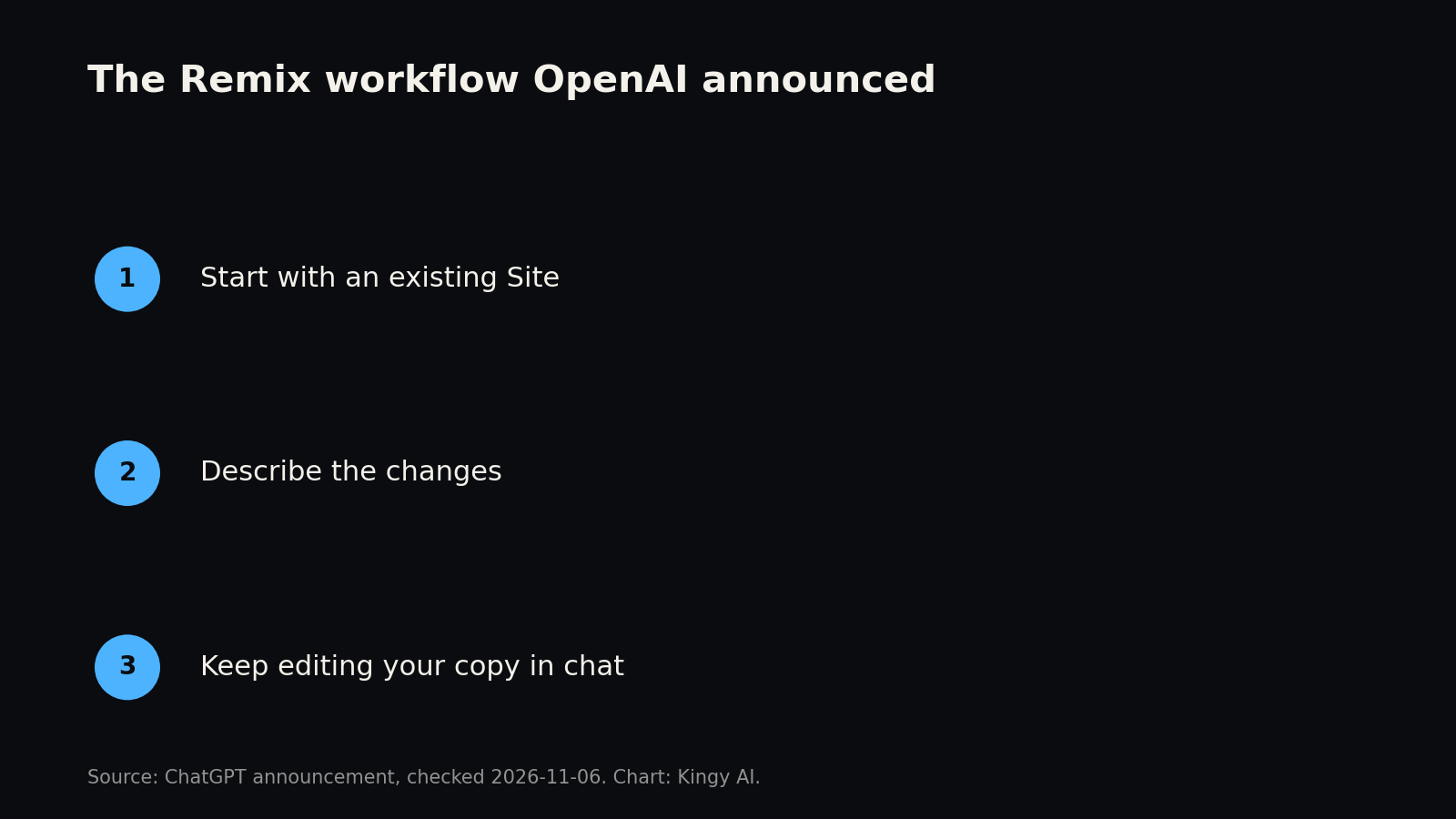
OpenAI’s November 6 announcement introduces Remix: adapt a teammate’s ChatGPT Site through requested changes, then continue working on your own version in chat. It is rolling out to ChatGPT Business and Enterprise.
The distinction between a copy and a shared original matters. A team might want to maintain one common project tracker. Another might want to use its layout as a starting point for a different process. Remix is aimed at the second situation.
Not tested by Kingy. This article draws on OpenAI’s announcement and public Sites documentation reviewed on November 6. Recommendations and hypothetical examples below are our analysis; they are not observed Remix results.
What changes when you reuse a Site?
A ChatGPT Site is a website or lightweight app created with ChatGPT. Sites can range from a resource hub to an interactive tool. The broader Sites product already supports conversational building and refinement. The features discussed below belong to that existing platform unless explicitly identified as part of the Remix announcement.
Imagine a sales team has a simple internal tracker with search, status labels, and a dashboard. An operations team likes its structure but needs different labels and fields. In this hypothetical example, the operations team could describe the changes it wants for its own version, then review the result. The potential benefit is a more useful starting point than an empty page. How much work that saves will depend on the Site and the changes, and has not been measured here.
Remix, co-edit, or start fresh?
The right choice depends on whether the people involved need one shared tool or separate versions. OpenAI’s sharing documentation distinguishes workspace editors from viewers and describes editors working on the same Site. That is the workflow to consider when everyone should contribute to one maintained original.
| Approach | Best starting point | What to consider |
|---|---|---|
| Remix a Site | You want a variant of an existing experience. | Review the copy’s behavior, data, access, and settings. Public details on copying are limited. |
| Co-edit a Site | Your team wants to maintain one shared experience. | Coordinate edits and publishing so changes serve the same audience. |
| Create a new Site | No existing Site fits the job well enough. | Define the users, actions, and sources before building. |
| Restore a version | You need to return the Site’s code to an earlier state. | OpenAI says restoring code does not restore its database or uploads. |
Those choices are not interchangeable. A shared Site can provide a common source of information, while separate versions let teams make different decisions about presentation and workflow. Separate versions also create a maintenance question: if the original changes later, who checks whether each copy needs the same correction? Do not assume a correction will reach every variant automatically; establish how updates will be reviewed.
How to brief a useful remix
The sources reviewed do not provide a complete click-by-click Remix procedure. Once your workspace has access, start with a brief that makes the intended result easy to assess. Describe the audience, the desired changes, what should remain, and what requires review.
For example, an operations team could start with this hypothetical request:
Use this Site as the starting point for an operations-team version. Replace the sales stages with the status labels I provide. Keep the search behavior and navigation. Use clearly labeled example records until I supply approved data. Save a version for review before publishing.
That prompt separates four decisions: the starting experience, the changed labels, the behavior to preserve, and the treatment of data. It is an example of an instruction, not a transcript of a successful test or a guarantee that Remix will carry out each step correctly.
For a resource hub, a different prompt might ask for denser cards and a category filter while retaining source links and search rules. Ask the builder to identify anything it could not preserve. Then check the links and search yourself: a plausible explanation of a change is not evidence that every interaction works.
Give the copy a clear name and record the source Site and date internally. Assign someone to decide whether future corrections to the original should also be made in the variant. This is ordinary version management, but it becomes easy to neglect when creating a new interface takes only a short request.
Check the data and permissions before sharing
A Site’s layout, code, saved version, database, uploaded files, secrets, and connected accounts are distinct parts of its operation. For Remix, the sources reviewed do not settle which parts are copied, referenced, or left behind. Do not assume that a visible table contains current records from the original, or that a copy is isolated from every original resource. Verify the actual setup in your workspace.
Before using real data, ask the owner or administrator to establish:
- Whether the copy uses sample records, a new data store, or an existing one.
- Which people can view, add, change, or delete records.
- Whether uploaded files, credentials, and connected services need separate configuration.
- Who can edit the Site, who can visit it, and whether the intended audience includes anyone outside the workspace.
- What happens to records if an earlier version of the code is restored.
These are checks to make, not claims about Remix’s internal implementation. OpenAI’s Sites data documentation says supported connected-app Sites use a visitor’s own connections and existing permissions. These features require a workspace-private Site, workspace membership, and enabled app access. The documentation also distinguishes structured records from file storage. Those general rules do not answer every question about a remixed Site’s configuration.
The difference between editor and visitor access deserves particular attention. OpenAI says Site editors can work on the shared Site, while external viewers do not become editors merely by viewing it. Its workspace guidance also notes that editors can inspect a live database and publish code that uses the Site’s secrets or storage. Grant editing access accordingly, and use a second intended-user account to check permissions where practical.
Keep credentials out of prompts and source code. OpenAI’s management guide directs users to Site settings for secrets. For sensitive workflows, involve the people responsible for the workspace and the data before connecting production systems.
Who can use it, and what does it cost?
The rollout announcement is not confirmation that access has reached every eligible account. General Sites access includes Plus and Pro, according to OpenAI’s help page; that broader eligibility does not establish access to this new workflow. Check your workspace’s actual availability.
General Sites costs still matter. OpenAI says creating and editing Sites uses the applicable Codex allowance, while hosting is treated separately. Its Sites overview says hosting is free through December 31, 2026, with metering beginning January 1, 2027. It labels the future rates as proposed; plan allowances and Enterprise agreements affect billing. These are Sites terms, not a published per-remix tariff. Check the current documentation and your workspace agreement before making a cost commitment.
Administrators can also affect what a workspace can do. OpenAI says Sites is generally on by default for Business, while Enterprise has role and administrator controls; public publishing is off by default for Enterprise. Those are general Sites settings, not a complete description of Remix permissions or which source Sites qualify.
Ownership, privacy, and responsibility
OpenAI’s Sites Terms, updated November 6, say that users retain their existing ownership rights in Website Content as between themselves and OpenAI, subject to applicable law. The terms also require users to have the necessary rights to third-party material. Creating a copy therefore calls for a separate check of the images, text, data, and other materials it uses; a copy workflow alone does not establish that every asset can be reused for every purpose.
OpenAI says it does not train its models on Business and Enterprise business data by default. That is the company’s enterprise privacy commitment, not an independent audit of Remix. It also does not determine who can view a Site after someone publishes it. Check the audience and data handling separately.
If a Site collects names, email addresses, photos, or other personal information, the operator has responsibilities for that information under applicable law. OpenAI’s data-protection guidance recommends limiting collection and explaining its purpose. Its operator guidance also calls for review of content and behavior before sharing. The operator guidance prohibits processing Protected Health Information and requires payment-card data to be handled solely by a third-party payment provider. Teams with legal or privacy requirements should apply their own review process.
Why this could matter for internal tools
The most useful starting point for a new tool is often an existing tool that already expresses a real workflow. A tracker may have the right navigation and the wrong status fields; a knowledge hub may have useful source links but the wrong audience. The ability to ask for a variant could make that prior work easier to reuse, provided the result is checked.
Consider the same hypothetical tracker moving from sales to operations. A screenshot might show a search box and colored status labels without explaining which records a filter should include or how a missing owner is handled. A working reference gives a reviewer something to inspect and compare. Our inference is that a useful reuse workflow could shift the brief from describing an entire app to specifying its differences: change these fields, preserve these interactions, and check these outcomes. That possibility depends on what the copy actually preserves; the announcement alone does not establish it.
The decision should also depend on why a team wants a separate version. Different terminology, a different sequence of tasks, or a different audience could justify one. A shared company policy is a weaker reason: if every team needs the same approved wording, maintaining several independent copies creates extra opportunities for an old version to survive. In that situation, consider keeping the authoritative material in one maintained source and designing the experience around it, where your setup supports that arrangement.
Trying a variant is one decision; taking responsibility for it is another. Before making it a daily tool, name its owner, define what counts as a correct result, and decide when it should be retired. A copy is most useful when someone can explain why its differences matter.
The trade-off is drift. Five departments with five variants may have good reasons for their differences, but a correction to a shared policy or a broken integration can then require five separate reviews. A team should decide which information belongs in a common source, who owns each variant, and how users will report errors. Those are editorial recommendations, not features OpenAI has promised Remix will provide.
What remains unknown
The sources reviewed leave several Remix questions unresolved: source eligibility, owner opt-out, copied data and configuration, upstream synchronization, merge-back behavior, and source attribution. We also found no separate Remix tariff, numeric cap, regional list, or rollout completion date. These are limits of the reviewed evidence, rather than proof that the capabilities are absent.
We also do not have a measured build time, reliability rate, cost per successful copy, or independent evidence of productivity gains. Treat a new copy as a candidate for review. Test navigation, search, forms, saved records, and permissions with representative inputs before asking colleagues to depend on it. OpenAI’s creation guide distinguishes saving a version from deployment, giving teams a useful point at which to review a general Site before publishing.
Sources
- OpenAI’s @ChatGPT Remix announcement, November 6, 2026.
- Creating and using ChatGPT Sites and Sites overview, accessed November 6, 2026.
- OpenAI documentation on publishing and sharing, data and connections, and managing a Site, accessed November 6, 2026.
- ChatGPT Sites Terms, updated November 6, 2026, and OpenAI enterprise privacy, accessed November 6, 2026.
Revision log
November 6, 2026: Initial reporting based on OpenAI’s announcement and available Sites documentation. Remix was not tested by Kingy.