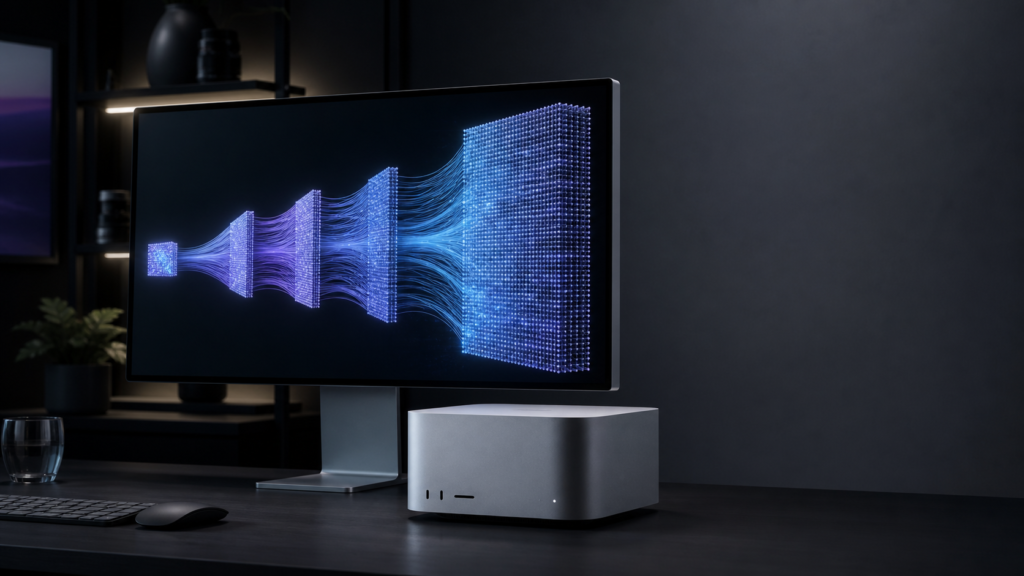
Apple’s new Mac Studio offers between 36GB and 512GB of unified memory. That makes it unusually capable of running large language models locally—but the most expensive configuration is not necessarily the smartest one.
Kingy.ai verdict: The 64GB M5 Max is the best-value Mac Studio for most local-AI users. Choose the 128GB M5 Max for serious 70B-model work and multi-model workflows. Move to M5 Ultra for bandwidth, concurrency or a model that genuinely needs more than 128GB—not simply because “Ultra” is the higher tier.
Evidence status, release date checked September 23, 2026: Apple confirmed that M5 Max and M5 Ultra Mac Studio configurations began arriving to customers and stores on September 22. The capacity and speed judgments below still rely on Apple’s specifications, documented software capabilities and independent tests of earlier Apple silicon; Kingy has not measured M5 Max or M5 Ultra performance. The 512GB configuration remains scheduled for late October.
The short verdict
The M5 Max Mac Studio with 64GB of unified memory is the best-value configuration for most local-AI users. It should comfortably handle highly capable 20B-to-32B models, run many 70B models at four-bit quantization and provide enough GPU performance for serious image generation.
The 128GB M5 Max is the better long-term purchase for developers who intend to run 70B models at higher quality, use long contexts, keep several AI services loaded or experiment with larger mixture-of-experts models.
The M5 Ultra with 96GB is a speed-first choice. Its 1.2TB/s memory bandwidth should make it materially faster than M5 Max in bandwidth-bound LLM inference, but its lower capacity means the 128GB M5 Max can sometimes load a larger model.
The 256GB and forthcoming 512GB M5 Ultra models are specialist machines. They make sense for organizations that already know which enormous model, dataset or multi-model workflow requires that capacity. The 512GB version is expected in late October, and Apple has not announced its price.
What Apple announced
Apple’s 2026 Mac Studio replaces the previous M4 Max and M3 Ultra choices with M5 Max and M5 Ultra.
M5 Max offers an 18-core CPU, either 32 or 40 GPU cores, up to 128GB of unified memory and as much as 614GB/s of memory bandwidth. M5 Ultra scales to a 36-core CPU, 80-core GPU, 512GB of memory and 1.2TB/s of bandwidth. Neural Accelerators are now integrated into every GPU core.
Pre-orders opened on August 25. Apple confirmed availability beginning September 22; the 512GB version remains scheduled for late October. Apple’s announced US starting prices were $2,499 for M5 Max and $5,499 for M5 Ultra. Apple’s Mac Studio announcement
Mac Studio configurations and US pricing
| Chip and GPU | Unified memory | Starting price* | Local-AI assessment |
|---|---|---|---|
| M5 Max, 32-core GPU | 36GB | $2,499 | Capable entry point for smaller and mid-sized models |
| M5 Max, 40-core GPU | 48GB | $2,799 | Better for 32B models and image generation |
| M5 Max, 40-core GPU | 64GB | $3,199 | Best value for serious local AI |
| M5 Max, 40-core GPU | 128GB | $4,799 | Best-balanced high-end configuration |
| M5 Ultra, 64-core GPU | 96GB | $5,499 | High inference speed, but less capacity than 128GB Max |
| M5 Ultra, 64-core GPU | 256GB | $9,499 | Very large models and multi-model serving |
| M5 Ultra, up to 80-core GPU | 512GB | Not announced | Extreme model capacity; coming late October |
The M5 Max starts with a 512GB SSD and can be configured with up to 8TB. M5 Ultra starts at 1TB and reaches 16TB. Storage holds model files, but it does not expand the amount of model that can run efficiently on the GPU. For local AI, unified memory deserves priority over a large internal SSD; Thunderbolt 5 storage can hold less frequently used checkpoints.
Why unified memory matters
A conventional AI workstation divides its memory between system RAM and dedicated GPU VRAM. A model must normally fit inside the GPU’s much smaller pool to run efficiently.
Apple silicon uses one memory pool shared by the CPU and GPU. Apple’s MLX framework can operate on arrays from either processor without copying them between separate memory spaces. That is the architectural reason a compact Mac can load models that would require several discrete graphics cards elsewhere. MLX documentation
But unified memory is not free GPU capacity. macOS, applications, the inference runtime and temporary working data all consume part of it. MLX also maintains a recommended working-set limit below total installed memory. MLX memory documentation
A prudent buyer should therefore leave substantial headroom rather than selecting a Mac whose advertised memory only just matches a model’s weight file.
What size LLM can each Mac Studio run?
The following estimates are capacity guidance—not M5 performance benchmarks.
As a rough starting point, four-bit model weights consume approximately 0.55 to 0.65 bytes per parameter after allowing for quantization metadata. An ordinary 70B model therefore commonly requires around 39GB to 46GB for weights alone. Eight-bit versions can require roughly twice as much.
Memory is also needed for:
- The operating system and inference application
- The KV cache used to retain conversation context
- Temporary tensors and model-specific working space
- Other resident models, such as embeddings, vision or reranking models
- Concurrent requests and batching
Long context can change the calculation dramatically. MLX-LM includes rotating and quantized KV-cache options precisely because the cache can become a major memory consumer. MLX-LM cache implementation
Realistic model-capacity guide
| Unified memory | Sensible local-LLM target | Important qualification |
|---|---|---|
| 36GB | 7B–32B at four bits | 32B is realistic; 70B is not a sensible target |
| 48GB | 32B at higher precision or with more context | A 70B Q4 model may approach fit limits but leaves inadequate headroom |
| 64GB | 32B at high quality; many 70B Q4 models | Context length and model architecture determine how comfortable the fit is |
| 96GB | 70B at higher precision; roughly 100B-class Q4 models | Faster than M5 Max, but less total capacity than the 128GB option |
| 128GB | 70B Q8; 100B–130B-class quantized models | Particularly useful for long context and multiple resident services |
| 256GB | Roughly 200B–300B Q4 models | Some larger sparse models fit, but total parameters determine weight storage |
| 512GB | 400B-class models comfortably; some roughly 600B Q4 models | It will not automatically accommodate every 700B-or-larger model |
These are intentionally conservative ranges. Different quantization formats, attention designs and context settings can move the boundary by tens of gigabytes.
Mixture-of-experts models require special care. They may activate only a small fraction of their parameters for each token, making generation faster than a similarly sized dense model. But the complete collection of expert weights ordinarily still needs to be stored in memory. A “200B model with 20B active parameters” should not be treated as a 20B model when choosing RAM.
Memory capacity and bandwidth solve different problems
Capacity determines whether the model fits. Bandwidth helps determine how quickly weights can be read during token generation.
128GB M5 Max versus 96GB M5 Ultra
The 128GB M5 Max provides more room for large weights and long contexts. The 96GB Ultra provides almost twice the memory bandwidth: 1.2TB/s rather than 614GB/s.
Choose M5 Max if the model would otherwise be squeezed into 96GB. Choose M5 Ultra if the workload fits comfortably and response speed matters more than loading the next model-size tier.
256GB versus 512GB M5 Ultra
Both capacity levels use the same 1.2TB/s memory architecture. The 512GB option does not automatically generate tokens twice as quickly; it primarily lets the machine hold much more.
That makes the October model a capacity purchase, not a universal performance upgrade. If a workload fits comfortably in 256GB, buying 512GB may provide little immediate inference benefit.
What Apple’s performance claims do—and do not—prove
Apple says M5 Max delivers up to 3.9 times faster LLM prompt processing than M4 Max, while M5 Ultra reaches four times the prompt-processing performance of M3 Ultra. It also claims text-to-image gains of up to 3.5 times and 4.3 times respectively. Testing was conducted by Apple in July 2026. Apple’s published results
Those numbers should not be read as “every LLM runs four times faster.”
- Prompt processing, or prefill, processes the input in parallel and can benefit substantially from added matrix-compute hardware.
- Token generation, or decode, repeatedly reads model weights while producing output and is often constrained by memory bandwidth.
Apple’s headline numbers specifically describe prompt processing. The Ultra’s bandwidth has increased by 50 percent over M3 Ultra, not fourfold. It is therefore reasonable to expect a major prefill improvement and a smaller decode improvement—but actual tokens-per-second results must wait for independent testing.
Apple also has not published enough detail in its press release to translate its “up to” numbers across MLX, GGUF, different quantization formats, context lengths and batch sizes.
What previous independent testing tells us
Independent results from older Apple silicon support the broader case for local LLMs, but they cannot establish M5 performance.
A 2025 study tested MLX, MLC-LLM, llama.cpp, Ollama and PyTorch MPS on a 192GB M2 Ultra Mac Studio using Qwen 2.5 models and contexts extending to 100,000 tokens. Under the researchers’ settings:
- MLX achieved the highest sustained generation throughput.
- MLC-LLM produced lower time-to-first-token for moderate prompts.
- llama.cpp performed efficiently for lightweight, single-stream use.
- Ollama prioritized ease of deployment but trailed the faster runtimes.
- Apple silicon remained behind Nvidia systems running vLLM in absolute performance.
That evidence suggests the Mac is already a credible private-inference platform, while also underlining that the runtime matters. A buyer cannot derive real-world speed from chip specifications alone. Production-Grade Local LLM Inference on Apple Silicon
For most users, LM Studio and Ollama remain the easiest starting points. Developers seeking maximum Apple-silicon performance should also evaluate MLX-LM and llama.cpp rather than committing to one runtime before testing their chosen model.
Image generation should work well
Local image generation is a much easier recommendation than local video generation.
Apple’s official MLX examples support Stable Diffusion and Stable Diffusion XL, including text-to-image and image-to-image generation. The project demonstrates that quantized SDXL Turbo can run without swapping on an 8GB M1 Mac mini. Every new Mac Studio therefore has ample basic image-generation capacity. Apple’s MLX Stable Diffusion example
- 36GB and 48GB: More than adequate for established Stable Diffusion workflows.
- 64GB: A strong practical choice for larger diffusion models, higher resolutions and routine use.
- 128GB: Useful for large pipelines, multiple conditioning models and simultaneous LLM-plus-image workflows.
- M5 Ultra: Justifiable for high-volume professional generation, but excessive for an individual creating images one at a time.
Software remains part of the purchasing decision. MLX-native tools should exploit Apple silicon more directly, while PyTorch MPS and ComfyUI workflows can vary by model and node. Compatibility should be checked against the exact checkpoint and workflow rather than assumed from total memory.
Local video generation remains the caveat
Apple explicitly says M5 Max can generate video, and its official MLX examples now include Wan 2.1 text-to-video and image-to-video pipelines. That confirms the capability—but not necessarily practical turnaround times.
Apple’s documented Wan 2.1 results on an M4 Max show:
| Model | Approximate RAM | Time for one denoising step |
|---|---|---|
| Wan 2.1 1.3B text-to-video | 10GB | 90 seconds |
| Wan 2.1 14B text-to-video | 36GB | 230 seconds |
| Wan 2.1 14B image-to-video | 39GB | 250 seconds |
The example’s default generation uses 50 steps. Even allowing for substantial M5 acceleration, larger video models can remain slow enough that generation time—not memory—is the limiting factor. Apple’s Wan 2.1 MLX documentation
The Mac Studio’s Media Engine accelerates H.264, HEVC, ProRes and AV1 encoding or decoding. That is valuable for editing and exporting video, but it does not replace the GPU computation required to denoise every generated frame.
Buyers primarily interested in local generative video should wait for workflow-specific M5 benchmarks. Nvidia’s CUDA ecosystem continues to receive first-party support from many model developers, and “runs on Apple silicon” does not always mean feature parity or comparable turnaround time.
Which configuration should you buy?
Before choosing a memory tier for a specific model, use Kingy Local Lab’s model-fit planner. It opens an editable Apple Silicon example with 32 GiB of unified memory. Choose Change hardware to enter the memory you own or plan to buy, then set your workload and context and inspect the exact file and reserve assumptions. It estimates capacity, not M5 inference speed or a measured result on this Mac Studio.
Best affordable choice: M5 Max with 48GB
This is enough for strong 32B-class LLMs, established image models and introductory video experiments. It is the lowest configuration worth considering if local AI is a central reason for the purchase. Buyers already interested in 70B models should move to 64GB.
Best value: M5 Max with 64GB
This is the lineup’s sweet spot. It combines 614GB/s bandwidth with enough memory for many four-bit 70B models, capable image generation and useful creative experimentation. At approximately $3,199, it is expensive but avoids the sharper price jumps of the 128GB and Ultra configurations.
Best high-end choice: M5 Max with 128GB
This is the most balanced Mac Studio for serious local-AI development. It provides room for higher-quality 70B models, longer contexts, several resident models and workflows that combine an LLM with embeddings, vision and image generation.
Best for speed: M5 Ultra with 96GB
Choose this for models that fit comfortably in 96GB and workloads where prompt processing, generation throughput or concurrency matters more than loading the largest possible model. Do not assume it is categorically superior to the 128GB M5 Max.
Best for very large models: M5 Ultra with 256GB
This is the point where Mac Studio enters specialist AI-workstation territory. It suits very large quantized models, private organizational inference, extensive contexts, fine-tuning experiments and multi-model servers. The price starts around $9,499 before increasing the CPU, GPU or storage.
The wait-and-see model: M5 Ultra with 512GB
The October configuration is potentially one of the most capable single-box local-LLM systems available. It should accommodate many 400B-class models and some models around 600B at aggressive quantization.
It will not run every frontier-scale open model, and additional memory does not guarantee better speed when the same workload already fits in 256GB. Its price, availability and independent performance also remain unknown. This configuration is appropriate for AI laboratories, security-sensitive organizations and professionals replacing costly cloud inference. It is difficult to recommend to individual enthusiasts before pricing and benchmarks are available.
Final recommendation
For most people buying a Mac Studio primarily for local AI, the decision is between 64GB and 128GB of M5 Max memory.
Buy 64GB if you expect to run 32B models routinely, experiment with 70B quantizations and generate images locally. Buy 128GB if the Mac will be a long-lived AI workstation, if long context matters, or if you want to keep multiple models and services loaded together.
Move to M5 Ultra for bandwidth, concurrency or a model that cannot fit below 256GB—not simply because “Ultra” is the higher tier.
The 512GB Mac Studio is the headline machine, but the 64GB and 128GB M5 Max configurations are likely to be the ones that make local AI genuinely useful without turning it into an extravagant hardware experiment.
Frequently asked questions
Can a 64GB Mac Studio run a 70B local LLM?
Many 70B models can fit at four-bit quantization, but context length, KV-cache size and the exact quantization format matter. A 64GB machine is workable; 128GB provides much more freedom.
Is 128GB M5 Max better than 96GB M5 Ultra for AI?
It depends on the workload. The 128GB Max can hold larger models and contexts. The 96GB Ultra has almost twice the memory bandwidth and should be faster when the model fits comfortably.
Will the 512GB Mac Studio be twice as fast as the 256GB model?
No. Both use the M5 Ultra memory architecture. The principal benefit of 512GB is loading larger models or more simultaneous workloads, not automatically doubling inference speed.
Is Mac Studio good for local image generation?
Yes. Apple’s MLX examples already support Stable Diffusion and SDXL on much smaller Macs. The new Studio’s additional memory and GPU performance should help with larger pipelines, resolutions and batching, although M5-specific independent results are still pending.
Should I buy Mac Studio for local video generation?
Only after checking the exact model and workflow. MLX video generation exists, but current large models can take a long time to generate short clips. Wait for M5-specific tests if video generation is the primary reason for buying.
Check the exact workload before choosing memory
Use the Local AI planner to separate an exact-file memory estimate from retained measurements. Choose “Another machine” for a configuration without a matching measured setup. Results from an M4 Pro or RTX 4090 are not M5 Studio benchmarks.
Write down the model file, quantization, context length and concurrent workloads. Memory fit is not a speed measurement. For a small example of how to retain and score outputs, inspect the checked invoice recipe; it does not validate the hardware recommendations above.
Next-decision links added September 19, 2026. This addition is not a new model/hardware test or a product-specification refresh.
The Kingy Brief
Get The Kingy Brief.
AI changes, original tests and one practical thing to try. Fridays at 09:00 Vancouver time.
Free · Double opt-in · Unsubscribe anytime
Signup help and newsletter schedule
Signup form provided by Beehiiv. After submitting, check your inbox for "Confirm your subscription to The Kingy Brief" and open its confirmation link. Check Spam or Promotions if you cannot find it.
Fridays at 09:00 Vancouver time: source-checked AI changes, original tests and one practical thing to try. The weekly restart begins October 9, 2026. We skip a week when there is not enough verified material. Free. Unsubscribe anytime.