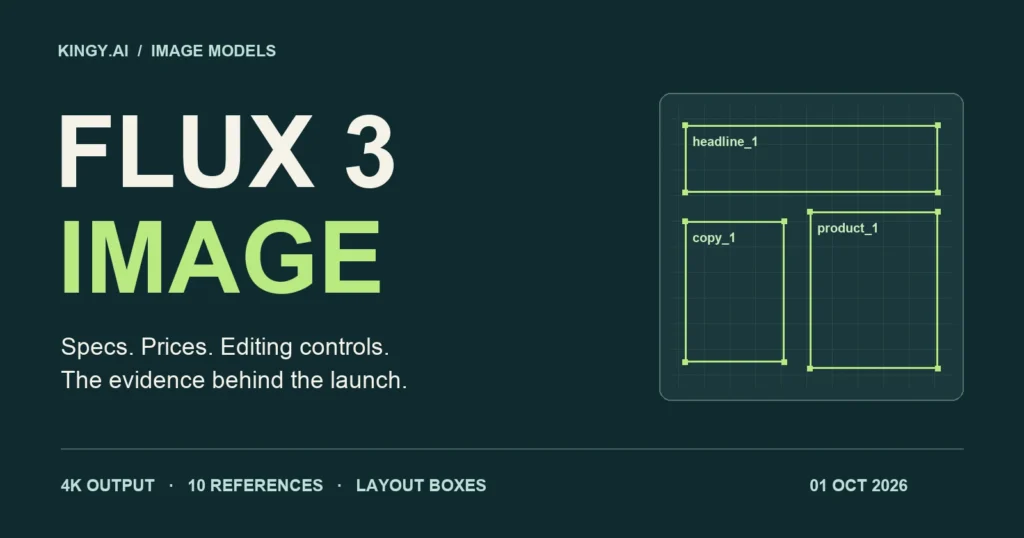
Black Forest Labs released FLUX 3 Image on October 1, 2026, with a proposition that matters to anyone who has spent an afternoon fixing an AI-generated ad: specify where the elements belong, change the part that needs work, and preserve the rest of the composition.
The release combines image generation and editing through one API endpoint. Its headline features include native high-resolution output, up to ten references, and a layout system built around named elements and bounding boxes. Commercial weights are available through BFL; a public open-weight version is promised for the coming weeks. The launch announcement confirms those access distinctions.
Our assessment is that FLUX 3 Image deserves a serious trial for advertising layouts, product imagery and repeated revisions. Its launch materials establish a useful control interface. They do not yet establish that it beats the strongest image models on quality or editing reliability. That distinction shapes the specifications, benchmark comparisons and buying advice below.
Reporting checked October 1, 2026. This is source-based launch analysis. Kingy.ai has not run paid generations or a matched hands-on benchmark of FLUX 3 Image. Prices are USD. Documented capabilities, vendor demonstrations, independent scores and our proposed tests are identified separately.
FLUX 3 Image specifications and availability
BFL’s October 1 release notes confirm the image launch. The broader FLUX 3 family was announced in July, with video arriving before this image release. The name therefore covers several products with different access, specifications and evaluations. Our earlier FLUX 3 Video report covers that separate release.
| Specification | Verified launch detail |
|---|---|
| Hosted access | BFL API and browser Playground |
| Endpoint | POST https://api.bfl.ai/v1/flux-3-image |
| Tasks | Text-to-image, instruction-based editing, multi-reference composition and layout-controlled generation |
| References | Up to 10 images, supplied as URLs or base64 |
| Input limits | At least 256 × 256 pixels; at most 16 MP per reference; 20 MB maximum per base64 payload |
| Output tiers in the API schema | 768sq, 1k, 2k, 4k; default 1k |
| Aspect ratios | 15 explicit ratios, from 21:9 to 9:21, plus auto |
| Layout coordinates | Integer grid from 0 to 1000; boxes ordered [top, left, bottom, right] |
| Grounding | Web and image search enabled by default; grounding: false disables both |
| Moderation control | safety_tolerance from 0 to 4; default 2 |
| Delivery | Asynchronous job; poll the returned URL; download the signed result within one hour |
| Private deployment | Commercial weights through a negotiated license; public open weights announced for the coming weeks |
Sources: BFL’s image overview, API schema and product page. With auto, the first reference determines the aspect ratio; without a reference, the default is square.
The public launch sources reviewed here do not disclose an image-model parameter count, downloadable checkpoint size or consumer-GPU memory requirement. A commercial weights offer does not supply those missing details, and an announced public release does not settle its eventual license.
For the architecture, BFL describes FLUX 3 as a unified multimodal model trained across images, video and audio, building on its Self-Flow approach. That is the lab’s account of the underlying system. It gives useful context for the product family, but it does not quantify this image endpoint’s quality, compute requirements or advantage over a dedicated image model. The technical background is in BFL’s original FLUX 3 announcement.
The useful new interface is a composition you can specify
An ordinary prompt such as “a bottle on the right, headline at the top, product copy on the left” leaves much of the geometry to the generator. That can be fine for exploring an idea. It becomes expensive when a client has already approved the layout and the next revision must fit the same design.
FLUX 3 Image accepts a scene description followed by a JSON array of elements. Each has an identifier, a bounding box and a description. The text names the identifiers, and the boxes specify intended placement on the canvas. BFL documents the format in its bounding-box tutorial.
Consider a fictional coffee campaign. Give the headline a wide box near the top, place the product on the right, and reserve the left side for a short line of copy. At a different image size, the same normalized coordinates describe the same proportions. The vertical and horizontal axes each run from 0 to 1000, even on a rectangular canvas.
[40, 80, 190, 920][300, 80, 740, 460][230, 540, 900, 900]The identifiers make the composition inspectable. A tool can validate that every intended element has a row, that its coordinates stay within the canvas, and that the caption refers to the same names. An editor can change one element’s description or position while preserving the rest of the brief.
That makes FLUX 3 a plausible component in an automated design workflow. A language model could draft the layout, a deterministic check could reject invalid coordinates, and a human could adjust the boxes before generation. The value would come from fewer expensive revisions after rendering. Whether the generator reliably obeys that plan still needs measurement.
“Pixel-exact” editing needs a precise acceptance test
BFL markets precise multi-turn edits that preserve other pixels. Its tutorial supplies a more qualified operational description: pixels outside the edited boxes “usually stay identical.” It also says boxes guide placement and scale, and that elements may extend beyond them. These are important limits of the documented editing behavior.
The editing format distinguishes four operations. A kept element references its source box and retains the same target box. Moving an element changes the target position. A new element has no source and is generated in its target region. Removing an element retains its source description and sets the target box to null. The full field reference is in BFL’s editing documentation.
This structure is useful because “change the jacket to red” and “move the jacket” describe different jobs. An application can store those intentions separately, preserve the source layout, and explain exactly what the next request should change. Multiple edits can be included in one request.
The hard question is what happens around the changed object. Recoloring fabric may alter its reflections. Removing a lamp should change the newly revealed background. Moving a person leaves an area that needs reconstruction. The acceptance region must account for those consequences before anyone measures preservation.
A whole-image pixel-identity percentage alone cannot answer that question. A tiny edit could preserve most pixels while producing a bad replacement. A much larger, successful edit could have a lower unchanged-pixel percentage. The useful measurements are whether the requested edit succeeded, whether protected regions changed, and whether seams or lighting errors appeared at the boundary.
For revisions that must preserve a legal line, packaging mark or already-approved face, inspect those regions directly. Keep the original alongside every revision. BFL’s selected demonstrations show what the interface can produce; they do not tell us the failure rate over unfamiliar images, prompts and long edit sequences.
Native 4K describes a pixel budget, not one fixed image shape
The image model’s 4K tier is approximately 16 megapixels. BFL demonstrates a 5456 × 3072 output, about 16.8 million pixels, on its product page. That is substantially more area than a conventional 3840 × 2160 UHD frame, which contains about 8.3 million pixels. The two uses of “4K” should not be treated as interchangeable dimensions.
BFL describes image output as native high-resolution generation. Its pricing rules say delivered dimensions are rounded to multiples of 16 and may differ slightly from the nominal size. The API returns output_mp, which is useful for checking the actual delivered tier.
More pixels can help with cropping, fine type and large layouts, but resolution is only one part of the result. A high-resolution label can still have the wrong wording; a detailed hand can still have the wrong anatomy. Evaluate the complete image and the final-size crops that people will use.
There is also an input caveat. BFL’s pricing footnotes say references above 4 MP are downscaled to 4 MP before processing, although files up to 16 MP are accepted. Uploading a large product photograph therefore does not establish that every original detail reaches the model at its uploaded resolution.
The API documentation warns that 4K generation can take several minutes. There is no measured latency distribution in the launch evidence reviewed here. An application should expose progress and allow for long jobs, especially if the user is producing several revisions.
FLUX 3 Image prices, the launch discount and actual task costs
The launch offer halves BFL’s image rates for requests accepted from October 1 at 8 a.m. Pacific until October 8, 2026 at 8 a.m. Pacific, equivalent to 15:00 UTC on both dates. The deadline is explicit on the live pricing page; the launch pricing announcement also confirms the promotion.
| API resolution | Approximate output | List price / image | Launch price / image | 1,000 images, launch / list |
|---|---|---|---|---|
768sq |
768 × 768 | $0.041 | $0.0205 | $20.50 / $41 |
1k |
1 MP | $0.048 | $0.024 | $24 / $48 |
2k |
4 MP | $0.100 | $0.050 | $50 / $100 |
4k |
16 MP | $0.607 | $0.3035 | $303.50 / $607 |
List rates: BFL’s API pricing documentation and release notes. Discount: live BFL pricing page. Totals are Kingy.ai arithmetic, before taxes and any other services. BFL’s calculator additionally lists a 1.5K tier at $0.070 list/$0.035 promotional, but the image API schema reviewed on October 1 enumerates only the four values shown above. Confirm that discrepancy before coding a 1.5K request.
On BFL’s service, references and prompts are included in the per-image rate. Text-to-image and image-to-image use the same tier pricing. BFL says rejected requests, failed generations and outputs withheld by moderation are not charged. A successfully generated image that a client dislikes still needs to be counted in the economics of the job.
The list-price jump from 2K to 4K is 6.07 times, calculated as $0.607 ÷ $0.100. That makes final-resolution strategy worth testing. A lower-resolution exploration phase can reduce spending, but a later 4K request may produce a different image. This image endpoint’s published schema does not establish an exact replay or a video-style draft-enhancement guarantee.
Suppose a team makes four 1K candidates and two 1K revisions for one accepted asset. Six generations cost $0.144 during the promotion or $0.288 at list price. Add one 4K generation and the totals become $0.4475 or $0.895. These are illustrative request counts, not measured acceptance rates, and they exclude staff time, storage, other models and any extra attempts.
The metric to track is total production spend divided by accepted assets. Cheap generations lose their advantage if they need repeated fixes or manual reconstruction. A higher-priced model can be economical when it produces an acceptable revision sooner. FLUX 3 Image’s preservation claims are commercially meaningful precisely because they could affect that denominator.
The image benchmarks available on launch day
FLUX 3 Image had no named entry on the public text-to-image or image-editing boards we checked on October 1. Its release materials supply capabilities and demonstrations, but we found no image-specific, reproducible head-to-head evaluation with a disclosed prompt set, sample size and scoring protocol.
The following table shows the existing comparison field on Artificial Analysis. These are independent, pairwise human-preference evaluations. The two columns belong to separate tasks and scales; numerical differences between a model’s generation and editing scores are not measures of an editing penalty.
| Model/configuration | Text-to-image Elo | T2I samples | Editing Elo | Editing samples |
|---|---|---|---|---|
| GPT Image 2.5 Sunburst (max) | 1197 ±9 | 14,023 | 1182 ±8 | 17,899 |
| GPT Image 2.5 Flare (max) | 1190 ±9 | 13,393 | 1162 ±8 | 18,643 |
| Nano Banana 2 / Gemini 3.1 Flash Image | 1125 ±8 | 18,454 | 1108 ±8 | 15,644 |
| Seedream 5.0 Pro | 1081 ±8 | 12,963 | 1106 ±8 | 12,701 |
| FLUX.2 [max] | 1021 ±8 | 12,111 | 996 ±9 | 6,162 |
| FLUX 3 Image | No listed result | — | No listed result | — |
Snapshot accessed October 1, 2026. Sources: AA-Image-T2I v2.0 and AA-Image-Editing v2.0. The ± values represent the boards’ displayed 95% intervals. Samples are the boards’ reported sample counts, not a count of unique prompts. FLUX.2 [dev] anchors each board at 1000.
On the separate Arena text-to-image board, the displayed September 24 snapshot also places GPT Image 2.5 Sunburst and Flare first and second, with preliminary scores of 1424 ±8 and 1401 ±8. FLUX 3 Image was absent there and from the image-edit board when checked. These scores must not be combined with Artificial Analysis’s Elo values.
A missing entry establishes that we cannot rank the new model from those boards. It does not establish that the model is weak. The older FLUX.2 numbers belong to those older models; they are useful baselines for a migration test, not an estimate of FLUX 3’s score.
Likewise, BFL’s earlier FLUX 3 Video preference percentages and video Elo charts concern generated clips. They do not measure still-image typography, layout accuracy or preservation during image editing. Carrying those results into an image comparison would confuse the task being evaluated.
Preference boards answer a useful but limited question: which output people prefer in the tested comparisons. They do not automatically measure whether every SKU label is correct, whether a headline fits a specific safe area, or whether a protected region remained identical after five revisions. Those requirements need their own checks.
How FLUX 3 Image compares with current alternatives
GPT Image 2.5 Sunburst and Flare
OpenAI’s current comparison is Image 2.5, rather than an assumption that Image 2 remains the newest option. Its announcement positions Flare as the default for most applications and Sunburst for more precise creative workflows with longer generation times. Both are available through its API.
These are strong baseline choices when editing consistency matters, given the independent results above. FLUX 3’s explicit element table provides a different integration path: an application can keep intended positions and revisions in structured records. A fair comparison would measure whether that structure leads to fewer layout errors and less drift than an instruction-based workflow.
Use the same creative brief and source assets, but allow each system its documented controls. Requiring every model to accept FLUX’s JSON syntax would test interface compatibility rather than image quality. Conversely, using only a vague one-line prompt would leave FLUX’s layout controls underexamined.
Nano Banana 2 and Nano Banana Pro
Google’s image-generation documentation lists 1K, 2K and 4K output for Gemini 3.1 Flash Image and Gemini 3 Pro Image, along with search grounding and support for up to 14 references under model-specific rules. Generated images include SynthID. Native high-resolution output, search and multiple inputs therefore need to be compared as shared capabilities, not assumed exclusive to FLUX.
The useful question for a designer is how each system handles a difficult composition and its revisions. Test character consistency, readable text, all reference objects, and a protected background. An input-count limit is a capacity specification; it does not measure how faithfully the model preserves the tenth or fourteenth object.
Seedream 5.0 Pro
ByteDance’s Seedream 5.0 Pro page emphasizes dense infographics, spatial annotations, sketch-guided editing and layer separation. That makes it relevant to a FLUX comparison involving complex commercial designs and deliberate placement.
The contrast to test is operational. Does a structured FLUX layout reduce retries on a fixed grid? Does an annotated Seedream input make a revision easier to communicate? Compare the rendered asset and the time required to prepare the control inputs. An elaborate setup that saves one generation may still cost more staff time.
FLUX.2 and models you can run locally today
Existing FLUX integrations already have multiple deployment choices. BFL’s FLUX model overview identifies the Apache 2.0 FLUX.2 [klein] 4B option and the separately licensed larger variants. Qwen-Image-2512 is another published Apache 2.0 image checkpoint. Those specific releases remain relevant when public weights and local execution are requirements.
FLUX 3’s commercial weights may be attractive for private infrastructure, customization or high-volume use, but their price and hardware economics require a quote. Compare the license, infrastructure, operation and fine-tuning costs with hosted usage. The API’s per-image fee cannot be used as a self-hosted cost estimate.
For an existing FLUX.2 application, add a separate adapter and evaluate a small, representative workload before replacing the current route. Keep model identity, submitted settings and outputs in the record so a successful trial can be reproduced when the model or service changes.
An example layout request, and the integration details that matter
The Python below assembles an illustrative request body for the coffee layout. It uses original example copy and the documented id, bbox and desc fields. It only prints JSON; it does not call the service or spend credits.
import json

caption = (
    'A cream coffee advertisement. The headline <headline_1> '
    'sits above a green coffee bottle <product_1> on the right. '
    'Short campaign copy <copy_1> sits on the left.'
)
elements = [
    {"id": "headline_1", "bbox": [40, 80, 190, 920],
     "desc": 'Text reading "A better morning", dark green serif'},
    {"id": "product_1", "bbox": [230, 540, 900, 900],
     "desc": "A green glass coffee bottle, softly lit"},
    {"id": "copy_1", "bbox": [300, 80, 740, 460],
     "desc": 'Text reading "Cold brew. Made slowly."'},
]
payload = {
    "prompt": caption + " " + json.dumps(elements),
    "aspect_ratio": "4:5",
    "resolution": "1k",
    "grounding": False,
}
print(json.dumps(payload, indent=2))
Submit the resulting JSON to the image endpoint with an x-key header. Follow the returned regional polling_url rather than constructing one. BFL’s schema includes intermediate statuses such as Pending, Reasoning and Generating, plus terminal moderation and error states. A client needs to handle the whole job lifecycle, not merely repeat requests until a picture appears. The API reference documents the response.
Bounding boxes belong inside the prompt string. A separate entities field returns a validation error in the documented schema. Retain the submitted prompt and any returned expanded prompt, along with the request ID, cost, output dimensions and downloaded image. The returned cost is in credits, with one credit equal to $0.01, rather than a dollar amount. That record helps explain whether a problem came from the layout plan, prompt expansion or rendered result.
Keep API keys server-side in a web application. Persist the downloaded result before its signed URL expires. If submission succeeds but polling times out, retain the existing job identifier and investigate its status before submitting a duplicate paid generation.
A production evaluation that could establish the advantage
The most useful next evidence would combine blind visual preferences with strict acceptance checks. Our proposed protocol below is a test design, not a set of completed Kingy.ai results. It is deliberately aimed at the controls this release introduces.
| Task | Test brief | Evidence to retain |
|---|---|---|
| Fixed advertising layout | Place a product, headline and copy in predefined regions | Element detections, intended boxes, overlaps, missing elements and human layout judgments |
| Exact typography | Render short English, accented-language and CJK strings, then change one line | Exact transcription, character errors and whether untouched text changed |
| Local revisions | Recolor, replace, move and remove objects in separate trials | Edit success, protected-region pixel differences and boundary artifacts |
| Ten-reference composition | Combine distinct products with one person and a specified setting | Missing items, identity errors, duplicated objects and reference fidelity |
| Multi-turn sequence | Perform five predefined edits on an approved source | Every intermediate image, cumulative drift and remaining correct constraints |
| Resolution and service behavior | Repeat matched briefs at 1K, 2K and 4K | Delivered dimensions, median/p95 latency, failures, billable requests and accepted outputs |
Choose the briefs, protected regions, output requirements and retry allowance before running the models. Preserve every output, including failures and unattractive candidates. Report one-shot results separately from the results after the allowed revisions. Randomize presentation for human reviewers and conceal the model names.
For preservation tests, compare like-for-like decoded pixels in a common color space. Define the protected region in advance and keep image dimensions aligned. Lossy recompression, a shifted crop or resampling can create differences unrelated to an unwanted edit, so an exact-preservation measurement should avoid those confounds. Record both the fraction of protected pixels changed and the magnitude of the change.
Also inspect the edited region itself. An output that keeps every protected pixel but fails to make the requested change has failed the task. An average pixel-error metric can hide a small, consequential alteration to a label, so report critical-region checks separately.
Use two comparison tracks where possible. One gives every model a plain brief and the same references. The other allows its strongest documented layout and editing controls, while measuring the preparation time. This separates baseline generation quality from the practical value of the workflow around it.
Until that evidence is available, the sensible deployment is a contained trial on work where placement and repeated revisions are expensive. Keep GPT Image 2.5 and the current production model as baselines, test FLUX 3’s controls on the same assets, and make the migration decision from accepted outputs, preservation and total task cost.