Kingy × Supabase · AI SaaS Launch Kit
The missing second half of the 12-minute build.
The video shows one fast route to a working AI SaaS prototype. This guide adds Auth-linked ownership, row-level security, server-owned billing, private file access, failure tests and the evidence a reviewer should expect.
Watch the 12-minute prototype
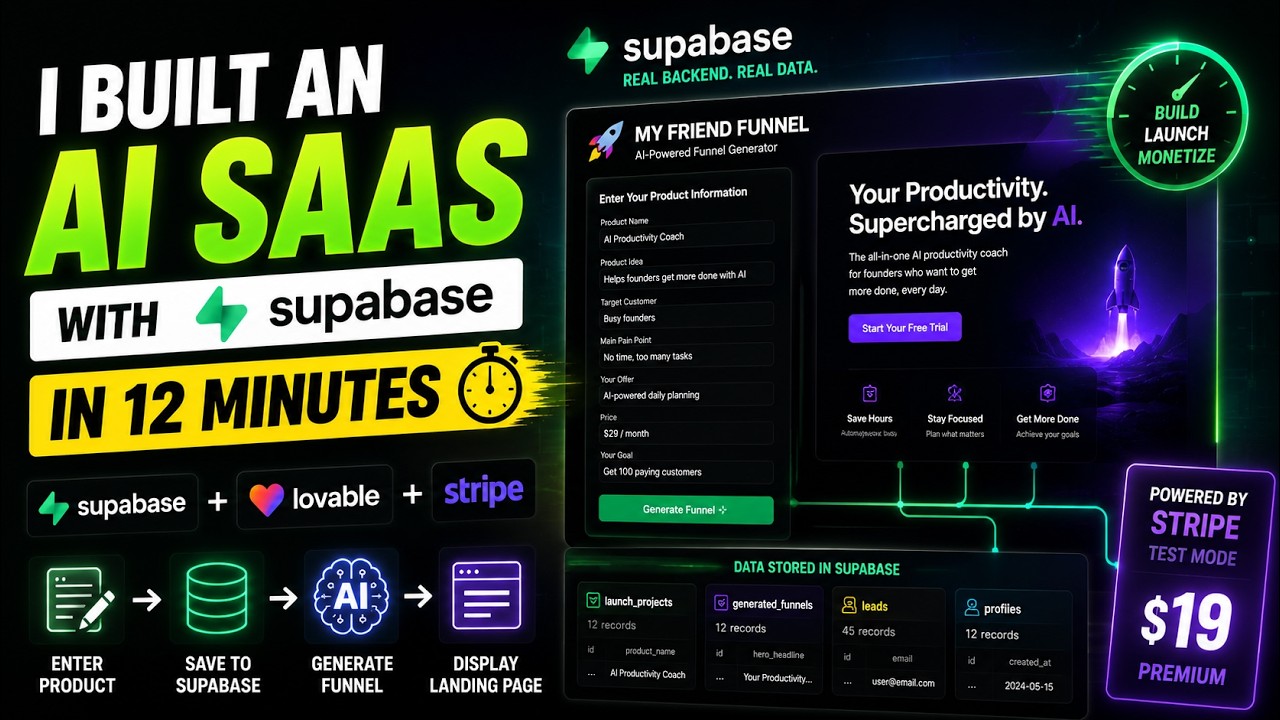
The video is the fast path to a working concept. It is not a claim that the finished app is secure, resilient or production-ready. That distinction matters. A polished interface can hide weak ownership rules, an exposed secret, an unsigned webhook or a storage bucket that allows one user to read another user’s files.
What you will prepare
| The video demonstrates | The Launch Kit adds |
|---|---|
| A working AI SaaS concept | Auth-linked ownership and explicit trust boundaries |
| A fast Supabase connection | RLS, least-privilege grants and cross-user denial tests |
| A Stripe test flow | Verified, idempotent, replay-safe server webhooks |
| A working interface | Private Storage, bounded AI actions and abuse controls |
| Prototype speed | Release evidence, monitoring, rollback and human review |
A production-minded reference architecture
The core idea is deliberately simple: put each privilege behind the narrowest boundary that can enforce it.
- Browser: public project configuration, a publishable key and the signed-in user session. Never a secret or service-role key.
- Application server: trusted server actions, origin checks, rate limits, canonical product and price identifiers, and bounded AI requests.
- Supabase: Auth, Postgres, RLS policies, least-privilege grants and private Storage policies that still reject unauthorized data access even when the client asks for it.
- Stripe webhook: raw-body signature verification, idempotency, checked writes, recoverable leases and a controlled dead-letter replay path.
Supabase’s current security guidance says frontend applications should use a publishable key with RLS and least-privilege policies, while secret and service-role keys stay on the backend because they bypass RLS. The official RLS guide also separates table grants from row policies: both layers matter, and both need allow and deny tests.
Your four-stage launch path
Project boundaries
Goal: separate browser-safe configuration from server credentials.
Evidence: a clean bundle and repository scan contain no secret values.
Auth-linked ownership
Goal: enforce row ownership with RLS and grants.
Evidence: anonymous and cross-user access fail in repeatable tests.
Money and files
Goal: keep billing and private objects behind checked server rules.
Evidence: duplicate events and cross-user file requests are contained.
Release review
Goal: make failure behavior and rollback reviewable.
Evidence: audit, types, tests and build pass with documented ownership.
1. Project and boundaries
- Create a clean Supabase project and record its region and project reference.
- Use only the publishable key in client code.
- Keep secret or service-role credentials in the server runtime.
- Commit placeholders in
.env.example, never credential values.
2. Auth-linked ownership
- Make the authenticated user ID the source of row ownership.
- Enable RLS for every table exposed through the Data API.
- Define the exact operations each role may perform.
- Test anonymous access and two-user cross-account denials.
3. Server-owned money and files
- Create Checkout sessions from a server-owned price allowlist rather than client-supplied product data.
- Verify the Stripe signature before parsing or mutating billing state.
- Make webhook processing idempotent and safely recoverable after a worker crashes.
- Use private Storage buckets with owner-bound paths and policies.
4. Prove the negative paths
- Run migrations, generated types, lint, unit tests, database tests and a production build from a clean checkout.
- Exercise expired sessions, invalid signatures, duplicate events, exhausted retries, oversized requests and rate limits.
- Scan bundles, logs and examples for credentials, tokens, email addresses and request payloads.
- Document rollback, backup, alerting and incident ownership before launch.
Use the synthetic readiness review
The standalone Launch Kit lets you select your starting point, inspect the trust-boundary architecture, move through the four stages and check off the evidence you have prepared. Its event console is deliberately local: interactions stay in page memory and disappear on refresh. The embedded video can contact YouTube/Google, and the Supabase button opens Kingy’s tracked partner destination, but the Launch Kit itself does not create a persistent identifier or transmit its checklist events.
What Kingy verified before publication
- The public demo contains synthetic, in-memory state only and no production Supabase or Stripe credentials.
- The dependency audit reports zero known vulnerabilities at publication time.
- Lint, TypeScript and the production build pass.
- The normal document and both framework-prefetch payload classes return the intended CSP and security headers.
- Desktop and 390-pixel mobile renders pass without horizontal overflow; path selection, checklist progress and the local event console work.
- The disclosure is visible before the primary call to action, and partner links are labeled with
rel="sponsored".
These checks cover the public companion demo. They are not a security certification for your application. Your implementation, environment, schema, policies, third-party services, load profile and operating procedures still need their own review.
A privacy-safe measurement plan
Kingy can measure page views, Launch Kit starts and outbound clicks in aggregate if analytics are later added with a separate privacy review. Only Supabase can report downstream milestones such as an account, project, activated project, seven-day activity or paid conversion. Those systems should not be joined into a claim that a named Kingy visitor became a named Supabase customer.
| Kingy-side event | Placement example | Safe payload |
|---|---|---|
launch_kit_view | kingy_launch_kit_page | Campaign and kit version |
starting_path_selected | kit_path_selector | Starting-path enum |
launch_stage_opened | kit_stage_tabs | Stage ID only |
supabase_outbound_clicked | kit_completion | Placement and campaign ID |
Do not include an email, user ID, free-form project name, prompt, code, credential, URL query string or request payload in these events. Sponsor-supplied results should remain labeled as sponsor-supplied and not independently verified.
How Kingy keeps this guide current
A useful launch kit cannot be frozen forever. Supabase documentation, API guidance, platform behavior, dependencies and campaign destinations can change. The maintenance workflow is therefore evidence-led: automation can observe and prepare a change, but a human remains the publication boundary.
- Observe: check the official production checklist, secure-data, RLS, API-key, Storage and local-development documentation, plus the public campaign destinations.
- Diff: normalize and hash the sources, then classify a change as cosmetic, factual, security-relevant, pricing-related or an availability change.
- Test: run link, schema and render checks. A material implementation change also requires the clean-project regression suite and its negative paths.
- Draft: prepare a versioned change card that separates official facts, Kingy-tested behavior, sponsor-supplied results and anything still unverified.
- Approve: an editor and, when security claims change, a qualified security reviewer inspect the evidence before a separately authorized WordPress or demo deployment.
The expected rhythm is weekly for source and link drift, monthly for the clean technical regression, and outcome reviews at seven, 30 and 90 days. A monitoring agent must never silently rewrite the article, publish on its own, contact Supabase, treat missing sponsor data as zero or convert a directional attribution signal into a user-level claim. If a high-risk dependency or security regression appears, the correct automated action is to create a visible alert and hold the next release—not to hide the warning with new copy.
Frequently asked questions
Is the Supabase publishable key safe in a browser?
It is designed for client use, but it does not secure data by itself. Exposed tables still need RLS, appropriate grants and policies. Secret and service-role keys must remain server-side.
Does enabling RLS finish the job?
No. You also need correctly scoped grants, operation-specific policies, owner columns and tests that prove authorized access works while anonymous and cross-user access fail.
Can I trust a successful Stripe return page?
No. Treat billing entitlement as server-managed state derived from verified webhook events. The browser’s success page is a user experience, not proof of payment.
Does the Launch Kit use my data?
The public demo uses synthetic state and stores its checklist events in memory only. Refreshing clears them. The YouTube embed and outbound Supabase destination are external services with their own policies.
Does completing the checklist make my app production-ready?
No. It prepares evidence for a human review. A production decision must account for your actual code, data sensitivity, threat model, load, legal obligations, recovery objectives and operational ownership.
Ready to start the project?
Create the Supabase project, then use the Launch Kit to prepare each review artifact.
Official sources and related Kingy coverage
- Supabase production checklist
- Supabase: securing your data
- Supabase row-level security guide
- Supabase API key guidance
- Supabase Storage access control
- Stripe webhook guidance
- Kingy’s Supabase product record
- Kingy editorial and sponsorship standards
- Kingy privacy policy
Last verified: 1 September 2026 · Launch Kit version: 2.0 · Official documentation and Kingy release checks. Guide, not certification.
The Kingy Brief
Get The Kingy Brief.
AI changes, original tests and one practical thing to try. Fridays at 09:00 Vancouver time.
Free · Double opt-in · Unsubscribe anytime
Sign up for The Kingy Brief on Beehiiv.
Signup help and newsletter schedule
Signup form provided by Beehiiv. After submitting, check your inbox for "Confirm your subscription to The Kingy Brief" and open its confirmation link. Check Spam or Promotions if you cannot find it.
Fridays at 09:00 Vancouver time: source-checked AI changes, original tests and one practical thing to try. We skip a week when there is not enough verified material. Free. Unsubscribe anytime.