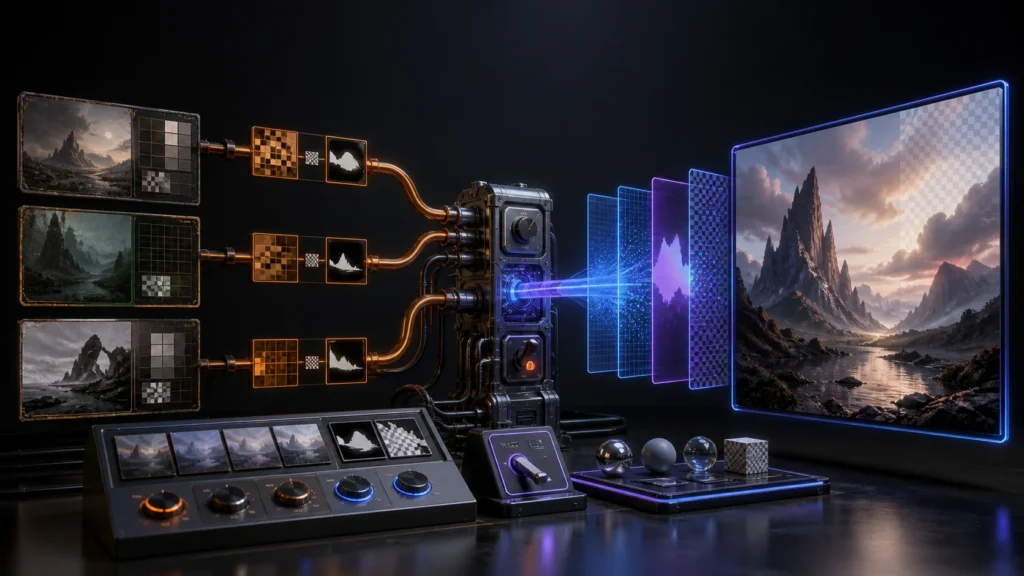
Migration verdict: change the model ID, then re-baseline the entire image contract. OpenAI will remove gpt-image-1-mini, gpt-image-1.5 and chatgpt-image-latest from the API on December 1, 2026. The recommended replacement is gpt-image-2.
Connect this model transition to Kingy’s Model Economics and Migrations hub for cost evidence, provider comparisons and related migration guides.
Source audit: checked against current OpenAI documentation on August 23, 2026. Track the deadline on the AI Stack Change Radar and its GPT Image retirement record.
What breaks
API calls that still select one of the three retiring model IDs lose their supported backend after December 1. That affects generation and any editing workflow whose request chooses the retiring model.
A one-line model replacement can make the request run, but it does not prove parity. GPT‑Image‑2 has different output economics, supports many more resolutions, processes edit inputs at high fidelity, and offers transparent backgrounds in preview. Quality, prompt adherence, text rendering, edit preservation, latency, token use, file format and moderation behavior must be re-measured.
Who is affected
- Code or configuration containing
gpt-image-1-mini,gpt-image-1.5orchatgpt-image-latest. - Applications using
/v1/images/generationsor/v1/images/editswith those IDs. - Responses API workflows that rely on old image quality or cost assumptions.
- Image-edit pipelines with reference images, masks or strict identity/product preservation.
- Systems whose storage assumes a fixed dimension, format, file size or opaque background.
Prerequisites
- Inventory every model string in source, environment variables, databases, queues and saved templates.
- Save a representative prompt-and-input corpus with rights to reuse it for evaluation.
- Record current output dimensions, quality, format, compression, latency, cost and safety outcomes.
- Confirm that the OpenAI project has GPT‑Image‑2 access and sufficient image-per-minute limits for the rollout.
- Add a server-side model flag and keep the old model selectable until the canary closes.
- Decide whether you need the alias
gpt-image-2or the pinned snapshotgpt-image-2-2026-04-21.
Exact migration steps
1. Replace the model behind configuration
Do not scatter the new string through application code. Define one reviewed setting:
# Before
OPENAI_IMAGE_MODEL=gpt-image-1.5

# Canary
OPENAI_IMAGE_MODEL=gpt-image-2

# Optional reproducibility choice
# OPENAI_IMAGE_MODEL=gpt-image-2-2026-04-21
2. Update the generation call
import base64
import os
from openai import OpenAI

client = OpenAI()

result = client.images.generate(
    model=os.environ.get("OPENAI_IMAGE_MODEL", "gpt-image-2"),
    prompt="A clean editorial illustration of a solar-powered field station",
    size="1536x1024",
    quality="medium",
)

image_bytes = base64.b64decode(result.data[0].b64_json)
with open("field-station.png", "wb") as image_file:
    image_file.write(image_bytes)
GPT Image responses return base64 image data in the documented Images API examples. Keep response decoding, storage and MIME validation explicit. Do not trust only the file extension supplied by your own code.
3. Revisit size instead of carrying it blindly
GPT‑Image‑2 accepts many valid resolutions within its documented constraints. Common choices include 1024×1024, 1536×1024, 1024×1536, 2048×2048 and 4K landscape or portrait. Square images are typically fastest. Pick dimensions for the actual delivery surface and update image validation, thumbnailing, CDN transforms and layout tests.
4. Re-test edits at high fidelity
OpenAI says GPT‑Image‑2 always processes image inputs at high fidelity. That can improve preservation, but reference-heavy edit requests can consume more image-input tokens. Measure edit cost separately from text-to-image generation. Test masks, faces, products, logos you have rights to use, typography and multi-image composition with exact acceptance criteria.
5. Configure transparency deliberately
Transparent backgrounds are in preview. Request background="transparent" and use PNG or WebP. JPEG does not support transparency.
result = client.images.generate(
    model="gpt-image-2",
    prompt="A studio product cutout of a ceramic desk lamp",
    background="transparent",
    size="1024x1024",
    quality="high",
)
Preview status matters: keep an opaque-background fallback and verify the decoded image actually contains an alpha channel before treating it as a cutout.
6. Recalculate cost and capacity
OpenAI’s current examples show GPT‑Image‑2 output cost varying materially by quality and size. Input text and input-image tokens also count, and high-fidelity edits may use more input tokens. Use measured requests and current pricing rather than a static per-image assumption. Check the project’s image-per-minute limit; the model page lists limits by usage tier.
7. Update downstream handling
Validate width, height, MIME type, alpha, maximum bytes, moderation state and storage checksum before publishing an image. Re-run responsive layout and social-card crops for every new size you allow.
Code and configuration checklist
- Centralize
OPENAI_IMAGE_MODELand record alias versus snapshot policy. - Set explicit
size,qualityand background behavior for production-critical templates. - Allow only documented image formats; reject JPEG when transparency is required.
- Update cost telemetry to include text input, image input and image output.
- Update rate-limit handling for images per minute and bounded retries.
- Store prompt/template version and model ID with each generated asset.
- Preserve the old model flag until rollback closes.
Tests that must pass
- Prompt suite: people, products, diagrams, text-in-image, difficult composition and negative constraints.
- Edit preservation: unchanged regions stay within an approved visual-difference threshold.
- Text accuracy: required short text is legible and exact when the use case depends on it.
- Dimensions: decoded width/height match requested and downstream crops remain valid.
- Transparency: PNG/WebP contains real alpha; JPEG is never selected for transparent output.
- Safety: blocked and allowed cases match policy; human review remains available for publication.
- Latency/cost: p50/p95 latency, input tokens, output tokens and cost stay within release budgets.
- Load: concurrency respects the project’s image-per-minute tier and retry queues do not amplify failures.
- Storage: MIME sniffing, checksum, metadata, deletion and CDN transforms work for every allowed format.
Staged rollout
- Run an offline benchmark against the saved prompt/edit corpus.
- Enable GPT‑Image‑2 for staff-only generation.
- Canary five percent of low-risk generation; keep high-risk edits on the old model.
- Expand generation by template after quality, latency and cost pass.
- Canary edits separately because their input-token profile and preservation risks differ.
- Move all production traffic, then keep the old path available for a short observation window before December 1.
Rollback
Use a model-routing flag, not a deployment rollback:
{
  "image_model_default": "gpt-image-2",
  "image_model_fallback": "gpt-image-1.5",
  "gpt_image_2_percent": 10
}
If quality, safety, latency or cost breaches a threshold, set the percentage to zero and drain in-flight work without deleting GPT‑Image‑2 outputs. Keep request metadata so you can identify which model produced each asset. This fallback expires on December 1; after removal, rollback means returning to the last known-good GPT‑Image‑2 snapshot/configuration or temporarily disabling the affected feature.
Replacements and limitations
Recommended replacement: gpt-image-2. Use the dated snapshot when consistency outweighs automatic alias updates. The model does not support function calling, structured outputs or fine-tuning; those capabilities belong in the surrounding application or a Responses API workflow. Transparent background support is preview. Rate limits vary by usage tier, and free-tier use is not supported on the current model page.
There is no universal “same quality” setting across generations. Higher quality and larger dimensions change latency and cost. Reference-image edits can consume more input tokens because GPT‑Image‑2 processes those inputs at high fidelity.
The useful “graveyard” lesson
The retiring model IDs are historical context, not a separate product opportunity. The durable lesson is to treat generated media as a reproducible build artifact: store model, snapshot, prompt/template version, dimensions, quality and checksum; keep a benchmark corpus; and route models through configuration. That makes the next retirement a controlled release instead of an emergency.
Official sources
- OpenAI API deprecations
- Image generation guide
- GPT‑Image‑2 model page
- OpenAI API changelog
- OpenAI API pricing
Bottom line: switch through configuration, benchmark generation and edits separately, verify transparency and dimensions, canary against measurable thresholds, and retire every old model ID before December 1.
The Kingy Brief
Get The Kingy Brief.
AI changes, original tests and one practical thing to try. Fridays at 09:00 Vancouver time.
Free · Double opt-in · Unsubscribe anytime
Signup help and newsletter schedule
Signup form provided by Beehiiv. After submitting, check your inbox for "Confirm your subscription to The Kingy Brief" and open its confirmation link. Check Spam or Promotions if you cannot find it.
Fridays at 09:00 Vancouver time: source-checked AI changes, original tests and one practical thing to try. The weekly restart begins October 9, 2026. We skip a week when there is not enough verified material. Free. Unsubscribe anytime.