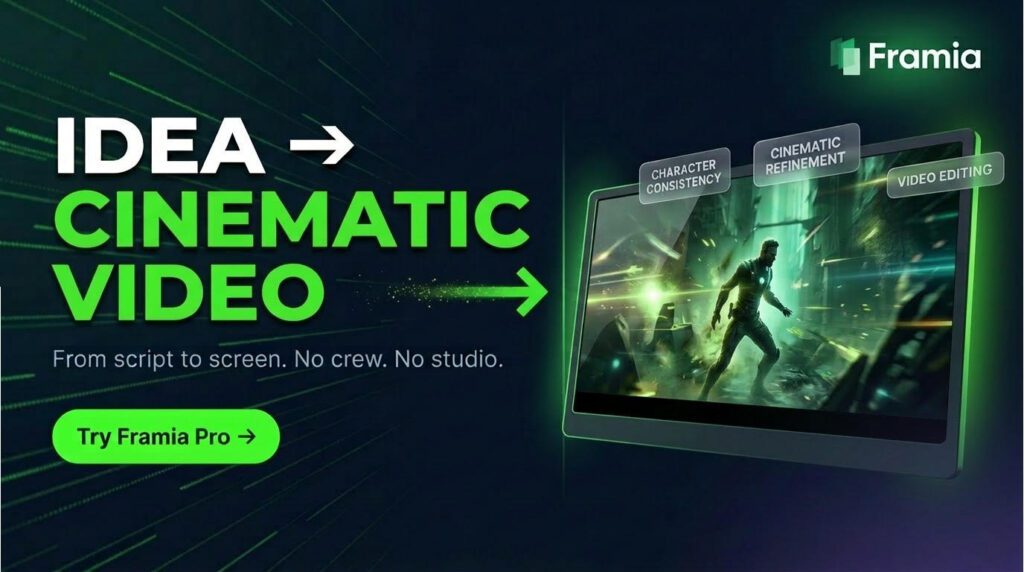
Reviewed July 28, 2026. This refresh checks Framia’s current product destination, public feature material and pricing documentation. It does not claim a new end-to-end production test of every agent or model.
Verdict: Framia is interesting for creators who want video, image, music and voice tools in one conversational workspace. Its breadth is the attraction; model-dependent credit use, changing plan terms, commercial-use rules and output consistency are the reasons to test a real project before subscribing.
This review explains the agent workflow, supported creative tasks, current pricing mechanics and the limits that matter when Framia becomes part of a client or production process.
What Is Framia Pro?
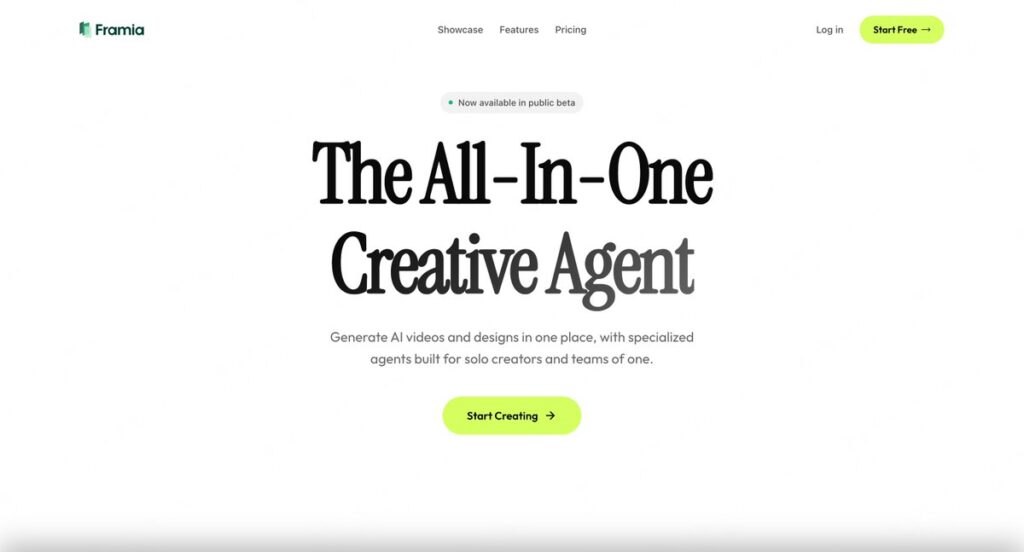
At its core, Framia Pro is a conversational creative canvas. Rather than confronting users with a blank timeline or an empty artboard, the platform greets you with a chat-like interface and asks a simple question: What do you want to create? From there, you select one of Framia’s pre-built AI agents — Movie Agent, Shorts Agent, Ad Agent, Music Video Agent, Music Agent, E-commerce Agent, Social Agent, Branding Agent, Photography Agent — and start a dialogue with the system.
The idea is genuinely novel. Instead of manually piecing together a video from stock footage, recording a voiceover, licensing a music track, and designing a thumbnail, you describe your creative vision in plain language and watch the AI agent orchestrate the entire production. Framia describes its platform as functioning like “a team of cyber directors and creatives” — and based on what’s been demonstrated publicly, that metaphor is surprisingly apt.
The platform is entirely web-based, which means zero installation friction. You sign up with your email, land on a clean dashboard, and you’re already inside a working creative studio. For content creators who have been frustrated by the bloated interfaces of Adobe Premiere or DaVinci Resolve, or the shallow depth of consumer tools like CapCut or Canva, Framia occupies an interesting middle ground — genuinely powerful under the hood, but designed for people with no editing experience whatsoever.
The Agent System: Framia’s Core Architecture
The most distinctive thing about Framia Pro isn’t any single feature — it’s the architecture. Everything is organized around agents, and understanding how they work is key to understanding the platform’s potential.
Each agent is essentially a pre-configured AI pipeline tuned for a specific creative output. Here’s a breakdown of the main ones:
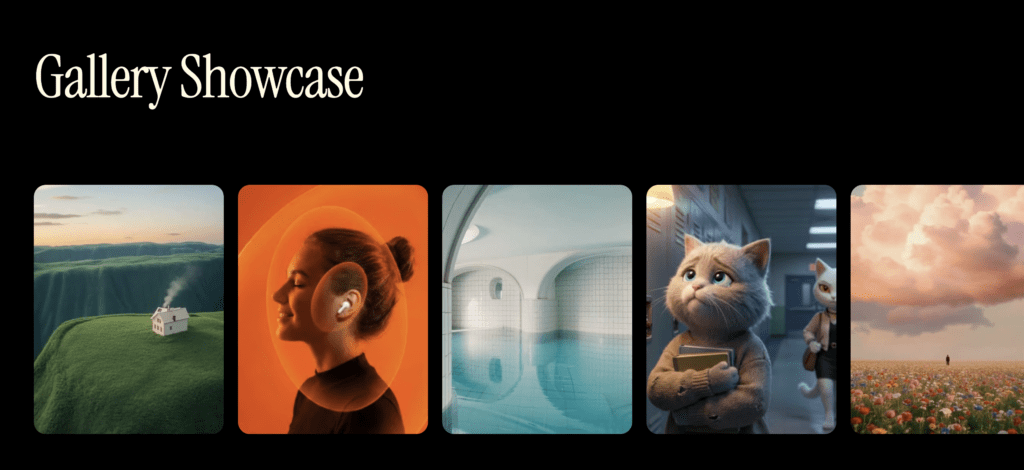
Movie Agent — Arguably the most ambitious of the bunch. Feed it a script, a concept, or even a rough idea, and it breaks the story into a full storyboard with individual shots, generates character designs, writes scene descriptions, and ultimately produces a cinematic video. In the demo featuring an anime-style travel story about two cats getting lost in Beijing’s Hutong alleyways, the Movie Agent handled everything from mood and pacing to dialogue generation and music — with a coherent narrative arc running across 10 individual shots.
Shorts Agent — Built for the short-form, vertical video world of TikTok and Instagram Reels. It takes a prompt and generates a polished 9:16 video complete with auto-captions, synced music, visual effects, and trend-aware pacing. According to Framia, this agent is purpose-built for “high-converting social media campaigns” and can produce TikTok-ready content in seconds — a claim that, while bold, is backed up by demo footage.
Ad Agent — Designed for marketers and small businesses who need brand-consistent advertising content at scale. The Ad Agent maintains visual continuity across variations (same logo, same color palette, same characters) so that a full campaign can be generated from a single creative brief.
Music Video Agent — Musicians and podcasters can upload an audio track and have the agent auto-generate visuals synchronized to the rhythm and mood of the music. This is a genuinely compelling use case that has historically required expensive post-production work.
E-commerce Agent — For online sellers, the E-commerce Agent generates product photography, promotional banners, and social media assets without the need for a photo studio or a graphic designer.
Music Agent, Social Agent, Branding Agent, Photography Agent — Each fills its respective niche, giving the platform remarkable breadth across the full content production spectrum.
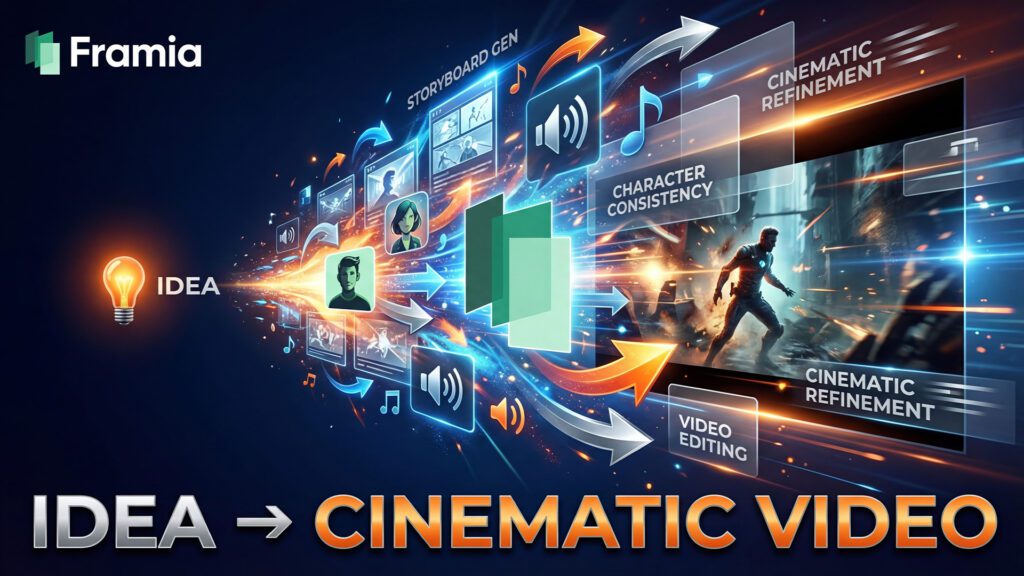
What ties all of these together is the conversational editing layer — the ability to refine outputs in natural language. Mid-production, you can type “make the tone warmer,” “regenerate shot 4 with a different background,” or “add a 90s pop music vibe,” and the system responds accordingly. This iterative chat-based editing is what truly separates Framia from tools that simply generate content and leave you to deal with the results.
User Interface and Experience
From the moment you land on the Framia dashboard, it’s clear the UX team has prioritized accessibility. The interface is clean, modern, and unintimidating — a refreshing contrast to the feature-heavy complexity of professional video editing software.
The home screen presents you with a text field and a grid of agent tiles, each with illustrative thumbnails and clear labels. You pick your agent, type your idea, and the system takes over. There’s no steep learning curve for the core workflow, and the platform explicitly advertises that “no prior editing experience” is needed.
Once inside a project, the workspace is divided into a chat panel and a visual canvas. On the right side, you’ll see a “Shot Collection” — a storyboard of individual frames that builds in real time as the agent works. On the left, the chat interface allows you to continue directing the production. It’s intuitive, and the experience genuinely feels like working with a creative collaborator rather than operating a piece of software.
A particularly impressive UX detail is the refinement dialogue. When the Movie Agent processes a complex prompt, it doesn’t just barrel ahead — it asks clarifying questions. In the Beijing travel story demo, for example, the agent asked about the personality dynamic between the cats, the emotional tone of the narrative, specific landmarks to feature, and the core message the video should convey. This guided approach dramatically reduces the gap between what you intended and what the AI produces, which is one of the biggest pain points in prompt-based content generation.
The platform also features a Trending Templates section, which showcases pre-built workflows for specific creative tasks: Motion Control, AI Face Swap, Couple Photo, LinkedIn Profile Picture, Virtual Try-On, and Product Explosion Video, among others. These templates lower the barrier to entry even further, letting users see what’s possible before they start building custom workflows.
For export, all standard formats are supported — MP4 for video, PNG/JPG for images, MP3 for audio — and download is straightforward. The platform is web-only at the moment, with no mobile app currently available, though the roadmap hints at this coming in the future.
Performance and Output Quality
Approach performance claims with measured expectations. Generation time and consistency can vary by model, duration, resolution, project complexity and service load. Test the exact workflow you plan to repeat rather than judging the platform from a showcase output.
That said, what has been demonstrated publicly is genuinely impressive. Short clips reportedly generate in seconds, while a full 30-second cinematic video takes a few minutes — not hours, which is remarkable given the complexity of what the system is orchestrating. Output quality in demo footage appears to be 1080p or higher, with smooth motion, coherent visual style, and convincing audio synchronization.
The model selection feature deserves special mention. Before rendering the final video, users can choose from several AI video models — including Veo 3.1 Fast, Kling 2.6, and Seedance 1.5 Pro — each with different capability profiles and credit costs. This flexibility is a major advantage over platforms that lock you into a single model. It means you can balance quality and cost based on your specific needs: a quick draft might use a faster, cheaper model, while a final deliverable gets rendered with the highest-fidelity option available.
Framia integrates more than 20 AI models in total, spanning video (Veo 3.1, Sora 2, Kling, Seedance 2.0), image generation (Midjourney, Gemini, Flux, Seedream 5.0), and audio (ElevenLabs for voiceovers, Suno for music). This multi-model architecture is a significant differentiator — it means the platform can leverage best-in-class tools for each component of a project, rather than relying on a single general-purpose model that may excel in some areas and disappoint in others.
That said, as with all generative AI platforms, users should expect some trial and error. Complex prompts can produce unexpected artifacts, and the first draft of any project may require a few rounds of refinement. The conversational editing layer mitigates this significantly, but it doesn’t eliminate it entirely.
Standout Features Worth Highlighting
Character Consistency
This is one of Framia’s most technically impressive capabilities, and it addresses one of the most persistent frustrations with AI video generation. Anyone who has used text-to-video tools knows the problem: ask the AI to generate two scenes featuring the same character, and you’ll often get two completely different-looking people. Framia’s character consistency engine solves this by allowing users to “lock in” a cast at the beginning of a project — defining faces, clothing, physical attributes, and stylistic markers — and then maintaining those definitions across every generated shot.
For narrative content, brand storytelling, or any multi-scene production, this feature is transformative. It’s the difference between producing a coherent story and producing a loosely connected set of clips.
Motion Control
One of the most eye-catching features demonstrated in Framia’s promotional material is Motion Control — a template that lets you upload a character image and a motion reference video, then transfer the motion from the reference onto your character. The demo showed Captain Jack Sparrow performing Cristiano Ronaldo’s iconic goal celebration, with surprisingly smooth and natural results. For creators working in entertainment, meme culture, or social media trends, this kind of feature opens up creative possibilities that would have required specialized VFX work just a year ago.
Product Explosion Video
For e-commerce brands and product marketers, the Product Explosion Video template is a standout. Users upload a single product image, and the AI generates an animation showing the product deconstructing into its components — revealing internal parts, materials, and engineering details in a visually compelling sequence. The demo featured a Toyota pickup truck, and the result was a polished, professional-looking explainer animation. For brands in the tech, automotive, or consumer electronics space, this kind of asset typically requires a 3D animation team. Framia makes it accessible to anyone with a product photo.
Integrated Music and Voiceover Generation
Framia builds music and voice generation into the same production workflow as images and video. That can reduce export-and-import steps, but creators should evaluate voice quality, music rights and commercial-use terms for the exact models and plan they choose.
Pricing: Plans, Credits, and the Real Variable
Framia uses credits, and the cost of an action varies by model, duration, resolution and task complexity. Its current plan documentation lists Basic and Pro subscriptions, monthly credit resets, daily refresh credits and extra charges for operations such as 4K upscaling.
Promotional prices and credit allocations can change. More importantly, the same number of credits can buy very different amounts of output across models. Check the estimate shown in-product before a generation, then calculate the cost of one representative finished asset—including retries and upscales—before comparing Framia with separate subscriptions.
Commercial use also depends on the plan and Framia’s current content-use policy. Free access should not be assumed to grant the same rights as a paid plan.
Privacy, Rights, and Client Assets
Framia combines several model providers behind one interface, which makes its current privacy policy, subprocessors and content-use terms more important than a generic security label. Before uploading unreleased campaigns, client footage, voice recordings or regulated data, verify retention, deletion, model-training use, commercial rights and who receives each asset.
The public plan documentation says commercial use depends on the plan and latest content-use policy. That is a reason to save the applicable terms with each client project rather than assuming every generated asset carries identical rights.
Integrations and Ecosystem
Framia’s ecosystem is currently self-contained. The platform does not advertise integrations with external productivity tools like Zapier, Slack, or Airtable, and there is no public developer API or plugin SDK at this time.
The key integrations are internal — the seamless connections between Framia’s orchestration layer and its roster of AI models. The platform’s ability to combine, for example, Seedream 5.0 image generation with Seedance 2.0 video generation in a single production pipeline is itself a form of integration that most users would otherwise have to build manually.
Social media distribution is currently handled by export and manual upload — users download their finished videos and post them to TikTok, YouTube, or Instagram themselves. Screenshots and roadmap signals suggest that auto-uploader tools may be in development, but these are not yet publicly documented.
Framia lists email and Discord support. Teams that need a response-time commitment, audit trail or procurement documentation should confirm those requirements directly before adoption.
Who Is Framia Pro For?
Framia explicitly targets a broad range of creative users, and that breadth is both a strength and a challenge for positioning. The clearest use cases include:
Solo Content Creators — Influencers and independent YouTubers who need to produce high volumes of quality content without a production team. Framia’s ability to generate a complete short-form video from a single prompt is a genuine game-changer for creator economy participants.
Small Marketing Teams and Agencies — Teams managing multiple client campaigns can use Framia to rapidly produce ad creative, brand assets, and social content at scale. The character consistency and layered design editing features are particularly valuable here.
E-commerce Businesses — Product sellers who need professional photography, promotional banners, and social ads without a studio budget will find real value in the E-commerce Agent and Product Explosion Video capabilities.
Musicians and Audio Creatives — The Music Video Agent and integrated music generation tools offer musicians a fast path to visual content that complements their releases.
Corporate Communicators — HR departments, training teams, and internal communications functions can use Framia’s storyboarding and voiceover tools to turn presentations and scripts into narrated video content.
Framia is probably not the ideal tool for professional post-production teams who need granular frame-level control, complex compositing, or precise color grading. For those workflows, dedicated NLEs and compositing tools remain superior. But for everyone else — creators, marketers, small businesses, and entrepreneurs — the platform’s accessibility and breadth make it genuinely compelling.
Strengths and Weaknesses
Strengths
- Truly integrated multi-modal creation. Video, image, audio, and design generation under one subscription is rare and genuinely valuable.
- Conversational editing interface. The ability to direct AI agents in plain language, iterate in real time, and refine outputs through dialogue is a major usability advantage.
- Character consistency. Maintaining consistent characters across scenes solves one of the most persistent problems in AI video generation.
- Model flexibility. Access to 20+ models — including the best-in-class options in each category — with the ability to switch models per project is a significant differentiator.
- Flexible entry point. Subscription and top-up options let users test a workflow, but the useful comparison is cost per approved asset, not the headline credit count.
- Active development. The team is moving fast, integrating new models and agents regularly, and the Discord community suggests genuine responsiveness to user feedback.
Weaknesses
- Operational maturity. Public documentation does not answer every reliability, rights, support and procurement question an agency or enterprise team may have.
- Limited documentation. The absence of a comprehensive user manual or developer API makes it harder for power users and organizations to evaluate the platform’s full capabilities.
- Credit cost opacity. Without a clear published table of credit costs per model and output type, users may find it difficult to predict their monthly spend.
- Performance yet to be independently benchmarked. All speed and quality claims are currently marketing-driven; independent reviews and head-to-head comparisons with competitors have not yet emerged.
How Framia Compares to the Competition
The AI creative tools landscape is increasingly crowded, and Framia’s positioning is genuinely unique — but it’s worth understanding where it sits relative to the alternatives.
Synthesia dominates the avatar-driven corporate video space. It’s excellent for training videos and internal communications where a talking presenter is required, and it supports over 140 languages for voiceovers. However, Synthesia is entirely focused on that one format — it can’t generate cinematic scenes, original music, or layered design assets. Framia beats it decisively in scope, though Synthesia likely has an edge in polished avatar quality and enterprise-grade reliability.
Runway (Gen-2/3) is the go-to for artists and filmmakers who want precise control over AI video generation. Its image-to-video capabilities are industry-leading, and its timeline editor appeals to users with some editing background. But Runway lacks Framia’s conversational interface and audio generation, and it requires more creative expertise to use effectively. Framia is more beginner-friendly; Runway is more powerful for specialists.
Pika Labs occupies a similar short-form video niche to Framia’s Shorts Agent. It produces impressive social-ready videos but operates through static prompt inputs rather than a conversational workflow. Framia’s chat-based iteration loop gives it a UX edge for users who want to refine outputs interactively.
Canva AI overlaps with Framia in the design and social media content space. Canva’s AI tools are capable and its brand recognition is enormous, but it’s fundamentally a design platform — not a video production studio. Users who need both polished graphics and cinematic video content within one tool will find Framia’s unified approach more powerful.
Adobe Firefly and Premiere Pro are the professional standard, but they demand significant time investment, technical skill, and a hefty Adobe subscription. Framia’s value proposition relative to Adobe is about democratization — putting professional-grade output within reach of users who don’t have the time or training to master a full creative suite.
The honest summary: no single competitor does what Framia does across the full spectrum of video, image, audio, and design generation in a conversational, agent-based workflow. The tradeoff is that in any individual category — avatar video, image generation, music composition — there may be a specialist tool that outperforms Framia’s integrated offering. For creators who need depth in one area, a specialist tool may be the better choice. For creators who need breadth across all areas, Framia is uniquely positioned.
Verdict: Test the Workflow, Not the Demo
Framia’s case is breadth: one interface can coordinate multiple creative media and models. That can be valuable for solo creators and small teams that otherwise move assets between several services.
The buying decision should rest on one representative project. Measure generation and retry credits, review output quality, check commercial rights, test exports and confirm privacy requirements. A convenient all-in-one workflow is only cheaper when the approved output costs less.
Related creative AI guides
The Kingy Brief
Get future Kingy Brief editions.
Source-checked AI changes, original tests and one practical thing to try.
Free · Choose your subjects · Double opt-in · Unsubscribe anytime
Regular sending is paused; no restart date is set.