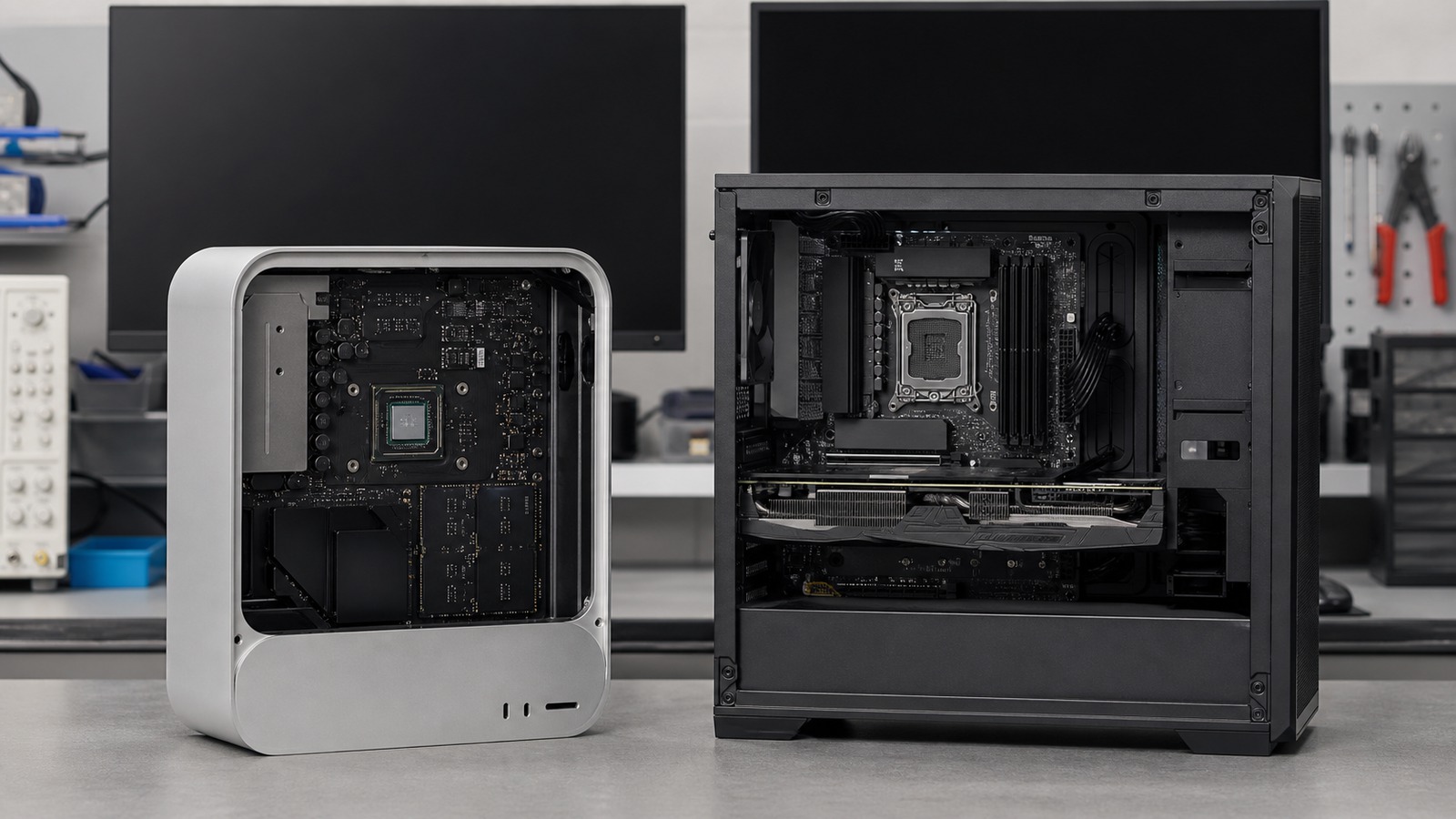
Platform comparison
Compare the required workflow and software path: Apple silicon offers integrated unified memory and Metal/MLX/Core ML routes, while Windows spans heterogeneous CPU, GPU, and NPU execution providers. Neither platform is a universal local-AI winner.
For the broader decision path, use Kingy’s AI Hardware hub to connect this platform comparison with memory guidance, tested systems and buying options.
The short answer: choose the workflow, not the logo
A Mac can be a strong fit when the required application is native, the model has a supported Metal, MLX, PyTorch MPS, or Core ML path, and a large unified-memory pool serves the workload. A Windows AI PC can be a strong fit when a required CUDA or vendor-specific application matters, a discrete GPU is decisive, or the exact ONNX model has a validated Windows ML execution provider.
Do not merge the accelerator paths. MLX documents Apple-silicon CPU and GPU devices; that is not the same as Apple Neural Engine execution. On Windows, the presence of an NPU does not prove that an arbitrary model or app uses it.
Runtime and artifact decide compatibility
| Path | Typical artifact | Possible execution | Verification question |
|---|---|---|---|
| MLX LM | MLX-compatible converted weights and configuration | Apple-silicon CPU or GPU through MLX | Is the architecture supported, and does profiling show the intended Metal work? |
| PyTorch MPS | PyTorch model supported by the application | Apple GPU through MPS Graph and MPS kernels, with possible unsupported-operation fallback | Are required operators supported, and did CPU fallback occur? |
| Core ML | Core ML model or package | CPU, GPU, Neural Engine, or a partitioned combination | What does the Core ML compute plan or Xcode report show for operation placement? |
| Windows ML | ONNX model with compatible operators and shapes | CPU, GPU, or NPU through a registered execution provider | Which provider registered, which graph parts it accepted, and what fell back? |
| llama.cpp-family runtime | GGUF | Metal on Apple silicon; CUDA, HIP, Vulkan, CPU, or hybrid paths on supported Windows hardware | Where did the model load, and are settings identical across platforms? |
Unified memory versus system RAM plus VRAM
Apple silicon gives the CPU and GPU direct access to one unified pool, and MLX is designed around that topology. This can reduce explicit movement between separate CPU and GPU memory pools. It does not make every installed byte available to a model: macOS, applications, runtime allocations, context or KV cache, and GPU working-set guidance still require headroom.
A Windows system may use only system RAM, shared memory with integrated graphics, or separate system RAM and dedicated VRAM. Discrete-GPU weights and runtime buffers must fit or use a documented split/offload path. System RAM cannot simply be added to VRAM as equivalent accelerator capacity.
Build the budget from weights, runtime workspace, context cache, modalities, OS reserve, and open applications. The RAM and VRAM guides show why download size is not working-set size.
Keep Apple acceleration paths separate
Metal and MLX
Metal is Apple’s graphics and compute API. MLX targets Apple silicon and documents CPU/GPU execution with unified-memory behavior. Verify model-architecture and runtime support.
PyTorch MPS
PyTorch maps supported work to MPS Graph and MPS kernels. Availability does not guarantee complete operator coverage; unsupported work may require a CPU path.
Core ML
Core ML can use CPU, GPU, and Neural Engine compute units, including partitioned execution. Its model format and conversion path are separate from MLX or GGUF.
Apple Neural Engine
The SoC includes a Neural Engine, but the application and Core ML model must target a compatible route. Do not infer use from the chip specification alone.
Windows is a family of execution-provider paths
Windows ML is powered by ONNX Runtime and can acquire hardware-tuned execution providers for supported CPUs, GPUs, and NPUs. Current provider families and their requirements vary by vendor, silicon, driver, OS version, and model. Windows ML distributes providers; developers remain responsible for model conversion and hardware-aware optimization.
ONNX Runtime can partition supported graph sections to a provider and send other work elsewhere. Therefore “ONNX,” “NPU available,” or “provider registered” is not proof of full-model accelerator execution. Preserve provider priority, fallback, operator coverage, and data movement in the test record.
Application and architecture requirements
Native applications and dependencies
Check the required creative tools, IDEs, plug-ins, Python wheels, containers, drivers, and model converters. Rosetta or Windows-on-Arm emulation may run an application, but does not guarantee native accelerator plug-ins or drivers.
Serviceability and configuration
Compare the exact model. Memory configuration, storage replacement, ports, warranty service, and repair documentation vary across Macs and Windows PCs. Do not turn one product’s design into a platform-wide claim.
Sustained operation
Record chassis, power mode, plugged or battery state, ambient conditions, session duration, temperature or throttling evidence, and responsiveness. A brief launch result does not establish long-run behavior.
Verify what actually ran
On a Mac, use the runtime’s placement output plus Metal or Xcode profiling where available; Core ML compute plans can show expected device use. On Windows, record registered ONNX Runtime providers, enable profiling and placement logs, use Windows ML event tracing, and corroborate with device telemetry. Do not rely on a utilization screenshot or an accelerator label by itself.
For a fair cross-platform test, keep the model identity, quantization, context, prompt, output length, concurrency, quality target, runtime behavior, and power conditions as close as the software permits. If formats differ, disclose the conversion and verify that output quality still meets the same gate.
Conditional decision guide
Consider a Mac when
The required app is Apple-silicon native, the chosen model has a validated MLX/Metal/Core ML path, unified capacity is useful, and the exact configuration meets ports, storage, service, and sustained-workload needs.
Consider Windows when
A required CUDA, Windows, or vendor-specific application is decisive; a discrete-GPU configuration fits the workload; or the exact ONNX model has a validated NPU/GPU provider path.
Retest instead of assuming when
NPU use, emulation, model conversion, unsupported operators, long-context memory, or battery operation is central to the decision.