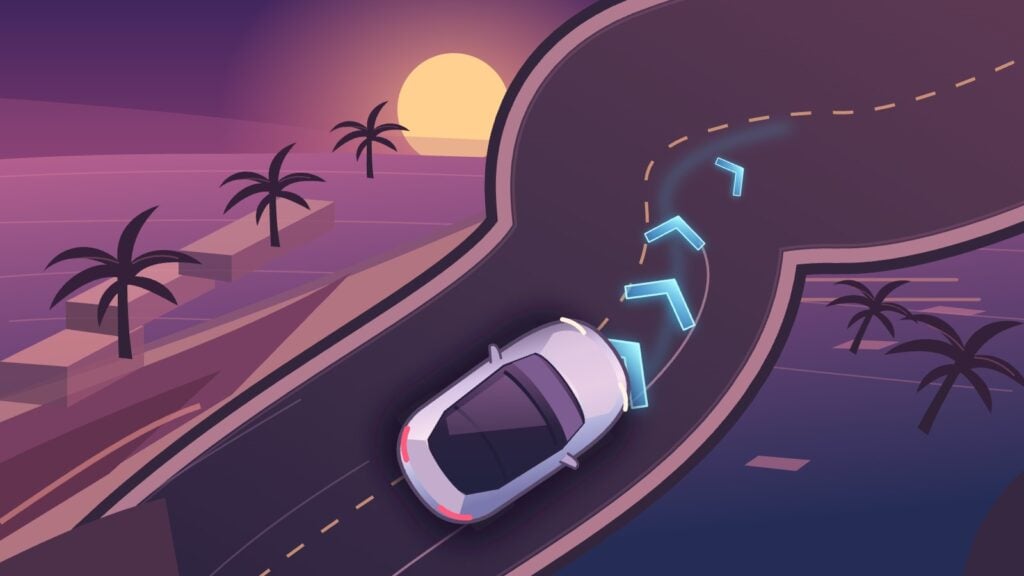
A blue arrow hangs over the road where the Tesla is about to turn. On the center screen, lanes, cars and curbs move past from a camera angle that looks straight out of GTA VI. Tesla calls it Reality View, a live reconstruction of the street from a virtual viewpoint above the car. In an early owner drive, worn lane arrows appear in the rendered street. Tesla says the same driving model generates the overhead display and shows where the car plans to turn. Dirty Tesla’s v15.0.1 drive at 27:02 · Tesla’s Reality View explanation
Tesla began delivering FSD (Supervised) v15 to its first customer wave on November 21, 2026. The initial v15.0.1 build is 2026.38.6.11, and the strongest early evidence points to refreshed Model Ys with Hardware 4. The first build also changes how the car chooses where to park, navigates the first and last parts of a trip, handles speed and looks for the hazards owners actually complain about, from potholes to debris. Tesla rollout announcement · v15.0.1 release notes · Teslascope install data
FSD (Supervised) is driver assistance. Keep your eyes on the road and stay ready to steer or brake immediately. This guide draws on Tesla’s documentation and early owner footage. Kingy.ai has yet to road-test this build. Tesla Model Y owner’s manual
Quick start
These steps follow Tesla’s U.S. instructions for the refreshed Model Y. Menu names and setup requirements vary. Use the manual on your car’s touchscreen for your vehicle and market. Model Y owner’s manual · Example of market-specific setup
Check the version. While parked, open Controls → Software and find Full Self-Driving (Supervised) Software. Look for v15.0.1. To check the car’s hardware, open Additional Vehicle Information on the same screen.
Get ready. With the car in Park, enable Full Self-Driving (Supervised) under Controls → Self-Driving. Enter a destination. On the refreshed Model Y, tap Start Self-Driving, follow any brake-confirmation prompt and look for the blue Self-Driving status.
Take over whenever needed. Watch the road from the moment the car starts moving. Take manual control promptly when the situation calls for it. If the car tells you to take over, steer immediately. Pressing the brake disengages FSD.
Tesla FSD support · Tesla computer identification · Model Y owner’s manual
Who can get Tesla FSD v15.0.1?
Rollout and prices checked November 22, 2026.
| What you’re checking | What the first rollout showed |
|---|---|
| Refreshed Model Y with HW4 (AI4) | The strongest early evidence is for this configuration on firmware 2026.38.6.11. Teslascope recorded installs in the U.S. Tesla Info reports seeing the same build in both the U.S. and Canada. |
| Other HW4 models and markets | Tesla announced a first customer wave. It gave no worldwide timetable or complete vehicle list. The tracker covers a sample of cars, and rollout timing depends on what Tesla offers to yours. |
| HW3 vehicles | The first-wave installations reviewed were HW4. Tesla lists v14.3 Lite for HW3 in firmware 2026.44.1. A v15 release date for HW3 remains unconfirmed. |
Tesla’s first-wave announcement · Teslascope install records · Tesla Info firmware sightings · First-wave model reporting · 2026.44.1 release notes
Tesla offers its supervised driving product in selected markets across North America, Europe and Asia-Pacific. In the Netherlands, it’s called Tesla Assisted Driving. Local product availability and regulatory approval can differ from version availability. Your car’s Controls → Software screen shows which version Tesla delivered to you. Tesla’s market availability · Dutch vehicle authority’s November update
Prices vary by market. Tesla lists US$99 per month in the United States, A$149 per month in Australia and €99 per month including VAT in the Netherlands. Check your Tesla app under Upgrades → Software Upgrades for the offer on your vehicle. An active subscription, eligible trial or existing purchase gives you access under local terms. Tesla distributes new firmware separately. Tesla U.S. pricing · Tesla Australia pricing · Tesla Netherlands pricing
If v15 hasn’t appeared, keep the car connected to Wi-Fi and check Controls → Software. Tesla’s Advanced preference can offer updates sooner when they’re ready for your configuration. Early Access enrollment is separate. Elon Musk named December as a target for a wider release. Tesla has yet to publish a delivery date for individual markets or cars. Tesla software update instructions · Musk’s November 21 statement
How to use FSD (Supervised) on your first drive
- Set up while parked. Open Controls → Self-Driving → Full Self-Driving (Supervised), read the on-screen agreement and enable the feature. Choose a destination and check that the exterior cameras are clean, clear and calibrated. Sit in the driver’s seat with your belt buckled. On Model Y, set the headlights to On or Auto.
- Start the drive. On the refreshed Model Y, tap Start Self-Driving. If prompted to confirm a start from Park, briefly press the brake. The car can shift into Drive or Reverse and start moving from the parking space, so check your surroundings before confirming. The Model Y also supports engagement via its right scroll button when the system is available. Other model years and configurations can use different controls.
- Confirm it’s active. On Model Y, look for the blue Self-Driving status. Keep watching traffic, road signs, pedestrians and cyclists. If the car’s speed or path calls for intervention, act immediately. The vehicle can chime and display Take over immediately when it can no longer steer. Take over steering at once.
- Disengage when you want to drive manually. On Model Y, press the brake, press the right scroll button, or take over steering manually. Tesla also lists an upward stalk action for some equipped vehicles. Check your own car’s instructions under Controls → Service → Owner’s Manual.
- If the button is unavailable, read the vehicle’s message. A connected charge cable, open door or trunk, unbuckled seat belt, obstructed camera or restrictive mode such as Valet Mode can block engagement. Drive manually when the feature remains unavailable.
Model Y owner’s manual, U.S. · Tesla disengagement instructions
What changed from v14?
FSD v14.3.13 is the useful comparison for HW4 owners. Teslascope’s tracked v15.0.1 installs at the time of review came from firmware 2026.38.5.13, which carried v14.3.13. Another branch, 2026.44.1, also lists v14.3.13 on HW4. The separate FSD version on the Software screen tells you which driving software you have. v15 install history · Previous firmware · 2026.44.1 release notes
| Area | v14.3.13 | What Tesla describes in v15.0.1 |
|---|---|---|
| Driving display | The prior visualization drew roads and detected objects. | Reality View renders a moving overhead scene with upcoming turns drawn into it. |
| Vision | v14.3 already had an updated vision encoder for signs and rare or low-visibility scenes. | Tesla says a further encoder upgrade uses training from millions of online videos and shares that component with Robotaxi and Optimus. The encoder processes camera footage into information the driving model can use. |
| Navigation and parking | The v14.3.13 notes already list destination parking choices and map pins. | The first v15 release uses fleet route preferences to help plan the start and end of trips. Tesla says parking selection also draws on personal parking history. Learned routing across the whole trip is planned for a later v15 release. |
| Road hazards and speed | The v14.3.13 notes listed pothole avoidance as an upcoming improvement. | Tesla lists better detection of signs, small animals, debris and potholes, avoidance of deep standing water, and changes to speed handling in school zones and bad weather. Speed Camera Slowdown can reduce speed when the system detects a camera. |
v14.3.13 release notes · v15.0.1 release notes · Tesla’s launch announcement and routing scope · Readable copy of the announcement
Reality View gives FSD its GTA VI look
Tesla’s AI lead, Ashok Elluswamy, says the same driving model that helps guide the car also renders the overhead view. A floating arrow shows an upcoming turn and a pin can show where the car intends to park. Tesla says the new display uses less total compute than the earlier visualization. The display offers full-screen, map and split-screen layouts, plus a quiet mode. The notes say turn-signal sounds are quieter and fade after a few clicks. Elluswamy’s explanation · Reality View release notes
The driving-game comparison makes sense when you see the camera view pull back and a turn marker appear over an intersection. The practical change is that you can see where FSD intends to go next. Judge the actual traffic and clearance through the windows and mirrors. Tesla’s launch video · Model Y owner’s manual
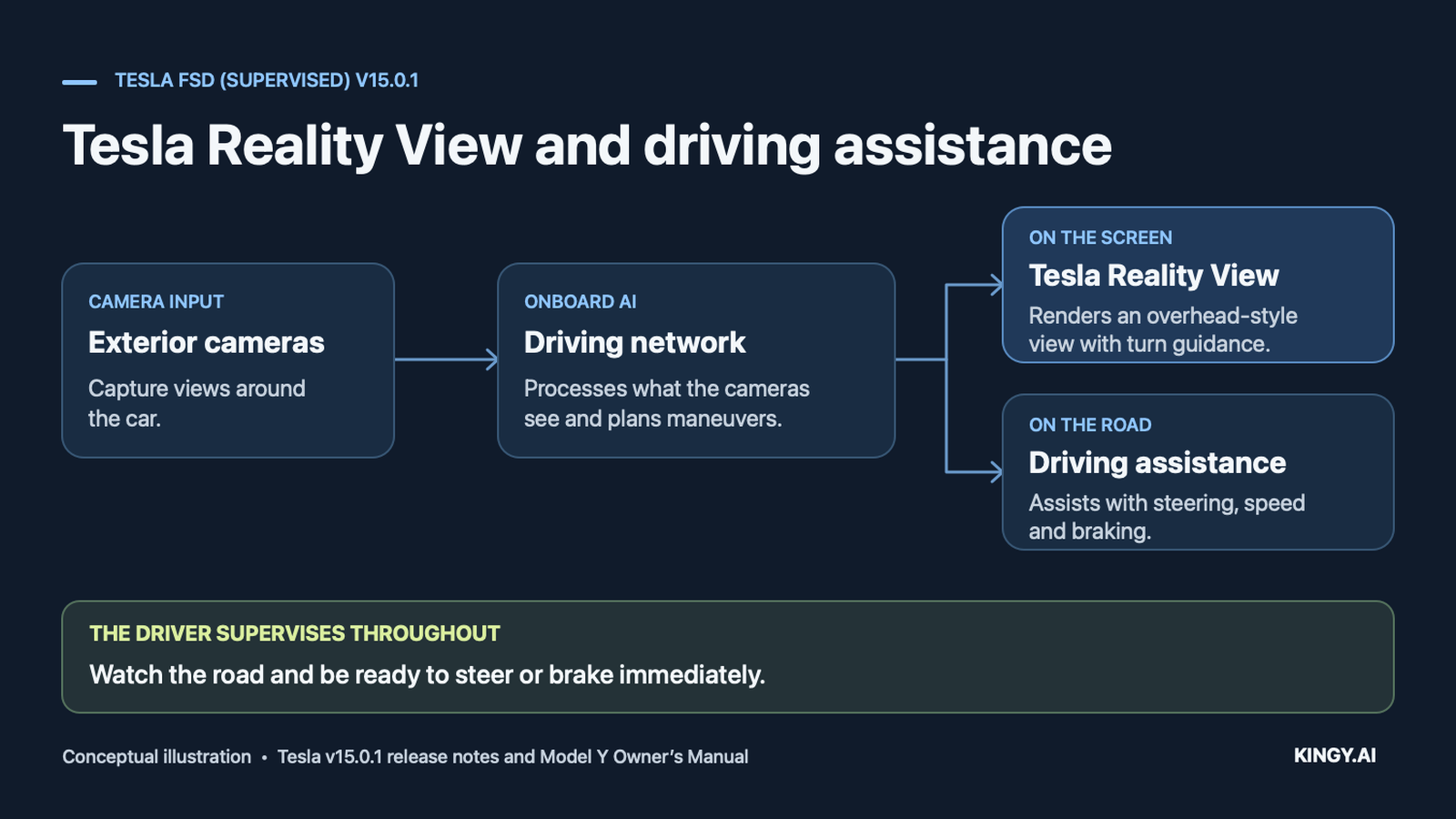
Conceptual illustration based on Tesla’s v15.0.1 release notes, Reality View explanation and Model Y owner’s manual.
Parking that can learn where you usually stop
When you drive to the same place often, the right spot may be the far end of the driveway next to the charging cable. Tesla says v15 uses personal parking history to help choose a spot. In Dirty Tesla’s November 21 v15.0.1 video, the Model Y pulls beside his home charger, where he says it rarely parked on earlier drives. The same car later stops across faded parking lines. Both clips help explain the difference between learning a preferred destination and lining up inside any given bay. Home parking at 0:25 · Version at 4:02 · Faded lines at 25:28 · Build notes
Elon Musk described tapping a point in Reality View to send the car there. The early drives show a narrower result. Dirty Tesla’s taps did not change the selected parking destination. Sawyer Merritt did select a specific parking bay after driving manually until its parking prompt appeared. Treat the selectable places and prompts on your own screen as the available controls. Musk’s display demonstration · Dirty Tesla at 13:18 · Merritt’s parking selection at 15:33
Navigation changes where a trip begins and ends
Tesla says v15 uses route preferences learned from its fleet at the start and end of a trip. Think of the decisions around joining a road or approaching the last turn into a destination. Tesla plans to extend that learned routing across the whole trip in a later v15 release. It also says Autoshift now draws on the driving model’s predictions for which gear the car needs. Launch announcement and routing scope · Readable announcement transcript · Build notes
In Merritt’s launch-day v15 drive, he says the car braked for a person running. A few seconds later, he questions why navigation sent the car toward a Do Not Enter sign and says the car adapted. His exact point release remains unverified. Those two moments give you a better picture of the system than a steady highway segment on its own. Pedestrian braking at 19:10 · Navigation at 19:23
Potholes, standing water, school zones and speed cameras
Tesla says v15 improves detection of road signs, small animals, debris, chains and potholes. It also lists better avoidance of deep standing water and changes to speed handling by driving profile, at school zones and in bad weather. A separate Speed Camera Slowdown feature can slow the car when it detects a speed camera. You remain responsible for the posted limit and a safe speed for the conditions. v15.0.1 release notes · Tesla FSD support
In the Dirty Tesla video, the car slows before pavement turns to dirt, a transition the owner says the older software would take too quickly. In that same stretch, he points out that the screen shows 70 mph where he says the limit is 55 mph. He then says the car moved over for a pothole. The video offers individual examples of surface handling, with no uniform check across conditions or versions. Dirt transition at 29:22 · Pothole at 30:15
Can FSD v15.0.1 see through fog?
Fog can significantly degrade FSD performance. Tesla’s Model Y manual lists fog, rain, snow, glare and low light as conditions that can impair the camera-based system. In the material reviewed, we found no controlled v15.0.1 fog test establishing reliable detection through dense fog. A clear-looking Reality View image shows what the model rendered. Objects in the actual road can still be obscured. If visibility is poor, drive manually at a speed appropriate for conditions. Tesla Model Y limitations · NHTSA reduced-visibility investigation
The driver-monitoring changes
Tesla says its camera-based attention monitoring works in more cases when drivers wear hats or sunglasses. The notes also describe less strict monitoring in higher-speed profiles. Every profile still requires active supervision and immediate readiness to take over. v15.0.1 release notes · Model Y driver-attentiveness instructions
What Tesla’s 25× claim measures
Tesla’s release notes credit the vision encoder with “improving the critical intervention rate by 25x.” Tesla engineer Phil Duan described the comparison as v15 versus v14 and said the difference appears over millions of miles. Tesla’s public launch material leaves the exact comparison builds, the definition of a critical intervention, the number of events, the denominator and the driving conditions unspecified. As of November 22, we found no public version-by-version dataset or independent replication in the sources reviewed. Tesla’s separate Vehicle Safety Report tracks collisions and driving exposure. That report measures a different outcome. Tesla’s release notes · Phil Duan’s statement · Tesla Vehicle Safety Report
U.S. regulators have investigated earlier FSD systems for two issues relevant to using driver assistance. One inquiry concerns whether the system detects reduced visibility and warns the driver in time. Another concerns maneuvers that may violate traffic laws. Both inquiries predate the launch and cover FSD (Beta) and FSD (Supervised). Their opening records provide no v15.0.1-specific findings. NHTSA reduced-visibility inquiry · NHTSA traffic-violations inquiry
Frequently asked questions
Can I force my Tesla to download v15.0.1?
Tesla decides when an update is ready for each configuration and region. Keep the car connected to Wi-Fi, check Controls → Software and install the update if it’s offered. Tesla software update support
Can I use FSD with a bike rack?
The v15.0.1 notes describe a dedicated Bike Rack Mode for certain hitch-mounted accessories. In this mode the car pulls over near its destination without reversing, and Autopark, Summon and backup warnings are disabled. Tesla’s public Model Y manual instructs owners to avoid using FSD with rear attachments, including bike racks, hitches and trailers. Confirm the applicable instructions with Tesla if they differ. Drive manually unless Tesla’s instructions for your specific car and installed software explicitly support your setup. Bike Rack Mode release notes · Model Y owner’s manual
Is Tesla Reality View a live overhead camera?
The car generates the overhead scene from a virtual viewpoint. Use it to see the car’s displayed plan, and look through the windows and use your mirrors to check actual traffic and clearance. Tesla Reality View release notes · Model Y owner’s manual