The BOYA Notra Neo earned its place in my review by solving a problem I have almost every day: recording a useful account of a call while wearing Bluetooth earbuds. In the Zoom call I describe in the video, it captured both sides clearly, and the transcript arrived in about five minutes. That matters more to me than collecting another recorder with a long list of AI features.
Buying details checked October 22, 2026: BOYA Notra Neo buying profile: The 600-minute allowance is promotional, not permanent. Paid features and recording permissions matter; the Zoom example is not universal call compatibility. The demonstration and older product/version details below keep their original dates.
My verdict in the video was yes, I would buy it with my own money. That recommendation holds most strongly for everyday meetings, interviews and calls, provided the Bluetooth setup works with your equipment and the subscription fits your workload. There are qualifications worth understanding before ordering: noisy rooms are harder, speaker labels need checking, and some of the software features I liked are outside the free plan.
Disclosure and review method: BOYA supplied the Neo used in my YouTube review. The hands-on observations below come from that review, published October 3, 2026. This written article adds research from BOYA, PLAUD, Techreviewer and Lycos Europe; it does not represent a new round of device testing. This article links to the manufacturers’ standard product pages. AI assisted the preparation of this written adaptation.
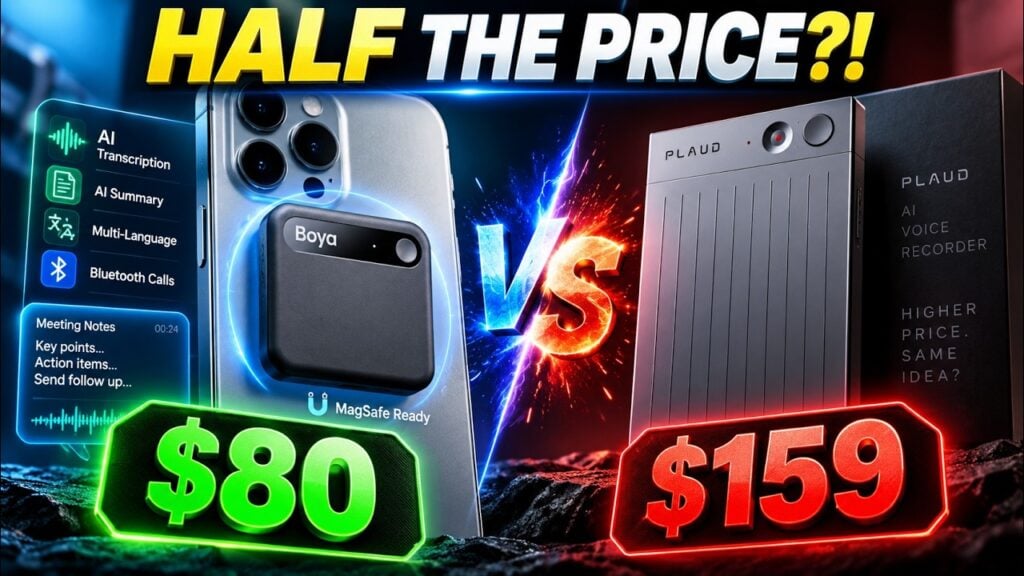
Cover image: original Kingy AI video artwork. Its price comparison reflects the video’s offer; current pricing is discussed below.
Watch the Kingy AI review
Play the full review above, or use these chapter links to watch a specific demonstration on YouTube: Bluetooth recording at 1:11, meeting notes at 2:29, AI search and exports at 3:05, and the noise caveat at 3:59.
What the Notra Neo is, and what you give up
The Neo is a small magnetic voice recorder connected to BOYA’s transcription and note-taking software. The hardware captures the conversation; the app turns that recording into something you can read, search and export. Its appeal is having a dedicated record button close at hand, followed by a relatively short path from conversation to usable notes.
In the video’s hardware overview, I cover its 34.5g weight, 8mm thickness, USB-C charging, built-in magnet and 8GB of storage. The quoted specifications include up to 20 hours of continuous recording, approximately 1,000 hours of local voice storage and pickup from up to five metres away. Those are advertised specifications discussed in the video, not results from a battery rundown, storage-fill experiment or measured distance test.
That distinction matters with the range figure. A speaker five metres away in a quiet room presents a different recording problem from someone across a crowded exhibition hall. I would put the Neo near the people talking, especially when names, numbers or technical vocabulary matter. Buying a recorder with a longer advertised range does not remove the need for sensible placement.
The magnet and ordinary USB-C charging are practical advantages. In the video, I attach the recorder to my phone and point out that I can charge it with a cable already on my desk. There is less accessory management involved. The trade-off is bulk: the Neo is noticeably thicker on paper than the roughly 3mm PLAUD Note discussed in the comparison.
There is also some outside evidence about durability. In Timo Altmeyer’s Techreviewer test, the black plastic review unit developed visible scratches after several days in a backpack. That was his unit, not damage I reported in my video. Buyers who expect a pristine finish should take it into account.
Bluetooth call recording is the main reason to consider it
A recorder listening to a phone’s speaker has an obvious problem when the other person’s voice is being sent to earbuds. That is the situation I wanted to test first. At 1:46 in the review, I describe a Zoom call in which the Neo captured both sides, including the names and numbers I was listening for.
I also describe a second recording without a call and report that mode switching worked without having to move between menus. The appeal is easy to understand: you can concentrate on the conversation instead of continually checking which recording mode is selected.
There is an important setup detail in BOYA’s current FAQ: Bluetooth recording uses a USB-C connection to the phone or computer, followed by headset pairing inside the app. BOYA also warns that results depend on the phone, computer and earbuds used.
So the word “Bluetooth” should not make you expect an entirely cable-free recording arrangement. Automatic mode selection also does not remove the initial connection and pairing work. My successful call supports the feature’s usefulness; it does not establish compatibility with every headset, operating system or conferencing app.
Before relying on it for an important interview, record a short call with your own equipment. Play back both voices, check that quiet passages survived, and confirm the resulting transcript. That small check is more useful than assuming a successful Zoom example guarantees your particular setup.
Meeting notes: the strongest everyday workflow
The second useful example in my video is a meeting of about ten minutes. The app produced a transcript with speaker labels, a summary, a to-do list and a mind map. I used the Intelligent Notes template and was pleased with the result. For someone who usually finishes a conversation with scattered notes, having those outputs together is a substantial convenience.
Each output does a different job. The transcript helps you revisit the actual discussion. The summary gives you a faster way back into the subject. A task list can help with follow-up, while a mind map can be useful when the conversation moves between related ideas. You do not need to use every format after every meeting to get value from the device.
I would still review the task list before putting it into a project-management system. A suggested next step, a firm commitment and an idea someone rejected can appear close together in a conversation. The useful habit is to check the owner and deadline against the recording before treating an AI-generated task as agreed work.
Lycos Europe’s separate Neo review also found the device particularly useful for interviews and meetings around a table. Its emphasis was on finding and organizing information after recording. That is consistent with the use case in my video, although it is a separate reviewer’s experience rather than a repeat of my test.
Transcription accuracy needs a more careful verdict
I was enthusiastic about the transcript in the video. I reported that the meeting example got the content right and that the call recording preserved the details I wanted. Those are positive firsthand observations. They are not a measured accuracy percentage: the video does not include a word-error-rate calculation, a multilingual test set or repeated trials across difficult rooms.
The outside results are more mixed. Techreviewer reported generally usable German and English transcription, but also found a two-person conversation split into three or four speaker labels and a specialist chip name transcribed incorrectly. The reviewer found noisy exhibition conditions harder than a quiet table conversation. Read the test and its examples.
That gives buyers a more realistic expectation than either “it gets everything right” or “AI transcription cannot be trusted.” The Neo can produce a useful first transcript while still requiring corrections to the details that matter most. Interviewers should verify quotations. Sales teams should check prices and commitments. Students should check unfamiliar terminology before turning a transcript into revision notes.
The same applies to speaker labels. A transcript can contain the right sentence but attach it to the wrong person. That is a separate problem from whether the words are accurate, and it deserves its own check when responsibility matters.
Noise, audio quality and processing time
At 3:59 in the video, I say that busy or noisy surroundings are not perfect and can leave some unwanted noise in the recording. That caveat belongs beside the praise for the quiet-call example. The Neo makes most sense when you can control placement and give it a reasonable chance to hear the conversation.
Techreviewer likewise reported that noise reduction could make voices sound metallic. It also measured roughly eight minutes to generate the transcript, summary and mind map from one six-minute recording. My video describes a transcript arriving in about five minutes after a longer call. These are different recordings and output sets; together they show why a single processing-time result should not be treated as a service guarantee. Source: Techreviewer.
I would use the Neo primarily to obtain notes and searchable interview material. If the final product is a podcast or a polished video interview, choose the microphone and recording setup for the sound you intend to publish. A transcript being intelligible is a different standard from a voice recording sounding good enough for the finished production.
ASK AI, exports and working at a desk
My favourite software example comes at 3:05. Instead of searching through the recording, I ask for the day and time of a meeting and get the answer back. That is a concrete reason to want AI search: it can shorten a small retrieval task that otherwise involves scanning a transcript or scrubbing audio.
The value increases when you regularly return to old conversations. Still, I would check the underlying passage before forwarding a consequential answer. The convenient response is a starting point for verification, especially when a discussion contains several proposed dates or later corrections.
The export options covered in my video include DOCX, PDF, TXT, Markdown, JPEG mind maps and SRT subtitles. For my work as a video creator, SRT is particularly useful because an interview transcript can become the basis for captions. Expect to check names, punctuation and timing before publishing those captions.
I also describe moving between the mobile app and BOYA OS Web. Being able to return to the material on a desktop is useful when the next job is writing, editing or preparing a client follow-up. Exportable text gives you a way to keep working in the tools you prefer.
The video mentions Google Drive and Notion connections. Their current integration setup was not independently verified for this written review, so I would not buy the Neo solely on the assumption that a particular automatic hand-off is available. Check the current app; document export provides a separate route into a writing workflow.
The free minutes and paid features deserve close attention
BOYA’s plan table checked October 22, 2026 lists Starter at 320 minutes monthly, with 600 monthly minutes for 12 months for eligible new-device activation before December 31, 2026. Pro lists 1,280 minutes, ASK AI and 40 templates for US$17.99 monthly or US$99.99 annually. Ultimate lists unlimited transcription and 60 templates for US$29.99 monthly or US$239.99 annually. Starter has 10 templates.
This changes how to interpret the video’s software tour. Seeing AI search and a large template selection in a review does not establish that a new buyer gets those features indefinitely for free. The video does not identify the account’s paid or trial tier. Check the feature you want against the plan you intend to keep.
The promotional allowance is ten hours per month. The standard 320-minute allowance is five hours and twenty minutes. It is easy to underestimate usage if you think in terms of “a few calls” rather than adding their lengths.
| Monthly use | Minutes | Within 320? | Within 600? |
|---|---|---|---|
| Eight 30-minute meetings | 240 | Yes | Yes |
| Twelve 30-minute meetings | 360 | No | Yes |
| Eight one-hour interviews | 480 | No | Yes |
| Twenty one-hour lectures | 1,200 | No | No |
These examples assume one transcription per recording and exclude any service-specific rounding or repeated processing. The 600-minute offer is a monthly allowance for a limited period. It should not be treated as a single bank of 7,200 minutes that can all be used at once.
For a student recording a full timetable, the free allowance may be small despite the recorder’s substantial local storage. For someone recording a weekly interview and a few short calls, it may be enough. Storage capacity and transcription entitlement solve different problems.
Is it still an $80 recorder?
The video’s title reflects its approximately US$80 offer. The product page checked for this article displayed US$114.27 and a 30% code, RTF7JC. Applying that percentage gives approximately US$79.99 before tax or shipping; checkout eligibility was not tested.
I would judge the deal using the total shown at checkout. A promotional headline, a regional store price and a final basket can differ. The KingyAI code mentioned in the original video is historical offer information here; its current acceptance or stacking was not verified.
Subscription cost can also outweigh a small hardware discount. At an illustrative US$80 device price, a year of the listed annual Pro plan brings the combined cost to US$179.99 before taxes. Paying the listed Pro monthly price for twelve months instead gives US$215.88 in service fees alone. Those are calculations from the standard displayed rates, not a checkout quote or a promise about future renewal pricing.
Notra Neo versus PLAUD Note and the original Notra
PLAUD’s Note page lists 300 free transcription minutes per month. Against that, BOYA’s standard 320-minute allowance is only twenty minutes more. The larger difference discussed in my video depends on qualifying for BOYA’s temporary 600-minute offer.
My video compares the Neo with the original PLAUD Note and the original BOYA Notra on storage, battery and thickness. Those are useful buying dimensions, but the prices quoted there belong to the recording date. I would not use them as a current like-for-like shopping table.
The Neo’s argument is strongest when Bluetooth calls, simple charging and everyday notes are your priorities. More storage has less value if you regularly transfer recordings and never approach capacity. Longer recording endurance matters more when you spend full days away from charging. A thinner body matters if the recorder stays attached to your phone all day.
The original Notra is a separate product. We have a dedicated original BOYA Notra review; its specifications and observations should not be silently transferred to the Neo. The same care applies to PLAUD Note versus Note Pro.
Who I would recommend it to
For professionals who take frequent earbud calls, the Neo is worth considering because that is the workflow that impressed me most. Confirm your connections first, then decide whether basic transcripts are sufficient or ASK AI is valuable enough to pay for.
For creators and interviewers, it offers a convenient way to organize conversations and get an editable text starting point. Keep the original audio, verify quotations and use an appropriate separate microphone when publishable sound is the priority.
For students, I would calculate a typical month of classes before buying. A recorder can have plenty of battery and storage while its included transcription minutes cover only a fraction of the timetable. Also make sure you have permission to record and are comfortable with the service handling the material.
I would be more cautious if your work depends on perfect speaker attribution, dense technical vocabulary, consistently noisy rooms or entirely offline AI processing. This review establishes no offline transcription capability or suitability for confidential workplace material. Check your organization’s requirements before uploading those conversations.
My recommendation is positive within those limits. The Bluetooth call example, useful meeting outputs and familiar charging connection explain why I liked the Neo. Buy it for the conversations you actually need to capture, verify the headset arrangement, and budget for the software features you will continue using after any promotion or trial.
Sources and evidence
- Kingy AI: This $80 AI Recorder Shouldn’t Be This Good — BOYA Notra Neo Review. Primary source for the supplied-unit disclosure and all firsthand observations attributed to Curtis.
- BOYA Notra Neo product page, plans and FAQ. Manufacturer source for current setup instructions, displayed pricing and plan entitlements.
- Techreviewer: Notra Neo tested during IFA 2026. Separate hands-on observations about noise, speaker labels, processing and scratches.
- Lycos Europe: BOYA Notra Neo AI Recorder Review. Additional perspective on table meetings and interview organization.
- PLAUD Note official product page. Source for the competing free transcription allowance.
Written review prepared October 22, 2026. Video observations retain their original October 3 context. Prices, promotions and software entitlements can change; no new battery, accuracy or checkout test is claimed.
The Kingy Brief
Get The Kingy Brief.
AI changes, original tests and one practical thing to try. Fridays at 09:00 Vancouver time.
Free · Double opt-in · Unsubscribe anytime
Sign up for The Kingy Brief on Beehiiv.
Signup help and newsletter schedule
Signup form provided by Beehiiv. After submitting, check your inbox for "Confirm your subscription to The Kingy Brief" and open its confirmation link. Check Spam or Promotions if you cannot find it.
Fridays at 09:00 Vancouver time: source-checked AI changes, original tests and one practical thing to try. We skip a week when there is not enough verified material. Free. Unsubscribe anytime.