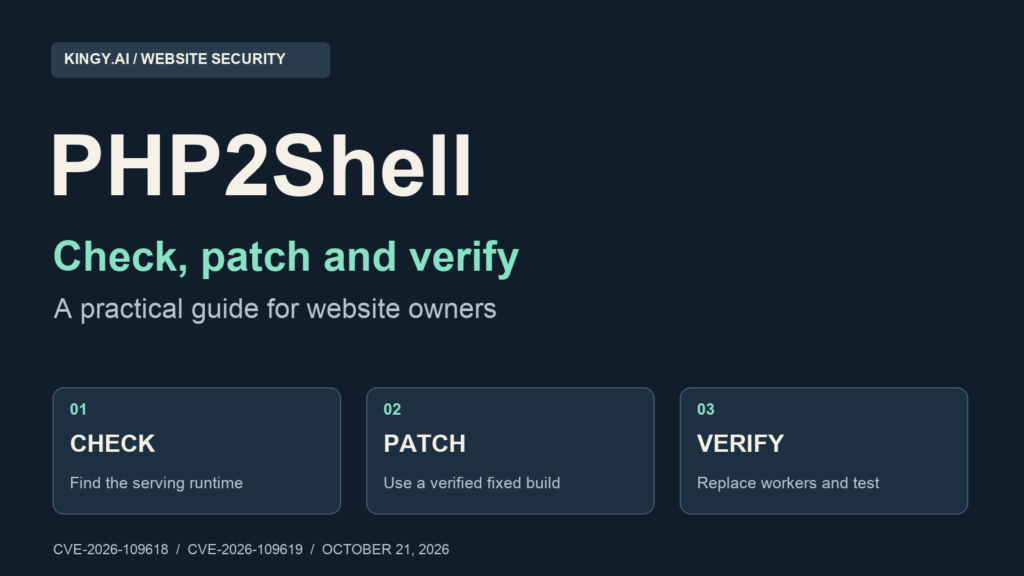
Security guidance checked October 21, 2026. Fixed releases are available. Package revisions, hosting rollouts and threat reports can change; confirm your provider’s current advisory before making changes.
If your website runs PHP, check its serving runtime and arrange the security update now. The PHP project has released fixes for two critical vulnerabilities known as PHP2Shell: CVE-2026-109618 and CVE-2026-109619. Its advisory identifies PHP-FPM, Apache mod_php, php-cgi, FrankenPHP and LiteSpeed installations serving web requests as at risk, with the highest assessed risk on mod_php. Source: PHP security advisory.
For a WordPress owner, the immediate job is to get the hosting company or server administrator to confirm the PHP fix. Updating WordPress, a theme or a security plugin does not replace that server-level work. A site that loads normally can still need the patch.
This guide takes you from identifying your hosting setup to checking the running version, installing the correct update, replacing old workers, testing the site and investigating signs of compromise. The command blocks are examples for administrators to adapt to their own systems. Kingy.ai has not exploited these vulnerabilities or validated these commands on every hosting platform.
1. Your first actions
Start with the person or company that controls PHP. If you only have a WordPress login, that is usually your host. If you administer a virtual machine, container platform or dedicated server, assign an administrator to the update. If an agency manages the site, establish who owns the hosting account and who can authorize an emergency change.
- Identify the production site and host. Record the domain, hosting account, service owner and whether the site is behind a CDN. Include the www and non-www names, APIs and separate admin systems.
- Check the PHP runtime used by web requests. WordPress Site Health, the host’s dashboard and a server-side check are useful starting points. A command-line PHP version alone cannot establish the web version.
- Match the full build to an authoritative fix. Use the upstream release table below or the distribution or host advisory for both CVEs. Keep an unverified result open.
- Prepare a recovery point. Confirm a recent restorable database and file backup, preserve the relevant configuration and keep a way to reach the server if the website fails. Investigate suspected compromise separately from ordinary rollback preparation.
- Install the update and replace old workers. The operator must confirm that every serving node uses the fixed build. Downloading packages is only one part of that work.
- Test the actual website. Verify dynamic requests, login, forms, uploads and critical business flows. Save the version, package, restart and test evidence.
For a public PHP site with no verified fix, treat this as an emergency maintenance task. Our operational recommendation is to prioritize internet-facing production systems and systems holding valuable credentials or customer data. If an exposed service cannot be patched promptly, have its owner decide whether to restrict access at the edge or temporarily remove it from public service.
A maintenance page generated by WordPress still reaches PHP. If containment requires preventing untrusted requests from reaching a vulnerable runtime, implement it at the proxy, load balancer, web server or network boundary and verify that alternate paths are also restricted.
2. Which PHP versions contain the fixes?
The following are the upstream fixed releases published on October 21. Use a later fixed stable release in the same branch when appropriate. These thresholds describe upstream PHP; a distribution’s backported package needs its own advisory. Source: PHP release announcement.
| PHP branch | First fixed upstream release | Operator action |
|---|---|---|
| 8.2 | 8.2.35 | Install the fixed patch or verified vendor backport. |
| 8.3 | 8.3.36 | Install the fixed patch or verified vendor backport. |
| 8.4 | 8.4.27 | Install the fixed patch or verified vendor backport. |
| 8.5 | 8.5.12 | Install the fixed patch or verified vendor backport. |
| 8.1 and older | No regular upstream security releases | Obtain explicit vendor fix evidence or migrate to a supported branch. |
A branch label such as “PHP 8.3” is insufficient evidence. Ask for the patch version and, where relevant, the complete package revision. Do not assume an unlisted development or release-candidate build is covered by the table.
Why an apparently older version can be fixed
Distributions can apply a security patch while retaining an older upstream version number. For example, Ubuntu’s notice lists 8.3.6-0ubuntu0.24.04.13 for Ubuntu 24.04 LTS and 8.1.2-1ubuntu2.28 for Ubuntu 22.04 LTS. A simple upstream-number comparison would miss the significance of those package revisions. These examples apply to those Ubuntu releases and packages; they are not universal PHP version targets. Source: Ubuntu USN-8948-1.
Keep the advisory URL beside the installed package version. If your host says it has applied a backport, request a package revision or build identifier and confirmation that it covers both CVE-2026-109618 and CVE-2026-109619. “We keep everything updated” does not answer that question.
3. What OpenAI disclosed, and why site owners need to act
OpenAI’s October 21 disclosure describes a coordinated PHP response involving maintainers, researchers and infrastructure providers. It says Calif identified a critical flaw using GPT-5.6 Sol through Patch the Planet, while Wiz independently discovered and reported both vulnerabilities. PHP’s maintainers led the fixes and release. OpenAI also published a version-checking tool to help operators identify potentially affected installations. Source: OpenAI disclosure.
The same post proposes a broader process for validating bugs, preparing updates, coordinating protective measures and supporting deployment. The practical issue for a website owner is whether the fixed software is serving their requests. An announcement, a vendor’s participation or an AI tool’s availability does not establish the state of your own server.
The two defects, in plain language
CVE-2026-109618 concerns out-of-memory corruption. PHP can abort a request while some internal request data is incompletely initialized, and cleanup can then use that invalid state. The maintainer advisory describes remote code execution as a possible outcome. Source: PHP’s OOM advisory.
CVE-2026-109619 concerns stale state across requests. A worker can retain references to memory belonging to an earlier request and use those references after that memory has been freed. The advisory describes memory disclosure and code execution with the web worker’s privileges. Source: PHP’s stale-state advisory.
A successful attack does not automatically imply root access. The damage depends on what the compromised worker can read, write and reach. For your own assessment, include database credentials, application secrets, writable code and uploads, internal services and cloud permissions available to the web process.
This article does not establish whether a particular website has been attacked or whether exploitation is occurring across the wider internet. A vulnerable version, a crash and a blocked request are different observations. Record each accurately.
4. Build an inventory that includes the forgotten PHP systems
Use a small spreadsheet or incident document. Give each distinct runtime a row. A hostname can route to several servers; one server can run several PHP versions. Your inventory needs both relationships.
Record: domain or internal service, environment, owner, host or cluster, PHP handler, installed package or image, running PHP version, advisory proving the fix, update time, worker replacement time and test result. Mark missing evidence “unknown” and assign someone to resolve it.
- Customer-facing applications: WordPress, WooCommerce, Drupal, Joomla, MediaWiki, Laravel and other PHP applications.
- Supporting systems: webmail, help desks, analytics dashboards, database administration interfaces and old campaign sites.
- Secondary environments: staging, previews, development hosts and disaster-recovery systems reachable from a network.
- Alternate routes: old DNS names, direct origin access, internal load balancers and domains outside the usual CDN account.
- Deployment sources: machine images, container bases, deployment templates and autoscaling configurations that could launch an old build again.
A static frontend can depend on a PHP API or administrative backend. A JavaScript framework name does not settle the inventory. Trace where forms, checkout, content management and authentication send requests.
For a CDN-backed site, verify both the edge configuration and the origin runtime. A cached homepage proves little about the program that handles an uncached login or upload request. Keep origin addresses and internal topology in private records.
5. WordPress, WooCommerce and shared hosting: step-by-step
Step A: find the PHP version in WordPress
- Sign in to the correct production WordPress dashboard.
- Open Tools → Site Health → Info.
- Expand Server and record the PHP version and PHP SAPI if shown.
- Record the domain and time of the check. Repeat for separately hosted sites.
- Compare the result with the upstream table, then ask the host about vendor backports and worker replacement.
WordPress documents the Site Health information screen and its server information. Treat it as an observation from the runtime handling that administration request; it does not inventory every node or certify either CVE as fixed. Source: WordPress Site Health documentation.
Step B: check the hosting dashboard
Look for PHP Settings, PHP Manager, MultiPHP Manager, Select PHP Version or a similarly named control. Labels vary by provider. Identify the domain’s selected branch and whether it inherits a default. Record the current setting before changing it.
For cPanel, MultiPHP Manager manages PHP configuration for virtual hosts. Check the actual domain rather than assuming that the account default covers it. A selector offering “8.3” may not expose the underlying patch version. Ask the provider to confirm the installed build. Source: cPanel MultiPHP Manager.
Do not switch from 8.3 to 8.4 merely because 8.4 sounds newer. An older patch in the new branch can also be affected, and a branch change can introduce application compatibility problems. Prefer the fixed patch in your current supported branch when the provider offers it. If your branch has no supported fix, plan the compatibility work needed to move.
Step C: open an urgent hosting ticket
Use the template near the end of this guide. Ask about both CVEs, your domain’s running build, any backport, the time workers were replaced and whether every node was covered. Keep the response in your incident record.
On shared hosting, do not attempt root-level package commands or replace binaries inside your account. The host controls the interpreter. If its only response is to update WordPress plugins, clarify that your request concerns PHP itself.
Step D: test the site after the host’s change
Recheck Site Health. Then test a public page, a dynamic page, login and logout, search, a contact form, a permitted media upload and the functions your business depends on. Use test accounts and harmless files. Avoid sending real marketing messages or creating real customer orders as a casual test.
For WooCommerce, use the payment provider’s test mode or an agreed test procedure. Confirm cart, checkout, order creation, stock behavior and relevant callbacks without accidentally collecting a payment or sending a customer notification. If a production transaction is necessary, have the business owner define it.
Leave application updates in your normal security process, but record them separately. A PHP patch and a plugin update solve different maintenance tasks.
6. With server access, identify the PHP that serves requests
Read-only checks before changing packages
Run the following on the intended server, container or VM. Check the hostname first so that a convenient terminal does not lead you to inspect your laptop or a staging machine.
hostname
date -u
command -v php
php -v
php --ini
php -r 'echo PHP_VERSION, " ", PHP_SAPI, PHP_EOL;'
systemctl list-units --type=service --all 'php*fpm*'
ps -eo pid,ppid,lstart,args | grep '[p]hp-fpm'
The PHP CLI supports version and configuration reporting. PHP_VERSION and the SAPI identify the interpreter running that command. A result ending in cli describes the command-line runtime. Source: PHP command-line options; PHP SAPI reference.
Follow the web server’s configuration to its FPM socket, upstream port or loaded Apache module. For example, a site may use an 8.3 FPM socket while the shell’s php command points to 8.4. Control-panel installations can have several versioned runtimes under provider-specific directories.
Where appropriate, use nginx -T or apachectl -M to inspect the local configuration. These commands and privileges vary. Configuration dumps can contain private information, so keep their output out of public tickets and AI prompts. Look for the specific virtual host and PHP handler rather than assuming every vhost shares one.
Check through the web runtime without leaving a public diagnostic behind
Prefer an existing authenticated administration screen or the provider’s runtime evidence. If you must add a temporary diagnostic endpoint, first restrict it at the web server or proxy to an authenticated administrator or approved private network. A hard-to-guess filename is insufficient access control.
Inside that protected endpoint, return only the values you need:
<?php
header('Content-Type: application/json');
header('Cache-Control: private, no-store');
echo json_encode([
    'php_version' => PHP_VERSION,
    'sapi' => PHP_SAPI,
]);
The PHP version function documents version reporting; the SAPI reference describes the execution interface. Neither reveals whether a vendor has backported a patch. Match the result to the package or host evidence. Source: PHP version reference.
Confirm the endpoint bypasses shared caching, request it through the intended vhost and inspect each node where possible. Remove it after the check and confirm it is no longer reachable. Do not publish a full phpinfo() page; broad environment and configuration output creates unnecessary disclosure.
7. Use OpenAI’s PHP version checker as an initial check
The official php2shell-checker repository offers URL and local checks, plus Codex skills. Review the downloaded code and its current instructions before running it. The direct CLI examples are:
git clone https://github.com/openai/php2shell-checker.git
cd php2shell-checker
node phpcheck.js "https://example.com" --json
node phpcheck.js --local --json
Replace the example URL with a site you own or are authorized to assess. Run the local check on the relevant server. It checks the selected CLI binary, which you must still connect to the web runtime.
OK, exit 0: the reported stable version is above the tool’s embedded cutoff for that branch.VULNERABLE, exit 1: the reported version is at or below the embedded cutoff.UNKNOWN, exit 3: the tool cannot establish a covered version.
The URL check reads headers, does not follow redirects and cannot verify the installed patch. Hidden headers and vendor backports limit the result. Use the final canonical URL explicitly. UNKNOWN remains unresolved; OK still needs server or provider confirmation. The repository’s documented limits are essential to interpreting the output.
For an operational record, save the output, the checked URL or binary, the time and the repository commit you used. Keep the tool’s result separate from your final patch decision. Never turn an inconclusive version check into a “secure website” badge.
8. Patch Ubuntu and Debian-family servers
Use your own distribution’s notice and repositories. The Ubuntu package revisions above cannot establish the fix status of Debian, a third-party PHP repository or a custom build. First identify the OS and installed components:
cat /etc/os-release
dpkg-query -W -f='${Package}\t${Version}\n' 'php*' 'libapache2-mod-php*'
apt-cache policy php8.3-fpm php8.3-cli php8.3-common
An unmatched package pattern can produce a nonzero result. Read the output instead of treating every package-query error as proof that PHP is absent. Include versioned packages, FPM, CGI, Apache modules and control-panel packages identified during inventory.
Step A: confirm that the fixed package is available
Refresh package metadata, then inspect the candidate versions and their repository origins. Package refresh changes the local package index but does not upgrade the running PHP service.
sudo apt-get update
apt-cache policy php8.3-fpm php8.3-cli php8.3-common
Match the candidate to the current vendor advisory. If the fixed revision is missing, investigate the repository configuration, support entitlement, package pinning or mirror status. A successful package command with no available security update does not close the vulnerability.
Ubuntu publishes separate guidance for supported releases and older releases using extended security maintenance. Confirm that the applicable updates are available to your machine; an installed subscription client or a general support promise is insufficient. Ubuntu standard-release notice; Ubuntu older-release notice.
Step B: preview the exact transaction
This example assumes the site uses distro-managed PHP 8.3 FPM and the three packages shown are installed. Substitute your actual package names. Include all installed affected PHP components according to the vendor’s instructions.
sudo apt-get --simulate install --only-upgrade php8.3-fpm php8.3-cli php8.3-commonInspect proposed removals, branch changes, dependencies and held packages. Stop and resolve surprises before proceeding. Do not accept a repository switch or wholesale application migration as an unnoticed side effect of an emergency patch.
Step C: install, check configuration and replace workers
After backup and change preparation, apply the reviewed transaction:
sudo apt-get install --only-upgrade php8.3-fpm php8.3-cli php8.3-common
sudo php-fpm8.3 -t
sudo systemctl restart php8.3-fpm
systemctl is-active php8.3-fpm
sudo journalctl -u php8.3-fpm --since '15 minutes ago' --no-pager
These are sequential steps. If installation or configuration validation fails, investigate rather than continuing blindly. The FPM binary and service name can differ. A restart can interrupt requests; use a controlled drain-and-replace procedure for systems with several nodes. Keep an administrator connected through a separate management path.
If Apache loads mod_php, update the installed PHP module and validate Apache before restarting its workers. An illustrative Apache sequence is sudo apachectl configtest, followed by sudo systemctl restart apache2 after a successful validation. Restarting FPM alone does not replace a module loaded inside Apache.
For Nginx forwarding to FPM, identify which process executes PHP. Restarting only Nginx leaves the PHP worker question unanswered. Conversely, avoid restarting unrelated services without a reason.
Ubuntu’s own remediation guidance also stresses that applications using the updated interpreter may need restarting. Use that guidance alongside your service-specific procedure. Source: Ubuntu’s PHP2Shell update guide.
Step D: verify the package and the serving runtime
Repeat the package inventory, then check a fresh web request. A new php -v process proves what that CLI invocation loads. It cannot prove an older, long-running FPM or Apache worker has been replaced.
If there is an error after the patch, preserve logs and compare extensions and configuration. Do not solve an outage by silently putting an affected build back into public service. Use a patched recovery environment or restrict exposure while you repair the application.
9. Other Linux packages, Windows and source-built PHP
RHEL-family systems and third-party repositories
Identify the package owner, repository and stream before choosing a command. A distro package, a control-panel package and a third-party repository package can use different names and advisories on the same OS family.
Useful inventory examples include rpm -qa 'php*', dnf info installed php-fpm php-cli php-common and systemctl status php-fpm. Check the vendor’s advisory for both CVEs, preview the update using that distribution’s supported procedure, apply it and replace the processes that load PHP. Treat these as inventory pointers, not an assertion that any specific RPM revision is fixed.
If your repository has no verified update, escalate to its maintainer or your host. Do not mix incompatible package sources to make a version number look newer. If changing repository or branch is unavoidable, treat it as a tested migration with a recovery plan.
Windows and IIS
Trace the site’s FastCGI handler to the actual PHP installation directory. Checking an unrelated php.exe found first on PATH can give the wrong answer.
- Record the current PHP path, architecture, thread-safety choice, loaded extensions and configuration.
- Obtain the appropriate fixed build from the official PHP download channel or the vendor responsible for your stack.
- Stage the update and verify extension compatibility. Keep configuration and secrets protected.
- Use the hosting platform’s supported procedure to switch the handler and replace all relevant FastCGI or application-pool workers. Account for any in-flight requests and other sites sharing those processes.
- Check the version through a fresh request to the intended site and run functional tests.
Use PHP’s official downloads page to find the release artifacts and Windows links. Do not substitute a random “emergency patched PHP” archive from a social post.
Source builds and bundled appliances
For source-built PHP, retain the original build options and extension requirements. Use a fixed release or the complete vendor-approved patch set, verify the artifact using the publisher’s integrity information, build in a controlled environment and test before switching production processes.
For an appliance or packaged product, request the product vendor’s advisory and fixed product build. Replacing embedded PHP files yourself can break the product and its update mechanism. If a custom backport is necessary, have a qualified maintainer review both fixes, build provenance and regression coverage.
10. Docker and Kubernetes: replace the deployed image
Inventory PHP inside the running container. Updating the host OS does not update PHP bundled in the application image. Likewise, restarting a container from the same affected image does not install a fix.
Docker Compose
From the correct Compose project, inspect the services and their running PHP:
docker compose ps
docker compose images
docker compose exec php php -v
Here php is an illustrative service name. Replace it with your service, and inspect all replicas separately when there is more than one. The command still invokes CLI PHP; connect it to the image and web handler actually used by requests.
For an externally built image, verify that the publisher has released a fixed artifact. Update the image reference or digest in your deployment configuration. After reviewing volumes, health checks and the rollout plan, a typical pull-and-recreate sequence is:
docker compose pull php
docker compose up -d --no-deps --force-recreate php
docker compose ps
docker compose exec php php -v
Compose’s pull command retrieves an image; the up command performs container creation or recreation. These are distinct actions. Docker pull reference; Docker up reference.
If you build your own application image, update the base or package instructions first, then build and deploy a new artifact. For a suitable Compose build service, docker compose build --pull --no-cache php requests fresh base-image resolution and a clean build. A pinned old digest stays old until you deliberately change it. A clean build from unchanged affected inputs can reproduce the vulnerability. Source: Docker build guidance.
Keep persistent data in the intended volumes, confirm the new image identity and retain the tested fixed artifact for future deploys. Avoid emergency edits inside a live container as your only repair; the next recreation can discard them.
Kubernetes
Use your normal deployment or GitOps system to set a verified fixed image digest, then observe the rollout. These read-only examples assume the namespace and Deployment are both named website; substitute your actual names:
kubectl -n website get deployment website
kubectl -n website rollout status deployment/website --timeout=180s
kubectl -n website get pods -o wide
Confirm that every serving pod uses the intended image and that old pods no longer receive traffic. Check runtime evidence within each relevant pod and container, plus readiness and functional behavior. A completed rollout reports controller progress; it does not independently determine whether the chosen image contains either security fix. Source: Kubernetes Deployment documentation.
Update the desired state, build pipelines and any alternate workload that can recreate PHP services. Inspect scheduled jobs, preview deployments and fallback clusters identified in your inventory. If you must roll back, select another verified fixed artifact rather than automatically restoring the previous affected image.
11. Prove the fixed software is running, then test the website
Use three separate checks: the artifact contains the fix, the live process uses that artifact, and the application still works. Store the evidence for each. This is the completion standard we recommend for this incident.
Check the artifact
Record the full package revision, upstream build or image digest. Link it to the advisory covering both CVEs. Include repository or image provenance. A dashboard’s generic green status is weaker evidence than the package and advisory together.
Check the live processes
Record how the old workers were drained, stopped or replaced. Confirm each node, pool and serving replica. Ask the platform owner how they established that the prior build is no longer receiving requests. Restarting one service on one node is incomplete when a load balancer routes to three.
Use a fresh authenticated dynamic request and, where needed, a protected diagnostic. Keep its response uncached. Repeated requests through a load balancer can be useful, but they are not a reliable inventory of every backend. Prefer node-level confirmation alongside the request-level check.
Test the business functions
- Public browsing: homepage, representative article or product, search, pagination and important redirects.
- Authentication: test-account login, logout, session persistence and the normal recovery flow using a controlled account.
- Writes: a harmless draft save, an authorized upload and a controlled form submission.
- Commerce and integrations: agreed checkout tests, webhooks, payment callbacks, API clients and queues.
- Background work: scheduled jobs, imports and other PHP entry points the site needs.
- Operations: PHP errors, 5xx rates, worker crashes, memory use and response latency after the change.
A basic HTTP check can document reachability:
curl --fail --show-error --silent --output /dev/null \
  --write-out 'HTTP %{http_code}\n' https://example.com/
Replace the URL and inspect redirects separately if your chosen address redirects. HTTP 200 means that request succeeded; it does not certify PHP’s patch status, rule out a cached response or establish the absence of compromise.
12. If patching is delayed, use narrowly scoped temporary protection
The PHP project says configuration mitigations are incomplete. Keep a named owner and a patch deadline even when you enable an interim control. Choose the controls with the administrator who understands your handler, request limits and available memory.
WAF and access restrictions
Cloudflare has announced PHP2Shell WAF protections. Check the provider’s current coverage, rule state and limitations for your account. Source: Cloudflare’s PHP2Shell protection announcement.
As an operational check, trace every route to the application. Confirm that the intended traffic is proxied, alternate hostnames are covered and direct origin access follows the expected access policy. A WAF cannot establish that the PHP binary has been patched. A rule’s existence also does not establish that every request path uses it.
Do not casually change origin firewall rules without accounting for health checks, certificate validation and management access. Where restriction is necessary, use the platform’s documented method and verify both the allowed and blocked paths.
Settings described in PHP’s advisories
For the out-of-memory defect, the maintainer guidance discusses administratively setting memory_limit=-1, limiting request inputs and using an appropriate container or cgroup availability boundary. Unlimited PHP memory can create serious resource-exhaustion risk; an administrator must assess capacity and isolation. Underlying allocation failures remain possible. The guidance warns against substituting RLIMIT_AS or RLIMIT_DATA. Source: OOM advisory.
Do not respond by arbitrarily lowering PHP’s memory limit. For this defect, intentionally inducing PHP-level memory failures is not a dependable defense. Request-body and parser limits need to match the application and cover relevant transfer encodings and request paths.
For the stale-state defect, PHP describes disabling session.upload_progress.enabled before request parsing and restarting every worker. On PHP 8.5, disabling fatal_error_backtraces addresses a confirmed path. Neither setting covers every variant. Application-level ini_set() comes too late for early parsing behavior; hiding diagnostics does not fix stale state. Source: stale-state advisory.
Have the administrator inspect the full advisory rather than pasting directives into an arbitrary file. With FPM, pool-level administrative settings differ from application settings. Configuration precedence and whether a directive is applied early enough matter. Source: PHP-FPM configuration reference.
For every temporary control, record its scope, expected benefit, availability tradeoff, how it was verified and when it will be reviewed. If nobody can demonstrate sufficient containment while the fix is unavailable, consider restricting or suspending the exposed service.
13. Check for compromise without destroying the evidence
Patching prevents the fixed defects from remaining available in the updated runtime. It does not remove a webshell, undo a stolen credential or reconstruct what happened before the change. If you see suspicious activity, run incident response alongside remediation.
The following is a general investigation workflow, not a PHP2Shell-specific indicator list. We have not established a universal request signature or a log search that can prove a site was never exploited.
Preserve the timeline and relevant data
Record when the issue was discovered, the time zone, the versions observed and every change you make. Preserve relevant access, error, proxy, WAF, authentication and deployment logs in protected storage. Note their time zones and retention windows.
If compromise is plausible, involve the host or incident responder before wiping files or rebuilding the only copy of the server. They can decide whether snapshots, volatile data or additional evidence are needed. A post-incident snapshot may preserve malware; label it as evidence and keep it away from the normal clean recovery path.
WordPress’s incident guidance recommends documenting symptoms and contacting the hosting provider. Use that as a starting point for a structured response. Source: WordPress hacked-site guidance.
Look for unusual behavior and unauthorized changes
Review unexpected worker crashes, process launches, outbound connections, unfamiliar administrators, changed scheduled tasks and unexplained file writes. Check whether these events line up with suspicious requests or authentication activity. Compare with deployment and maintenance records before treating a change as malicious.
For WordPress, review core files, plugins, themes, must-use plugins, drop-ins, upload directories and configuration changes. Investigate unfamiliar users, unexpected redirects, injected scripts and altered application settings. Check the broader account or server if several sites share credentials or writable directories.
A read-only file search on a Linux host can help identify executable-looking files in uploads:
find /srv/www/example/wp-content/uploads -type f \
  \( -iname '*.php' -o -iname '*.phtml' -o -iname '*.phar' \) -print
Replace the path. A match deserves review, but the filename alone does not prove malicious behavior. The absence of those extensions does not rule out compromise. Do not execute a suspicious file to see what it does, and preserve a copy before remediation.
Use checksum checks within their limits
From trusted administrative tooling, these WordPress commands compare files with available WordPress.org checksums:
wp --path=/srv/www/example core verify-checksums --include-root
wp --path=/srv/www/example plugin verify-checksums --all
The core command verifies core files and can warn about unexpected root items. Customizations need review. Source: WP-CLI core checksum reference.
The plugin command uses WordPress.org’s available plugin checksums. Premium or custom packages may lack those checksums. It does not establish the integrity of every theme, upload, database record or server file. Source: WP-CLI plugin checksum reference.
When the host itself may be compromised, prefer analysis of a preserved copy from a trusted environment. Avoid assuming that tools, output or credentials on the suspected system are trustworthy. A clean checksum result covers only the files and references actually checked.
Contain, rebuild and rotate credentials in the right order
If compromise is confirmed or strongly suspected, coordinate containment with your responder. Restore or rebuild from trusted artifacts on a fixed platform. Review database content and persistent storage before reconnecting them. An old backup can contain persistence or can restore a vulnerable runtime configuration.
Use a clean administrative device to rotate affected secrets after containing access, so an attacker cannot immediately collect the replacements. Depending on exposure, this can include hosting access, SSH keys, WordPress credentials and session salts, database passwords, application passwords, API tokens and cloud credentials. Revoke sessions and obsolete tokens where supported. Check dependent services as you replace credentials.
Ask your incident lead to assess whether customer data, regulated information or third-party systems were affected and to handle any applicable reporting obligations. Preserve the evidence supporting that assessment. A PHP update alone cannot answer those questions.
14. Copy this support request to your hosting company
Send this through your provider’s authenticated support channel. Replace the bracketed fields. Do not add passwords, API keys or private diagnostic dumps.
Subject: Urgent PHP2Shell patch confirmation for [domain]
Please confirm remediation for CVE-2026-109618 and CVE-2026-109619 on the PHP runtime serving [domain / account / production environment].
Please provide the running PHP version and handler, the complete package revision or build identifier, and the advisory confirming that both vulnerabilities are fixed. If you use a backport, please identify it.
Please confirm that the fixed build is deployed to every backend serving this site, and state when the old PHP-FPM, Apache, LiteSpeed or other relevant workers were replaced.
Please include separately hosted staging sites, alternate PHP handlers and related services within this account, or tell me which systems require a separate request.
If patching is pending, please provide the expected completion time, current containment and its limitations. Please preserve relevant logs and tell me whether you have observed suspicious activity affecting this account.
My current observation is [PHP version / check method / time and time zone]. Please advise on any expected interruption and the tests we should run after your change.
If support responds with a general security-policy link, follow up with the missing facts. You need a build-to-advisory match and confirmation about the running workers for your site.
15. Keep a completion record for each runtime
Before closing the task, fill in this record. Use separate entries for independently deployed environments or runtimes. A failed or inconclusive check stays open.
Service / domain:
Environment and owner:
Host, cluster or provider ticket:
PHP handler and serving nodes:
Previous runtime and package/image:
Fixed runtime and full package revision or image digest:
Advisory covering CVE-2026-109618 and CVE-2026-109619:
Deployment and worker-replacement time, with time zone:
How every serving node was checked:
Dynamic-request verification:
Functional tests and results:
Log and compromise-review result, including limitations:
Recovery evidence location:
Temporary controls and review owner:
Remaining gaps and next action:
Keep security-sensitive evidence private. If you publish a customer-facing status update, state exactly what was verified and when. Avoid declaring an entire website “secure” on the strength of one version check.
For ongoing prevention, assign an owner to runtime updates, rehearse recovery and keep the deployment inventory current. WordPress’s hardening guidance provides broader advice on updates, backups, access and file permissions. Source: WordPress hardening handbook.
Finish by resolving every unknown runtime in the inventory and retaining the package, process and functional-test evidence for each one.
The Kingy Brief
Get The Kingy Brief.
AI changes, original tests and one practical thing to try. Fridays at 09:00 Vancouver time.
Free · Double opt-in · Unsubscribe anytime
Sign up for The Kingy Brief on Beehiiv.
Signup help and newsletter schedule
Signup form provided by Beehiiv. After submitting, check your inbox for "Confirm your subscription to The Kingy Brief" and open its confirmation link. Check Spam or Promotions if you cannot find it.
Fridays at 09:00 Vancouver time: source-checked AI changes, original tests and one practical thing to try. We skip a week when there is not enough verified material. Free. Unsubscribe anytime.