Alexa Steps Into a Bigger Role
Amazon wants your next tablet to do more than play a movie and disappear beneath the sofa cushions.
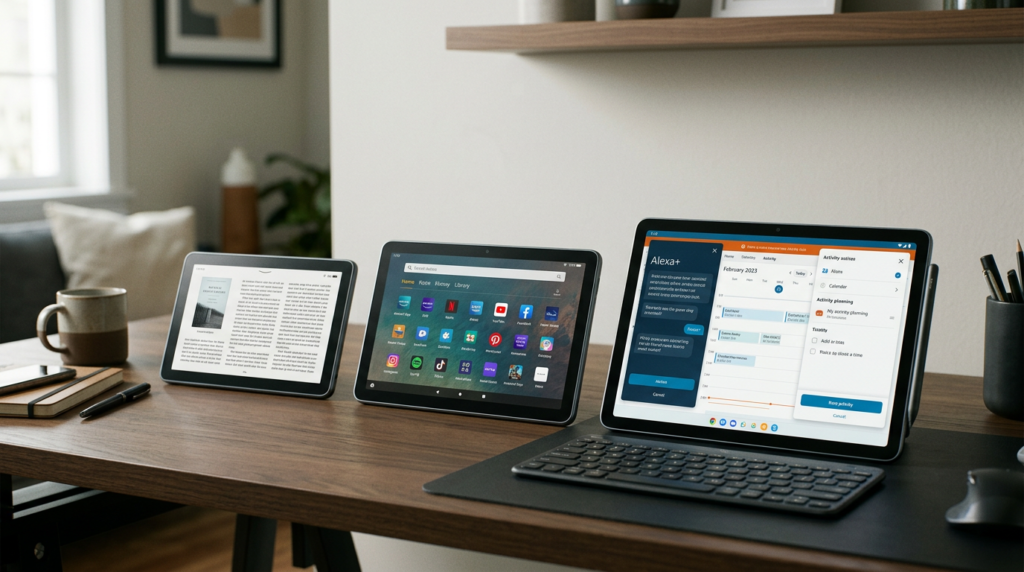
On October 8, 2026, the company introduced three Alexa-branded tablets with its Alexa+ assistant built into the experience.
The starting price is $229.99.
That immediately places the announcement beyond the familiar bargain-tablet conversation.
Amazon is asking buyers to consider a more ambitious package, combining a broader app ecosystem with an assistant designed to help during everyday activities.
The positive development is the combination of greater software choice and more accessible AI assistance.
Whether those additions justify the price will depend on how well they work together.
A tablet can look wonderful in a launch photograph and still spend most of its life displaying the same three apps.
Amazon’s challenge is to make the new capabilities useful enough that people actually reach for them.
Google Play Changes the Conversation
The new devices run Android and include Google Play Store access.
That change gives this announcement significance beyond its AI branding.
Amazon’s previous Fire tablets used Fire OS, a modified version of Android with a more restricted app ecosystem, as Reuters explains.
Google Play opens a broader path to familiar software, alongside Amazon’s own entertainment services.
For a potential buyer, the practical question becomes easier to ask: can this device run the applications I already use?
App availability can matter more than a shiny specification.
A tablet that fits an existing routine has less work to do before becoming useful.
However, access to a store does not guarantee that every application behaves beautifully on every screen.
Layout, account requirements, and application-specific features still matter.
The encouraging change is that Amazon is reducing one source of friction before asking users to explore what its new assistant can do.
Three Tablets, Three Starting Points
The new lineup includes the Alexa Tablet 8, Alexa Tablet 11, and Alexa Tablet 12 Pro.
Their respective starting prices are $229.99, $329.99, and $499.99 in the United States.
That creates two clear steps upward: $100 to the middle model, then $170 to the standard Pro.
Someone who mostly reads and browses might value portability.
Someone who watches frequently may prefer more screen space.
Someone who edits documents might care about the larger working area and accessory options.
The smart comparison starts with the task, then works backward to the device.
Otherwise, “Pro” can become an expensive way of saying “I bought the biggest one and hoped for the best.”
The Smallest Model Makes Portability the Point
Amazon lists an 8.7-inch screen for the Alexa Tablet 8.
That is the compact option in this family.
Its likely appeal is straightforward: a device you can carry and use comfortably when a larger tablet would feel cumbersome.
Think of reading between appointments, checking something from the couch, or following a reference without clearing an entire desk.
A smaller screen also involves a tradeoff.
It offers less room for comparing documents or arranging several pieces of information at once.
For some people, that compromise is entirely reasonable.
For others, it would become annoying within the first afternoon.
The relevant test is how often you need the extra space.
Portability is valuable when it gets a device used more often, but it loses its charm if every task requires zooming, scrolling, and negotiating with tiny controls.
The Middle Model Has a Familiar Job
The Alexa Tablet 11 occupies the middle position with an 11-inch display.
That gives buyers a larger canvas without the Pro’s starting price.
Its role in the lineup is easy to understand, even before detailed testing.
Some people want a tablet primarily for everyday viewing, reading, and browsing, with occasional practical work mixed in.
They may not need the most elaborate configuration, but they also do not want the smallest screen.
The middle model could serve that preference.
Still, the extra $100 over the Tablet 8 should buy something the owner notices regularly.
A more comfortable reading layout or better space for a recipe might provide that benefit.
If the tablet rarely leaves a bag, the larger footprint might matter more than the larger display.
There is no universal sweet spot here; there is only the balance that matches how somebody actually spends time with the device.
The Pro Aims Beyond Casual Viewing
Amazon’s flagship has a 12-inch display and supports a 120Hz refresh rate.
The company also offers a Nanomatte version starting at $549.99, designed to reduce glare.
Those additions indicate a pitch built around a more capable and comfortable screen experience.
The practical appeal of extra working space is easy to imagine.
You might review a document while keeping another reference visible, or sketch an idea without constantly repositioning the page.
A smoother display can also make interface movement feel more fluid.
Neither characteristic establishes professional performance by itself.
The applications, input methods, and responsiveness still determine whether the tablet supports meaningful work.
Likewise, the value of the Nanomatte option would depend on where somebody uses the device.
A screen upgrade should solve a recurring problem, rather than become a premium feature that looks impressive on the receipt and contributes little to the daily routine.
Screen Awareness Is the Interesting AI Feature

Amazon’s On-Screen Intelligence lets users request help based on what appears on the display.
The important idea is shared context.
Instead of explaining an entire page to an assistant, a person can ask about the material already in front of them.
That could shorten the distance between finding information and making sense of it.
Imagine comparing several weekend activities and wanting help identifying which options fit a particular plan.
The useful response would explain the relevant differences, not merely repeat the page in a more cheerful voice.
Context awareness also raises the standard for accuracy.
If the assistant overlooks a condition, confuses two options, or assumes a preference incorrectly, the recommendation may miss the mark.
The feature’s value will therefore depend on how faithfully Alexa interprets the screen and how clearly it explains the reasoning behind its suggestions.
Conversation Should Reduce the Work
Amazon says live sessions allow continuing conversation without repeating the wake word between questions.
That is a small interaction detail with a potentially meaningful effect.
Repeatedly summoning an assistant can make a complicated request feel like feeding instructions through a very polite turnstile.
A continuous exchange could make follow-up questions easier.
The broader Alexa+ platform is designed around natural conversation, personalized recommendations, and completing supported tasks.
For a tablet, the opportunity is to combine that dialogue with something the user can inspect visually.
Words and a screen can complement each other.
But conversation should reduce effort, not create another layer of it.
If asking for help takes longer than tapping the obvious button, the assistant becomes decorative.
A successful experience would make simple jobs feel simpler and complicated ones easier to break down, without requiring users to memorize the perfect phrasing for every request.
Screen Access Comes With Controls
Amazon says On-Screen Intelligence is disabled by default and requires users to opt in.
The announcement also describes visual indicators and the ability to disable the feature.
Those controls are relevant because screen awareness involves material a person may not want to share with an assistant.
A helpful design should make the active state easy to recognize.
Users should understand when assistance has access to screen content and how to stop it.
These are company-described controls, rather than evidence from a comprehensive independent privacy assessment.
They also do not establish an offline AI workflow.
The practical point is visibility and choice.
A person should not have to guess whether the assistant is following along.
Good controls belong within the everyday experience, where people can use them naturally, rather than becoming a setting discovered only after someone wonders how the assistant knew what was on the display.
Reading Gets Its Own Quiet Corner
Amazon says opening a book in the Kindle app activates a reading experience that silences notifications and reduces blue light.
The appeal is less about adding another activity and more about protecting one from interruption.
Reading on a multipurpose device can become a tug-of-war between the book and everything else demanding attention.
One message arrives, then another, and suddenly the chapter has become a background application.
A quieter mode could help people stay with what they intended to read.
It does not make the tablet identical to a dedicated e-reader.
Buyers should still judge the display, weight, and comfort for their own reading habits.
The thoughtful part of the proposal is recognizing that a tablet’s usefulness sometimes depends on doing fewer things at once.
An assistant may help organize a busy day, but a good reading session occasionally needs the rest of that day to stop volunteering for attention.
Accessories Change the Total Price
Amazon prices the Pro Keyboard at $149.99 and the Pro Pen at $89.99.
Adding both to the standard $499.99 Pro produces a $739.97 subtotal before taxes.
That calculation changes the context of the productivity pitch.
The relevant comparison is the configuration someone would actually use, rather than the tablet’s opening price alone.
A keyboard could make longer writing sessions more practical.
A pen could be useful for sketching or reviewing material by hand.
Neither accessory deserves an automatic place in the shopping cart.
For a writer, the meaningful question is whether the keyboard, applications, and file workflow work comfortably together.
For someone watching films, those extras might offer little value.
The broader lesson is familiar but easy to forget during a launch: a tablet becomes a workstation through the complete experience, and the complete experience may cost considerably more than the device advertised at the top of the page.
Alexa+ Has a Subscription Context
Built-in Alexa+ should not be interpreted as a promise of unlimited service forever without an account or subscription requirement.
Amazon’s published U.S. terms include the full Alexa+ experience at no additional cost for Prime members.
For customers without Prime, the full subscription costs $19.99 per month.
A separate free chat tier is available through Alexa.com and the Alexa app, with usage limits.
That free tier should not be confused with unrestricted access to every tablet feature.
For an existing eligible Prime member, the assistant may fit into a subscription they already use.
For somebody joining primarily for Alexa+, the recurring cost belongs in the decision.
At $19.99 monthly, twelve months total $239.88 before any applicable taxes.
That is arithmetic based on the published U.S. rate, not a forecast of charges in every market.
Hardware pricing and service pricing answer different questions, and both matter when evaluating the overall package.
Launch Dates Are Specific to Each Market
Amazon says shipments begin October 14 in the United States, Mexico, and Canada.
The United Kingdom, Germany, France, Italy, and Spain follow on October 19.
Those are announced shipping schedules, not promises that every order arrives on those dates.
The listed rollout does not include the Philippines.
That distinction matters for readers considering an imported unit.
Physical availability, warranty arrangements, and access to services are separate questions.
A device reaching somebody’s hands does not automatically establish that every advertised experience is supported where they live.
Meanwhile, existing Fire owners do not need to assume their tablets suddenly stop working.
Business Insider reports that Amazon will continue selling remaining Fire inventory and providing security updates, although it is no longer manufacturing new Fire-branded units.
For those users, the new announcement creates a future option rather than an immediate need to replace something that still meets their requirements.
A More Open Tablet With a Bigger Ask
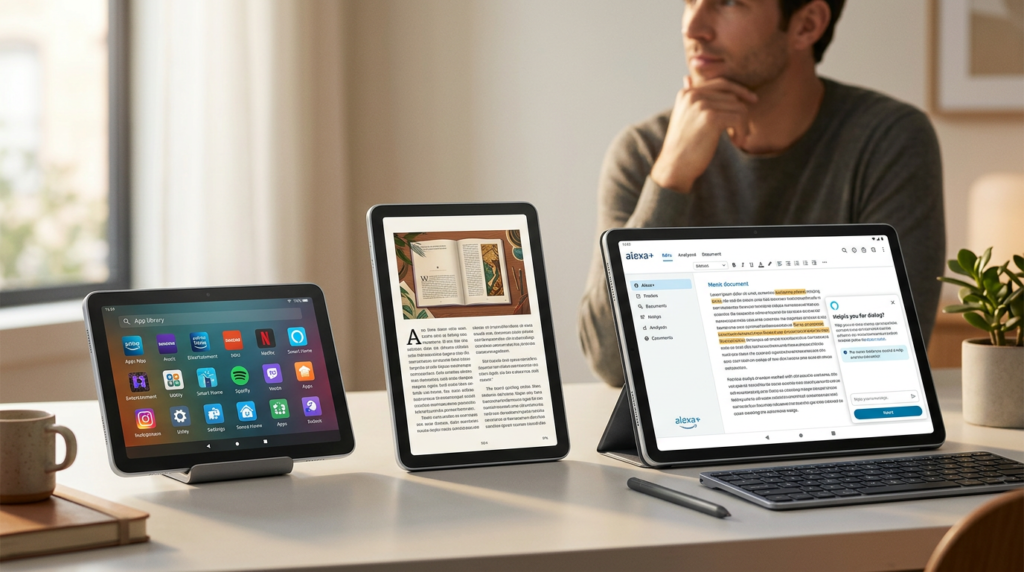
The promising part of Amazon’s announcement is the way its changes reinforce one another.
A broader app ecosystem could make the hardware easier to integrate into everyday life.
An assistant that understands relevant context could make some of those activities less cumbersome.
Different screen sizes give buyers several ways to approach that combination.
The bigger ask is the price and the expectation of consistent usefulness.
Amazon has to show that its assistant offers practical help, its software works comfortably, and its hardware makes the experience pleasant enough to repeat.
Independent reviews will be important for assessing that balance.
For now, this is a substantial change in the company’s tablet proposition, with clear potential benefits and identifiable questions still to answer.
If the pieces work together well, the result could be more than a screen with a talking assistant attached.
It could be a device that makes ordinary tasks feel a little less ordinary to manage.
SOURCES
- Amazon — Introducing all-new Amazon Alexa Tablets—powerful tablets with Alexa+ built in (aboutamazon.com)
- Amazon — Amazon’s Alexa+ (aboutamazon.com)
- Amazon — Alexa+ now available to everyone in the US—and free for Prime members (aboutamazon.com)
- Reuters — Amazon launches first Android tablets, raising prices and incorporating Alexa (reuters.com)
- The Wall Street Journal — Amazon Unveils Pricier Alexa Tablets That Run Google Apps (WSJ)
- Business Insider — Goodbye, Amazon Fire tablets. You lasted longer than the Fire Phone. (businessinsider.com)
The Kingy Brief
Get The Kingy Brief.
AI changes, original tests and one practical thing to try. Fridays at 09:00 Vancouver time.
Free · Double opt-in · Unsubscribe anytime
Signup help and newsletter schedule
Signup form provided by Beehiiv. After submitting, check your inbox for "Confirm your subscription to The Kingy Brief" and open its confirmation link. Check Spam or Promotions if you cannot find it.
Fridays at 09:00 Vancouver time: source-checked AI changes, original tests and one practical thing to try. The weekly restart begins October 9, 2026. We skip a week when there is not enough verified material. Free. Unsubscribe anytime.