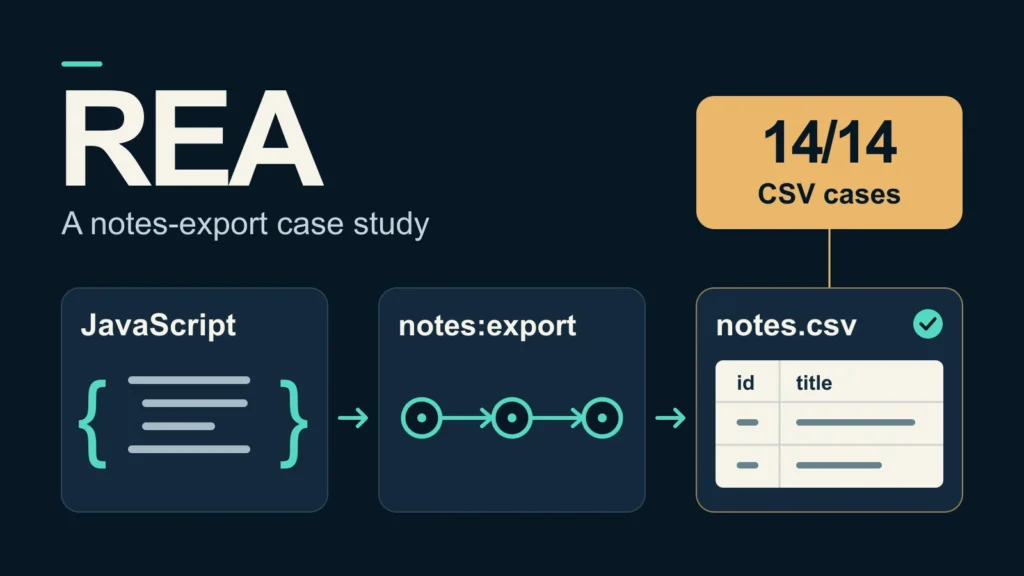
REA mapped a notes-export feature on our Mac, and the CSV formatter we built from the findings matched the reference in all 14 declared test cases. That is a useful result for anyone trying to understand a feature and reproduce its behavior with a coding agent.
The name “Reverse Engineer Anything” invites a much bigger claim. Our test gives it a specific, reproducible starting point: a public Electron example, readable JavaScript, a local CLI, and an output we could compare byte for byte.
We followed the export from the renderer through the main-process handler, wrote a separate formatter, and checked its CSV with a second parser. We also exercised the original source in a controlled Node test environment. The work used free software and no paid tools.
This guide explains that workflow and the evidence it produced. The test was conducted on October 8, 2026, with REA 6.0.0. It covers source analysis and controlled source execution; we did not launch the Electron desktop application or decompile a native binary.
What REA does for a coding agent
REA is a command-line tool and local MCP server for software analysis. Its JavaScript workflows inspect local application files. Native workflows can use decompilers such as Ghidra, Hopper or IDA. The coding agent then uses those findings to explain behavior or write an implementation.
For this exercise, we used REA through its CLI. The running Codex agent interpreted the results and wrote the reconstruction and tests. We did not register an MCP server, change the agent configuration, install a native decompiler, or make a separate model API call.
Our question was narrow enough to verify: where does the notes exporter write its file, and how does it handle a title containing quotation marks?
The project's public JavaScript example contains six files, including four JavaScript files. The code spans the renderer, preload script, main process and CSV formatter. That gives REA several connections to recover, while keeping the entire feature small enough to inspect yourself.
1. Download the example and install REA locally
You need Node.js, npm, Python 3 and curl for the commands below. Use a separate directory so the installation and evidence stay together.
mkdir -p rea-notes-lab/runtime
cd rea-notes-lab

curl -fL https://morluto.github.io/rea/examples/notes-example.zip \
  -o notes-example.zip

python3 -m zipfile -e notes-example.zip .

npm install --prefix runtime --ignore-scripts --no-audit --no-fund \
  --save-exact rea-agents@6.0.0

REA_TEST_ENTRY="$PWD/runtime/node_modules/rea-agents/scripts/rea.mjs"
REA_TEST_APP="$PWD/notes-example"
This installs REA and its dependencies inside the experiment directory with npm install scripts disabled. Electron is not needed for the static-analysis exercise, and these commands do not register REA with a coding agent.
We pinned the package to the version we tested. If you use a different version, record it and treat any schema or output changes as a new test. The REA 6.0.0 release also requires absolute paths for MCP filesystem inputs. We use absolute paths in this CLI walkthrough to keep the artifact location explicit.
2. Analyze the application and retain the evidence
Run the JavaScript application analyzer and save its complete output:
node "$REA_TEST_ENTRY" analyze-javascript-application \
  "$REA_TEST_APP" --json > application-evidence.json
REA reads the supplied code as text and builds graphs of its relationships. Our invocation exited successfully and returned an Evidence record containing the artifact digest, provider identity, source locations, findings and limitations.
The recorded results included:
| Measurement | Result |
|---|---|
| Relevant files | 6 |
| JavaScript files parsed | 4 |
| Text bytes read | 1,648 |
| Findings | 21 |
| Literal IPC channels | 1 |
| Renderer transmissions | 1 |
| Main-process handlers | 1 |
| Paired renderer transmissions | 1 |
| Ambiguous renderer transmissions | 0 |
| Parse failures | 0 |
| Truncated scopes | 0 |
In this example, the IPC channel connects a request from the renderer to a handler in the main process. REA paired that request with its handler. That tells us where to investigate; the channel count alone does not explain the file destination or CSV format.
To inspect the summary without printing the full record, run:
python3 - <<'PY'
import json

with open('application-evidence.json') as file:
    evidence = json.load(file)

result = evidence['normalized_result']
print(json.dumps(result['summary']['ipc'], indent=2))
print(json.dumps(result['statistics'], indent=2))
PY
Our complete stdout record was about 907 KB despite the fixture containing only 1,648 bytes of source text. Retain that record for inspection, then use focused excerpts to explain the feature.
3. Trace the export channel back to its source
The analyzer identified notes:export. We used that exact channel name as the starting point for REA's feature tracer.
The trace request takes the complete application Evidence record, together with a seed and direction:
python3 - <<'PY'
import json

with open('application-evidence.json') as file:
    application = json.load(file)

request = {
    'application': application,
    'native_observations': [],
    'seed': {
        'kind': 'channel',
        'value': 'notes:export',
        'match': 'exact',
        'case_sensitive': True,
    },
    'direction': 'both',
}

with open('feature-trace-input.json', 'w') as file:
    json.dump(request, file)
PY

node "$REA_TEST_ENTRY" trace-application-feature \
  "$PWD/feature-trace-input.json" --format json > feature-trace.json
The trace matched one seed and returned 29 nodes and 42 edges. Its coverage status was complete-within-source. It reported 31 observed facts and 42 inferred facts. These are classifications of graph evidence, not counts of runtime events.
Checking the cited source locations revealed this export path:
- Renderer click handler
- Preload exportCsv API
- notes:export channel
- Main-process handler
- CSV formatter
- notes.csv file
The preload script exposes an exportCsv method to the renderer. The renderer's click handler awaits that method, which invokes notes:export. The main-process handler converts the notes to CSV, writes the file, and returns its destination. The renderer then displays the returned path.
Each handoff has a source location you can inspect:
| File | Lines | Behavior |
|---|---|---|
renderer.js |
1–4 | Awaits the export API and updates the status text |
preload.js |
3–5 | Exposes the API that invokes notes:export |
main.js |
8–12 | Chooses the destination, writes UTF-8 and returns the path |
csv.js |
1–11 | Writes the header, escapes titles and adds line feeds |
The main handler joins Electron's Downloads path with notes.csv. Its notes array contains one item, “First note.” This establishes the intended destination from the source. Confirming the operating system's Downloads resolution would require an Electron runtime test.
4. Reimplement the formatter from the behavior you found
Before writing code, make the output rules explicit. This formatter starts with id,title, writes each ID directly, converts the title to a string, and encloses it in quotation marks. It doubles quotation marks inside titles and ends every record with a line feed, including the last record.
Our separate implementation uses a character loop for escaping. Save it as reconstructed-exporter.cjs:
function toCsv(notes) {
  let csv = 'id,title\n';
  for (const note of notes) {
    let title = '"';
    for (const character of String(note.title)) {
      title += character === '"' ? '""' : character;
    }
    title += '"';
    csv += String(note.id) + ',' + title + '\n';
  }
  return csv;
}

module.exports = { toCsv };
The implementation does not import the original formatter. We had read the original source, so this is an educational reimplementation rather than a clean-room exercise. REA supplied the analysis and trace; the coding agent wrote this code and the comparisons.
For the fixture's default note, the expected output is:
id,title
1,"First note"
The final line feed is part of the expected bytes, even though a rendered code block does not make it obvious.
5. Test compatibility and check the CSV independently
We executed the original and reconstructed formatters on 14 declared cases. Both matched the manually specified expected output in every case, and their UTF-8 bytes matched each other.
| Cases covered | What we checked |
|---|---|
| Empty notes and empty title | Header behavior and empty-field representation |
| Default example and multiple notes | Basic output and record order |
| Commas and quotation marks | Field quoting and doubled quotes |
| LF and CRLF within titles | Preservation of embedded line breaks |
| Unicode and surrounding spaces | Text preservation |
| Number, null and missing titles | JavaScript string conversion |
| A title combining commas, quotes and a newline | Escaping under combined conditions |
We then used Python's standard-library csv.reader with strict parsing to read the outputs. It recovered the expected rows in all 14 cases.
Those checks serve different purposes. Comparing bytes establishes compatibility with the reference for the declared inputs. Reading the output with a separate parser checks that another tool can recover the intended data.
For a quick comparison in your own experiment directory, check a title containing both quotes and a comma against an explicit expectation:
node - <<'JS'
const assert = require('node:assert/strict');
const { toCsv: reference } = require('./notes-example/csv.js');
const { toCsv: reconstructed } = require('./reconstructed-exporter.cjs');

const notes = [{ id: 1, title: 'He said "hello", then left' }];
const expected = 'id,title\n1,"He said ""hello"", then left"\n';

assert.equal(reference(notes), expected);
assert.equal(reconstructed(notes), expected);
console.log('Reference and reconstruction match the expected output.');
JS
That command demonstrates one comparison. The retained test reports contain the full 14-case set and separate parser results.
The compatibility claim covers these finite cases on ordinary dense arrays with numeric IDs. It does not establish equivalence for every JavaScript value or application state. One detail worth recording is coercion: a null title becomes the text null, while a missing title becomes undefined.
A comma in an ID exposes the formatter's boundary
We also tried an ID containing a comma, outside the declared numeric-ID domain. The reference leaves IDs unquoted, so the CSV parser recovered three data fields beneath a two-field header. Our implementation preserved that behavior.
This separate probe is not included in the 14 valid two-column readback passes. An exporter accepting arbitrary text IDs would need additional quoting or validation. That would change the reference behavior and should receive its own tests.
A failed write needs its own observation
To check the export beyond the formatter, we executed the original main, preload and renderer scripts in a Node VM with controlled Electron and DOM stand-ins. We invoked the registered click callback programmatically and redirected the Downloads lookup to a local test directory.
The success scenario wrote the expected CSV and updated the status text. In the failure scenario, our stand-in file writer threw an injected EACCES error. The click callback's promise rejected, the status remained empty, and the file from the previous successful scenario remained intact. Both scenarios passed their declared checks.
This was a single-process source test. It did not verify Electron's real IPC, process isolation, window rendering, or desktop error presentation. The permission error was simulated; we did not change OS permissions.
The renderer's source has no error handler around the awaited export call. A product version could show a useful failure message, with an additional test confirming that behavior.
What the successful trace still leaves unresolved
The focused channel trace reported zero unknown facts in its summary. The broader semantic graph retained 44 unknown entries: 25 dynamic calls and 19 ambiguous targets. These counts describe different scopes. Zero unknowns in the focused trace does not resolve the broader graph, and 44 unresolved entries do not mean 44 bugs.
REA's evidence also distinguishes static relationships from runtime proof. A recovered connection does not establish that the code executed, that the feature is reachable in every state, or that a security setting is enforced.
That distinction determines the next useful test. A file-format claim needs output comparisons and parser readback. A desktop interaction claim needs execution in the desktop environment. Computed channel names, native dependencies, obfuscated code and server behavior would each expand the investigation beyond this fixture.
Our result supports using REA to inspect this small export feature and build a tested replacement for its formatter. It does not establish accuracy on opaque binaries or demonstrate a complete application clone.
Test method and retained evidence
The test ran on macOS 26.3 on arm64, with Node.js 24.16.0, npm 11.13.0 and REA 6.0.0. We installed REA locally with install scripts disabled, did not run rea setup, and left coding-agent configuration unchanged.
We retained the original ZIP and six source files, acquisition and file hashes, npm metadata, the dependency lockfile, raw REA analysis and trace, command receipts, reconstruction code, comparison reports, parser readback and controlled source-test results. All six original source files passed the post-test hash check.
The downloaded example archive had this SHA-256:
245f8a286f82f21a57c7616758f65c8273c42ea0d044f8d37773549acd689def
The analysis took 1.295802 seconds, including CLI startup, for the 1,648-byte fixture. That is one recorded invocation, not a performance benchmark or an estimate for a larger application. The retained README explains how to repeat the formatter and controlled source tests. REA-generated Evidence records and our own test reports remain separately identified.
For a first REA investigation, choose one feature with an output you can observe. Retain the original artifact, inspect the cited source locations, write down its behavior, and compare the smallest useful replacement against inputs that could expose a wrong explanation.
The Kingy Brief
Get The Kingy Brief.
AI changes, original tests and one practical thing to try. Fridays at 09:00 Vancouver time.
Free · Double opt-in · Unsubscribe anytime
Signup help and newsletter schedule
Signup form provided by Beehiiv. After submitting, check your inbox for "Confirm your subscription to The Kingy Brief" and open its confirmation link. Check Spam or Promotions if you cannot find it.
Fridays at 09:00 Vancouver time: source-checked AI changes, original tests and one practical thing to try. The weekly restart begins October 9, 2026. We skip a week when there is not enough verified material. Free. Unsubscribe anytime.