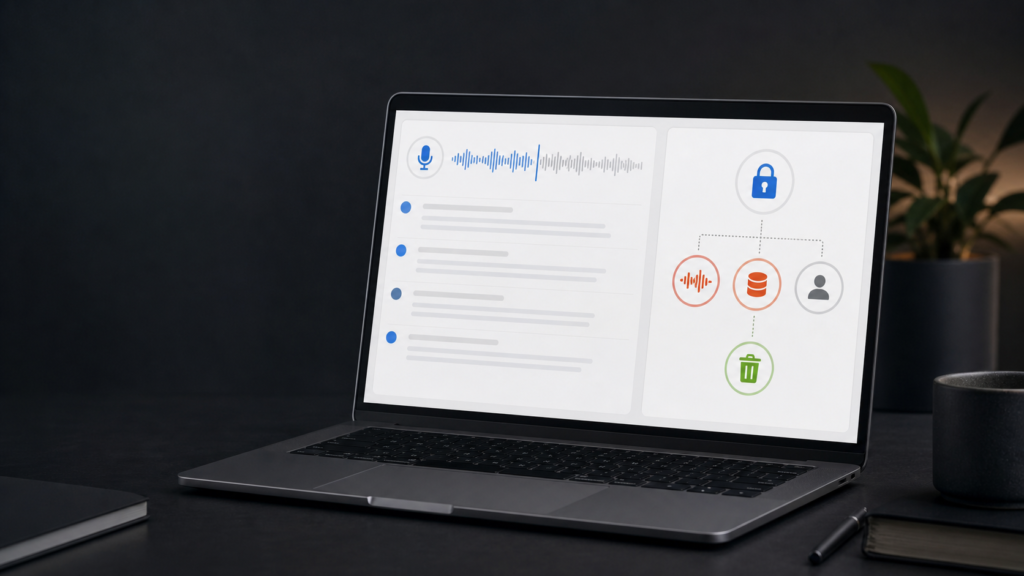
The best free AI meeting note taker for most people is Fathom: its free plan includes unlimited recordings, transcription and storage, and its current documentation gives a reasonably specific account of its AI providers and deletion controls. But it is still a cloud recording tool, and Fathom says it may use de-identified customer data to improve its own models unless you opt out.
If privacy matters more than a permanent video archive, choose Granola. It captures device audio without adding a bot, says it does not retain meeting audio after transcription, and lets individuals opt out of use of anonymized data to improve its own models. The trade-off is that it is a desktop/mobile notetaker rather than a visible meeting participant—so the responsibility to tell everyone they are being transcribed is entirely yours.
For a free team tool, tl;dv is compelling: it offers unlimited recordings and transcripts, has both bot and desktop capture modes, and says it does not use customer data to train AI. Its free-plan retention is only three months, which is a feature for minimization but a poor fit for a permanent archive. Fireflies is the best free choice if you need broad language coverage and a traditional meeting bot; its current policy says meeting content is not used to train internal or external models. Otter is the one to avoid for highly sensitive conversations unless its policy is acceptable to your organization: Otter says it trains its proprietary technology on de-identified audio and on transcripts, although it says third-party AI providers do not train on customer data.
There is no defensible winner for transcription accuracy in this comparison. We did not run a controlled, same-audio test because doing so would require creating accounts and uploading a recording. Vendors make broad accuracy claims, but those are not interchangeable measurements. Do not mistake an appealing summary for an accurate transcript.
The short answer: choose by data flow, not the prettiest summary
| Best for | Pick | Why | Main caution |
|---|---|---|---|
| Best free overall | Fathom | Unlimited free recordings, transcription and storage; useful individual workflow | Stores recordings; de-identified data may improve Fathom’s own models unless opted out |
| Best privacy-first workflow | Granola | No meeting bot; audio not retained after transcription; notes private by default | You must clearly notify participants; transcripts and notes still persist until deleted |
| Best free team archive | tl;dv | Unlimited free recordings/transcripts, bot-free desktop option, EU-oriented documentation | Free recordings/transcripts are retained for three months, not forever |
| Best for language breadth | Fireflies | Current free tier supports 100+ languages and browser/mobile/bot capture | Free storage is capped; external sharing can expose transcripts if configured carelessly |
| Best for in-person/live transcription | Otter | Mature mobile/live transcription workflow and 300 free minutes monthly | Its policy permits proprietary-model training on de-identified audio and transcripts |
| Best for a few heavily instrumented meetings | Read AI | Detailed report controls, retention settings and opt-in model-training language | Free plan is only five meetings a month; meeting bot captures audio and video |
| Best accuracy claim you can trust today | No winner | No same-recording, independently run test was completed | Vendor accuracy percentages are not comparable evidence |
The comparison was researched on August 28, 2026 from vendor policies, security pages, help centres and pricing pages. Features and policies change. Re-check the linked source before rolling a tool out company-wide. A targeted October 9, 2026 source check updates the plan, consent and retention statements below. It did not test accounts, recording quality or deletion behavior; the original source ledger remains the August research record.
First, separate four claims vendors often blur together
“We do not train on your data” can mean several very different things.
- Service processing means the vendor or a subprocessor has to handle audio or transcript text to create a transcript or summary. It does not by itself say what happens after processing.
- Third-party-model training means a provider such as OpenAI, Anthropic or a transcription vendor uses the content to improve its model. A vendor may prohibit this while still keeping the content itself.
- The meeting-app vendor’s own model improvement can use de-identified, anonymized or aggregated data. That is still a form of learning from customer content, even if the vendor says it is no longer personally identifiable.
- Human access may be limited to support, security, engineering, quality review or legal compliance. “No human review for training” does not necessarily mean no employee can ever access content.
Those distinctions matter more than any meeting-summary template.
Comparison: consent, retention, training, access and deletion
| Product | How recording is signalled / bot-free option | Audio and transcript retention | Training and model-improvement position | Human access disclosed | Deletion and free-plan reality |
|---|---|---|---|---|---|
| Otter | Otter says recording begins when a participant presses Record or invites Otter. A meeting assistant can join calendar meetings. | Deleted conversations go to Trash and are automatically deleted after 30 days; the public page does not give a simple default retention period for active conversations. | Otter says it trains proprietary AI on de-identified audio and on transcripts; third-party AI providers do not train on customer data. | Otter says employees/support need explicit customer consent for a transcript or audio recording to troubleshoot; manual review of audio for training also requires explicit permission. | Individual conversations can be deleted; Basic has 300 minutes/month and 25 visible recent conversations, while older ones are archived rather than deleted. |
| Fireflies | A visible notetaker bot can join; Fireflies also offers Chrome-extension recording without its bot. Its terms require the user to ensure each participant consents before sharing the recording with Fireflies. | Fireflies keeps account-related information while the account is active. Its “zero retention” language applies to third-party vendors, not to Fireflies’ own meeting storage. The pricing page lists 400 minutes per team; the free-plan help page says per seat. Confirm the applicable limit before relying on it. | Current policy: meeting audio, video, transcripts and summaries are not used to train internal or external AI models; vendors cannot retain them after processing. | The policy describes vendor/service-provider access but does not publicly specify a routine employee-access workflow for every support scenario. | The privacy policy says account-related personal information is deleted within 30 days of closure. The terms preserve exceptions for content in another user’s account and archival, backup or legal copies. Custom retention is Enterprise. |
| Fathom | A visible Fathom meeting bot joins supported meetings. Paid users can remove in-meeting banners or rename the bot. | Fathom’s free plan offers unlimited recordings and storage; that is convenient but means records persist unless deleted. | Fathom says AI subprocessors may not train on user data. It also says it uses de-identified customer data to improve its own proprietary models, with an individual opt-out. | Public security FAQ names AI subprocessors; its cited public FAQ does not spell out a routine human-support-access procedure. | Delete account: Fathom says recording data and metadata are removed, and backups are purged after an additional seven days. |
| tl;dv | Default capture can be a visible bot; its desktop app can record system audio with no bot. No-bot capture makes participant notice more important, not less. | Privacy policy: free-user audio, video and transcripts are retained for 3 months; paying users’ content is retained until account deletion. | tl;dv says no customer data is used to train AI. It says limited transcript portions may be processed by Anthropic via Google Cloud Vertex AI for AI features. | tl;dv’s policy says employees cannot access recordings or transcripts unless the user shares them for technical assistance; access is limited to the items shared. | The privacy policy uses account deletion as the paid-content retention boundary; this is not an independently tested purge guarantee. Terms limit the free plan to 40 recordings/week, one at a time. |
| Granola | No bot is added to the call; the desktop app uses device audio. | Granola says desktop audio is transcribed in real time; mobile audio is temporarily cached for transcription. Audio is not retained afterward. Transcripts and notes remain; Enterprise can configure transcript auto-deletion. | Third-party providers may not train on user data. Granola says it trains on anonymized data to improve Granola; individuals can opt out and Enterprise defaults model training off. | Notes are private by default until shared. The cited public materials do not specify a detailed human-support-access policy. | Basic is $0 with 30 days of meeting history, according to the current pricing page. Users can delete a meeting or account. The public privacy policy does not give a universal backup-erasure timetable. |
| Read AI | Read can join through a user’s configured calendar settings or when added manually. That is different from requiring a new manual invitation for every meeting. | Users can disable audio/video playback retention; Read says no audio/visual data is retained beyond report generation when playback retention is off. Transcript storage can be limited or disabled. | Read says meeting content is not used to train its models without explicit opt-in; its Customer Experience Improvement Program is opt-out by default and evaluates product performance. | Read says certain internal technical staff may receive temporary, logged, automatically expiring production access to resolve operational issues or when a user grants permission. | Owners can delete reports or their account; others can use the privacy centre to request deletion. Free plan: five meetings/month, max one hour each. |
What “not clearly disclosed” means
It does not mean a vendor never has access. It means the referenced public material did not give a specific, testable answer about employee access, backup purge timing or a consumer-plan retention default. That uncertainty matters when the meeting contains personal, medical, legal, HR or unreleased business information.
Does Otter train on meetings?
Otter’s own published answer is yes, in a defined form. Its privacy policy says Otter trains proprietary artificial-intelligence technology on de-identified audio recordings and trains its technology on transcriptions, which may contain personal information. Otter says it obtains explicit permission for manual review of a specific audio recording—for example, through a transcript-quality feedback checkbox—and says the automated de-identification/training method does not involve manual human review. Its privacy-and-security page separately says third-party AI service providers do not train on Otter customer data or store it after API processing. Otter privacy policy and privacy and security FAQ.
That is not the same as saying Otter uploads every recording to OpenAI for training. But it does mean “Otter never learns from meeting material” would be inaccurate. For sensitive meetings, ask Otter for the current enterprise contract language, data controls and the effect of any available opt-out before enabling it.
Otter also says a user controls sharing; its published support policy requires explicit consent before employees or customer support access content to troubleshoot. Deleting a conversation moves it to Trash, where it is automatically deleted after 30 days unless the user clears the Trash sooner. Otter privacy and security.
Does Fireflies train on meetings?
According to Fireflies’ current policy, no. Fireflies says it does not use meeting content or personal data to train internal or external AI models, contractually prohibits vendors from doing so, and applies “zero data retention” to meeting audio, video, transcripts and summaries at third-party vendors after processing. Fireflies privacy-policy update, March 2026 and privacy policy.
The important qualifier is scope: that “zero retention” promise concerns third-party vendors after processing. Fireflies itself still stores meeting content in the user’s account subject to its product storage limits and account lifecycle. Its privacy policy says it keeps account-associated information while the account remains active and deletes personal information related to a closed account within 30 days. Its terms separately allow content retained in another user’s account and archival, backup or legal copies. Fireflies privacy policy. For the wider distinction between zero retention, no training and ordinary service processing, see Kingy’s zero-data-retention explainer. Connecting Fireflies to a third-party AI tool through its MCP integration is outside those built-in protections; Fireflies says it cannot guarantee that third party’s retention, deletion or model-training practices. Fireflies MCP data-handling notice.
Product-by-product verdicts
Fathom: best free overall for an individual who accepts cloud recording
Fathom is unusually generous at $0: unlimited recordings, storage and transcripts, with five advanced AI summaries each month before it falls back to a more limited summary. Fathom free vs. premium. That makes it the most practical choice for someone who wants to use a tool daily without worrying about minute caps.
Privacy is more nuanced than “Fathom is free, so it must sell your data.” Fathom says it does not sell user data and that its named AI subprocessors—Anthropic, OpenAI and Google—are not contractually permitted to train on user data. But the same FAQ says Fathom uses de-identified customer data to improve the accuracy of proprietary models, and that users can opt out in settings. It says account deletion removes recording data and metadata, then purges backups after an additional seven days. Fathom security FAQ. That is a reasonable choice for ordinary sales calls or internal meetings if you opt out when appropriate; it is not the cleanest option for highly sensitive material.
Granola: best privacy-first, bot-free workflow
Granola is structurally different. It transcribes desktop audio in real time and mobile audio after temporarily caching it. Granola says it does not retain audio after transcription; it keeps transcripts and the notes the user creates. It also says no third-party AI provider may train on the data. Granola security page. The lower audio-retention surface is a genuine advantage.
But bot-free does not mean consent-free. A visible bot is an imperfect notice mechanism; it is still a mechanism. With Granola, a host should say before the meeting starts: “I’m using an AI transcription tool. It will create a transcript and notes. On mobile, audio is cached temporarily for transcription, then deleted. Is everyone comfortable proceeding?” If somebody says no, turn it off.
Granola’s own model-improvement clause deserves attention: it says it trains on anonymized data unless the individual opts out in Settings; Enterprise turns model training off by default. Granola security page. Its privacy policy also says de-identified or aggregated data already incorporated into models may remain indefinitely and cannot be removed as individual data points. That places Granola behind a strict “never used for model improvement” policy unless the opt-out has been set; deleting notes does not undo prior model incorporation.
Granola Basic is $0 with 30 days of meeting history, according to its current pricing page. That makes it a better fit for active notes than a free long-term archive.
tl;dv: best free team archive—if three months is enough
tl;dv’s free tier advertises unlimited recordings and transcription, subject to its terms’ 40-recording-per-week cap. The August 28 research recorded a ten-meeting monthly AI-notes limit; this update could not confirm that allowance in the current accessible documentation. tl;dv recording and transcription page and terms. It supports a visible bot and a bot-free desktop recorder. The latter is useful when platforms block bots, but it raises the bar for your own notice.
Its strongest privacy evidence is unusually concrete: its September 9, 2026 policy says free-user audio, video and transcripts are retained three months, paid-user content until account deletion, and its AI/security materials say customer data is not used to train AI. It also documents that limited transcript portions may be processed through Anthropic on Google Cloud Vertex AI for AI features. tl;dv privacy policy and security commitment.
Choose tl;dv when short retention is acceptable or desirable. Do not choose it expecting free, indefinite storage: its own policy says otherwise.
Fireflies: best free choice for language coverage and conventional bot capture
Fireflies’ free plan advertises unlimited transcription but limited AI summaries. Its help page ties unlimited transcription to auto-join for eligible meetings and uses separate sign-up transcription credits for summaries and uploaded files. The plan includes 20 monthly AI credits for advanced features and 100+ transcription languages. The pricing and help pages disagree on whether the 400-minute storage cap is per team or per seat. Fireflies pricing and free-plan guide. It can use a calendar bot, a Chrome extension or the mobile app; Chrome-extension recording works without the Fireflies bot. Fireflies pricing.
On privacy policy wording alone, Fireflies has the clearest no-model-training position in this group. The main operational risk is sharing. Fireflies allows transcripts to be shared with teammates or external guests, and its terms require permission from each recorded participant before sharing their content with Fireflies. Free-plan guide and terms of service. A host should obtain the required consent rather than treat the bot’s presence as sufficient.
Otter: capable, but its training language is a material trade-off
Otter Basic is free with 300 transcription minutes per month, a 30-minute per-conversation limit and three lifetime file imports. Otter Basic-plan limits. It remains a strong practical option for live, in-person-style recording and speaker identification, but the free tier is more constrained than Fathom, Fireflies or tl;dv.
The decisive difference is policy language, not usability. Otter affirmatively discloses proprietary training on de-identified audio and transcripts. If your standard is “meeting content must never contribute to any vendor model improvement,” it is not the right default choice. If your organization accepts that form of de-identified improvement, document the decision and review the exact policy and contract in force when you deploy it.
Read AI: granular controls, but too limited to win the free comparison
Read AI’s free plan supports five meetings a month with a one-hour maximum. Read AI pricing. Its documentation is helpful on retention controls: users can limit or disable transcript storage, choose whether audio/video is retained for playback, and delete a report or account. It says that when playback retention is off, audio/visual data is not retained beyond the time needed to create the report. Read AI security and privacy overview.
Read says meeting content is not used to train its models without explicit opt-in, while a Customer Experience Improvement Program is opt-out by default and used for product-performance evaluation. Read AI data-use explainer. That wording is better than silence but still warrants a settings check before use.
Accuracy: why this article will not fake a leaderboard
The useful accuracy question is: How well does a product transcribe this exact kind of meeting? Accents, crosstalk, poor microphones, domain vocabulary, names, numbers and languages can radically change the answer.
tl;dv advertises 96% accuracy, but its own page links quality to audio conditions. tl;dv transcription page. Other vendors use different languages, tests and metrics—or disclose no comparable benchmark. A marketing percentage therefore cannot establish that one tool is more accurate than another.
No controlled test was run for this draft. No accounts were created, no recordings were uploaded and no paid trial was started. That preserves the $0 research constraint but means the article should not claim a tested transcription-accuracy winner.
Before making an accuracy recommendation, run the same non-sensitive five-to-ten-minute recording through every free plan that permits it. Include two speakers, interruptions, names, numbers and your real technical vocabulary. Score word errors, speaker labels, names/numbers, missed decisions, invented details and action-item accuracy separately. Keep the original script as the ground truth. A fluent summary can conceal a poor transcript.
Consent and privacy: a practical checklist
Meeting-recording requirements vary by country, state/province and context. This is practical guidance, not legal advice. A product bot joining a call is not a substitute for your legal or organizational obligations.
Before enabling an AI note taker:
- Tell participants before recording/transcription begins, using plain language.
- Say whether audio, video, transcript and AI summary will be kept—and for how long.
- Name the tool and explain who will be able to see the output.
- Give participants a real alternative: no recording, manual notes, or a different channel.
- Use the smallest data footprint that does the job: transcript-only or no-audio-retention mode where appropriate.
- Turn off model-improvement participation where the product permits it; take a screenshot or record the setting in your privacy register.
- Disable automatic calendar joining for sensitive meeting types such as HR, legal, healthcare, finance, security incidents and customer-confidential sessions.
- Set a retention period before you collect data. “We will delete it later” is not a retention policy.
- Review sharing defaults, public links, CRM integrations and AI/MCP connectors. Each can create a second copy outside the meeting tool.
- Test deletion on a non-sensitive meeting and check whether it also removes shared links, exports and connected-app copies.
If those notes will feed an AI agent or a pre-meeting research workflow, keep source boundaries and approval limits explicit. Kingy’s guide to building a trustworthy AI meeting brief shows the same discipline in practice.
Who should avoid AI meeting assistants entirely?
Avoid them—or require a documented exception—when the meeting involves privileged legal advice, regulated health information, an active security incident, sensitive HR matters, confidential merger discussions, or a participant who cannot freely consent. The sensible alternative is a designated human note-taker, a written agenda and a short manually approved decision record.
For many ordinary meetings, the better question is not “Which AI assistant is safest?” It is “Do we truly need a recording, or only a short list of decisions and actions?” The latter has far less privacy cost.
Teams that already use Microsoft 365 should also assess whether their existing tenancy, license and meeting policies can meet the need before adding another recorder. Kingy’s Microsoft Copilot meetings and email guide explains the access and recap limits worth checking.
FAQ
What is the best free AI note taker?
Fathom is the best all-around free option for an individual because it offers unlimited recordings, transcripts and storage. Choose Granola instead if reducing stored audio matters more than keeping a cloud recording, or tl;dv if you want a free team tool with short, defined retention.
Does Otter train on meetings?
Otter says it trains proprietary AI on de-identified audio recordings and on transcripts, which may contain personal information. It says third-party AI service providers do not train on customer data, and that manual review for training requires explicit permission. Otter privacy policy and privacy and security FAQ.
Does Fireflies train on meetings?
Fireflies’ current privacy policy says it does not use meeting content or personal data to train internal or external AI models and requires vendors not to do so. Its meeting content still remains in the Fireflies account according to its storage and account-retention rules. Fireflies privacy policy.
Are AI meeting assistants private?
They can be used more responsibly, but none is automatically private. Check the exact settings for recording, transcript storage, sharing, human access, model improvement, subprocessors, retention and deletion. The host must also provide appropriate notice and follow applicable law.
Does deleting a meeting delete every copy?
Not necessarily. A deletion may cover the in-product recording but not a transcript export, CRM integration, public share link, meeting participant’s download, backup copy or third-party AI connector. Ask the vendor what the deletion covers and test it on a non-sensitive record.
Methodology and limitations
This is a desk-research comparison, not a paid lab test. The research used primary vendor pages wherever possible: privacy policies, terms, security documentation, help-centre articles and pricing pages. No vendor account was created, no meeting was recorded, no audio was uploaded, no trial was started, and no money was spent.
Consequently, the draft makes no personal claim about transcription accuracy, speaker diarization, summary faithfulness, hallucination rate, accent handling, technical vocabulary or deletion behavior in a live account. Where a vendor describes an internal practice, it is attributed to that vendor. “Not clearly disclosed” means the cited public documentation did not answer the question with sufficient specificity; it is not a claim that the practice never occurs.
Source ledger
All links were accessed August 28, 2026. “Current version” dates below are the vendor’s displayed update/publish date where available.
| Source | Version/date | Used for |
|---|---|---|
| Otter privacy policy | Effective 2026-06-16; accessed 2026-08-28 | Proprietary training on de-identified audio and transcripts |
| Otter privacy and security | Accessed 2026-08-28 | Consent requirement, record trigger, support/manual-review access, Trash/30-day deletion, third-party provider position |
| Otter Basic limits | Updated 2023-12-05; accessed 2026-08-28 | 300 minutes, 30-minute cap, imports, archived history |
| Fireflies privacy policy | Accessed 2026-08-28 | No model training claim, vendor zero retention, account deletion timing |
| Fireflies policy update | Updated 2026-03-06; accessed 2026-08-28 | Plain-language explanation of training and vendor retention claims |
| Fireflies pricing | Accessed 2026-08-28 | Free-plan features, Chrome-extension no-bot option, enterprise retention controls |
| Fireflies free-plan guide | Updated 2026-04-20; accessed 2026-08-28 | Storage, sharing, free-plan functionality |
| Fireflies MCP notice | Updated 2026-07; accessed 2026-08-28 | Connector data falls under third-party policies |
| Fathom security FAQ | Edited 2025-09-08; accessed 2026-08-28 | AI subprocessors, de-identified improvement, opt-out, account deletion |
| Fathom free vs. premium | Edited 2026-06-04; accessed 2026-08-28 | Free plan recordings, transcription, storage and summary limits |
| tl;dv privacy policy | Published 2026-07-01; accessed 2026-08-28 | Retention, recipients, hosting and AI-processing details |
| tl;dv security commitment | Accessed 2026-08-28 | No-training statement and Anthropic safeguards |
| tl;dv terms | Accessed 2026-08-28 | Deletion wording and free recording limits |
| tl;dv desktop recorder | Accessed 2026-08-28 | Bot-free capture capability |
| Granola security | Accessed 2026-08-28 | No stored audio, subprocessors, own-model opt-out, note privacy |
| Granola pricing | Accessed 2026-08-28 | Basic tier’s limited meeting-history constraint |
| Granola privacy policy | Accessed 2026-08-28 | Individual meeting/account deletion controls |
| Read AI security and privacy overview | Updated 2026-06-11; accessed 2026-08-28 | Retention settings, deletion, temporary staff access, storage location and invitation behaviour |
| Read AI data-use explainer | Updated 2026-06-01; accessed 2026-08-28 | Opt-in model training and product-improvement program |
| Read AI pricing | Accessed 2026-08-28 | Free plan’s five-meeting and one-hour limits |
The Kingy Brief
Get The Kingy Brief.
AI changes, original tests and one practical thing to try. Fridays at 09:00 Vancouver time.
Free · Double opt-in · Unsubscribe anytime
Sign up for The Kingy Brief on Beehiiv.
Signup help and newsletter schedule
Signup form provided by Beehiiv. After submitting, check your inbox for "Confirm your subscription to The Kingy Brief" and open its confirmation link. Check Spam or Promotions if you cannot find it.
Fridays at 09:00 Vancouver time: source-checked AI changes, original tests and one practical thing to try. We skip a week when there is not enough verified material. Free. Unsubscribe anytime.