Last updated: 2026-07-23
Last verified: 2026-07-23
TL;DR: Google expanded Gemini in Chrome to desktop and iOS users across Latin America, Africa, the Middle East, and additional markets. The browser assistant can summarize pages, compare shared tabs, work with selected Google services, and perform some multi-step actions. Availability still depends on account, region, device, language, administrator settings, and plan.
What expanded?
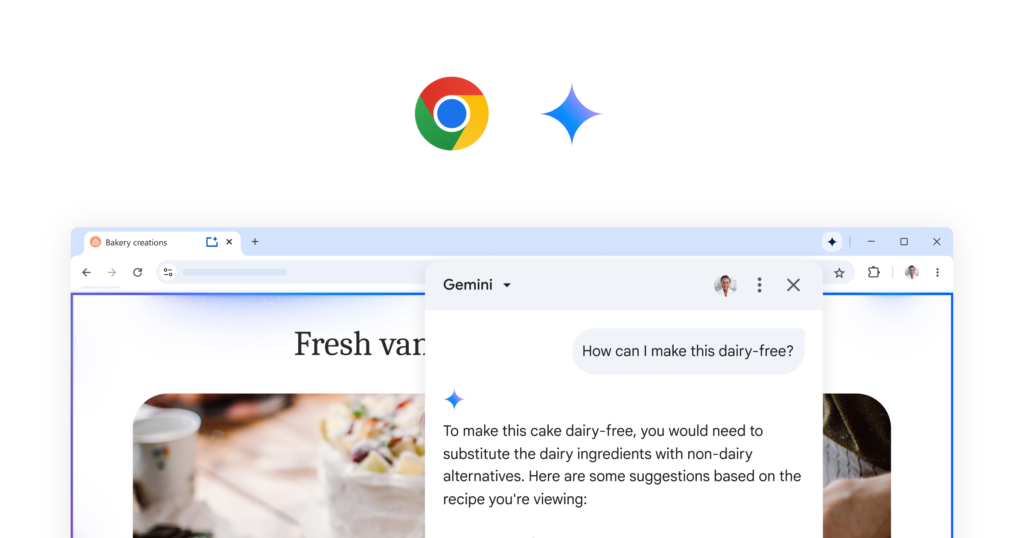
Google announced the broader rollout on June 10, 2026. The release brings Chrome’s built-in Gemini experience to more users rather than introducing a separate browser. On supported accounts, Gemini appears inside Chrome and can use the current tab or other tabs the user explicitly shares.
Google’s announcement highlights page summaries, comparisons across tabs, Gmail drafting, Calendar scheduling, Maps lookups, YouTube questions, online-image transformation, conversation memory, and Personal Intelligence for eligible subscribers. Those capabilities do not arrive uniformly for every user, so the rollout should be evaluated by checking the actual account rather than relying on a feature list.
How Gemini in Chrome uses page context
The Chrome help page says the current tab is shared with Gemini by default after opt-in. On a computer, the user can add up to 10 open tabs. Shared page content gives the assistant enough context to summarize an article, compare sources, explain a concept, or draft a message without repeatedly copying material into a separate app.
That convenience changes the privacy review. Users should know which tabs are shared, when Workspace pages may expose more than the visible viewport, and whether connected apps are enabled. Recent AI News about browser agents should be read with the same distinction between a helpful side panel and an autonomous action that can change external state.
Practical use cases
- Summarize a long page and ask follow-up questions about its claims.
- Compare product information or research across several shared tabs.
- Draft a Gmail message or prepare a Calendar action from browsing context.
- Ask questions about a YouTube page without leaving the browser.
- Use auto browse for a bounded task while retaining confirmation for sensitive actions.
Who can use it?
Google says Gemini in Chrome is rolling out gradually. Computer access requires a supported region and language, the latest Chrome, a signed-in profile, and a Chromebook Plus, Mac, or Windows device. Incognito profiles are excluded. Work and school accounts may require an administrator to enable Gemini Apps.
Personal Intelligence on desktop is limited to Google AI Plus, Pro, and Ultra subscribers. Other features may have different requirements. Check the current subscription page and the account’s Chrome settings instead of treating one monthly price as the cost of the entire experience.
How to evaluate the rollout
- Confirm that the account, country, language, device, and plan are eligible.
- Review the default tab-sharing setting before asking a sensitive question.
- Test summarization on a page whose source material you already understand.
- Compare a multi-tab answer with the original pages and inspect missing context.
- Require confirmation for purchases, messages, posts, and other external actions.
Risks and limits
Browser context can contain private documents, account information, or instructions embedded by an untrusted site. Google describes prompt-injection defenses and confirmation safeguards, but users still need to review what is shared and what an action will change.
Rollout language can also overstate practical access. A feature may be announced for a market but absent from a particular platform or managed account. Teams should record the exact version, account type, and enabled controls used during evaluation.
Alternatives
Compare Gemini in Chrome with Microsoft Copilot in Edge, other AI browsers, browser extensions, and the simpler workflow of sending selected text to a standalone assistant. The deciding factors are page-context control, connected-app access, action approvals, regional availability, and whether the browser can be governed centrally.
Kingy AI verdict
The expansion makes Gemini in Chrome more relevant to teams outside its earlier markets. Start with reading and comparison tasks. Add connected apps or multi-step actions only after the user understands tab sharing, permissions, and confirmation behavior.
FAQ
Can Gemini in Chrome read more than one tab?
On supported computers, Google says users can share the current tab plus up to 10 open tabs.
Is Gemini in Chrome available everywhere?
No. Availability varies by region, language, age, device, rollout timing, account type, and administrator settings.
Does Gemini automatically act on websites?
Some accounts can use multi-step actions or auto browse. Sensitive actions should require confirmation, and users should review the result before submission.
Official links
- Google rollout announcement
- Gemini in Chrome requirements and controls
- Chrome AI features
- Google AI subscriptions
Related Kingy AI links
The Kingy Brief
Get the next Kingy Brief.
Source-checked AI changes, original tests and one practical thing to try.
Free · Choose your subjects · Double opt-in · Unsubscribe anytime