What if your next website could build itself — and start earning you money before you even finish your morning coffee?
That’s not a hypothetical anymore. That’s the opening promise of Wegic AI, and after spending real time with the platform — watching it conjure a cinematic, multi-page website for a transformational travel coaching business in a matter of minutes — it’s a promise that holds up remarkably well. In a landscape crowded with drag-and-drop builders, website templates, and no-code tools, Wegic has carved out a genuinely distinct identity: a conversational AI platform that doesn’t just generate a website, but builds it with you, page by page, section by section, in real time.
This review is a deep dive into everything Wegic offers — the features, the experience, the design quality, the business integrations, and what makes it stand apart from the crowd. Whether you’re a solopreneur, a small business owner, a coach, a creative, or just someone who desperately needs a beautiful website without the $5,000 agency invoice, this one is for you.
The Concept: Your AI Website Dream Team
Before we get into the mechanics, it’s worth understanding the philosophy behind Wegic. Most website builders hand you a blank canvas or a template and say: “Here you go, good luck.” Wegic takes a completely different approach. It positions itself not as a tool you use, but as a team that works for you.
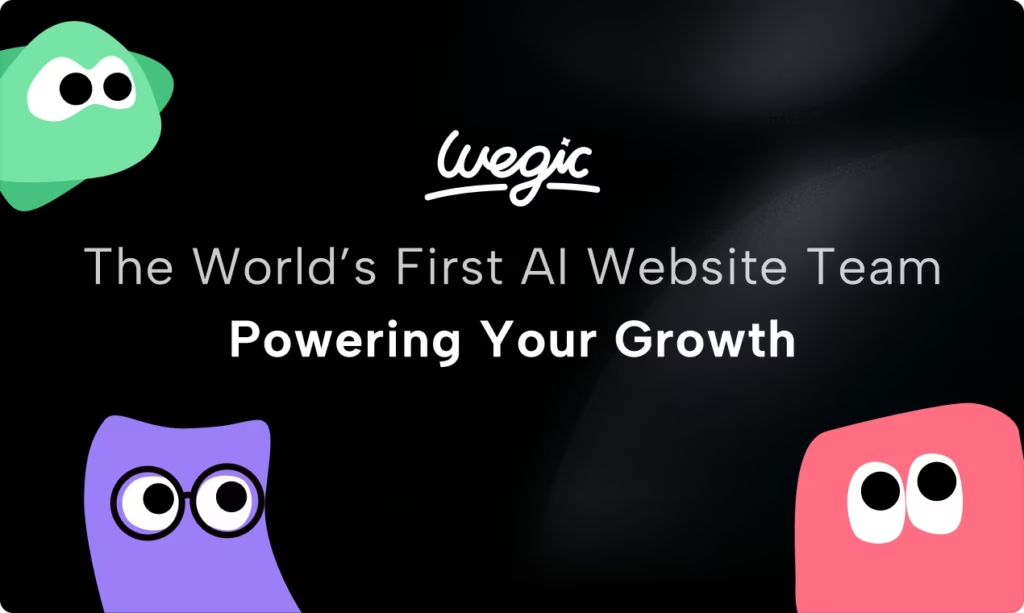
According to the platform’s own framing, Wegic is “The World’s First AI Website Dream Team.” That team consists of three AI characters, each with a distinct personality and role:
- Kimmy — the creative AI designer, responsible for layout, aesthetics, and visual storytelling
- Timmy — the perfectionist developer, who handles the technical side of building and rendering your site
- Turri — the brilliant AI manager, overseeing SEO, site optimization, and overall performance
This isn’t just branding fluff. When you start a project on Wegic, Kimmy genuinely leads the conversation — asking clarifying questions, presenting options, narrowing down your goals, identifying your audience, and confirming the site structure before a single pixel is rendered. It feels less like filling out a form and more like briefing an actual creative professional.
The help center summarizes it beautifully: “Just chat about your vision, and I’ll help bring it to life — no coding or design skills needed. It’s perfect for entrepreneurs, small business owners, and anyone who wants a stunning website without the technical headache.”
That’s Wegic in a nutshell. But let’s unpack exactly what that experience looks like in practice.
The Onboarding Experience: Chat to Build
When you arrive at Wegic.ai, the interface greets you with a simple chat window and a message that sets the tone immediately: “Hey! We’re Wegic. Chat with us, share your website vision, and we’ll build it in 1 minute.”
There’s no tutorial maze, no lengthy sign-up quiz, and no overwhelming dashboard. Just a text box and an AI ready to listen.
To really put this through its paces, consider a real example: a website for a “transformational travel coach who helps busy professionals reconnect with purpose through curated travel experiences.” The requested vibe? Cinematic. Earthy tones, misty mountains, sunrise yoga, journaling by the ocean. The kind of brief you’d hand to a boutique design agency and expect a week-long discovery call in return.
What Wegic does instead is remarkable. Kimmy immediately responds with a structured series of questions — not generic ones, but highly targeted prompts that reflect an understanding of what a website in this space actually needs to accomplish:
- Goal selection: Showcase retreat destinations? Highlight coaching services? Inspire with travel stories? Enable bookings?
- Audience identification: Busy professionals? High-performers? Wellness seekers?
- Feature priorities: Booking systems? Blog? Contact forms? Testimonials?
Each of these is presented as a multiple-choice selection, so you’re not left staring at a blinking cursor wondering what to type. This guided onboarding dramatically lowers the barrier for non-technical users, and it also ensures the AI has enough context to generate something genuinely useful — not just a generic placeholder site.
After confirming the site name (“Soulful Paths”) and reviewing a proposed site outline — Homepage, Retreats, Coaching, each with clearly defined sections — a progress bar appears: Analyzing ideas… Building framework… Adding content and visuals… Optimizing…
Within roughly a minute, a complete, multi-page website materializes.
First Impressions: The Design Quality Is Genuinely Stunning
This is where Wegic really earns its reputation. When that first draft appears, you’re not looking at a cookie-cutter template with placeholder headings and stock photos that feel like they were chosen by algorithm. You’re looking at something that feels considered.
The homepage opens with a bold hero headline — “Unlock Your Potential Through Transformative Retreats & Coaching” — set against cinematic imagery of misty landscapes and natural environments. The earthy color palette, the generous white space, the font pairings — all of it reflects the brief accurately. A section titled “Your Journey to Inner Peace Starts Here” flows naturally into a feature grid showcasing offerings like Mindful Retreats for Renewal, Personalized Coaching Journeys, and Explore Transformative Destinations.
Further down, a testimonials carousel (“Transformative Journeys”) with filterable client profiles like Dr. Sarah Chen and Emily Rodriguez gives the site an immediate sense of social proof and credibility.
This isn’t a rough draft that needs significant cleanup. It’s a first pass that, for many users, might be 80-90% of the way to launch-ready — which is extraordinary when you consider the entire build took under two minutes.
This design quality is no accident. As noted in the Wegic changelog, the platform is powered by Google’s Gemini 3, which brings “superior design understanding, enhanced natural language processing for more accurate intent recognition, and better industry-specific style selection.” The AI isn’t just pulling from templates — it’s making genuine creative decisions about hierarchy, layout, and visual storytelling based on your brief.

Multi-Page Generation: More Than Just a Landing Page
One of the features that sets Wegic apart from simpler AI site generators is its ability to create full multi-page websites, not just single landing pages. After generating the homepage, Wegic automatically creates sub-pages that align with the confirmed site structure.
The Retreats page includes a detailed schedule table with retreat names, locations, durations, and pricing — exactly the kind of structured information that would take hours to lay out manually. Individual retreat packages are displayed as attractive cards with imagery and descriptions: Coastal Serenity Retreat, Mountain Escape Coaching, Forest Immersion Wellness.
The Coaching page features a clean grid of services — Mindfulness Retreats, Leadership Coaching, Wellness Workshops, Career Development, Personal Growth, Purpose Discovery — each rendered as a distinct tile with consistent visual styling.
What’s impressive is that Wegic maintains visual coherence across all pages automatically. The typography, color palette, and component styles carry through every section, giving the site a polished, unified feel that would typically require a designer with a strong eye for brand consistency.
According to Wegic’s own statistics, the platform has facilitated the building and managing of over 600,000 websites, with users spanning 230 countries and regions. And notably: 80% of those users started from absolute zero — no prior design or development experience. That’s not a niche tool for tech enthusiasts. That’s a genuinely accessible platform for the masses.
Customization: You’re Always in Control
Skeptics of AI-generated design often worry about losing creative control — ending up with a site that looks like it was built by a robot, not a human. Wegic addresses this thoughtfully.
The platform lets you click on any element on the page and make direct edits. Want to replace an image? Click it, choose “Replace Image,” and browse an online gallery that intelligently filters results based on your site’s theme. Searching for photos for a travel retreat site? The gallery intuitively surfaces relevant imagery — think retreats, meditation, coastal landscapes, purposeful movement — rather than generic stock photo results.
Beyond images, you can adjust text, colors, layouts, and sections through the same conversational interface that built the site in the first place. Want the hero headline larger? Just say so. Want the call-to-action button in a warmer amber tone? Tell Kimmy. This blend of direct manipulation and conversational editing is genuinely intuitive — it removes the friction of hunting through menus and settings panels.
The January 2026 changelog update brought a particularly meaningful improvement here: “Better Conversations Before Website Generation.” The AI now engages in more back-and-forth before building, showing style options and confirming the look and feel upfront. This means the first draft is more accurate, reducing the number of edits needed post-generation. It’s a small but impactful quality-of-life improvement that reflects Wegic’s commitment to continuously refining the user experience.
Comment Mode: The Game-Changer for Visual Editing
One of Wegic’s most innovative recent additions is Comment Mode, which launched in December 2025. It fundamentally changes how you communicate revisions to the AI.
Instead of trying to describe in text which element needs changing (“the third paragraph in the second section of the homepage below the hero image…”), Comment Mode lets you click directly on the part of the page you want to modify and leave a sticky-note style comment right on the preview. You can mark up multiple areas at once, then send all your comments in a single batch — and the AI implements all the changes together.
It’s the equivalent of being able to scribble on a printout of your website and hand it back to your developer. For anyone who’s ever experienced the frustration of verbal miscommunication in a design feedback loop, Comment Mode is a revelation. It makes the AI feel less like a command-line tool and more like a genuine creative collaborator who can see exactly what you’re pointing at.
Voice Input: Building a Website by Talking
If Comment Mode makes Wegic feel like a collaborative design partner, Voice Input makes it feel like something from the near future. Launched in January 2026, this feature lets you click the microphone icon in the editor — or hold the Option/Alt key — and speak your editing instructions aloud.
The AI transcribes your speech in real time and converts it into actionable instructions for your site. This is a significant quality-of-life feature for users who think faster than they type, or who simply find describing visual ideas through spoken language more natural than wrestling with text inputs. You can say “make the hero section full-screen and give it a dark overlay on the background image” and the AI understands exactly what you mean.
Combined with Comment Mode, Wegic now offers multiple modalities for communicating with your AI team — typed chat, visual annotations, and voice — making it genuinely accessible to a wider range of users than most comparable tools.
Business Features: Payments, Forms, and Lead Generation
Here’s where Wegic truly separates itself from purely aesthetic website builders. It’s not just about making something pretty — it’s about making something that works for your business.
Stripe Integration for Payments
Adding a payment section to your website is as simple as asking Kimmy in the chat: “Add a payment section on the homepage where clients can purchase one-on-one coaching sessions.” Kimmy adds the section and immediately notifies you to connect your Stripe account — with the explicit promise of “no plugins, no backend setup, and no coding.”
The process is straightforward: connect Stripe, set your prices, and you’re accepting payments. For solopreneurs, coaches, consultants, and service providers, this is transformative. The traditional path to a payment-enabled website involves hosting, a backend, a payment gateway, security certificates, plugin compatibility headaches — or an agency bill. Wegic collapses all of that into a single chat message.
AI-Powered Lead Capture Forms
Perhaps even more impressive is Wegic’s approach to forms and lead generation. When you ask for a contact form or client intake form, Wegic doesn’t just drop a basic name-and-email box onto the page. It generates a conversational AI form — one that engages visitors in a dialogue.
For the travel coaching example, the generated form asks visitors for their name, email, and their primary interest (retreats, mindfulness coaching, or both), then follows up with a question about their preferred session format — in-person, online, or hybrid. It feels less like filling out a government application and more like a pre-consultation with a brand that actually cares about its clients.
These AI forms are also built with CRM and email integration in mind. The data captured can be synced with your email marketing stack, giving you a ready-made pipeline from website visitor to warm lead to paying client. For a small business operating without a dedicated marketing team, this is genuinely powerful infrastructure.
FAQ Sections
The platform also handles content-heavy sections like FAQs with equal grace. A single prompt — “Add an FAQ section covering pricing, session duration, and refund policies” — generates a clean, collapsible accordion-style FAQ section that works on both desktop and mobile. It’s the kind of feature that builds trust with prospective clients and reduces the volume of repetitive inbound inquiries.
Mobile Responsiveness: Zero Extra Work Required
Any website built in 2025 needs to look as good on a phone as it does on a desktop. Wegic handles this automatically. Every site generated is fully responsive from the start, and changes made in the desktop view are automatically adapted for mobile. There’s no separate mobile editor to manage, no breakpoints to configure, no responsive classes to write.
This is worth emphasizing for non-technical users: on many other platforms, achieving genuine mobile responsiveness requires either technical knowledge or significant extra effort. With Wegic, it’s simply built into the fabric of every site it creates. You can toggle between desktop and mobile preview at any time, and what you see is an intelligently adapted version of your site — not just a squished-down version of the desktop layout.
Publishing: One Click to Live
When your site is ready, going live on Wegic is genuinely a single click. The platform handles hosting automatically, with no server configuration, no DNS headaches (unless you’re connecting a custom domain, which is supported), and no technical knowledge required.
For users who want to use their own domain, custom domain support is built in. And for users who want to take their website beyond Wegic — perhaps to hand off to a developer for further customization — the platform now supports code downloading, allowing subscribed users to export the full website code. This feature, launched in January 2026, is a significant unlock for power users who want the best of both worlds: AI-assisted rapid prototyping with the option for professional-level customization later.
Version Control: Experiment Freely, Undo Anything
For users who worry about accidentally breaking a design they love during the editing process, Wegic introduced version history and restore in February 2026. You can now preview and restore any earlier version of your website at any time.
This is a crucial safety net that encourages creative risk-taking. Want to try a completely different color scheme or structural layout? Go ahead — you can always roll back to a previous version if the experiment doesn’t land. For businesses that need to maintain a live website while iterating on design improvements, this feature provides meaningful peace of mind.
SEO: Built In, Not Bolted On
Search engine optimization is one of those things that often gets treated as an afterthought in the website-building process — something you figure out after launch, usually with the help of a plugin or a specialist. Wegic integrates SEO thinking into the foundation of every site it builds.
The help center’s SEO section covers Google Site Verification and Indexing, giving users a clear path to getting their Wegic-built site found in search results. The platform’s use of Google’s Gemini 3 also means that content generated for your site tends to be structured with natural language patterns that align well with modern search engine preferences — headers used correctly, content hierarchy respected, meta information considered.
For small businesses that can’t afford an ongoing SEO retainer, having baseline SEO principles baked into the site from day one is a meaningful advantage.
The Community and Support Ecosystem
Wegic isn’t operating in isolation. The platform has built a genuine community around its product — a Facebook Group where users share their sites, ask questions, exchange tips, and celebrate launches. It’s an active and supportive space that reflects well on the brand’s culture.
Beyond the community, the help center is comprehensive and well-organized, with sections covering getting started, features, tips and tricks, SEO, and prompt writing best practices. The Prompts section — “Prompts Better in Wegic” — is particularly useful, offering guidance on how to communicate with the AI more effectively to get better results.
Wegic is also active across social media platforms including Twitter/X, Instagram, and YouTube, regularly publishing tutorials, feature announcements, and user showcases. The YouTube channel in particular is a valuable resource for new users looking to see what’s possible before they dive in.
Credits and Pricing: A Generous Entry Point
Wegic operates on a credit-based model. New users receive free credits — enough to generate a full website and experiment with several rounds of edits — which is a genuinely meaningful trial. You can explore the full core experience of the platform before committing to a paid plan.
For users who subscribe, monthly credits provide an ongoing budget for building and editing sites. As of February 2026, premium users can also purchase extra credits if they exhaust their monthly allocation — a useful flexibility for power users working on multiple projects simultaneously.
The billing model is transparent, with a usage dashboard that shows detailed credit consumption for every task. And there’s a meaningful consumer protection built in: “If a task fails due to a Wegic issue, no credits will be deducted for fixes.” That’s the kind of policy that communicates genuine confidence in the product’s reliability.
A Few Honest Considerations
In the spirit of a thorough review, it’s fair to note that Wegic — like any AI-powered tool — works best when you come prepared with a clear vision and a willingness to iterate. The more specific and detailed your initial prompt, the closer the first draft will be to what you have in mind. Vague briefs tend to produce competent but generic results; rich, contextual briefs produce something genuinely impressive.
For users with highly specific or unconventional design requirements — ultra-custom typography choices, bespoke animations, very unique layout structures — there may be moments where you hit the edges of what conversational editing can accomplish efficiently. In those cases, the code download feature gives you an escape hatch: export the AI-generated foundation and hand it to a developer for fine-tuning.
It’s also worth noting that Wegic is a platform that rewards engagement. The more you interact with it, the more it learns your preferences within a session, and the more refined the output becomes. It’s not a set-and-forget tool — it’s a dialogue. Users who approach it with that mindset will get dramatically better results than those who expect a perfect site from a single prompt.
Who Is Wegic For?
After spending time with the platform, the answer to this question is genuinely broad:
Solopreneurs and freelancers who need a professional web presence without the overhead of hiring a designer or developer — Wegic is tailor-made for you. The combination of speed, design quality, and built-in business features (payments, forms, SEO) means you can go from idea to launch in an afternoon.
Small business owners who need a site that does real work — generates leads, processes payments, answers FAQs, builds trust — will find Wegic’s integrated feature set surprisingly complete.
Coaches, consultants, and service providers who want a website that reflects the premium quality of their offering — the cinematic design capabilities and AI-powered client intake forms make Wegic a natural fit.
Creators and content publishers who want a beautiful home for their work without learning a complex CMS — the conversational interface removes that barrier entirely.
Non-English speakers — this is a point worth highlighting explicitly. Wegic supports 95% of users chatting in their native language, and user testimonials from the site reflect a global community. One user noted: “Even though my English isn’t perfect, Wegic is simple and straightforward, without being too difficult to use.” That level of accessibility is rare and commendable.
The Bottom Line
Wegic AI is not just another website builder. It’s a fundamentally different way of thinking about what building a website means. By replacing the traditional builder paradigm — templates, drag-and-drop, plugin configurations, developer dependencies — with a conversational AI team that understands your goals and collaborates with you in real time, Wegic has created something that genuinely democratizes professional web presence.
The design quality is better than you’d expect from an AI. The business integrations are deeper than most expect from a website builder. The onboarding experience is smoother than almost anything else in the space. And the platform’s development velocity — voice input, comment mode, version history, code export, Gemini 3 integration, all shipped in the last few months — signals a team that is deeply invested in making the product better, faster than the competition.
With over 600,000 websites already built and managed, spanning 230 countries, Wegic isn’t a promising prototype — it’s a proven platform that real people and real businesses are using to build their digital presence every day.
If you’ve been putting off building your website because it feels too complicated, too expensive, or too time-consuming, Wegic is your answer. Start with the free credits. Build something. See what the AI dream team can do. You might be surprised how quickly “I’ll get to that someday” turns into “I just launched.”
The Kingy Brief
Get The Kingy Brief.
AI changes, original tests and one practical thing to try. Fridays at 09:00 Vancouver time.
Free · Double opt-in · Unsubscribe anytime
Signup help and newsletter schedule
Signup form provided by Beehiiv. After submitting, check your inbox for "Confirm your subscription to The Kingy Brief" and open its confirmation link. Check Spam or Promotions if you cannot find it.
Fridays at 09:00 Vancouver time: source-checked AI changes, original tests and one practical thing to try. The weekly restart begins October 9, 2026. We skip a week when there is not enough verified material. Free. Unsubscribe anytime.