Wait — Google Did What Now?
You know how Google sometimes just… drops something without a big press conference or a flashy keynote? No countdown timer, No celebrity cameo. No dramatic music. Just — boom — here’s a new app. That’s exactly what happened with Google AI Edge Eloquent, a brand-new, free, AI-powered dictation app that quietly landed on the iOS App Store in early April 2026.
No fanfare. No hype. Just a genuinely useful tool sitting there, waiting to be discovered.
And honestly? It might be one of the most practical AI apps Google has released in a while, It transcribes your voice. It cleans up your speech, It removes your “ums” and “uhs.” And — here’s the kicker — it does all of this completely offline. No internet required.
Let that sink in for a second.
So What Exactly Is Google AI Edge Eloquent?
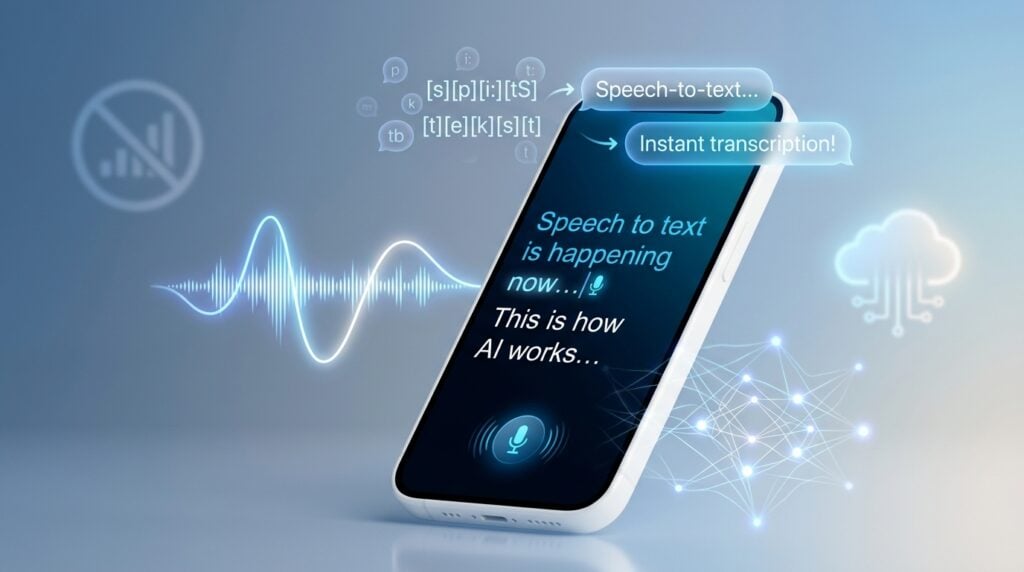
Let’s break it down simply. Google AI Edge Eloquent is a speech-to-text app. You talk. It listens. It turns your words into clean, polished text — and it does it all on your device, without sending a single byte of your voice data to the cloud.
The app uses Gemma based automatic speech recognition (ASR) models — Google’s own lightweight AI models designed to run locally on mobile hardware. Once you download those models, you’re off to the races. No Wi-Fi needed. No data plan required. Just you, your phone, and your voice.
According to FoneArena, the app provides live transcription while you speak and then refines the output when you pause. It doesn’t just spit out a word-for-word transcript either. It actually thinks about what you said and adjusts sentences based on intended meaning. That’s a big deal.
It’s free to download. No subscriptions. No usage caps. At least for now.
The “Um” Problem Is Finally Solved
Here’s something we can all relate to. You record a voice memo. You play it back. And suddenly you sound like you’ve never spoken a sentence in your life. “Uh… so I was thinking… um… maybe we could… uh…”
Painful. Absolutely painful.
Google AI Edge Eloquent fixes this. The app automatically removes filler words like “um,” “uh,” and “ah” from your transcripts. It catches them in real time. When you pause, it cleans everything up. What you get is a polished, readable version of what you actually meant to say — not the stumbling, hesitant version that came out of your mouth.
NDTV Profit describes this as the app being able to “automatically fix your speech.” That’s a bold claim. But based on what the app does, it’s not wrong.
This alone makes it worth downloading.
Four Ways to Transform Your Text
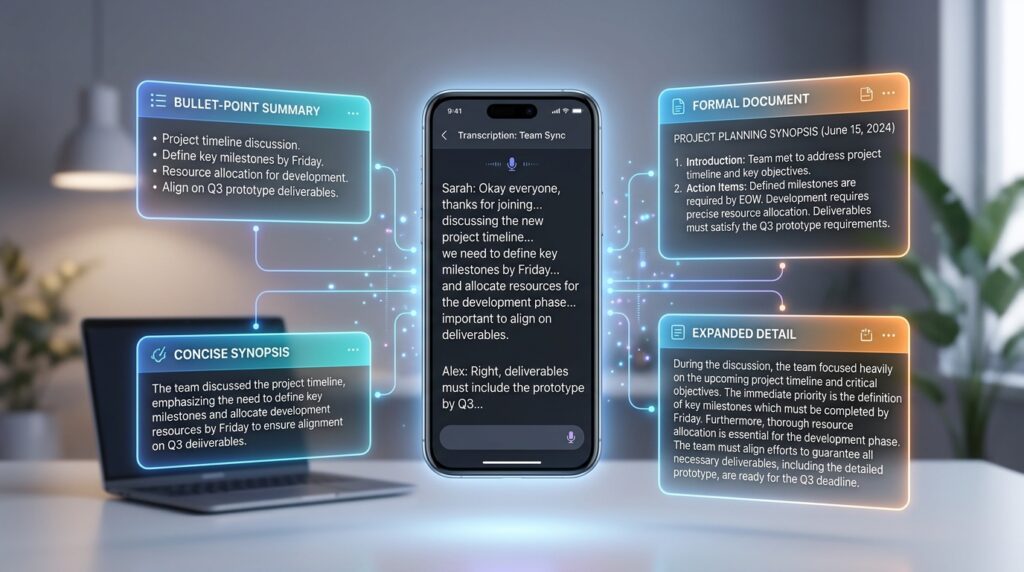
Here’s where things get really interesting. Eloquent doesn’t just transcribe — it transforms. After it captures your speech, you can choose how you want the output formatted. There are four options:
- Key Points — Condenses your speech into bullet-point highlights
- Formal — Rewrites your transcript in a professional, polished tone
- Short — Trims everything down to the essentials
- Long — Expands and elaborates on what you said
Think about how useful this is. You’re in a meeting. You ramble for five minutes about a project update. Hit “Key Points.” Done. You’ve got a clean summary ready to paste into Slack or email.
Or maybe you’re a student. You record a lecture. Hit “Formal.” Suddenly your professor’s casual explanation becomes structured, readable notes.
Chrome Unboxed points out that these transformation options appear right below the transcript after you pause. It’s a smooth, intuitive workflow. Speak. Pause. Choose your format. Done.
Offline First — But Cloud Is There When You Need It
The offline capability is the headline feature. But Google didn’t stop there. They built in a hybrid mode too.
When you have an internet connection and want extra polish, you can flip on the cloud toggle. This activates Gemini models on Google’s servers to do a deeper cleanup of your text. Think of it as the offline mode being your reliable everyday driver, and the cloud mode being the premium detailing service you use when you really need things to shine.
ExtremeTech describes this as a “hybrid mode” that uses cloud-based Gemini models to “further polish text when the phone has an internet connection.” It’s optional. It’s not forced on you. Your data stays local by default.
This is a smart design choice. Privacy-conscious users get full offline functionality. Power users who want the best possible output can opt into the cloud. Everyone wins.
It Learns Your Vocabulary
This is the feature that separates Eloquent from a basic transcription tool. The app learns your vocabulary over time.
You can manually add custom words — names, jargon, technical terms, industry-specific phrases. But here’s the clever part: you can also import vocabulary directly from your Gmail account. The app scans the names and terms you use most frequently in your emails and adds them to its personal dictionary.
So if you’re a doctor who constantly dictates notes about specific medications, or a developer who talks about obscure frameworks, or a marketer who uses a lot of brand-specific language — Eloquent adapts to you. It stops mishearing your frequent vocabulary. It gets smarter the more you use it.
Chrome Unboxed notes that this Gmail-based import feature is a genuinely clever touch. It’s the kind of personalization that makes a tool feel like your tool, not just a generic utility.
The Stats Nerd in You Will Love This
Okay, this one’s a fun bonus. Eloquent tracks your usage metrics. We’re talking words per minute, total words spoken, and recent session data.
It also keeps a detailed history of all your transcription sessions. You can search through past recordings. You can pull up something you dictated three weeks ago. It’s all there.
FoneArena highlights these features as part of what makes Eloquent more than just a simple dictation tool. It’s a productivity system. A personal voice archive. A way to track how much you’re actually talking — and how fast.
For writers, podcasters, content creators, and professionals who rely heavily on voice input, this kind of data is genuinely useful.
Who Is This Competing With?
Google didn’t build Eloquent in a vacuum. The AI dictation space is getting crowded. Fast.
The main competitors right now are Wispr Flow and SuperWhisper — both well-regarded tools that have built loyal followings among power users. NDTV Profit specifically calls out these two as Eloquent’s direct competition. FoneArena also mentions Willow as another player in the space.
Here’s the thing though. Most of these competitors charge money. Wispr Flow has a subscription. SuperWhisper has a premium tier. Eloquent? Free. No subscription. No usage cap.
That’s a massive differentiator. Google is essentially walking into a paid market and saying, “We’ll do this for free.” That’s a bold move. And it’s the kind of move that tends to shake up an industry.
What About Android Users?
Here’s the part that’s going to frustrate a lot of people. Right now, Eloquent is only available on iOS. iPhone users can download it from the App Store right now. Android users are stuck waiting.
But the wait probably won’t be long. Chrome Unboxed did some digging and found some very telling clues. The App Store description for Eloquent heavily references an upcoming Android release. It mentions that Android users will be able to set Eloquent as their default keyboard for system-wide access across any text field. It also mentions a floating button feature that will allow easy access to transcription from anywhere on the screen.
Even more telling? Chrome Unboxed spotted a “Download for Android” button sitting live on the app’s website — before it was quickly pulled down. Someone pushed it live too early. That button has since vanished, but the evidence is clear. Android is coming. Soon.
ExtremeTech confirms that “Google reportedly plans to bring the app to Android later, but there is no specific public roadmap as of now.”
A Note on the macOS Version
There’s technically a macOS version of Eloquent available on the App Store too. But let’s be honest — it’s not great. ExtremeTech notes that the macOS version “retains the 16:9 mobile aspect ratio, making it visually clunky to use.” It works. But it clearly wasn’t designed with desktop in mind. It’s more of a side effect of the iOS build than a proper Mac app.
If you’re on a Mac and want to try it, go ahead. Just don’t expect a polished desktop experience. That’s clearly not the priority right now.
Why This Matters More Than You Think
Let’s zoom out for a second. Why does a free dictation app matter in the grand scheme of AI?
It matters because on-device AI is the future. Running powerful AI models locally — without sending your data to a server — is a massive shift in how we think about privacy, accessibility, and performance. You don’t need a fast internet connection You don’t need to worry about your voice recordings being stored on someone’s server. You don’t need to pay a monthly fee.
Eloquent is part of Google’s broader AI Edge initiative — a push to bring capable AI models directly onto devices. It sits alongside tools like NotebookLM, Workspace AI, and Vertex AI in Google’s growing AI portfolio. But unlike those tools, Eloquent is designed for everyday people. It’s simple. It’s free. It works offline.
NDTV Profit frames it well: “Google AI Edge Eloquent is also a key addition to Google’s play in the offline AI app race.” This isn’t just a utility app. It’s a statement about where AI is heading.
The Bottom Line

Google AI Edge Eloquent is a genuinely impressive app. It’s free. It works offline It cleans up your speech. It learns your vocabulary It transforms your text into multiple formats. And it does all of this with a clean, intuitive interface.
Is it perfect? Not quite. The macOS version needs work. Android users are still waiting. And there’s no public roadmap for what comes next.
But as a first release? This is a strong showing. Google quietly dropped something that could seriously disrupt the AI dictation market — and they did it without charging a single dollar.
If you’re an iPhone user, go download it right now. Seriously. It’s free. What do you have to lose?
And if you’re on Android? Hang tight. Your turn is coming.
Sources
- ExtremeTech — Google Quietly Launches Free Offline Dictation App for iOS
- NDTV Profit — Google Launches New Offline AI App That Automatically Fixes Your Speech
- Chrome Unboxed — Google Just Dropped a New AI Dictation App on iOS, and It Looks Like Android Is Coming Soon
- FoneArena — Google Launches AI Edge Eloquent Dictation App with Offline Speech-to-Text on iOS
- Google AI Edge Eloquent — Official Page
- App Store — Google AI Edge Eloquent
The Kingy Brief
Get The Kingy Brief.
AI changes, original tests and one practical thing to try. Fridays at 09:00 Vancouver time.
Free · Double opt-in · Unsubscribe anytime
Signup help and newsletter schedule
Signup form provided by Beehiiv. After submitting, check your inbox for "Confirm your subscription to The Kingy Brief" and open its confirmation link. Check Spam or Promotions if you cannot find it.
Fridays at 09:00 Vancouver time: source-checked AI changes, original tests and one practical thing to try. The weekly restart begins October 9, 2026. We skip a week when there is not enough verified material. Free. Unsubscribe anytime.