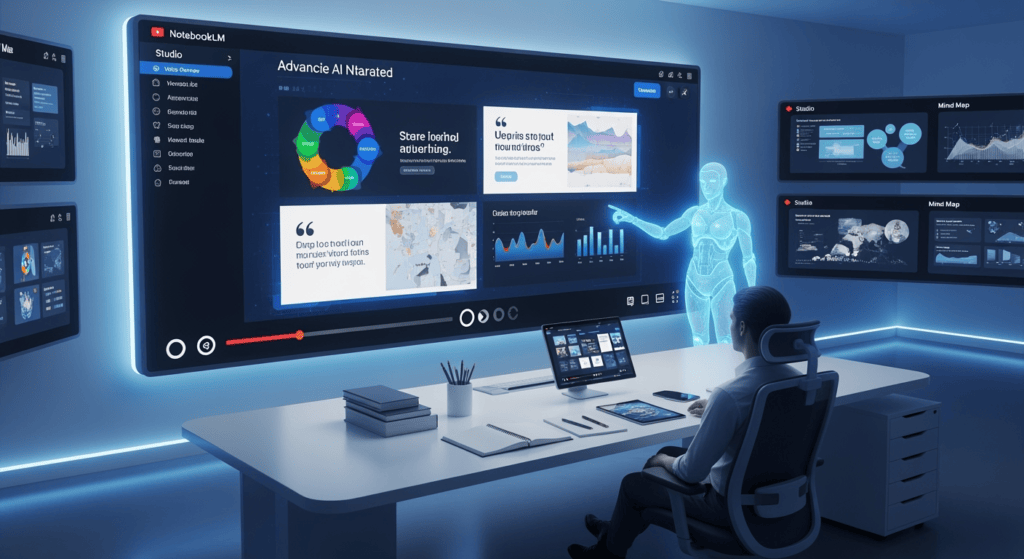
Google just dropped a game-changer for digital learners everywhere. The tech giant’s NotebookLM research tool now creates narrated video slideshows from your documents. This isn’t just another AI update it’s reshaping how we digest complex information.

What Makes Video Overviews Special?
Think of Video Overviews as the visual cousin to NotebookLM’s viral Audio Overviews feature. Instead of listening to AI hosts chat about your documents, you get sleek slideshows with professional narration. The AI pulls images, diagrams, quotes, and data directly from your uploaded files.
The original July 29, 2025 launch covered English-language Video Overviews. Current language availability depends on the format, as described in the update below.
Users can customize everything. Want a basic overview? Ask the AI to explain diagrams for beginners. Need something advanced? Tell it you’re an expert focusing on specific sections. The system adapts instantly.
How the Technology Actually Works
Gemini Notebook grounds responses in notebook sources, but that does not eliminate errors. Google’s current Video Overview guide warns that generated voices and visuals may contain inaccuracies or audio glitches. Check important claims and quotations against the original source; the old Gemini 2.0 Flash and context-window description is not a current model specification.
The video creation process is straightforward. Upload your documents, PDFs, or images. Navigate to the Studio panel. Click the Video Overview tile. The AI generates slides with narration in minutes.
Playback controls mirror YouTube’s interface. Users can skip forward or backward by 10 seconds. Variable playback speeds help with different learning styles. The slides include fresh graphics, charts, and callout quotes from source materials.
Studio Panel Gets Major Upgrades
Google completely redesigned NotebookLM’s Studio interface. The biggest change? Users can now create multiple outputs of the same type per notebook. Previously, you were limited to one Audio Overview, one Mind Map, and one Study Guide per project.
The new layout features four prominent tiles at the top. Audio Overviews, Video Overviews, Mind Maps, and Reports each get dedicated buttons. All created content appears in an organized list below.
Multitasking is now possible within the Studio panel. You can listen to an Audio Overview while exploring a Mind Map. Or review a Study Guide while a Video Overview plays in the background. This flexibility transforms how teams collaborate on research projects.
Real-World Applications Are Endless

Educational institutions are already finding creative uses. Professors can create multiple Video Overviews for different course sections. Each one targets specific learning objectives or student skill levels.
Business teams benefit from role-specific content generation. Upload meeting notes and documentation. Create tailored overviews for executives, developers, and marketing teams. Each group gets relevant information without information overload.
Researchers and students praise the tool’s ability to transform tedious research processes. Academic papers become engaging visual summaries. Training materials for new team members practically create themselves.
The Competitive Landscape Heats Up
NotebookLM carved out a unique niche in the crowded AI research tool market. While competitors like Notion offer flexibility and Perplexity excels at web search, NotebookLM focuses on source-grounded responses.
Source-grounded output still requires verification. A reference to an uploaded document does not guarantee that the summary, narration or visual represents it correctly.
Plan update, November 2, 2026: Google now calls NotebookLM Gemini Notebook. Its current plan table lists Standard at 100 notebooks and 50 sources per notebook, Plus at 200 and 100, and Pro at 500 and 300. Ultra has separate source limits. The old “Plus” label in the launch report should not be used as a current subscription specification.
Technical Limitations and Future Plans
The launch report described narrated slideshows. Google’s current guide now lists Cinematic, Explainer and Short Video Overviews, with format and account restrictions. Confirm the format available to your account before planning a production.
English-only access describes the original launch. The current guide lists many languages for Explainer and Short Video Overviews; Cinematic Video Overviews remain English-only.
The tool requires internet connectivity for processing. Large documents may take several minutes to generate Video Overviews. Processing times vary based on document complexity and current server load.
Privacy and Data Handling
Google emphasizes that NotebookLM only processes user-uploaded content. The system doesn’t access external web sources unless specifically requested. This approach addresses privacy concerns common with other AI research tools.
User documents remain private by default. Sharing options exist for collaborative projects, but users control access permissions. Google’s standard data retention policies apply to NotebookLM content.
Google’s current privacy notice says notebook content is not used directly to train foundational AI models unless a consumer chooses to provide feedback. Feedback can include sources, prompts and generated Video Overviews, undergo human review and be retained for up to three years. Google separately says qualifying Workspace and Education uploads, queries and responses are not human-reviewed or used to train AI models, including when feedback is submitted. Review the terms for your account before uploading sensitive material.
Market Impact and User Adoption
NotebookLM’s Audio Overviews went viral for creating surprisingly convincing podcast conversations. Video Overviews could have similar impact among visual learners. Early user feedback suggests strong demand for multimedia learning tools.
The education technology market is responding positively. Several universities are piloting NotebookLM for course material creation. Corporate training departments are exploring bulk licensing options.
Google’s steady feature additions signal long-term commitment to the platform. The company recently launched curated public notebooks featuring content from The Atlantic and The Economist. Over 140,000 public notebooks have been published since launch.
What This Means for Content Creators
Video Overviews democratize professional presentation creation. Small businesses can generate polished training materials without expensive software or design skills. Content creators can repurpose written materials into engaging visual formats.
As a result, the tool has the potential to disrupt traditional e-learning platforms. Instead of investing in costly course creation software, educators and creators can now rely on AI to effortlessly convert existing content into professional-quality slideshows. Consequently, this shift may compel established industry players to innovate at a much faster pace.
However, human creativity remains essential. Video Overviews excel at information synthesis but lack the storytelling nuance of human-created content. The best results likely combine AI efficiency with human editorial oversight.
Looking Ahead: The Future of AI-Powered Learning

Google’s Video Overviews represent a significant step toward personalized, adaptive learning systems. The technology hints at a future where AI tutors create custom educational content for individual learning styles and knowledge levels.
Integration with other Google services seems inevitable. Imagine Video Overviews automatically generated from Google Docs or Slides. Or YouTube integration that creates video summaries from uploaded transcripts.
The broader implications extend beyond education. Legal professionals could generate case summaries. Medical researchers could create visual literature reviews. The applications are limited only by user imagination and document quality.
NotebookLM’s evolution from experimental tool to essential research assistant demonstrates AI’s practical value. Video Overviews aren’t just a new feature they’re a glimpse into the future of human-AI collaboration in learning and knowledge work.
Sources
- The Verge – Google’s NotebookLM can now make narrated slideshows with AI
- TechCrunch – Google’s NotebookLM rolls out Video Overviews
- The Decoder – NotebookLM now turns user documents into AI-generated video overviews
- Engadget – Google adds Video Overviews to NotebookLM
- Beebom – Google NotebookLM can turn documents into narrated video slideshows
- Google Blog – What’s new in NotebookLM: Video Overviews and an upgraded Studio
- Maginative – NotebookLM can Now Turn Your Notes into Narrated Videos