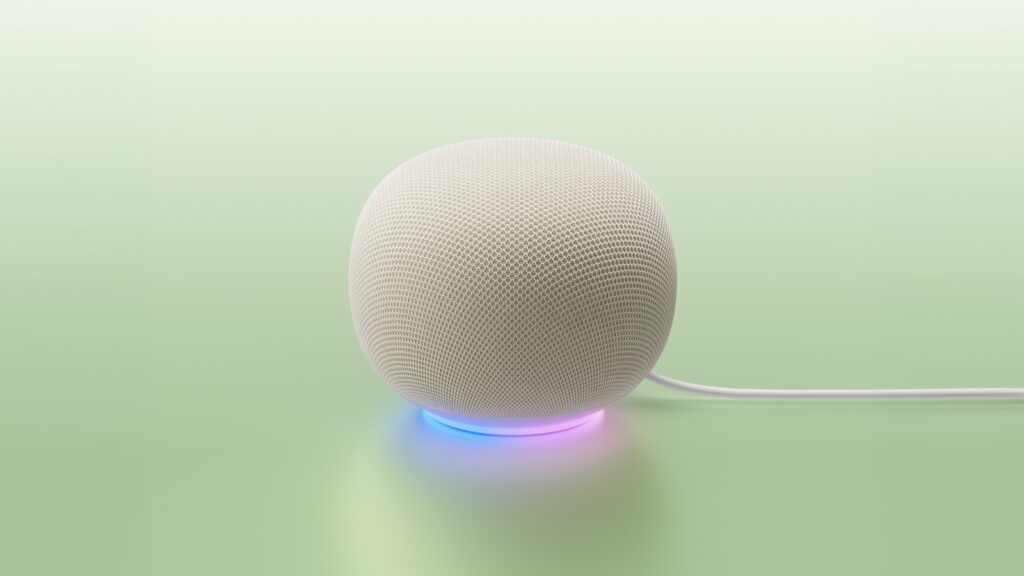
The $99.99 Google Home Speaker makes a convincing first impression because Gemini is markedly easier to talk to than the old command-driven Google Assistant. In Kingy AI’s hands-on video, setup took about three minutes, follow-up questions worked without repeating the wake phrase, “Let’s Chat” opened a free-flowing Gemini Live conversation, and the physical microphone switch did exactly what a shared-room device needs. The open question is reliability: Curtis had used the speaker for several days, not several weeks, and the video promises a longer test before a final recommendation.
Buying details checked October 22, 2026: Google Home Speaker buying profile: Home camera-history search, Home Briefs and conversational Gemini Live have plan or eligibility boundaries. The trial is not lifetime Premium access. The original article keeps its existing dates and evidence scope; the linked profiles describe their own demonstrations.
Disclosure: The video did not carry a verified commercial-relationship evidence when checked on July 26, 2026, and the records reviewed for this update do not establish whether the unit was purchased, borrowed or supplied. This article contains no affiliate purchase link, and we have not inferred a commercial relationship.
This is Google’s first audio device designed for Gemini, according to the company. That wording matters. The speaker is not merely an older Nest product with a new assistant name. It combines a new processor and neural processing unit with Gemini for Home, a 58 mm driver, three far-field microphones, a Thread border router and a physical two-stage microphone mute.
Google Home Speaker with Gemini review: the quick verdict
First-look verdict: promising, but wait for the long-term test if reliability is your deciding factor. At $99.99, the speaker is easy to justify for a Google Home household that wants better voice conversations and a capable smart-home hub. It is harder to recommend to Alexa or Apple households, and its most interesting camera features require compatible Nest cameras plus the $20-per-month Google Home Premium Advanced plan.
Price checked: $99.99 in the United States on July 26, 2026. Testing scope: the video covers initial setup, natural follow-ups, Gemini Live, the hardware mute switch and a first audio impression after several days of use. Kingy did not run instrumented audio measurements, a controlled failure-rate test, a privacy audit or the promised 30-day reliability review.
Best for
- Homes already using Google Home, Nest cameras or Matter devices
- People who want natural follow-up questions from a room speaker
- Buyers who want a $99.99 Thread border router and smart speaker in one device
Strongest points
- Gemini conversations feel less rigid than legacy Assistant commands
- Setup was fast in Kingy’s test
- Physical microphone mute and clear status light
- Competitive entry price; confirm the Premium trial duration and eligibility before buying
Skip or wait if
- Your home is built around Alexa, HomeKit or another assistant
- You need camera-history search without paying for the Advanced plan
- You want proof of day-to-day reliability before replacing existing speakers
Main limitations
- The most compelling camera features require extra hardware and a subscription
- Kingy has not yet completed a long-term reliability test
- Audio was judged by ear, not measured against competing speakers
- Feature availability depends on account, region, firmware and household settings
How we tested the Google Home Speaker
Curtis reports in the video that he had the speaker running for several days. The walkthrough shows the physical review unit, a live response from Gemini for Home, a comparison with the old Google Assistant, the “Hey Google, let’s chat” flow, the microphone switch and the Google Home app used for setup. He also reports that the app found the speaker immediately and completed Wi-Fi and account linking in about three minutes.
The video does not identify the firmware version, Google Home app version, account region, active Premium tier or every connected camera and smart-home device. It does not log command successes, retries or latency, and it does not compare sound against an Echo, HomePod mini or Nest Audio under controlled conditions. The result is a useful hands-on first look, not the month-long reliability verdict promised at the end of the video. Kingy’s editorial and sponsorship standards explain how we separate observed results, creator opinion and manufacturer claims.
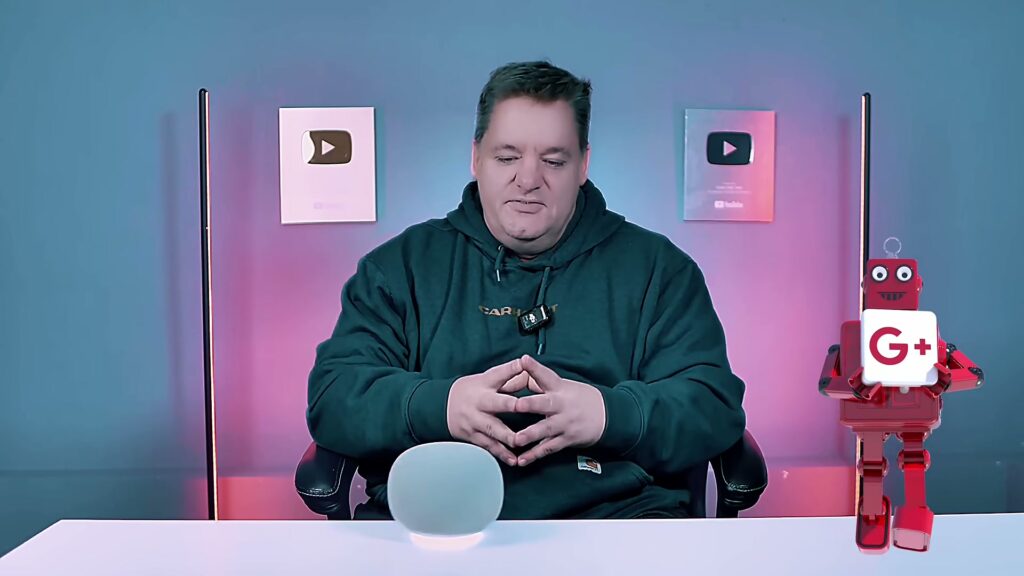
What the video shows
- 0:00 — Opening voice interaction
- 0:43 — Why Gemini is the central upgrade
- 1:04 — Gemini for Home versus Google Assistant
- 1:28 — Price, colours and Google Home Premium
- 1:59 — Follow-up questions and continued conversation
- 2:18 — “Let’s Chat” Gemini Live demonstration
- 2:39 — Camera History Search
- 2:57 — Home Brief summaries
- 3:20 — Hardware, light ring and microphone mute
- 3:58 — Processor, memory and connectivity
- 4:32 — Three-minute setup experience
- 4:52 — First impressions and limitations
- 5:10 — The planned long-term review
Gemini is the reason to buy this speaker
The old Google Assistant was useful when the command matched the structure it expected. It became frustrating when a request included corrections, follow-ups or several related actions. Gemini for Home accepts more natural phrasing, keeps context for a short exchange and supports continued conversation without forcing the wake phrase before every sentence.
That difference is visible in the video. Curtis asks the speaker to explain its own assistant and compare Gemini with Google Assistant. Later, “Let’s Chat” starts Gemini Live, which allows interruptions, follow-up questions and topic changes during an active conversation. This is the feature that makes the device feel more like an assistant and less like a voice remote.
Gemini Live is not part of the free tier. Google currently requires Google Home Premium Standard or Advanced. Basic answers, continued conversation, media playback, timers, calendars, notes, lists and compatible smart-home controls remain available without a subscription.
Google Home Premium: what is free and what costs extra
The speaker’s $99.99 price does not unlock every feature demonstrated in the video. Google’s US product page currently shows a 30-day Premium offer for new subscribers, while other sections and its FAQ still describe a six-month trial valued at $60. That conflicting copy does not establish a universal trial duration: confirm the offer and your eligibility at checkout or activation. The same page lists Standard at $10 per month or $100 per year and Advanced at $20 per month or $200 per year. Prices, bundles and regional availability can change.
| Feature | No subscription | Premium Standard | Premium Advanced |
|---|---|---|---|
| Answers and continued conversation | Included | Included | Included |
| Smart-home controls, media, alarms and lists | Included | Included | Included |
| Gemini Live / “Let’s Chat” | Not included | Included | Included |
| Voice search of compatible Nest camera history | Not included | Not included | Included |
| Home Brief camera-event summaries | Not included | Not included | Included |
| Current US price | $0 | $10/month or $100/year | $20/month or $200/year |
Camera History Search and Home Brief are powerful, but they are not speaker-only features. Voice camera search requires the Advanced plan, one or more compatible Nest cameras and event descriptions enabled. Household managers can restrict searches to voice-matched users or allow guests and children to use them. Home Brief also requires Advanced and summarizes notable events captured by connected cameras.
Setup was fast, but ecosystem fit still decides the experience
Kingy’s setup was the least dramatic part of the test, which is a compliment. The Google Home app found the speaker, connected Wi-Fi and linked the account in about three minutes. Someone already using Google Home should find the process familiar.
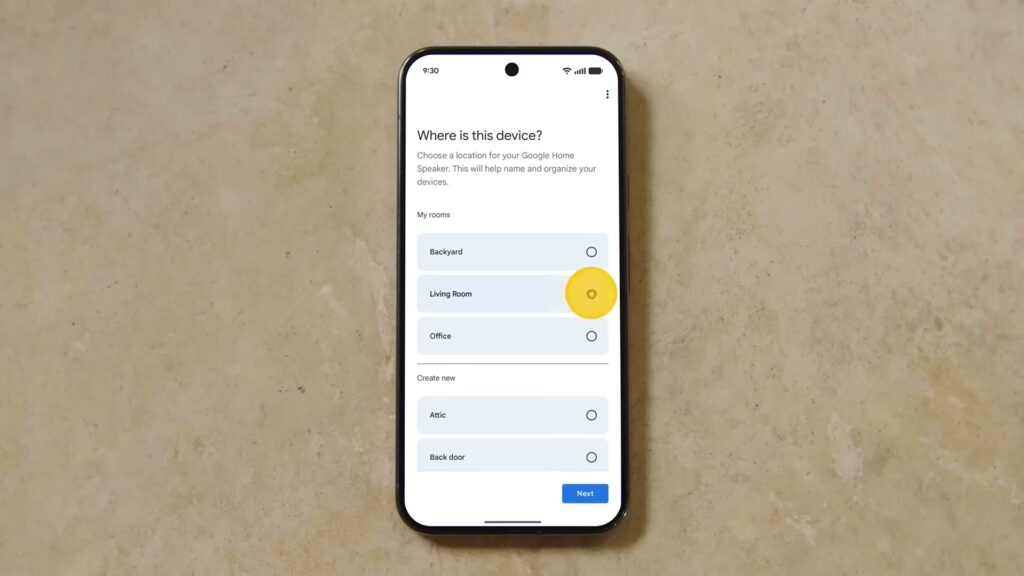
Switching ecosystems is a larger decision. A household with Alexa routines, HomeKit automations or non-compatible services should inventory those dependencies before replacing anything. Google says Gemini for Home controls devices from thousands of brands that work with Google Home, but each partner still needs to appear under “Works with Google” in the app.
Hardware and audio: capable, with one important testing limit
Google lists a 58 mm full-range driver, three far-field microphones and 360-degree sound. The speaker can form a stereo pair with a second unit or connect to a Google TV Streamer for television audio. Curtis calls the audio “solid for the price,” but the video does not include level-matched music samples, frequency measurements or a direct competitor comparison. Treat that as an initial listening impression.
| Specification | Google Home Speaker |
|---|---|
| US price checked July 26, 2026 | $99.99 |
| Dimensions and weight | 3.4 inches high × 4.2 inches diameter; 0.9 lb |
| Processor | Quad-core A55 at 2.0 GHz with NPU |
| Memory and storage | 1 GB LPDDR4; 4 GB eMMC |
| Audio | 58 mm full-range driver; 360-degree sound claim |
| Microphones | Three far-field microphones |
| Privacy control | Physical two-stage microphone mute |
| Connectivity | Wi-Fi 6, Bluetooth 5.4, Thread 1.3 border router, Matter hub |
| Colours | Berry, Porcelain, Hazel and Jade; regional selection varies |
Privacy: the mute switch is useful, but it is not the whole story
The physical microphone switch is the most concrete privacy feature. Google says the speaker waits in standby for “Hey Google” or “OK Google,” lights the ring when it is listening, thinking or responding, and will not respond to voice commands when the microphone is muted. It can still play audio while muted.
Account settings matter as much as the switch. Google says Gemini for Home activity is saved to Home History when Voice Match and Home History are enabled. The default retention period is 18 months, which users can change to three or 36 months, disable, or set not to auto-delete. A separate setting that lets Google use voice, audio and Gemini Live recordings to improve its services is off by default and requires Home History to be on.
Camera search adds another layer. Household managers should decide whether guests and children can query history, which cameras are eligible and whether a spoken answer could reveal sensitive information in a shared room.
The use cases that make sense
- Kitchen and family questions: timers, conversions, lists, calendars and follow-up questions without reaching for a phone.
- Hands-free smart-home control: lights, thermostats, Matter devices and routines already connected through Google Home.
- Longer voice conversations: brainstorming, explanations and planning through Gemini Live with Premium.
- Camera-aware households: package questions, event searches and Home Brief summaries with compatible Nest cameras and the Advanced plan.
- Television and room audio: stereo pairing or Google TV Streamer integration where supported.
Alternatives to consider
Keep an existing compatible Nest speaker if the hardware still sounds good and Gemini for Home has reached your account. Google lists Nest Audio, Nest Mini (2nd generation), Nest Hub models and several older speakers as compatible, although feature support varies. The new speaker makes more sense when you also want the updated audio hardware, Thread 1.3 border router or Google TV Streamer pairing.
Choose an Amazon Echo if your routines, purchases and smart-home devices are already centred on Alexa. Choose an Apple HomePod mini if HomeKit, Apple Music and Apple household accounts are the priority. Use a phone or tablet if you want Gemini occasionally and do not need an always-available room microphone or smart-home hub.
For a broader category view, see Kingy’s AI Hardware hub, the Google Home Speaker product profile and the dated launch record.
Google Home Speaker FAQ
Is this Kingy AI’s full Google Home Speaker review?
No. It is a hands-on first look after several days of use. The video explicitly reserves a final verdict until Curtis has tested day-to-day reliability and smart-home performance for several weeks.
How much does the Google Home Speaker cost?
Google listed it at $99.99 in the United States when checked July 26, 2026. Regional prices and availability vary.
Do I need Google Home Premium?
Not for basic answers, continued conversation, smart-home controls, media, timers, calendars, notes and lists. Gemini Live requires Standard or Advanced. Voice camera-history search and Home Brief require Advanced plus compatible Nest cameras and settings.
Can I turn the microphones off?
Yes. A physical two-stage switch on the bottom mutes the microphones. The speaker can still play audio while muted.
Does it work as a Matter and Thread hub?
Google lists Matter hub support and a Thread 1.3 border router. Device compatibility still depends on the individual product and its Google Home integration.
Can I ask it about Nest camera footage?
Yes, with the Google Home Premium Advanced plan, one or more compatible Nest cameras, event descriptions enabled and the appropriate household permissions.
Final verdict: a strong first look, not yet a final recommendation
The Google Home Speaker gets the important part right. Gemini makes a room speaker easier to talk to, and Kingy’s initial setup and conversation tests were encouraging. The hardware mute switch, Thread support and $99.99 price make it a sensible one-room test for households already invested in Google Home.
The subscription boundary keeps the verdict conditional. Gemini Live costs extra after any eligible trial, while Camera History Search and Home Brief require the more expensive Advanced plan and compatible cameras. Kingy also has not completed the reliability test that will determine whether Gemini stays helpful once the clean demo questions give way to noisy rooms, ambiguous device names and everyday family use.
Our recommendation today: buy one to test if you already use Google Home and the free or paid feature set matches your household. Everyone else should wait for Kingy’s long-term follow-up or compare the speaker against the assistant ecosystem they already use.
Official sources
- Kingy AI’s Google Home Speaker first-look video
- Google’s product announcement
- Google Home Speaker product and subscription page
- Google Home Speaker specifications
- Gemini for Home features and plan requirements
- Gemini for Home activity and deletion controls
- Gemini for Home supported services
First-look review by Curtis Pyke. The corrected video transcript, owned footage and current Google documentation were checked for this update on July 26, 2026.
The Kingy Brief
Get the free AI price sheet.
26 AI plans and models on one page, from official pricing pages, updated every month. Free when you join The Kingy Brief: AI changes, original tests and one practical thing to try, Fridays at 09:00 Vancouver time.
Free · Double opt-in · Unsubscribe anytime
Sign up for The Kingy Brief on Beehiiv.
Signup help and newsletter schedule
Signup form provided by Beehiiv. After submitting, check your inbox for "Confirm your subscription to The Kingy Brief" and open its confirmation link. Your price sheet download is on the page that opens. Check Spam or Promotions if you cannot find it.
Fridays at 09:00 Vancouver time: source-checked AI changes, original tests and one practical thing to try. We skip a week when there is not enough verified material. Free. Unsubscribe anytime.