

The DeepSeek app opens up to developers
DeepSeek released the tools behind its consumer chat app to developers on November 13, 2026. The update gives applications using V4.1-Flash access to hosted web search, document parsing, URL reading, and content safety checks. DeepSeek also offers separate services for extracting text and working with speech. The company published a working chat demo and opened its source code so developers can see how the pieces fit together.
The change is easy to picture if you’ve ever asked a chatbot to read a PDF and then look up something the PDF leaves out. Those actions feel like part of one conversation. Behind the scenes, they can take several integrations. DeepSeek is now offering developers a way to put those actions into their own apps using the same service.
What changed for V4.1-Flash
DeepSeek identifies deepseek-flash as the model to use for the new conversation features. Developers can access them through three API formats: Messages, Responses, and Chat Completions. DeepSeek’s service runs the built-in tools and assembles the context the model needs. Its guide explains how the client displays returned content and carries it forward in a conversation. DeepSeek’s chatbot developer guide
That arrangement can save a team from writing code to coordinate a search, retrieve a page, and pass the relevant material to the model. The app still needs to make that work legible. A reader should be able to tell which sources informed an answer, and a developer should be able to tell where a request stalled when something goes wrong.
Web search arrives with citations
With the web tool enabled and thinking mode off, V4.1-Flash can decide when to search the web or look for images and include citations in its answer. An app can display those citations alongside the reply. For a question about a recently updated product or policy, the links give users a way to see where the information came from.
Picture a small business owner asking when applications for a local grant close. A helpful answer gives the date and points to the program page. If that page describes last year’s grant, the answer can still be wrong. Showing the citation makes that easier to spot. For an app that handles questions like this regularly, the quality of the link matters almost as much as the clarity of the answer.
Deep thinking search can follow a trail
DeepSeek also offers a search mode that works during multi-step reasoning. With thinking mode and the search tool enabled, the model can search, read pages, and take additional steps based on what it finds. A question about how a product’s warranty has changed might send it to a current policy, an older manual, and a page explaining which policy applies to purchases made before a particular date.
That flexibility makes it possible to investigate a question whose second step depends on the first. It also gives developers two different experiences to design for. Somebody asking what time a museum opens wants a quick answer. Somebody comparing the terms of three museum memberships may be happy to wait while the app checks the details.
Pasted links can become part of the answer
With URL reading enabled, V4.1-Flash can detect links in a user message, fetch the pages, and use their contents in the response. This suits a conversation where the user already knows the source they want to discuss. A customer might paste an airline’s baggage page and ask whether a specific carry-on meets the rules. The link tells the app exactly where to begin.
A good interface can show which page the app used. That detail becomes important when the user shares two links with nearly identical titles, such as baggage rules for domestic and international flights. If a page fails to load or supplies incomplete information, the app can show what it retrieved and give the user room to supply the missing section.
Files go into the conversation too
The API can parse uploaded PDFs, Word documents, PowerPoint files, and images so the model can answer questions using their contents. DeepSeek’s guide describes text extraction and parsing that accounts for a document’s layout. A user can upload a presentation and ask which slides cover the budget, or attach a PDF manual and ask where it describes a particular setting.
A document that looks straightforward on screen can test this feature in unexpected ways. A footnote may qualify the figure the user cares about. A table may present revised and original numbers side by side. For a developer evaluating file support, those examples are more revealing than a clean, one-page document. They show whether the finished app gives users enough context to verify what it found.
OCR gives developers another route into documents
DeepSeek also offers optical character recognition, or OCR, as a standalone service. OCR extracts text from a scan or image. An application can use it to capture text for a later step, such as indexing files for search, without starting a chatbot conversation. The company offers Search and Fetch separately as well, giving developers direct access to those functions.
Think of a local archive digitizing years of paper newsletters. A service could extract the text, add it to the archive’s index, and make the results available through an ordinary search box. A chatbot could be added later if readers wanted to ask broader questions. The initial job is simply to make the scanned pages searchable, and a standalone tool fits that job.
Voice can be an input, an output, or both
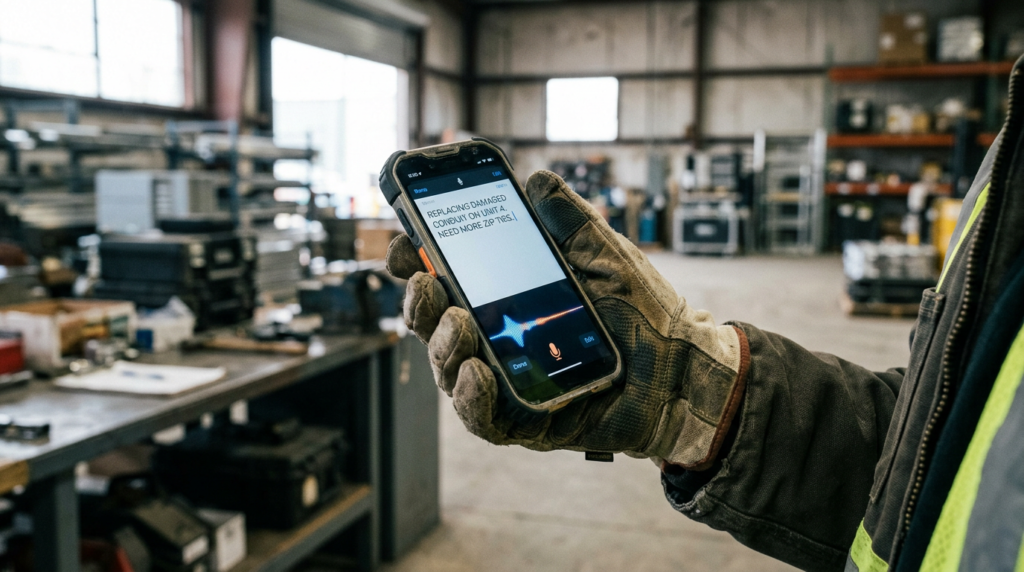
DeepSeek provides speech-to-text and text-to-speech as separate APIs. Speech-to-text turns a recording into a message the app can process. Text-to-speech reads a written response aloud. DeepSeek’s demo shows both uses, giving developers examples for voice input and for reading an answer back to a user.
The distinction leaves room for products that use voice in only one direction. A field worker might dictate an update while wearing gloves, then check the transcript before submitting it. A language learner might type a question and listen to the reply. In either case, the interface matters. An editable transcript gives the worker a chance to correct a part number, while playback controls let the learner hear a phrase again without repeating the request.
Safety reviews come with a signal for the app
DeepSeek says the built-in content safety feature checks model inputs and outputs and returns a refusal indicator when it detects a risk. Its documentation tells developers offering a public service to enable the check and fulfill applicable obligations for moderation, model registration, and labeling AI-generated material. Those are conditions developers need to account for as they design and operate a public-facing app.
The refusal indicator also creates an ordinary interface decision. What should the user see when the app declines a request? A generic error can look like a broken connection and invite someone to retry. A clear message gives the user a better idea of what happened and whether they can revise the request or seek help through the service.
The open-source demo shows the pieces working together
DeepSeek published the source for its demo chat client and made a browser version available. It demonstrates search, file and image uploads, spoken input, read-aloud replies, and conversation management. It can also import a conversation history exported from DeepSeek Chat. The guide says importing a history replaces the demo’s existing history. DeepSeek’s demo client on GitHub
The demo is a practical place to look for decisions that a feature list leaves out. What does a citation look like next to a streamed reply? How does the user see which files they attached before sending a message? Those details are small individually, and together they determine whether using several tools still feels like having one conversation.
Tool calls have their own bill
DeepSeek charges for extended capabilities in addition to model token usage. Its Search and Fetch documentation lists each service at $0.75 per 1,000 successful requests. The billing guide says an unsuccessful request, an empty search, or a timeout is excluded under the documented rules. For budgeting, the distinction between a conversation and a tool request matters. One conversation can involve multiple lookups. DeepSeek’s Search and Fetch billing guide
Consider a research app that handles 10,000 questions. If the workload produces 20,000 successful searches and 10,000 successful fetches, those operations would cost $22.50 at the published rates. Model tokens and any other services would be billed separately. The example illustrates why testing a representative workload tells a team more about cost than counting users or messages alone.
Three API formats give existing projects a starting point
The choice of Messages, Responses, and Chat Completions gives developers different ways to add the features. A team can begin by looking at the format its app already uses, then check how that format returns tool results and conversation context. DeepSeek’s guide tells chat clients to display the returned blocks and send them back unchanged when the conversation continues.
This matters when an app has an interface built around text alone. A reply can now carry citations and tool results the old interface never expected to display. Consider a support bot whose answer includes a link to a warranty clause. With a usable citation, the customer can open the clause immediately. If the app drops that information, the customer may have to run a separate search for the same page.
Small teams can start with one useful workflow
A team building an assistant for a property management company could begin with a narrow question: Can a tenant upload a lease and find the paragraph about getting a pet? The team might use document parsing to make the lease readable and test how easily a tenant can identify the relevant clause. Later, if users routinely ask about an outside policy, the team could add URL reading to bring that document into the same conversation.
That sequence also gives the team a straightforward way to judge progress. Start with leases that vary in length and formatting. Check whether the app handles an addendum that changes a rule in the original agreement. Then see whether tenants can verify the answer themselves. A small test like this can show whether the integration solves the problem users actually bring to it.
Hosted tools change what the developer has to monitor
When tasks run on DeepSeek’s servers, the app developer spends less time coordinating the steps between a question and the model’s answer. The team still needs to understand how the finished experience behaves. If someone pastes an article link and uploads a document in the same message, did the reply draw on both? If one source could not be read, did the interface make that clear?
It helps to test where an apparently fluent answer could conceal an incomplete result. A user asking about a returns policy might attach an old invoice and link to a current policy page. If the app could read only one of those sources, the difference matters. The app can tell the user which material it used and make it easier to supply anything missing.
The release gives DeepSeek a place inside other products
DeepSeek previously offered V4.1-Flash through its API. The November release gives developers access to more of the functions people use around the model in the official app. Contemporary coverage described the change as opening up the app’s underlying tools, alongside a reference client developers can inspect. Advance Intelligence’s coverage of the release
That makes deployment the interesting part of the story. A useful tenant assistant, archive search engine, and voice-enabled field tool can all draw on different pieces of the same release. Each has a distinct job and a different way to measure whether it works. For DeepSeek, getting those tools into products people already use gives the API a role in tasks that might never begin in the company’s own chat app.
The best test is an ordinary question
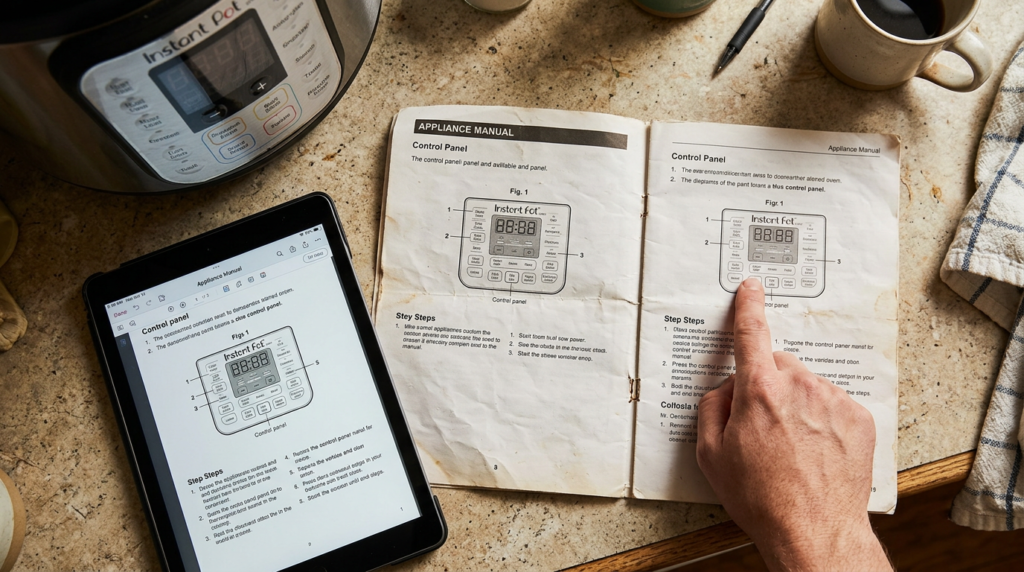
Put a scanned appliance manual on the screen and ask how to change a setting. A useful app reads the right page, identifies the steps, and shows enough of the original text for the owner to check the answer. If the scan cuts off the instructions, the app can say which part is missing. If there’s a newer manual for a different model, the app can make the distinction visible.
DeepSeek’s update gives developers several of the tools needed to build that experience. One can read the scan. Another can fetch the manufacturer’s page. The model can bring the information together in a reply. The product earns its place when the person with the appliance can finish the job without opening six more tabs.
Sources
- DeepSeek — App API release and supported tools
- DeepSeek API Docs — Chatbot capabilities and supported API formats
- DeepSeek API Docs — Search and Fetch billing
- DeepSeek on GitHub — Open-source chat demo
- Advance Intelligence — Reporting on DeepSeek’s app API release
- Work Notes — Technical coverage of DeepSeek’s app features and reference client