
A Bigger AI Moment for Everyday Users
Some technology announcements promise to change civilization before lunch. Apple’s latest news offers something easier to picture: less time wrestling with an email, searching for a photo, or struggling through a conversation in another language.
Apple has announced plans to bring its first core Apple Intelligence features to supported iPhones in China. Developer testing starts November 4. A public release is planned for December through iOS 27.3.
The package includes Writing Tools, Live Translation, photo cleanup, and selected experiences connected to Alibaba’s Qwen.
That gives this announcement a practical appeal. A useful AI feature does not always need to produce a cinematic masterpiece or solve a scientific puzzle. Sometimes, it simply needs to help someone finish an ordinary task with less effort.
The opportunity lies in those small moments.
If the rollout works well, users could encounter AI while doing things they already understand. There is less need to invent a reason to try it. The reason is sitting in their inbox.
The Calendar Comes Before the Celebration
The announcement establishes a schedule. It does not mean the features are already available to everyone.
Apple’s China Newsroom release carries an October 31 date. MacRumors published its initial report at 2:45 p.m. Pacific Daylight Time on October 30, equivalent to 5:45 a.m. Philippine time on October 31. Its report confirms the planned November developer beta and December public update.
Apple has not supplied a specific December release day.
That distinction matters for readers deciding what to expect next. A developer beta provides an early testing stage. The public release is the milestone that will matter to most ordinary users.
It also gives reviewers a sensible order of business. First, examine what Apple promises. Then test what the software actually delivers.
Speed, clarity, reliability, and ease of use will deserve attention once testing begins. Until then, confident claims about real-world performance would run ahead of the evidence.
The calendar is encouraging. The experience still has to earn its applause.
Writing Tools Could Make the First Useful Impression
Writing help offers an obvious starting point because almost everyone has experienced a message that sounds slightly wrong.
Too stiff. Too blunt. Somehow both.
Apple describes Writing Tools as a way to proofread, rewrite, and summarize text. Its iPhone guidance also tells users to check important information for accuracy.
Consider a hypothetical customer-service reply. The writer knows what happened and what solution to offer. The difficult part is making the response clear without sounding cold.
An editing suggestion could help with that final step.
The same logic applies to a meeting invitation, a school message, or a short business introduction. These tasks rarely require literary fireworks. They require wording that people understand quickly.
Writers should still inspect the result. A smoother sentence can accidentally soften a promise, remove a qualification, or change the intended meaning.
The strongest workflow keeps the human responsible for the facts and final wording. AI can offer another version. The person sending it decides whether that version deserves to leave the drafts folder.
Translation Has a Particularly Human Payoff
Live Translation gives the rollout a benefit that is easy to imagine beyond a product demonstration.
Apple’s China product page describes translation within Messages, FaceTime, and Phone, alongside supported AirPods experiences. Availability depends on the relevant language and hardware conditions.
Picture a traveler trying to explain a simple request. Or relatives who share plenty of affection but lack a shared vocabulary. Even a modest reduction in confusion could make those exchanges more comfortable.
That is the appealing possibility.
Actual usefulness will depend on details that deserve testing: conversational pace, names, accents, interruptions, and background noise.
Translation also carries social nuance. A technically understandable sentence can still sound awkward or miss a joke. Anyone who has watched sarcasm cross a language barrier knows it sometimes arrives wearing the wrong shoes.
For everyday conversations, assistance could encourage people to keep talking.
For sensitive discussions, users should confirm the meaning carefully. The goal is better understanding, and that requires judging whether the translated words preserve what someone intended.
Alibaba’s Qwen Gives the Rollout a Local Partner
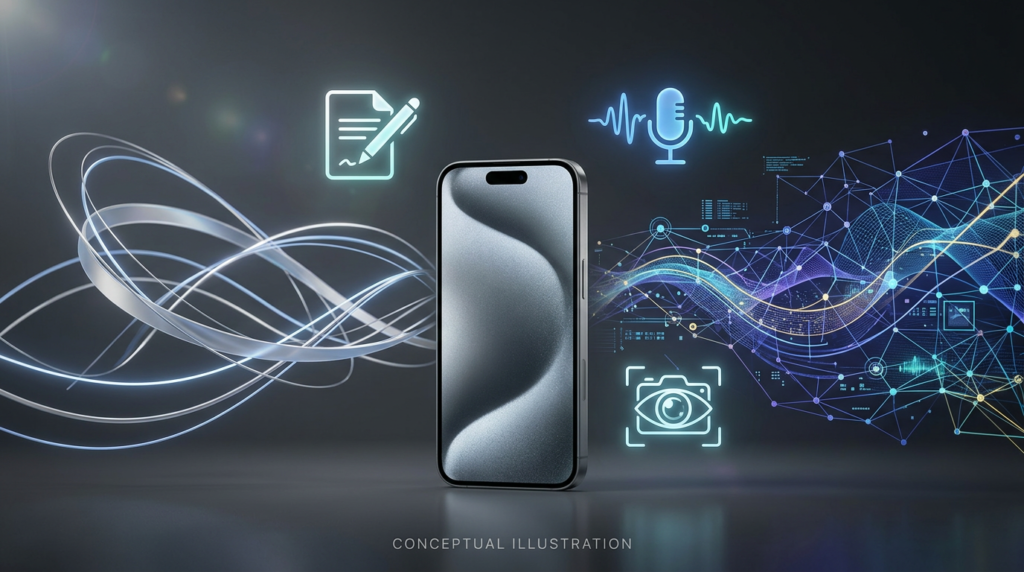
Apple says its Alibaba partnership brings Qwen support into selected Siri, Writing Tools, and Visual Intelligence experiences. Apple’s own models continue to power Apple Intelligence features; the announcement describes Qwen as an additional capability within particular experiences.
For users, the interesting question concerns the experience this arrangement creates.
Can they ask for help naturally? Is the response useful? Can they understand when another service becomes involved?
Those questions matter more in daily use than the number of company names behind an answer.
The partnership also offers an example of how AI products can adapt to different markets. A recognizable interface can connect to services chosen for a particular regional rollout.
That could become a meaningful design approach across the industry. Companies may increasingly compete through the quality of their integrations as well as their models.
This remains an interpretation of the strategy, rather than evidence of a successful outcome. The announcement establishes the relationship. Testing will show how well its parts work together.
Photos Could Supply the Most Satisfying Small Wins
Photo tools have an advantage: people can often see their usefulness immediately.
Apple describes Clean Up as a way to remove distracting elements from an image. Its broader Photos features also include searching through pictures with ordinary descriptions and creating memory movies from prompts. These capabilities have roots in earlier Apple Intelligence releases.
Imagine a family portrait with an inconvenient object near the edge. A quick edit could save someone from opening a separate editing application.
Searching could solve a different irritation. Many people remember what happened in a photograph while forgetting when they took it.
“Dad holding the birthday cake” is how a person might remember the moment. A filename offers considerably less emotional assistance.
These are hypothetical examples, rather than results from testing the upcoming China release.
Still, they explain the appeal. Better tools could help people enjoy an existing collection instead of treating it as a digital attic.
The most useful improvement may be finding the picture someone wanted to share in the first place.
A Quieter Inbox Might Beat a Flashier Demo
Notifications are an attention problem disguised as a collection of tiny rectangles.
Apple’s product materials describe features that summarize information and surface messages that may need timely attention.
The appeal is easy to understand. A person returning from a meeting might want to identify the urgent request before reading every reaction in a busy conversation.
A useful summary could provide a starting point.
However, importance depends on context. An apparently casual message might carry a deadline that matters deeply to its recipient. A short summary might also omit the sentence that explains why an issue remains unresolved.
Good habits will matter alongside good software.
Users can treat summaries as an aid to scanning, then open the original message before making a consequential decision. Reviewers should test whether the system preserves deadlines, uncertainty, and who agreed to do what.
A shorter inbox is pleasant. A clearer understanding of what needs attention is the more valuable prize.
Siri’s Improvements Need Careful Naming
Apple explicitly says this update excludes Siri AI and other next-generation Apple Intelligence features announced at WWDC 2026.
That leaves an important distinction: the rollout includes changes involving Siri without delivering the entire newer Siri AI package.
Apple lists typing to Siri and improvements in understanding conversational requests among the planned capabilities.
For users, typing could be valuable in ordinary situations where speaking feels inconvenient. Think of a shared office, a quiet waiting room, or public transport.
Nobody needs to announce their entire to-do list to the carriage.
The broader lesson concerns expectations. “Siri is getting AI features” can suggest a much larger transformation than a specific release actually contains.
Clear language helps readers evaluate the product fairly. Reviewers should judge the capabilities that arrive, then explain where those capabilities stop.
That approach also gives useful improvements room to stand on their own. A feature can solve a real problem without carrying the weight of every future promise attached to its brand.
Compatibility Will Shape Who Benefits
The rollout begins with eligible iPhones. Apple lists iPhone 15 Pro and iPhone 15 Pro Max, iPhone 16 and later models, iPhone Air, and iPhone Duo. Device and Siri language settings must also meet Apple’s stated requirements. Other platforms await necessary approvals.
Owners should therefore check their exact model and configuration before expecting the update to unlock everything.
That practical detail belongs near the center of the story. A feature’s value depends partly on whether someone can access it with the device they already own.
For existing owners of compatible hardware, the planned release creates a clear opportunity to evaluate additional functions.
For prospective buyers, patience may provide better evidence. Independent testing can reveal which features become regular habits and which remain occasional curiosities.
Someone who spends hours writing messages might value editing help. Another person might care almost entirely about translation or photo search.
The useful question is personal and concrete: which recurring task would this make easier?
Privacy Questions Should Follow the Actual Request
Apple’s privacy documentation describes a system that handles many tasks on the device. Some requests can require server processing through Private Cloud Compute. Apple also describes reporting tools that let users inspect information about how requests are processed.
That general architecture helps explain why “AI on a phone” does not necessarily mean every request follows the same route.
It also makes clear explanations valuable.
A person editing a casual invitation may have different concerns from someone working with confidential business material. Users should be able to understand the service involved and the information being shared.
The Qwen integration deserves its own careful reading when the relevant controls and terms become available to users. Apple’s general privacy descriptions should not become a shortcut for making assumptions about every connected service.
For reviewers, a useful test will involve clarity: can an ordinary person understand the choices?
Privacy information becomes more meaningful when it helps someone decide what to do at the moment they need assistance.
The Strategic Opportunity Is Everyday Familiarity
The rollout’s broader significance lies in where users will encounter the tools.
Writing, calling, browsing photos, and reading messages already belong to daily phone use. Placing assistance within those activities could reduce the effort required to try AI.
That is an analysis of the product approach, rather than a prediction of adoption.
A feature buried behind confusing controls can struggle even when its underlying technology is capable. A modest feature that appears at exactly the right moment may become a habit.
Apple’s opportunity is to make that moment feel natural.
The same test applies to the local partnership. Users should not need to understand the organizational chart behind a response before they can benefit from it.
For competing technology companies, the lesson is broader than this particular rollout. Access and placement matter. So do clear explanations and dependable results.
The interface may invite the first attempt. Whether people return will depend on how well the feature handles their actual task.
The Real Test Starts With Ordinary Days

The planned China launch presents a positive development for people who want more assistance within familiar iPhone activities.
Its promise feels strongest at a human scale: a clearer message, a more comfortable conversation, a tidier photograph, or a faster search for something worth remembering.
Those examples explain why this announcement deserves attention without requiring extravagant predictions.
The next useful evidence will come from testing. Reviewers can examine whether the tools preserve meaning, respond quickly enough, and remain helpful outside carefully arranged demonstrations.
Users will supply an even tougher assessment.
They will decide whether a feature saves effort on a busy Tuesday. They will notice whether an answer helps, whether an edit improves the sentence, and whether the translation keeps a conversation moving.
That is where the announcement becomes a product experience.
For now, Apple has provided a timetable and a defined first package. The coming months will show how much everyday value that package delivers—and which features earn a permanent place in people’s routines.
Sources
- Apple Newsroom China: Apple Intelligence features are coming to users in China — Primary announcement covering the schedule, partnership, features, and eligibility.
- Apple China: Apple Intelligence — Official descriptions of the planned experiences and compatible devices.
- MacRumors: Apple Says iOS 27.3 Beta Coming Next Week — Independent reporting on the timetable and rollout limitations.
- MacRumors: iOS 27.3 Will Enable These Apple Intelligence Features in China — Additional coverage from the same publication.
- Apple Support: Use Writing Tools with Apple Intelligence on iPhone — Background on writing assistance and checking accuracy.
- Apple: Apple Intelligence and Privacy — General privacy architecture and processing transparency.
- Apple Newsroom: Apple Intelligence is available on iPhone, iPad, and Mac — Historical background on the original features.
The Kingy Brief
Get The Kingy Brief.
AI changes, original tests and one practical thing to try. Fridays at 09:00 Vancouver time.
Free · Double opt-in · Unsubscribe anytime
Sign up for The Kingy Brief on Beehiiv.
Signup help and newsletter schedule
Signup form provided by Beehiiv. After submitting, check your inbox for "Confirm your subscription to The Kingy Brief" and open its confirmation link. Check Spam or Promotions if you cannot find it.
Fridays at 09:00 Vancouver time: source-checked AI changes, original tests and one practical thing to try. We skip a week when there is not enough verified material. Free. Unsubscribe anytime.